The best apartment internet combines no-contract flexibility, plug-and-play installation, and reliable speeds without hidden building fees. Fiber-optic connections deliver the strongest performance, while 5G Home Internet suits renters who need a fast, zero-drilling setup. Cable broadband fills the gap where fiber is unavailable.
Renting an apartment introduces a set of internet challenges that homeowners rarely face. Landlord restrictions, shared building wiring, bulk billing agreements baked into monthly rent, and competing Wi-Fi signals from neighboring units all shape how well your connection actually performs. Knowing which technology suits your building and your lease saves both money and frustration.
What Internet Options Are Available for Apartment Renters?
Three connection types dominate the apartment internet market in 2026: fiber-optic, cable broadband, and 5G Fixed Wireless. Each one suits a different living situation.
Which connection type is best for apartment renters?
Fiber-optic internet delivers a dedicated optical strand directly to your unit, producing symmetrical upload and download speeds with sub-15ms ping. Providers such as AT&T Fiber, Verizon Fios, and Frontier Fiber lead this category. Fiber performs consistently during evening peak hours (7 PM to 11 PM) because each unit receives its own dedicated bandwidth, rather than sharing a neighborhood node with dozens of other households.
Cable broadband runs through coaxial outlets already installed in most apartments. Download speeds reach up to 1 Gbps through providers like Xfinity and Spectrum, though upload speeds are typically capped between 30 and 50 Mbps. Cable remains the most widely available option, making it a practical fallback when fiber is not yet wired into the building.
5G Home Internet, offered by T-Mobile and Verizon, connects to a nearby cellular tower through a gateway device that plugs directly into a standard electrical outlet. No drilling, no coaxial cables, and no landlord permission required. Speed consistency varies depending on tower proximity and local congestion, but 5G Home Internet remains the fastest setup option for renters who move frequently.
What Do Renters Need to Know About Landlord Restrictions and Bulk Billing?
Understanding tenant internet rights prevents overpaying or getting locked into underperforming service.
Bulk billing agreements bundle internet into monthly rent as a mandatory amenity fee. Under current FCC regulations, landlords can collect a bulk billing fee if it appears in the lease, but they cannot block competing internet service providers from accessing the building when line infrastructure is available. This means renters retain the right to set up their own independent connection even when bulk Wi-Fi is already included.
No-drilling policies protect security deposits but limit installation options. Selecting 5G Home Internet or using existing coax and fiber wall jacks sidesteps this restriction entirely.
Check Internet Availability & Pricing
Enter your details below to see all high-speed fiber, cable, and 5G internet providers available in your neighborhood.
Shared community Wi-Fi in hallways and lobbies lacks private network isolation. Running personal devices through a shared apartment network exposes smart devices and laptops to security risks without a personal router or VPN layered on top.
How Can Renters Optimize Wi-Fi Performance in Dense Buildings?
Apartment buildings concentrate dozens of competing Wi-Fi networks into a small physical space, creating significant radio frequency interference.
Switch to 5 GHz or 6 GHz bands. The 2.4 GHz band saturates quickly in multi-unit buildings. Connecting laptops, phones, and streaming devices to 5 GHz or 6 GHz channels (available on Wi-Fi 6E and Wi-Fi 7 routers) dramatically reduces interference and improves throughput.
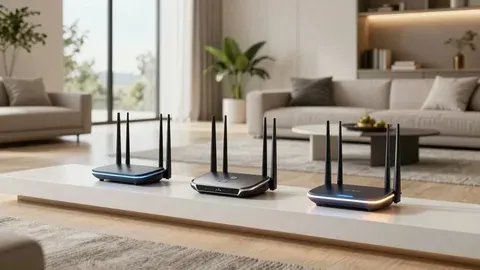
Position the router centrally and elevated. Thick concrete walls and metal appliances weaken signal strength. A router placed on an open shelf near the center of the apartment outperforms one tucked behind a television or left on the floor.
Use Ethernet for bandwidth-heavy devices. Flat Cat6 Ethernet cables routed discreetly along baseboards connect gaming consoles, workstations, and smart TVs directly to the router, freeing up wireless bandwidth for mobile devices.
What Internet Speed Does an Apartment Actually Need?
Match speed tiers to household size rather than paying for unused capacity.
A single occupant using HD and 4K streaming alongside regular video calls needs 100 to 200 Mbps. Two people working remotely and gaming simultaneously require 300 to 500 Mbps to handle concurrent video conferencing and cloud syncing without slowdown. Three or more roommates running smart home devices, streaming simultaneously, and downloading large files benefit from 500 Mbps to 1 Gbps (1 Gig).
Frequently Asked Questions
Can a landlord legally force renters to use one specific internet provider?
No. FCC regulations prohibit exclusive service agreements that block competing providers from offering service in multi-dwelling buildings. Landlords may include a bulk billing fee in the lease, but they cannot prevent renters from setting up an independent connection where line access exists.
How do you set up apartment internet without drilling holes?
5G Home Internet requires only a power outlet near a window. Alternatively, self-installation kits from cable providers use existing coaxial wall jacks already wired into most apartment units.
Is buying a personal router worth it for apartment renters?
Purchasing a Wi-Fi 6 or 6E router eliminates monthly ISP modem rental fees (typically $10 to $15 per month) and provides advanced security controls unavailable through standard ISP-issued equipment.
Find the Right Plan Before You Sign a Lease
Securing solid apartment internet comes down to three priorities: flexible contract terms, installation that respects your lease, and speeds that match your actual household usage. Check whether fiber infrastructure exists in your building. If fiber is unavailable, 5G Home Internet or a no-contract cable plan provides the next best combination of speed and simplicity.
Use MyNeighborhoodWifi’s Apartment Broadband Checker to compare no-contract plans available at your address before committing to a service.

Written by Sam jaffer
Content writer and tech enthusiast sharing insights on internet connectivity.