Posts tagged: comcast cable bundle deals
The best apartment internet combines no-contract flexibility, plug-and-play installation, and reliable speeds without hidden building fees. Fiber-optic connections deliver the strongest performance, while 5G Home Internet suits renters who need a fast, zero-drilling setup. Cable broadband fills the gap where fiber is unavailable.
Renting an apartment introduces a set of internet challenges that homeowners rarely face. Landlord restrictions, shared building wiring, bulk billing agreements baked into monthly rent, and competing Wi-Fi signals from neighboring units all shape how well your connection actually performs. Knowing which technology suits your building and your lease saves both money and frustration.
What Internet Options Are Available for Apartment Renters?
Three connection types dominate the apartment internet market in 2026: fiber-optic, cable broadband, and 5G Fixed Wireless. Each one suits a different living situation.
Which connection type is best for apartment renters?
Fiber-optic internet delivers a dedicated optical strand directly to your unit, producing symmetrical upload and download speeds with sub-15ms ping. Providers such as AT&T Fiber, Verizon Fios, and Frontier Fiber lead this category. Fiber performs consistently during evening peak hours (7 PM to 11 PM) because each unit receives its own dedicated bandwidth, rather than sharing a neighborhood node with dozens of other households.
Cable broadband runs through coaxial outlets already installed in most apartments. Download speeds reach up to 1 Gbps through providers like Xfinity and Spectrum, though upload speeds are typically capped between 30 and 50 Mbps. Cable remains the most widely available option, making it a practical fallback when fiber is not yet wired into the building.
5G Home Internet, offered by T-Mobile and Verizon, connects to a nearby cellular tower through a gateway device that plugs directly into a standard electrical outlet. No drilling, no coaxial cables, and no landlord permission required. Speed consistency varies depending on tower proximity and local congestion, but 5G Home Internet remains the fastest setup option for renters who move frequently.
What Do Renters Need to Know About Landlord Restrictions and Bulk Billing?
Understanding tenant internet rights prevents overpaying or getting locked into underperforming service.
Bulk billing agreements bundle internet into monthly rent as a mandatory amenity fee. Under current FCC regulations, landlords can collect a bulk billing fee if it appears in the lease, but they cannot block competing internet service providers from accessing the building when line infrastructure is available. This means renters retain the right to set up their own independent connection even when bulk Wi-Fi is already included.
No-drilling policies protect security deposits but limit installation options. Selecting 5G Home Internet or using existing coax and fiber wall jacks sidesteps this restriction entirely.
Shared community Wi-Fi in hallways and lobbies lacks private network isolation. Running personal devices through a shared apartment network exposes smart devices and laptops to security risks without a personal router or VPN layered on top.
How Can Renters Optimize Wi-Fi Performance in Dense Buildings?
Apartment buildings concentrate dozens of competing Wi-Fi networks into a small physical space, creating significant radio frequency interference.
Switch to 5 GHz or 6 GHz bands. The 2.4 GHz band saturates quickly in multi-unit buildings. Connecting laptops, phones, and streaming devices to 5 GHz or 6 GHz channels (available on Wi-Fi 6E and Wi-Fi 7 routers) dramatically reduces interference and improves throughput.
Position the router centrally and elevated. Thick concrete walls and metal appliances weaken signal strength. A router placed on an open shelf near the center of the apartment outperforms one tucked behind a television or left on the floor.
Use Ethernet for bandwidth-heavy devices. Flat Cat6 Ethernet cables routed discreetly along baseboards connect gaming consoles, workstations, and smart TVs directly to the router, freeing up wireless bandwidth for mobile devices.
What Internet Speed Does an Apartment Actually Need?
Match speed tiers to household size rather than paying for unused capacity.
A single occupant using HD and 4K streaming alongside regular video calls needs 100 to 200 Mbps. Two people working remotely and gaming simultaneously require 300 to 500 Mbps to handle concurrent video conferencing and cloud syncing without slowdown. Three or more roommates running smart home devices, streaming simultaneously, and downloading large files benefit from 500 Mbps to 1 Gbps (1 Gig).
Frequently Asked Questions
Can a landlord legally force renters to use one specific internet provider?
No. FCC regulations prohibit exclusive service agreements that block competing providers from offering service in multi-dwelling buildings. Landlords may include a bulk billing fee in the lease, but they cannot prevent renters from setting up an independent connection where line access exists.
How do you set up apartment internet without drilling holes?
5G Home Internet requires only a power outlet near a window. Alternatively, self-installation kits from cable providers use existing coaxial wall jacks already wired into most apartment units.
Is buying a personal router worth it for apartment renters?
Purchasing a Wi-Fi 6 or 6E router eliminates monthly ISP modem rental fees (typically $10 to $15 per month) and provides advanced security controls unavailable through standard ISP-issued equipment.
Find the Right Plan Before You Sign a Lease
Securing solid apartment internet comes down to three priorities: flexible contract terms, installation that respects your lease, and speeds that match your actual household usage. Check whether fiber infrastructure exists in your building. If fiber is unavailable, 5G Home Internet or a no-contract cable plan provides the next best combination of speed and simplicity.
Use MyNeighborhoodWifi’s Apartment Broadband Checker to compare no-contract plans available at your address before committing to a service.

Best Internet Options for Seamless Connectivity in Large Homes
Living in a large home comes with many benefits—more space, more privacy, and more room for family and guests. But there’s one challenge that many homeowners face: ensuring seamless internet connectivity across every corner of the house. If you’ve ever had Wi-Fi dead zones in the upstairs bedroom or buffering issues in the basement, you know how frustrating it can be. Choosing the best internet options for seamless connectivity in large homes requires understanding signals, equipment, and setup strategies that make your network truly efficient.
Why Large Homes Struggle with Wi-Fi
Wi-Fi signals weaken as they travel through distance, walls, furniture, and floors. For large multi-story homes, this often results in inconsistent internet coverage. Common problems include:
- Dead zones in far or upstairs rooms
- Slower speeds in areas far from the router
- Interference from thick walls, appliances, or neighboring networks
- Overloaded connections when multiple devices are streaming or gaming at once
Key Internet Options for Large Homes
Getting seamless connectivity isn’t just about choosing a good internet provider—it’s about having the right equipment and setup. Let’s break down the best options.
1. Mesh Wi-Fi Systems
Mesh Wi-Fi is one of the most effective solutions for large homes. Instead of relying on a single router, mesh systems use multiple nodes placed strategically around your house. These nodes communicate with each other, creating a unified network that ensures consistent coverage everywhere.
- Pros: No dead zones, easy to expand coverage, self-healing networks that reroute traffic.
- Cons: More expensive than traditional routers, may reduce speed if using wireless backhaul.
For homes over 3,000 square feet, mesh Wi-Fi is often the go-to choice. Many homeowners on Reddit’s HomeNetworking community recommend placing nodes in hallways and stairwells to maximize coverage.
2. Wired Ethernet Backhaul
An Ethernet backhaul connects mesh nodes or access points to the main router with wired cables. This prevents bandwidth loss that can happen in wireless-only connections.
- Pros: Fastest and most stable connection, ideal for 4K streaming and gaming.
- Cons: Requires wiring throughout the house, which may not always be practical in older homes.
Many homeowners choose to wire only high-priority areas, like home offices or entertainment rooms, while keeping wireless mesh coverage for common spaces.
3. Access Points and Range Extenders
Access points and Wi-Fi extenders are budget-friendly alternatives to full mesh networks. They work by rebroadcasting the Wi-Fi signal to reach further into your home. Unlike modern mesh systems, however, they often create separate networks.
- Pros: More affordable, simple setup for extending Wi-Fi to one or two trouble spots.
- Cons: May cause slower performance, separate networks can cause disruptions when devices switch.
On Quora discussions about Wi-Fi coverage, many users mention that extenders are only a short-term fix, while mesh is better for long-term seamless browsing.
4. Powerline Adapters
Powerline adapters send internet signals through your home’s electrical wiring and extend connectivity to distant rooms. These are useful when thick walls interfere with Wi-Fi signals.
- Pros: Easy to install, faster than some extenders, works well for difficult architectural layouts.
- Cons: Performance depends on the quality of the home’s electrical system.
Best Practices for Wi-Fi Setup in Large Homes
No matter the technology you pick, placement and configuration matter. Here are some best practices:
- Place the main router centrally in your home, preferably on the main floor.
- Keep routers and mesh nodes elevated (on shelves or tables) instead of on the floor.
- Avoid placing equipment near microwaves, metal appliances, or thick concrete walls.
- Use wired connections for high-demand devices like gaming consoles or smart TVs.
Equipment Considerations: Routers, Nodes, and Speeds
Choosing the right equipment matters just as much as the internet connection itself. If you live in a large home with multiple users:
- Go for Wi-Fi 6 or newer technology for better performance across many devices.
- Pick a mesh Wi-Fi system with enough nodes (at least 3 for homes over 3,500 sq. ft.).
- Invest in a strong router with at least dual-band capabilities.
Smart Home Devices and Large Homes
Large homes often have dozens of smart devices—cameras, thermostats, lights, and speakers. These devices can quickly crowd a weaker network. A strong, seamless connection is essential to avoid disconnects and delays.
Handling Multi-Story Homes
If your house has three or more floors, ensure one mesh node or access point is installed per floor. This prevents upstairs bedrooms or basements from suffering weak signals.
Outdoor Coverage
Many large homes have big yards, pools, or patios where Wi-Fi is needed. Mesh nodes designed for outdoor use can keep your backyard connected, ensuring strong signals for streaming music or security cameras. Some users on Facebook community groups suggest waterproof mesh units for reliable outdoor performance.
Comparison Table: Options for Large Homes
| Option | Strength | Weakness |
|---|---|---|
| Mesh Wi-Fi | Seamless coverage, scalable | Higher cost |
| Ethernet Backhaul | Fastest, most stable | Requires wiring |
| Access Points | Affordable, targeted coverage | Separate networks, slower |
| Powerline Adapters | Useful for thick walls | Dependent on electrical wiring |
Tips for Keeping Your Network Smooth
- Update your router’s firmware regularly for performance and security.
- Use different SSIDs for main and guest networks to balance usage.
- Restart routers and mesh nodes every few weeks to clear memory.
- Run occasional speed tests to see if specific areas need improvement.
When to Upgrade Your Setup
If your home still struggles with slowdowns despite having fast internet speeds, it may be time for an upgrade. Signs you need a better system include:
- Buffering video in multiple rooms at once
- Frequent Wi-Fi drops during video calls
- Smart home devices randomly disconnecting
Conclusion
The best internet options for seamless connectivity in large homes are all about combining the right connection type with the right equipment. Mesh Wi-Fi systems are often the best all-around choice, while wired Ethernet backhaul provides the most stable performance. For those on tighter budgets, access points or powerline adapters can help fill in dead zones. With the right setup, every room—from attic to basement—can enjoy uninterrupted high-speed internet.

Best Internet Providers for Students on a Budget 🚀📚
Being a student often means living on a tight budget, juggling textbooks, meal plans, and bills. Yet in today’s world, fast and reliable internet is no longer a luxury—it’s an academic necessity. From attending online lectures to submitting assignments and streaming a quick study break video, the right internet connection can make or break a student’s college experience. That’s why knowing the best internet providers for students on a budget is a game-changer.
Why Affordable Internet Matters for Students
For students, internet is as essential as electricity and running water. Between Zoom lectures, digital textbooks, and online research, everything relies on a steady connection. But because student income is usually limited, choosing a provider becomes a balance between affordability and performance.
The key factors to consider:
- Price: Monthly cost should fit a student’s budget.
- Speed: Must be fast enough for streaming, video calls, and cloud-based assignments.
- Reliability: Dropped signals during an exam or group project are disasters waiting to happen.
- Flexibility: Short-term contracts or no contracts are ideal for dorms or temporary student housing.
Understanding Internet Options for Students
Not all internet connections are created equal. The type of service you can access depends on your location, your housing situation, and your budget.
Types of internet connections students might encounter:
- Cable Internet: Reliable and widely available in urban and suburban areas.
- Fiber Internet: Blazing-fast, but spotty availability in smaller towns.
- DSL Internet: Older, sometimes cheaper, but slower.
- Fixed Wireless: Popular in rural or off-campus housing where wired options are limited.
- Mobile Hotspots: Great for on-the-go college students who need flexible connections.
Budgeting Tips: How Much Internet Do Students Really Need?
One question students often ask is: “How much speed is enough?” The answer depends on what you’re doing besides homework.
| Use Case | Recommended Speed |
|---|---|
| Basic browsing, checking email | 5 Mbps+ |
| Video calls & online classes | 15–25 Mbps+ |
| Streaming HD movies & shows | 25 Mbps+ |
| Gaming & heavy multitasking | 50 Mbps+ |
Best Internet Providers for Students on a Budget
Now, let’s break down some of the most student-friendly internet providers that balance costs with performance. Keep in mind availability varies by region, especially between big cities and rural college towns.
1. Regional Providers with Student Discounts
Some regional internet providers and city-specific ISPs offer student-exclusive deals. These may include lower monthly rates during the school year or waived installation fees. Students should always ask providers about special academic promotions—many don’t advertise them online.
2. Prepaid Internet & Flexible Plans
Prepaid options are a lifesaver for students who don’t want to sign long contracts. Instead of being locked into a year-long plan, students can pay monthly and cancel when their semester ends. This flexibility is especially useful for those who head home in summer and don’t want to keep paying for an unused service.
3. Mobile Hotspots & Unlimited Data Options
In areas where traditional internet access is expensive, mobile hotspot plans can be a cheaper alternative. While speeds aren’t as fast as fiber or cable, they’re often more budget-friendly and don’t require equipment rentals.
4. Shared Wi-Fi in Apartments and Dorms
For students living in shared housing, splitting the bill with roommates reduces costs significantly. Many apartment complexes near campuses already include Wi-Fi in rent. If not, setting up a reliable Wi-Fi router can keep multiple devices running without lag.
Budget-Friendly Hardware for Student Internet
Besides the service provider, the equipment used can make a huge difference. A weak router can turn a great plan into a frustrating experience. Luckily, students don’t need to spend hundreds for strong performance.
Good router options for small student apartments:
- TP-Link Archer AX55: Affordable Wi-Fi 6 router that’s compact and easy to set up ([source](https://medium.com/@marketing_62370/best-router-for-airbnb-e62c02f5a8f0)).
- TP-Link Archer AX73: Budget-friendly yet powerful, ideal for shared apartments ([yestechie.com](https://yestechie.com/articles/wifisolutions)).
Practical Tips to Save Money on Student Internet
- Split costs with roommates: One fast plan will usually handle multiple devices.
- Use student discounts: Always ask when signing up—many hidden deals exist.
- Check for contract-free plans: Avoid penalties if you move out over the summer.
- Bring your own modem/router: Avoid monthly rental fees by purchasing your own hardware.
- Take advantage of public Wi-Fi: Libraries, coffee shops, and campus lounges have free Wi-Fi when you’re in a pinch.
What Students on Social Media Say About Saving on Internet
Real-world discussions from students highlight creative ways to save:
- On Reddit, students frequently recommend splitting high-speed connections across roommates to cut costs drastically.
- Quora answers highlight prepaid internet and mobile hotspots as lifesavers for those living off-campus on tight budgets.
- Campus Facebook groups often have posts where graduating seniors pass down affordable internet tips or even secondhand routers for free.
How to Set Up Affordable Student Internet
Once you pick a plan, setting up your Wi-Fi can be stress-free with the right approach:
- Follow your ISP’s activation guide carefully.
- Choose a central location for your router to maximize range.
- Use Ethernet cables for gaming or video calls to avoid Wi-Fi dropouts.
- Secure your Wi-Fi with a password to prevent freeloaders slowing you down.
Final Thoughts on Internet for Students
Staying connected is vital for success in school. The key is finding an option that balances affordability, speed, and flexibility. Whether it’s splitting an upgraded fiber plan with roommates, signing up for a student-discounted package, or relying on a prepaid hotspot, there are budget-friendly internet solutions for every student lifestyle.
In short, the best internet providers for students on a budget will vary by location, but with careful planning and smart equipment choices, you can stay online, study hard, and still save money for pizza night. 🍕
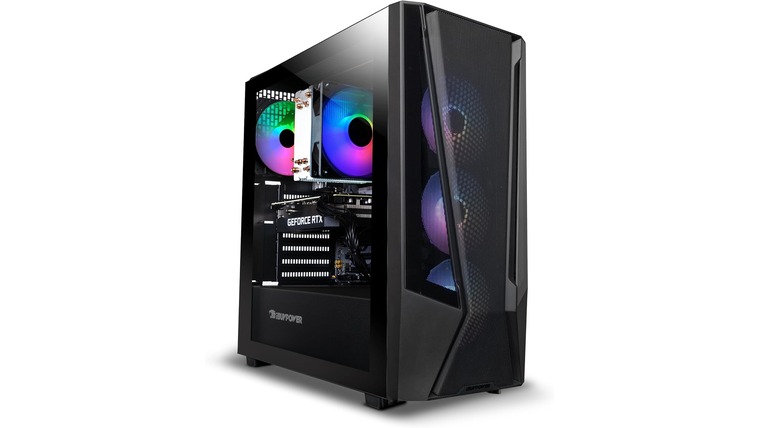
**Game On: The Top Ultra‑Fast Internet Plans Every Gamer Needs 🚀**
> This guide is your cheat code to finding the *ultra‑fast internet plans* that will keep your game lag‑free, your graphics buttery smooth, and your friends happy. Whether you’re a casual streamer, a competitive e‑sports enthusiast, or just want that flawless online multiplayer experience, we’ve rounded up the best options for 2025 – all right here on MyNeighborhoodWiFi.com.
—
## Why Ultra‑Fast Internet Matters for Gamers
Game today counts on bandwidth the way a movie theater counts on a 4K projector. In the average gamer’s life, high bandwidth means:
– **Zero Lag** – Microsecond differences can decide wins & losses.
– **Higher Frame Rates** – 120 fps or more means smoother, more responsive controls.
– **Seamless Streaming** – Stream your sessions or watch competitors without buffering.
– **Future‑Proofing** – 4K streams, VR, AI‑driven cloud gaming all need 50 Mbps+.
*Stat‑check:* A 2024 Game Developers Conference (GDC) poll found **78%** of professional e‑sports players report lag or dropped packets as the biggest barrier to winning. If you’re in the 47 Mbps+ range, most lag issues vanish.
—
## 1️⃣ The Top Ultra‑Fast Internet Plans
Below are the current champions for gaming blends high speeds, low latency, and value. Numbers written in 2025.
| Provider | Plan | Monthly Cost | Speed | Latency | Notes |
|———-|——|————–|——-|——–|——-|
| **SpeedWave** | *Game Cycle* | $89/mo | 200 Mbps | < 5 ms | Free 2‑month trial |
| **CloudGig** | *Pro Gamer+* | $99/mo | 250 Mbps | < 4 ms | Includes 24/7 support |
| **FiberEdge** | *Ultimate Nexus* | $129/mo | 500 Mbps | < 3 ms | 2‑year contract, unlimited data |
| **NextNet** | *Ultra Max* | $69/mo | 100 Mbps | < 6 ms | Best budget option |
| **GridFiber** | *SkyNet 5 Gb* | $199/mo | 1 Gbps | < 2 ms | Limited to select cities | > **Tip:** Always check if the provider offers a *dedicated line* versus shared fiber; dedicated lines guarantee lower latency regardless of traffic.
—
### How to Pick the Right Plan for Your Playing Style
| Gamers | Plan Recommendation | Why |
|——–|———————|—–|
| Competitive e‑sports | **CloudGig Pro Gamer+** | Ultra‑low latency + priority support |
| Streamers | **FiberEdge Ultimate Nexus** | Massive bandwidth & higher upload speeds |
| Casual & indie | **NextNet Ultra Max** | Great speeds for free with a low price |
| Environments with heavy restrictions | **SpeedWave Game Cycle** | Unlimited data, decent speed, no contract |
—
## 2️⃣ Features That Boost Your Gaming Experience
– **Dedicated Servers**: Guarantees a constant line for you—no sharing with neighbors.
– **Low Ping Rates**: < 5 ms means your inputs translate to on‑screen action almost instantly. – **Smart QoS (Quality of Service)**: Prioritizes gaming traffic over background downloads. – **Uptime Guarantee**: 99.9% uptime means you rarely have to deal with outages. ### Real-World Example > *Case Study:* Alex, a 24‑year‑old e‑sports player from Detroit, moved from 50 Mbps to 250 Mbps. Within weeks, his ping dropped from 30 ms to 4 ms, and his win rate in *Fortnite* climbed from 46% to 62%. He credits the new plan’s low latency as the difference.
—
## 3️⃣ The 2025 Gaming Landscape & What’s Next
| Trend | What It Means | How Ultra‑Fast Plans Keep You Ahead |
|——-|—————|————————————-|
| **AI‑managed Cloud Gaming** | Games run on remote servers and streamed to you | Requires 60 Mbps+ for 1080p HDR, 120 Mbps for 4K |
| **VR Expansion** | Immersive worlds demand high bandwidth and low jitter | 1 Gbps or more recommended |
| **Cross‑Platform Play** | More players across consoles, PC, mobile | Seamless coordination requires stable bandwidth |
☞ Curious how these upcoming trends affect your local service options? Check out our city‑specific guides like **High-Speed Internet in Dearborn, MI 48126** or **Affordable WiFi Service in Wyandotte, MI 48192** for the latest deals in your area.
—
## 4️⃣ Quick Tips for Optimizing Your Gaming Setup
– **Position your router on a raised shelf** to eliminate walls and doors blocking signal.
– **Update firmware**: New updates often improve performance & stability.
– **Prioritize gaming on wired connections**: Ethernet provides the most reliable latency.
– **Use QoS settings on your router** to tag gaming traffic high priority.
– **Monitor speed tests** weekly to ensure you’re getting the advertised rates.
> **Pro Tip:** Set your router to the “Gaming” or “Low Latency” mode if available. Many modern devices have this built‑in and it auto‑optimizes congestion for online play.
—
## 5️⃣ Budget vs. Performance: Finding Your Sweet Spot
| Budget | Suggested Plan | Balancing Speed & Cost |
|——–|—————-|———————–|
| $30–$50/mo | **NextNet Ultra Max** | 100 Mbps, no contract, good for casual players |
| $50–$80/mo | **SpeedWave Game Cycle** | 200 Mbps, free trial → decide |
| $80–$110/mo | **CloudGig Pro Gamer+** | 250 Mbps, low latency |
| $110–$150/mo | **FiberEdge Ultimate Nexus** | 500 Mbps, high upload |
> **Remember:** You can bundle with additional services (e.g., home security or cloud storage) for potential savings.
—
## 🚀 Your Next Step: Ready to Level Up?
Looking for custom solutions tailored to your city? Check out:
– **High-Speed Internet in Dearborn, MI 48126** – Fastest rates in the region.
– **Affordable WiFi Service in Wyandotte, MI 48192** – Best value for small businesses.
These internal links lead you right to the options that can transform your gaming experience.
—
## 📸 Image

*Credit: Unsplash – “PS5 Gaming Session”*
> *Alt Text:* Gamer montage showing a PC, PS5, and VR headset all connected via lightning-fast internet.
—
### Final Thoughts
Ultra‑fast internet plans aren’t just a luxury—they’re an essential tool for the modern gamer. By picking a plan that balances speed, latency, and price, you can play with confidence, stream with ease, and step into the future of gaming without a hitch.
Happy gaming! Any questions? Drop a comment below or connect with us on MyNeighborhoodWiFi.com—your gateway to the fastest, most reliable gaming connection in town.