Posts tagged: xfinity internet no cable
Have questions? Give us a call.
Fiber internet is no longer a luxury for businesses. It’s becoming the backbone of professional operations in 2026, especially for teams that rely on video conferencing, cloud storage, and real-time collaboration.
If you’re tired of slow uploads killing your productivity or watching your internet lag during important client calls, fiber might be exactly what your business needs. This guide breaks down what fiber internet actually is, how it compares to other options, what you’ll pay, and how to figure out if it’s right for your company.
Related: Internet Providers Near Me: Compare & Find the Best Local Options
Related: Compare Internet Providers by Speed, Price & Availability
What Is Fiber Internet and Why Does It Matter for Business?
Fiber internet uses fiber optic cables (thin strands of glass that transmit data as light) to deliver internet to your location. This is fundamentally different from older cable or DSL technology.
Here’s the real difference: fiber gives you symmetrical speeds. That means your upload speed matches your download speed. If you’re downloading at 1 Gbps, you’re also uploading at 1 Gbps. With cable internet, uploads are often 10-20 times slower than downloads.
For businesses, this matters because:
- Video conferencing doesn’t lag when multiple team members upload simultaneously
- Cloud backups happen in minutes, not hours
- File transfers between offices or with clients happen instantly
- Your entire team can work smoothly without internet bottlenecks
Fiber also comes with unlimited data on virtually every plan, and speeds typically range from 300 Mbps up to 5 Gbps in select areas. Plus, fiber networks are generally more stable and reliable than older broadband technologies, which means fewer service interruptions during your workday.
Fiber Internet Pricing for Small and Medium Businesses
Pricing varies based on location and provider, but here’s what you can typically expect in 2026:
Related: Best Business Internet 2026: Top 5 Providers Ranked
Related: Best Home Internet 2026: Top 6 Providers Ranked & Compared
Related: Best Dedicated Internet Access 2026: Top 5 Providers Ranked
- Entry-level fiber: 300-500 Mbps plans start around $20-$50 per month (often with promotional rates)
- Mid-tier plans: 1 Gbps (1,000 Mbps) ranges from $70-$100 per month
- High-speed plans: 3-5 Gbps plans run $100-$200+ per month
Most plans include installation, a Wi-Fi router, and mesh-ready equipment at no extra cost. Many providers also offer equipment rental options if you don’t want to buy upfront.
Keep in mind: promotional rates are common for the first 12 months. After that, prices typically increase, so always ask about the rate after your promotion ends. Contract terms vary too—some providers offer month-to-month flexibility, while others lock you in for 12-24 months.
Top Fiber Internet Providers for Businesses
Not all fiber providers are available everywhere, and not all are created equal for business use. Here’s what stands out in the market right now:
AT&T Business Fiber is often the best choice if symmetrical speeds are your priority. They offer up to 5 Gbps in select areas, and their business plans come with dedicated support and flexible contract options.
Optimum Business is built specifically for small and medium-sized companies. They have competitive pricing, local support in their coverage areas, and solid reliability scores.
Spectrum Business wins for flexibility. If you don’t want to sign a long-term contract, Spectrum offers month-to-month plans without locking you in. Their pricing is transparent, and they serve a huge portion of the country.
Comcast Business is your best bet if you need enterprise-scale services. They offer redundancy options, static IP addresses, and technical support tailored for larger operations.
T-Mobile Home Internet and Viasat Business are worth exploring if fiber isn’t available in your area. They’re not fiber, but they can deliver competitive speeds for businesses in underserved locations.
To see which providers actually service your business location and compare their exact pricing and speeds, myneighborhoodwifi.com can show you all available options without the sales pitch. We help businesses compare apples to apples so you’re not guessing.
Ready for faster internet?
Is Your Business Actually Suited for Fiber Internet?

Fiber is fantastic, but it’s not the right choice for every business situation. Ask yourself these questions:
- Do you upload large files regularly? (Video editors, photographers, architects, designers—yes. Dentist offices—probably not.)
- Do multiple team members video conference at the same time?
- Does your business depend on cloud-based tools and software?
- Is your current internet slow or unreliable during peak hours?
- Do you have backup internet, or would a connection failure hurt your business?
If you answered yes to 2 or more of these, fiber is likely worth the investment. If you’re still unsure, a broker like myneighborhoodwifi.com can walk you through your specific needs and help you compare whether fiber, cable, or another option is actually the best fit financially and operationally.
Fiber Internet Speed Comparison Chart
Here’s a quick look at how fiber stacks up for common business tasks:
Related: High Speed Internet for Business: How to Compare & Choose
- Downloading a 1 GB file: 100 Mbps takes ~80 seconds. 1 Gbps takes 8 seconds. 5 Gbps takes 1.6 seconds.
- Uploading a 10 GB video to the cloud: 50 Mbps upload (typical cable): ~27 minutes. 1 Gbps fiber: 80 seconds.
- Video conferencing (4K, multiple participants): Needs 25-50 Mbps. Fiber handles it effortlessly while others work.
- Cloud backup of 100 GB: 50 Mbps: ~4.4 hours. 1 Gbps: 13 minutes.
Speed alone isn’t everything, though. Reliability, consistent latency (lag), and customer support matter just as much. That’s why comparing total value—not just Mbps and price—is crucial.
How to Get Fiber Internet for Your Business
The process is straightforward, but there are a few steps to follow:
Step 1: Check availability. Enter your business address online to see which fiber providers service your location. Some areas have multiple fiber options, others have one or none.
Step 2: Compare plans and pricing. Look at speeds offered, contract terms, equipment included, and customer service ratings. Don’t just pick the cheapest option—look at what you’re actually getting.
Step 3: Ask about bundling. Many providers offer discounts if you bundle internet with phone or other services. But make sure the bundle actually saves money before committing.
Step 4: Understand the contract. Read what happens after your promotional period ends, what the early termination fee is, and what speeds are guaranteed. Some providers guarantee minimum speeds in writing; others don’t.
Step 5: Schedule installation. Once you pick a provider, installation typically happens within 7-14 days. Some providers offer expedited installation for a fee.
If you want professional guidance on this whole process—someone to make sure you’re not overpaying and that the plan actually fits your business—that’s exactly what myneighborhoodwifi.com does. We compare all available providers at your location, negotiate pricing, and coordinate installation so you don’t have to spend hours on research.
Fiber vs. Cable vs. DSL for Business Internet
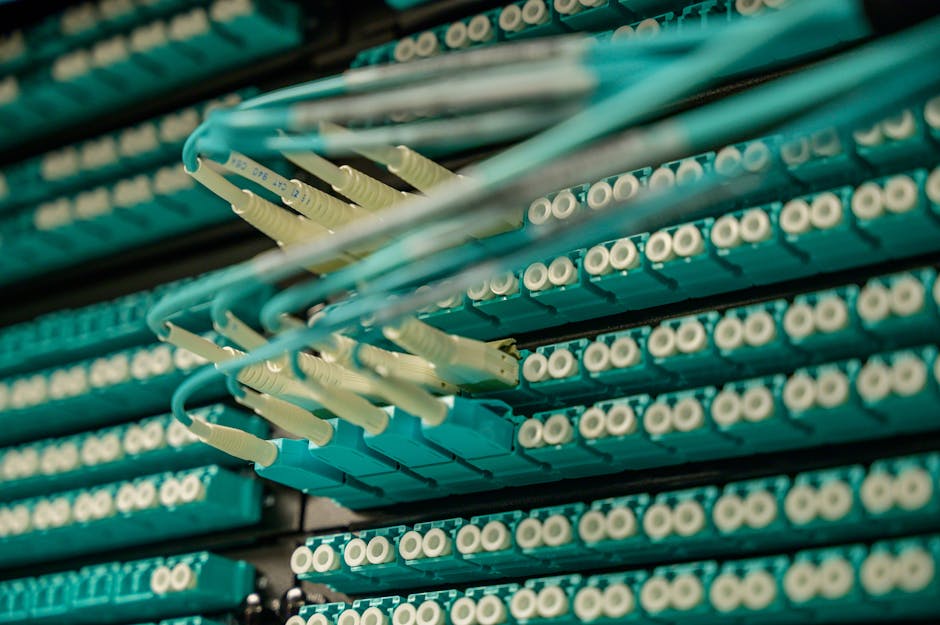
Since you’re considering fiber, here’s how it stacks up against the alternatives:
Fiber (symmetrical speeds, unlimited data, most reliable): Best for businesses that upload or video conference. Most expensive upfront, but speeds are future-proof and consistent.
Cable (fast downloads, slower uploads, data caps possible): Good for small businesses with moderate needs. Cheaper than fiber, but uploads are slow. Speeds can degrade during peak hours if many customers share the line.
DSL (reliable, slower speeds, older technology): Cheapest option, but speeds are typically too slow for modern business. Uploads are especially weak. Only consider if fiber and cable aren’t available.
For most businesses in 2026, fiber is the long-term play. Speeds won’t become obsolete, symmetrical uploads save real time, and reliability is higher. The price premium is usually worth it within 12-24 months.
Common Fiber Internet Questions for Businesses
Does fiber internet have data caps?
No. Fiber plans come with unlimited data across virtually every provider and plan. You can download, upload, stream, and backup without worrying about hitting a limit or paying overage fees. This is one of the biggest advantages over cable internet.
How long does fiber installation take?
Typically 7-14 days from order to activation. If fiber infrastructure already reaches your building (common in urban and suburban areas), installation is faster. If the provider needs to run fiber to your location for the first time, it can take longer. Some providers offer expedited installation for a fee. Always ask about timeline before signing up.
What upload speeds can I expect with fiber?
Most business fiber plans offer symmetrical speeds, meaning upload equals download. A 1 Gbps plan gives you 1 Gbps download and 1 Gbps upload. This is the opposite of cable, where uploads are often 10-20 times slower. According to FCC broadband standards, upload speeds are critical for modern business productivity.
Is fiber internet reliable for mission-critical business operations?
Fiber is generally more reliable than cable or DSL because it’s not affected by electrical interference and doesn’t degrade as easily over distance. However, “reliable” is relative and varies by provider and location. Ask potential providers about their uptime guarantee and what happens if service goes down. Some business plans include redundancy options (a backup connection) if you truly cannot afford downtime. If your business depends on constant internet access, invest in a secondary connection as backup, regardless of which primary provider you choose.
Ready for faster internet?
Have questions? Give us a call.
The best internet providers in Sioux Falls, SD depends on your address and usage habits. Bluepeak delivers symmetrical fiber up to 5 Gbps with no contracts or data caps, starting at $40/month. Midco covers over 85% of the city with cable and fiber plans from $29/month. T-Mobile 5G Home Internet and Quantum Fiber round out the market as strong secondary alternatives for budget-conscious households or areas not yet served by fiber.
Sioux Falls is no longer a city where residents settle for slow, overpriced cable service with a two-year contract attached. Over the past several years, the local broadband market has undergone a genuine transformation. Bluepeak rolled out symmetrical multi-gigabit fiber. Quantum Fiber expanded its footprint across residential neighborhoods. Midco upgraded its existing cable infrastructure while simultaneously laying fiber in select corridors. And T-Mobile 5G Home Internet gave renters and short-term residents a no-installation alternative that actually works.
The result? Sioux Falls residents now have real choices. But more options also mean more confusion. Gigabit marketing is everywhere, hidden fees still exist in the fine print, and the “best” provider on paper may not even serve your block. At MyNeighborhoodWifi, we cut through the noise by comparing real local coverage, speed tiers, pricing, and performance data so you can make an informed decision without wasting an afternoon on hold.
This guide covers every major internet provider serving Sioux Falls in 2026, from how their networks perform under load to which plans actually deliver value for remote workers, families, gamers, and small business owners.
Who Are the Top Internet Service Providers in Sioux Falls, SD?
Sioux Falls residents generally have access to four primary connection technologies: fiber-optic, high-speed cable, 5G fixed wireless, and DSL. The four providers dominating the local market in 2026 are Bluepeak, Midco, Quantum Fiber (formerly CenturyLink), and T-Mobile 5G Home Internet.
| Provider | Connection Type | Max Speeds (Down / Up) | Starting Price | Standout Feature |
| Bluepeak | Symmetrical Fiber | 5,000 / 5,000 Mbps | $40/mo | Included eero Wi-Fi gear, no contracts |
| Midco | Cable / Fiber | 5,000 / 1,000+ Mbps | $29/mo | Broadest Sioux Falls coverage (85%+) |
| Quantum Fiber | Fiber / DSL | 2,000 / 2,000 Mbps | $50/mo | Unlimited data, 99.9% uptime reliability |
| T-Mobile 5G Home | 5G Fixed Wireless | ~498 / 50 Mbps | $35–$50/mo | Plug-and-play setup, no technician needed |
Each provider has meaningful strengths, but none is universally superior. The right choice hinges on which technologies are actually deployed at your specific address.
Fiber vs. Cable vs. 5G in Sioux Falls: Which Network Performs Best?
The technology behind your connection determines far more than raw download speed. Latency, upload performance, peak-hour consistency, and weather resilience all vary significantly depending on whether fiber, cable, or 5G wireless delivers your signal.
How Does Fiber Internet Perform in Sioux Falls?
Fiber-optic networks transmit data as pulses of light through glass or plastic threads, making them immune to electromagnetic interference and electrical outages on the line itself. Bluepeak and Quantum Fiber both deliver symmetrical speeds on their fiber tiers, meaning upload performance matches download performance precisely.
For a household with two remote workers running simultaneous Zoom sessions, symmetrical fiber eliminates the upload bottleneck that routinely plagues cable connections. Latency on Bluepeak and Quantum Fiber lines in Sioux Falls typically registers between 5 and 15 milliseconds, which is exceptional for gaming, video conferencing, and real-time collaboration tools.
How Does Midco Cable Compare to Fiber in Sioux Falls?
Midco’s cable network uses hybrid fiber-coaxial (HFC) architecture, where fiber runs to neighborhood nodes and coaxial cable carries the signal into individual homes. The practical effect is strong download performance but asymmetric upload speeds. A Midco plan offering 1,000 Mbps download may provide only 35 to 100 Mbps upload depending on the tier and node congestion in your area.
For most streaming and browsing households, this asymmetry is barely noticeable. For remote workers uploading large video files or hosting local servers, it matters considerably. Midco’s latency typically falls between 15 and 35 milliseconds, which is competitive for gaming but not quite at fiber levels.
Is T-Mobile 5G Home Internet a Reliable Option in Sioux Falls?
T-Mobile 5G Home Internet connects your home via the same cellular towers that power your phone. No technician visit, no trenching, no waiting. You plug in the gateway and you are online within minutes. Median download speeds in Sioux Falls hover around 300 to 498 Mbps on T-Mobile’s 5G network, though upload speeds are considerably lower at 15 to 50 Mbps.
The primary limitation is variability. Unlike fiber or cable, wireless performance shifts based on tower distance, atmospheric conditions, and how many subscribers are sharing the same cell sector during evening hours. T-Mobile 5G Home Internet suits renters, households in areas not yet reached by fiber, and anyone who needs internet activated same-day without a scheduled installation window.
| Performance Factor | Bluepeak Fiber | Midco Cable | T-Mobile 5G |
| Upload Symmetry | Full (up to 5 Gbps) | Asymmetric (30–350 Mbps up) | Variable (15–50 Mbps up) |
| Latency (Ping) | 5–15 ms | 15–35 ms | 35–65 ms |
| Data Caps | None | None | None |
| Weather Sensitivity | Zero (underground fiber) | Low (coaxial shielding) | Moderate (signal attenuation) |
| Contract Required | No | No | No |
How Much Internet Speed Does a Sioux Falls Household Actually Need?
Gigabit plans are heavily marketed, but they are genuinely unnecessary for the majority of Sioux Falls households. Choosing based on advertised maximums rather than actual usage patterns leads directly to overpaying.
A single-person household streaming Netflix in 4K and handling email requires roughly 25 Mbps sustained download speed. A household with four simultaneous 4K streams, two active video calls, and several smart home devices might need 300 to 500 Mbps to remain comfortable during peak evening hours. Even the busiest residential setups rarely justify more than 1 Gbps unless a home-based business with server infrastructure is operating on the same connection.
Practical scenario — where people overspend: A remote worker in central Sioux Falls signs up for a 5 Gbps fiber plan at $100/month. Standard laptop Wi-Fi adapters physically cannot process speeds above 1.2 Gbps through wireless connections, and most consumer routers cap effective throughput well below 5 Gbps. The excess bandwidth delivers no measurable benefit.
Better approach for the same user: Midco’s 250 Mbps plan at $29/month or Bluepeak’s 500 Mbps tier provides consistent, lag-free 4K streaming and HD video conferencing. The annual savings exceed $700 compared to an unnecessary multi-gigabit subscription.
For households with multiple remote workers, online gamers, and smart TVs in neighborhoods like South Grange Avenue or Silver Valley, a symmetrical 1 Gbps fiber plan in the $40 to $55 per month range typically delivers the highest value-to-performance ratio available in the Sioux Falls metro area.
How to Maximize Wi-Fi Performance Across Your Sioux Falls Home
A high-speed fiber or cable connection does not automatically translate to fast Wi-Fi in every room. Router placement, hardware quality, and network configuration determine whether that bandwidth reaches every device in the house.
Central gateway placement: Position your primary router on a central shelf away from the floor, avoiding proximity to metal appliances, thick concrete walls, and microwave-frequency interference sources. Signal strength drops measurably when routers sit in closets, basements, or corners.
Mesh systems for larger homes: Multi-story homes and larger floor plans in neighborhoods like Prairie Tree or Cherry Lake benefit significantly from mesh Wi-Fi systems with dedicated wireless backhaul. Eero Pro 6E and Google Nest Wi-Fi Pro both eliminate dead zones by creating a unified network across multiple access points rather than forcing devices to hop between weak single-router signals.
Wired connections for high-demand devices: Gaming consoles, desktop workstations, and smart TVs perform more reliably on wired Cat6 Ethernet connections than on any wireless standard. If your router is in reach, a direct cable eliminates packet loss entirely.
QoS configuration for remote workers: Most modern routers support Quality of Service settings that prioritize traffic from specific applications. Configuring QoS to prioritize Zoom, Microsoft Teams, or corporate VPN traffic ensures video calls remain stable even when other household members are streaming or downloading simultaneously.
What Are the Best Business Internet Options in Sioux Falls?
Small businesses and home-based enterprises operating in downtown Sioux Falls, industrial corridors, or residential neighborhoods face a different set of requirements than standard household subscribers. Downtime has a direct revenue cost, and residential-grade service agreements rarely include uptime guarantees.
Dedicated Internet Access (DIA): Bluepeak, CenturyLink, and SDN Communications all offer dedicated fiber lines for Sioux Falls businesses with strict Service Level Agreements guaranteeing 99.99% uptime. Unlike shared residential connections, DIA allocates dedicated bandwidth that does not fluctuate based on neighborhood traffic.
Static IP addressing: Businesses hosting local servers, managing IP security camera systems, or running remote desktop protocols require static IP assignment. Most residential plans use dynamic IP addresses that change periodically, which disrupts server-dependent workflows.
Redundant failover: Pairing a primary fiber connection with a secondary T-Mobile 5G Business Internet router creates automatic failover that keeps point-of-sale systems, VoIP phones, and client-facing applications online during localized outages. The cost of a secondary $50/month wireless connection is negligible compared to even one hour of downtime during business operations.
Check Your Address Before Committing to Any Sioux Falls Provider
The most important step in selecting an internet provider in Sioux Falls is verifying address-level coverage before signing up. Fiber availability changes block by block as Bluepeak and Quantum Fiber continue expanding their physical infrastructure. A provider that does not yet serve your street may have service scheduled for deployment within months, or may have no near-term plans at all.
Where Bluepeak or Quantum Fiber is available, symmetrical fiber delivers the highest reliability ceiling for both residential and business use. Where fiber has not yet reached, Midco’s cable network provides excellent citywide coverage with strong download performance for streaming-heavy households. T-Mobile 5G Home Internet fills the remaining gaps for residents who need service immediately or live in areas underserved by wired infrastructure.
Use MyNeighborhoodWifi’s Sioux Falls Coverage Checker to compare real-time pricing and availability at your specific address before making a decision.
Frequently Asked Questions About Internet Providers in Sioux Falls, SD
What is the cheapest internet provider in Sioux Falls, SD in 2026?
Midco currently offers the lowest entry-level pricing in Sioux Falls, with plans starting at $29/month for 250 Mbps download speeds. T-Mobile 5G Home Internet is also competitive at $35 to $50/month, particularly when bundled with an eligible T-Mobile mobile line.
Is fiber internet widely available across Sioux Falls neighborhoods?
Fiber availability has expanded significantly throughout Sioux Falls. Bluepeak and Quantum Fiber now cover substantial portions of residential neighborhoods, and Midco continues upgrading portions of its network with fiber-backed service tiers. Coverage varies by street, so checking availability at your specific address is essential before selecting a plan.
Do internet providers in Sioux Falls require annual contracts or impose data caps?
The four major providers serving Sioux Falls residents in 2026, which are Bluepeak, Midco, Quantum Fiber, and T-Mobile, all offer no-annual-contract and unlimited-data options on their standard residential plans. Always confirm the specific terms of any promotional pricing before activating service.
Which Sioux Falls internet provider is best for remote work and online gaming?
Bluepeak Fiber and Quantum Fiber are the strongest options for remote work and gaming in Sioux Falls. Both deliver symmetrical upload and download speeds with latency consistently below 15 milliseconds, which eliminates lag on video calls and competitive gaming platforms. Midco cable is a solid secondary choice where fiber is unavailable.
Can T-Mobile 5G Home Internet replace a wired connection in Sioux Falls?
T-Mobile 5G Home Internet works well as a primary connection for light-to-moderate users, particularly those who need same-day setup without a scheduled technician visit. For households with heavy upload requirements, multiple simultaneous video conferencing sessions, or business-critical applications, wired fiber or cable remains more consistent during peak usage hours.
What internet options exist for small businesses in Sioux Falls?
Sioux Falls businesses have access to dedicated fiber lines from Bluepeak, CenturyLink, and SDN Communications, all of which include Service Level Agreements and static IP addressing. For redundancy, pairing a primary fiber connection with T-Mobile 5G Business Internet provides automatic failover coverage that protects against downtime.
The best internet for working from home is a dedicated fiber-optic connection with symmetrical speeds of at least 300 Mbps, latency under 20 ms, and unlimited data. Fiber-optic outperforms cable, 5G, and satellite by delivering stable video conferencing, fast cloud backups, and consistent performance even during peak household usage hours.
Dropped Zoom calls. A file upload that stalls at 99%. A VPN that disconnects right before a client presentation. For remote workers, these aren’t just technical glitches they translate directly into missed deadlines, damaged professional credibility, and lost billable hours.
The problem usually isn’t raw speed. Internet Service Providers (ISPs) aggressively market eye-catching download figures like “1 Gig Internet!” while burying a critical weakness in the fine print: upload speeds that can’t handle the demands of modern remote work. At My Neighborhood Wifi, we help remote workers cut through marketing hype and evaluate their home internet setup across bandwidth allocation, hardware placement, and network redundancy.
This guide covers everything you need: recommended speeds by work profile, a full comparison of fiber vs. cable vs. 5G vs. satellite, the truth about upload speed, Wi-Fi optimization tactics, and backup strategies to protect against outages.
What Are the Recommended Internet Speeds for Remote Work in 2026?
Speed requirements vary considerably depending on what your workday actually looks like. To find the right plan, separate two distinct metrics: download speed (receiving data, such as loading a webpage or streaming a video) and upload speed (sending data, such as sharing your screen or transferring large project files to cloud storage).
| Remote Work Profile | Min. Download | Min. Upload | Ideal Latency | Best Connection Type |
| Basic Administration (email, Slack, web browsing) | 50 Mbps | 10 Mbps | Under 50 ms | Cable, 5G Home, Fiber |
| Standard Professional (daily HD video calls, cloud docs) | 300 Mbps | 300 Mbps | Under 20 ms | Fiber Optic |
| Power User / Creative (4K editing, large CAD or dev files) | 500–1,000 Mbps | 500–1,000 Mbps | Under 15 ms | Dedicated Fiber Optic |
| Multi-User Household (2+ remote workers, smart home devices) | 1,000 Mbps | 1,000 Mbps | Under 15 ms | Mesh-Equipped Fiber |
A key takeaway from this table: as soon as your work involves live video collaboration, cloud syncing, or large file transfers, symmetrical upload speed stops being optional. It becomes the deciding factor between a smooth workday and a frustrating one.
Fiber vs. Cable vs. 5G vs. Satellite: Which Internet Connection Wins for Remote Work?
Not all megabits behave the same way. The underlying technology delivering internet to your home office directly determines connection stability during critical work hours.
| Connection Type | Speed Symmetry | Typical Latency | Weather Reliability | Remote Work Suitability |
| Fiber-Optic | 100% Symmetrical | 5–15 ms | Excellent | Tier 1 (Gold Standard) |
| Cable (DOCSIS 3.1) | Asymmetrical (low upload) | 20–50 ms | Good | Tier 2 (Sufficient) |
| 5G Home Internet | Highly Variable | 30–70 ms | Moderate | Tier 3 (Budget / Backup) |
| Satellite (LEO/GEO) | Asymmetrical | 40–600+ ms | Poor | Tier 4 (Rural Emergency Only) |
Fiber-Optic transmits data as pulses of light through glass or plastic cables, which is why latency sits between 5 and 15 ms and symmetrical gigabit speeds are achievable. It remains the gold standard for home office setups.
Cable (DOCSIS 3.1) can reach 1,000 Mbps download, making it a viable fallback. The core limitation: upload speeds are typically capped at 35 Mbps, a figure that becomes a real bottleneck during active video calls and cloud workflows.
5G Home Internet offers a convenient no-installation option, but speeds fluctuate based on tower congestion, building materials, and local obstructions. It works well as a secondary failover connection, not a primary one.
Satellite (GEO) carries latency above 600 ms, making real-time communication tools like Microsoft Teams or Zoom nearly unusable. Low Earth Orbit (LEO) satellite services like Starlink have reduced latency to roughly 40–80 ms, a meaningful improvement, but still unsuitable for professionals who rely on jitter-free video calls daily.
Why Upload Speed Matters More Than Download Speed for Zoom and Microsoft Teams
Most cable providers advertise a plan as “1,000 Mbps,” which sounds impressive. What that figure omits: uploads are capped at just 35 Mbps on most standard cable tiers. That gap creates a real-world performance problem that no amount of download bandwidth can fix.
Here’s what each configuration actually looks like during a typical remote workday:
Problematic setup (asymmetrical cable):
Advertised speeds of 1,000 Mbps download and 35 Mbps upload. During an active file upload to Google Drive or OneDrive, that 35 Mbps pipe saturates instantly. The result: video freezes on Microsoft Teams, audio cuts out, and VPN connections drop due to upload packet loss.
Reliable setup (symmetrical fiber):
Advertised speeds of 500 Mbps download and 500 Mbps upload. The same file upload happens simultaneously with 60fps screen sharing, instant cloud syncing, and zero audio distortion.
According to network performance research, maintaining latency under 20 ms with zero packet loss delivers more measurable benefit for real-time communication tools than raw download bandwidth above 500 Mbps. Upload symmetry and low latency are the two metrics worth prioritizing first.
How Do You Optimize Your Home Wi-Fi Setup for Zero Connection Drops?
A gigabit fiber connection entering your home means little if your router cannot distribute that bandwidth efficiently to your workspace. Four hardware and configuration changes make a measurable difference.
1. Connect via Ethernet Instead of Wi-Fi
Running a Cat6 or Cat6a Ethernet cable directly from your router to your computer or laptop dock eliminates the single largest source of home office connectivity problems. A wired connection removes environmental Wi-Fi interference, reduces localized latency spikes, and virtually eliminates packet loss caused by signal obstruction.
2. Optimize Router Placement
When a wired connection is not feasible, router position matters significantly. Elevate a Wi-Fi 6E or Wi-Fi 7 router off the floor, away from concrete walls, metal appliances, and 2.4 GHz interference sources such as microwaves or Bluetooth hubs. A centrally located router at mid-wall height consistently outperforms one tucked into a corner cabinet.
3. Deploy a Tri-Band Mesh Wi-Fi System for Multi-Story Homes
A single router struggles to maintain throughput across multiple floors or rooms separated by dense building materials. A tri-band mesh Wi-Fi network with a dedicated wireless backhaul channel keeps performance high across the entire home without the dead zones that plague traditional router and extender setups.
4. Configure Quality of Service (QoS) Rules
Log into your router’s admin panel and enable Quality of Service (QoS) settings. Tag your work laptop’s MAC address as the highest-priority device on the network. This ensures your video calls and cloud workflows receive bandwidth preferentially over streaming televisions or gaming consoles during peak household usage hours.
What Backup Internet Strategies Protect Remote Workers Against Outages?
A single ISP connection leaves your workday vulnerable to neighborhood infrastructure cuts, local power failures, and unplanned provider outages. Professionals whose income depends on reliable connectivity should build a layered redundancy system.
Secondary 5G Failover: Pair your primary fiber or cable connection with a dedicated 5G Home Internet plan or a mobile hotspot router. When the primary line goes down, a 5G backup handles email, messaging, and light video calling with minimal interruption.
Dual-WAN Load-Balancing Router: A small business dual-WAN router automatically switches traffic to the backup connection within approximately three seconds of detecting a primary line failure. Most users never notice the transition.
Uninterruptible Power Supply (UPS): Plug both your optical network terminal (ONT) or modem and your primary router into a battery backup UPS rated at 800VA or higher. This keeps your Wi-Fi running during localized electrical outages that would otherwise leave you completely offline.
Choosing the Right Home Internet Provider: Final Recommendation
Securing the best internet for working from home comes down to three non-negotiables: symmetrical speeds, low latency and hardware that can actually distribute your connection cleanly to your workspace.
Prioritize a fiber-optic provider in your area first. If fiber-optic service is unavailable at your address, secure a high-speed cable plan paired with your own Wi-Fi 6 or Wi-Fi 7 router and a direct Ethernet connection to your workstation. Add a 5G failover plan for outage protection, and configure QoS rules to prioritize work traffic across the household.
Ready to find the right plan for your address? Use My Neighborhood Wifi local ISP coverage tool to compare top fiber, cable and 5G providers side by side.
Frequently Asked Questions
Is 100 Mbps fast enough to work from home?
Yes. 100 Mbps supports a single remote worker handling standard web tasks, email, and HD video calls without issues. If multiple people in the same household are streaming, gaming, or uploading large files at the same time, upgrading to at least 300 Mbps symmetrical service is recommended to prevent congestion.
Does a VPN slow down your internet speed when working from home?
Yes. A Virtual Private Network (VPN) typically reduces internet speeds by 10% to 30%, depending on the VPN provider and the distance to the enterprise server being routed through. Starting with a higher base speed, particularly on a symmetrical fiber plan, minimizes the practical impact of VPN overhead on day-to-day performance.
How much data does working from home use per month?
An average remote worker consumes between 300 GB and 700 GB of data per month. Roles involving heavy cloud backups, 4K screen sharing, or large dataset downloads can exceed 1 TB monthly. Unlimited data plans eliminate the risk of surprise overage fees or ISP throttling during high-usage billing periods.
Should I buy my own router or rent one from my ISP?
Buying your own router is the better long-term decision. ISP-provided gateway units typically lack advanced QoS controls, offer limited configuration options, and cost between $10 and $15 per month in rental fees. A quality aftermarket router pays for itself within a year and delivers meaningfully better performance for home office setups.
What is the minimum latency required for reliable Zoom or Microsoft Teams calls?
Latency under 20 ms provides jitter-free real-time communication on tools like Zoom and Microsoft Teams. Latency between 20 and 50 ms is generally acceptable for most calls. Above 50 ms, audio and video quality begin to degrade noticeably, particularly during screen-sharing sessions or multi-participant calls.

Easy Ways to Get Internet Without a Credit Check
Finding reliable internet service can sometimes feel overwhelming—especially when providers request a credit check. If your credit history isn’t perfect or you’d rather avoid the hassle, you still have options. In this guide, we’ll walk through practical and easy ways to get internet without a credit check. Whether you live in a city apartment, a rural area, or you’re always on the go, there are flexible solutions to keep you connected.
Why Providers Use Credit Checks in the First Place
Before diving into the alternatives, let’s quickly understand why credit checks happen. Many companies run soft or hard checks to estimate risk—similar to how landlords screen tenants. They want to make sure bills will be paid on time, especially if expensive equipment like modems or routers is involved. But that doesn’t mean everyone should be excluded from access to something as essential as the internet.
Prepaid Internet as a Hassle-Free Option
One of the simplest ways to get connected without traditional checks is through prepaid internet. Think of it like a prepaid phone—no contracts, no surprises, just pay as you go.
- You pay in advance for the data or service you need.
- No long-term commitments or penalties.
- Easy to monitor usage and control costs.
When Prepaid Makes Sense
If you’re moving often, staying temporarily in a location, or want financial predictability, prepaid plans work well. Many travelers and short-term renters also choose this option to avoid credit paperwork.
Community Wi-Fi and Hotspots
Did you know that your neighborhood might already offer free or low-cost internet through community projects? Public libraries, coffee shops, and even some city-led initiatives provide Wi-Fi without contracts or credit checks. In fact, some communities share recommendations and experiences on platforms like Reddit where people exchange tips about free or affordable connectivity options.
- Public Libraries: Many libraries provide free Wi-Fi and sometimes even hotspot lending programs.
- Cafes and Restaurants: A reliable option for occasional work or study sessions.
- Community Initiatives: Some municipalities sponsor free Wi-Fi zones in parks and downtown areas.
Mobile Hotspot Devices
Another flexible approach is using a personal hotspot device. These little gadgets connect to cellular networks and allow you to share Wi-Fi with multiple devices. If you already have a smartphone, you can often turn it into a hotspot directly. People often ask questions about real-world performance on Quora, where discussions highlight how hotspots compare across locations.
Advantages of Hotspots
- Portable and ideal for travel.
- No fixed address required.
- Variety of pay-as-you-go or prepaid options available.
Pay-As-You-Go Internet Services
This is similar to prepaid but more structured for regular home use. Instead of signing an annual contract, you buy service month-to-month. This avoids credit checks and lets you stop service whenever needed.
- No deposits required in most cases.
- Great for students, seasonal workers, or shared apartments.
- Costs are predictable and budget-friendly.
Neighborhood Co-Ops and Shared Connections
Some neighborhoods organize co-op networks—residents pool resources, buy equipment, and share bandwidth. This grassroots approach bypasses corporate requirements like credit checks. On Facebook, community groups often share information about whether such options already exist locally.
Satellite Internet Without Credit Checks
In rural and remote areas, satellite internet is often the only realistic alternative. While some providers run credit checks, there are pay-in-advance satellite options where you buy equipment outright and then load service packages as needed. Though speeds may vary, it’s often the most reliable choice for locations without cable or fiber infrastructure.
Tips to Stay Connected Without the Stress
Getting internet without a credit check doesn’t have to be complicated. Here are a few practical tips:
- Start Local: Check your library, café, or town hall for free Wi-Fi programs.
- Think Mobile: A prepaid mobile hotspot can be a lifeline during a move or transition.
- Talk to Neighbors: Shared plans or group buys can reduce expenses and paperwork.
- Join Online Discussions: Platforms like Yelp and Reddit often feature local experiences and recommendations.
Real-Life Example
A college student might not have an established credit history. Instead of being denied service, they can opt for a prepaid hotspot. This gives them Wi-Fi for study sessions, video calls with family, and streaming entertainment—all without signing a contract or undergoing a background check. Similarly, many gig workers who move frequently rely on pay-as-you-go plans for this exact reason.
Balancing Speed, Cost, and Flexibility
It’s important to weigh your specific needs:
| Option | Best For | Flexibility |
|---|---|---|
| Prepaid Internet | Short-term renters, students | High |
| Mobile Hotspots | Travelers, remote workers | Very High |
| Community Wi-Fi | Budget-conscious users | Medium |
| Satellite Prepaid | Rural households | Moderate |
Final Thoughts
Internet access shouldn’t come with unnecessary barriers like credit checks. With prepaid plans, hotspots, community initiatives, and co-op networks, people have more solutions than ever to stay online. By exploring these easy alternatives, you can enjoy reliable connections tailored to your lifestyle—without worrying about credit history.