Posts tagged: wow internet
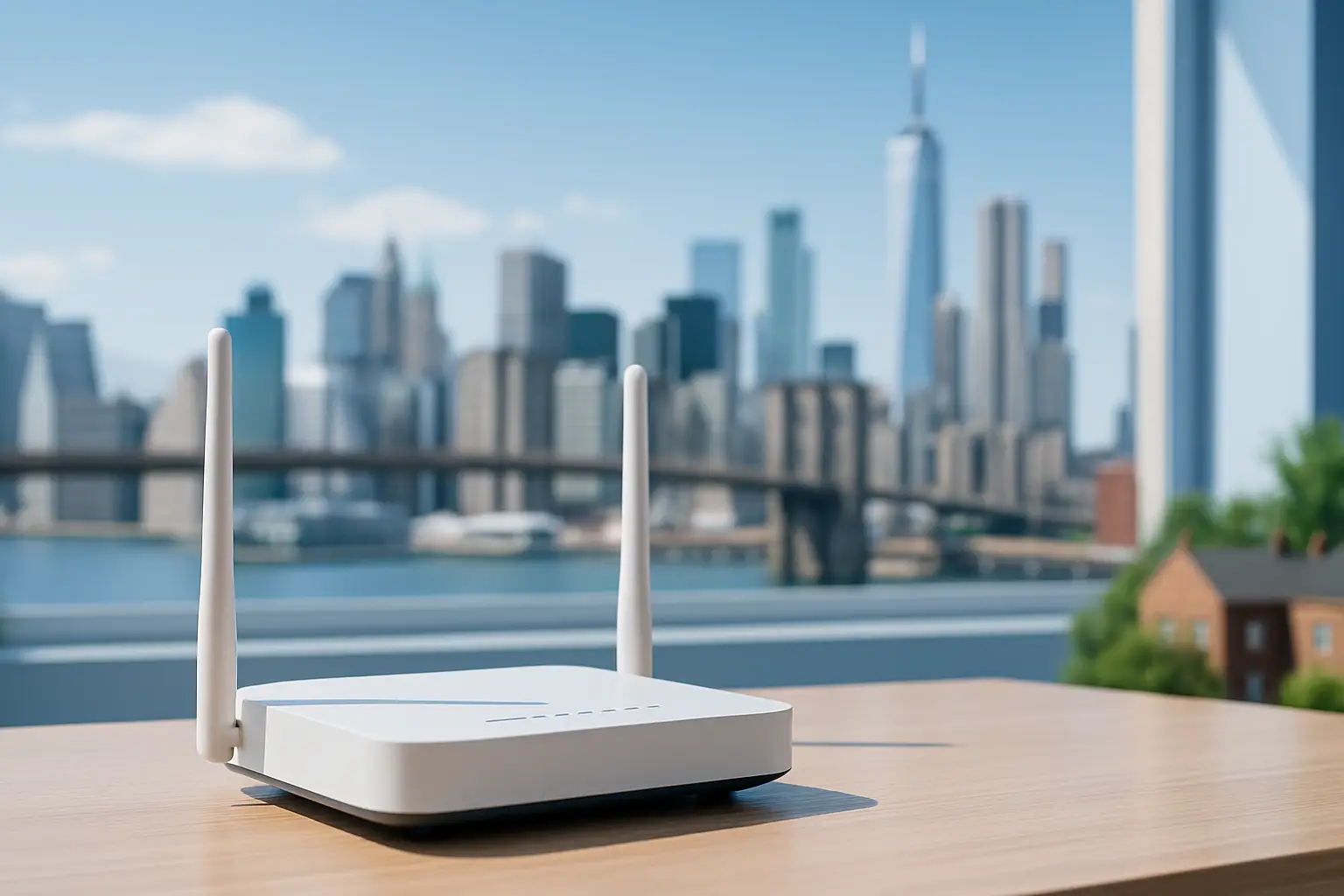 Explore which internet providers offer free modems and why this small perk can reduce your monthly costs. The article lists major ISPs that include a modem at no extra charge and explains how to evaluate service terms, speeds and hidden fees
We’ve all been there. You sign up for an internet plan that looks like a great deal—maybe $50 a month—but when the first bill arrives, it’s suddenly $65 or $70.
What happened? Often, the culprit is the dreaded equipment rental fee.
For years, Internet Service Providers (ISPs) have quietly added $10, $15, or even $20 a month just for the privilege of using their modem and router. Over a year, that’s up to $240 spent on a plastic box you don’t even own.
Fortunately, the industry is shifting. To simplify connectivity and compete for your business, several top providers have started including the equipment in the monthly price.
If you are looking to cut costs and simplify your setup, here are the top internet providers offering free modems (or gateways) for easy connectivity in 2025.
1. T-Mobile 5G Home Internet
Best For: Renters and simplicity seekers.
T-Mobile disrupted the market by getting rid of the complex cable setup entirely. Their 5G Home Internet service works differently: they ship you a “Gateway” (a combined modem and WiFi router) that picks up 5G signals from nearby towers and turns them into WiFi for your home.
The Deal:
Equipment Cost: $0.
Rental Fee: $0/mo.
Setup: Plug it into a wall outlet, and you’re done.
There are no wires to run and no technicians to wait for. Because the Gateway is included in the monthly price, the price you see is actually the price you pay.
2. AT&T Fiber
Best For: High-speed reliability.
If you have access to fiber optics, AT&T is a fantastic choice. A few years ago, AT&T eliminated equipment fees for their fiber plans. When you sign up, they provide an AT&T Wi-Fi Gateway, which handles both the incoming fiber connection and your home WiFi.
The Deal:
Equipment Cost: Included in the plan.
Hidden Fees: None for the standard gateway.
Note: If you have a very large home and need their “Wi-Fi Extenders” to reach dead zones, those usually come with an extra monthly charge. However, the main gateway is free.
3. Google Fiber
Best For: Transparency and speed.
Google Fiber has always been the “good guy” regarding billing transparency. Since their inception, they have hated hidden fees as much as you do. Their plans (1 Gig, 2 Gig, etc.) almost always include a high-quality Mesh WiFi router system.
The Deal:
Equipment Cost: Included.
The Perk: Google often provides superior hardware (like Mesh pucks) compared to the standard black boxes other ISPs give out, ensuring better coverage for larger homes.
4. Verizon (Fios & 5G Home)
Best For: Flexible options.
Verizon has followed suit with its competitors. Whether you are getting Fios (their fiber service) or 5G Home Internet, the rental fees are largely a thing of the past for new plans.
5G Home: Includes a receiver/gateway for free.
Fios: Most current plans include the router rental in the monthly price.
Verizon’s 5G gateway is particularly sleek, designed to sit on a window sill and blend into your home decor without looking like a piece of industrial tech.
5. Spectrum (The “Read the Fine Print” Option)
Best For: Widespread availability.
We included Spectrum here because they are available in so many neighborhoods, but there is a catch you need to know.
Spectrum offers a free modem to all customers. However, they usually charge $5–$7 a month for the WiFi router.
Wait, what’s the difference?
The Modem: Brings the internet into your house (Free with Spectrum).
The Router: Sends the WiFi signal to your phone and laptop (Cost extra).
Pro Tip: Since the modem is free, you can buy your own WiFi router (for a one-time cost of $50–$80) and plug it into Spectrum’s free modem. This creates a “free equipment” setup, but it requires a tiny bit of DIY effort.
Summary: Gateway vs. Modem vs. Router
If you are confused by the terminology, here is the cheat sheet for easy connectivity:
Modem: Connects your home to the ISP network.
Router: Creates the WiFi signal.
Gateway: A 2-in-1 device (Modem + Router combined).
Providers like T-Mobile and AT&T give you a Gateway (everything in one box) for free. This is the easiest connectivity option because you just plug in one device and go.
Final Thoughts
When shopping for internet on myneighborhoodwifi.com, look past the advertised speed. A “cheap” plan with a $15 equipment rental fee is often more expensive than a premium plan that includes the equipment for free.
By choosing a provider that offers free modems or gateways, you save money and avoid the hassle of returning expensive equipment if you ever move.
Ready to get connected? check your zip code today to see which of these provider-friendly ISPs are available in your neighborhood!

Boost Your Backyard Internet with Easy WiFi Range Tips
There’s nothing better than enjoying music, movies, video calls, or even a little remote work while relaxing outside. But the reality is that WiFi often struggles to keep up once you move beyond the walls of your home. Boosting your backyard internet can be easy with the right WiFi range tips — you don’t need to be a tech expert to fix those weak signals. Let’s walk through simple, effective ways to keep your connection strong outdoors without headaches.
Why WiFi Struggles in Backyards
Before learning how to fix weak backyard coverage, it helps to know why the problem happens in the first place. WiFi wasn’t originally designed for outdoor use, and several things can get in the way of a stable connection.
- Thick walls – Materials like concrete, brick, and stone can absorb or block WiFi signals.
- Distance – Even the best router has a limited range. By the time the signal reaches your backyard, it’s weaker.
- Interference – Other devices (like Bluetooth speakers, cordless phones, or even microwave ovens) can interfere with WiFi signals.
- Outdoor layout – Trees, patio roofs, and fences can weaken WiFi just like walls do.
Keeping these challenges in mind will help you understand which solution works best for your space.
Simple Tips to Extend Your WiFi Outdoors
1. Move Your Router Closer to the Backyard
This is the easiest starting point. If your router is tucked away in a front room or basement, repositioning it closer to the backyard can make an instant difference. Try placing it near a back window or central location for wider coverage.
2. Use an Outdoor WiFi Extender
An extender, sometimes called a repeater, is a small device that rebroadcasts your WiFi signal. Many extenders today are weather-resistant and can be installed near patios, garages, or even mounted on an exterior wall. By reducing the distance between the router and your backyard device, you’ll see stronger speeds.
3. Try a Mesh WiFi System
A mesh system uses multiple nodes spread throughout your home and yard to create a seamless network. Unlike traditional extenders, mesh is designed for bigger homes and complex layouts. If you also struggle with coverage in upstairs rooms or detached spaces, mesh might be a strong long-term fix.
4. Upgrade to a Router with Better Range
If your router is more than five years old, it might simply be outdated. Newer models support faster speeds, stronger antennas, and technologies designed around modern home layouts. WiFi 6 (also known as 802.11ax) is especially efficient if multiple people are streaming and gaming at once.
5. Hardwire When You Can
While not always convenient, running an Ethernet cable from your router to a second access point outside can eliminate wireless signal issues entirely. This works especially well for outdoor offices or covered entertainment areas where you use laptops and smart TVs.
6. Use a Directional Antenna
Some routers allow you to replace their antennas or add higher-gain antennas. Directional antennas focus your signal in a specific direction — in this case, toward your backyard. This is an inexpensive option if most of your coverage needs are outside.
Creative WiFi Solutions for Outdoor Living
Creating a Patio “Hot Spot”
If you spend most of your time in one space — like a back deck or patio — set up a dedicated hotspot there. This could be as simple as a WiFi range extender plugged into an outdoor outlet, creating a strong bubble of connectivity right where you sit.
Lighting, Music, and Streaming Outdoors
Outdoor smart lights, Bluetooth speakers synced from a smart hub, and backyard movie nights all require steady WiFi. By testing different device placements or turning off unused devices indoors, you can free up bandwidth for outdoor fun.
Working from the Backyard
Few things beat working from your laptop under fresh air. To make this smooth:
- Sit closer to your WiFi source whenever possible.
- Switch video calls to audio if bandwidth feels slow.
- Download large files inside before moving outdoors.
Common Mistakes That Weaken Outdoor WiFi
- Relying on a single router – Routers alone are rarely enough for outdoor coverage. Combine them with extenders or mesh.
- Ignoring channel settings – Overlapping WiFi channels with neighbors can slow everything down. Most routers have a setting to automatically choose the least crowded channel.
- Forgetting about interference – Keep routers away from microwaves, cordless phones, and thick metal appliances indoors.
Tips for Testing Your WiFi Strength
How do you know if your changes are working? Simple testing can give you real results:
- Walk around your backyard with your phone and check signal bars in different spots.
- Use built-in network settings to check download speed and latency.
- Try streaming YouTube outdoors at different qualities to see if buffering improves.
- Ask family or guests to connect multiple devices and test performance under load.
Advanced Options for Strong Backyard Coverage
Setting Up a Second Router
If you have an unused router, it can sometimes be set up as an access point. Connect it to your main router with Ethernet and place it closer to your yard. Adjust the settings so it acts as part of your home network rather than starting a new one.
Powerline Adapters
These devices send network signals through your home’s electrical wiring. You can plug one near your router and another by a back door or outdoor office. It won’t always be as fast as direct Ethernet, but it’s better than weak WiFi alone.
Outdoor Access Points
If you use your backyard regularly, consider a weatherproof outdoor access point. Installed under a roof eave, near a patio, or facing your garden, these are built to project strong WiFi over open spaces.
Comparing Your Options
Here’s a quick breakdown of common choices for boosting backyard WiFi:
| Method | Cost | Best For |
|---|---|---|
| Router Placement | Free | Quick fixes when router is poorly located |
| WiFi Extender | Low | Outdoor patios or small yards |
| Mesh System | Medium-High | Larger homes, multiple users |
| Outdoor Access Point | Medium | Regular backyard use, entertainment |
| Ethernet Cable | Low-Medium | Dedicated backyard offices or TVs |
Community Tips and Real Experiences
Many people share creative fixes for backyard WiFi on community sites like Reddit or Quora. Homeowners often recommend testing DIY solutions before investing heavily. For example, some discovered that simply relocating their router to a higher shelf near a backyard window solved 90% of their connection issues. Others swear by mesh systems for multi-story homes, while tech enthusiasts enjoy building their own outdoor setups with weatherproof gear.
Final Thoughts on Enjoying Backyard WiFi
Boosting your backyard internet doesn’t have to cost a fortune. Whether you move your router closer, try an extender, or upgrade to a mesh system, there’s a solution for every budget. With stronger WiFi outdoors, you can stream movies under the stars, enjoy music by the grill, or even turn your garden into a productive remote office.

Top Best Mobile Hotspot Plans to Stay Connected Anywhere
In today’s fast-moving digital world, staying online is more important than ever. For those who work remotely, travel often, or simply want a backup connection, mobile hotspot plans are the solution that keeps you connected anywhere. Instead of being tied to home Wi-Fi, hotspots let you take your internet with you. Whether it’s powering your laptop at an airport, streaming on the go, or ensuring your kids can attend online classes while traveling, the right hotspot plan makes life easier.
What is a Mobile Hotspot?
A mobile hotspot is a device (or sometimes a phone feature) that shares cellular data by creating a mini Wi-Fi network. Think of it like carrying a pocket-sized router that connects your laptop, tablet, or other devices to the internet. Most modern smartphones can act as hotspots, but dedicated hotspot devices often provide stronger connections and longer battery life.
Why Choose a Mobile Hotspot Plan?
There are many reasons people choose a hotspot plan over relying just on their phone’s built-in data:
- Reliable backup internet for remote work.
- No need to rely on public Wi-Fi networks, which can be slow or insecure.
- Supports multiple devices at once.
- Provides flexibility for campers, RV travelers, and digital nomads.
Main Types of Mobile Hotspot Plans
When it comes to picking a hotspot, there are two main types of plans you’ll run into:
- Dedicated Hotspot Plans – These are designed for pocket Wi-Fi devices and sometimes include unlimited data or higher data caps.
- Phone Hotspot Add-ons – Available through many mobile carriers, these give you the ability to use your phone’s data plan for other devices.
Top Features to Look For
Not all plans are created equal, so focusing on features can narrow things down:
- Data Limits: Look for plans with high or unlimited data if you stream or work online often.
- Network Speed: 5G plans are ideal where coverage is available, but 4G LTE still provides reliable service.
- Coverage: Make sure the carrier you pick has strong service in the areas you’ll be traveling.
- Device Compatibility: Some hotspots are locked to specific carriers, so make sure your device works with the plan.
- Cost: Balance between price per GB and overall monthly cost for regular use.
Popular Mobile Hotspot Provider Options
Hotspot plans are available from virtually all major wireless carriers. Some independent providers also offer mobile data options, often with customizable plans. It’s useful to compare providers for their coverage, device options, and hotspot speed capabilities. For example, wikipedia.org discusses how local and community-based providers are increasingly offering neighborhood-based internet access beyond just home Wi-Fi.
How to Choose the Best Hotspot Plan
1. Consider Your Usage
If you’re an occasional traveler who only checks email, you won’t need a high-data plan. But digital nomads who attend video calls daily should look at dedicated or unlimited plans.
2. Evaluate Coverage
The biggest factor is coverage. A great plan on paper is useless if the network isn’t available where you are. Dedicated hotspot devices need wide cellular coverage for consistent connectivity.
3. Budget vs. Reliability
It can be tempting to go for the cheapest plan, but for work purposes, paying extra for reliability and higher data caps is often worthwhile. Having backup connection peace of mind saves headaches later.
Dedicated Hotspot Devices vs. Phone Hotspot
Should you rely on your phone or invest in a dedicated device? Here’s a quick comparison:
| Option | Pros | Cons |
|---|---|---|
| Using Your Phone | No extra device to carry, no separate bill | Drains the battery quickly, often lower data caps |
| Dedicated Device | Stronger connection, long battery life, connects more devices | Extra monthly cost, additional hardware to carry |
Tips for Getting the Most Out of Your Mobile Hotspot
- Place your device smartly: Keep your hotspot near windows or open spaces for the best signal.
- Secure your network: Use strong passwords to prevent strangers from connecting.
- Track your data usage: Overuse can lead to throttling or extra charges.
- Consider a mesh setup at home: As explained on compareinternet.com, traditional routers cover one spot, but combining hotspots with home mesh setups can extend coverage.
When Public Wi-Fi Isn’t Enough
Public Wi-Fi networks are convenient, but they come with risks such as slow connections and potential security concerns. As detailed in guides about Wi-Fi basics, hotspot devices give you more control and better reliability compared to gambling on café or airport Wi-Fi signals.
Boosting Your Connection
If your hotspot signal feels weak, there are steps you can take to improve it. For example, moving closer to a window, avoiding basements, or using external antennas can help. Some guides like Ezee Fiber’s Wi-Fi article mention how higher bandwidth and fiber-like setups power smoother streaming — the same principles apply with strong mobile signals.
Best Scenarios for Using Hotspots
Hotspots shine in particular situations:
- Business trips where you need video conferencing from hotels or airports.
- Family road trips to keep kids entertained with video streaming.
- Remote cabins or camping sites where traditional Wi-Fi isn’t available.
- As a fail-safe for power outages when your primary home internet drops.
Staying Connected Anywhere
At the end of the day, mobile hotspots give people flexibility. Students can submit assignments from buses, gig workers can stay online across cities, and remote workers don’t have to fear connectivity issues when traveling. The peace of mind that you can stay connected anywhere is what makes these hotspot plans so valuable.
Final Thoughts
Mobile hotspot plans have evolved into a must-have for travelers, professionals, and families alike. Whether you choose a dedicated device with high data limits or simply add a feature to your phone plan, you’ll gain the comfort of staying connected wherever life takes you. By carefully comparing plans, weighing device options, and considering your personal needs, you’ll find the best solution to keep your digital life running smoothly no matter where you are.

## Best Internet Providers for Student-Friendly Contracts
If you’re a student looking to stay connected without breaking the bank, it’s crucial to find an internet provider that offers flexible, affordable, and campus‑friendly plans. Whether you’re studying remotely, streaming lectures, or just catching up on binge‑video during study breaks, the right contract can make all the difference. In this article, we’ll break down what to look for, highlight top providers that cater to student budgets, and explain why a student‑friendly contract is worth the extra effort.
### Why Student‑Friendly Contracts Matter
– **Budget‑conscious** – Most students live on part‑time jobs or monthly stipends, so cap‑free packages help avoid surprise fees.
– **Flexibility** – Semester‑based contracts let you pause or cancel services when you graduate.
– **Speed for Online Learning** – Reliable upload/download speeds are essential for video conferencing and cloud‑based coursework.
### Choosing the Right Provider
When exploring providers, keep these core factors in mind:
#### Internet Speed and Reliability
– Look for plans that guarantee a minimum speed above 25 Mbps download.
– Evaluate the provider’s uptime track record if possible.
#### Cost Structure
– Flat‑price plans over the semester often beat pay‑per‑month deals.
– Beware of hidden activation fees that can inflate the total cost.
#### Student Discounts
– Many providers offer dedicated student discounts; check if the discount requires a student ID.
#### Customer Support
– Mobile or 24/7 chat support is handy when you hit a hiccup outside campus hours.
### Top Student-Friendly Providers in Canada
| Provider | Typical Monthly Cost | Key Student Benefit | City Availability |
|—|—|—|—|
| **EastLink** | $30–$35 | No lock‑in contracts, split‑bill options | Calgary |
| **PrivatePlanet** | $25–$45 | Student discount up to 10%, campus‑grade speeds | Edmonton |
| **V9 Communications** | $20–$40 | Unlimited data on select plans, prepaid options | Calgary |
| **FreedomFi** | $35–$50 | 24/7 chat support, customizable data caps | Edmonton |
> **Tip:** Many of these providers offer free installation and router rental, which is especially useful for students who can’t afford a new modem.
### How to Set Up a Student‑Friendly Contract
#### 1. Compare Semester Pack Options
– Check if the provider offers a 4‑month or 9‑month “semester” pack.
– Verify that you can cancel without a penalty at the end of the term.
#### 2. Verify Data Caps
– While unlimited plans are attractive, some providers throttle speeds after a threshold.
– Use the provider’s data monitoring tools to avoid unnecessary throttling.
#### 3. Secure the Student Discount
– Many services need you to register with a .edu email address or upload a copy of your student ID.
– Double‑check the discount duration—some only apply for the first 12 months.
#### 4. Check the Service Coverage
– Use the provider’s coverage map before subscribing.
– **Calgary** and **Edmonton** have varied outdoor coverage depending on neighbourhoods.
### Frequently Asked Student Questions
– **Do student contracts require a deposit?**
Some carriers need a refundable deposit, usually 2–3 months’ fees. Look for “no‑deposit” plans for a truly student‑friendly experience.
– **Can I share the plan with roommates?**
Yes—most providers allow up to four devices to share the same bandwidth. Ensure your Wi‑Fi password is long enough to keep unauthorized users out.
– **What if my internet disconnects mid‑exam?**
Seek providers that prioritize response times for students or those who have dedicated support channels for academic users.
### Getting the Most Out of Your Student Internet
– **Use cable or wired adapters** for your laptop during critical sessions; Wi‑Fi can be unpredictable.
– **Apply for a Wi‑Fi booster** if you’re in a multi‑story apartment; this improves signal consistency in low‑coverage areas.
– **Set a monthly data budget within your router**—many routers allow you to monitor usage so you stay within the plan limits.
### Next Steps
If you’re ready to lock in a student‑friendly contract, start by reviewing the local options in your city.
– For Calgary students, the **Calgary** service page lists all current student‑discount deals.
– Edmonton residents can find the best offers on the **Edmonton** page.
Before you commit, read through the provider’s terms carefully. Options like a 30‑day trial can help you test the network without long‑term obligations.
*Happy surfing, and may your bandwidth always be fast enough for those late‑night cram sessions!*