Posts tagged: wifi home internet
Have questions? Give us a call.
Fiber internet is no longer a luxury for businesses. It’s becoming the backbone of professional operations in 2026, especially for teams that rely on video conferencing, cloud storage, and real-time collaboration.
If you’re tired of slow uploads killing your productivity or watching your internet lag during important client calls, fiber might be exactly what your business needs. This guide breaks down what fiber internet actually is, how it compares to other options, what you’ll pay, and how to figure out if it’s right for your company.
Related: Internet Providers Near Me: Compare & Find the Best Local Options
Related: Compare Internet Providers by Speed, Price & Availability
What Is Fiber Internet and Why Does It Matter for Business?
Fiber internet uses fiber optic cables (thin strands of glass that transmit data as light) to deliver internet to your location. This is fundamentally different from older cable or DSL technology.
Here’s the real difference: fiber gives you symmetrical speeds. That means your upload speed matches your download speed. If you’re downloading at 1 Gbps, you’re also uploading at 1 Gbps. With cable internet, uploads are often 10-20 times slower than downloads.
For businesses, this matters because:
- Video conferencing doesn’t lag when multiple team members upload simultaneously
- Cloud backups happen in minutes, not hours
- File transfers between offices or with clients happen instantly
- Your entire team can work smoothly without internet bottlenecks
Fiber also comes with unlimited data on virtually every plan, and speeds typically range from 300 Mbps up to 5 Gbps in select areas. Plus, fiber networks are generally more stable and reliable than older broadband technologies, which means fewer service interruptions during your workday.
Fiber Internet Pricing for Small and Medium Businesses
Pricing varies based on location and provider, but here’s what you can typically expect in 2026:
Related: Best Business Internet 2026: Top 5 Providers Ranked
Related: Best Home Internet 2026: Top 6 Providers Ranked & Compared
Related: Best Dedicated Internet Access 2026: Top 5 Providers Ranked
- Entry-level fiber: 300-500 Mbps plans start around $20-$50 per month (often with promotional rates)
- Mid-tier plans: 1 Gbps (1,000 Mbps) ranges from $70-$100 per month
- High-speed plans: 3-5 Gbps plans run $100-$200+ per month
Most plans include installation, a Wi-Fi router, and mesh-ready equipment at no extra cost. Many providers also offer equipment rental options if you don’t want to buy upfront.
Keep in mind: promotional rates are common for the first 12 months. After that, prices typically increase, so always ask about the rate after your promotion ends. Contract terms vary too—some providers offer month-to-month flexibility, while others lock you in for 12-24 months.
Top Fiber Internet Providers for Businesses
Not all fiber providers are available everywhere, and not all are created equal for business use. Here’s what stands out in the market right now:
AT&T Business Fiber is often the best choice if symmetrical speeds are your priority. They offer up to 5 Gbps in select areas, and their business plans come with dedicated support and flexible contract options.
Optimum Business is built specifically for small and medium-sized companies. They have competitive pricing, local support in their coverage areas, and solid reliability scores.
Spectrum Business wins for flexibility. If you don’t want to sign a long-term contract, Spectrum offers month-to-month plans without locking you in. Their pricing is transparent, and they serve a huge portion of the country.
Comcast Business is your best bet if you need enterprise-scale services. They offer redundancy options, static IP addresses, and technical support tailored for larger operations.
T-Mobile Home Internet and Viasat Business are worth exploring if fiber isn’t available in your area. They’re not fiber, but they can deliver competitive speeds for businesses in underserved locations.
To see which providers actually service your business location and compare their exact pricing and speeds, myneighborhoodwifi.com can show you all available options without the sales pitch. We help businesses compare apples to apples so you’re not guessing.
Ready for faster internet?
Is Your Business Actually Suited for Fiber Internet?

Fiber is fantastic, but it’s not the right choice for every business situation. Ask yourself these questions:
- Do you upload large files regularly? (Video editors, photographers, architects, designers—yes. Dentist offices—probably not.)
- Do multiple team members video conference at the same time?
- Does your business depend on cloud-based tools and software?
- Is your current internet slow or unreliable during peak hours?
- Do you have backup internet, or would a connection failure hurt your business?
If you answered yes to 2 or more of these, fiber is likely worth the investment. If you’re still unsure, a broker like myneighborhoodwifi.com can walk you through your specific needs and help you compare whether fiber, cable, or another option is actually the best fit financially and operationally.
Fiber Internet Speed Comparison Chart
Here’s a quick look at how fiber stacks up for common business tasks:
Related: High Speed Internet for Business: How to Compare & Choose
- Downloading a 1 GB file: 100 Mbps takes ~80 seconds. 1 Gbps takes 8 seconds. 5 Gbps takes 1.6 seconds.
- Uploading a 10 GB video to the cloud: 50 Mbps upload (typical cable): ~27 minutes. 1 Gbps fiber: 80 seconds.
- Video conferencing (4K, multiple participants): Needs 25-50 Mbps. Fiber handles it effortlessly while others work.
- Cloud backup of 100 GB: 50 Mbps: ~4.4 hours. 1 Gbps: 13 minutes.
Speed alone isn’t everything, though. Reliability, consistent latency (lag), and customer support matter just as much. That’s why comparing total value—not just Mbps and price—is crucial.
How to Get Fiber Internet for Your Business
The process is straightforward, but there are a few steps to follow:
Step 1: Check availability. Enter your business address online to see which fiber providers service your location. Some areas have multiple fiber options, others have one or none.
Step 2: Compare plans and pricing. Look at speeds offered, contract terms, equipment included, and customer service ratings. Don’t just pick the cheapest option—look at what you’re actually getting.
Step 3: Ask about bundling. Many providers offer discounts if you bundle internet with phone or other services. But make sure the bundle actually saves money before committing.
Step 4: Understand the contract. Read what happens after your promotional period ends, what the early termination fee is, and what speeds are guaranteed. Some providers guarantee minimum speeds in writing; others don’t.
Step 5: Schedule installation. Once you pick a provider, installation typically happens within 7-14 days. Some providers offer expedited installation for a fee.
If you want professional guidance on this whole process—someone to make sure you’re not overpaying and that the plan actually fits your business—that’s exactly what myneighborhoodwifi.com does. We compare all available providers at your location, negotiate pricing, and coordinate installation so you don’t have to spend hours on research.
Fiber vs. Cable vs. DSL for Business Internet
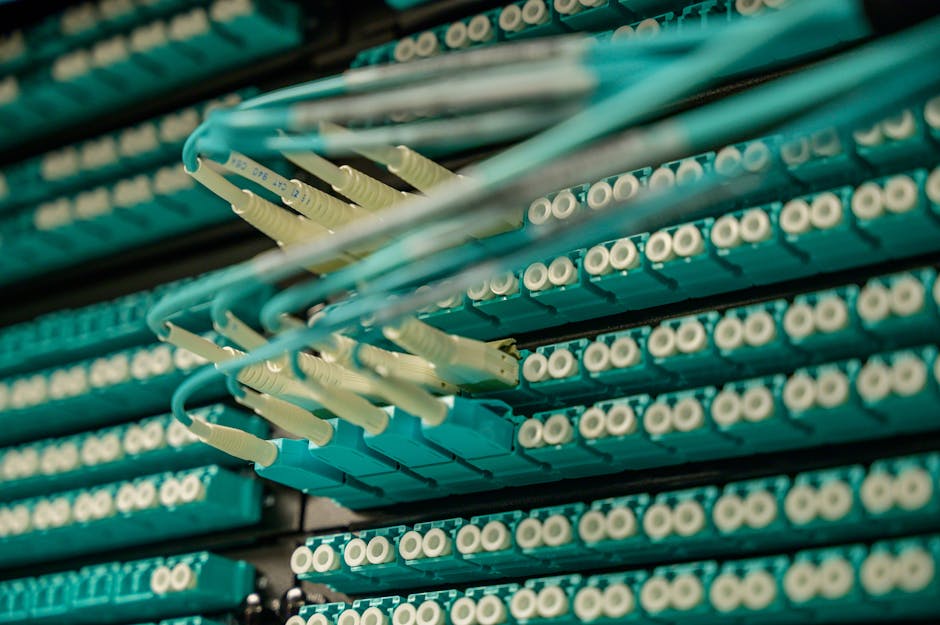
Since you’re considering fiber, here’s how it stacks up against the alternatives:
Fiber (symmetrical speeds, unlimited data, most reliable): Best for businesses that upload or video conference. Most expensive upfront, but speeds are future-proof and consistent.
Cable (fast downloads, slower uploads, data caps possible): Good for small businesses with moderate needs. Cheaper than fiber, but uploads are slow. Speeds can degrade during peak hours if many customers share the line.
DSL (reliable, slower speeds, older technology): Cheapest option, but speeds are typically too slow for modern business. Uploads are especially weak. Only consider if fiber and cable aren’t available.
For most businesses in 2026, fiber is the long-term play. Speeds won’t become obsolete, symmetrical uploads save real time, and reliability is higher. The price premium is usually worth it within 12-24 months.
Common Fiber Internet Questions for Businesses
Does fiber internet have data caps?
No. Fiber plans come with unlimited data across virtually every provider and plan. You can download, upload, stream, and backup without worrying about hitting a limit or paying overage fees. This is one of the biggest advantages over cable internet.
How long does fiber installation take?
Typically 7-14 days from order to activation. If fiber infrastructure already reaches your building (common in urban and suburban areas), installation is faster. If the provider needs to run fiber to your location for the first time, it can take longer. Some providers offer expedited installation for a fee. Always ask about timeline before signing up.
What upload speeds can I expect with fiber?
Most business fiber plans offer symmetrical speeds, meaning upload equals download. A 1 Gbps plan gives you 1 Gbps download and 1 Gbps upload. This is the opposite of cable, where uploads are often 10-20 times slower. According to FCC broadband standards, upload speeds are critical for modern business productivity.
Is fiber internet reliable for mission-critical business operations?
Fiber is generally more reliable than cable or DSL because it’s not affected by electrical interference and doesn’t degrade as easily over distance. However, “reliable” is relative and varies by provider and location. Ask potential providers about their uptime guarantee and what happens if service goes down. Some business plans include redundancy options (a backup connection) if you truly cannot afford downtime. If your business depends on constant internet access, invest in a secondary connection as backup, regardless of which primary provider you choose.
Ready for faster internet?
Have questions? Give us a call.

Smart Ways to Try Out Internet Providers Before You Commit
Choosing the right internet service isn’t a small decision. Whether you work from home, stream movies, or just want reliable browsing, your connection makes all the difference. Before you lock yourself into a contract, you can take smart steps to try out internet providers first and make sure they’re the right fit for your needs.
Why Test an Internet Provider First?
Switching providers can sometimes involve early termination fees, equipment changes, and a lot of hassle. By testing a provider before committing long-term, you can:
- Experience real-world speeds vs. advertised speeds
- Test reliability during peak hours
- Evaluate customer support responsiveness
- See how well the service works with your devices
Borrow a Connection From Friends or Neighbors
If someone you know already has the provider you’re considering, you can ask them if you can test it out. Simply connect your laptop or phone to their Wi-Fi, try activities you normally do at home, and pay attention to how the connection performs.
- Stream a video at the resolution you usually watch
- Join a video call or online class to see connection stability
- Test gaming responsiveness if that’s important to you
Communities often discuss their internet experiences openly on Reddit or Quora. Searching your provider name there can give you unfiltered opinions from real customers in your region.
Use Free Trials or Money-Back Guarantees
Some ISPs offer a short trial period or a satisfaction guarantee. During this time, you can cancel penalty-free if the service doesn’t meet your expectations. While these aren’t always widely advertised, it’s worth asking when you sign up.
What to do during your trial
- Run speed tests multiple times a day
- Check how well multiple devices handle streaming at once
- Reach out to customer support with a question to test response speed
- Monitor upload speeds if you back up files or share large documents
Explore Hotspots and Public Wi-Fi
Many providers maintain free public Wi-Fi networks in cafes, libraries, or public areas. Connecting to these hotspots can give you a taste of how the provider’s infrastructure performs in your area. To see how others rate public Wi-Fi experiences, check local feedback on Yelp.
Leverage Mobile Data Trials
Some companies let you try out home internet delivered over mobile networks by offering hotspot loans or free test SIMs. You can insert a SIM card into your own mobile hotspot device or a compatible router and see how it performs in your home before making a purchase.
Questions to ask yourself
- Does it cover every room in your house or apartment?
- How does performance change during evenings?
- Can it handle multiple streams at once?
Ask About Temporary Plans
A little-known trick is asking providers if they offer prepaid or month-to-month plans. These let you test service without long-term risk. While prices may be slightly higher, the flexibility gives you peace of mind.
Run Your Own Connection Tests
Even after installing a trial connection, you’ll want to confirm its reliability. You can do this with a combination of simple tools:
- Ping test: Measures response time between your device and a server. A lower number is better for gaming and video calls.
- Download test: Shows how fast you can pull content from the web.
- Upload test: Equally important if you share media or join calls.
- Video call reliability: Try multiple platforms like Zoom or FaceTime and notice any lag.
Check Community Feedback Before Deciding
No test is complete without hearing from other real users. Local community groups on Facebook often share honest discussions about provider quality in your neighborhood. Searching for your city plus “internet issues” or “WiFi reviews” can lead you to groups where locals exchange updates and tips.
Try Streaming Quality on Different Devices
A provider might perform well on a laptop but struggle on smart TVs or gaming consoles. During testing:
- Stream on your phone, laptop, and TV simultaneously
- Check buffering time at the start of videos
- See if the resolution stays consistent without dropping to lower quality
Short-Term Speed vs. Long-Term Stability
Some connections test great in the first few days but show weaknesses over time. Use free tools like YouTube tutorials on running automated speed scripts to log long-term results. A one-week log offers insight into how the connection behaves during work hours, evenings, and weekends.
Practical Trial Checklist
Here’s a handy list you can follow when trying out a provider before committing:
- Test at multiple times of day, not just in the morning or late at night
- Join at least one long video call
- Stream a full-length movie without interruption
- Download a large file to check speed consistency
- Upload photos or videos to cloud storage
- Walk around your home and test coverage in corners and rooms
Document Your Findings
Keep a simple journal or spreadsheet to record all your testing. Break it into categories like speed, stability, coverage, support, cost. By tracking, you’ll avoid relying on memory and can make a clear comparison between providers you test.
| Category | Provider A | Provider B |
|---|---|---|
| Average Speed | Consistent | Fluctuates |
| Customer Support | Helpful | Long wait times |
| Coverage in Home | Strong in all rooms | Dead spots upstairs |
| Overall Experience | Smooth | Mixed |
The Smart Decision Process
After you’ve completed a trial, the decision becomes much clearer. Instead of relying solely on marketing claims, you’ll have personal experience and community insight to back up your choice. The smart way to test internet providers before committing is to treat the trial like a true rehearsal of your daily life online.
By using free trials, checking reviews on platforms like Reddit, testing with your neighbors, and tracking real-world performance, you ensure that your final choice is backed by confidence, not just advertisements.

Discount Internet for Families in Westland, MI
Finding reliable and affordable internet has become a must-have for families in Westland, MI. From school assignments to video calls with loved ones, a budget-friendly plan can make life a lot easier. The good news is that families in Westland, MI have plenty of discount internet choices that balance affordability with strong connection speeds.
Why Affordable Internet Matters for Families
For modern families, the internet is as essential as electricity and water. When kids need to connect to online learning platforms or parents need to work from home, slow speeds or high prices can make daily life difficult. Affordable internet ensures:
- Equal opportunity for children in school
- Convenient work-from-home setups for parents
- Streaming and gaming without burning through the budget
- Better communication with extended family and friends
Top Internet Providers in Westland, MI
Families in Westland, MI can choose from several providers. Each option has unique benefits ranging from very high speeds to wallet-friendly cable plans. Here are the most popular choices available locally:
AT&T Fiber
AT&T is a major provider in Westland, MI. It covers nearly the entire city with its fiber plans. Their connection can reach up to 5 Gbps, which is more than enough for multiple users streaming and gaming at the same time. Plans begin at about $55 per month with broad coverage and excellent reliability (BroadbandNow).
Xfinity
Xfinity offers a cable internet option, reaching speeds of up to 2 Gbps. Plans start around $30 per month, making it one of the most affordable high-speed solutions for families. For households that want a step up from DSL but don’t need the fastest fiber lines, Xfinity is a strong choice (BroadbandNow).
Other Providers
While AT&T and Xfinity dominate Westland, MI, there are other providers that may suit specific situations. For example, smaller ISPs such as TOAST.net and Iserv cater to families with unique needs, like unlimited data options (HighSpeedInternet). Families should compare availability at their specific address to get the best deal.
Budget-Friendly Plans for Families
When searching for discount internet in Westland, MI, check for low-entry packages that still provide enough speed for homework, streaming, and browsing. Here’s a quick look at providers and their family-friendly packages:
| Provider | Starting Price | Top Speed | Coverage Area |
|---|---|---|---|
| AT&T Fiber | $55/mo | 5 Gbps | 94.9% of Westland |
| Xfinity | $30/mo | 2 Gbps | Citywide |
| TOAST.net | Varies | Unlimited Data Options | Selected areas |
| Iserv | Varies | Business/Residential Plans | Selected areas |
Ways to Save on Family Internet Costs
Lowering the monthly bill is possible if you know what to look for. Here are some tips for families in Westland, MI:
- Check for bundled options: Providers often give discounts when you combine internet with TV or phone services.
- Ask about family or low-income programs: Some ISPs provide reduced pricing for households with school-age children or those enrolled in government assistance programs.
- Provide your own equipment: Buying your own modem and router can save you from rental fees every month.
- Review your usage needs: Don’t overpay for speeds you won’t use. For a family of four mostly browsing, 200 Mbps could be enough.
Community Resources for Affordable Internet
Westland, MI offers not just provider discounts but also community-led resources. Some public schools may assist families with information on low-cost programs. On Reddit and Quora, many locals share their experiences finding affordable internet packages and sometimes recommend hidden deals. Families can also join Facebook neighborhood groups to learn about discounts for their area, as neighbors are often quick to share info on promotional offers.
How Families Can Choose the Right Plan
When picking a plan, it’s important to balance both speed and budget. Here’s a simple way to evaluate:
- Small families (2-3 people): A budget plan around 100–200 Mbps should be more than enough.
- Larger families with heavy streaming: Speeds of 400 Mbps or above will help prevent slowdowns.
- Gamers and remote workers: Look for low latency and at least 1 Gbps for smooth performance.
What to Expect from Providers
Most providers in Westland, MI now offer flexible contracts and month-to-month options. This makes it easier for families to switch providers when a better discount comes along. ISP apps also make monitoring usage and bills easier, saving time and avoiding surprises.
Tips for Getting the Best Price
- Always ask if there’s a promotion running — many ISPs won’t mention them unless you ask.
- Be ready to negotiate or say you’re considering switching providers.
- Check if your neighborhood qualifies for any government-backed subsidy programs for discounted internet.
Final Thoughts
Discount internet for families in Westland, MI is not only possible — it’s realistic with the right research. AT&T and Xfinity stand out for coverage and value, but smaller providers can sometimes surprise you with personalized deals. Spend some time comparing plans, stay in touch with local community groups, and always ask about family-friendly discounts. That way, affordable and reliable internet will be well within reach.

Best Student Internet Deals You Need to Save Big This Semester
College life is already expensive enough without worrying about paying sky-high prices for something as essential as internet access. That’s why finding the best student internet deals can truly make a difference in how you budget throughout the semester. With so many options out there, it’s easy to feel overwhelmed — but the good news is that students have access to unique offers, discounts, and creative ways to cut costs without sacrificing speed or reliability.
Why Students Need Affordable Internet
Between online classes, video lectures, late-night group projects, and streaming the occasional movie marathon, reliable internet has become as important as textbooks. Here are a few reasons why cutting down costs while maintaining a stable connection is so critical:
- Remote learning: Many universities continue to offer hybrid and online learning options.
- Group projects: Tools like Zoom, Google Docs, and Discord are essential for teamwork.
- Entertainment: Affordable plans can still support your streaming platforms and gaming.
- Budget constraints: Students are already paying for rent, food, books, and fees. Saving on internet means extra breathing room.
What to Look for in Student Internet Deals
Before diving into the best ways to get budget-friendly internet, it’s important to know what makes a great deal. Here’s what to watch out for:
- Affordable monthly cost: Look for discounts specifically for students.
- Speed that matches your needs: Don’t overpay for lightning-fast gigabit speeds if you only need internet for study, browsing, or light gaming.
- No long-term contracts: Flexibility is key, especially if you live in temporary housing or plan to move after the semester.
- Low or no equipment fees: You can often save big by using your own router.
- No data caps: Remote work, streaming lectures, and gaming can burn through data quickly.
Tips for Getting Student Discounts on Internet
Finding those hidden offers doesn’t need to be complicated. Here are strategies you can use right now:
- Check your student email: Some internet providers partner with colleges to send discount codes directly to students.
- Visit campus support pages: Universities often publish lists of tech discounts, including local ISPs.
- Bundle wisely: If you need streaming or a mobile plan, choose bundles that reduce costs.
- Use your school ID card: Always ask if they provide student pricing — sometimes discounts aren’t advertised.
Budget-Friendly Internet Options for Students
While specific deals vary by city or campus, students can save money with these categories of service plans:
Low-Cost Special Programs
Some providers and community initiatives offer reduced-cost internet to qualifying students. These programs usually include unlimited data, modest speeds (suitable for studying and lectures), and affordable monthly prices.
Mobile Hotspots
Students who don’t need a permanent setup can often save by using a mobile hotspot. By connecting your phone or a hotspot device, you can stay connected almost anywhere, making this a great choice for those on the go.
Prepaid Internet Plans
Much like prepaid phone plans, these no-contract options let you pay month to month, giving you flexibility without hefty fees or long commitments. They’re ideal for short-term housing or semester stays.
Community Wi-Fi Networks
Libraries, coffee shops, and community centers often provide free Wi-Fi. While not a primary solution, they’re helpful backups that can save big when data usage spikes.
Best Practices to Lower Internet Costs
Even if you’re tied to a contract or don’t see obvious student discounts, there are still ways to make your monthly bill lighter:
- Negotiate: Call your provider and ask if they offer student discounts. If they don’t, mention that you’re exploring other low-cost programs.
- Split costs: Share internet with roommates and split the bill.
- Use campus resources: Many schools grant free or deeply discounted connectivity in dorms.
- Bring your own router: Buying a quality router saves monthly rental fees.
Student-Friendly Internet Setup Tips
Once you’ve chosen a low-cost plan, make the most of it with these setup strategies:
- Place your router properly: Keep it in a central location for the best coverage.
- Limit background data drains: Pause auto-updates when streaming your classes.
- Use free tools: Platforms like Speedtest allow you to check if you’re getting the full advertised speed.
- Community advice: Students often share reviews of affordable internet setups on Reddit and Quora.
Top Study Apps That Work Perfectly with Budget Internet
Getting student internet deals is only half the battle — making sure your apps and tools run smoothly will help you stay ahead this semester. Thankfully, even basic internet speeds support most study tools, including:
- Google Docs & Sheets: Perfect for group projects and teamwork.
- Zoom & Google Meet: Stable connections even on budget internet plans.
- YouTube: Tutorials and educational content can stream at lower resolutions.
- Discord: Great for collaborating with classmates without draining bandwidth.
Managing Internet While Living Off-Campus
Off-campus living brings freedom but also extra responsibilities. Here’s how to make internet management easier when you’re renting:
- Check if utilities are bundled: Sometimes internet is included with housing.
- Look for roommates with existing service: Jump onto an existing plan to split costs.
- Make sure your landlord approves: If drilling or installing equipment is required, always double-check first.
How Free Wi-Fi Can Help Students
Not every task needs blazing internet speeds. Free connections across your city are lifesavers — especially when deadlines loom. Places often offering free Wi-Fi include:
- University campuses
- Public libraries
- Coffee shops
- Community centers
Pro Tip:
To ensure safety on public Wi-Fi, use a password-protected network if possible, and never access sensitive accounts like banking.
Best Student Internet Deals This Semester — Quick Comparison
Here’s a breakdown of what to focus on when reviewing offers around campus or in your city:
| Plan Type | Average Monthly Cost | Best For |
|---|---|---|
| Student Discount Plans | Low to Moderate | Direct savings with ID verification |
| Prepaid Plans | Flexible, Pay-As-You-Go | Short-term housing |
| Hotspot/Mobile Data | Varies, but portable | On-the-go access |
| Shared Connections | Very Low (split costs) | Off-campus roommates |
Final Thoughts
As a student, every dollar counts. With the right tools, resources, and smart planning, you can secure the best student internet deals while keeping your connection stable enough for classes, collaboration, and a little fun in between study sessions. The key is to combine affordability with reliability — and you’ll be set for a successful semester both online and offline.