Posts tagged: wifi for students cheap
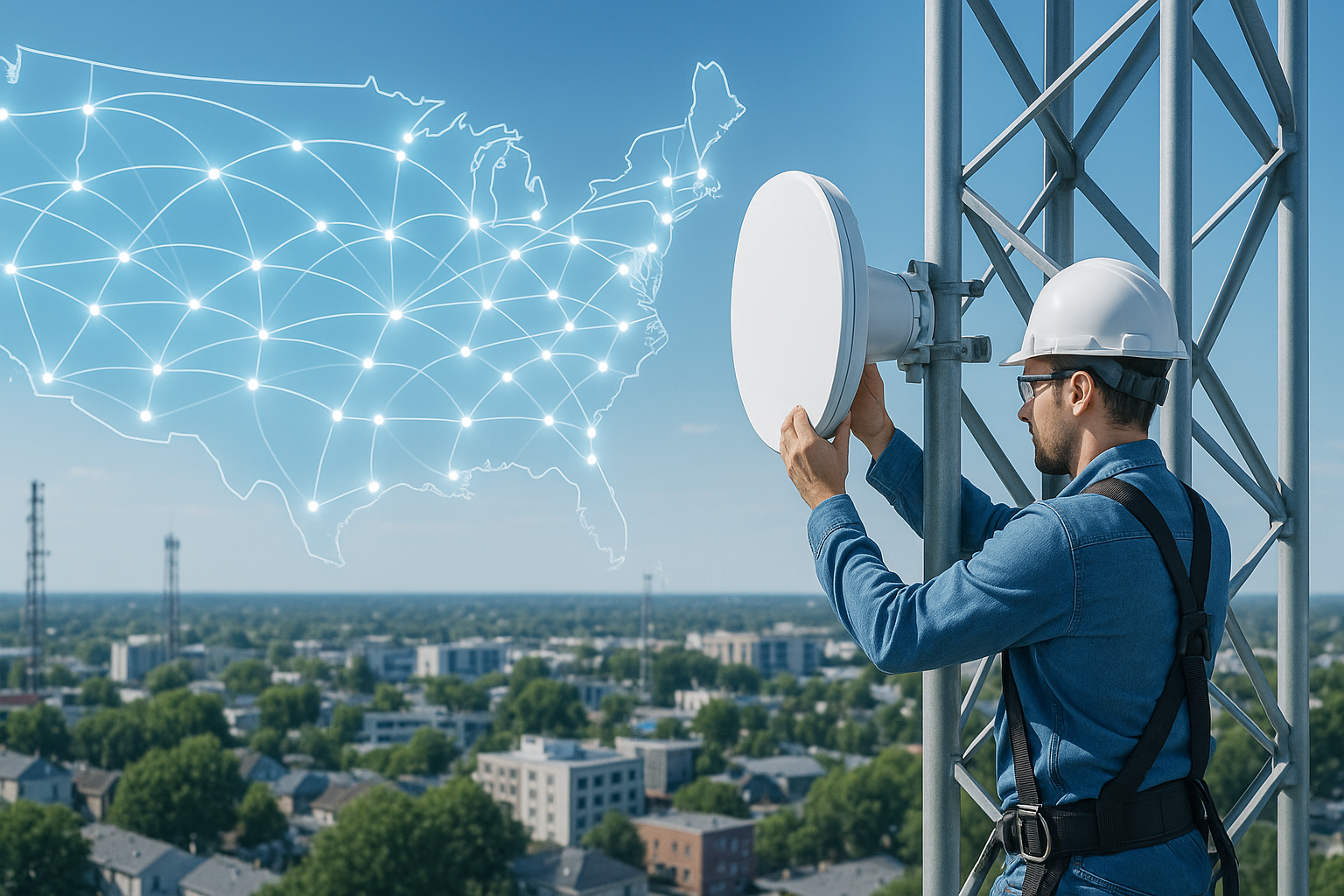
Expanding Internet Infrastructure Driving Faster Connectivity Across the US
The growth of internet infrastructure across the United States is rapidly shaping how we live, work, and connect with the world. Expanding networks and new technologies are pushing faster speeds, reducing latency, and unlocking opportunities for communities that were historically underserved. From major cities to small rural towns, these infrastructure developments are changing the face of connectivity in America.
Why Internet Infrastructure Matters
Internet access is more than just streaming movies or checking emails—it’s the foundation for education, remote work, telehealth, and economic opportunity. Reliable infrastructure allows both urban and rural areas to benefit from digital growth.
- Students in rural communities gain access to remote learning resources.
- Healthcare providers can deliver telemedicine services to patients far from hospitals.
- Small businesses can compete online with better bandwidth.
- Families can enjoy high-quality entertainment and communication tools without disruptions.
Key Drivers of Infrastructure Expansion
Several factors are fueling the expansion of internet networks in the U.S., including federal investments, private sector initiatives, and technological innovation.
Federal and State Investments
Policy initiatives have bolstered internet infrastructure development across the nation. The U.S. federal government has invested heavily in expanding connectivity for rural and underserved communities. These funds help extend fiber networks, subsidize the deployment of advanced wireless, and improve broadband coverage nationwide.
Private Sector Growth
Private companies continue investing billions of dollars to build out fiber, upgrade data centers, and deploy new wireless technologies. These investments play a key role in keeping the U.S. competitive in digital infrastructure globally.
Technological Advances
Multiple technologies are converging to boost speeds and reliability:
- Fiber optics: Delivering some of the fastest and most reliable connections available.
- 5G networks: Empowering mobile devices and smart homes with low-latency connectivity.
- Edge computing: Bringing data processing closer to users, reducing delays in critical applications.
Impact on Rural America
For decades, rural communities have struggled with slow or unreliable internet. The recent focus on infrastructure expansion is bridging that gap. New fiber-optic lines, wireless solutions, and governmental subsidies are creating real change in these regions.
- Farmers now use connected devices for precision agriculture.
- Remote workers can remain in their hometowns without relocating to major cities.
- Students can participate in online learning without lagging behind urban peers.
Urban Connectivity and Smart Cities
Urban areas are also benefiting. The expansion of internet infrastructure supports the growth of “smart cities,” where connected devices manage everything from traffic systems to energy grids. Faster connectivity means more efficient services and improved quality of life for residents.
Examples of Smart City Applications
- Traffic lights that communicate with vehicles to reduce congestion.
- Smart grids that balance energy consumption based on real-time demand.
- Public Wi-Fi networks that allow free connectivity in parks and public areas.
Challenges in Infrastructure Expansion
Despite progress, there are hurdles that remain:
- Geography: Mountainous or remote regions make fiber deployment costly.
- Funding: Not all areas attract sufficient investment from providers.
- Digital divide: Even when service is available, affordability remains an obstacle.
The Role of Community Efforts
Community partnerships can accelerate infrastructure projects. Local governments, cooperatives, and nonprofits sometimes step in where the private sector has not. Grassroots efforts often push for better service or build small-scale networks to meet demand.
Community Internet Success Story
Some small towns, with support from cooperatives and residents, have successfully built high-speed networks. These grassroots projects show how community-driven infrastructure can thrive where commercial incentives are low. You can even find discussions and real experiences on platforms like Reddit, where residents share how community broadband changed their towns.
Future Technologies Driving Faster Connectivity
The story of internet growth in the U.S. is far from over. Exciting new technologies will continue reshaping infrastructure:
- Fiber to the home (FTTH): Expanding gigabit speeds.
- Wi-Fi 7: Offering ultra-fast wireless connections inside homes and businesses.
- Low-earth orbit (LEO) satellites: Reaching regions where terrestrial networks are unfeasible.
Why Faster Connectivity Matters for Everyone
Better connectivity isn’t just convenient—it’s essential for social and economic equality. Whether you’re a student taking an online course, a doctor conducting virtual appointments, or a business owner selling products online, infrastructure expansion opens doors to opportunity.
Tips for Households Preparing for Faster Internet
- Upgrade to modern Wi-Fi routers to take full advantage of new speeds.
- Use Ethernet connections for activities that require maximum stability.
- Check with your local community boards (such as Quora discussions or neighborhood Facebook groups) to explore regional infrastructure updates.
Looking Ahead
The U.S. is on a clear trajectory toward better internet connectivity for everyone. Expanding infrastructure, combined with community efforts and technological breakthroughs, continues to drive faster and more reliable connections across the country. While challenges remain, the future looks bright for rural and urban households alike.
Conclusion: A Connected Future
The expansion of internet infrastructure across the United States is more than just an upgrade—it’s a transformation of how society functions. From education and healthcare to entertainment and business, connectivity now shapes nearly every aspect of daily life. And as infrastructure continues to expand, the benefits will be felt in every corner of the country.
Finding the Best Internet Options for Rural Living
If you live outside the city limits, you already know that finding reliable internet options for rural living can feel overwhelming. While urban neighborhoods often enjoy lightning-fast connections, rural communities must balance availability, affordability, and reliability. But here’s the good news: with recent technology advances, rural households have more choices than ever before. This guide breaks it down in a friendly way so you can find the connection that fits your lifestyle.
Why Internet Access Is a Challenge in Rural Areas
Rural landscapes pose unique challenges for internet providers. Vast distances between homes make laying cables and fiber expensive. Some communities are nestled in valleys or wooded areas that interfere with wireless signals. Even when coverage exists, speeds may not keep up with modern needs like streaming, online learning, or working from home.
Still, internet access isn’t optional. Whether you’re running a family farm, homeschooling kids, or video chatting with relatives, a stable connection is essential. Understanding your local options is the first step toward a smoother online experience.
Common Internet Options for Rural Communities
Here’s a look at the most widely available technologies in rural areas:
- DSL – Runs on traditional phone lines and is often available in small towns, though speeds may be limited.
- Cable – Uses coaxial lines and can deliver faster speeds, but limited in many rural landscapes.
- Fiber – Considered the “gold standard,” but it’s rare outside metro regions.
- Fixed wireless – Beams internet from a nearby tower to a receiver at your home. Often available farther from towns.
- Mobile hotspots – Use cell towers to provide data plans for home use.
Each type comes with pros and cons, which we’ll dive into next.
DSL Internet in Rural Living
DSL, or Digital Subscriber Line, remains a trusted option because many rural households already have landline access. However, speed depends heavily on how close you live to the provider’s central office. The farther you are, the slower your connection may run. For small households or light web browsing, DSL can still be an affordable and reliable choice.
Pros
- Usually more affordable than other options
- Often available where traditional phone lines run
- Simple to install
Cons
- Slower upload and download speeds
- Not ideal for video-heavy or work-from-home needs
Fixed Wireless: A Growing Favorite
Fixed wireless internet has gained attention in rural areas. A signal is broadcasted from a nearby tower and picked up by an antenna at your home. This option often bypasses the need for expensive ground cable installation.
Why Rural Users Like It
- Offers much higher speeds than traditional DSL
- Coverage expanding rapidly in rural towns
- Quick setup with minimal equipment
Potential Drawbacks
- Requires direct line-of-sight to the tower
- Speeds may drop in bad weather or heavily wooded areas
Understanding Satellite Options
Satellite internet is one of the most accessible solutions since it only requires a clear view of the sky. Even remote farms can access it where other services don’t reach. That said, satellite is often affected by latency—meaning slower response times for gaming or video calls.
Some users rely on forums like Reddit discussions about rural internet where people share real-life satellite experiences. These communities highlight how weather and data caps can be ongoing frustrations.
Mobile Hotspots & Cellular Internet
If you have strong cellphone reception, a hotspot device might be the simplest way to access the web. Mobile carriers often offer plans with generous data limits designed for home use. For households on the move—or those who don’t want to commit to installing equipment—hotspots can be an excellent bridge to connectivity.
Things to Keep in Mind
- Performance depends on local cell tower strength
- Data overages may be costly
- Portable and flexible for families who travel seasonally
Fiber: The Dream for Rural Internet
Fiber-optic internet delivers unmatched speeds and stability, but unfortunately, it’s still rare in rural America. Where available, fiber is the best long-term investment. Several counties and local cooperatives have started laying fiber as part of infrastructure initiatives, giving hope that it will continue to spread outside city limits.
Planning Your Bandwidth Needs
Rural families often underestimate how much internet speed they need. It’s not just about browsing anymore. Streaming 4K movies, joining Zoom calls, or uploading work all demand higher bandwidth. A helpful starting point is this Wikipedia article on bandwidth in computing, which explains how capacity is measured.
When choosing a service, think about:
- How many devices connect regularly
- Whether you work from home or do online schooling
- Entertainment needs like gaming, smart TVs, or streaming
Comparing Your Local Options
Before making a decision, consider building your own comparison chart. A simple table format can help you see the differences clearly:
| Option | Average Speeds | Best For |
|---|---|---|
| DSL | Up to ~25 Mbps | Basic browsing, light streaming |
| Fixed Wireless | 25-100 Mbps | General streaming, remote work |
| Satellite | Varies, latency issues | Areas with no other access |
| Mobile Hotspot | Depends on carrier tower | Flexible use, seasonal travel |
| Fiber | 100 Mbps – 1 Gbps+ | Heavy streaming, smart homes |
Finding Community Feedback
Another smart step is connecting with your neighbors or reading local discussions online. Sites like Quora discussions on rural internet include firsthand user experiences that can be more helpful than vague marketing promises.
Tips to Optimize Any Connection
No matter the service type you choose, there are small ways to make your home internet run smoother:
- Position your router in the center of your home
- Keep your modem and router updated
- Limit background streaming or downloads when doing video calls
- Use a wired Ethernet connection when gaming
Rural Internet and Smart Homes
You don’t have to give up modern technology just because you’re in the countryside. Smart thermostats, cameras, and speakers can still work with rural connections, provided bandwidth is managed properly. It’s common to find people sharing smart rural setups on YouTube tutorials.
Final Thoughts
Finding the best internet option for rural living takes a little bit of research and realistic expectations. While no single service checks all the boxes for every household, knowing the strengths and limits of DSL, fixed wireless, satellite, mobile hotspots, and fiber will guide you toward the right choice. Combine that with smart router placement and bandwidth planning, and you’ll be surprised at how connected your rural home can feel.
Smart Ways to Avoid Internet Overages and Save on Data Costs
Internet overages are an all-too-common headache for households today. With streaming, video calls, online gaming, and smart devices consuming more bandwidth than ever, hitting your monthly data cap can lead to pricey extra charges. The good news? By applying a few simple strategies, you can avoid internet overages and save on data costs without having to sacrifice your online lifestyle.
Why Internet Overages Happen
Before we talk about solutions, it helps to understand why overages occur. Most ISPs set monthly data caps, and every gigabyte you consume counts toward that limit. Exceed it, and you’re billed for additional data. Activities like 4K streaming, cloud backups, online games, and even smart home devices can add up quickly.
Common Data-Hungry Activities
- Streaming Ultra HD TV shows and movies
- Online gaming and downloads of large game files
- Cloud photo and video uploads
- Remote work with video conferencing
- Smart home devices constantly communicating online
Track Your Usage Regularly
The first step in managing your internet consumption is keeping an eye on it. Many routers and devices now include dashboards that show you how much data is being used daily or monthly. Some smartphones also provide built-in data monitoring features.
Smart Tips for Tracking
- Use your router’s management app to see which devices consume the most.
- Check built-in network monitor tools in your operating system.
- Set up alerts so you’re notified when you’re close to reaching your limit.
Communities on sites like Reddit share great advice on the best tools for tracking household usage.
Optimize Your Streaming Settings
One of the biggest culprits behind internet overage fees is video streaming. By default, many platforms use the highest quality possible, which eats up data quickly. Adjusting your streaming settings can save hundreds of gigabytes over a month.
Streaming Optimization Tips
- Switch from 4K to HD when ultra-high resolution isn’t necessary.
- Download content for offline viewing instead of streaming repeatedly.
- Limit auto-play on platforms like YouTube, which can run endlessly.
For example, YouTube provides easy quality setting changes in its app and desktop site, helping you reduce data consumption significantly. You can explore video tutorials on YouTube to see how to adjust your device settings.
Schedule Automatic Backups Wisely
Cloud backups can eat astonishing amounts of bandwidth, especially if you’re syncing photos and videos daily. Instead of letting files upload whenever, schedule them for low-usage hours or choose manual backups.
Best Practices
- Disable “sync everything” and choose specific folders.
- Schedule uploads for overnight windows when household usage is low.
- Use selective sync to avoid syncing large files you don’t need everywhere.
Limit Background Data Usage
Even when you’re not actively online, many devices and apps continue to consume data in the background. From auto-updates to smart assistants, these small amounts add up.
- Turn off auto-updates on gaming consoles during peak times.
- Disable auto-play in social media apps that continuously load videos.
- Check your smart devices (cameras, thermostats) and reduce how often they send updates to the cloud.
On forums like Quora, many users share real experiences reducing data waste this way.
Leverage Wi-Fi for Mobile Devices
Mobile data often counts against your data cap if your network is integrated with your broadband account. To avoid this, always connect phones, tablets, and laptops to your home Wi-Fi when possible.
Wi-Fi Saving Habits
- Set your devices to automatically join your secure home Wi-Fi network.
- Download podcasts, audiobooks, or media over Wi-Fi before traveling or commuting.
- Encourage family members to switch to Wi-Fi instead of relying on cellular connections.
Manage Multiple Devices Smartly
If your household has several TVs streaming different shows, kids gaming, and video calls going on simultaneously, your data limit will be reached quickly. Set some ground rules around simultaneous usage.
Ideas for Family Data Management
- Schedule “HD hours” when streaming can be high quality, defaulting to lower quality at other times.
- Limit large game downloads to overnight periods or when fewer people are online.
- Educate all family members about how much each activity consumes.
Use Data Compression Tools
Data compression can help reduce how much bandwidth web browsers and apps consume. Tools and browser extensions compress images, videos, and webpages, lowering the demand on your data cap.
Switch to Wired Connections When Possible
Devices that rely on Wi-Fi may send redundant signals across channels, leading to small but cumulative bandwidth waste. Wired connections, like Ethernet, can be more efficient. This can help if you do a lot of gaming or PC streaming at home.
Educate Your Household
Avoiding overages isn’t just about technical tricks—it’s also about awareness. Educating family members or roommates on data usage helps everyone participate in keeping usage balanced.
Table: How Common Activities Use Data
| Activity | Approximate Data Used per Hour |
|---|---|
| Streaming in SD | 1 GB |
| Streaming in HD | 3 GB |
| Streaming in 4K | 7 GB+ |
| Online Gaming (without downloads) | 100 MB |
| Video Call (HD) | 1-1.5 GB |
Be Proactive with Data Caps
Finally, the smartest way to avoid overage fees is to plan ahead. Track your usage, educate your household, optimize settings, and cut down on background consumption. With these strategies, you can enjoy unlimited browsing, streaming, and gaming while still protecting your wallet.