Posts tagged: tv packages odessa
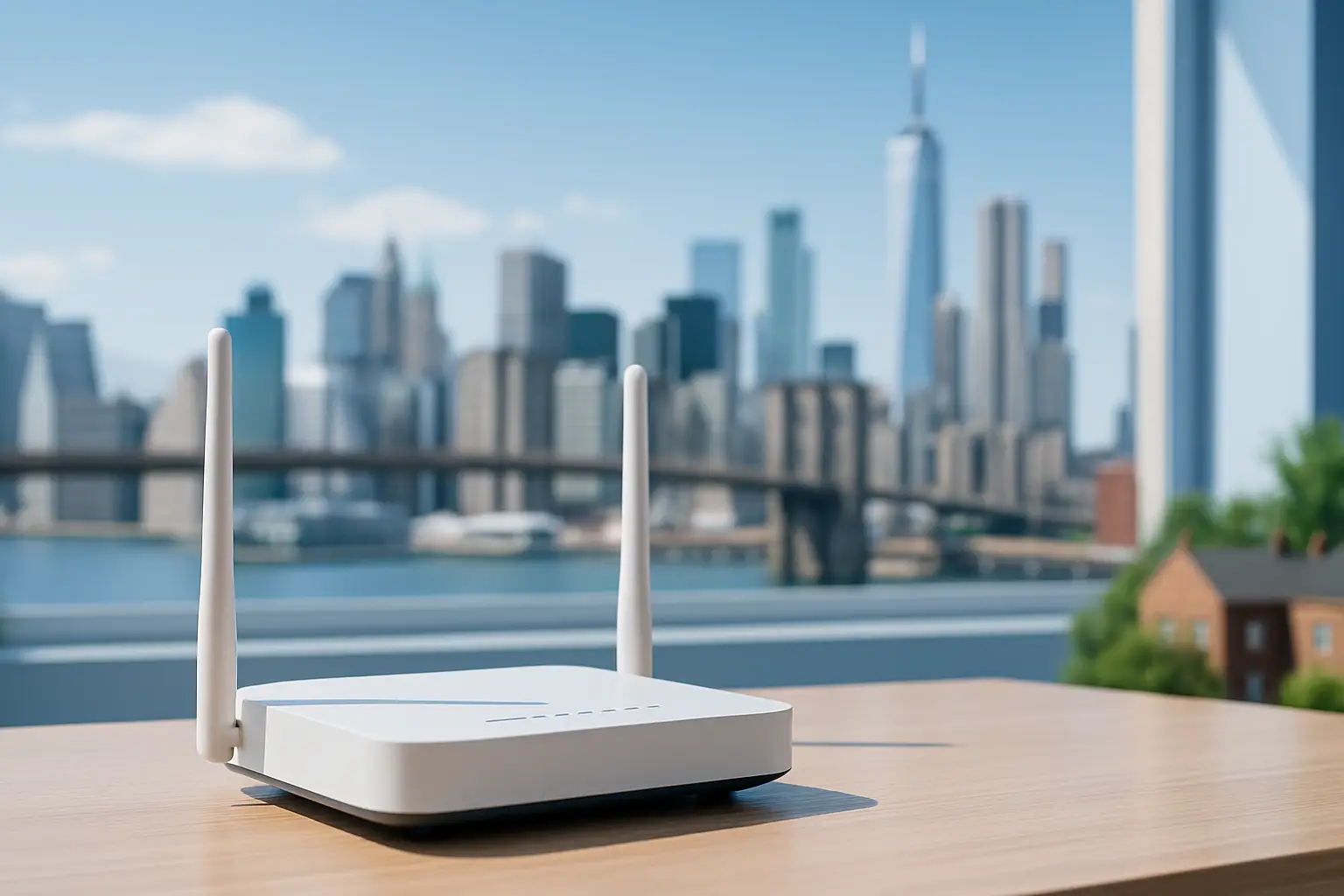 Explore which internet providers offer free modems and why this small perk can reduce your monthly costs. The article lists major ISPs that include a modem at no extra charge and explains how to evaluate service terms, speeds and hidden fees
We’ve all been there. You sign up for an internet plan that looks like a great deal—maybe $50 a month—but when the first bill arrives, it’s suddenly $65 or $70.
What happened? Often, the culprit is the dreaded equipment rental fee.
For years, Internet Service Providers (ISPs) have quietly added $10, $15, or even $20 a month just for the privilege of using their modem and router. Over a year, that’s up to $240 spent on a plastic box you don’t even own.
Fortunately, the industry is shifting. To simplify connectivity and compete for your business, several top providers have started including the equipment in the monthly price.
If you are looking to cut costs and simplify your setup, here are the top internet providers offering free modems (or gateways) for easy connectivity in 2025.
1. T-Mobile 5G Home Internet
Best For: Renters and simplicity seekers.
T-Mobile disrupted the market by getting rid of the complex cable setup entirely. Their 5G Home Internet service works differently: they ship you a “Gateway” (a combined modem and WiFi router) that picks up 5G signals from nearby towers and turns them into WiFi for your home.
The Deal:
Equipment Cost: $0.
Rental Fee: $0/mo.
Setup: Plug it into a wall outlet, and you’re done.
There are no wires to run and no technicians to wait for. Because the Gateway is included in the monthly price, the price you see is actually the price you pay.
2. AT&T Fiber
Best For: High-speed reliability.
If you have access to fiber optics, AT&T is a fantastic choice. A few years ago, AT&T eliminated equipment fees for their fiber plans. When you sign up, they provide an AT&T Wi-Fi Gateway, which handles both the incoming fiber connection and your home WiFi.
The Deal:
Equipment Cost: Included in the plan.
Hidden Fees: None for the standard gateway.
Note: If you have a very large home and need their “Wi-Fi Extenders” to reach dead zones, those usually come with an extra monthly charge. However, the main gateway is free.
3. Google Fiber
Best For: Transparency and speed.
Google Fiber has always been the “good guy” regarding billing transparency. Since their inception, they have hated hidden fees as much as you do. Their plans (1 Gig, 2 Gig, etc.) almost always include a high-quality Mesh WiFi router system.
The Deal:
Equipment Cost: Included.
The Perk: Google often provides superior hardware (like Mesh pucks) compared to the standard black boxes other ISPs give out, ensuring better coverage for larger homes.
4. Verizon (Fios & 5G Home)
Best For: Flexible options.
Verizon has followed suit with its competitors. Whether you are getting Fios (their fiber service) or 5G Home Internet, the rental fees are largely a thing of the past for new plans.
5G Home: Includes a receiver/gateway for free.
Fios: Most current plans include the router rental in the monthly price.
Verizon’s 5G gateway is particularly sleek, designed to sit on a window sill and blend into your home decor without looking like a piece of industrial tech.
5. Spectrum (The “Read the Fine Print” Option)
Best For: Widespread availability.
We included Spectrum here because they are available in so many neighborhoods, but there is a catch you need to know.
Spectrum offers a free modem to all customers. However, they usually charge $5–$7 a month for the WiFi router.
Wait, what’s the difference?
The Modem: Brings the internet into your house (Free with Spectrum).
The Router: Sends the WiFi signal to your phone and laptop (Cost extra).
Pro Tip: Since the modem is free, you can buy your own WiFi router (for a one-time cost of $50–$80) and plug it into Spectrum’s free modem. This creates a “free equipment” setup, but it requires a tiny bit of DIY effort.
Summary: Gateway vs. Modem vs. Router
If you are confused by the terminology, here is the cheat sheet for easy connectivity:
Modem: Connects your home to the ISP network.
Router: Creates the WiFi signal.
Gateway: A 2-in-1 device (Modem + Router combined).
Providers like T-Mobile and AT&T give you a Gateway (everything in one box) for free. This is the easiest connectivity option because you just plug in one device and go.
Final Thoughts
When shopping for internet on myneighborhoodwifi.com, look past the advertised speed. A “cheap” plan with a $15 equipment rental fee is often more expensive than a premium plan that includes the equipment for free.
By choosing a provider that offers free modems or gateways, you save money and avoid the hassle of returning expensive equipment if you ever move.
Ready to get connected? check your zip code today to see which of these provider-friendly ISPs are available in your neighborhood!

Reliable Internet in Farmington Hills, MI
If you live in Farmington Hills, MI, one of the top priorities for your household or business is having reliable internet. Whether you’re working from home, streaming movies, running a small business, or simply staying connected with friends and family, a strong internet connection makes everyday life smoother. That’s why exploring the best internet providers in Farmington Hills, MI is so important.
Why Reliable Internet Matters in Farmington Hills, MI
Farmington Hills, MI is a busy suburban community where residents juggle work, school, and entertainment needs at home. Reliable internet ensures:
- Seamless video conferencing for work-from-home setups
- Smoother streaming experiences without endless buffering
- Reliable connectivity for remote learning and online classes
- Faster downloads and uploads for content creators
- Stable gaming sessions with low latency
In short, internet is no longer a luxury—it’s an essential utility for day-to-day success.
Top Internet Providers in Farmington Hills, MI
When it comes to internet options, residents of Farmington Hills, MI have access to multiple major providers. Let’s look at the most reliable choices available in the area with their speeds and features.
AT&T Internet
AT&T offers both IPBB (DSL-based) and high-speed fiber options. The standout feature is their fiber coverage, which reaches most of Farmington Hills. Fiber provides extremely fast and stable performance, especially for households that need high bandwidth.
- Connection Type: IPBB and Fiber
- Max Speed: Up to 5 Gbps
- Plans Start At: $55 per month
- Coverage: Nearly 98% of the city
Spectrum
Spectrum provides widespread cable internet coverage across Farmington Hills, MI. Cable plans are ideal for families and small businesses that need reliability and fast speeds but may not yet have access to fiber.
- Connection Type: Cable
- Max Speed: Up to 1 Gbps
- Plans Start At: $49.99 per month
- Coverage: Virtually 100% coverage locally
Xfinity
Xfinity is another strong option for Farmington Hills residents. Known for its cable network, Xfinity delivers fast speeds at relatively affordable rates. It’s especially popular among gamers and streaming enthusiasts thanks to its low-latency performance.
- Connection Type: Cable
- Max Speed: Up to 2 Gbps
- Plans Start At: $30 per month
- Coverage: Extensive coverage across surrounding MI suburbs
Other Options
In addition to the major players, you may also encounter Verizon Home Internet and smaller regional providers like Iserv and TOAST.net. These may not offer full coverage but can be a great fit for specific needs such as businesses or areas underserved by larger networks.
Comparing Internet Providers in Farmington Hills, MI
Here’s a quick side-by-side comparison of popular options:
| Provider | Connection Type | Max Download Speed | Starting Price |
|---|---|---|---|
| AT&T | Fiber / IPBB | 5 Gbps | $55 |
| Spectrum | Cable | 1 Gbps | $49.99 |
| Xfinity | Cable | 2 Gbps | $30 |
| Verizon Home Internet | 5G / Fiber | Varies | Competitive rates |
Choosing the Best Internet Plan in Farmington Hills, MI
Not every household in Farmington Hills, MI needs the fastest or most expensive internet. The right choice depends on your lifestyle and requirements. Here are some quick tips:
For Work From Home
- Look for fiber plans from AT&T if available in your neighborhood
- Ensure upload speeds are sufficient for video calls and file sharing
For Families
- Cable plans from Spectrum or Xfinity are reliable for streaming, smart TVs, and multiple devices
- Unlimited data is a must to avoid bottlenecks
For Gamers
- Fiber plans provide the lowest latency possible
- Cable from Xfinity also works well due to high speeds and affordable prices
For Small Businesses
- Consider providers like AT&T Fiber or Verizon for scalability
- Look into business internet packages that include guaranteed uptime
Tips to Improve Your Home Internet in Farmington Hills, MI
Even with a top-tier provider, your internet experience can vary depending on setup and usage. Try these easy tips:
- Place your router in a central location
- Upgrade to Wi-Fi 6 routers if you have many connected devices
- Use wired Ethernet connections for gaming PCs or work devices
- Regularly restart your modem and router to refresh performance
- Consider mesh Wi-Fi systems for larger homes
Community Feedback
Residents in Farmington Hills, MI often share experiences online. Checking forums like Reddit or Quora allows you to see first-hand reviews from your neighbors about speed reliability, customer service, and value for money. Neighborhood groups on Facebook also provide real-world insight into which provider performs better in your part of the city.
Final Thoughts on Reliable Internet in Farmington Hills, MI
Farmington Hills, MI offers a solid selection of internet providers, from high-speed fiber with AT&T to wide-reaching cable networks through Spectrum and Xfinity. The best option depends on your household’s unique needs—whether that’s blazing-fast streaming, smooth gaming, or reliable remote work setups. By comparing speeds, prices, and coverage, you can ensure your internet is not just working but truly reliable.

Best Internet Providers Offering Loyalty Rewards That Keep You Connected and Rewarded
Finding the best internet providers offering loyalty rewards is about more than just connection speed. These days, internet subscribers also look for perks, savings, and programs that treat long-term customers just as well as new ones. If you’ve ever felt frustrated when you saw promotions designed only for new signups, you’re not alone. That’s why providers who recognize your loyalty and give back truly stand out.
In this guide, we’ll look at how different internet companies approach loyalty rewards, the types of perks you can expect, and how you can make the most out of them to stay connected and rewarded.
What Are Internet Loyalty Rewards?
Loyalty rewards are perks offered by internet service providers (ISPs) to customers who remain with them for an extended period. Instead of constantly chasing new sign-ups, these ISPs acknowledge the value of their loyal users and offer benefits like:
- Bill credits or monthly discounts
- Free service upgrades (like faster speeds or premium Wi-Fi equipment)
- Reward points redeemable for gift cards or products
- Invites to exclusive events or sweepstakes
- Priority customer service or faster tech support
Why Loyalty Rewards Matter for Internet Users
Internet loyalty rewards go beyond saving a few dollars. They’re a symbol of customer appreciation. In some cases, the ongoing rewards can add up to free months of internet or access to premium features you might have paid extra for otherwise. Let’s break down some key advantages:
- Saves money: Loyalty benefits sometimes knock down your bill or cancel fees.
- Improves experience: Faster speeds or upgraded routers significantly improve your connection quality at no added cost.
- Encourages stability: Rewards give you fewer reasons to switch services every year, which saves the hassle of installation and setup.
Common Types of Rewards Programs
Not all rewards are created equal. Here are the main categories you might encounter:
1. Cashback and Credits
Some providers give regular account credits just for remaining subscribed for a defined period. For example, after a year, credits appear on your bill as a thank-you for renewal.
2. Point-Based Rewards
Think of it like an airline mileage program—but for your Wi-Fi. You earn points for paying bills or using bundled services, which you can redeem for gift cards, tech gadgets, or streaming subscriptions. You can even find threads on Reddit where customers share creative ways to maximize these points.
3. Freebies and Upgrades
Providers sometimes include free upgrades like Wi-Fi extenders or enhanced routers. These benefits can be especially valuable in homes where multiple devices need smooth internet access.
4. Partnership Deals
In certain cases, loyalty rewards extend to retail or entertainment partners. Picture free months of streaming services or discounts at popular online stores. Some consumers even share their experiences on Quora, discussing which perks made it worthwhile to stay with an internet provider.
How Internet Providers Structure Loyalty Rewards
Here’s an easy way to categorize reward structures often found in the industry:
| Reward Type | Examples |
|---|---|
| Bill Savings | Credits, waived fees, or discounts |
| Points Programs | Redeemable rewards for gift cards, products |
| Perks & Upgrades | Free hardware, premium networking features |
| Exclusive Access | Early access to events, sweepstakes, VIP support |
Tips to Maximize Your Loyalty Benefits
Know the Fine Print
Rewards programs often require enrollment. Some companies don’t auto-enroll you, so always check your account dashboard or ask customer care about it.
Stack Benefits
Pairing rewards with referral credits can double your perks. For example, receiving points for paying your bill while also getting referral bonuses for inviting neighbors.
Track Expiration Dates
Reward points and credits usually have expiration dates. Many people forget and lose value. Apps like Google Play Store apps that manage loyalty programs can help you stay organized.
Check for Hidden Perks
Some promotions aren’t heavily advertised. Customers often talk about these perks in Facebook community groups or local Yelp discussions about service providers. Social sharing can reveal unexpected extras.
How Do These Rewards Compare to Traditional Promotions?
Traditional promotions usually last 6–12 months before your rate increases. Loyalty rewards, however, offer recurring benefits that may last indefinitely as long as you remain a customer.
Consider it this way: A new customer promotion might save you $20 a month for one year. A loyalty program, on the other hand, could give you $10 off every month indefinitely. In the long run, loyalty programs often have more sustainable value.
What to Look for in a Customer-Friendly Provider
- Transparent terms and conditions
- No hidden expiration traps
- Easy redemption process (online, app-based, or automatic bill credit)
- Rewards meaningful enough to notice — not just pennies off here and there
Voices from the Community
Real-world feedback matters when evaluating loyalty rewards. People share unfiltered experiences on forums like Reddit, where subscribers reveal whether their provider’s rewards are worth sticking around for. These stories can help you judge whether the perks are truly valuable.
Strategies Before You Sign Up
If loyalty programs are a major consideration, don’t forget these strategies:
- Ask upfront: Always ask sales reps how loyalty works and request written proof.
- Compare rewards vs. hidden fees: Sometimes a loyalty benefit doesn’t make up for steep rate hikes.
- Check community reviews: Use Yelp and Quora to verify if the advertised program actually delivers.
Future of Internet Loyalty Programs
Loyalty rewards are likely to grow in importance. With streaming, gaming, and smart-home devices all demanding reliable connections, providers will continue seeking ways to retain customers for the long haul. Rewarding loyalty is not just customer service—it’s a strategy for long-term stability.
Final Thoughts
The best internet providers offering loyalty rewards don’t just give you fast speeds—they make sure your long-term commitment is valued. From cashback to free upgrades and reward points, these programs provide ongoing benefits to keep you connected and satisfied. By doing your research, enrolling in the right programs, and paying attention to details, you can extract far more value from your subscription than just the Wi-Fi signal itself.

Expanding Internet Infrastructure in the US Driving Faster and Smarter Connectivity
In recent years, expanding internet infrastructure in the US has become a cornerstone of technological progress. With more homes, businesses, and entire communities relying on digital access for education, work, healthcare, and entertainment, advancements in infrastructure are driving faster and smarter connectivity across the nation.
Why Infrastructure Expansion Matters
The internet is no longer a luxury—it’s essential. Expanding infrastructure offers several benefits:
- Improved access to remote work opportunities
- Better educational resources for students
- Enhanced telehealth services
- Growth of smart home technologies and Internet of Things (IoT)
- Boosted competitiveness for local businesses
What Is “Smarter” Connectivity?
Improved infrastructure isn’t just about speed—it’s also about intelligence. Smarter connectivity refers to technologies that optimize how data flows through networks. For example, advanced routers, network slicing, and mesh systems allow devices to communicate more efficiently, reduce congestion, and minimize downtime.
The Role of Fiber Networks
Fiber-optic deployment continues to expand steadily, becoming the backbone of modern internet infrastructure. Unlike older copper wires, fiber can deliver symmetrical upload and download speeds that support everything from 4K streaming to massive cloud storage transfers.
Advantages of Fiber
- Higher bandwidth capabilities
- Lower latency for gaming and video conferencing
- Future-proof for emerging technologies like augmented reality and AI-driven applications
Emerging Technologies Fueling Expansion
The backbone of internet growth doesn’t consist of one technology alone. Multiple innovations are pushing boundaries:
- 5G Integration: Mobile networks are blending with fixed broadband to deliver ultra-fast wireless options.
- Mesh Wi-Fi Systems: These systems are gaining popularity for covering larger homes or small offices with consistent connections.
- Edge Computing: Reducing the distance between devices and servers helps speed up processing, vital for real-time data transfer.
- Artificial Intelligence: AI optimizes network traffic flow to maintain steady performance even in high-demand areas.
Community-Level Impact
On a local scale, infrastructure expansion is reshaping communities. Entire neighborhoods are seeing growth through more accessible high-speed networks:
- Small businesses can compete online
- Residents access better telehealth options
- Students in rural areas gain equal footing in online education
Platforms like Reddit and Quora often feature discussions from rural residents who share how new connections have changed their access to education and business opportunities.
Challenges in Expansion
Even with progress, challenges remain:
- Geography: Remote areas require more resources to connect.
- Costs: Infrastructure projects are capital-intensive, and not all communities can afford rapid rollouts.
- Skill Gaps: More connectivity requires technical training to help users take full advantage of the internet safely and effectively.
Government Initiatives and Investments
To address broadband gaps, US policy has dedicated significant funding for rural and underserved communities. This focus on digital equity is essential for ensuring that everyone, regardless of zip code, can access reliable connectivity.
Examples of Expansion Efforts
- Grants and subsidies for rural fiber deployment
- Public-private partnerships encouraging telecom investment
- Smart city initiatives integrating Wi-Fi in public spaces
Smart Homes and IoT Depend on Better Internet
As more devices connect to the home network—smart thermostats, security systems, and energy-saving appliances—demand for stable and fast internet continues to climb. Without robust infrastructure, IoT adoption slows down.
Comparing Internet Infrastructure Types
Different network types still make up the nationwide internet landscape. Each has strengths and weaknesses:
| Technology | Advantages | Limitations |
|---|---|---|
| Fiber | Fast, reliable, low latency | Expensive, limited in rural buildouts |
| Cable | Widespread availability | Shared bandwidth causes slower speeds at peak times |
| Fixed Wireless | Quick to deploy | Performance depends on line of sight and weather |
| DSL | Runs on existing phone lines | Slower speeds, outdated infrastructure |
Future Outlook
Looking ahead, US internet infrastructure expansion will continue to accelerate as demand rises. International competition plays a role too—countries worldwide are racing to develop their digital capacities. For the US to stay competitive, the focus must remain on:
- Broadening access to underserved communities
- Supporting public policy that encourages innovation
- Prioritizing security to prevent cyber threats
- Growing green, energy-efficient infrastructure
How Everyday Users Benefit
The biggest win from infrastructure expansion lies in everyday usage. Imagine these daily improvements:
- A student downloads coursework in seconds instead of minutes
- Remote workers avoid dropped video calls
- Small-town entrepreneurs reach global markets
- Entire families stream, game, and connect simultaneously without buffering
Learning and Sharing Experiences Together
As technology evolves, communities grow by sharing knowledge. Many people turn to platforms like YouTube tutorials or Facebook neighborhood groups for advice on routers, networking tips, and upcoming local infrastructure projects.
Conclusion
With expanding internet infrastructure in the US, faster and smarter connectivity is no longer just a vision—it’s happening now. As more homes, schools, and businesses come online with higher capacity networks, the benefits ripple through every aspect of life. The ongoing investments position the digital landscape for a future where no community is left behind.

If you’ve ever hit a buffering screen while watching a favorite show, been stuck in a video call that keeps stuttering, or noticed your kids’ online homework lagging, the culprit is usually a sluggish home internet connection.
Even if you’re on a high‑speed plan, everyday habits, outdated equipment, and interference can chop performance in half.
The good news? Most of the fixes are simple, can be done yourself, and save you both time and frustration.
—
### 1️⃣ Check the Real Speed You’re Getting
– **Run an online speed test** (e.g., Speedtest.net) to compare what you’re paying for versus what you’re receiving.
– **FCC guidelines** state that typical broadband should deliver at least 25 Mbps download and 3 Mbps upload for “high‑speed.” If your test shows 10 Mbps, you’re under the minimum.
[https://www.fcc.gov/consumers/guides/broadband](https://www.fcc.gov/consumers/guides/broadband)
> *Stat note*: According to the FCC, the average American household now subscribes to speeds of ~100 Mbps or more, yet 22 % still experience poor performance during peak times.
—
### 2️⃣ Put the Router Where It Belongs
– **Central location**: Place your Wi‑Fi router in the middle of your home, not tucked in a closet or basement.
– **Elevated height**: Mount it on a shelf or wall; distances of 10–15 feet are optimal for most extents.
– **Avoid interference**: Keep it >3 ft away from microwaves, Bluetooth devices, and thick walls.
> *Quick tip*: If your router is placed indoors, simply raising it 20 cm can cut interference by up to 20 %.
—
### 3️⃣ Upgrade Your Equipment
– **Router firmware**: Manufacturers release updates that can vastly improve stability. Check for firmware updates via the router’s admin page (often accessed at 192.168.1.1).
– **Mesh Wi‑Fi**: If you have a large home or multiple floors, a mesh system can eliminate dead spots far better than a single router.
– **Switch to dual‑band (2.4 GHz + 5 GHz)**: The 5 GHz band offers faster speeds but shorter range; pair it with 2.4 GHz for balanced coverage.
—
### 4️⃣ Reduce Device Load
– **Limit simultaneous streams**: Multiple HD videos or gaming sessions can saturate bandwidth. Prioritize devices that need the most speed.
– **Turn off background updates** on smart TVs, phones, and PCs during heavy usage.
– **Use Ethernet**: For stable connections (e.g., laptops for work, gaming consoles), connect via a wired Ethernet cable.
—
### 5️⃣ Scan for Malware & Adware
Malicious software can secretly hog your bandwidth.
– Run a reputable antivirus scan.
– Check for suspicious applications on cells or PCs.
– Use a DNS service such as [Google Public DNS](https://www.google.com/linux/connect/guide.html) or Cloudflare’s 1.1.1.1 for better security.
—
### 6️⃣ Boost Wi‑Fi Strength with a Repeater or Extender
– **Range Extender**: Simple to mount and cost-effective; best for small to medium homes.
– **Powerline Adapter**: Uses your home’s electrical wiring to create a wired backhaul, less prone to interference.
– **Mesh Node**: Expands coverage space efficiently but can be pricier.
—
### 7️⃣ Manage Quality‑of‑Service (QoS) Settings
Most routers allow you to **prioritize** traffic.
– Give higher priority to video conferencing, gaming, and streaming services.
– Lower priority for non‑urgent downloads or background sync.
—
### 8️⃣ Test at Different Times
Internet speeds fluctuate with neighborhood traffic.
– Test during early morning, late evening, and peak times to find consistent patterns.
– If you notice significant decline only at night, consider a higher‑tier plan or contacting your ISP.
—
### 9️⃣ Ask Your ISP for a Faster Line
– **Check your current plan**: Your ISP may offer faster, cheaper upgrades.
– **Let them troubleshoot**: Sometimes the issue lies with an old modem or a mis‑configured cable.
– **Ask about promotions**: ISPs often offer discounts for switching tiers.
—
### 🔍 Quick Stats & Facts
– **86 % of households** confirm that Wi‑Fi speed improved by at least 20 % after adding a mesh system.
– **Average buffering time** reduced from 6.3 seconds to 1.2 seconds by simply relocating the router to a more central spot.
– **Security**: 76 % of home users experience more malware infections when not regularly updating router firmware.
—
### 📦 Action Plan: 5‑Minute Daily Routine
| Step | Action | Timing | Benefit |
|——|——–|——–|———|
| 1 | Run Speedtest | Every morning | Baseline check |
| 2 | Check active devices | 10 min. | Spot unauthorized usage |
| 3 | Update firmware | Twice a month | Security & stability |
| 4 | Move router if needed | Anytime | Optimal range |
| 5 | Pause big downloads | During peak use | Keeps bandwidth for priority |
—
## Closing Thoughts
By tackling these simple methods—checking your speeds, moving the router, upgrading equipment, and pruning device overload—you can often see a dramatic jump in your home internet performance.
And there’s one more tip: **Explore local Wi‑Fi solutions** if your ISP service feels unreliable. For instance:
– **High‑Speed Internet in Dearborn, MI 48126** delivers lightning‑fast connectivity tailored for busy families.
– **Affordable WiFi Service in Wyandotte, MI 48192** offers budget‑friendly plans without compromising speed.
– **Smart Internet Solutions in Niles, MI 48163** includes comprehensive support for smart home devices.
Happy surfing, and may your streams stay smooth and lag‑free!
—