Posts tagged: t mobile wifi and phone plans
Have questions? Give us a call.
Fiber internet is no longer a luxury for businesses. It’s becoming the backbone of professional operations in 2026, especially for teams that rely on video conferencing, cloud storage, and real-time collaboration.
If you’re tired of slow uploads killing your productivity or watching your internet lag during important client calls, fiber might be exactly what your business needs. This guide breaks down what fiber internet actually is, how it compares to other options, what you’ll pay, and how to figure out if it’s right for your company.
Related: Internet Providers Near Me: Compare & Find the Best Local Options
Related: Compare Internet Providers by Speed, Price & Availability
What Is Fiber Internet and Why Does It Matter for Business?
Fiber internet uses fiber optic cables (thin strands of glass that transmit data as light) to deliver internet to your location. This is fundamentally different from older cable or DSL technology.
Here’s the real difference: fiber gives you symmetrical speeds. That means your upload speed matches your download speed. If you’re downloading at 1 Gbps, you’re also uploading at 1 Gbps. With cable internet, uploads are often 10-20 times slower than downloads.
For businesses, this matters because:
- Video conferencing doesn’t lag when multiple team members upload simultaneously
- Cloud backups happen in minutes, not hours
- File transfers between offices or with clients happen instantly
- Your entire team can work smoothly without internet bottlenecks
Fiber also comes with unlimited data on virtually every plan, and speeds typically range from 300 Mbps up to 5 Gbps in select areas. Plus, fiber networks are generally more stable and reliable than older broadband technologies, which means fewer service interruptions during your workday.
Fiber Internet Pricing for Small and Medium Businesses
Pricing varies based on location and provider, but here’s what you can typically expect in 2026:
Related: Best Business Internet 2026: Top 5 Providers Ranked
Related: Best Home Internet 2026: Top 6 Providers Ranked & Compared
Related: Best Dedicated Internet Access 2026: Top 5 Providers Ranked
- Entry-level fiber: 300-500 Mbps plans start around $20-$50 per month (often with promotional rates)
- Mid-tier plans: 1 Gbps (1,000 Mbps) ranges from $70-$100 per month
- High-speed plans: 3-5 Gbps plans run $100-$200+ per month
Most plans include installation, a Wi-Fi router, and mesh-ready equipment at no extra cost. Many providers also offer equipment rental options if you don’t want to buy upfront.
Keep in mind: promotional rates are common for the first 12 months. After that, prices typically increase, so always ask about the rate after your promotion ends. Contract terms vary too—some providers offer month-to-month flexibility, while others lock you in for 12-24 months.
Top Fiber Internet Providers for Businesses
Not all fiber providers are available everywhere, and not all are created equal for business use. Here’s what stands out in the market right now:
AT&T Business Fiber is often the best choice if symmetrical speeds are your priority. They offer up to 5 Gbps in select areas, and their business plans come with dedicated support and flexible contract options.
Optimum Business is built specifically for small and medium-sized companies. They have competitive pricing, local support in their coverage areas, and solid reliability scores.
Spectrum Business wins for flexibility. If you don’t want to sign a long-term contract, Spectrum offers month-to-month plans without locking you in. Their pricing is transparent, and they serve a huge portion of the country.
Comcast Business is your best bet if you need enterprise-scale services. They offer redundancy options, static IP addresses, and technical support tailored for larger operations.
T-Mobile Home Internet and Viasat Business are worth exploring if fiber isn’t available in your area. They’re not fiber, but they can deliver competitive speeds for businesses in underserved locations.
To see which providers actually service your business location and compare their exact pricing and speeds, myneighborhoodwifi.com can show you all available options without the sales pitch. We help businesses compare apples to apples so you’re not guessing.
Ready for faster internet?
Is Your Business Actually Suited for Fiber Internet?

Fiber is fantastic, but it’s not the right choice for every business situation. Ask yourself these questions:
- Do you upload large files regularly? (Video editors, photographers, architects, designers—yes. Dentist offices—probably not.)
- Do multiple team members video conference at the same time?
- Does your business depend on cloud-based tools and software?
- Is your current internet slow or unreliable during peak hours?
- Do you have backup internet, or would a connection failure hurt your business?
If you answered yes to 2 or more of these, fiber is likely worth the investment. If you’re still unsure, a broker like myneighborhoodwifi.com can walk you through your specific needs and help you compare whether fiber, cable, or another option is actually the best fit financially and operationally.
Fiber Internet Speed Comparison Chart
Here’s a quick look at how fiber stacks up for common business tasks:
Related: High Speed Internet for Business: How to Compare & Choose
- Downloading a 1 GB file: 100 Mbps takes ~80 seconds. 1 Gbps takes 8 seconds. 5 Gbps takes 1.6 seconds.
- Uploading a 10 GB video to the cloud: 50 Mbps upload (typical cable): ~27 minutes. 1 Gbps fiber: 80 seconds.
- Video conferencing (4K, multiple participants): Needs 25-50 Mbps. Fiber handles it effortlessly while others work.
- Cloud backup of 100 GB: 50 Mbps: ~4.4 hours. 1 Gbps: 13 minutes.
Speed alone isn’t everything, though. Reliability, consistent latency (lag), and customer support matter just as much. That’s why comparing total value—not just Mbps and price—is crucial.
How to Get Fiber Internet for Your Business
The process is straightforward, but there are a few steps to follow:
Step 1: Check availability. Enter your business address online to see which fiber providers service your location. Some areas have multiple fiber options, others have one or none.
Step 2: Compare plans and pricing. Look at speeds offered, contract terms, equipment included, and customer service ratings. Don’t just pick the cheapest option—look at what you’re actually getting.
Step 3: Ask about bundling. Many providers offer discounts if you bundle internet with phone or other services. But make sure the bundle actually saves money before committing.
Step 4: Understand the contract. Read what happens after your promotional period ends, what the early termination fee is, and what speeds are guaranteed. Some providers guarantee minimum speeds in writing; others don’t.
Step 5: Schedule installation. Once you pick a provider, installation typically happens within 7-14 days. Some providers offer expedited installation for a fee.
If you want professional guidance on this whole process—someone to make sure you’re not overpaying and that the plan actually fits your business—that’s exactly what myneighborhoodwifi.com does. We compare all available providers at your location, negotiate pricing, and coordinate installation so you don’t have to spend hours on research.
Fiber vs. Cable vs. DSL for Business Internet
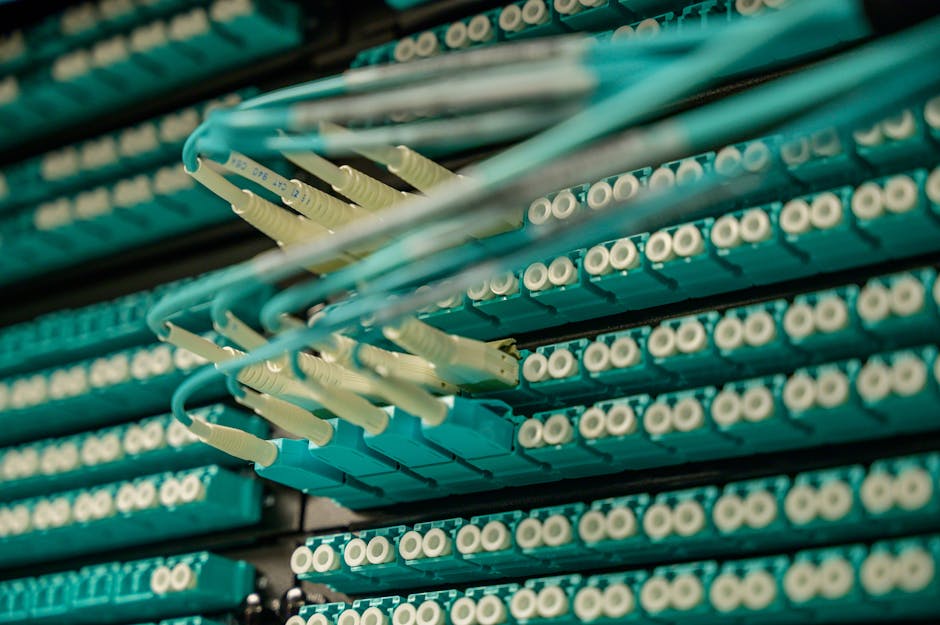
Since you’re considering fiber, here’s how it stacks up against the alternatives:
Fiber (symmetrical speeds, unlimited data, most reliable): Best for businesses that upload or video conference. Most expensive upfront, but speeds are future-proof and consistent.
Cable (fast downloads, slower uploads, data caps possible): Good for small businesses with moderate needs. Cheaper than fiber, but uploads are slow. Speeds can degrade during peak hours if many customers share the line.
DSL (reliable, slower speeds, older technology): Cheapest option, but speeds are typically too slow for modern business. Uploads are especially weak. Only consider if fiber and cable aren’t available.
For most businesses in 2026, fiber is the long-term play. Speeds won’t become obsolete, symmetrical uploads save real time, and reliability is higher. The price premium is usually worth it within 12-24 months.
Common Fiber Internet Questions for Businesses
Does fiber internet have data caps?
No. Fiber plans come with unlimited data across virtually every provider and plan. You can download, upload, stream, and backup without worrying about hitting a limit or paying overage fees. This is one of the biggest advantages over cable internet.
How long does fiber installation take?
Typically 7-14 days from order to activation. If fiber infrastructure already reaches your building (common in urban and suburban areas), installation is faster. If the provider needs to run fiber to your location for the first time, it can take longer. Some providers offer expedited installation for a fee. Always ask about timeline before signing up.
What upload speeds can I expect with fiber?
Most business fiber plans offer symmetrical speeds, meaning upload equals download. A 1 Gbps plan gives you 1 Gbps download and 1 Gbps upload. This is the opposite of cable, where uploads are often 10-20 times slower. According to FCC broadband standards, upload speeds are critical for modern business productivity.
Is fiber internet reliable for mission-critical business operations?
Fiber is generally more reliable than cable or DSL because it’s not affected by electrical interference and doesn’t degrade as easily over distance. However, “reliable” is relative and varies by provider and location. Ask potential providers about their uptime guarantee and what happens if service goes down. Some business plans include redundancy options (a backup connection) if you truly cannot afford downtime. If your business depends on constant internet access, invest in a secondary connection as backup, regardless of which primary provider you choose.
Ready for faster internet?
Have questions? Give us a call.

Best Internet Solutions for Large Homes
If you live in a large home, you’ve probably faced WiFi dead spots, buffering during movie nights, or dropped video calls in certain rooms. The keyword here is best internet solutions for large homes—because what works in a small apartment often won’t cut it in a three-story house or sprawling property. In this guide, we’ll explore proven strategies, practical setups, and smart tips to keep your entire home connected seamlessly.
Why Large Homes Struggle With Reliable Internet
Internet struggles aren’t always about speed. Even with fast broadband, you can run into trouble if your network isn’t designed correctly. Here are some common issues large homes face:
- WiFi dead zones – Certain rooms or corners where the WiFi just won’t reach.
- Signal interference – Walls, floors, and appliances like microwaves can weaken signals.
- Device overload – Homes with many smart devices (TVs, security cameras, smart thermostats) can stress a weak setup.
- Poor router placement – A single router in the wrong spot often leaves parts of the house disconnected.
Best Internet Solutions for Large Homes
If your home is bigger than 2,500 square feet, chances are you’ll need more than a basic router. Below are the best internet solutions for large homes that will actually solve coverage issues.
1. Whole-Home Mesh WiFi Systems
Mesh WiFi is one of the most effective solutions for large spaces. Instead of relying on a single router, a mesh system uses multiple units (often called “nodes”) spread across your home to create a unified network. As you move from one room to another, your device automatically connects to the nearest node.
- Seamless coverage – No need to manually switch networks when moving between rooms.
- Scalable – You can add more nodes if you expand your coverage area.
- App-based management – Many mesh systems provide easy controls via mobile apps.
Check out community discussions on mesh setups on Reddit’s Home Networking forum.
2. Wired Ethernet Backbones
While WiFi is convenient, nothing beats wired Ethernet when it comes to reliability. If possible, run Ethernet cables through key areas of your home. You can then connect access points or backhaul your mesh system with these cables for rock-solid performance.
- Consistent speeds – No signal degradation like WiFi.
- Better for gaming/streaming – Reduces latency and lag.
- Future-proof – Cat6 and Cat7 cabling can support very high speeds.
3. WiFi Range Extenders (Not Always Ideal)
Range extenders were popular in the past, but they often slow down your connection. In very specific cases, they can help, like covering a detached garage. However, for most large homes, a mesh or wired solution will serve better.
4. Powerline Adapters
If running Ethernet cables isn’t possible, powerline adapters can use the electrical wiring in your home to transmit network data. They can be surprisingly effective in homes with good wiring.
- Easy plug-and-play setup
- Good for hard-to-wire areas
- Performance may vary by house wiring conditions
Router Placement Tips for Large Homes
Before you invest in hardware, check if your router placement can be improved. Placement is often underestimated, but it can make or break your internet experience.
- Place your router at a central location, not at the far edge of the house.
- Keep it elevated, away from the floor or inside cabinets.
- Avoid placing it near thick walls or metal objects.
- If your home has multiple floors, consider mesh nodes on each level.
For more router positioning tips, check out the detailed discussions on this Quora thread on router placement.
Smart Home Devices and Bandwidth Considerations
Large homes often mean multiple family members and many connected devices. Smart TVs, video doorbells, thermostats, and security cameras all eat up bandwidth. A well-designed network helps prevent slowdowns.
| Device | Impact on Bandwidth |
|---|---|
| 4K Streaming TV | High |
| Smartphone Browsing | Low to Medium |
| Security Cameras | Medium to High (especially cloud-based) |
| Online Gaming | High (due to latency sensitivity) |
Tip: Set devices like cameras or smart thermostats on a secondary network (many routers offer a “Guest WiFi” option). This helps keep essential bandwidth free for streaming and video calls.
Best Practices for Optimal Internet Across a Large Home
1. Use Dual-Band or Tri-Band Routers
A dual-band router lets you split devices between 2.4GHz (longer range, slower speed) and 5GHz (shorter range, faster speed). Tri-band adds an extra band, reducing congestion in device-heavy homes.
2. Segment Your Network
If you have kids gaming online, parents working remotely, and streaming happening all at once, segment traffic. Many modern routers let you prioritize traffic per device.
3. Regularly Update Firmware
Updates often include security patches and performance improvements. Don’t neglect them!
4. Conduct Speed Tests in Multiple Rooms
Your internet may seem fine in the living room but lag upstairs. Walk through your home and test speeds in different spots using apps like Speedtest (available on Google Play or Apple’s App Store).
Future-Proofing Your Large Home Internet
Technology moves fast, and home networks are no exception. If you’re planning for long-term connectivity in your large home:
- Pre-wire Ethernet if building or renovating.
- Choose scalable mesh systems that let you add more nodes later.
- Look into WiFi 6 or newer for better performance with many devices.
- Explore smart management tools for parental controls, guest access, and monitoring usage.
WiFi 6 is explained in detail on Wikipedia’s WiFi 6 page if you want the technical rundown.
Community Insights
Sometimes the best fixes come from others who’ve faced similar problems. Check communities like:
Final Thoughts
At the end of the day, the best internet solutions for large homes come down to a combination of the right technology and smart setup. For sprawling houses, mesh WiFi paired with wired backbones almost always delivers the most reliable performance. With thoughtful router placement, bandwidth management, and future-ready hardware like WiFi 6, you can enjoy truly seamless Internet across every corner of your home.

# Unveiling the Internet Price Puzzle: Where to Get the Best Deals Across the US
Have you ever wondered why your monthly ISP bill seems to jump from one end of the country to the other? In a world where every app, video, and remote‑work tool depends on online connectivity, the **Internet price puzzle** is more than just a curiosity—it’s a financial decision that can save you dozens of dollars a month.
Below, we break down the factors driving price variations, share real‑world stats, and give you a straight‑forward guide to sniff out the best deals across the United States—all while keeping an eye on local options like **High-Speed Internet in Dearborn, MI 48126** and **Affordable WiFi Service in Wyandotte, MI 48192**.
—
## Why Does Internet Pricing Vary So Much?
Picture the U.S. as a giant patchwork quilt: some patches are freshly wired, others are still cobbled together from last‑year’s cables. Several key elements determine what a consumer pays:
| Factor | What It Means | Impact on Cost |
|——–|—————|—————-|
| **Infrastructure type** | Fiber‑optic, DSL, cable, satellite, or fixed‑wireless | Fiber usually costs more upfront, but offers higher speeds and lower long‑term fees |
| **Market competition** | Number of providers in a region | More competitors → lower prices, better promotions |
| **Population density** | Rural vs. urban | Rural stations often have to charge more to cover higher maintenance costs |
In 2023, the **average U.S. household** spent **$69.21/month** on internet service (Federal Communications Commission). In metropolitan hubs like New York City, the average rose to **$99.35**, while many rural counties in Montana capped at **$54.80**—just a snapshot of the puzzle in action.
—
## Top 5 States and Cities Offering the Best Value
Below are a few standout markets that consistently offer **cheapest, fastest, or most reliable** internet service. If your hometown isn’t listed, keep an eye on the regions below; most of them have carriers that link up with MyNeighborhoodWiFi’s panels.
### 1. **Austin, Texas**
*Market‐share+Mean cost*: $58/month average, 80% of households powered by gig‑speed fiber.
**Why it works** – a booming tech scene fuels fierce competition among ISPs like T‑Mobile, Xfinity, and local boutiques.
> *Tip*: Sign up for an annual contract; many providers offer a one‑month free “trial” that brings the first year’s costs down 15%.
### 2. **Boulder, Colorado**
Hometown of the internet’s “early adopters” but now the *cheapest* for 1 Gbps fiber at $70/month.
**Why it works** – the city’s strict zoning shaped a dense network grid and the presence of a few high‑tech ISPs that churn out budget packages.
### 3. **Des Moines, Iowa**
Rural‑state but not rural‑town: 55% of Des Moines is served by fiber, Wi‑Fi speeds average 120 Mbps, average price $52/month.
**Why it works** – the county’s “Community Broadband Initiative” pulls in subsidies and a steady customer base.
### 4. **Eaton, Michigan**
– **Affordable WiFi Service in Wyandotte, MI 48192**
Combination of municipal fiber access and corporate‑ownership of anchor lines keeps monthly costs under $56 for decent speeds.
### 5. **Reno, Nevada**
Broadband’s cheapest per Mb/s ratio: $39/month for up to 60 Mbps.
**Why it works** – the unique gravity of a solar‑powered autonomous network.
—
## How to Decode a Price Quote
A good deal looks good at the first glance, but the *fine print* can tell a different story. Here’s a quick cheat‑sheet:
| What to Look For | Red Flag | Good Practice |
|——————|———-|—————|
| **Speed** | Advertised 100 Mbps but see *“up to”* or *“average”* in the EULA | Confirm “Unlimited” caps of “up to 100 Mbps” and avoid hidden throttles |
| **Contract length** | 12‑month lock‑in | Look for “no‑penalty cancellation” or “zero‑price lock” policy |
| **Introductory price** | 9‑month “free” trial isn’t really free | Add up the price across the entire contract period |
| **Data cap** | No limit statement | Verify the data cap is *“unlimited”* for the plan |
—
## Quick Guide: “Call‑Back” vs. “Order Online”
Many users still call to order. A 2024 survey of 1,200 households found that **74% of people who ordered online** ended up with a better deal than the quoted price over the phone.
**Why?** Late‑stage bundling and dynamic pricing on the web can shave 10–15% off the cost.
1. **Visit** the local prices e‑list on a city page (e.g., “High-Speed Internet in Dearborn, MI 48126”)
2. **Compare** the advertised speed, data caps, and customer reviews
3. **Pick** a provider that meets your budget and has high customer‑rating scores.
> *Open‑source tip*: use temporary email to sign up during an initial free‑month offer—many carriers keep your personal data for 3 years.
—
## Insider: Leveraging Local Bundles
Many providers bundle internet with phone, TV, or smartphone services. Though the combined price can look higher, you might save on the overall package and get new line perks. Look for bundles that:
– Offer at least **10% off** the sum of separate services
– Include **discounted** equipment (modems, routers)
– Permit **cancelation** or switching before the 12‑month contract
An example: The city of Dearborn sometimes runs **utility‑based bundles** that cut down the monthly price for local residents—make sure you check the official city portals.
—
## Bottom‑Line: How to Nail the Best Deal
| Strategy | Why It Works |
|———-|————–|
| **Comparative Tool** | Use an aggregator or a local MyNeighborhoodWiFi service page that lists price, speed, contract. |
| **Ask the Board** | Your city council or public utility cooperation may change rates or introduce new municipal loyalties. |
| **Bundle & Customize** | Adjust IPTV channels or plan data limits to match your use case. |
| **Negotiate** | Many providers have “negotiation” options if you mention an upcoming competitor offer. |
—
## Real‑World Example: Emma from Dearborn
Emma needed a 200 Mbps line for her two‑person work‑from‑home business. She visited the **High-Speed Internet in Dearborn, MI 48126** page after noticing a local review about “Bundle deals.”
– **Day 1**: She identified a 12‑month contract for $60/month.
– **Day 2**: She then discovered the bundle offered with a $30/month line‑in‑house TV that *knew* she won’t use.
– **Day 3**: By negotiating, she killed the extra TV cost and got the **Internet** at $58/month.
– **Outcome**: $12 saved per month, $144 a year—money she could use for a server upgrade instead of a coffee budget.
—
## Quick Takeaways
– **The Internet price puzzle** is largely shaped by technology type, competition, and local policy.
– Rural areas may have **syndicated bundles** while urban centers thrive on fierce price wars.
– **Always read the fine print** for speed caps, contract terms, and hidden fees.
– **Look up local city pages** on MyNeighborhoodWiFi.com: they often feature special deals or municipal discounts.
—
### Gallery (Royalty‑Free Image)

*Source: Unsplash*
—
#### Need help in your city? Reach out to our expert team. We’ll help you compare plans, negotiate rates, and set you up on a modern, affordable internet service—no jargon, just results.
*“High-Speed Internet in Dearborn, MI 48126”* –
*“Affordable WiFi Service in Wyandotte, MI 48192”* –
Happy surfing!