Posts tagged: t mobile internet prices
Have questions? Give us a call.
Finding internet providers near you doesn’t have to be a headache. The truth is, most neighborhoods have multiple options to choose from, and the trick is knowing where to look and what questions to ask before you sign up.
The United States has roughly 2,891 internet service providers operating across different regions. Some serve entire states. Others focus on a few neighborhoods. Major providers like Verizon, AT&T, Xfinity, and Spectrum show up in most areas, but you might also find smaller regional carriers or fiber-only companies depending on where you live.
Related: Fiber Internet for Business: Speed, Pricing & Providers (2026)
Related: Best Business Internet 2026: Top 5 Providers Ranked
Related: Best Home Internet 2026: Top 6 Providers Ranked & Compared
Related: Best Dedicated Internet Access 2026: Top 5 Providers Ranked
Here’s what you need to know to find the right provider for your location and needs.
How to Find Internet Providers in Your Area
The fastest way to find internet providers near you is to enter your zip code or full address into a comparison tool. This is the only way to know what’s actually available at your location, because service areas can change block by block.
Start by visiting a trusted comparison site and plugging in your address. Within seconds, you’ll see which providers serve your area, what speeds they offer, and estimated pricing. This beats calling around or guessing.
If you want help narrowing down your options and understanding which plan makes sense for your situation, myneighborhoodwifi.com connects you with local experts who can walk you through available providers and get you set up with no extra charges. We work with leading providers including AT&T Fiber, Xfinity, Spectrum, WOW!, and EarthLink to make sure you’re comparing apples to apples.
Top Internet Providers to Consider Near You
The biggest names in broadband are usually a safe bet, but that doesn’t mean they’re the best fit for your home or business. Here are the providers you’ll likely see as options:
- Verizon – Known for fiber internet where available. Solid speeds and fair pricing with minimal hidden fees.
- AT&T – Offers fiber in many areas and multi-gigabit speeds for power users. Good customer service track record.
- Xfinity (Comcast) – Wide availability. Cable internet is solid for most households. Competitive pricing on bundled services.
- Spectrum – Available in most regions. Reliable speeds and no data caps. Customer-friendly policies.
- Frontier – Offers fiber and multi-gigabit options in select areas. Worth checking if you need super-fast speeds.
- WOW! – Regional provider with solid speeds and lower prices than mega-carriers in many markets.
The “best” provider depends on what’s available at your address, how much speed you actually need, and what you’re willing to pay. That’s why address-based lookup is so important.
What to Look For When Comparing Providers
Don’t just pick the cheapest option you see. A few things matter more than price alone:
Speed availability – Does the provider offer speeds that match your usage? Working from home? Streaming 4K? Gaming online? You’ll want at least 25 Mbps download speed. Most households are happy with 100-300 Mbps. Fiber providers often exceed 500 Mbps.
Data caps – Some providers limit how much data you can use each month. Others (like Spectrum) have no caps. If your household streams constantly or works remotely, unlimited data matters.
Equipment fees – Ask if the modem and router are included or if you pay monthly rental fees. Some providers let you buy your own equipment to save money long-term.
Contract terms – Do you need to sign a 12 or 24-month agreement? Some providers now offer month-to-month flexibility, which is great if you’re not sure about commitment.
Installation and support – How fast can they get you installed? What are their customer service hours? Do they charge for technical support?
Real Pricing Examples

Budget-friendly plans can start as low as $30 per month for basic speeds. Entry-level plans typically cover about 50% or more of most service areas, so you have options even if you’re watching your budget.
Mid-range plans (100-300 Mbps) usually run $50-$80 per month. Premium fiber plans with gigabit speeds or higher can range from $80-$150+ per month depending on the provider and your location.
The key is that pricing varies dramatically by zip code, so never trust an advertised price you see online without confirming it for your actual address first.
Why Professional Help Saves You Time and Money
Comparing 5-10 providers on your own can take hours. You have to call each company, listen to their sales pitch, ask the same questions over and over, and keep track of different pricing and terms.
That’s where having a local expert in your corner makes sense. myneighborhoodwifi.com handles the legwork for you. We’ve already partnered with the major providers, we know what’s available in your neighborhood, and we can match you with a plan that fits your speed needs and budget without any sales pressure.
Ready for faster internet?
Better yet? There’s no extra charge for this service. We get compensated by providers, not by you, so your cost is the same whether you call them directly or work with us. The difference is you get honest guidance, same-day installation coordination, and personalized support throughout the process.
Our team is available Monday through Friday, 8 a.m. to 10 p.m., so you can reach out when it’s convenient for you.
Steps to Find and Compare Providers Near You
Step 1: Get your address ready. You’ll need your full street address, not just zip code, for the most accurate results.
Step 2: Enter your address into a comparison tool. This shows you exactly which providers serve your location and their available speeds.
Step 3: Compare the key factors. Don’t just look at price. Check speed, data caps, contract terms, and equipment fees side by side.
Related: Compare Internet Providers by Speed, Price & Availability
Step 4: Read independent reviews. Check out what real customers say about reliability and customer service for each provider. Sites like Consumer Reports publish data on internet provider satisfaction.
Step 5: Ask about promotions and discounts. New customer promotions change frequently. Always ask if there are current deals or discounts available.
Step 6: Confirm installation details. Make sure you know the installation cost (many providers offer free or discounted installation), the expected installation date, and what equipment is included.
If any of this feels overwhelming, myneighborhoodwifi.com can handle Steps 1-5 for you in minutes. You just give us your address and tell us what matters most (fast speeds, low price, no contract, fiber, etc.), and we do the rest.
Special Situations: Renters, Apartments, and Businesses

If you’re renting, your options might be limited by what your landlord allows or what’s already wired into the building. Some apartment buildings have exclusive deals with one provider. Others let you choose freely.
Businesses have different needs too. You might need higher speeds, better uptime guarantees, static IP addresses, or dedicated support. Commercial internet plans are priced and structured differently than residential plans.
Related: High Speed Internet for Business: How to Compare & Choose
If you’re in either situation, mention it when you reach out. myneighborhoodwifi.com works with homeowners, renters, apartment communities, property managers, and small-to-medium businesses. We have experience finding solutions even in tricky situations where options seem limited.
Don’t Get Locked Into the Wrong Plan
One more thing: internet service is one of those things where the price you see advertised often isn’t the price you’ll actually pay after taxes, equipment fees, and hidden charges. Always ask for the total monthly cost and how long the promotional rate lasts. Most promo rates expire after 12 months and your bill jumps.
Also, don’t assume you’re stuck with your current provider just because you’ve had them for years. Prices change. Faster options might now be available. New providers enter markets. It’s worth checking what’s available at your address every couple of years.
People Also Ask
What internet speeds do I actually need?
For basic web browsing and email, 25 Mbps is enough. For streaming video and remote work, aim for 100-300 Mbps. Heavy users or large households with multiple devices should consider 300+ Mbps or fiber if available. Gigabit speeds (1000+ Mbps) are overkill for most home users but great for businesses or tech enthusiasts.
Can I get internet without a long-term contract?
Yes, many providers now offer month-to-month plans, though they sometimes charge a bit more or offer smaller promotional discounts. Ask specifically about contract-free options when you compare providers. This flexibility is becoming more common.
How long does internet installation usually take?
Typical installation takes 1-3 hours if you already have the infrastructure in place (cable lines, fiber, or phone lines). If new wiring needs to be run, it could take longer. Some providers offer same-day or next-day installation if availability permits. Always confirm the date and time window when you order.
What’s the difference between cable, fiber, and DSL internet?
Cable internet (through coax lines) offers good speeds and is widely available but can be shared bandwidth in congested areas. Fiber (through optical lines) is the fastest and most reliable but not available everywhere yet. DSL (through phone lines) is slower and more common in rural areas. Availability depends on your location, so check what’s actually offered at your address.
Ready for faster internet?
Have questions? Give us a call.
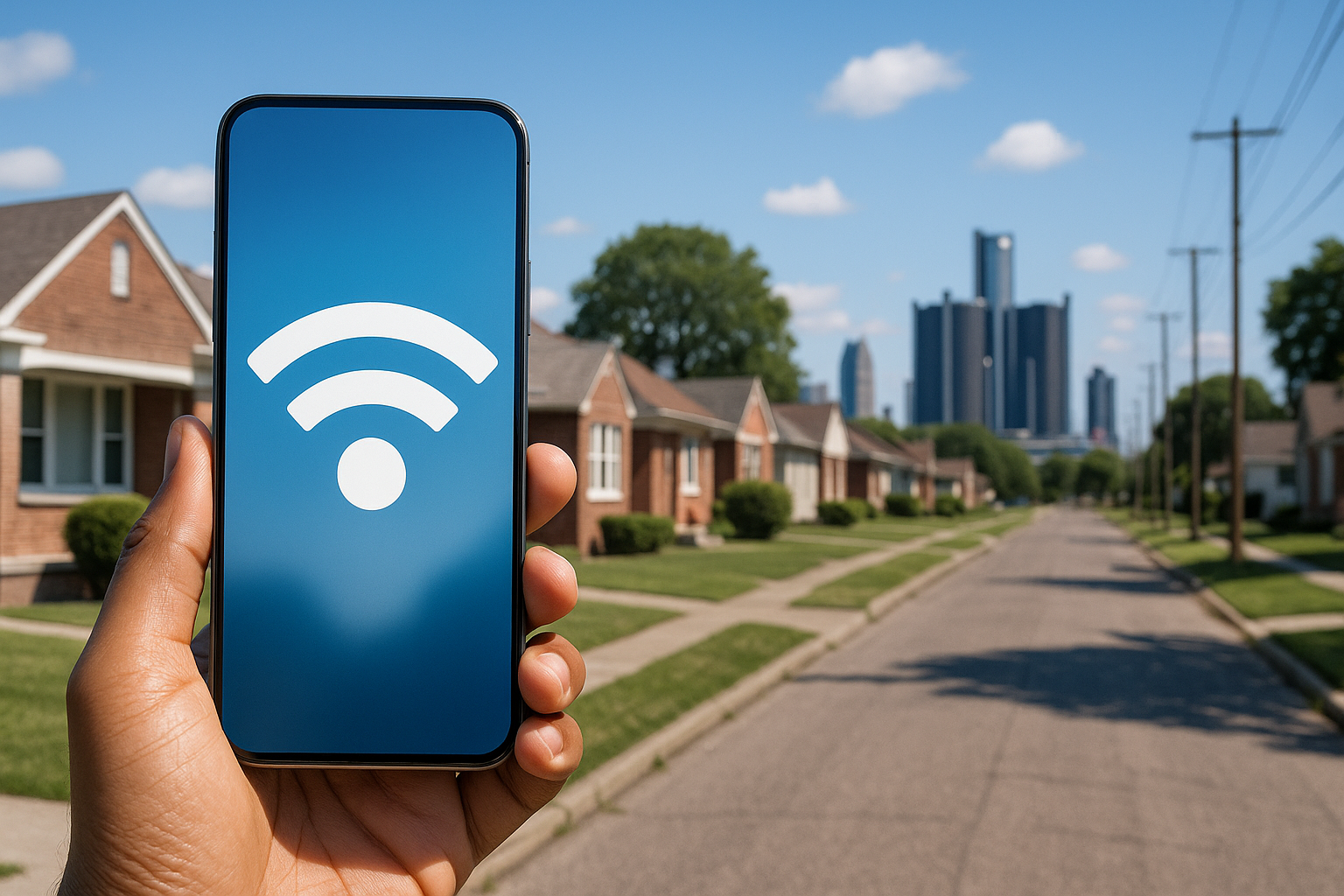
Discount Internet with EBT in Inkster, MI
If you live in Inkster, MI and use an EBT card as part of your household benefits, you may qualify for discount internet with EBT. Affordable, reliable internet has become essential for work, school, and staying connected with family. Thankfully, there are programs designed to help lower-income households and families save money on monthly internet service while still getting decent speeds and service features.
Why Finding Discount Internet in Inkster, MI Matters
Inkster, MI is home to more than 26,000 residents. Like many communities in Wayne County, access to high-speed internet plays a major role in education for kids, remote work opportunities for adults, telemedicine, and even keeping in touch with loved ones. Unfortunately, cost is one of the biggest barriers to getting connected. That’s where discounts for households with EBT, also known as SNAP, come in.
Internet providers in Inkster, MI now offer special programs for households that participate in SNAP or other qualifying benefits. If you already use an EBT card, you may be eligible.
Top Discount Internet Programs Available
Xfinity Internet Essentials
Xfinity offers one of the most popular low-cost options in Inkster, MI. Through the Internet Essentials program, qualifying residents who use EBT can access discounted high-speed internet for about $10 per month. Some plans allow for upgraded speeds at a slightly higher cost. The plan usually includes:
- Speeds up to 50 Mbps (sufficient for streaming, remote learning, and video calls)
- No credit check requirement
- No long-term contracts
- Low-cost WiFi equipment rental option
AT&T Access
AT&T offers a similar program called Access from AT&T, available to households with SNAP/EBT participation in Inkster, MI. Eligible residents can expect:
- Plans starting at around $10 per month
- Speeds up to 100 Mbps, depending on location
- Free WiFi modem and installation in many cases
Spectrum Internet Assist
For Inkster, MI residents who live in areas with Spectrum coverage, Spectrum Internet Assist provides:
- Discounted internet starting near $15 per month
- Speeds up to 50–100 Mbps
- Optional unlimited WiFi for a few dollars more
Other Programs That May Help
If you have an EBT card, you may also qualify for the federal Lifeline program. Lifeline provides a discount of up to $9.25 per month on either internet or phone services. Households can apply the discount toward a cell phone plan, home internet, or bundle options depending on their provider’s choices.
Lifeline Highlights:
- Available nationwide, including Inkster, MI
- Discount works on either internet or phone
- Annual recertification required
How to Apply for Discount Internet with EBT
Signing up for these programs in Inkster, MI is fairly simple. The process usually follows a few main steps:
- Confirm Eligibility: Check if you are enrolled in EBT (SNAP). Other qualifying programs may include Medicaid, SSI, or reduced lunch programs for children in school.
- Contact Your Preferred Provider: Visit websites of providers like Xfinity, AT&T, or Spectrum, and search their discounted programs. You can also call their customer service for application help.
- Provide Documentation: Be ready to upload or send proof of enrollment in EBT. Examples include your SNAP approval letter, EBT card, or state-issued documentation.
- Choose Your Plan: After approval, pick the discounted internet plan that fits your needs best.
Free WiFi Options in Inkster, MI
In addition to home internet, residents can find places in Inkster, MI with free WiFi access. While not ideal as a permanent solution, they can be helpful for temporary access:
- Public libraries in Wayne County offer free WiFi inside and outside buildings.
- Some cafes and local restaurants allow customers to connect without fees.
- Community centers and parks often partner to provide public WiFi access.
Tips for Choosing the Best Discount Internet Plan
When selecting your discounted internet plan through EBT, here are some helpful tips:
- Check Coverage: Certain providers may not cover every part of Inkster, MI. Input your address on provider websites for accurate availability.
- Compare Speeds: If you need internet for remote work, video meetings, or gaming, aim for speeds of at least 50 Mbps.
- Watch for Added Fees: Some “cheap” plans can add up with installation or equipment fees. Look for ones that include free setup or low rental costs.
- Take Advantage of Bundles: If you already use a discounted mobile service, check if you can get extra savings by combining home and phone internet discounts.
Discount Internet and Digital Literacy
Getting online is only part of the solution. Programs in Wayne County also focus on digital literacy. Households in Inkster, MI may find classes at the library or local community centers that teach basic internet use, safety, and device setup. These resources help ensure that cheaper internet service is not only affordable but also accessible for all ages.
Example: Monthly Cost Comparison
Here’s a simple chart showing how much households in Inkster, MI could save with discount internet programs compared to regular plans:
| Plan | Regular Cost | Discount Cost (with EBT) |
|---|---|---|
| Xfinity Internet Essentials | $60–$80 | $10 |
| AT&T Internet (Access) | $55–$70 | $10 |
| Spectrum Internet Assist | $70–$85 | $15 |
Frequently Asked Questions
Do I need a credit check to sign up?
Most discount internet programs in Inkster, MI do not require credit checks. This makes it easier for households who may not have built credit histories.
Can I use the discount if I already have internet?
If you’re already a paying customer, you may need to cancel and reapply under the discounted program. This depends on the provider, so always ask before making changes.
What if I don’t qualify with EBT?
If you don’t qualify with EBT but meet other low-income qualifications, you may still be able to get Lifeline or local community-based internet assistance programs.
Final Thoughts
Living in Inkster, MI with an EBT card means you don’t have to miss out on affordable high-speed internet. With providers like Xfinity, AT&T, and Spectrum offering plans as low as $10 per month, every household can stay connected for school, work, and family life. The process to apply is simple, and approval often takes less than two weeks. With the right program, you can bring reliable WiFi into your home and take advantage of the opportunities that come with being online.

Beat Slow Internet with Easy Troubleshooting Tips
Slow internet can be one of the most frustrating experiences, especially when you need a stable connection for work, streaming, or gaming. With just a little troubleshooting, you can often discover the root cause and fix it without waiting hours on hold with your provider. In this guide, we’ll walk through simple, practical ways to beat slow internet and make your online experience smoother.
Why Slow Internet Happens
There are many reasons your connection may slow down. By learning a few basics, you’ll be better equipped to identify the issue quickly and take action.
Common Causes of Laggy Wi-Fi
- Too many devices connected at once
- Old or outdated router hardware
- Wireless interference from walls, appliances, or neighbors
- Browser cache or background apps slowing things down
- Technological limitations of your current plan
Step 1: Check Your Speed
The first troubleshooting step is always testing your internet speed. This gives you a baseline to compare against the speed promised by your provider. If your test results are consistently much lower than expected, you know there’s something wrong. You can use simple tools like speed tests, or apps on your phone, to measure this. People often share helpful experiences on Reddit forums when comparing speed test results, which can also provide insight.
Step 2: Restart Your Equipment
It sounds simple, but restarting your router and modem can work wonders. Unplug the power for 30 seconds, then reconnect. This helps clear temporary glitches and can refresh your connection.
Step 3: Improve Your Wi-Fi Placement
Your router’s location matters a lot. Keeping it in a low, hidden position can weaken the signal. Instead:
- Place it in a central, elevated spot
- Avoid placing it near microwaves, cordless phones, or thick walls
- Keep it away from the floor and behind furniture
Users on platforms such as Quora often discuss how a simple change in placement dramatically improved their Wi-Fi reach.
Step 4: Limit Background Apps
Streaming, large downloads, or cloud backups running in the background can slow your entire household connection. Pause or reschedule intensive tasks if you need speed for a video call or gaming session.
Step 5: Update Firmware and Devices
Routers run on firmware, and just like your phone or computer, these need updates to function properly. Check your router’s settings to see if an update is available. At the same time, ensure your computers, smartphones, and consoles are all updated with the latest software.
Step 6: Manage Connected Devices
Households often have more devices connected than expected—smart TVs, consoles, tablets, thermostats, cameras, and even appliances. Each one eats into bandwidth. Consider disconnecting devices you don’t actively use to free up the network.
Step 7: Change Your Wi-Fi Channel
If you live in a busy neighborhood, nearby Wi-Fi signals may overlap with yours. This can create interference. Most routers allow you to switch channels (2.4 GHz or 5 GHz options). Experiment with different channels to find a less crowded one.
Step 8: Switch to Wired Connections
For devices where speed really matters—like gaming consoles, PCs, or smart TVs—a wired Ethernet connection can be much faster and more reliable than Wi-Fi. It removes interference and gives you the speed closest to your maximum plan limit.
Step 9: Clear Your Browser Cache
If web browsing feels slow, your computer may not actually be struggling with the internet at all—your browser could just be clogged. Clearing your cache, cookies, and old data can refresh things and make browsing faster.
Step 10: Scan for Viruses or Malware
Some malicious software secretly uses your bandwidth without you even knowing. Running a virus and malware scan helps ensure your computer isn’t the reason for your slow internet.
Step 11: Consider Time of Day
Internet slowdown often happens in the evenings when everyone is online streaming, gaming, or video calling. If possible, schedule heavy downloads or big uploads at off-peak hours like early morning or midday.
Step 12: Use Quality of Service (QoS) Settings
Many modern routers have built-in Quality of Service features that allow you to prioritize bandwidth for critical tasks, such as work calls or gaming, over less important background activity.
Step 13: Check Cables and Connections
Loose or damaged cables affect both wired and wireless speeds. Double-check that your Ethernet cables aren’t frayed and that connectors are fully secure.
Step 14: Explore Community Advice
Communities on Reddit, tech-focused YouTube channels, and even local Yelp groups are often full of troubleshooting stories. Learning how others fixed their sluggish setups may spark the solution you’re looking for.
When to Reach Out for Help
If you’ve gone through the steps above and your connection is still persistently slow, it may not be something you can fix alone. Issues such as outdated network lines, damaged infrastructure, or technical limitations beyond your control might require professional assistance. Don’t hesitate to reach out for help.
Quick Troubleshooting Checklist
| Action | Benefit |
|---|---|
| Restart Router | Refreshes and clears temporary glitches |
| Move Router | Improves signal strength and reach |
| Update Firmware | Adds security patches and performance boosts |
| Limit Devices | Frees up bandwidth |
| Wired Connection | Maximizes speed and stability |
Final Thoughts
Beating slow internet doesn’t require deep technical knowledge—just simple, step-by-step troubleshooting. From checking speed tests, resetting equipment, and improving placement, to using wired connections and exploring router settings, small changes can make a big difference. By learning how to identify and fix common causes, you can enjoy smoother video calls, lag-free gaming, and buffer-free streaming without unnecessary stress.