Posts tagged: state wide area network – Page 2
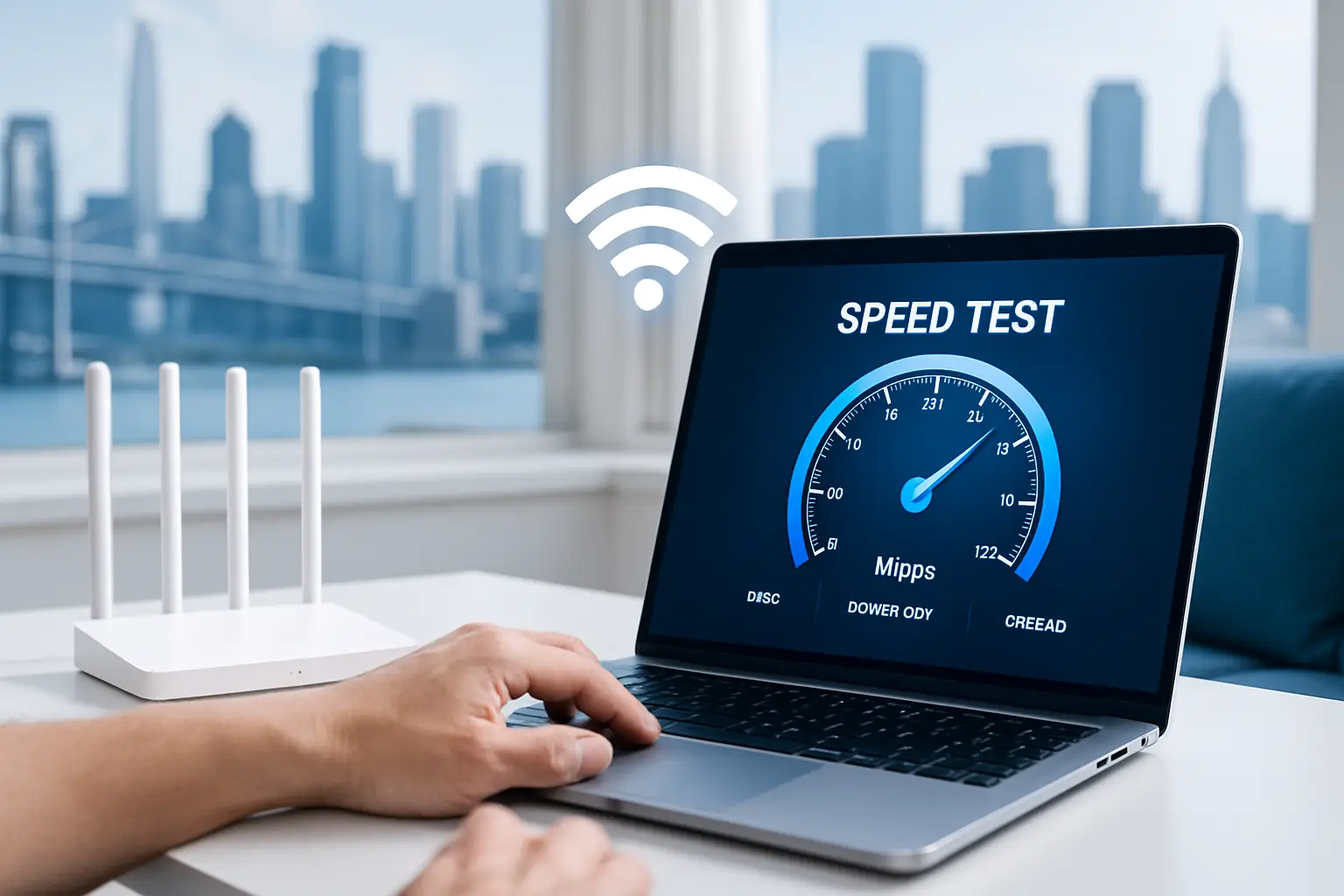
Best Ways to Test Your Internet Speed and Boost Your Connection
If you’ve ever wondered why your favorite video is buffering, your game is lagging, or a download is crawling at a snail’s pace, it might be time to test your internet speed. Checking your connection can help you understand whether the issue is with your internet setup, your devices, or sometimes even the website you’re visiting. Today, let’s walk through the best ways to test your internet speed and discover practical strategies to boost your connection for a smoother online experience.
Why Testing Your Internet Speed Matters
Your internet speed test measures how quickly your device can send and receive data from a server. This often includes three important components:
- Download Speed – How fast data moves from the internet to your device.
- Upload Speed – How fast data moves from your device to the internet.
- Ping (Latency) – The time it takes for data to travel to a server and back.
Knowing these numbers helps you troubleshoot issues, determine whether you’re getting what you pay for, and diagnose when it’s time for an upgrade or better equipment.
How to Test Your Internet Speed
1. Built-in Browser Speed Tests
Several search engines now offer built-in speed tests directly in your browser. This makes it quick and easy—no need to download extra apps. For example, searching “internet speed test” often brings interactive tools right into your search results.
2. Third-Party Testing Sites
There are independent websites available that allow you to test download, upload, and latency in seconds. Many of these also log results so you can compare over time. Communities on Reddit often recommend testing multiple times throughout the day for a more accurate picture.
3. Mobile Apps
On your phone, you can use speed test apps available on app stores. These apps are especially helpful if you want to check whether your cellular data or your Wi-Fi is causing slow performance.
4. Router Testing Features
Some modern Wi-Fi routers include built-in speed testing directly in their companion apps. This allows you to measure the connection quality from the source, rather than just from a device that might be affected by weak Wi-Fi signals.
Factors That Can Affect Speed Tests
- Time of Day: Peak evening hours may show slower speeds due to network congestion.
- Location in the Home: Testing close to your router vs. across the house can provide different results.
- Wired vs. Wireless: Ethernet cable tests usually give more accurate and consistent results compared to Wi-Fi.
- Background Usage: Other devices streaming, gaming, or downloading may reduce speed test results.
Tips to Boost Your Internet Connection
1. Restart Your Equipment
A classic solution: unplug your modem and router for 30 seconds, then plug them back in. This refreshes connections and often solves temporary slowdowns.
2. Place Your Router Strategically
Location matters. Keep your router in a central spot, raised off the floor, and away from thick walls or electronics that can interfere with the signal.
3. Use Wired Connections When Possible
If consistent speed is essential (such as for gaming or video calls), use an Ethernet cable to connect your computer directly to the router.
4. Update Your Router Firmware
Manufacturers frequently release firmware updates that improve performance and security. Check your router’s app or settings page to ensure you’re running the latest version.
5. Limit Bandwidth Hogging
Streaming ultra-HD videos, downloading large files, or having multiple smart devices running can overwhelm your network. Prioritize critical tasks by limiting extra usage when needed. Communities like Quora discuss strategies for bandwidth management that can be helpful.
6. Consider Using a Mesh Wi-Fi System
If your home has Wi-Fi dead zones, a mesh system can extend coverage more smoothly than a single router with extenders. Many users on Facebook groups about smart homes share real-world experiences using mesh setups for better whole-home connectivity.
7. Secure Your Network
If your network is unsecured, neighbors or strangers could connect and slow things down. Make sure you’re using a strong Wi-Fi password and the latest WPA3 (or WPA2 at minimum) encryption.
Using Speed Test Results Effectively
A speed test doesn’t just give you a number; it tells part of your internet story. Here’s how to interpret:
| Speed Range | What You Can Expect |
|---|---|
| Under 5 Mbps | Basic browsing and email only, struggles with streaming. |
| 5–25 Mbps | Decent for HD streaming on one or two devices. |
| 25–100 Mbps | Smooth for multiple users, streaming, and video calls. |
| 100+ Mbps | Great for heavy use like 4K streaming and gaming. |
When Is It Time to Upgrade?
If you’ve tried all boosting strategies and consistently find your speed test results do not meet your needs, upgrading your hardware may be the solution. This could mean a better router, a mesh Wi-Fi system, or higher-tiered internet access. It’s also worth joining forums such as Reddit’s Tech Support to see what equipment upgrades others recommend for reliable performance.
Final Thoughts
Testing your internet speed regularly ensures you know exactly how well your connection is performing. From browser-based checks to router-level diagnostics, the process is simple yet powerful in helping you solve bottlenecks. Pairing speed awareness with smart strategies like proper router placement, updates, and security goes a long way in getting the most from your connection. With a little testing and tweaking, you’ll be streaming, gaming, and working with fewer interruptions.

Cheap Internet in Detroit, MI
Finding cheap internet in Detroit, MI can feel like a challenge, but the good news is there are multiple providers and programs available to help residents stay connected without breaking the bank. Whether you’re looking for fiber, cable, wireless, or community-based digital inclusion options, Detroit, MI has several affordable choices waiting to be explored.
Why Affordable Internet Matters
Access to the internet is no longer just a luxury—it’s essential. From job applications to online classes and video calls with loved ones, a reliable connection directly impacts quality of life. Detroit, MI has made strides toward digital equity with programs that help reduce costs and expand coverage in underserved neighborhoods.
Top Providers Offering Cheap Internet in Detroit, MI
Xfinity
Xfinity is one of the most widely available internet providers in Detroit, MI. It offers cable internet speeds up to 2 Gbps, but what really makes it attractive for budget-conscious residents is its entry-level internet plan.
- Plans starting around $35/month
- Download speeds up to 200 Mbps for entry-level packages
- No annual contracts required for some plans
Xfinity also has its Internet Essentials program, designed for low-income households, which allows qualified families to access internet for much less.
AT&T Fiber
AT&T Fiber stands out in Detroit, MI because of its blazing-fast speeds and reliability. For households filled with streaming, gaming, and working professionals, fiber is an excellent choice, but even the starter packages are affordable.
- Starting plans around $55/month
- Speeds ranging from 300 Mbps up to 5 Gbps
- Perfect for multi-device households
For qualified low-income households, AT&T also provides more affordable options under its Access program, offering reliable service at a fraction of the usual cost.
EarthLink
EarthLink covers Detroit, MI with fiber, wireless home internet, and even satellite options for those in hard-to-reach spots.
- Fiber internet with no data caps
- Wireless home internet via 5G and LTE
- Satellite internet for rural and hard-to-reach areas
While pricing varies, many Detroit, MI residents find EarthLink’s flexibility appealing if they need connections beyond traditional cable or fiber.
Community Internet Initiatives
Detroit, MI is home to several creative, community-focused internet programs. These initiatives are aimed at bridging the digital divide and making internet more accessible to underserved households and neighborhoods.
- Equitable Internet Initiative (EII): Provides free or low-cost internet in neighborhoods such as 48210, 48209, and 48216 zip codes. It’s a collaboration between local community organizations that believe internet access is a human right.
- Neighborhood Tech Hubs: These city-backed hubs give residents more than just internet connection. They provide access to devices, training for digital literacy, and even IT workforce programs.
Best Cheap Internet Options for Different Needs
For Students
Students in Detroit, MI often need affordable, reliable internet to succeed in school. The most budget-friendly options typically include Xfinity Internet Essentials or AT&T Access. Both allow eligible households to sign up for low monthly rates while ensuring decent speeds for homework, research, and video classes.
For Families
Families with multiple devices streaming movies, gaming, or working remotely need more bandwidth. AT&T Fiber’s entry-level 300 Mbps plan or Xfinity’s cable packages provide strong value if you balance cost and performance. Larger families may benefit from mid-tier fiber packages to keep everyone online at the same time.
For Seniors
Seniors in Detroit, MI who primarily use the internet for browsing, emailing, or video chatting don’t need the fastest plan on the market. Instead, they should look into discounted programs from providers or attend digital literacy classes at Neighborhood Tech Hubs that often come with access to affordable connections.
Tips to Save on Cheap Internet in Detroit, MI
- Check for qualification programs: If your household qualifies for federal benefits programs, you may also qualify for discounted internet programs like Internet Essentials or Access.
- Bundle services: Some providers offer discounts if you combine TV, internet, or phone services together.
- Use community hotspots: Many Detroit, MI neighborhoods have public Wi-Fi through libraries, community centers, or tech hubs. While not a replacement for home internet, they can help reduce monthly usage.
- Negotiate with providers: Sometimes just calling and asking about promotions or mentioning competitor plans can lower your bill.
Comparing Internet Options in Detroit, MI
Here’s a quick side-by-side comparison of internet providers in Detroit, MI and their cheap internet options:
| Provider | Starting Price | Speeds | Best For |
|---|---|---|---|
| Xfinity | $35/month | Up to 200 Mbps (basic) / 2 Gbps (premium) | Affordable family option |
| AT&T Fiber | $55/month | 300 Mbps to 5 Gbps | High bandwidth households |
| EarthLink | Varies | Fiber, 5G LTE, Satellite | Non-traditional internet options |
| Equitable Internet Initiative | Free or low-cost | Community broadband | Neighborhood-focused access |
Community Resources for Digital Inclusion
Beyond home internet providers, Detroit, MI has also embraced digital inclusion strategies through public-private partnerships. Neighborhood Tech Hubs offer access to computers, training, and even device loaner programs. They are ideal for residents who may not be ready to commit to a monthly service but still need online access.
Using Public Wi-Fi in Detroit, MI
Public Wi-Fi, commonly offered in libraries, cafes, and community centers, is another useful tool. While not always secure, it can be handy in emergencies. Always use a VPN or avoid entering sensitive information when on public networks.
Final Thoughts on Cheap Internet in Detroit, MI
Cheap internet in Detroit, MI is not only possible—it’s growing. Between traditional providers like Xfinity and AT&T, flexible options from EarthLink, and community-driven initiatives like EII, residents across the city have more chances than ever to find an affordable plan that fits their needs. The key is to compare, check eligibility, and take advantage of community programs designed to close the digital divide.
Cheapest Internet Providers You Can Get Right Now
Finding the cheapest internet providers isn’t just about saving money—it’s about getting reliable service at a price that fits your budget. Whether you’re a student living in a small apartment, a remote worker needing steady connectivity, or a family streaming movies every night, an affordable plan can make a huge difference. Today, we’ll break down low-cost internet options, tips for scoring the best deals, and how to make sure your service is good enough for your needs.
Why Cheap Internet Matters
With more of our lives online—remote work, online learning, entertainment, social media—it’s hard to imagine a household without internet access. Unfortunately, internet bills can eat into your budget quickly, especially if you’re paying for high-end plans you don’t fully use. That’s where budget providers and affordable options come into play.
- Students: Affordable internet makes studying and online classes accessible.
- Families: Kids can stream, play games, and do schoolwork without breaking the bank.
- Small Businesses: A budget-friendly plan can still support video calls and transactions.
What to Look for in Affordable Providers
Not all “cheap” plans are created equal. Some give you bare minimum speeds that won’t even handle streaming a video call, while others strike a balance of price and performance. Here’s what to assess:
- Price per month – Factor in installation and equipment fees.
- Download/upload speeds – Make sure speeds can handle your usage.
- Contract terms – Some deals look cheap but lock you into long agreements.
- Data caps – Be cautious of low caps if you stream or work online daily.
Cheap Internet Options Available Right Now
Depending on your location and needs, you have a variety of low-cost internet choices. While availability varies, here are some categories to compare:
1. Regional ISPs and Local Providers
Local internet providers, often smaller companies or utilities, sometimes offer surprisingly cheap internet plans. Customers often share their experiences on sites like Reddit forums where you can discover hidden gems in your area.
2. Low-Cost Broadband Plans
Many communities have basic broadband options starting below $30/month. These may not come with blazing speeds for 4K streaming, but they handle essentials like email, video calls, and streaming at standard definition.
3. Lifeline and Assistance Programs
If budget is your top priority, federal programs like Lifeline offer discounted internet service for qualifying households. Some providers also participate in subsidy programs aimed at reducing the digital divide.
How to Get the Best Deal
Getting cheap internet isn’t always just about finding the lowest advertised price. Here are some tried & tested strategies:
- Negotiate: Call providers and ask about promotions or discounts.
- Bundle smartly: Only add services you need; avoid upsells.
- Buy your equipment: Renting routers or modems can add $10–$15 monthly.
- Check community resources: Some libraries or local groups post affordable ISP recommendations on Facebook community groups.
Comparing Cheap Internet Options
While speeds and features vary widely, here’s a quick way to compare what a “cheap” plan might get you.
| Plan Type | Typical Price | Speed Range | Best For |
|---|---|---|---|
| Low-tier broadband | $25–$40 | 25–100 Mbps | Small households, students |
| Discounted regional ISP | $20–$35 | Up to 50 Mbps | Basic streaming, browsing |
| Government subsidized plan | $0–$30 | 25–50 Mbps | Low-income households |
| Prepaid Wi‑Fi service | $30–$50 | Varies by provider | Short-term renters, mobile users |
Hidden Fees: What to Watch Out For
Even a cheap internet plan can become expensive if you don’t watch for extra fees. Common ones include:
- Installation charges (sometimes waived during promos)
- Equipment rental fees for modems and routers
- Early termination fees on long-term contracts
- Data overage charges if you pass your monthly allowance
Tips for Lowering Your Internet Bill
- Switch providers every 12 months to stay on promos.
- Explore prepaid internet if you want flexibility with no contract commitments.
- Check out YouTube tutorials like how to optimize Wi-Fi speed at home so your cheap plan feels faster.
- Ask your provider if they have “essential plans” aimed at students and seniors.
When Cheap Isn’t Worth It
While low-cost internet can be a lifesaver, there are cases where it won’t be enough:
- Gamers who need ultra-low latency
- Households with multiple 4K streamers
- Work-from-home setups requiring heavy video conferencing
If you fall into these categories, you may actually spend more in frustration than you save in dollars. Sometimes, a mid-tier plan is the smarter “cheapest option” in terms of real-world value.
Community Voices: What People Say
Browsing Quora discussions and neighborhood forums shows a clear trend—people find the best deals when they ask neighbors or check community boards. What’s “cheap” in one city may be twice the price in another depending on available infrastructure.
Final Thoughts
Cheap internet providers can absolutely keep you connected without wiping out your wallet. With smart shopping, knowing about assistance programs, and being resourceful with equipment, anyone can cut costs. The key is understanding your household needs and matching them with a plan that balances price and performance. Sometimes the cheapest is good enough—sometimes a little extra is worth the smoother experience.