Posts tagged: spectrum wifi flashing red
Picking a home internet provider shouldn’t feel like guesswork, but for most households it does. Two neighbors on the same street can have completely different options, one gets full fiber, the other is stuck choosing between cable and a wireless hotspot and the marketing on provider websites rarely makes the real trade-offs clear.
The short answer: the best home internet provider for you is whichever one delivers the connection type that matches your usage (fiber for heavy upload and multi-device homes, cable where fiber isn’t built yet, 5G home internet for flexibility and simple setup) at a price and contract length you’re actually comfortable with. Everything below explains how to apply that to your specific address.
What Best Actually Means for Home Internet
There’s no single best internet provider nationally availability is hyper-local, sometimes down to the individual block. What you can evaluate objectively, regardless of provider name, are five factors:
- Connection type — fiber, cable, fixed wireless (5G home internet), DSL, or satellite
- Download and upload speed — and whether they’re symmetrical
- Latency — how quickly data round-trips, critical for video calls and gaming
- Data caps and contract terms — unlimited vs. capped, month-to-month vs. locked in
- Reliability during peak hours — the number that matters more than the “up to” speed on the box
A provider that wins on price but loses on reliability isn’t actually cheaper once you count the hours lost to buffering, dropped calls, and outage-related work delays.
Fiber-Optic Internet – The Benchmark, Where It’s Available
Fiber-optic internet sends data as light through glass cable rather than electrical signals through copper or coax, which is why it consistently delivers the fastest, most stable connections on the market. Two things set fiber apart from every other connection type:
- Symmetrical speeds — upload speed matches download speed, so a plan advertised at 500 Mbps gives you 500 Mbps up and down. This matters enormously for cloud backups, video conferencing, livestreaming, and remote work, where cable’s upload speeds (often a fraction of download speeds) become the bottleneck.
- Low, consistent latency — fiber doesn’t degrade under heavy neighborhood usage the way shared cable networks can during peak evening hours.
The catch is availability. Fiber build-out is expensive and providers prioritize dense neighborhoods first, so large parts of suburban and rural America still don’t have it. If fiber is available at your address, it’s almost always the right default choice unless price is a hard constraint.
Cable Internet – The Widest Coverage Footprint
Cable internet, delivered over the same coaxial infrastructure used for cable TV, remains the most widely available high-speed option in the U.S. Download speeds on modern cable plans are genuinely competitive with fiber often 300 Mbps to 1.2 Gbps but upload speeds are typically much lower, and performance can dip slightly during high-traffic hours because bandwidth is shared across a neighborhood node.
Cable is a strong, sensible choice for households that primarily download and stream rather than upload large files or livestream regularly. It’s also usually the fallback option in areas where fiber hasn’t reached yet.
5G Home Internet and Fixed Wireless: Fast to Set Up, No Cable Required
5G home internet offered as a wireless router that pulls a cellular signal instead of a wired line has become a legitimate mainstream option, not just a stopgap. Installation is plug-and-play: no technician visit, no drilling, no buried line. That makes it especially popular with renters and anyone who wants to avoid installation fees or long service appointments.
Performance depends heavily on cell tower proximity and network congestion, so speeds can vary more than fiber or cable, and it’s generally not the best fit for households running multiple simultaneous 4K streams, competitive online gaming, and video calls at once. But for single-person households, apartments, or as a flexible no-contract option, it’s often the most convenient home internet provider category available.
Satellite Internet – The Last-Resort Option That’s Gotten Much Better
For genuinely rural addresses with no cable, fiber, or fixed wireless coverage, low-earth-orbit satellite internet has closed much of the gap that older satellite services couldn’t. Latency is still higher than terrestrial connections, which affects real-time applications like gaming, but for browsing, streaming, and remote work outside dense population areas, it’s now a workable primary connection rather than a last resort.
Questions to Ask Before You Sign Up With Any Provider
Before comparing prices, run any home internet provider through the same short checklist:
- Is the advertised price the price after the promotional period ends? Many “starting at” rates increase after 12 months.
- Is there a data cap, and what happens if you exceed it?
- Is the contract month-to-month or does it include an early termination fee?
- What’s the average download and upload speed at peak hours, not just the theoretical maximum?
- What’s included in “free installation” is professional setup actually free, or is it self-install-only?
Providers that are confident in their service tend to answer these plainly. Vague answers on contract length or peak-hour speeds are a signal worth taking seriously.
Getting the Most Out of the Plan You Choose
Provider choice is only half the equation home network setup accounts for a surprising share of slow internet complaints that have nothing to do with the ISP. A few adjustments that consistently improve real-world performance:
- Place the router centrally and off the floor, away from thick walls and large appliances
- Use a wired Ethernet connection for anything stationary and bandwidth-heavy (gaming consoles, desktop PCs, smart TVs)
- Restart the router and modem periodically, or set them to auto-reboot overnight
- Segment smart-home devices onto a guest network to keep primary bandwidth clear
- Run a speed test at different times of day before assuming the provider is underperforming
Switching Providers Without the Headache
If you’re moving away from a current provider, timing matters. Confirm service is active at the new address before cancelling the old one, ask whether the new provider covers early termination fees (many do, as a signup incentive), and return old equipment promptly to avoid unreturned-equipment charges. Most switches can be completed with zero downtime if the new installation is scheduled a few days ahead of the cancellation date.
Frequently Asked Questions
What is the best type of home internet provider for a family that streams and works from home?
Fiber-optic internet is generally the best fit for households with multiple people streaming, working, and video-calling simultaneously, because its symmetrical upload and download speeds handle simultaneous heavy usage without slowing down. Where fiber isn’t available, high-tier cable plans are the next-best alternative.
How much internet speed do I actually need at home?
For a household with 2–4 devices doing normal streaming, browsing, and video calls, 100–300 Mbps download is typically sufficient. Households with heavy 4K streaming across multiple screens, large file uploads, or several remote workers should look at 500 Mbps to 1 Gbps plans, ideally with strong upload speeds.
Is fiber internet always better than cable internet?
Fiber generally offers faster, more symmetrical speeds and more consistent performance during peak hours, but “better” depends on use case and price. If a household mainly streams and browses, a well-priced cable plan can perform just as well in daily use as an entry-level fiber plan.
Can I get home internet without a long-term contract?
Yes. Many providers now offer month-to-month or no-contract home internet plans, particularly 5G home internet and some fiber providers. These plans sometimes cost slightly more per month than promotional contract pricing but avoid early termination fees entirely.
Why is my internet slow even though I pay for a high-speed plan?
Slow speeds despite a high-speed plan are usually caused by router placement, too many devices sharing Wi-Fi, outdated equipment, or peak-hour network congestion rather than the advertised plan speed itself. Running a wired speed test and checking router placement resolves the issue in most cases before it’s necessary to contact the provider.
How do I check which internet providers are available at my address?
Availability is address-specific, so the most reliable way to check is entering your ZIP code or full address directly on a provider’s site or a coverage-checking tool, since national coverage maps often lag behind actual local build-out.
The best internet providers in Sioux Falls, SD depends on your address and usage habits. Bluepeak delivers symmetrical fiber up to 5 Gbps with no contracts or data caps, starting at $40/month. Midco covers over 85% of the city with cable and fiber plans from $29/month. T-Mobile 5G Home Internet and Quantum Fiber round out the market as strong secondary alternatives for budget-conscious households or areas not yet served by fiber.
Sioux Falls is no longer a city where residents settle for slow, overpriced cable service with a two-year contract attached. Over the past several years, the local broadband market has undergone a genuine transformation. Bluepeak rolled out symmetrical multi-gigabit fiber. Quantum Fiber expanded its footprint across residential neighborhoods. Midco upgraded its existing cable infrastructure while simultaneously laying fiber in select corridors. And T-Mobile 5G Home Internet gave renters and short-term residents a no-installation alternative that actually works.
The result? Sioux Falls residents now have real choices. But more options also mean more confusion. Gigabit marketing is everywhere, hidden fees still exist in the fine print, and the “best” provider on paper may not even serve your block. At MyNeighborhoodWifi, we cut through the noise by comparing real local coverage, speed tiers, pricing, and performance data so you can make an informed decision without wasting an afternoon on hold.
This guide covers every major internet provider serving Sioux Falls in 2026, from how their networks perform under load to which plans actually deliver value for remote workers, families, gamers, and small business owners.
Who Are the Top Internet Service Providers in Sioux Falls, SD?
Sioux Falls residents generally have access to four primary connection technologies: fiber-optic, high-speed cable, 5G fixed wireless, and DSL. The four providers dominating the local market in 2026 are Bluepeak, Midco, Quantum Fiber (formerly CenturyLink), and T-Mobile 5G Home Internet.
| Provider | Connection Type | Max Speeds (Down / Up) | Starting Price | Standout Feature |
| Bluepeak | Symmetrical Fiber | 5,000 / 5,000 Mbps | $40/mo | Included eero Wi-Fi gear, no contracts |
| Midco | Cable / Fiber | 5,000 / 1,000+ Mbps | $29/mo | Broadest Sioux Falls coverage (85%+) |
| Quantum Fiber | Fiber / DSL | 2,000 / 2,000 Mbps | $50/mo | Unlimited data, 99.9% uptime reliability |
| T-Mobile 5G Home | 5G Fixed Wireless | ~498 / 50 Mbps | $35–$50/mo | Plug-and-play setup, no technician needed |
Each provider has meaningful strengths, but none is universally superior. The right choice hinges on which technologies are actually deployed at your specific address.
Fiber vs. Cable vs. 5G in Sioux Falls: Which Network Performs Best?
The technology behind your connection determines far more than raw download speed. Latency, upload performance, peak-hour consistency, and weather resilience all vary significantly depending on whether fiber, cable, or 5G wireless delivers your signal.
How Does Fiber Internet Perform in Sioux Falls?
Fiber-optic networks transmit data as pulses of light through glass or plastic threads, making them immune to electromagnetic interference and electrical outages on the line itself. Bluepeak and Quantum Fiber both deliver symmetrical speeds on their fiber tiers, meaning upload performance matches download performance precisely.
For a household with two remote workers running simultaneous Zoom sessions, symmetrical fiber eliminates the upload bottleneck that routinely plagues cable connections. Latency on Bluepeak and Quantum Fiber lines in Sioux Falls typically registers between 5 and 15 milliseconds, which is exceptional for gaming, video conferencing, and real-time collaboration tools.
How Does Midco Cable Compare to Fiber in Sioux Falls?
Midco’s cable network uses hybrid fiber-coaxial (HFC) architecture, where fiber runs to neighborhood nodes and coaxial cable carries the signal into individual homes. The practical effect is strong download performance but asymmetric upload speeds. A Midco plan offering 1,000 Mbps download may provide only 35 to 100 Mbps upload depending on the tier and node congestion in your area.
For most streaming and browsing households, this asymmetry is barely noticeable. For remote workers uploading large video files or hosting local servers, it matters considerably. Midco’s latency typically falls between 15 and 35 milliseconds, which is competitive for gaming but not quite at fiber levels.
Is T-Mobile 5G Home Internet a Reliable Option in Sioux Falls?
T-Mobile 5G Home Internet connects your home via the same cellular towers that power your phone. No technician visit, no trenching, no waiting. You plug in the gateway and you are online within minutes. Median download speeds in Sioux Falls hover around 300 to 498 Mbps on T-Mobile’s 5G network, though upload speeds are considerably lower at 15 to 50 Mbps.
The primary limitation is variability. Unlike fiber or cable, wireless performance shifts based on tower distance, atmospheric conditions, and how many subscribers are sharing the same cell sector during evening hours. T-Mobile 5G Home Internet suits renters, households in areas not yet reached by fiber, and anyone who needs internet activated same-day without a scheduled installation window.
| Performance Factor | Bluepeak Fiber | Midco Cable | T-Mobile 5G |
| Upload Symmetry | Full (up to 5 Gbps) | Asymmetric (30–350 Mbps up) | Variable (15–50 Mbps up) |
| Latency (Ping) | 5–15 ms | 15–35 ms | 35–65 ms |
| Data Caps | None | None | None |
| Weather Sensitivity | Zero (underground fiber) | Low (coaxial shielding) | Moderate (signal attenuation) |
| Contract Required | No | No | No |
How Much Internet Speed Does a Sioux Falls Household Actually Need?
Gigabit plans are heavily marketed, but they are genuinely unnecessary for the majority of Sioux Falls households. Choosing based on advertised maximums rather than actual usage patterns leads directly to overpaying.
A single-person household streaming Netflix in 4K and handling email requires roughly 25 Mbps sustained download speed. A household with four simultaneous 4K streams, two active video calls, and several smart home devices might need 300 to 500 Mbps to remain comfortable during peak evening hours. Even the busiest residential setups rarely justify more than 1 Gbps unless a home-based business with server infrastructure is operating on the same connection.
Practical scenario — where people overspend: A remote worker in central Sioux Falls signs up for a 5 Gbps fiber plan at $100/month. Standard laptop Wi-Fi adapters physically cannot process speeds above 1.2 Gbps through wireless connections, and most consumer routers cap effective throughput well below 5 Gbps. The excess bandwidth delivers no measurable benefit.
Better approach for the same user: Midco’s 250 Mbps plan at $29/month or Bluepeak’s 500 Mbps tier provides consistent, lag-free 4K streaming and HD video conferencing. The annual savings exceed $700 compared to an unnecessary multi-gigabit subscription.
For households with multiple remote workers, online gamers, and smart TVs in neighborhoods like South Grange Avenue or Silver Valley, a symmetrical 1 Gbps fiber plan in the $40 to $55 per month range typically delivers the highest value-to-performance ratio available in the Sioux Falls metro area.
How to Maximize Wi-Fi Performance Across Your Sioux Falls Home
A high-speed fiber or cable connection does not automatically translate to fast Wi-Fi in every room. Router placement, hardware quality, and network configuration determine whether that bandwidth reaches every device in the house.
Central gateway placement: Position your primary router on a central shelf away from the floor, avoiding proximity to metal appliances, thick concrete walls, and microwave-frequency interference sources. Signal strength drops measurably when routers sit in closets, basements, or corners.
Mesh systems for larger homes: Multi-story homes and larger floor plans in neighborhoods like Prairie Tree or Cherry Lake benefit significantly from mesh Wi-Fi systems with dedicated wireless backhaul. Eero Pro 6E and Google Nest Wi-Fi Pro both eliminate dead zones by creating a unified network across multiple access points rather than forcing devices to hop between weak single-router signals.
Wired connections for high-demand devices: Gaming consoles, desktop workstations, and smart TVs perform more reliably on wired Cat6 Ethernet connections than on any wireless standard. If your router is in reach, a direct cable eliminates packet loss entirely.
QoS configuration for remote workers: Most modern routers support Quality of Service settings that prioritize traffic from specific applications. Configuring QoS to prioritize Zoom, Microsoft Teams, or corporate VPN traffic ensures video calls remain stable even when other household members are streaming or downloading simultaneously.
What Are the Best Business Internet Options in Sioux Falls?
Small businesses and home-based enterprises operating in downtown Sioux Falls, industrial corridors, or residential neighborhoods face a different set of requirements than standard household subscribers. Downtime has a direct revenue cost, and residential-grade service agreements rarely include uptime guarantees.
Dedicated Internet Access (DIA): Bluepeak, CenturyLink, and SDN Communications all offer dedicated fiber lines for Sioux Falls businesses with strict Service Level Agreements guaranteeing 99.99% uptime. Unlike shared residential connections, DIA allocates dedicated bandwidth that does not fluctuate based on neighborhood traffic.
Static IP addressing: Businesses hosting local servers, managing IP security camera systems, or running remote desktop protocols require static IP assignment. Most residential plans use dynamic IP addresses that change periodically, which disrupts server-dependent workflows.
Redundant failover: Pairing a primary fiber connection with a secondary T-Mobile 5G Business Internet router creates automatic failover that keeps point-of-sale systems, VoIP phones, and client-facing applications online during localized outages. The cost of a secondary $50/month wireless connection is negligible compared to even one hour of downtime during business operations.
Check Your Address Before Committing to Any Sioux Falls Provider
The most important step in selecting an internet provider in Sioux Falls is verifying address-level coverage before signing up. Fiber availability changes block by block as Bluepeak and Quantum Fiber continue expanding their physical infrastructure. A provider that does not yet serve your street may have service scheduled for deployment within months, or may have no near-term plans at all.
Where Bluepeak or Quantum Fiber is available, symmetrical fiber delivers the highest reliability ceiling for both residential and business use. Where fiber has not yet reached, Midco’s cable network provides excellent citywide coverage with strong download performance for streaming-heavy households. T-Mobile 5G Home Internet fills the remaining gaps for residents who need service immediately or live in areas underserved by wired infrastructure.
Use MyNeighborhoodWifi’s Sioux Falls Coverage Checker to compare real-time pricing and availability at your specific address before making a decision.
Frequently Asked Questions About Internet Providers in Sioux Falls, SD
What is the cheapest internet provider in Sioux Falls, SD in 2026?
Midco currently offers the lowest entry-level pricing in Sioux Falls, with plans starting at $29/month for 250 Mbps download speeds. T-Mobile 5G Home Internet is also competitive at $35 to $50/month, particularly when bundled with an eligible T-Mobile mobile line.
Is fiber internet widely available across Sioux Falls neighborhoods?
Fiber availability has expanded significantly throughout Sioux Falls. Bluepeak and Quantum Fiber now cover substantial portions of residential neighborhoods, and Midco continues upgrading portions of its network with fiber-backed service tiers. Coverage varies by street, so checking availability at your specific address is essential before selecting a plan.
Do internet providers in Sioux Falls require annual contracts or impose data caps?
The four major providers serving Sioux Falls residents in 2026, which are Bluepeak, Midco, Quantum Fiber, and T-Mobile, all offer no-annual-contract and unlimited-data options on their standard residential plans. Always confirm the specific terms of any promotional pricing before activating service.
Which Sioux Falls internet provider is best for remote work and online gaming?
Bluepeak Fiber and Quantum Fiber are the strongest options for remote work and gaming in Sioux Falls. Both deliver symmetrical upload and download speeds with latency consistently below 15 milliseconds, which eliminates lag on video calls and competitive gaming platforms. Midco cable is a solid secondary choice where fiber is unavailable.
Can T-Mobile 5G Home Internet replace a wired connection in Sioux Falls?
T-Mobile 5G Home Internet works well as a primary connection for light-to-moderate users, particularly those who need same-day setup without a scheduled technician visit. For households with heavy upload requirements, multiple simultaneous video conferencing sessions, or business-critical applications, wired fiber or cable remains more consistent during peak usage hours.
What internet options exist for small businesses in Sioux Falls?
Sioux Falls businesses have access to dedicated fiber lines from Bluepeak, CenturyLink, and SDN Communications, all of which include Service Level Agreements and static IP addressing. For redundancy, pairing a primary fiber connection with T-Mobile 5G Business Internet provides automatic failover coverage that protects against downtime.
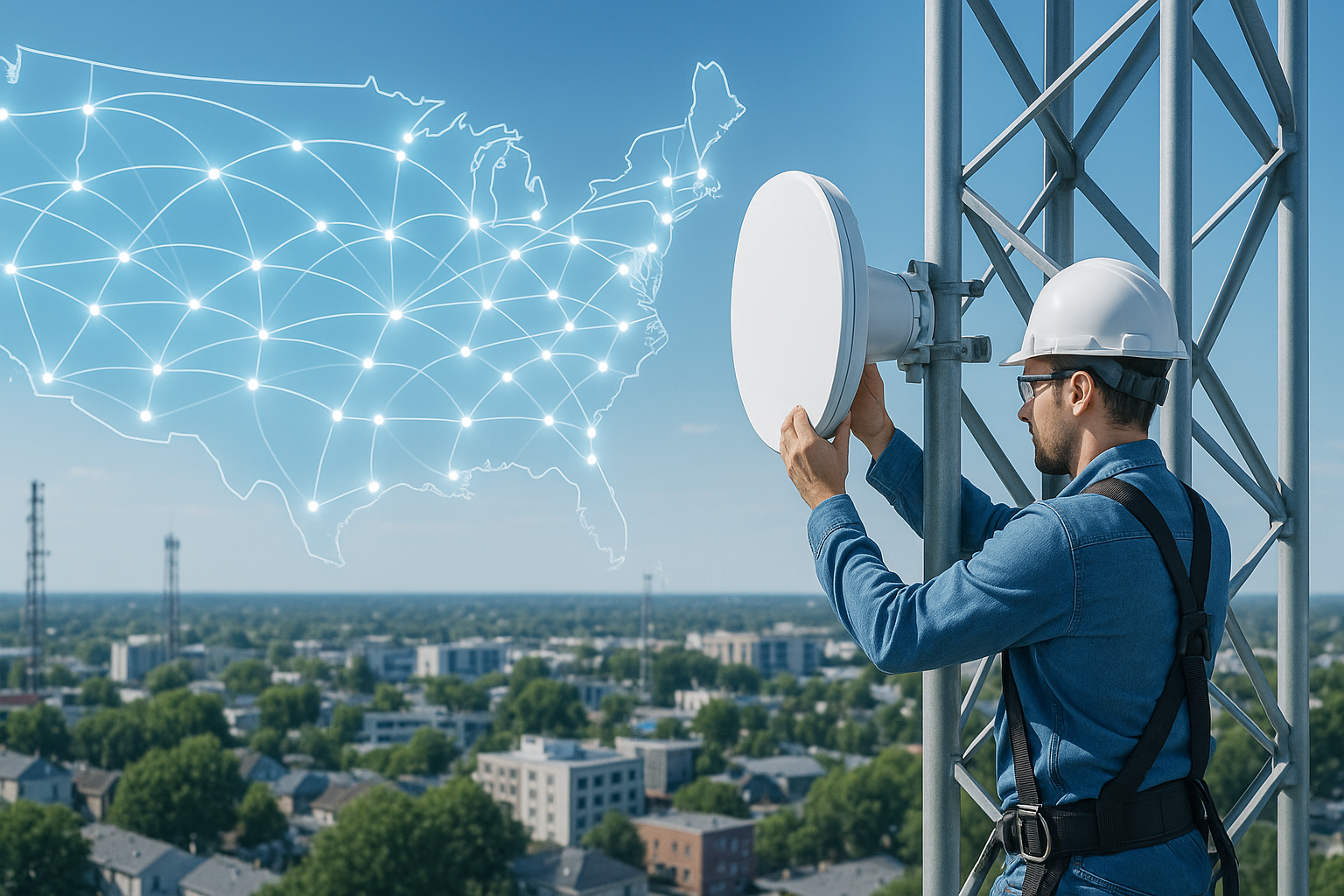
Expanding Internet Infrastructure Driving Faster Connectivity Across the US
The growth of internet infrastructure across the United States is rapidly shaping how we live, work, and connect with the world. Expanding networks and new technologies are pushing faster speeds, reducing latency, and unlocking opportunities for communities that were historically underserved. From major cities to small rural towns, these infrastructure developments are changing the face of connectivity in America.
Why Internet Infrastructure Matters
Internet access is more than just streaming movies or checking emails—it’s the foundation for education, remote work, telehealth, and economic opportunity. Reliable infrastructure allows both urban and rural areas to benefit from digital growth.
- Students in rural communities gain access to remote learning resources.
- Healthcare providers can deliver telemedicine services to patients far from hospitals.
- Small businesses can compete online with better bandwidth.
- Families can enjoy high-quality entertainment and communication tools without disruptions.
Key Drivers of Infrastructure Expansion
Several factors are fueling the expansion of internet networks in the U.S., including federal investments, private sector initiatives, and technological innovation.
Federal and State Investments
Policy initiatives have bolstered internet infrastructure development across the nation. The U.S. federal government has invested heavily in expanding connectivity for rural and underserved communities. These funds help extend fiber networks, subsidize the deployment of advanced wireless, and improve broadband coverage nationwide.
Private Sector Growth
Private companies continue investing billions of dollars to build out fiber, upgrade data centers, and deploy new wireless technologies. These investments play a key role in keeping the U.S. competitive in digital infrastructure globally.
Technological Advances
Multiple technologies are converging to boost speeds and reliability:
- Fiber optics: Delivering some of the fastest and most reliable connections available.
- 5G networks: Empowering mobile devices and smart homes with low-latency connectivity.
- Edge computing: Bringing data processing closer to users, reducing delays in critical applications.
Impact on Rural America
For decades, rural communities have struggled with slow or unreliable internet. The recent focus on infrastructure expansion is bridging that gap. New fiber-optic lines, wireless solutions, and governmental subsidies are creating real change in these regions.
- Farmers now use connected devices for precision agriculture.
- Remote workers can remain in their hometowns without relocating to major cities.
- Students can participate in online learning without lagging behind urban peers.
Urban Connectivity and Smart Cities
Urban areas are also benefiting. The expansion of internet infrastructure supports the growth of “smart cities,” where connected devices manage everything from traffic systems to energy grids. Faster connectivity means more efficient services and improved quality of life for residents.
Examples of Smart City Applications
- Traffic lights that communicate with vehicles to reduce congestion.
- Smart grids that balance energy consumption based on real-time demand.
- Public Wi-Fi networks that allow free connectivity in parks and public areas.
Challenges in Infrastructure Expansion
Despite progress, there are hurdles that remain:
- Geography: Mountainous or remote regions make fiber deployment costly.
- Funding: Not all areas attract sufficient investment from providers.
- Digital divide: Even when service is available, affordability remains an obstacle.
The Role of Community Efforts
Community partnerships can accelerate infrastructure projects. Local governments, cooperatives, and nonprofits sometimes step in where the private sector has not. Grassroots efforts often push for better service or build small-scale networks to meet demand.
Community Internet Success Story
Some small towns, with support from cooperatives and residents, have successfully built high-speed networks. These grassroots projects show how community-driven infrastructure can thrive where commercial incentives are low. You can even find discussions and real experiences on platforms like Reddit, where residents share how community broadband changed their towns.
Future Technologies Driving Faster Connectivity
The story of internet growth in the U.S. is far from over. Exciting new technologies will continue reshaping infrastructure:
- Fiber to the home (FTTH): Expanding gigabit speeds.
- Wi-Fi 7: Offering ultra-fast wireless connections inside homes and businesses.
- Low-earth orbit (LEO) satellites: Reaching regions where terrestrial networks are unfeasible.
Why Faster Connectivity Matters for Everyone
Better connectivity isn’t just convenient—it’s essential for social and economic equality. Whether you’re a student taking an online course, a doctor conducting virtual appointments, or a business owner selling products online, infrastructure expansion opens doors to opportunity.
Tips for Households Preparing for Faster Internet
- Upgrade to modern Wi-Fi routers to take full advantage of new speeds.
- Use Ethernet connections for activities that require maximum stability.
- Check with your local community boards (such as Quora discussions or neighborhood Facebook groups) to explore regional infrastructure updates.
Looking Ahead
The U.S. is on a clear trajectory toward better internet connectivity for everyone. Expanding infrastructure, combined with community efforts and technological breakthroughs, continues to drive faster and more reliable connections across the country. While challenges remain, the future looks bright for rural and urban households alike.
Conclusion: A Connected Future
The expansion of internet infrastructure across the United States is more than just an upgrade—it’s a transformation of how society functions. From education and healthcare to entertainment and business, connectivity now shapes nearly every aspect of daily life. And as infrastructure continues to expand, the benefits will be felt in every corner of the country.
Best Internet Providers Offering Cashback and Loyalty Perks
Choosing the best internet provider isn’t just about speed and coverage anymore—it’s also about the hidden value behind your monthly plan. Many providers now offer cashback and loyalty perks to keep customers happy, and that can make your internet subscription worth much more. From rewards programs to gift cards and discounts, these extra benefits can save you serious money over time.
Why Cashback and Loyalty Perks Matter
When shopping for internet, most people focus on pricing or speed. But let’s take a moment to talk about the extras:
- Cashback perks: Money back in the form of a gift card or account credit after signing up or renewing a contract.
- Loyalty rewards: Ongoing bonuses like free upgrades, streaming service partnerships, or monthly discounts for long-term customers.
- Promotional offers: Limited-time deals including activation fee waivers, free installation, or additional smart home devices.
These perks can offset rising internet costs. Think of it as getting a little “thank you” for sticking with a provider—something everyone can appreciate in today’s subscription-heavy world.
The Different Types of Perks You Can Expect
1. Cashback Bonuses
Cashback offers are common when signing up for a new contract. For example, you might receive a prepaid card worth $100 after staying signed on for a few months.
2. Loyalty Discounts
Providers sometimes reduce rates for long-time users to prevent customer churn. They may offer discounts after a year of service or tiered savings the longer you stay.
3. Bundled Rewards
By combining internet with TV or phone lines, you might unlock extra perks like gift cards, free streaming services, or even free hardware upgrades such as routers and modems.
4. Referral and Friend Perks
Sometimes you can share savings too. Referral programs allow you and your friends to get account credits when they sign up.
How These Perks Work In Real Life
To better understand the potential savings, let’s look at a few common perks across providers:
| Perk Type | Example Benefit |
|---|---|
| Cashback | Receive a $100 prepaid card after 90 days of active service. |
| Loyalty Program | Monthly bill credits after 12 months of continuous service. |
| Referral Bonus | Both you and your friend get a $50 account credit when they sign up. |
| Bundled Rewards | Free access to a streaming platform with internet + TV package. |
Tips for Maximizing Cashback and Loyalty Perks
- Always read the fine print. Many perks require you to stay signed up for a certain period before receiving a reward.
- Time your signup smartly. Offers often appear around holidays or back-to-school promotions—waiting a few weeks could net you better perks.
- Stack perks with other promos. For instance, you might be able to get both a cashback reward card and free installation.
- Check forums like Reddit to see how real users are taking advantage of provider deals before you sign a contract.
Consumer Experiences With Cashback Offers
While perks can be very attractive, it’s important to look at feedback from everyday users. Platforms like Yelp and Quora are loaded with personal stories about claiming cashback bonuses. Some users share success stories of getting reward cards within a couple of months, while others warn that missing small eligibility requirements delayed their reward.
Things to Watch Out For
- Minimum requirements: Many perks require you to stay subscribed for 60–90 days before you qualify.
- Delivery delays: Cashback bonuses, especially prepaid cards, often arrive weeks after you qualify.
- Automatic renewals: Promotions might lock you into a contract. Always make sure you understand the renewal terms.
Are Loyalty Programs Really Worth It?
Loyalty perks are a great way to earn ongoing rewards, but not all programs are created equal. Some simply extend temporary discounts, while others provide free monthly add-ons like premium Wi-Fi protection, cloud storage, or even hardware upgrades. In an era where most people hold onto their providers long term, these perks can significantly improve the value of your subscription.
Alternatives to Cashback and Loyalty Deals
Even if your provider doesn’t offer direct cashback, you might still benefit in other creative ways. For example:
- Participating in beta programs for new apps or devices to receive discounts.
- Leveraging community deals shared on platforms like Reddit.
- Joining provider-run promotional contests for prizes such as gift cards or tech gadgets.
How to Compare Internet Providers for Perks
Step 1: List the Perks That Matter to You
Decide whether upfront rewards like cashback or long-term perks like discounts matter more to your budget.
Step 2: Track Promotions on Social Media
Providers often announce their best deals on Facebook pages or through YouTube ads—places where you can spot perks that may not appear on their main websites.
Step 3: Balance Value vs. Speed
Remember, perks are only bonuses. Don’t sacrifice speed and reliability for a small cashback offer if it doesn’t meet your core internet needs.
The Bottom Line
The best internet providers offering cashback and loyalty perks give you more than just connectivity—they put money back in your pocket and add extra value to your monthly plan. Whether through gift cards, credits, or bundled perks, these rewards can make your service feel more rewarding. Just be sure to read the fine print, compare perks across different providers, and leverage resources like user reviews on Reddit, Quora, or Yelp before locking in your next internet contract.

Streamlined Connectivity: Best Internet Plans for Minimalists
In our always-connected world, many people crave simplicity—fewer distractions, less clutter, and tools that actually make life easier. If you’re a minimalist at heart, streamlined connectivity can help. This means choosing internet plans that give you what you need—no more, no less. The best internet plans for minimalists focus on balance: enough speed to cover everyday activities, affordable costs, and straightforward setups that don’t overcomplicate your digital life.
What Does “Minimalist Internet” Really Mean?
Minimalist internet isn’t about having the slowest connection or limiting yourself to dial-up. Instead, it’s about aligning your plan with your lifestyle. Just because maximum speed packages are out there doesn’t mean you need them if all you do is video call, browse, or stream movies occasionally. Minimalists prioritize:
- Simplicity: Easy-to-understand plans without unnecessary add-ons.
- Affordability: Paying only for the connectivity you’ll actually use.
- Practical Speeds: Internet that supports your real digital habits.
- Reliability: A stable connection without surprise slow-downs or hidden fees.
Everyday Needs and Internet Speeds
Different online habits call for different speeds, but most people don’t actually need the most expensive gigabit plan. Here’s a quick way to size up what works for a minimalist lifestyle:
| Activity | Recommended Speed |
|---|---|
| Email & light browsing | 1–5 Mbps |
| Video calls (Zoom, FaceTime) | 10–25 Mbps |
| HD video streaming | 25 Mbps+ |
| 4K streaming or gaming | 50–100 Mbps+ |
If your internet use falls on the lower end of this table, picking modest plans can save money while keeping your life connected without overkill.
Why Overbuying Internet Can Hurt a Minimalist Lifestyle
Minimalism is about clarity. Oversized plans bring unnecessary clutter in the form of higher bills, confusing packages, and unused bandwidth. A minimalist approach means evaluating your actual digital footprint:
- How many devices are connected daily?
- Do you really need 4K streaming on every device simultaneously?
- Is your work heavy on video editing uploads, or are you mainly emailing and browsing?
By asking these questions, you can avoid falling into the high-speed marketing trap and instead choose something clean and efficient.
Smart Ways to Keep Your Internet Setup Minimal
It’s not just about the plan—it’s also about the physical setup at home. Too many wires, extra hardware, or overly complicated systems add stress. For minimalists, less is always more:
- Use a single, reliable modem-router combo rather than multiple devices.
- Keep only essential devices connected to your Wi-Fi to improve stability.
- Place your router centrally to reduce dead zones without buying boosters you don’t truly need.
- Opt for wireless connections where possible to avoid tangles of cables.
Budget-Friendly Options That Still Deliver
The minimalist rule of thumb: spend where it counts, cut where it doesn’t. Instead of paying premium prices for speeds you’ll never fully use:
– Look for community-shared insights on platforms like Reddit to see what locals are using successfully.
– Check Yelp and neighborhood forums often to see how certain providers perform in real-world usage.
– Join a discussion on Quora about balancing internet speed and cost efficiency.
These resources give you human experiences, not just marketing promises.
Minimalism and Internet in the Work-From-Home Era
Working from home often increases pressure to upgrade to ultra-fast plans. However, a minimalist can still thrive with practical speeds. Most video conferencing software like Zoom and Google Meet requires relatively modest bandwidth, and project management tools are lightweight.
Minimalists benefit from separating “need to have” from “nice to have.” Instead of jumping to the highest tier plan, test mid-range plans first—you may find they easily handle your home office needs while keeping costs down.
Tips for Practicing Digital Minimalism Through Your Internet Plan
1. Audit Your Usage
Track your actual consumption for a week. Many routers show how much bandwidth each device uses. If the numbers are lower than expected, you’re probably safe downgrading.
2. Cut Device Fat
Disconnect old phones, smart gadgets, or streaming sticks you rarely use. Each device consumes tiny chunks of bandwidth, adding clutter to your network.
3. Embrace Offline Times
For true minimalism, schedule intentional offline hours. The less you demand from your internet, the fewer resources you’ll require overall.
Minimalist-Friendly Internet Plan Checklist
Before signing up or switching, test your plan against this checklist:
- Simple monthly cost, no surprises?
- Speed matches actual lifestyle needs?
- Setup uses minimal hardware?
- Easy customer support or community forums?
Tools That Help Minimalists Stay Simplified
Some tools make it easier to live with less bandwidth:
- Browser extensions: Tools like ad-blockers can reduce data load while speeding up browsing.
- Download managers: Batch large downloads during off-peak hours to keep everyday connections smooth.
- YouTube tutorials: If you struggle setting things up, countless guides on YouTube help configure routers and optimize Wi-Fi.
When “Less” Internet Might Actually Mean “More” Peace
Minimalist living isn’t simply about owning fewer things. It’s about creating space for what truly matters. By choosing streamlined connectivity, you create:
- Fewer bills and no financial clutter.
- Less stress from technical complications.
- Just enough technology to keep you effective and connected.
Sometimes, the best internet is the one you rarely think about because it works quietly in the background, supporting your lifestyle without demanding more from you.
Final Thoughts: Simplicity over Speed
The best internet plan for minimalists is not always the fastest plan available but the one that offers clarity, affordability, and balance. By choosing wisely, you can create digital harmony at home—removing excess noise and ensuring your connection supports a life of simplicity. Streamlined connectivity is not about less internet—it’s about less complication.

Low-Cost Internet Plans in Brownstown, MI
If you’re searching for low-cost internet plans in Brownstown, MI, you’re not alone. More households are focusing on budget-friendly connections that deliver the speed and reliability their families need without the big bill shock each month. In this post, we’ll break down the most affordable providers in the area, the types of internet available, and how to choose the best plan for your household.
Why Affordable Internet Matters
Today, reliable internet isn’t just for entertainment—it’s an essential utility. From kids attending online classes, families streaming, or professionals working remotely, having a dependable internet connection can save time and stress. But with rising bills everywhere, many in Brownstown, MI are looking for ways to stay connected while keeping costs low.
Internet Providers in Brownstown, MI
Residents of Brownstown, MI have a mixture of wired and wireless internet options to choose from. According to recent data, the area has several notable providers offering service at different price points (source). Here are some of the primary choices for households looking at low-cost internet:
Xfinity
– Offers cable internet with fast speeds and flexible bundles.
– Introductory plans are typically among the lowest priced in the region.
– Good choice for households that want reliable speeds for streaming and gaming.
AT&T
– Provides DSL in certain areas and Fiber in select neighborhoods.
– Fiber is the faster, more reliable option but may not be available everywhere in Brownstown, MI.
– Some affordable plans exist for basic browsing and light use.
WOW!
– Known for competitive local pricing and flexible offers.
– Great for households that don’t need extremely high speeds.
– Bundle options can lower the effective monthly cost.
Satellite and 5G Options
– Satellite providers like Viasat or HughesNet can cover areas where cable or fiber isn’t available.
– Speeds aren’t as high as fiber, but they provide coverage in nearly every corner of Brownstown, MI.
– Verizon 5G Home Internet is rolling out in pockets with affordable monthly rates and no long-term contracts.
Comparing Providers by Cost and Speed
To help you visualize the differences, here’s a comparison of typical affordable plans found in Brownstown, MI. The exact pricing may vary depending on promotions or qualifying programs, but this chart gives a rough outline of what to expect:
| Provider | Connection Type | Starting Price (approx.) | Speed Range |
|---|---|---|---|
| Xfinity | Cable | $30–$40/mo | 75 Mbps – 200 Mbps |
| AT&T | DSL / Fiber | $35–$45/mo | Up to 300 Mbps (fiber areas) |
| WOW! | Cable | $30–$40/mo | 100 Mbps – 200 Mbps |
| Verizon 5G | Wireless | $50/mo | Up to 50 Mbps+ |
| Viasat | Satellite | $65+ | Up to 100 Mbps |
Low-Income Internet Programs in Brownstown, MI
Another way residents can save on internet service is through low-income internet options. Many providers participate in national assistance programs, and applying could lower your monthly bill significantly.
Affordable Connectivity Program (ACP)
– Provides discounts on monthly internet service for qualifying households.
– Participating providers in Brownstown, MI include major companies such as AT&T and Xfinity.
– Some households may qualify for a plan that is free after ACP discounts.
Provider Discounts
– Some providers, like Xfinity and AT&T, offer their own low-cost internet options for households with children in school or those receiving certain government benefits.
– Typically these plans come with speeds around 50–100 Mbps, which is enough for schoolwork, streaming, and general browsing.
Tips to Save on Your Internet Plan
Even beyond low advertised prices, households in Brownstown, MI can cut their internet costs by keeping a few strategies in mind:
– Check if you qualify for ACP or provider-specific discounts.
– Bundle internet with TV or phone services if you already need those utilities.
– Use your own compatible modem and router instead of renting equipment every month.
– Regularly ask your provider about new promotions, as many don’t automatically apply to existing customers.
– Consider 5G or fixed-wireless providers if you only need moderate speeds.
What Speed Do You Really Need?
Before signing up for a plan, think about your actual household use. Bigger isn’t always better if you’re not using all that bandwidth. Here’s a quick breakdown to help estimate:
| Usage Type | Suggested Speed |
|---|---|
| Basic browsing and emails | 10–25 Mbps |
| HD streaming for one or two users | 50–100 Mbps |
| 4K streaming, gaming, multiple devices | 200 Mbps+ |
| Working from home with heavy uploads | 300 Mbps+ (fiber preferred) |
Final Thoughts on Low-Cost Internet in Brownstown, MI
Finding the right low-cost internet plan in Brownstown, MI means balancing speed, reliability, and budget. Households with light needs can save by choosing cable or DSL starter packages, while families with heavier streaming or work-from-home requirements might lean towards fiber or mid-tier cable plans. For those in areas without wired service, satellite and 5G options keep everyone connected.
No matter which provider you choose, take time to evaluate promotions, see if you qualify for government discounts, and ensure you’re not overpaying for more speed than your household actually needs.
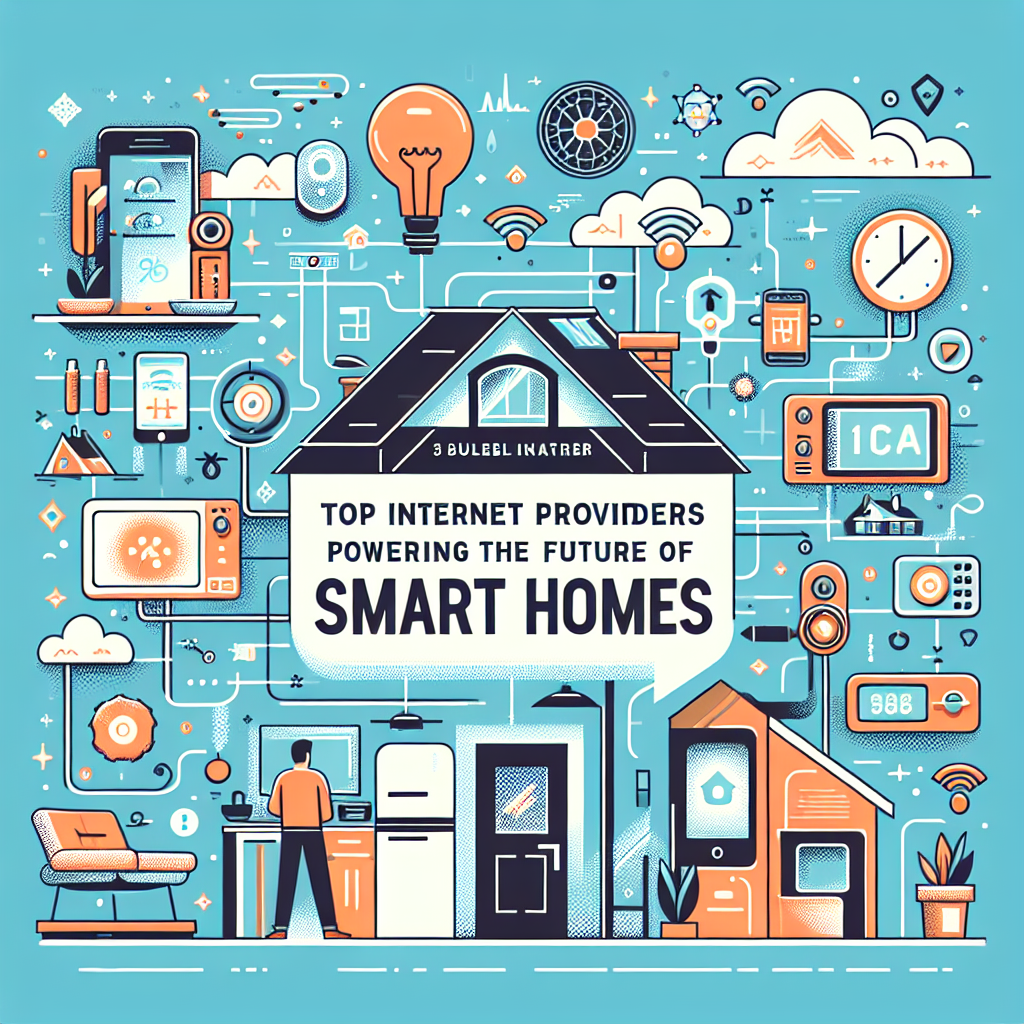
Top Internet Providers Powering the Future of Smart Homes
Smart homes are no longer a futuristic dream — they’re here. From voice-activated assistants to intelligent security systems and automated lighting, our homes are becoming smarter every year. But the backbone of every connected device is reliable, fast, and stable internet. Choosing the right internet provider is more important than ever, especially if you’re setting up or upgrading a smart home. In this article, we’ll dive into the internet providers powering the future of smart homes, what to look for when deciding, and why the right connection makes all the difference.
Why Internet Providers Are Key to Smart Homes
Your internet connection is like the foundation of a house. Without a solid base, the rest of the structure simply doesn’t stand strong. In the same way, your smart home gadgets depend on the bandwidth and reliability of your Wi-Fi.
- A stable connection ensures seamless video streaming for security cameras.
- Reliable upload speeds allow real-time communication with smart doorbells.
- Low latency ensures quick responses from voice assistants.
- Multiple device handling supports dozens of connected gadgets simultaneously.
Understanding Internet Speeds for Smart Homes
Before exploring providers, it’s essential to understand how speed impacts your experience. Smart homes place new demands on internet connections because they often involve dozens of devices communicating constantly. Unlike traditional households where just laptops and phones connect, smart homes feature everything from thermostats to fridges needing bandwidth.
Download vs Upload Speeds
When you stream a movie or load a webpage, you’re using download speed. When you video chat or share footage from your security camera to the cloud, you’re using upload speed. Smart home owners should pay attention to both — especially upload speeds which are often overlooked.
Latency and Reliability
Latency is the delay between sending a command and the device responding. In a smart home setting, low latency is critical because you want your assistant or appliance to respond instantly when prompted. Reliability means fewer dropped connections, which can otherwise interrupt alarms, sensors, or devices running efficiently.
Top Internet Providers Powering Smart Homes
Not all providers are created equal when it comes to smart homes. While traditional metrics like speed still matter, modern households need to factor in consistency, customer service, and technological innovation offered by providers in their area. Below, we’ll explore types of providers you may encounter and the unique strengths they bring to powering your smart home.
Fiber Internet Providers
Fiber internet is widely regarded as the gold standard for smart homes. It offers symmetrical speeds (download and upload equal) and low latency. With more devices competing for bandwidth, this consistency is crucial. For example, a family with multiple smart TVs streaming 4K content along with background IoT activity won’t experience buffering if they’re set up on fiber. Check local review platforms like Yelp or community discussions on Reddit to see which providers truly deliver in your area.
Cable Internet Providers
Cable internet remains popular for households where fiber hasn’t rolled out yet. It typically delivers fast downloads, though upload speeds trail behind. For medium-sized smart homes that depend on high-definition video surveillance, cable internet may be more than sufficient.
Fixed Wireless Providers
Fixed wireless connections can bring decent speed to rural or underserved locations, where wired internet may not be available. However, coverage reliability depends heavily on line-of-sight and environmental factors. Still, modern fixed wireless is bridging gaps in areas that would otherwise struggle to connect smart devices.
Satellite Internet Providers
Satellite internet ensures that even the most remote cabins can operate smart devices. While latency tends to be higher, technology continues to improve. For households prioritizing basic connectivity over performance, this can keep smart assistants, lighting systems, and thermostats online.
Key Features to Look For When Choosing Your Provider
- Speed Tiers: Match internet speed with the size of your household and number of connected devices.
- Smart Home Compatibility: Some providers offer equipment optimized for IoT devices.
- Wi-Fi Coverage: Consider mesh Wi-Fi systems for larger or multi-story homes.
- Customer Support: Look for providers praised on forums like Quora or Reddit.
Tips to Maximize Your Smart Home Internet
Even with a good provider, your home setup determines how well your smart technology thrives. Follow these helpful tips to ensure consistent connections:
- Position your router in a central location for maximum coverage.
- Invest in a mesh Wi-Fi system if your home has multiple floors or many walls.
- Use Ethernet cables for data-heavy devices like gaming consoles or home hubs to free up wireless bandwidth.
- Set up a separate guest network so IoT devices don’t interfere with personal browsing security.
Comparing Internet Types for Smart Homes
Here’s a quick breakdown of how different connections serve smart homes:
| Connection Type | Strengths | Weaknesses |
|---|---|---|
| Fiber | Fastest, symmetrical speeds, low latency | Availability limited in some areas |
| Cable | High download speeds, widely available | Lower upload speeds, can slow during peak hours |
| Fixed Wireless | Great for rural areas, decent speeds | Weather and distance can affect performance |
| Satellite | Global coverage, works in remote areas | High latency, weather interference |
Community Insights: Real Smart Home Setups
One of the best ways to know if a provider will work for your needs is to hear from actual users. Platforms like Reddit’s Home Networking community or dedicated smart home groups on Facebook provide valuable stories. Homeowners share how their cameras perform during storms or whether certain providers handle 40+ devices without issues.
Future-Proofing Your Smart Home
The world of smart homes is rapidly evolving. Today’s setup may include lights, speakers, and locks. Tomorrow, it could include walls that shift themselves, or AI that manages daily schedules seamlessly. Choosing the right internet provider now ensures you won’t constantly need to upgrade in the future.
- Prioritize providers offering Wi-Fi 6 compatible routers and services.
- Consider data caps or unlimited plans, depending on how device-heavy your home is.
- Keep an eye on emerging technologies like Wi-Fi 7 for future adoption.
Conclusion
As our homes get smarter, our reliance on fast, reliable internet grows stronger. The best internet providers for smart homes are those that not only offer speed but also reliability, flexibility, and innovation. Whether you’re starting small or building a fully automated ecosystem with dozens of devices, your provider will make or break the experience. Take the time to research local providers through user-driven platforms such as Reddit or Yelp, match their service levels to your household needs, and you’ll have the foundation required for your dream smart home.

Stop Paying Sneaky Internet Fees with These Smart Tips
Let’s be real—nothing is more frustrating than signing up for “$50 internet” only to get a first bill that looks closer to $80, loaded with line items you didn’t expect. Sneaky internet fees are everywhere, from equipment rentals to vague “network improvement” charges. The good news? You don’t have to keep paying them. With a little knowledge and a few smart moves, you can lower your monthly bill and keep those extra dollars in your pocket. In this guide, we’ll break down the most common internet fees, explain why they show up, and share practical tips you can use today to stop them in their tracks.
Why Internet Bills Are So Confusing
If you’ve ever stared at your bill and felt baffled, you’re not alone. Unlike streaming services or app subscriptions, internet providers often tack on a variety of fees beyond the advertised base price.
- Hidden Charges: Taxes, surcharges, and regional fees that vary based on where you live.
- Equipment Rentals: Monthly fees for modems and routers that you don’t actually own.
- Service Add-Ons: Charges for services you might not even use, like antivirus software or streaming options.
Understanding these fees is the first step to cutting them. Once you know what to look for, you’re in a better position to challenge or eliminate them.
Common Sneaky Internet Fees
1. Equipment Rental Fees
Providers often charge $10–$20 per month for renting a modem-router combo box. Over a couple of years, that adds up to hundreds of dollars for hardware you could have purchased outright. The trick? Buy your own modem and router. For example, many households save long-term by switching to retail models that are compatible with their network.
2. Installation and Activation Fees
Sometimes, a technician simply activates your service remotely but it still appears on your bill as an installation charge. If your setup was “plug and play,” push back and ask for this charge to be removed.
3. Early Termination Fees
Contracts often lock you in for one or two years, and canceling triggers a penalty. While sometimes unavoidable, there are situations—like moving to an area where they don’t offer service—where these fees should be waived.
4. Data Overages
Some providers set monthly data limits and charge extra if you stream or download beyond them. With the rise of 4K video, these caps can be limiting and costly. Knowing your data use can help you choose the right plan—or at least avoid surprise charges.
5. “Network Improvement” or “Utility Recovery” Fees
These vague charges pop up in many bills. While often small—just a few dollars—it’s worth questioning. The more customers accept them without asking, the more they stick around.
Smart Tips to Avoid Sneaky Internet Fees
Bring Your Own Modem and Router
This is one of the easiest ways to save. Buying your own equipment can pay for itself in less than a year. Plus, you’ll typically get better performance. If you’re unsure where to start, check out networking product reviews or community threads on Reddit where users share their personal experiences.
Negotiate Your Bill
Call customer service once every 6–12 months and ask if you qualify for new promotions. Many times, loyalty discounts or lower-tier packages are available—but only if you ask.
Opt Out of Unnecessary Add-Ons
Sometimes, your bill includes antivirus services or streaming bundles that you never requested. Check your itemized bill carefully, then request removal of add-ons you don’t need.
Go Paperless
Some providers still charge a “billing fee” for sending paper statements. Switching to paperless billing not only saves money but also helps you track your charges more easily online.
Track Your Data Usage
If you’re consistently going over your cap, it may make sense to switch to a plan with unlimited data. Tools built into routers (like many consumer models) let you monitor which devices use the most bandwidth.
Avoid Price Hikes After Promotions
That $49.99 deal almost always rises after 12 months. Mark your calendar to renegotiate or shop around before your contract’s promo period ends.
Understanding Modems and Routers
It’s easy to overlook equipment when talking about bills, but it plays a big role in cutting down costs. Here are key differences:
| Device | What It Does |
|---|---|
| Modem | Connects your home to the internet provider’s network. |
| Router | Distributes the connection across your devices, wired or wireless. |
| Modem-Router Combo | A single device combining both functions; often rented by providers. |
Owning your own gear means more control, better speeds, and no monthly rental costs.
Examples of Questionable Fees from Real People
Many customers share their billing frustrations on platforms like Quora and Reddit. Some common stories include:
- Charges for technician visits even when no one showed up.
- “Internet recovery fees” that were never explained.
- Installation charges despite self-setup with a mailed modem.
Reading these experiences can prepare you to spot similar issues on your own bill.
How to Dispute Internet Fees
If you see a charge you don’t recognize, don’t ignore it. Here’s a simple process:
- Check your full bill breakdown online.
- Verify whether the fee is a tax, government-mandated, or discretionary provider fee.
- Call customer support and politely ask them to explain.
- If the answer feels vague, request escalation and document your call.
Many times, just expressing that you noticed a line item can make providers reverse the charge.
Alternatives and Workarounds
Use Community Groups for Insights
Neighborhood Facebook groups often share deals, promotions, or ways to cut bills. Sometimes, this collective knowledge is more current than what the provider’s website shows publicly.
Explore BYOD (Bring Your Own Device) Options
Some companies allow you to bring your own equipment and waive rental fees as long as your modem meets their requirements. Always check compatibility lists to avoid surprises.
Final Thoughts
Internet bills don’t have to feel like a monthly mystery. By learning how fees are structured and taking action, you can save serious money over the long run. From bringing your own modem to negotiating better rates, these simple strategies can help you stop paying sneaky internet fees for good. The power is in your hands—don’t let hidden charges sneak their way into your budget.