Posts tagged: Myneighborhoodwifi – Page 4

Fastest Ways to Get Your Internet Installed and Running
Getting online quickly is more important than ever. Whether you’ve just moved into a new place, switched providers, or simply need to set up a faster connection, knowing the fastest ways to get your internet installed and running saves both time and stress. In this guide, you’ll learn practical steps, real-life tips, and helpful tricks for setting up your home or office Wi-Fi without unnecessary delays.
Why Speedy Internet Setup Matters
These days, internet access is as essential as electricity or water. From working remotely to streaming movies, gaming, or even running smart devices in your home, waiting several days or weeks for installation can be frustrating. The faster you get connected, the easier it is to settle in and get back to normal life.
Check What’s Already Available
Before you call anyone or order new services, check what’s already installed in your home or apartment. Many buildings come with outlets, jacks, or even routers left behind by previous tenants. If that’s the case, you may be able to:
- Reconnect a service instantly with just a call.
- Skip scheduling an installer since equipment may already be compatible.
- Start using self-install kits without waiting.
Choose the Fastest Installation Path
The best way to avoid long waits is by knowing your options. Some methods for getting your internet running are much quicker than others:
1. Self-Installation Kits
Many providers ship self-install kits that can arrive within a day or two. These usually include a modem, router, and easy instructions. If the wiring in your home is ready, you could be online in less than an hour. The benefit of a self-install kit is no waiting around for a technician to show up.
2. Store Pickup for Same-Day Equipment
If you don’t want to wait for shipping, check if the provider has a local store. Some customers can pick up their equipment directly, avoiding the 2–3 day shipping window. With this method, you could set up your internet the same day you signed up.
3. Mobile Hotspots as a Temporary Fix
If your home service takes a few days to get up and running, you can rely on a mobile hotspot from your smartphone as a temporary solution. Modern smartphones allow you to tether through Wi-Fi, USB, or even Bluetooth. Communities on Reddit often share tips on maximizing hotspot speeds.
Prepare Your Home for Faster Setup
One major reason installations take longer than expected is because homes aren’t ready. Here’s how to speed things up:
- Locate outlets: Find the cable, fiber, or phone jacks in advance so installers or yourself can set equipment quickly.
- Clear space: Make sure your router/modem area is clean and accessible.
- Check power: Verify there are working outlets where your router will sit.
- Update devices: Have your laptops, smart TVs, and phones ready to connect immediately.
How Long Does Each Setup Option Take?
While exact timing depends on your local infrastructure, here’s a general breakdown of how quickly you can expect to be online:
| Option | Typical Wait Time |
|---|---|
| Self-Install Kit (Shipped) | 1–3 days (plus 30–60 mins setup) |
| Store Pickup | Same day (setup in 30–60 mins) |
| Professional Installer | 2–7+ days depending on schedule |
| Mobile Hotspot | Immediate |
DIY Wi-Fi Tips for Quick Setup
Installing your own network doesn’t need to be complicated. If your modem and router are in hand, here are some easy steps:
- Plug the modem into the wall jack first; wait for lights to stabilize.
- Connect the modem to the router using an Ethernet cable.
- Login to your router settings with the included credentials.
- Update your Wi-Fi name (SSID) and password for security.
- Test with your phone or laptop right away to confirm connectivity.
If you get stuck, websites like Wikipedia offer detailed overviews of networking hardware, and you’ll find countless video tutorials on YouTube explaining step-by-step installation.
Smart Placement to Optimize Signal
Even once installed, a poorly-placed router can slow everything down. To maximize performance:
- Place the router in a central location in your home.
- Avoid hiding it in cabinets or behind TVs.
- Keep it elevated on a shelf when possible.
- Minimize interference from microwaves and cordless phones.
Handle Installation Delays Proactively
Sometimes professional installation truly can’t be avoided. But you can still speed things up by:
- Booking the earliest available appointment—weekday mornings are often open.
- Asking for text alerts so you don’t miss technician arrivals.
- Preparing the area and making sure someone is home during the appointment.
Getting Online in a Rented Apartment
Living in a rental adds another layer since you may have restrictions on drilling or wiring. Here are some quick renter-friendly approaches:
- Ask your landlord or property manager what’s pre-installed.
- Check Facebook community groups for neighbors who share setup tips about the building.
- Use mesh Wi-Fi systems if running cables isn’t allowed.
What If You Need Internet Before Moving?
If you’re about to move and want service ready by the time you arrive:
- Sign up in advance and request shipping to your current address so you can bring gear with you.
- Set the activation date for your move-in day to avoid downtime.
- Check on forums like Quora where people share moving-and-internet coordination experiences.
Final Word on Fast Internet Installation
The fastest way to get internet installed and running depends on a mix of preparation, choosing the right setup method, and using temporary alternatives if needed. In most cases, a self-install kit or store pickup can have you online the same day, while mobile hotspots are great in a pinch. By preparing your home, communicating clearly with providers, and using resources like Reddit’s Home Networking community, you’ll be connected faster and with less stress.

Top Internet Plans Every Gamer Needs in 2025
For modern gamers, reliable and fast internet is no longer a luxury—it’s a necessity. Whether you’re diving into competitive esports, streaming your adventures on YouTube, or just want lag-free sessions with friends, choosing the right internet plan can make or break your gaming experience. That’s why in 2025, knowing what to look for in a gaming-friendly internet package is just as important as picking out the right graphics card or monitor. In this post, we’ll explore the top internet plans every gamer needs—and, more importantly, what makes them essential for ultimate performance.
Why Gamers Need the Right Internet Plan
Gaming isn’t just about graphics—it’s about speed, consistency, and connectivity. A poor connection can lead to lag, packet loss, and latency spikes, which ruin competitive play and create unnecessary frustration. Choosing a plan tailored to gaming helps ensure:
- Low latency (ping): Ensures real-time responsiveness in multiplayer games.
- High upload speeds: Perfect for Twitch or Facebook Gaming streamers.
- Consistent bandwidth: Avoids interruptions if your household streams movies or uses multiple devices.
- Stability: A must-have for competitive ranked matches.
Key Features Every Gaming Internet Plan Should Have
When evaluating internet plans for gaming, certain features rise above the rest. Here are the non-negotiables:
- Speeds of at least 500 Mbps download: While most games don’t need massive download rates, frequent updates and digital downloads mean you’ll benefit from faster speeds.
- Upload speeds of 20 Mbps or higher: Allows smooth video game streaming and faster sharing of clips.
- Latency under 30 ms: Low ping reduces input lag and keeps gameplay responsive.
- Unlimited data: Avoids annoying data caps, especially important with massive next-gen game downloads exceeding 100GB.
- No throttling: ISP throttling can ruin your gaming session during peak hours—look for plans that keep speeds consistent.
Download vs Upload: Why Both Matter for Gamers
It’s easy to only focus on download speeds when choosing an internet plan, but gamers know that upload matters too:
| Type of Speed | Why It Matters |
|---|---|
| Download | Handles updates, digital downloads, and in-game textures or streams. |
| Upload | Critical for live streaming, voice chat, and sending commands quickly to game servers. |
Top Internet Plans Every Gamer Needs in 2025
So, what are the internet plans perfect for gaming in 2025? While plan names vary by provider, here’s what to look for across different technologies:
1. Fiber Internet Plans
- Best choice for competitive gaming: Fiber delivers symmetrical speeds and ultra-low latency.
- Plans offering 1 Gbps (1000 Mbps) or higher are ideal for gamers.
- Large households with multiple gamers or streamers benefit the most here.
2. Cable Internet Plans
- Great for urban areas where fiber isn’t available.
- Download speeds up to 1 Gbps but with lower upload, often 35–50 Mbps.
- Sufficient for gamers, though peak-hour slowdowns can occur.
3. 5G Home Internet Plans
- Fast-rising option in 2025 with improving coverage.
- Speeds often exceed 200–500 Mbps, with latency stable enough for casual gaming.
- Perfect for renters or those who move around frequently.
4. Fixed Wireless & Satellite Improvements
- Not the first choice for competitive gamers due to latency—but ideal for rural gamers with limited options.
- Speeds have improved significantly, sometimes reaching 100–250 Mbps in 2025.
How Latency Impacts Different Games
Not all games require the same level of internet performance. Let’s break it down:
| Game Type | Ideal Latency (Ping) |
|---|---|
| First-Person Shooters (FPS) | 10–20 ms for peak performance |
| MMORPG | Under 50 ms works well |
| MOBA (e.g. strategy-based titles) | Under 40 ms for competitive play |
| Casual/single-player games | Not heavily affected by latency |
Tips to Optimize Your Gaming Internet Experience
Even with the best internet plan, how you set things up matters. Here are smart things you can do right now:
- Use a wired Ethernet connection: Wi-Fi may be convenient, but Ethernet guarantees lower latency.
- Invest in a high-performance router: Gamers benefit from routers with features like Quality of Service (QoS) that prioritize gaming traffic.
- Minimize background use: Pause large downloads or streaming while gaming.
- Position your router correctly: If on Wi-Fi, place it centrally and away from interference for better performance.
How Gaming Households in 2025 Are Upgrading
In 2025, gaming households don’t just settle for basic plans. They opt for packages that encourage both gaming and entertainment:
- Parents upgrading to gigabit speeds so kids can game while others stream 4K movies.
- Streamers choosing unlimited data to avoid penalties while broadcasting nightly on Reddit or Quora discussions about gaming tech.
- Gamers prioritizing latency over raw download speeds for smoother FPS performance.
Conclusion: Choosing the Right Internet Plan for Gaming
At the end of the day, the top internet plans for gamers in 2025 are those that balance speed, latency, and stability. Fiber remains king, but strong cable and 5G home internet options make gaming more accessible everywhere. Avoid plans with restrictive data caps or inconsistent speeds, and prioritize a balance of low ping, high upload, and steady bandwidth. With the right plan, your gaming experience transforms—turning laggy losses into perfectly smooth victories.

Best Internet Options for Seamless Connectivity in Large Homes
Living in a large home comes with many benefits—more space, more privacy, and more room for family and guests. But there’s one challenge that many homeowners face: ensuring seamless internet connectivity across every corner of the house. If you’ve ever had Wi-Fi dead zones in the upstairs bedroom or buffering issues in the basement, you know how frustrating it can be. Choosing the best internet options for seamless connectivity in large homes requires understanding signals, equipment, and setup strategies that make your network truly efficient.
Why Large Homes Struggle with Wi-Fi
Wi-Fi signals weaken as they travel through distance, walls, furniture, and floors. For large multi-story homes, this often results in inconsistent internet coverage. Common problems include:
- Dead zones in far or upstairs rooms
- Slower speeds in areas far from the router
- Interference from thick walls, appliances, or neighboring networks
- Overloaded connections when multiple devices are streaming or gaming at once
Key Internet Options for Large Homes
Getting seamless connectivity isn’t just about choosing a good internet provider—it’s about having the right equipment and setup. Let’s break down the best options.
1. Mesh Wi-Fi Systems
Mesh Wi-Fi is one of the most effective solutions for large homes. Instead of relying on a single router, mesh systems use multiple nodes placed strategically around your house. These nodes communicate with each other, creating a unified network that ensures consistent coverage everywhere.
- Pros: No dead zones, easy to expand coverage, self-healing networks that reroute traffic.
- Cons: More expensive than traditional routers, may reduce speed if using wireless backhaul.
For homes over 3,000 square feet, mesh Wi-Fi is often the go-to choice. Many homeowners on Reddit’s HomeNetworking community recommend placing nodes in hallways and stairwells to maximize coverage.
2. Wired Ethernet Backhaul
An Ethernet backhaul connects mesh nodes or access points to the main router with wired cables. This prevents bandwidth loss that can happen in wireless-only connections.
- Pros: Fastest and most stable connection, ideal for 4K streaming and gaming.
- Cons: Requires wiring throughout the house, which may not always be practical in older homes.
Many homeowners choose to wire only high-priority areas, like home offices or entertainment rooms, while keeping wireless mesh coverage for common spaces.
3. Access Points and Range Extenders
Access points and Wi-Fi extenders are budget-friendly alternatives to full mesh networks. They work by rebroadcasting the Wi-Fi signal to reach further into your home. Unlike modern mesh systems, however, they often create separate networks.
- Pros: More affordable, simple setup for extending Wi-Fi to one or two trouble spots.
- Cons: May cause slower performance, separate networks can cause disruptions when devices switch.
On Quora discussions about Wi-Fi coverage, many users mention that extenders are only a short-term fix, while mesh is better for long-term seamless browsing.
4. Powerline Adapters
Powerline adapters send internet signals through your home’s electrical wiring and extend connectivity to distant rooms. These are useful when thick walls interfere with Wi-Fi signals.
- Pros: Easy to install, faster than some extenders, works well for difficult architectural layouts.
- Cons: Performance depends on the quality of the home’s electrical system.
Best Practices for Wi-Fi Setup in Large Homes
No matter the technology you pick, placement and configuration matter. Here are some best practices:
- Place the main router centrally in your home, preferably on the main floor.
- Keep routers and mesh nodes elevated (on shelves or tables) instead of on the floor.
- Avoid placing equipment near microwaves, metal appliances, or thick concrete walls.
- Use wired connections for high-demand devices like gaming consoles or smart TVs.
Equipment Considerations: Routers, Nodes, and Speeds
Choosing the right equipment matters just as much as the internet connection itself. If you live in a large home with multiple users:
- Go for Wi-Fi 6 or newer technology for better performance across many devices.
- Pick a mesh Wi-Fi system with enough nodes (at least 3 for homes over 3,500 sq. ft.).
- Invest in a strong router with at least dual-band capabilities.
Smart Home Devices and Large Homes
Large homes often have dozens of smart devices—cameras, thermostats, lights, and speakers. These devices can quickly crowd a weaker network. A strong, seamless connection is essential to avoid disconnects and delays.
Handling Multi-Story Homes
If your house has three or more floors, ensure one mesh node or access point is installed per floor. This prevents upstairs bedrooms or basements from suffering weak signals.
Outdoor Coverage
Many large homes have big yards, pools, or patios where Wi-Fi is needed. Mesh nodes designed for outdoor use can keep your backyard connected, ensuring strong signals for streaming music or security cameras. Some users on Facebook community groups suggest waterproof mesh units for reliable outdoor performance.
Comparison Table: Options for Large Homes
| Option | Strength | Weakness |
|---|---|---|
| Mesh Wi-Fi | Seamless coverage, scalable | Higher cost |
| Ethernet Backhaul | Fastest, most stable | Requires wiring |
| Access Points | Affordable, targeted coverage | Separate networks, slower |
| Powerline Adapters | Useful for thick walls | Dependent on electrical wiring |
Tips for Keeping Your Network Smooth
- Update your router’s firmware regularly for performance and security.
- Use different SSIDs for main and guest networks to balance usage.
- Restart routers and mesh nodes every few weeks to clear memory.
- Run occasional speed tests to see if specific areas need improvement.
When to Upgrade Your Setup
If your home still struggles with slowdowns despite having fast internet speeds, it may be time for an upgrade. Signs you need a better system include:
- Buffering video in multiple rooms at once
- Frequent Wi-Fi drops during video calls
- Smart home devices randomly disconnecting
Conclusion
The best internet options for seamless connectivity in large homes are all about combining the right connection type with the right equipment. Mesh Wi-Fi systems are often the best all-around choice, while wired Ethernet backhaul provides the most stable performance. For those on tighter budgets, access points or powerline adapters can help fill in dead zones. With the right setup, every room—from attic to basement—can enjoy uninterrupted high-speed internet.

Best Internet Providers for Seamless Streaming and Connectivity in Multi Device Homes
When it comes to modern households, staying connected isn’t just about browsing anymore—it’s about running multiple devices at once. From smart TVs and gaming consoles to laptops, security cameras, and voice assistants, multi-device homes demand fast, reliable internet. Choosing the best internet providers for seamless streaming and connectivity in multi-device homes can make a huge difference in keeping your family connected without buffering, lag, or dropped video calls.
Why Strong Internet Matters in Multi-Device Homes
Think about how many devices you use daily. It’s not just smartphones and computers anymore. A family of four might easily have more than 15 devices connected at once! If your internet can’t handle that load, you’ll notice buffering on Netflix, slow downloads on laptops, and dropped Wi-Fi signals on smart speakers. That’s why it’s essential to pick an internet plan and provider that prioritizes strong speeds, robust connectivity, and consistent reliability.
Key Features to Look for in an Internet Service
- High download speeds – Crucial for streaming ultra HD content without interruptions.
- Fast upload speeds – Important for video conferencing, uploading content, and online gaming.
- Low latency – Especially important when gaming or video calling.
- No data caps – Prevents throttling during heavy usage months.
- Robust Wi-Fi solutions – Strong signal coverage across large or multi-level homes.
Challenges in Multi-Device Homes
While high speed is important, the real challenge is ensuring quality connectivity across multiple streams of activity. Here are some common issues families face:
Buffering During Streaming
Ever tried watching your favorite show while another person is gaming online? Buffering issues often come from network congestion when multiple devices fight for bandwidth.
Lag in Online Gaming
Gamers need a smooth, fast connection. Even slight delays can ruin online play, and lag often occurs in environments where too many devices share the same connection.
Weak Coverage in Large Homes
Wi-Fi struggles in multi-level or large houses. Thick walls or long distances from the router can cause dead zones, leading to frustrating disconnects.
Technology That Helps
Luckily, a range of technologies can help modern homes stay connected.
- Mesh Wi-Fi Systems – Multiple nodes placed across your home that deliver consistent Wi-Fi everywhere. (Learn more about Mesh networking)
- Ethernet Backhaul – Running wired connections between devices for maximum performance.
- Dual-Band and Tri-Band Routers – Allow devices to spread across different frequency channels so they don’t overload one single lane.
Best Internet Providers for Multi-Device Streaming
When evaluating the best providers for multi-device homes, ratings are based on speed options, consistency, and ability to support streaming, gaming, and smart home gadgets all at once. While we won’t mention providers you’re already overwhelmed with, here’s a breakdown of reliable connection features to consider.
| Provider Type | Best For | What to Expect |
|---|---|---|
| Fiber Internet | Ultra-HD streaming & gaming | Super-fast uploads/downloads with minimal lag |
| Cable Internet | Large households | High speeds but may experience slowdowns during peak hours |
| DSL Internet | Budget users | Decent speeds in smaller households, not ideal for 10+ devices |
| Fixed Wireless | Rural areas | Fills gaps where wired internet isn’t available |
Streaming Without Buffering
The biggest factor for streaming is bandwidth. For HD streaming, services recommend at least 5 Mbps per device, while 4K requires much more bandwidth. If you have 5 people in the house, all watching and gaming simultaneously, that can easily demand 100 Mbps or more to keep things smooth.
To avoid interruptions:
- Schedule larger downloads (like games or movies) overnight.
- Prioritize video calls and streaming during high-demand periods.
- Upgrade your router to handle multiple devices without strain.
Video Conferencing in Multi-Device Environments
With more remote work and online classes, seamless video conferencing is critical. Upload speeds are often overlooked, but they play a massive role in video quality. A strong provider will balance both download and upload speeds effectively so your calls stay crystal clear.
Tips for Smart Homes with Many Devices
- Use Wired Ethernet for devices that require stability (like gaming consoles and PCs).
- Separate devices into guest networks—keeping smart home devices on one channel and personal devices on another.
- Upgrade to Wi-Fi 6, which is specifically designed to manage multiple connections better.
How to Maximize Your Connection
Even with the best internet plan, you can take steps at home to get the best out of it:
- Place your router in the center of the home, away from thick walls.
- Use mesh Wi-Fi if you live in multi-level housing.
- Limit background apps and auto-updates during streaming and gaming hours.
- Check your speed regularly with a reliable tool like this video guide on running speed tests.
Future of Internet for Families
As more devices enter households, the demand for stronger, faster internet will only grow. Families will continue to rely on fiber and advanced Wi-Fi networks to stay connected across multiple gadgets. Providers are also scaling up speed tiers and offering plans specifically geared toward households relying heavily on streaming and smart technology.
Final Word on Internet Providers for Multi-Device Homes
The best internet providers for seamless streaming and connectivity in multi-device homes will depend on the kind of speeds and reliability your household needs. If you’re juggling multiple gamers, movie watchers, and work-from-home setups, fiber or advanced cable solutions will give you the best performance. With an upgraded router setup, mesh Wi-Fi, and careful device management, you can finally say goodbye to buffering and lag—for good.

Expanding Internet Infrastructure in the US Driving Faster and Smarter Connectivity
In recent years, expanding internet infrastructure in the US has become a cornerstone of technological progress. With more homes, businesses, and entire communities relying on digital access for education, work, healthcare, and entertainment, advancements in infrastructure are driving faster and smarter connectivity across the nation.
Why Infrastructure Expansion Matters
The internet is no longer a luxury—it’s essential. Expanding infrastructure offers several benefits:
- Improved access to remote work opportunities
- Better educational resources for students
- Enhanced telehealth services
- Growth of smart home technologies and Internet of Things (IoT)
- Boosted competitiveness for local businesses
What Is “Smarter” Connectivity?
Improved infrastructure isn’t just about speed—it’s also about intelligence. Smarter connectivity refers to technologies that optimize how data flows through networks. For example, advanced routers, network slicing, and mesh systems allow devices to communicate more efficiently, reduce congestion, and minimize downtime.
The Role of Fiber Networks
Fiber-optic deployment continues to expand steadily, becoming the backbone of modern internet infrastructure. Unlike older copper wires, fiber can deliver symmetrical upload and download speeds that support everything from 4K streaming to massive cloud storage transfers.
Advantages of Fiber
- Higher bandwidth capabilities
- Lower latency for gaming and video conferencing
- Future-proof for emerging technologies like augmented reality and AI-driven applications
Emerging Technologies Fueling Expansion
The backbone of internet growth doesn’t consist of one technology alone. Multiple innovations are pushing boundaries:
- 5G Integration: Mobile networks are blending with fixed broadband to deliver ultra-fast wireless options.
- Mesh Wi-Fi Systems: These systems are gaining popularity for covering larger homes or small offices with consistent connections.
- Edge Computing: Reducing the distance between devices and servers helps speed up processing, vital for real-time data transfer.
- Artificial Intelligence: AI optimizes network traffic flow to maintain steady performance even in high-demand areas.
Community-Level Impact
On a local scale, infrastructure expansion is reshaping communities. Entire neighborhoods are seeing growth through more accessible high-speed networks:
- Small businesses can compete online
- Residents access better telehealth options
- Students in rural areas gain equal footing in online education
Platforms like Reddit and Quora often feature discussions from rural residents who share how new connections have changed their access to education and business opportunities.
Challenges in Expansion
Even with progress, challenges remain:
- Geography: Remote areas require more resources to connect.
- Costs: Infrastructure projects are capital-intensive, and not all communities can afford rapid rollouts.
- Skill Gaps: More connectivity requires technical training to help users take full advantage of the internet safely and effectively.
Government Initiatives and Investments
To address broadband gaps, US policy has dedicated significant funding for rural and underserved communities. This focus on digital equity is essential for ensuring that everyone, regardless of zip code, can access reliable connectivity.
Examples of Expansion Efforts
- Grants and subsidies for rural fiber deployment
- Public-private partnerships encouraging telecom investment
- Smart city initiatives integrating Wi-Fi in public spaces
Smart Homes and IoT Depend on Better Internet
As more devices connect to the home network—smart thermostats, security systems, and energy-saving appliances—demand for stable and fast internet continues to climb. Without robust infrastructure, IoT adoption slows down.
Comparing Internet Infrastructure Types
Different network types still make up the nationwide internet landscape. Each has strengths and weaknesses:
| Technology | Advantages | Limitations |
|---|---|---|
| Fiber | Fast, reliable, low latency | Expensive, limited in rural buildouts |
| Cable | Widespread availability | Shared bandwidth causes slower speeds at peak times |
| Fixed Wireless | Quick to deploy | Performance depends on line of sight and weather |
| DSL | Runs on existing phone lines | Slower speeds, outdated infrastructure |
Future Outlook
Looking ahead, US internet infrastructure expansion will continue to accelerate as demand rises. International competition plays a role too—countries worldwide are racing to develop their digital capacities. For the US to stay competitive, the focus must remain on:
- Broadening access to underserved communities
- Supporting public policy that encourages innovation
- Prioritizing security to prevent cyber threats
- Growing green, energy-efficient infrastructure
How Everyday Users Benefit
The biggest win from infrastructure expansion lies in everyday usage. Imagine these daily improvements:
- A student downloads coursework in seconds instead of minutes
- Remote workers avoid dropped video calls
- Small-town entrepreneurs reach global markets
- Entire families stream, game, and connect simultaneously without buffering
Learning and Sharing Experiences Together
As technology evolves, communities grow by sharing knowledge. Many people turn to platforms like YouTube tutorials or Facebook neighborhood groups for advice on routers, networking tips, and upcoming local infrastructure projects.
Conclusion
With expanding internet infrastructure in the US, faster and smarter connectivity is no longer just a vision—it’s happening now. As more homes, schools, and businesses come online with higher capacity networks, the benefits ripple through every aspect of life. The ongoing investments position the digital landscape for a future where no community is left behind.

Beat Slow Internet with Easy Troubleshooting Tips
Slow internet can be one of the most frustrating experiences, especially when you need a stable connection for work, streaming, or gaming. With just a little troubleshooting, you can often discover the root cause and fix it without waiting hours on hold with your provider. In this guide, we’ll walk through simple, practical ways to beat slow internet and make your online experience smoother.
Why Slow Internet Happens
There are many reasons your connection may slow down. By learning a few basics, you’ll be better equipped to identify the issue quickly and take action.
Common Causes of Laggy Wi-Fi
- Too many devices connected at once
- Old or outdated router hardware
- Wireless interference from walls, appliances, or neighbors
- Browser cache or background apps slowing things down
- Technological limitations of your current plan
Step 1: Check Your Speed
The first troubleshooting step is always testing your internet speed. This gives you a baseline to compare against the speed promised by your provider. If your test results are consistently much lower than expected, you know there’s something wrong. You can use simple tools like speed tests, or apps on your phone, to measure this. People often share helpful experiences on Reddit forums when comparing speed test results, which can also provide insight.
Step 2: Restart Your Equipment
It sounds simple, but restarting your router and modem can work wonders. Unplug the power for 30 seconds, then reconnect. This helps clear temporary glitches and can refresh your connection.
Step 3: Improve Your Wi-Fi Placement
Your router’s location matters a lot. Keeping it in a low, hidden position can weaken the signal. Instead:
- Place it in a central, elevated spot
- Avoid placing it near microwaves, cordless phones, or thick walls
- Keep it away from the floor and behind furniture
Users on platforms such as Quora often discuss how a simple change in placement dramatically improved their Wi-Fi reach.
Step 4: Limit Background Apps
Streaming, large downloads, or cloud backups running in the background can slow your entire household connection. Pause or reschedule intensive tasks if you need speed for a video call or gaming session.
Step 5: Update Firmware and Devices
Routers run on firmware, and just like your phone or computer, these need updates to function properly. Check your router’s settings to see if an update is available. At the same time, ensure your computers, smartphones, and consoles are all updated with the latest software.
Step 6: Manage Connected Devices
Households often have more devices connected than expected—smart TVs, consoles, tablets, thermostats, cameras, and even appliances. Each one eats into bandwidth. Consider disconnecting devices you don’t actively use to free up the network.
Step 7: Change Your Wi-Fi Channel
If you live in a busy neighborhood, nearby Wi-Fi signals may overlap with yours. This can create interference. Most routers allow you to switch channels (2.4 GHz or 5 GHz options). Experiment with different channels to find a less crowded one.
Step 8: Switch to Wired Connections
For devices where speed really matters—like gaming consoles, PCs, or smart TVs—a wired Ethernet connection can be much faster and more reliable than Wi-Fi. It removes interference and gives you the speed closest to your maximum plan limit.
Step 9: Clear Your Browser Cache
If web browsing feels slow, your computer may not actually be struggling with the internet at all—your browser could just be clogged. Clearing your cache, cookies, and old data can refresh things and make browsing faster.
Step 10: Scan for Viruses or Malware
Some malicious software secretly uses your bandwidth without you even knowing. Running a virus and malware scan helps ensure your computer isn’t the reason for your slow internet.
Step 11: Consider Time of Day
Internet slowdown often happens in the evenings when everyone is online streaming, gaming, or video calling. If possible, schedule heavy downloads or big uploads at off-peak hours like early morning or midday.
Step 12: Use Quality of Service (QoS) Settings
Many modern routers have built-in Quality of Service features that allow you to prioritize bandwidth for critical tasks, such as work calls or gaming, over less important background activity.
Step 13: Check Cables and Connections
Loose or damaged cables affect both wired and wireless speeds. Double-check that your Ethernet cables aren’t frayed and that connectors are fully secure.
Step 14: Explore Community Advice
Communities on Reddit, tech-focused YouTube channels, and even local Yelp groups are often full of troubleshooting stories. Learning how others fixed their sluggish setups may spark the solution you’re looking for.
When to Reach Out for Help
If you’ve gone through the steps above and your connection is still persistently slow, it may not be something you can fix alone. Issues such as outdated network lines, damaged infrastructure, or technical limitations beyond your control might require professional assistance. Don’t hesitate to reach out for help.
Quick Troubleshooting Checklist
| Action | Benefit |
|---|---|
| Restart Router | Refreshes and clears temporary glitches |
| Move Router | Improves signal strength and reach |
| Update Firmware | Adds security patches and performance boosts |
| Limit Devices | Frees up bandwidth |
| Wired Connection | Maximizes speed and stability |
Final Thoughts
Beating slow internet doesn’t require deep technical knowledge—just simple, step-by-step troubleshooting. From checking speed tests, resetting equipment, and improving placement, to using wired connections and exploring router settings, small changes can make a big difference. By learning how to identify and fix common causes, you can enjoy smoother video calls, lag-free gaming, and buffer-free streaming without unnecessary stress.

Best Internet Services in 2025 for Fast Large File Uploads
When it comes to working online, one task often overlooked is the importance of swift large file uploads. Whether you’re sending 4K video projects to collaborators, uploading extensive data backups, or sharing high-resolution design files with clients, reliable upload speeds are critical. In 2025, with more remote work, cloud storage, and digital collaboration than ever, choosing the best internet service for this need can save you frustration and wasted time.
Why Fast Upload Speeds Matter
While most people are obsessed with download speeds for streaming and browsing, upload speeds are equally important for professionals, creators, and even everyday users. Upload speeds impact:
- Video conferencing quality—no more frozen video streams.
- Cloud backups for files, photos, and data.
- Online gaming responsiveness and live streaming.
- Work-from-home productivity, especially when sharing large files via cloud platforms.
In 2025, as remote collaboration continues to rise, a strong and reliable upload pipeline has become just as important as downloading movies or playing games online.
What to Look for in the Best Internet for Large File Uploads
When evaluating internet providers and services, focus on the following features:
- Symmetrical speeds – Some providers now offer equal download and upload speeds, which is perfect for heavy creators.
- Low latency – Important for real-time uploads and video streaming.
- Unlimited data – Large uploaders can hit data caps quickly; an unlimited plan prevents extra charges.
- Reliability – Consistency in speed is more valuable than random bursts of high speeds.
Main Internet Types in 2025
Not all internet technologies are created equal when it comes to uploading. Here’s what to expect:
| Internet Type | Upload Potential | Best For |
|---|---|---|
| Fiber | Up to 10 Gbps in some areas | 4K/8K video creators, large cloud storage users |
| Cable | 100 Mbps – 1 Gbps (varies by plan) | Everyday uploaders, streamers |
| Fixed Wireless | 50 Mbps – 500 Mbps | Rural users seeking strong uploads |
| 5G Home Internet | 100 Mbps – 1 Gbps (location-dependent) | Mobile-heavy households, urban setups |
| Satellite | 5 – 100 Mbps | Remote workers needing coverage instead of speed |
Best Choices in 2025 for Upload Performance
1. Fiber Internet Providers
Fiber remains the gold standard. With symmetrical speeds, fiber connections in major metros now commonly offer multiple gigabit upload options. This means you can upload entire work projects or large video archives in minutes, not hours.
2. Cable Internet Providers
While cable uploads aren’t normally as fast as fiber, many companies have upgraded networks in 2025, offering much higher upload tiers. If fiber isn’t available where you live, an upgraded cable provider is the next best choice.
3. 5G Home Internet
In urban and suburban neighborhoods, 5G home internet has quickly become a competitive alternative. Some neighborhoods now enjoy upload speeds directly competing with cable internet. Since signal strength varies, make sure to test performance in your area before committing.
4. Fixed Wireless Internet
Advanced fixed wireless systems using modern technologies can offer surprisingly strong upload bandwidth. For rural and semi-rural regions, this can sometimes be the only way to get near-fiber upload performance without waiting for fiber expansion.
5. Satellite Internet (Last Resort)
Modern satellite systems in 2025 are faster than ever but remain the least desirable for large file uploads because of high latency and lower caps. Still, they provide an option where no other service is available.
Tips for Maximizing Upload Speeds
- Use a wired connection – Ethernet connections deliver better stability than Wi-Fi.
- Upgrade your router – A Wi-Fi 6 or Wi-Fi 6E router can significantly improve performance. A great example is the TP-Link Archer AXE75, praised for its strong reliability and affordability [source].
- Schedule uploads at off-peak times – Nighttime uploads often finish faster due to less congestion.
- Cloud syncing strategy – Enable files to upload incrementally instead of queuing massive batches.
Community Insights
Real-world users often share their experiences on platforms like Reddit, where you’ll find discussions on upgrading routers, optimizing upload pipelines, and troubleshooting speed bottlenecks at home. That kind of peer insight can help you pick not only the right provider but also the best setup for your home.
Choosing the Right Service for Your Use Case
Here’s how different groups can benefit by picking the right internet option:
- Content creators: Fiber is your best friend. The ability to upload huge 4K video files in minutes saves hours of time.
- Remote workers: Balanced speeds from cable or 5G help keep video calls crisp and professional.
- Small businesses: Fixed wireless or strong fiber can support multiple simultaneous uploads to cloud platforms.
- Casual users: Even moderate upload speeds of 50–100 Mbps are sufficient for backing up photos and occasional large files.
Final Thoughts
In 2025, the best internet service for fast large file uploads depends on your location, budget, and workload. Fiber internet still leads in performance and reliability, but new advances in cable, 5G, and fixed wireless make it easier than ever to find strong upload performance even outside of big cities. With the right plan, router, and setup, you can ensure that sending large files is as seamless as streaming your favorite shows.

Best Mobile Hotspot Plans to Keep You Connected Anywhere in 2025
In today’s fast-paced world, staying online wherever you go is more important than ever. Whether you’re working remotely, traveling in your RV, or simply sharing internet access with friends, having the best mobile hotspot plans can keep you connected anywhere in 2025. Mobile hotspots let you turn cellular data into a private Wi-Fi network, supporting everything from laptops to smart TVs with reliable wireless internet.
Why Choose a Mobile Hotspot in 2025?
Mobile hotspots have become a must-have for travelers, digital nomads, and anyone who doesn’t want to rely solely on public Wi-Fi. Here are some big reasons why a mobile hotspot might beat traditional options this year:
- Flexibility: Connect multiple devices on the go without needing a fixed home internet line.
- Reliability: Avoid the frustration of searching for public Wi-Fi while traveling.
- Privacy: A private connection is more secure compared to using public hotspots in cafés or airports.
- Backup internet: Perfect for those “my home Wi-Fi is down” moments.
With these advantages, it’s no surprise that millions are switching to portable hotspot solutions.
How Mobile Hotspots Work
Mobile hotspots rely on cellular networks to provide internet. Once your hotspot connects to data, it broadcasts Wi-Fi that other devices can join. You can use:
- Dedicated hotspot devices: Battery-powered gadgets that create a separate Wi-Fi network.
- Smartphone hotspots: Most modern smartphones allow you to share your mobile data with other devices (discussion on Reddit).
Best Uses for Mobile Hotspots
A hotspot is one of the most versatile ways to stay online in almost any situation:
– Remote work from a café or park
– Streaming movies on a road trip
– Gaming while traveling
– Emergency backup internet
– Keeping kids entertained on tablets
Choosing the Best Mobile Hotspot Plans in 2025
Before settling on a plan, consider these factors:
- Coverage: Make sure the provider has strong service in the areas you’ll use it the most.
- Data allowance: Plans differ in whether they offer capped or unlimited data.
- Speed: Most hotspots now support 4G LTE and 5G technology.
- Cost: Look at monthly costs and potential overage fees.
- Device compatibility: If you’re using a standalone hotspot device, check compatibility with your carrier.
Popular Mobile Hotspot Options in 2025
From budget-conscious plans to premium data buckets, users today have a wide choice of options. Depending on your lifestyle, you might choose one over the other:
1. The Traveler
Perfect for RVers, van lifers, and remote adventurers. According to RV connectivity experts, many combine cellular hotspots with satellite backups for reliable coverage in off-grid areas (travlfi.com).
2. The Remote Worker
With many people working from home or hybrid setups, a mobile hotspot ensures your video calls and deadlines aren’t interrupted. Hotspots provide backup when weather or outages affect home broadband (ubifi.net).
3. The Casual User
If you’re just streaming music, browsing, or emailing on the go, smaller data plans may be more affordable. A smartphone hotspot feature alone might be enough for you (cnet.com).
Hotspot Device or Smartphone Hotspot?
Both options can work well, but here’s a quick comparison:
| Option | Pros | Cons |
|---|---|---|
| Dedicated hotspot device | Better battery life, connects more devices, doesn’t drain your phone | Extra device to buy and carry |
| Smartphone hotspot | Convenient, no need to buy extra gear | Can drain phone battery, heats phone, limited range |
Tips for Getting the Most Out of Your Mobile Hotspot
- Monitor your data usage: Video streaming and large downloads eat data quickly.
- Secure your hotspot: Always use a password so strangers can’t connect.
- Place it properly: Keep devices near windows or open spaces for stronger signals.
- Use in combination: Many travelers switch between a hotspot and Wi-Fi sources depending on availability.
Finding Free Wi-Fi vs. Using Your Hotspot
Sometimes, free Wi-Fi can save you data. Public hotspots exist in airports, libraries, and coffee shops, but they come with risks like congestion and weaker security. Adding a reliable hotspot as backup ensures you’re never fully at the mercy of free Wi-Fi (discussion here).
Hotspot Etiquette and Best Practices
A hotspot is essentially your portable internet — but if you’re sharing with friends or colleagues, try these best practices:
- Limit data-heavy activities when sharing (like 4K streaming).
- Set up usage rules for group settings.
- Use a guest password for temporary users.
The Future of Mobile Hotspots in 2025
The future looks bright for mobile hotspot technology. With improvements in 5G coverage, more affordable data plans, and widespread adoption of eSIM-enabled devices, using a mobile hotspot is becoming as common as carrying a power bank. Some hotspot devices now even double as battery packs, showing how integrated these solutions are becoming in everyday life.
Final Thoughts
Hotspots aren’t just for tech-savvy travelers anymore; they’re essential for anyone who wants reliable internet on the move. Whether you’re looking to keep the kids occupied during a trip, work on the go without fear of dropped calls, or just want a reliable backup connection, 2025 has a range of mobile hotspot plans suited to every lifestyle.

Top Internet Providers for Small Businesses in 2025 🚀
Running a small business today means that a reliable internet connection is no longer just a convenience—it’s the backbone of your operations. From cloud-based tools and video calls to point-of-sale systems and customer engagement, your internet provider can help you thrive or cause costly downtime. In this guide, we’ll explore the top internet providers for small businesses in 2025, along with practical tips on choosing the right service for your company’s unique needs.
Why Internet Quality Matters for Small Businesses
A shop, office, or even a home-based business depends on stable connectivity. Spotty service or slow speeds can frustrate clients and halt productivity. Here’s why your choice of provider matters more than ever in 2025:
- Cloud Tools: Platforms like Google Workspace and Microsoft 365 require bandwidth for seamless collaboration.
- Remote Work: Teams often work in hybrid setups, demanding strong upload and download speeds.
- Customer Interaction: Online bookings, customer support chats, and digital payments all rely on uninterrupted connectivity.
- Security: Many providers now bundle in advanced network protections, reducing small business risks.
How to Choose the Best Internet Provider for Your Business
Before jumping into providers, it’s important to evaluate your business needs. Consider:
- Speed: Do you need basic browsing and email, or high-capacity for video conferencing and large uploads?
- Reliability: How critical is 24/7 uptime to your operations?
- Scalability: Can the plan grow with your business as staff and services expand?
- Customer Support: Quick solutions to problems can make or break service quality.
- Cost: Ensure the price matches your usage and available features.
Pro Tip:
Check community experiences on Reddit’s Small Business forum or Quora to see what other business owners in your region recommend.
Top Internet Providers for Small Businesses in 2025
Now, let’s highlight some options that stand out in 2025 across different business needs. Keep in mind that availability depends on your region.
1. Fiber-First Providers
Many fiber providers deliver the fastest and most reliable experience, with matching upload and download speeds. This is particularly important if your business uploads large files or relies on cloud storage backups daily.
- Consistently high speeds.
- Best for hybrid teams and digital agencies.
- Usually better uptime guarantees compared to cable or DSL.
2. Cable Internet Providers
Cable is more widely available than fiber and often offers a good balance of price and performance. This makes it appealing to small business storefronts and restaurants that need steady connectivity without ultra-premium options.
3. Wireless and 5G Options
Improving 5G networks give small businesses flexible solutions. If you operate a food truck, pop-up shop, or mobile service, these are worth considering. They offer:
- Portability—no wires required.
- Quick setup times.
- Great for businesses that change locations or don’t want long contracts.
4. Satellite Internet for Rural Businesses
For businesses in rural communities or areas where wired options are limited, satellite internet remains a critical solution. While latency is higher, it ensures connectivity where other options simply don’t reach.
Key Features Small Businesses Should Look For in 2025
When reviewing options, keep an eye on extras that may save your business time and money:
- Service Level Agreements (SLA): Providers may offer guaranteed uptimes—important for businesses that can’t risk downtime.
- Built-in Security: Many plans in 2025 come with firewalls and advanced security suites, tailored to protect small offices.
- Dedicated Support Lines: Some providers have dedicated small business customer support teams.
- Multi-location Plans: Ideal for small businesses with more than one storefront or branch office.
Routers and Equipment for Small Businesses
A great internet plan only performs as well as the hardware that powers it. Whether your business is welcoming guest traffic or powering internal systems, a quality router is essential.
Recent guides like this one on Medium suggest models such as the TP-Link Archer AX55 or AXE75 as strong fits for high-traffic households or small business setups thanks to their Wi-Fi 6 and Wi-Fi 6E capabilities. Investing in your own router, instead of using the default ISP rental, also saves money long-term and gives you more control.
Router Setup Tips:
- Use wired Ethernet connections for desktops or POS systems where speed consistency matters most.
- Enable guest Wi-Fi for customers to keep your private business network secure.
- Place routers centrally in your space for better signal coverage.
Comparison Table: Business Internet Types
Here’s a quick overview of internet options small businesses lean on in 2025:
| Type | Best For | Pros | Cons |
|---|---|---|---|
| Fiber | Agencies, hybrid teams, tech startups | Fastest speeds, reliable, equal uploads/downloads | Limited availability |
| Cable | Retail shops, local offices | Widely available, decent speeds | Speeds vary during peak hours |
| 5G/Wireless | Mobile businesses, remote work | Portable, easy setup | Coverage varies by location |
| Satellite | Rural businesses, remote operations | Available almost everywhere | Higher latency, weather disruptions |
Community Insights: Where to Ask About Providers
Before you sign a contract, it’s helpful to see what other business owners near you are saying. Here are great places to start:
- Yelp business reviews for internet service feedback.
- Reddit Entrepreneur community discussions on small business telecom setups.
- YouTube tutorials and speed test demos for equipment setup and troubleshooting.
Final Thoughts
Choosing the right internet provider for your small business in 2025 depends on a mix of scalability, reliability, and support. Whether you’re running a local bakery, managing a design agency, or offering remote consulting, your internet service will directly impact the customer experience and your ability to compete. Fiber internet is the gold standard for speed and reliability, but cable, wireless 5G, and satellite all have their roles depending on your location and budget. And don’t forget—pairing your plan with the right hardware will ensure smooth operations today and flexibility for tomorrow.
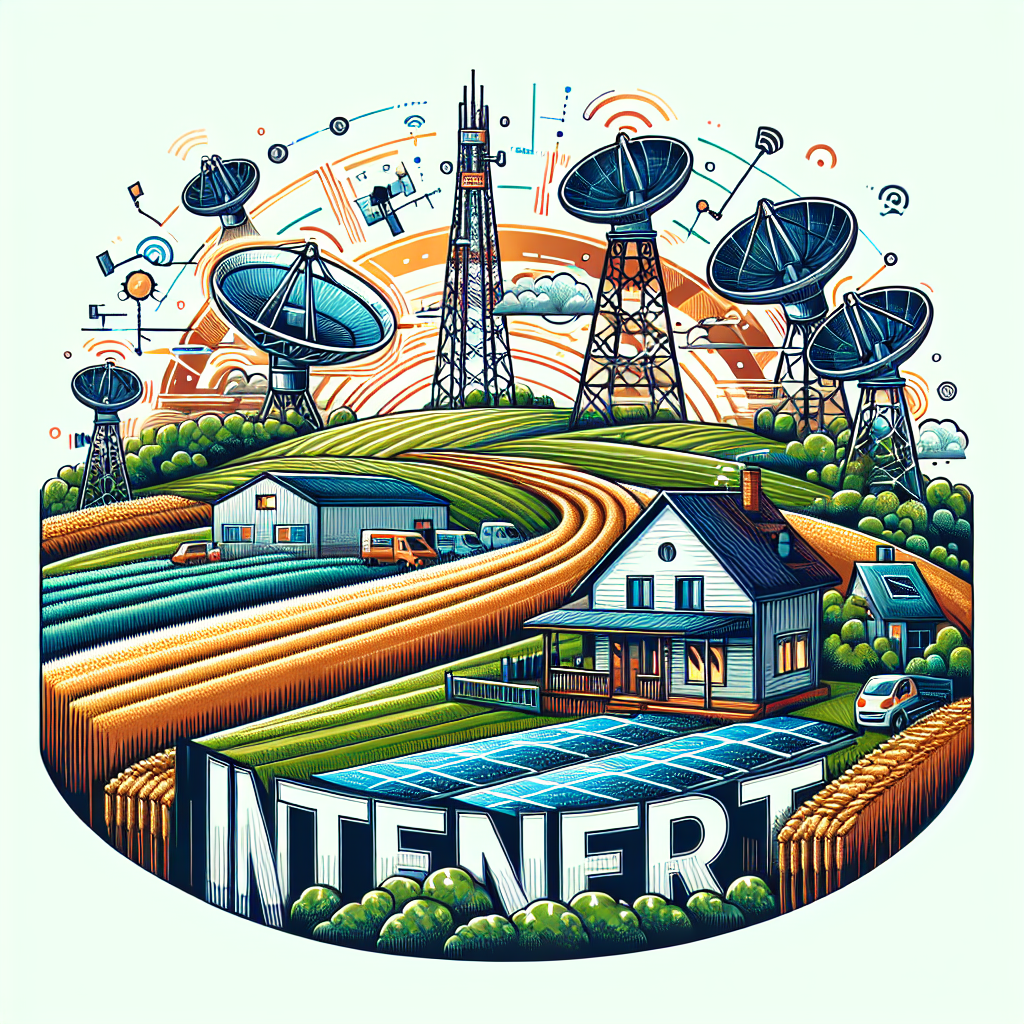
Finding the Best Internet Options for Rural Living
If you live outside the city limits, you already know that finding reliable internet options for rural living can feel overwhelming. While urban neighborhoods often enjoy lightning-fast connections, rural communities must balance availability, affordability, and reliability. But here’s the good news: with recent technology advances, rural households have more choices than ever before. This guide breaks it down in a friendly way so you can find the connection that fits your lifestyle.
Why Internet Access Is a Challenge in Rural Areas
Rural landscapes pose unique challenges for internet providers. Vast distances between homes make laying cables and fiber expensive. Some communities are nestled in valleys or wooded areas that interfere with wireless signals. Even when coverage exists, speeds may not keep up with modern needs like streaming, online learning, or working from home.
Still, internet access isn’t optional. Whether you’re running a family farm, homeschooling kids, or video chatting with relatives, a stable connection is essential. Understanding your local options is the first step toward a smoother online experience.
Common Internet Options for Rural Communities
Here’s a look at the most widely available technologies in rural areas:
- DSL – Runs on traditional phone lines and is often available in small towns, though speeds may be limited.
- Cable – Uses coaxial lines and can deliver faster speeds, but limited in many rural landscapes.
- Fiber – Considered the “gold standard,” but it’s rare outside metro regions.
- Fixed wireless – Beams internet from a nearby tower to a receiver at your home. Often available farther from towns.
- Mobile hotspots – Use cell towers to provide data plans for home use.
Each type comes with pros and cons, which we’ll dive into next.
DSL Internet in Rural Living
DSL, or Digital Subscriber Line, remains a trusted option because many rural households already have landline access. However, speed depends heavily on how close you live to the provider’s central office. The farther you are, the slower your connection may run. For small households or light web browsing, DSL can still be an affordable and reliable choice.
Pros
- Usually more affordable than other options
- Often available where traditional phone lines run
- Simple to install
Cons
- Slower upload and download speeds
- Not ideal for video-heavy or work-from-home needs
Fixed Wireless: A Growing Favorite
Fixed wireless internet has gained attention in rural areas. A signal is broadcasted from a nearby tower and picked up by an antenna at your home. This option often bypasses the need for expensive ground cable installation.
Why Rural Users Like It
- Offers much higher speeds than traditional DSL
- Coverage expanding rapidly in rural towns
- Quick setup with minimal equipment
Potential Drawbacks
- Requires direct line-of-sight to the tower
- Speeds may drop in bad weather or heavily wooded areas
Understanding Satellite Options
Satellite internet is one of the most accessible solutions since it only requires a clear view of the sky. Even remote farms can access it where other services don’t reach. That said, satellite is often affected by latency—meaning slower response times for gaming or video calls.
Some users rely on forums like Reddit discussions about rural internet where people share real-life satellite experiences. These communities highlight how weather and data caps can be ongoing frustrations.
Mobile Hotspots & Cellular Internet
If you have strong cellphone reception, a hotspot device might be the simplest way to access the web. Mobile carriers often offer plans with generous data limits designed for home use. For households on the move—or those who don’t want to commit to installing equipment—hotspots can be an excellent bridge to connectivity.
Things to Keep in Mind
- Performance depends on local cell tower strength
- Data overages may be costly
- Portable and flexible for families who travel seasonally
Fiber: The Dream for Rural Internet
Fiber-optic internet delivers unmatched speeds and stability, but unfortunately, it’s still rare in rural America. Where available, fiber is the best long-term investment. Several counties and local cooperatives have started laying fiber as part of infrastructure initiatives, giving hope that it will continue to spread outside city limits.
Planning Your Bandwidth Needs
Rural families often underestimate how much internet speed they need. It’s not just about browsing anymore. Streaming 4K movies, joining Zoom calls, or uploading work all demand higher bandwidth. A helpful starting point is this Wikipedia article on bandwidth in computing, which explains how capacity is measured.
When choosing a service, think about:
- How many devices connect regularly
- Whether you work from home or do online schooling
- Entertainment needs like gaming, smart TVs, or streaming
Comparing Your Local Options
Before making a decision, consider building your own comparison chart. A simple table format can help you see the differences clearly:
| Option | Average Speeds | Best For |
|---|---|---|
| DSL | Up to ~25 Mbps | Basic browsing, light streaming |
| Fixed Wireless | 25-100 Mbps | General streaming, remote work |
| Satellite | Varies, latency issues | Areas with no other access |
| Mobile Hotspot | Depends on carrier tower | Flexible use, seasonal travel |
| Fiber | 100 Mbps – 1 Gbps+ | Heavy streaming, smart homes |
Finding Community Feedback
Another smart step is connecting with your neighbors or reading local discussions online. Sites like Quora discussions on rural internet include firsthand user experiences that can be more helpful than vague marketing promises.
Tips to Optimize Any Connection
No matter the service type you choose, there are small ways to make your home internet run smoother:
- Position your router in the center of your home
- Keep your modem and router updated
- Limit background streaming or downloads when doing video calls
- Use a wired Ethernet connection when gaming
Rural Internet and Smart Homes
You don’t have to give up modern technology just because you’re in the countryside. Smart thermostats, cameras, and speakers can still work with rural connections, provided bandwidth is managed properly. It’s common to find people sharing smart rural setups on YouTube tutorials.
Final Thoughts
Finding the best internet option for rural living takes a little bit of research and realistic expectations. While no single service checks all the boxes for every household, knowing the strengths and limits of DSL, fixed wireless, satellite, mobile hotspots, and fiber will guide you toward the right choice. Combine that with smart router placement and bandwidth planning, and you’ll be surprised at how connected your rural home can feel.