Posts tagged: internet – Page 11

Best Internet Options for Smooth and Secure VPN Use
When it comes to protecting your privacy and browsing anonymously, nothing beats a Virtual Private Network (VPN). But for a VPN to work smoothly and securely, you need the right internet setup. Your connection can make or break the VPN experience. In this guide, we’ll explore the best internet options for smooth and secure VPN use, so you never have to worry about lag, buffering, or dropped connections.
Why Internet Quality Matters for VPNs
VPNs encrypt your traffic and funnel it through a secure server. This extra step adds a little overhead, which can slightly reduce your usual internet speed. That’s why having solid internet service is essential.
The wrong connection paired with a VPN can lead to:
- Slow downloads and buffering when streaming
- Choppy video calls or poor voice call quality
- Difficulty with online gaming due to high latency
- Frustrating disconnects in the middle of important tasks
The right internet setup, however, ensures that the speed drop from a VPN is barely noticeable.
Primary Factors for Smooth and Secure VPN Use
1. Speed
A VPN typically reduces internet speed by 10–20% depending on the server and encryption strength. Having a fast base speed prevents you from feeling that loss.
2. Reliability
Unstable networks make VPNs disconnect, which defeats both productivity and privacy. A reliable line eliminates random drops.
3. Latency
Low latency (or “ping”) is important for real-time activities such as gaming, stock trading, or video conferencing. Since VPN routing already increases latency, you want the lowest base latency possible from your connection.
4. Security & Privacy
Having a secure connection minimizes vulnerabilities. Public Wi-Fi, for example, is prone to attacks, but at home, investing in strong encryption from your modem/router offers additional protection alongside your VPN.
Types of Internet Connections and How They Work With VPNs
Here’s a breakdown of how popular connection types perform under VPN use:
| Connection Type | Speed with VPN | Reliability | Best For |
|---|---|---|---|
| Fiber Internet | Excellent | Very reliable | All-around use: streaming, gaming, remote work |
| Cable Internet | Good | Reliable, but shared bandwidth can fluctuate | Streaming, standard VPN browsing, remote work |
| DSL | Average | Dependable but slower speeds | Light VPN use, browsing, email |
| Fixed Wireless/Home 5G | Good, varies | Reliability depends on coverage and signal | VPN use when wired options are unavailable |
| Satellite | Poor | Often unreliable for VPN due to high latency | Only when no other internet option is available |
| Public Wi-Fi | Highly variable | Unstable and risky | Temporary use, always with VPN for security |
Router and Hardware Considerations
Your internet speed and stability are closely tied to your router. A modern, VPN-friendly router helps handle encryption without crashing or slowing down.
- Wi-Fi 6 or Wi-Fi 6E routers: These support faster connections and better handling of multiple devices.
- Mesh Wi-Fi systems: Great for multi-story homes; they eliminate dead zones and keep VPN sessions stable [medium.com].
- Router CPU power: Stronger processors mean smoother VPN encryption.
Tips for Optimizing VPN Performance with Any Internet Service
Use Wired Connections When Possible
Ethernet connections reduce latency and eliminate the wireless interference you might face with Wi-Fi.
Pick the Closest VPN Server
The shorter the distance your data travels, the better the performance. If you’re in New York, choose an East Coast server rather than one in Europe unless you specifically need that routing.
Split Tunneling
Many VPNs allow split tunneling, where only certain apps go through the VPN. This can free up bandwidth for other activities without compromising privacy where it matters most.
Adjust VPN Protocols
VPNs offer different protocols such as OpenVPN, IKEv2, or WireGuard. WireGuard is typically the fastest, while OpenVPN provides versatile compatibility.
VPN Use Cases and the Best Internet Options
For Remote Workers
If you’re handling sensitive company data or spending your day on video calls, go for fiber or stable cable internet. This ensures your VPN doesn’t cause interruptions during presentations or secure logins.
For Streamers
High-definition and 4K streams demand strong speeds. Fiber is best, but high-speed cable is typically sufficient. Avoid DSL or satellite for heavy streaming.
For Gamers
Low latency makes a huge difference here. Wired fiber connections reign supreme. Cable can also be good if latency is stable. Satellite and DSL are poor for competitive gaming with a VPN.
For Travelers
Public Wi-Fi is the biggest concern. Always connect to a VPN when using airport or hotel Wi-Fi. According to [medium.com], Wi-Fi only provides a method of getting online, but without a VPN, it leaves users exposed to risks on unsecured networks.
Frequently Asked Questions
Will a VPN always slow down my internet?
Yes, but usually not by much if you have a fast and stable service. The encryption process naturally adds overhead, but good ISPs and strong connections balance this out.
Is fiber internet always the best for VPN?
Fiber is the ideal choice thanks to its symmetrical speeds and stability. But cable and fixed wireless can also provide solid performance for most VPN users.
Do I need a special router for VPN?
Not necessarily, but high-performance routers improve VPN reliability. Some routers even allow direct VPN installation to protect all devices on your network.
Final Thoughts
Choosing the best internet option for smooth and secure VPN use comes down to balancing speed, reliability, and security. Fiber internet is the top choice, cable offers a solid middle ground, and DSL or fixed wireless works in specific cases. Avoid satellite where possible if you plan on heavy VPN use. With a capable router, careful VPN settings, and the right connection, your online activity stays private without compromising performance.

Top Picks for the Best Prepaid Internet Plans in 2025
Finding the best prepaid internet plans in 2025 can feel overwhelming with so many options available. Whether you’re a digital nomad, a renter avoiding long-term contracts, or a family in need of flexible connectivity, prepaid internet offers freedom without the pressure of hidden fees or early termination penalties. This guide explores the top choices, what features matter most, and how you can choose a prepaid plan that actually fits your lifestyle.
Why Choose a Prepaid Internet Plan?
Prepaid internet has grown in popularity because of its flexibility. Unlike traditional internet contracts that lock you in for 12–24 months, prepaid plans allow you to pay as you go and stop anytime. That’s especially useful if you:
- Move frequently and don’t want to deal with contract transfers
- Only need internet temporarily (like summer housing or travel)
- Prefer tracking your budget without surprise bills
- Don’t qualify for contracts due to credit checks
Key Features to Look for in Prepaid Internet
Before diving into our top picks, it’s important to focus on the features that really make a difference:
- Coverage: Always check if the plan works reliably in your area.
- Data Allowance: Some prepaid plans are unlimited, while others cap your usage.
- Speed: Look for plans that can handle video calls, Netflix, and gaming if those are important to you.
- Device Options: Some prepaid plans require a hotspot device, while others let you bring your own router or SIM-enabled device.
- Flexibility: The best plans let you top up easily through online apps or retail stores.
Top Picks for the Best Prepaid Internet Plans in 2025
1. Unlimited Hotspot Plans for Travelers
If you’re always on the road, prepaid hotspot plans are a lifesaver. These plans typically give you a portable Wi-Fi device that works almost anywhere there’s cell coverage. Nomads often share their setups on Reddit’s digital nomad forum, where users discuss the pros and cons of different prepaid hotspots. Many highlight the convenience of being able to pause the plan when they don’t need it and restart it instantly when they’re back on the road.
2. Pay-as-You-Go SIM Cards
These options let you insert a prepaid SIM into a 4G or 5G modem, router, or even directly into a phone to use tethering. For those living in apartments with no cable hookup or for people who want backup Wi-Fi to avoid outages, this is a solid choice. A big benefit is that you’re not paying for unused service—if you only need the internet during certain months, you simply reload the SIM card when necessary.
3. Prepaid Plans for Families on a Budget
For households that want predictable monthly bills, there are family-oriented prepaid internet plans. Parents often recommend these in Quora discussions because they include parental controls and don’t penalize you for pausing the account during school breaks. Budget-conscious households love the peace of mind from knowing the bill will never exceed a set amount since it’s prepaid and capped.
4. Short-Term Prepaid Internet for Renters & Airbnb Hosts
Hosts looking to provide reliable Wi-Fi for their guests without long-term obligations often pick prepaid internet options. In fact, Wi-Fi quality is one of the most common complaints on vacation rental sites. An easy prepaid plan with unlimited data ensures happy guests while helping hosts avoid overspending. Resources like Medium’s Airbnb router guide even stress the importance of pairing prepaid service with strong Wi-Fi hardware to maximize guest satisfaction.
Comparing the Best Types of Prepaid Internet in 2025
Here’s a quick breakdown of the major prepaid internet options and how they stack up:
| Prepaid Option | Best For | Pros | Cons |
|---|---|---|---|
| Portable Hotspots | Travelers, RVers | Compact, easy to use, flexible top-ups | Speeds vary by location |
| Prepaid SIM Cards | Apartment renters, students | No setup fees, bring your own device | May require device compatibility check |
| Family Prepaid Plans | Parents, shared households | Predictable monthly costs, parental controls | Some plans throttle speeds after data limit |
| Short-Term Host Solutions | Airbnb & seasonal homes | No long-term contracts, unlimited data options | More expensive per month than year-long contracts |
Tips for Choosing the Right Plan
- Check Your Usage: If you stream in HD daily, you’ll need unlimited or very high data caps.
- Location Matters: Speeds vary wildly depending on the network coverage in your home or travel destination. Always test coverage using your phone before committing.
- Consider Backup Use: Many families buy prepaid internet as a backup in case their main service goes down. For backup, a smaller plan may be enough and budget-friendly.
What About Equipment?
Most prepaid plans require a compatible device. This could be a capsule-shaped hotspot, a SIM-ready tablet, or a small desktop router. Luckily, these devices are usually inexpensive and often reusable across multiple prepaid providers. Many users in YouTube tutorials share setup guides that make the process easier for first-timers.
Security Considerations With Prepaid Internet
Prepaid internet is just as secure as traditional plans, but you still need to take precautions:
- Always change default passwords on your hotspot or router.
- Enable WPA3 encryption where available.
- Update your hotspot firmware regularly.
- Don’t connect to unfamiliar “open Wi-Fi networks” that look suspicious.
Is Prepaid Internet a Good Long-Term Solution?
For some people, yes! If you’re a frequent mover, don’t want credit checks, or just like to keep things flexible, prepaid internet is ideal. However, for households using massive amounts of data year-round, traditional plans with long-term contracts may sometimes provide better value. That said, prepaid is finally competitive enough in 2025 to satisfy most everyday internet needs.
Final Thoughts
The best prepaid internet plans in 2025 truly depend on your usage type. Travelers will lean toward portable hotspots, while students and renters may prefer prepaid SIMs. Parents appreciate family-focused packages, and Airbnb hosts like easy no-contract setups for guest Wi-Fi. By focusing on coverage, speeds, and data allowance, you can find a prepaid internet solution that saves money while keeping you connected where it matters most.

Top Internet Providers Powering the Future of Smart Homes
Smart homes are no longer a futuristic dream — they’re here. From voice-activated assistants to intelligent security systems and automated lighting, our homes are becoming smarter every year. But the backbone of every connected device is reliable, fast, and stable internet. Choosing the right internet provider is more important than ever, especially if you’re setting up or upgrading a smart home. In this article, we’ll dive into the internet providers powering the future of smart homes, what to look for when deciding, and why the right connection makes all the difference.
Why Internet Providers Are Key to Smart Homes
Your internet connection is like the foundation of a house. Without a solid base, the rest of the structure simply doesn’t stand strong. In the same way, your smart home gadgets depend on the bandwidth and reliability of your Wi-Fi.
- A stable connection ensures seamless video streaming for security cameras.
- Reliable upload speeds allow real-time communication with smart doorbells.
- Low latency ensures quick responses from voice assistants.
- Multiple device handling supports dozens of connected gadgets simultaneously.
Understanding Internet Speeds for Smart Homes
Before exploring providers, it’s essential to understand how speed impacts your experience. Smart homes place new demands on internet connections because they often involve dozens of devices communicating constantly. Unlike traditional households where just laptops and phones connect, smart homes feature everything from thermostats to fridges needing bandwidth.
Download vs Upload Speeds
When you stream a movie or load a webpage, you’re using download speed. When you video chat or share footage from your security camera to the cloud, you’re using upload speed. Smart home owners should pay attention to both — especially upload speeds which are often overlooked.
Latency and Reliability
Latency is the delay between sending a command and the device responding. In a smart home setting, low latency is critical because you want your assistant or appliance to respond instantly when prompted. Reliability means fewer dropped connections, which can otherwise interrupt alarms, sensors, or devices running efficiently.
Top Internet Providers Powering Smart Homes
Not all providers are created equal when it comes to smart homes. While traditional metrics like speed still matter, modern households need to factor in consistency, customer service, and technological innovation offered by providers in their area. Below, we’ll explore types of providers you may encounter and the unique strengths they bring to powering your smart home.
Fiber Internet Providers
Fiber internet is widely regarded as the gold standard for smart homes. It offers symmetrical speeds (download and upload equal) and low latency. With more devices competing for bandwidth, this consistency is crucial. For example, a family with multiple smart TVs streaming 4K content along with background IoT activity won’t experience buffering if they’re set up on fiber. Check local review platforms like Yelp or community discussions on Reddit to see which providers truly deliver in your area.
Cable Internet Providers
Cable internet remains popular for households where fiber hasn’t rolled out yet. It typically delivers fast downloads, though upload speeds trail behind. For medium-sized smart homes that depend on high-definition video surveillance, cable internet may be more than sufficient.
Fixed Wireless Providers
Fixed wireless connections can bring decent speed to rural or underserved locations, where wired internet may not be available. However, coverage reliability depends heavily on line-of-sight and environmental factors. Still, modern fixed wireless is bridging gaps in areas that would otherwise struggle to connect smart devices.
Satellite Internet Providers
Satellite internet ensures that even the most remote cabins can operate smart devices. While latency tends to be higher, technology continues to improve. For households prioritizing basic connectivity over performance, this can keep smart assistants, lighting systems, and thermostats online.
Key Features to Look For When Choosing Your Provider
- Speed Tiers: Match internet speed with the size of your household and number of connected devices.
- Smart Home Compatibility: Some providers offer equipment optimized for IoT devices.
- Wi-Fi Coverage: Consider mesh Wi-Fi systems for larger or multi-story homes.
- Customer Support: Look for providers praised on forums like Quora or Reddit.
Tips to Maximize Your Smart Home Internet
Even with a good provider, your home setup determines how well your smart technology thrives. Follow these helpful tips to ensure consistent connections:
- Position your router in a central location for maximum coverage.
- Invest in a mesh Wi-Fi system if your home has multiple floors or many walls.
- Use Ethernet cables for data-heavy devices like gaming consoles or home hubs to free up wireless bandwidth.
- Set up a separate guest network so IoT devices don’t interfere with personal browsing security.
Comparing Internet Types for Smart Homes
Here’s a quick breakdown of how different connections serve smart homes:
| Connection Type | Strengths | Weaknesses |
|---|---|---|
| Fiber | Fastest, symmetrical speeds, low latency | Availability limited in some areas |
| Cable | High download speeds, widely available | Lower upload speeds, can slow during peak hours |
| Fixed Wireless | Great for rural areas, decent speeds | Weather and distance can affect performance |
| Satellite | Global coverage, works in remote areas | High latency, weather interference |
Community Insights: Real Smart Home Setups
One of the best ways to know if a provider will work for your needs is to hear from actual users. Platforms like Reddit’s Home Networking community or dedicated smart home groups on Facebook provide valuable stories. Homeowners share how their cameras perform during storms or whether certain providers handle 40+ devices without issues.
Future-Proofing Your Smart Home
The world of smart homes is rapidly evolving. Today’s setup may include lights, speakers, and locks. Tomorrow, it could include walls that shift themselves, or AI that manages daily schedules seamlessly. Choosing the right internet provider now ensures you won’t constantly need to upgrade in the future.
- Prioritize providers offering Wi-Fi 6 compatible routers and services.
- Consider data caps or unlimited plans, depending on how device-heavy your home is.
- Keep an eye on emerging technologies like Wi-Fi 7 for future adoption.
Conclusion
As our homes get smarter, our reliance on fast, reliable internet grows stronger. The best internet providers for smart homes are those that not only offer speed but also reliability, flexibility, and innovation. Whether you’re starting small or building a fully automated ecosystem with dozens of devices, your provider will make or break the experience. Take the time to research local providers through user-driven platforms such as Reddit or Yelp, match their service levels to your household needs, and you’ll have the foundation required for your dream smart home.

Easy Ways to Get Internet Without a Credit Check
Finding reliable internet service can sometimes feel overwhelming—especially when providers request a credit check. If your credit history isn’t perfect or you’d rather avoid the hassle, you still have options. In this guide, we’ll walk through practical and easy ways to get internet without a credit check. Whether you live in a city apartment, a rural area, or you’re always on the go, there are flexible solutions to keep you connected.
Why Providers Use Credit Checks in the First Place
Before diving into the alternatives, let’s quickly understand why credit checks happen. Many companies run soft or hard checks to estimate risk—similar to how landlords screen tenants. They want to make sure bills will be paid on time, especially if expensive equipment like modems or routers is involved. But that doesn’t mean everyone should be excluded from access to something as essential as the internet.
Prepaid Internet as a Hassle-Free Option
One of the simplest ways to get connected without traditional checks is through prepaid internet. Think of it like a prepaid phone—no contracts, no surprises, just pay as you go.
- You pay in advance for the data or service you need.
- No long-term commitments or penalties.
- Easy to monitor usage and control costs.
When Prepaid Makes Sense
If you’re moving often, staying temporarily in a location, or want financial predictability, prepaid plans work well. Many travelers and short-term renters also choose this option to avoid credit paperwork.
Community Wi-Fi and Hotspots
Did you know that your neighborhood might already offer free or low-cost internet through community projects? Public libraries, coffee shops, and even some city-led initiatives provide Wi-Fi without contracts or credit checks. In fact, some communities share recommendations and experiences on platforms like Reddit where people exchange tips about free or affordable connectivity options.
- Public Libraries: Many libraries provide free Wi-Fi and sometimes even hotspot lending programs.
- Cafes and Restaurants: A reliable option for occasional work or study sessions.
- Community Initiatives: Some municipalities sponsor free Wi-Fi zones in parks and downtown areas.
Mobile Hotspot Devices
Another flexible approach is using a personal hotspot device. These little gadgets connect to cellular networks and allow you to share Wi-Fi with multiple devices. If you already have a smartphone, you can often turn it into a hotspot directly. People often ask questions about real-world performance on Quora, where discussions highlight how hotspots compare across locations.
Advantages of Hotspots
- Portable and ideal for travel.
- No fixed address required.
- Variety of pay-as-you-go or prepaid options available.
Pay-As-You-Go Internet Services
This is similar to prepaid but more structured for regular home use. Instead of signing an annual contract, you buy service month-to-month. This avoids credit checks and lets you stop service whenever needed.
- No deposits required in most cases.
- Great for students, seasonal workers, or shared apartments.
- Costs are predictable and budget-friendly.
Neighborhood Co-Ops and Shared Connections
Some neighborhoods organize co-op networks—residents pool resources, buy equipment, and share bandwidth. This grassroots approach bypasses corporate requirements like credit checks. On Facebook, community groups often share information about whether such options already exist locally.
Satellite Internet Without Credit Checks
In rural and remote areas, satellite internet is often the only realistic alternative. While some providers run credit checks, there are pay-in-advance satellite options where you buy equipment outright and then load service packages as needed. Though speeds may vary, it’s often the most reliable choice for locations without cable or fiber infrastructure.
Tips to Stay Connected Without the Stress
Getting internet without a credit check doesn’t have to be complicated. Here are a few practical tips:
- Start Local: Check your library, café, or town hall for free Wi-Fi programs.
- Think Mobile: A prepaid mobile hotspot can be a lifeline during a move or transition.
- Talk to Neighbors: Shared plans or group buys can reduce expenses and paperwork.
- Join Online Discussions: Platforms like Yelp and Reddit often feature local experiences and recommendations.
Real-Life Example
A college student might not have an established credit history. Instead of being denied service, they can opt for a prepaid hotspot. This gives them Wi-Fi for study sessions, video calls with family, and streaming entertainment—all without signing a contract or undergoing a background check. Similarly, many gig workers who move frequently rely on pay-as-you-go plans for this exact reason.
Balancing Speed, Cost, and Flexibility
It’s important to weigh your specific needs:
| Option | Best For | Flexibility |
|---|---|---|
| Prepaid Internet | Short-term renters, students | High |
| Mobile Hotspots | Travelers, remote workers | Very High |
| Community Wi-Fi | Budget-conscious users | Medium |
| Satellite Prepaid | Rural households | Moderate |
Final Thoughts
Internet access shouldn’t come with unnecessary barriers like credit checks. With prepaid plans, hotspots, community initiatives, and co-op networks, people have more solutions than ever to stay online. By exploring these easy alternatives, you can enjoy reliable connections tailored to your lifestyle—without worrying about credit history.

Boost Your Backyard Internet with Easy Tips to Extend Wi-Fi Outdoors
Want to enjoy smooth streaming, video calls, or music while relaxing outside? The good news is that you don’t need expensive equipment to get better backyard internet. With just a few smart changes, you can boost your backyard Wi-Fi so it reaches further, feels faster, and works more consistently outside.
Why Backyard Wi-Fi Matters
Backyards are no longer just spaces for grilling. They’ve become outdoor offices, gyms, play zones, and mini theaters. Whether you’re hosting friends, playing smart yard games, or working under the sun, strong Wi-Fi is essential. Without it, you’ll face:
- Slow or freezing video calls
- Music apps that keep buffering
- Smart garden devices disconnecting
- Inconsistent speeds depending on where you sit
Thankfully, there are easy ways to extend coverage outside without breaking the bank.
Check the Source First
Before buying new gadgets, check if the issue is inside your home. Many connectivity problems start at the source — the modem or router. Some common issues include old firmware, interference from walls, or outdated hardware, as explained in guides like speednetlte.com. A quick check-up often makes a noticeable difference outdoors too.
Quick router health checklist:
- Reboot your router once in a while to refresh connections
- Install available firmware updates to fix bugs
- Move the router closer to the side of your house facing the backyard
- Avoid placing it in a corner, basement, or behind too many walls
Upgrade Your Router
A modern Wi-Fi router makes a world of difference. Older models struggle with multi-device connections and longer ranges. If your router is more than five years old, consider an upgrade. According to yestechie.com, choosing a router with Wi-Fi 6 or Wi-Fi 6E ensures better speed and outdoor reach. And with Wi-Fi 7 rolling out, even faster outdoor speeds are on the horizon, as noted by NAR Realtor Tech Guide.
Router placement tip:
If possible, place your router near a window or wall that faces your backyard. Wi-Fi signals weaken when they pass through multiple solid surfaces like brick or stone. Positioning matters even more than power.
Add a Wi-Fi Extender
Sometimes, even the best router can’t cover the outside area completely. A Wi-Fi extender is a small plug-in device that boosts the signal. It doesn’t require major setup, and you can often just plug it into a wall outlet near the yard. As explained on cascable.com, extenders help fill in weak spots and are especially helpful in wide backyards or multi-story homes.
How to choose an extender:
- Pick one compatible with your router brand for smoother setup
- Place it midway between your router and the backyard area
- Avoid plugging it in too far away — it needs a good source signal to share
Consider a Mesh System
If you have a large property or use connected outdoor devices regularly, a mesh Wi-Fi system might be a better investment. Mesh systems use multiple nodes spread around your house to form one large, seamless network. The backyard can have its own node, which reduces dead zones. Keep in mind that wireless backhaul (how nodes talk to each other) can cut speeds in half, but using Ethernet between nodes avoids this issue (yestechie.com).
Use Outdoor-Friendly Hardware
Routers and extenders placed outside or in garages aren’t always designed to handle weather changes. If you plan to keep equipment outdoors, look for water-resistant or weatherproof models. Alternatively, use protective enclosures to shield devices from rain, heat, or dust.
Other outdoor Wi-Fi friendly upgrades
- Use directional antennas that focus signals into your backyard
- Add Powerline adapters, which use your home’s wiring to transmit network signal
- Consider outdoor-rated access points mounted on a porch or wall
Reduce Interference
Wi-Fi signals can be affected by more than walls. Outdoor appliances, cordless phones, and even your neighbor’s Wi-Fi could interfere. While you can’t shut off nearby networks, you can:
- Switch to the 5 GHz band for stronger, less-crowded connections
- Use the 6 GHz band if your router supports Wi-Fi 6E
- Select a less congested channel in your router’s settings
- Keep metal furniture or grills away from the router area
Creative DIY Fixes
Sometimes, simple hacks go a long way:
- Reflect signals into your backyard with a piece of aluminum foil behind the router’s antenna
- Use an old smartphone with hotspot capabilities as a secondary Wi-Fi source
- Set up a cheap Raspberry Pi as a Wi-Fi repeater (DIY project)
Smart Device Considerations
If you use outdoor speakers, cameras, or smart lights, keep in mind that many of them need only a stable 2.4 GHz signal, not the fastest speeds. Positioning your extender or mesh node for reliability may be more important than raw Mbps numbers.
When to Call for a Professional Setup
If you’ve tried extenders and router upgrades with little luck, it might be worth consulting an installer. They can run outdoor Ethernet lines and set up dedicated outdoor access points that give you flawless coverage for years.
Wrap-Up: Extend Wi-Fi and Enjoy Your Backyard
Getting smooth backyard internet doesn’t mean you need to spend a fortune or rewire your house. With simple fixes like updating your router, moving it closer to your yard, adding an extender, or setting up a mesh system, you can enjoy stronger coverage no matter where you relax outside. Combine those with a few clever DIY tricks, and suddenly movie nights, music streaming, and even remote work under the shade become hassle-free.

Shield Your Internet Connection from Hackers with These Smart Security Tips
Your home network has quickly become as essential as electricity and running water. Whether you’re streaming shows, working from home, or controlling smart appliances, your Wi-Fi is the hub of daily life. But with this convenience comes risk: hackers are constantly looking for vulnerabilities. That’s why it’s crucial to shield your internet connection from hackers with smart security tips that actually work.
Why Internet Security Matters More Than Ever
The number of connected devices in our homes has skyrocketed in recent years. From smart speakers and cameras to thermostats and doorbells, these gadgets all depend on your Wi-Fi. Unfortunately, this makes your home network an attractive target. If left unprotected, attackers can steal personal data, snoop on communications, or even hijack devices for malicious purposes.
Consider your internet connection like the front door to your digital life. You wouldn’t leave the door wide open; you’d lock it. The same principle applies here—securing your Wi-Fi is locking that digital door.
Check Your Internet Reliability First
Before you dive into security, ensure your Wi-Fi runs reliably. Unstable connections can mask signs of interference or even unauthorized use. Tools like speed testing apps, network analyzers, and your router’s diagnostics can help pinpoint whether the problem is interference, outdated hardware, or something more suspicious [source].
Smart Security Tips for Your Wi-Fi
1. Change Default Router Credentials
Your router is the gatekeeper of your network. Manufacturers often ship them with standard usernames and passwords, and hackers know them all. As soon as your router is up and running, log in and change both the admin username and password to something strong and unique.
2. Use WPA3 or WPA2 Encryption
Your Wi-Fi encryption standard matters. WPA2 and WPA3 are currently the most secure. If your router is still using the older WEP or WPA standard, it’s time for an upgrade. These outdated methods can be cracked in minutes by anyone with basic tools readily available online.
3. Set Up a Guest Network
Guests in your home may be harmless, but their devices can unknowingly carry malware. Instead of giving out your main Wi-Fi password, set up a dedicated guest network with its own credentials. This also applies to IoT devices such as smart cameras and thermostats—keeping them on a separate network adds a valuable layer of protection [source].
4. Use a Firewall
A firewall works like a digital security guard, blocking suspicious traffic and unauthorized access. Most routers have built-in firewalls. Make sure yours is enabled, and for added control, use software firewalls on individual devices [source].
5. Turn Off WPS (Wi-Fi Protected Setup)
Although intended to make connecting easier, WPS has a serious flaw: it can be exploited by brute force. Disabling WPS in your router settings closes off this risky entry point.
6. Keep Firmware and Devices Updated
Every update isn’t just about new features—it often includes important security patches. Hackers thrive on people forgetting to update their firmware and software. Set reminders or enable auto-updates where possible.
7. Hide Your SSID
Your SSID is the public name of your Wi-Fi network. Broadcasting it makes it easier for guests to find you, but it also makes it easier for hackers. Consider hiding your SSID and only sharing it with trusted individuals. While not foolproof, it adds one more step of difficulty for attackers.
8. Control Connected Devices
Every device on your network is a potential vulnerability. Monitor your router’s admin dashboard regularly to see what’s connected. If you spot unfamiliar devices, investigate immediately and change your Wi-Fi password.
Strong Password Practices
Your Wi-Fi password is the first line of defense. Here’s how to get it right:
- Avoid common phrases, names, or personal details.
- Use at least 12 characters including letters, numbers, and symbols.
- Don’t reuse old passwords from other accounts.
- Store secure credentials in a trusted password manager instead of writing them down.
Why a VPN Is Helpful at Home
Virtual Private Networks (VPNs) are often associated with public Wi-Fi, but they can also protect your activity at home. A VPN encrypts your internet traffic, shielding your browsing from prying eyes—even your internet provider. Paid VPNs are generally more secure than free versions, making them a worthwhile investment if you value privacy [discussion].
Best Practices for Smart Home Security
With the rise of smart home devices, your network faces new challenges. Many smart gadgets don’t have robust security built-in, making them easier targets. To protect your smart ecosystem:
- Place IoT devices on a guest network.
- Change default credentials right after setup.
- Check for firmware updates in their app dashboards.
- Disable features you don’t use, such as remote access.
Recognizing the Signs of a Hacked Network
Sometimes, despite your best efforts, intrusions still happen. Watch for these red flags:
- Internet speed suddenly slows for no clear reason.
- Unknown devices appear in your network’s device list.
- Router lights blink excessively when no one is online.
- Devices act oddly, such as cameras turning on unexpectedly.
If you suspect a breach, disconnect your router, reset it, update your credentials, and reconfigure your network carefully.
Simple Daily Habits for Safer Browsing
Beyond router and Wi-Fi security, your daily habits play a major role in keeping hackers out:
- Avoid clicking suspicious links in emails or messages.
- Always log out of accounts when using shared devices.
- Check for HTTPS in website addresses before entering sensitive information.
- Be cautious downloading attachments from unknown sources.
Conclusion
Securing your internet connection isn’t just about preventing hackers—it’s about protecting your privacy, your family, and your peace of mind. From updating your router settings to practicing strong password hygiene, these small steps collectively shield your home from digital threats. The internet is woven into our everyday lives; securing it ensures you stay connected, protected, and one step ahead of cybercriminals.

Top Eco Friendly Internet Providers Leading the Way in Sustainable Connectivity
In today’s world, where climate change and environmental impact are at the forefront of global conversations, even internet companies are being measured by how eco-friendly they are. Fast and reliable internet is no longer the only benchmark—customers now want providers who commit to renewable energy, reduce e-waste, and build greener networks. This article takes a deep dive into the top eco friendly internet providers leading the way in sustainable connectivity, highlighting how they’re making the digital world better for the planet.
Why Sustainability in Internet Services Matters
The internet is invisible to most of us—data just moves instantly from our device to the cloud. But behind the scenes, huge data centers, satellite networks, and millions of devices consume massive amounts of energy. Here’s why sustainable practices in internet services matter:
- Energy Consumption: Data centers and networks use enormous amounts of electricity, often powered by fossil fuels.
- E-Waste: Old modems, routers, and discarded electronics pile up in landfills.
- Carbon Footprints: Each streaming session, video call, or online game indirectly contributes to global carbon emissions if not sourced from clean energy.
- Consumer Demand: People want tech companies that align with their eco-friendly values.
How Internet Providers Can Be Eco-Friendly
Just like any other industry, internet providers have options to reduce their environmental impact. The following practices are becoming benchmarks for sustainable connectivity:
- Switching to renewable energy to power data centers and network operations.
- Building energy-efficient infrastructure like fiber-optic networks that use less power.
- Recycling and buyback programs for old equipment.
- Supplying eco-certified hardware like Energy Star–approved routers.
- Offsetting carbon emissions through green investments.
Top Eco Friendly Internet Providers Leading the Way
Some internet providers have started setting the bar for sustainable practices. While the approaches vary, their initiatives show that fast connectivity can coexist with eco responsibility.
1. Providers Using 100% Renewable Energy
The biggest step forward an internet company can take is powering its entire network with renewable energy—from sourcing wind, solar, hydro, or geothermal. This not only lowers their carbon footprint but also sets a precedent for other industries. Some well-known data center operators have already committed to 100% renewable energy, and leading ISPs are following suit.
2. Fiber-First Providers
Fiber-optic internet is naturally more energy-efficient than older copper or DSL lines. By transmitting data through light signals, fiber minimizes electricity use while also allowing faster speeds. According to experts, fiber uses less energy per gigabit delivered compared to coaxial networks. Many growing providers who build fiber networks are positioning themselves as sustainability leaders.
3. Satellite Companies Exploring Green Operations
Satellite internet has a unique challenge—it requires rocket launches and orbiting fleets. However, some companies are exploring cleaner rocket fuels, satellite recycling, and ground operations powered by renewable energy. While this area faces the toughest hurdles, efforts are being made to limit the environmental impact.
4. Companies That Recycle Equipment
A growing number of providers allow customers to return old modems and routers for responsible recycling. Instead of letting electronics pile up in landfills, materials like copper, aluminum, and plastics can be reused. Communities and recycling advocates often encourage these practices, supporting a system of circular technology use.
Green Technologies Shaping the Industry
Beyond the direct actions of individual providers, broader tech innovations are pushing the industry toward sustainability. Here are some of the most impactful advancements:
- AI-powered cooling in data centers: Reduces electricity needed for climate control.
- Solar-powered transmitter stations: Brings renewable power to underserved and rural areas.
- Green routing technology: Routes internet traffic more efficiently to save energy.
- Energy Star–qualified routers: Equipment certified for eco efficiency saves power in homes.
Eco Certifications to Look For
If you’re searching for an environmentally responsible provider, look for certifications that show a company’s commitment to sustainability:
| Certification | What It Means |
|---|---|
| Green-e Energy | Certified usage of renewable energy. |
| ISO 14001 | Proven environmental management systems. |
| Energy Star | Efficient routers, modems, and hardware. |
Practical Tips to Make Your Internet Usage Eco-Friendly
Even if your provider isn’t entirely green yet, there are steps you can take at home to reduce your impact:
- Choose a router with an Energy Star rating.
- Unplug or power down your modem and router when away for long periods.
- Opt for fiber if available—it saves more energy over the long run.
- Recycle your old internet devices responsibly at local electronics recycling centers.
- Stream responsibly—lower resolution streaming uses much less data and electricity.
Community-Led Green Internet Initiatives
It isn’t only large companies leading the charge. In many regions, local cooperatives and municipalities are building green-focused internet networks. For example, some community-driven fiber projects aim to integrate solar or wind power directly into their operations. Conversations on Quora and local community groups often highlight smaller providers making bold eco commitments.
Challenges for Eco-Friendly Internet Providers
Transitioning to a completely sustainable internet ecosystem is not without obstacles:
- Cost: Switching to renewable energy or recycling programs requires significant investments.
- Technology Gaps: Satellite and wireless internet have bigger environmental footprints compared to fiber.
- Consumer Awareness: Many people still choose internet solely based on price and speed, not green practices.
- Regulatory Landscape: Some regions lack proper policies to push providers toward sustainable commitments.
The Future of Sustainable Connectivity
The movement toward greener internet is growing. As cloud computing, video streaming, and connected smart homes continue to increase demand, the need for eco-conscious connectivity will only rise. Experts predict that consumer demand, environmental activism, and potential regulations will ensure that sustainability is no longer optional but required in the near future.
Final Thoughts
The internet is a critical part of modern life, but it doesn’t have to cost the planet. By supporting eco friendly internet providers leading the way in sustainable connectivity, consumers can make an impact and encourage the rest of the industry to follow. From renewable energy commitments to recycling programs, the green future of the web is closer than you think.
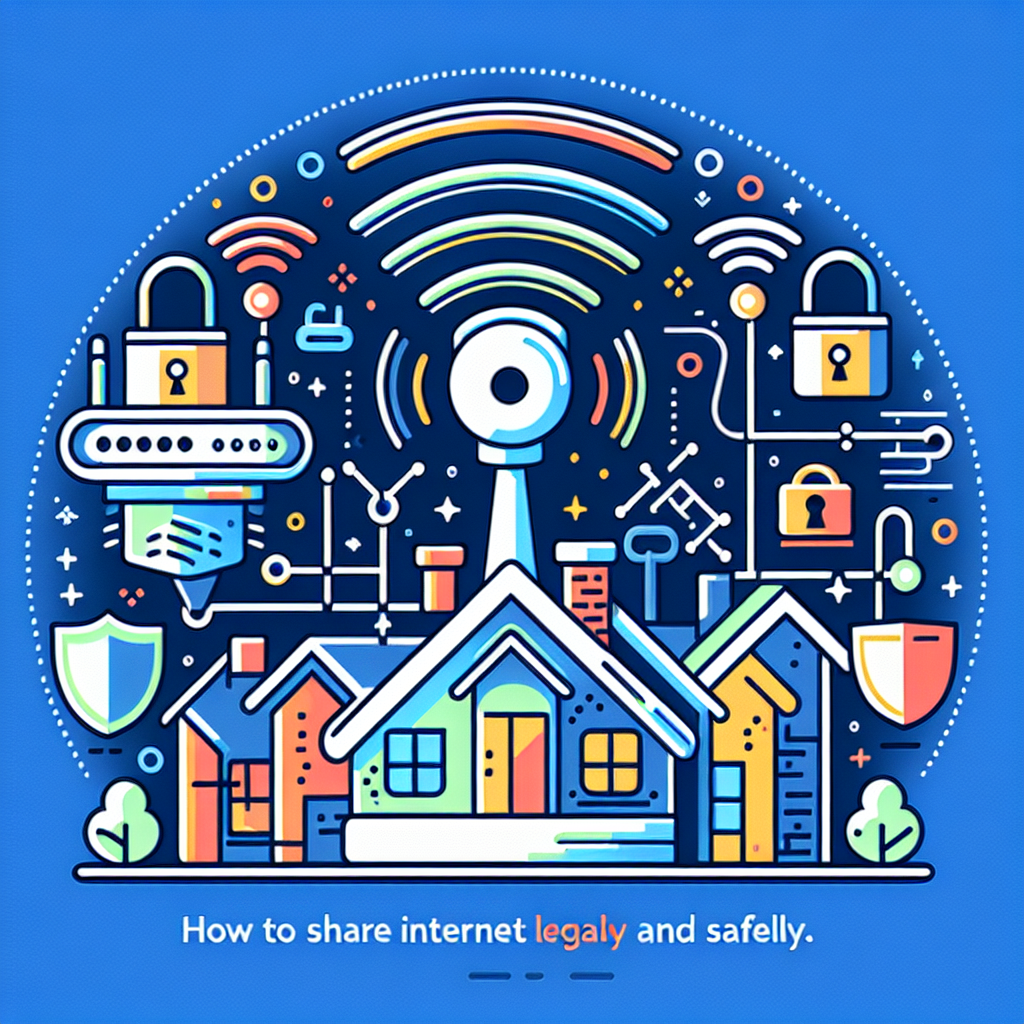
How to Share Internet with Neighbors Legally and Safely
In many neighborhoods, people have wondered how to share internet with neighbors legally and safely. After all, Wi-Fi signals don’t stop at your walls, and the idea of splitting costs to help everyone save money sounds appealing. But before you hand out your password, there are important legal, technical, and security factors to consider. This guide will walk you through everything you need to know so you can make the right decision for your community.
Why Share Internet with Neighbors?
There are a few reasons people consider sharing internet with their neighbors:
- Cost savings – Splitting a plan can reduce expenses.
- Convenience – Smaller apartments or multi-family homes often have overlapping signals, making sharing easy.
- Community building – Sharing internet can encourage a more connected neighborhood.
Legal Considerations
Before you set up shared internet access, it’s important to know what’s legal. Many Internet Service Provider (ISP) contracts explicitly state that service is for use within your household only. Sharing with neighbors outside of your home could potentially violate your service agreement. That’s why the first step is to:
- Check your ISP agreement – Look at the Terms of Service.
- Ask your provider directly – Call or chat with customer support to verify what’s allowed.
- Look up local laws – In some areas, sharing an internet connection can have specific guidelines. You can browse discussions on platforms like Reddit or Quora where users share their experiences.
Some ISPs may even offer community Wi-Fi options, so always explore those legal pathways first before creating a shared setup.
Risks of Sharing Internet
If you’re considering sharing, these are the key risks you must address:
- Bandwidth strain – More devices mean slower speeds.
- Security concerns – Anything your neighbor downloads could be traced back to your IP address.
- Data privacy – Without limits, others on the network might see your traffic if the network isn’t properly configured.
How to Share Internet Safely
1. Use a Separate Guest Network
Most modern routers allow you to create a guest Wi-Fi network. This separates your personal devices from others, reducing the risk of data snooping. Some routers even allow you to limit bandwidth on the guest channel.
2. Add a Second Router
If your router doesn’t support guest networks, you can add a second router specifically for your neighbor’s use. This creates two distinct sub-networks, preventing interference with your own devices.
3. Set Bandwidth Limits
Quality of Service (QoS) settings allow you to control how much bandwidth each person gets. This way, your Netflix stream won’t suffer if your neighbor is downloading large files.
4. Always Use a Strong Password
Never share your primary Wi-Fi password openly. Use WPA3 or at least WPA2 encryption, and create a unique, hard-to-guess passphrase. A password manager can help keep things secure.
5. Monitor Network Usage
Some routers have mobile apps that let you monitor who’s connected and how much data they’re using. This helps hold neighbors accountable for responsible usage.
Tips for Managing a Shared Internet Agreement
Sharing internet isn’t just about connectivity—it’s also about managing expectations. Here are some practical tips:
- Decide on cost-sharing – Who pays what percentage?
- Set ground rules – Agree on acceptable use (e.g., no illegal downloads).
- Document the arrangement – Even a simple signed note avoids misunderstandings.
Best Equipment for Sharing Wi-Fi
If you’re going to make this work, upgrading your network may be the best approach:
- Mesh Wi-Fi systems – Provide seamless coverage across shared buildings.
- Routers with guest networks – Useful for keeping things separated.
- Powerline adapters – Extend Wi-Fi through electrical outlets if signals don’t reach your neighbor’s unit.
Common Problems and Solutions
Even with the best setup, issues will arise. Here’s how to handle them:
| Problem | Solution |
|---|---|
| Slow Speeds | Upgrade plan or limit guest usage through router settings. |
| Neighbor Downloading Illegally | Monitor usage and enforce rules; suspend their access if needed. |
| Wi-Fi Signal Weak | Use mesh or signal extenders to boost coverage. |
| Security Concerns | Separate networks, upgraded encryption, and strong passwords. |
Alternatives to Sharing Internet
If sharing doesn’t seem worth the hassle, there are alternatives:
- Community Wi-Fi initiatives – Some neighborhoods set up open-access systems together.
- Public library or café networks – Reliable for quick browsing.
- Mobile hotspots – Handy for occasional needs without sharing your main line.
Final Thoughts
Learning how to share internet with neighbors legally and safely comes down to respecting rules, safeguarding your security, and maintaining clear communication. If you set up proper boundaries and use the right equipment, it can be a money-saving and community-building choice. But remember—never risk your own privacy or legal security in the process. A thoughtful approach is what makes neighborly internet sharing work for everyone.

Best Internet Providers Offering 24/7 Customer Support for Worry Free Connectivity
Nothing is more frustrating than losing your internet connection in the middle of a movie night, an important Zoom call, or while working from home. That’s why choosing an internet service with reliable 24/7 customer support has become just as important as choosing the right speeds or data plans. Having dependable customer service means you can troubleshoot issues at any hour without waiting for “business hours” to arrive, ensuring truly worry-free connectivity.
Why 24/7 Customer Support Matters
Around-the-clock customer support gives users peace of mind that any issue—no matter if it happens at 2 PM or 2 AM—can be directly addressed by a knowledgeable representative. This is particularly important for:
- Remote workers who rely on stable video calls and deadlines.
- Gamers who often play during late hours and cannot afford lag or outages.
- Families who stream, browse, and connect across multiple devices at different times of the day.
- Students completing assignments or attending online classes outside traditional hours.
When outages or slowdowns happen, reliable 24/7 help ensures that you’re not left in the dark. Whether through live chat, phone, or troubleshooting guides, great providers empower customers with both access and solutions.
What to Expect From 24/7 Internet Support
Not all providers deliver the same level of support, even when they advertise “24/7 availability.” Here are key qualities you should look for:
1. Quick Response Times
Waiting an hour on hold for help can feel worse than the outage itself. Superior support means answering within minutes, often by connecting you with live representatives or offering chat support tools for instant assistance.
2. Multiple Support Channels
The best providers don’t limit you to one method of communication. Ideally, they offer:
- 24/7 phone lines.
- Live chat through official apps or websites.
- Email support with swift resolution times.
- Online help centers with searchable guides and FAQs.
3. Technical Knowledge & Troubleshooting
Support staff should be well-trained to diagnose common issues such as Wi-Fi dead zones, router setup, modem resets, and service outages at the provider level. Many companies also provide helpful video tutorials and community discussions on platforms like YouTube and Reddit’s Home Networking forum.
4. Friendly & Professional Service
It’s not just about problem-solving; it’s about how you’re treated as a customer. Providers that invest in professional, kind, and knowledgeable support staff tend to encourage customer loyalty and trust.
Common Internet Issues That Require 24/7 Help
Connectivity problems do not follow a schedule. According to industry experts, the most common reasons your internet may fail include hardware limitations, wireless interference, ISP outages, congestion, or router misconfigurations ([speednetlte.com](https://www.speednetlte.com/post/7-top-reasons-why-your-home-internet-is-unreliable)). Let’s break down frequent scenarios where 24/7 support proves invaluable:
- Sudden outage — Your area might be affected by infrastructure repairs or weather-related disruptions.
- Slow speeds — Caused by congestion, outdated equipment, or Wi-Fi interference.
- Hardware setup — New routers, modems, or extenders don’t always “plug and play.”
- Connectivity drops — Devices randomly disconnect, often due to interference or outdated settings.
- Billing or account questions — Sometimes the service disruption isn’t technical but related to account status.
How to Tell If a Provider Truly Offers Quality 24/7 Support
Check Online Reviews
Before committing to any provider, check reviews on Yelp or community discussions on Reddit’s Cord Cutters forum. Customers frequently share details about hold times, responsiveness, and whether their issues were solved effectively. First-hand experiences can reveal more than marketing promises ever will.
Test the Channels
If you’re evaluating a new ISP, place a call or start a chat at different hours of the day. Take note of response times and professionalism. A real 24/7 support team should be available consistently, even during late hours or weekends.
Look for Community Support Resources
Some providers offer thriving community forums where customers, enthusiasts, and official representatives interact. This peer-to-peer solution channel supplements real-time help. Various unresolved issues can often be solved with guidance found on Quora threads as well.
Tips for Maximizing Support Effectiveness
- Use online diagnostic tools: Many providers include an app that scans your network or resets equipment remotely. If unavailable, you can use free speed test tools from trusted sites.
- Keep notes: When you speak with an agent, write down ticket numbers, steps provided, and recommendations. It can save time if the issue reoccurs.
- Try self-service first: Restart your router, check cables, and reboot devices. Simple solutions can fix many internet problems before you even need live help.
- Escalate when needed: If a solution isn’t working, politely request escalation to a more advanced technical team.
Comparing 24/7 Support Across Providers
Here’s a simple way to compare providers with strong customer support services:
| Support Feature | Why It Matters |
|---|---|
| 24/7 Live Phone Line | Critical for emergencies and complex issues that require real-time guidance. |
| Live Chat | Convenient for multitasking or troubleshooting without being tied to a call. |
| Community Forums | Helps customers share solutions and stay updated on common concerns. |
| Video Tutorials | Step-by-step setup or troubleshooting for visual learners (commonly found on YouTube). |
Real-World Benefits of Reliable Customer Support
- Peace of mind: Users know that even late-night disconnections won’t derail vital work or entertainment.
- Reduced downtime: Immediate help resolves issues faster than waiting for next-day service.
- Stronger trust: Customers stick longer with providers that make them feel valued and supported.
- Better productivity: Businesses and remote employees can prevent costly interruptions through quick assistance.
How 24/7 Support Impacts Work-From-Home Lifestyles
For many families and professionals, home internet is more critical than ever. As highlighted in connectivity discussions by experts ([speednetlte.com](https://www.speednetlte.com/post/6-reasons-why-your-home-internet-is-so-unreliable)), diagnosing outages depends on access to troubleshooting tools and responsive service. Without around-the-clock support, even minor disruptions can snowball into missed deadlines, lost income, and frustration.
This is why evaluating an ISP’s customer service reputation is just as crucial as checking bandwidth speeds. A supportive provider can quickly deal with unexpected connectivity issues and keep you online when it matters most.
Final Thoughts
When choosing an internet provider, don’t just focus on speed or price—consider the support quality as well. 24/7 customer service is more than a perk; it’s an essential feature for households, students, businesses, and anyone who needs consistent, dependable access to the online world. With true worry-free connectivity, you won’t just get fast internet—you’ll get the reassurance that help is always there when you need it.

Top Internet Providers with the Best Customer Service in 2025 🚀📶
Finding the right internet provider isn’t just about fast speeds or low prices—it’s also about customer support. In 2025, customer service has become a deciding factor for many households when choosing their provider. If you’ve ever spent hours on hold, struggled to reset your modem, or tried to troubleshoot a problem only to be left frustrated, you know how crucial good service really is. This guide is here to highlight the top internet providers with the best customer service in 2025 so you can make an informed choice and enjoy both connectivity and peace of mind.
Why Customer Service Matters in Internet Providers
Customer service is often overlooked until you need it. Maybe your connection drops before a work presentation, or your speeds dip when streaming. A provider with quick, friendly, and effective customer support can mean the difference between a seamless fix and hours of stress.
- Reliable support helps resolve outages quickly.
- Knowledgeable staff can guide you through modem/router setup.
- Friendly service leaves you feeling cared for, not just like another account number.
What Makes Great Internet Customer Service in 2025?
As technology evolves, so does customer support. Providers are now measured not only on speed but on how they treat their users.
- 24/7 availability: Support that doesn’t clock out at 5 p.m. is essential.
- Omnichannel service: Phone, live chat, social media, and even apps.
- Self-service options: Troubleshooting guides, how-to videos, and user forums.
- Personalized care: Representatives who remember your issues and provide clear solutions.
Top Internet Providers Leading in Customer Service in 2025
Based on customer feedback, online discussions, and user ratings, here are some standout providers recognized for excellent customer service this year.
1. Provider A – The Friendliest Support Team
Customers rave about how approachable and patient this provider’s staff is. On Reddit threads, many mention the kindness of reps who walk them through fixes, even with tech novices.
- 24/7 live chat and phone support
- Extensive self-help library for DIY fixes
- Proactive outage notifications before customers even notice
2. Provider B – Known for Speedy Resolutions
If you hate waiting on hold, this provider is celebrated for short response times. Support staff is praised for solving issues in a single call.
- Average wait time under 2 minutes (as shared on Quora)
- User-friendly online service center
- App-based troubleshooting with automatic fixes
3. Provider C – Tech-Savvy and Transparent
Customers highlight how much transparency this provider delivers. Instead of vague answers, they explain root causes, offer updates, and give timeframes for resolution.
- Well-trained staff with technical knowledge
- Clear service emails and updates during outages
- YouTube-style video tutorials for common issues
Comparing the Leaders in 2025
| Provider | Best Feature | Support Channels |
|---|---|---|
| Provider A | Friendliest Reps | Phone, Live Chat, Forums |
| Provider B | Fast Response Times | Phone, App, Website |
| Provider C | Transparency & Updates | Email, YouTube Guides, Social Media |
How to Judge Customer Service Before You Sign Up
If you’re searching for a new internet provider, you don’t have to gamble on customer service. Here’s how to gauge the experience before committing:
- Read online reviews: Check platforms like Yelp or Reddit for real user stories.
- Test their support: Call their number or open a chat before you sign up—how fast and clear are they?
- Look for guarantees: Some providers advertise “24/7 support” or “first-call resolution”—see if they deliver.
Tips to Get the Most Out of Customer Service
Even the best provider isn’t perfect. Here are some ways you can make your support experience smoother:
- Keep your account details ready before you call.
- Write down error codes or exact symptoms before explaining the problem.
- Be patient but assertive—know your issue is valid and deserves attention.
- Use escalation if needed—supervisors often have more tools to help.
The Future of Internet Support
In 2025, customer service is moving beyond the call center and evolving into digital-first support with added personal touch.
- AI-powered troubleshooting: Chatbots helping with common problems instantly.
- Community support forums: Users sharing solutions with each other.
- Remote diagnostics: Providers fixing connections without a visit.
Final Thoughts
Choosing an internet provider is no longer just about bandwidth. Customer service is at the heart of user satisfaction, especially as more of us rely on high-speed connections for work, school, and entertainment. Whether it’s fast resolutions, empathetic staff, or transparent communication, today’s best providers in 2025 go beyond simply delivering internet—they deliver peace of mind.