Posts tagged: internet seattle
Have questions? Give us a call.
You’re tired of overpaying for internet that doesn’t deliver. Maybe you’re moving, or your current provider keeps raising rates. Or you’re running a business and need reliability, not excuses. The good news: you have real choices, and comparing internet providers the right way saves you hundreds of dollars a year while getting you faster, more dependable service.
The challenge is that myneighborhoodwifi.com knows most people don’t know where to start. There are roughly 2,891 internet providers operating across the United States, and not all of them serve your address. The ones that do may offer wildly different speeds, prices, and contract terms. Without a clear comparison framework, you’ll either overpay or pick a plan that leaves you frustrated.
This guide walks you through exactly how to compare internet providers so you find the right fit for your speed needs, budget, and location.
Related: High Speed Internet for Business: How to Compare & Choose
Related: Internet Providers Near Me: Compare & Find the Best Local Options
What to Compare: The Core Criteria
When you compare internet providers, focus on five things that actually matter to your daily life.
Internet Speed
Speed gets the most attention, but it’s not about chasing the highest number. It’s about matching speed to what you do. If you’re streaming 4K video, gaming online, or running a video production business, you need 100+ Mbps. If you’re checking email and browsing, 25 Mbps is plenty. Working from home with video calls? Aim for 50 Mbps minimum. The sweet spot for most households is 100-300 Mbps, which handles multiple devices without lag.
Don’t overpay for speeds you’ll never use. AT&T Fiber and Verizon Fios often lead on speed reliability, but cable providers like Xfinity and Spectrum deliver solid performance at lower price points. Your location determines what’s available.
Customer Service Quality
Speed means nothing if your service goes down and support vanishes. Check online reviews on independent platforms like Trustpilot or the Better Business Bureau. Look for comments about how quickly problems get resolved, whether technicians show up on time, and whether billing issues get handled without drama. Some providers excel here; others don’t. This is where real customers tell the truth.
Installation Costs and Equipment Fees
Many providers waive installation fees during promotions, but you’ll still pay for a router or modem if you don’t rent one. Factor in equipment costs upfront. Some plans include equipment; others charge $10-15 monthly rental fees that add up to hundreds of dollars over a few years. Ask whether you can use your own compatible equipment to avoid rentals.
Data Caps and Overage Fees
Fiber and many cable plans no longer impose data caps, which is a major advantage. But some regional providers still do. If you download large files, stream constantly, or run a home business, unlimited data matters. Check the fine print. A hidden 1 TB cap with $10-per-100-GB overage fees can burn through your budget fast.
Contract Terms
Some providers lock you into two-year contracts with hefty early termination fees. Others offer month-to-month flexibility. If you value freedom or might move soon, month-to-month or annual contracts beat long-term commitments. Promotional rates also matter: know when your introductory price expires and what the regular rate becomes. You don’t want a shock after 12 months.
How to Compare Providers in Your Area
The first step is identifying which providers actually service your address. This is where most people get stuck because availability varies block by block.
Use a zip code or address lookup tool. myneighborhoodwifi.com lets you enter your address and instantly see which providers reach you, along with available plans, speeds, and pricing. This is critical because comparing providers that don’t serve your location wastes your time.
Ready for faster internet?
Once you know your options, create a simple spreadsheet. List each provider’s available plans with columns for speed, price, contract length, equipment costs, and data limits. Seeing it side by side makes trade-offs obvious. The cheapest option isn’t always the best value if it includes data caps or unreliable service.
The Major Provider Categories
Understanding the types of providers helps you know what to expect.
Fiber Internet
Fiber delivers the fastest, most reliable speeds available. AT&T Fiber and Verizon Fios rank among the highest-rated providers because fiber handles heavy usage without slowdowns. The downside: fiber isn’t everywhere yet. If it’s available at your address, it’s usually worth choosing over cable. Speeds often start at 300 Mbps and go much higher.
Cable Internet
Xfinity, Spectrum, Cox, and WOW! deliver cable internet over existing cable networks. Speed and reliability are solid, though cable can slow during peak hours when many neighbors are online. Prices tend to be lower than fiber, and availability is broader. Plans typically range from 100 Mbps to 1 Gbps.
DSL and Regional Providers
EarthLink and smaller regional carriers use older copper-line technology. Speeds are lower (usually 25-100 Mbps), but they serve areas where fiber and cable don’t exist yet. These are lifelines in rural markets, though you’ll wait longer for support and experience more connection stability issues.
Smart Comparison Strategies That Save Money
Knowing how to compare is one thing; knowing how to leverage that comparison for savings is another.
First, check for promotions. New customer offers sometimes cut your rate in half for the first year. Call providers directly after comparing plans online. Mention competitor offers. Many will match or beat them to earn your business. Bundling internet with TV or phone service often unlocks discounts, though only bundle if you’ll actually use those services.
Related: Best Business Internet 2026: Top 5 Providers Ranked
Related: Best Home Internet 2026: Top 6 Providers Ranked & Compared
Related: Best Dedicated Internet Access 2026: Top 5 Providers Ranked
Second, revisit your choice every 12-18 months. Promotional rates expire, new providers enter your market, and competitor offers shift. Loyalty rarely pays in internet service. Switching can cut your bill significantly. Yes, it’s annoying to set up new service, but the savings justify it.
Third, ask about month-to-month options. Locking in a promotional rate for 24 months sounds cheap until your rate triples and you’re stuck. Month-to-month flexibility lets you leave if a better deal appears or your circumstances change.
Why Local Expertise Matters
National comparison tools show broad trends, but local factors change everything. Fiber availability, cable network congestion, and customer service quality vary dramatically by city and neighborhood. A provider that works great in one part of town might underperform in another.
This is where working with myneighborhoodwifi.com makes sense. We specialize in helping homeowners, renters, businesses, and property managers compare providers based on what’s actually available at their specific address, not generic national rankings. We coordinate same-day installation, negotiate competitive pricing, and offer ongoing support at no extra cost. Our role is to help you compare objectively and choose what works best for your situation.
If you’re managing an apartment complex, property, or small business, the stakes are higher. Downtime costs money, tenants expect reliable service, and bulk pricing negotiations require expertise. Local providers understand these needs better than generic comparison sites.
Take Action Now
Start by identifying which providers reach your address. Then use the five comparison criteria above to evaluate plans honestly. Don’t fall for the fastest speed or lowest advertised price without understanding what you’re actually getting.
Ready to compare internet providers and stop overpaying? Visit myneighborhoodwifi.com to enter your address, see available options, compare plans side by side, and get personalized recommendations based on your speed needs and budget. No obligation, no upsell. Just honest comparisons and expert guidance to help you make the right choice.
Common Questions About Comparing Internet Providers

How do I know which internet speed I actually need?
Video streaming needs about 5-25 Mbps per person. Video calls and remote work require 10-25 Mbps. Gaming needs 25+ Mbps for lag-free performance. If you have multiple people online simultaneously doing different things, add the needs together. For a household of four with mixed usage, 100-300 Mbps provides comfortable headroom without overpaying.
Should I always choose fiber internet over cable?
Fiber is technically superior: faster, more reliable, no data caps, and consistent performance even during peak hours. But if cable is significantly cheaper and your speed needs are met, the difference might not justify the extra cost. Compare plans in your area. If fiber is available and pricing is similar, fiber wins. If cable costs $30 less monthly and you only need 200 Mbps, cable makes financial sense.
Can I negotiate my internet bill after comparing providers?
Absolutely. Call your current provider with a competing offer in hand. Many will match competitor rates or extend promotional pricing to keep your business. This works especially well when you threaten to switch. Competition is your leverage. Use it.
Related: Fiber Internet for Business: Speed, Pricing & Providers (2026)
What happens if a provider I compared doesn’t serve my address when I’m ready to sign up?
Service areas change slowly, and online tools can be outdated. Always verify availability at your exact address directly with the provider before committing. Ask about installation dates and any service limitations. If a provider can’t guarantee reliable service to your location, eliminate it from your comparison and focus on providers with strong local infrastructure.
Ready for faster internet?
Have questions? Give us a call.

Best Mobile Hotspot Plans to Keep You Connected Anywhere in 2025
In today’s fast-paced world, staying online wherever you go is more important than ever. Whether you’re working remotely, traveling in your RV, or simply sharing internet access with friends, having the best mobile hotspot plans can keep you connected anywhere in 2025. Mobile hotspots let you turn cellular data into a private Wi-Fi network, supporting everything from laptops to smart TVs with reliable wireless internet.
Why Choose a Mobile Hotspot in 2025?
Mobile hotspots have become a must-have for travelers, digital nomads, and anyone who doesn’t want to rely solely on public Wi-Fi. Here are some big reasons why a mobile hotspot might beat traditional options this year:
- Flexibility: Connect multiple devices on the go without needing a fixed home internet line.
- Reliability: Avoid the frustration of searching for public Wi-Fi while traveling.
- Privacy: A private connection is more secure compared to using public hotspots in cafés or airports.
- Backup internet: Perfect for those “my home Wi-Fi is down” moments.
With these advantages, it’s no surprise that millions are switching to portable hotspot solutions.
How Mobile Hotspots Work
Mobile hotspots rely on cellular networks to provide internet. Once your hotspot connects to data, it broadcasts Wi-Fi that other devices can join. You can use:
- Dedicated hotspot devices: Battery-powered gadgets that create a separate Wi-Fi network.
- Smartphone hotspots: Most modern smartphones allow you to share your mobile data with other devices (discussion on Reddit).
Best Uses for Mobile Hotspots
A hotspot is one of the most versatile ways to stay online in almost any situation:
– Remote work from a café or park
– Streaming movies on a road trip
– Gaming while traveling
– Emergency backup internet
– Keeping kids entertained on tablets
Choosing the Best Mobile Hotspot Plans in 2025
Before settling on a plan, consider these factors:
- Coverage: Make sure the provider has strong service in the areas you’ll use it the most.
- Data allowance: Plans differ in whether they offer capped or unlimited data.
- Speed: Most hotspots now support 4G LTE and 5G technology.
- Cost: Look at monthly costs and potential overage fees.
- Device compatibility: If you’re using a standalone hotspot device, check compatibility with your carrier.
Popular Mobile Hotspot Options in 2025
From budget-conscious plans to premium data buckets, users today have a wide choice of options. Depending on your lifestyle, you might choose one over the other:
1. The Traveler
Perfect for RVers, van lifers, and remote adventurers. According to RV connectivity experts, many combine cellular hotspots with satellite backups for reliable coverage in off-grid areas (travlfi.com).
2. The Remote Worker
With many people working from home or hybrid setups, a mobile hotspot ensures your video calls and deadlines aren’t interrupted. Hotspots provide backup when weather or outages affect home broadband (ubifi.net).
3. The Casual User
If you’re just streaming music, browsing, or emailing on the go, smaller data plans may be more affordable. A smartphone hotspot feature alone might be enough for you (cnet.com).
Hotspot Device or Smartphone Hotspot?
Both options can work well, but here’s a quick comparison:
| Option | Pros | Cons |
|---|---|---|
| Dedicated hotspot device | Better battery life, connects more devices, doesn’t drain your phone | Extra device to buy and carry |
| Smartphone hotspot | Convenient, no need to buy extra gear | Can drain phone battery, heats phone, limited range |
Tips for Getting the Most Out of Your Mobile Hotspot
- Monitor your data usage: Video streaming and large downloads eat data quickly.
- Secure your hotspot: Always use a password so strangers can’t connect.
- Place it properly: Keep devices near windows or open spaces for stronger signals.
- Use in combination: Many travelers switch between a hotspot and Wi-Fi sources depending on availability.
Finding Free Wi-Fi vs. Using Your Hotspot
Sometimes, free Wi-Fi can save you data. Public hotspots exist in airports, libraries, and coffee shops, but they come with risks like congestion and weaker security. Adding a reliable hotspot as backup ensures you’re never fully at the mercy of free Wi-Fi (discussion here).
Hotspot Etiquette and Best Practices
A hotspot is essentially your portable internet — but if you’re sharing with friends or colleagues, try these best practices:
- Limit data-heavy activities when sharing (like 4K streaming).
- Set up usage rules for group settings.
- Use a guest password for temporary users.
The Future of Mobile Hotspots in 2025
The future looks bright for mobile hotspot technology. With improvements in 5G coverage, more affordable data plans, and widespread adoption of eSIM-enabled devices, using a mobile hotspot is becoming as common as carrying a power bank. Some hotspot devices now even double as battery packs, showing how integrated these solutions are becoming in everyday life.
Final Thoughts
Hotspots aren’t just for tech-savvy travelers anymore; they’re essential for anyone who wants reliable internet on the move. Whether you’re looking to keep the kids occupied during a trip, work on the go without fear of dropped calls, or just want a reliable backup connection, 2025 has a range of mobile hotspot plans suited to every lifestyle.
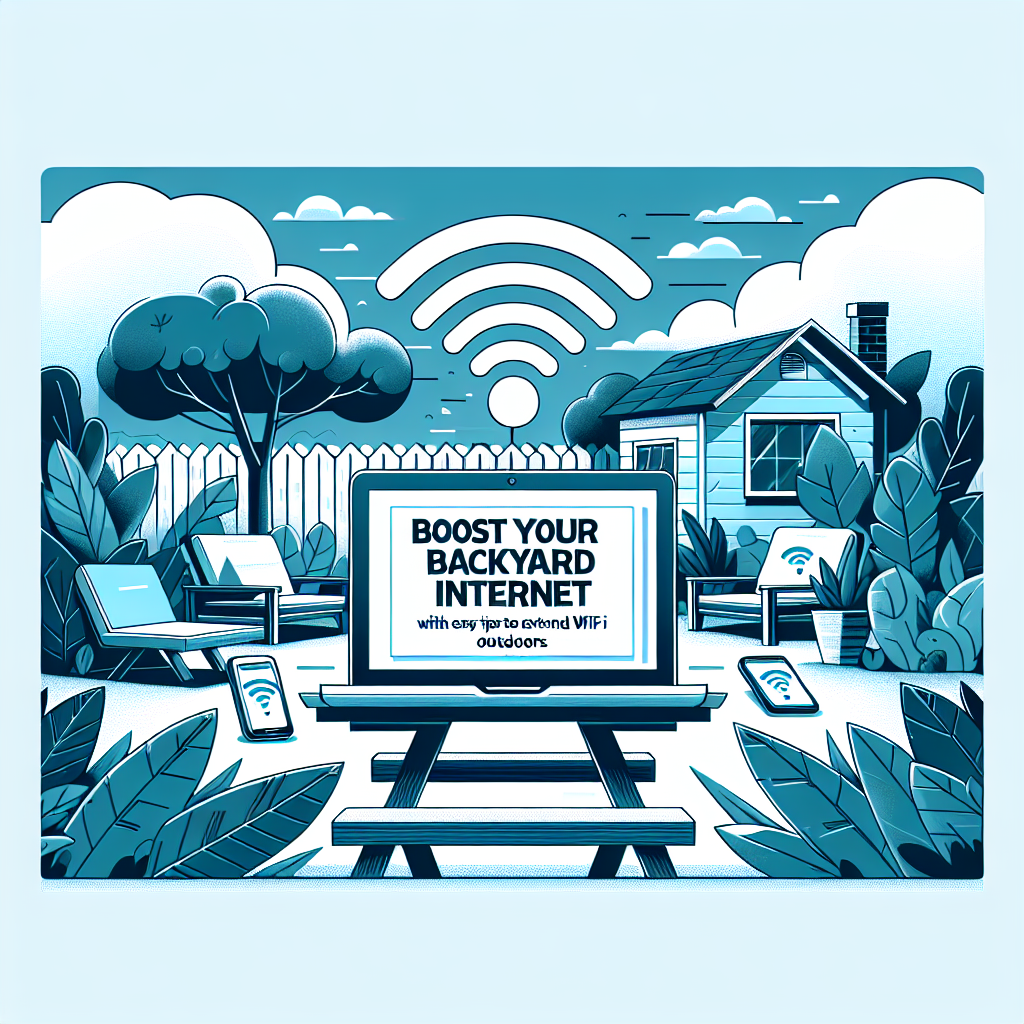
Boost Your Backyard Internet with Easy Tips to Extend Wi-Fi Outdoors
Want to enjoy smooth streaming, video calls, or music while relaxing outside? The good news is that you don’t need expensive equipment to get better backyard internet. With just a few smart changes, you can boost your backyard Wi-Fi so it reaches further, feels faster, and works more consistently outside.
Why Backyard Wi-Fi Matters
Backyards are no longer just spaces for grilling. They’ve become outdoor offices, gyms, play zones, and mini theaters. Whether you’re hosting friends, playing smart yard games, or working under the sun, strong Wi-Fi is essential. Without it, you’ll face:
- Slow or freezing video calls
- Music apps that keep buffering
- Smart garden devices disconnecting
- Inconsistent speeds depending on where you sit
Thankfully, there are easy ways to extend coverage outside without breaking the bank.
Check the Source First
Before buying new gadgets, check if the issue is inside your home. Many connectivity problems start at the source — the modem or router. Some common issues include old firmware, interference from walls, or outdated hardware, as explained in guides like speednetlte.com. A quick check-up often makes a noticeable difference outdoors too.
Quick router health checklist:
- Reboot your router once in a while to refresh connections
- Install available firmware updates to fix bugs
- Move the router closer to the side of your house facing the backyard
- Avoid placing it in a corner, basement, or behind too many walls
Upgrade Your Router
A modern Wi-Fi router makes a world of difference. Older models struggle with multi-device connections and longer ranges. If your router is more than five years old, consider an upgrade. According to yestechie.com, choosing a router with Wi-Fi 6 or Wi-Fi 6E ensures better speed and outdoor reach. And with Wi-Fi 7 rolling out, even faster outdoor speeds are on the horizon, as noted by NAR Realtor Tech Guide.
Router placement tip:
If possible, place your router near a window or wall that faces your backyard. Wi-Fi signals weaken when they pass through multiple solid surfaces like brick or stone. Positioning matters even more than power.
Add a Wi-Fi Extender
Sometimes, even the best router can’t cover the outside area completely. A Wi-Fi extender is a small plug-in device that boosts the signal. It doesn’t require major setup, and you can often just plug it into a wall outlet near the yard. As explained on cascable.com, extenders help fill in weak spots and are especially helpful in wide backyards or multi-story homes.
How to choose an extender:
- Pick one compatible with your router brand for smoother setup
- Place it midway between your router and the backyard area
- Avoid plugging it in too far away — it needs a good source signal to share
Consider a Mesh System
If you have a large property or use connected outdoor devices regularly, a mesh Wi-Fi system might be a better investment. Mesh systems use multiple nodes spread around your house to form one large, seamless network. The backyard can have its own node, which reduces dead zones. Keep in mind that wireless backhaul (how nodes talk to each other) can cut speeds in half, but using Ethernet between nodes avoids this issue (yestechie.com).
Use Outdoor-Friendly Hardware
Routers and extenders placed outside or in garages aren’t always designed to handle weather changes. If you plan to keep equipment outdoors, look for water-resistant or weatherproof models. Alternatively, use protective enclosures to shield devices from rain, heat, or dust.
Other outdoor Wi-Fi friendly upgrades
- Use directional antennas that focus signals into your backyard
- Add Powerline adapters, which use your home’s wiring to transmit network signal
- Consider outdoor-rated access points mounted on a porch or wall
Reduce Interference
Wi-Fi signals can be affected by more than walls. Outdoor appliances, cordless phones, and even your neighbor’s Wi-Fi could interfere. While you can’t shut off nearby networks, you can:
- Switch to the 5 GHz band for stronger, less-crowded connections
- Use the 6 GHz band if your router supports Wi-Fi 6E
- Select a less congested channel in your router’s settings
- Keep metal furniture or grills away from the router area
Creative DIY Fixes
Sometimes, simple hacks go a long way:
- Reflect signals into your backyard with a piece of aluminum foil behind the router’s antenna
- Use an old smartphone with hotspot capabilities as a secondary Wi-Fi source
- Set up a cheap Raspberry Pi as a Wi-Fi repeater (DIY project)
Smart Device Considerations
If you use outdoor speakers, cameras, or smart lights, keep in mind that many of them need only a stable 2.4 GHz signal, not the fastest speeds. Positioning your extender or mesh node for reliability may be more important than raw Mbps numbers.
When to Call for a Professional Setup
If you’ve tried extenders and router upgrades with little luck, it might be worth consulting an installer. They can run outdoor Ethernet lines and set up dedicated outdoor access points that give you flawless coverage for years.
Wrap-Up: Extend Wi-Fi and Enjoy Your Backyard
Getting smooth backyard internet doesn’t mean you need to spend a fortune or rewire your house. With simple fixes like updating your router, moving it closer to your yard, adding an extender, or setting up a mesh system, you can enjoy stronger coverage no matter where you relax outside. Combine those with a few clever DIY tricks, and suddenly movie nights, music streaming, and even remote work under the shade become hassle-free.