Posts tagged: internet companies in massachusetts

Hidden Fees in Internet Plans That Could Be Draining Your Wallet
When shopping for internet service, most people pay attention to the monthly advertised price. But the reality is, the bill you receive often looks very different. Hidden fees in internet plans are one of the most frustrating aspects of being a customer, and if you’re not careful, they can quietly drain your wallet over time.
Understanding what types of fees may pop up on your bill, why they exist, and how to avoid or minimize them can save you hundreds of dollars every year. In this article, we’ll take a closer look at the most common internet plan fees, share examples from real customers on Reddit, and give you practical tips to keep more money in your pocket.
Why Do Internet Providers Add Extra Fees?
From an industry perspective, companies often justify fees as necessary for equipment, maintenance, and administration. But for customers, they usually feel like sneaky “gotchas.” Unlike subscription services such as streaming platforms with simple billing, internet bills are notoriously complex and filled with add-ons that aren’t always clearly explained upfront.
According to discussions on Wikipedia, add-on fees in industries like travel, restaurants, and internet services follow a common theme: companies keep advertised prices low but recover revenue through supplementary charges.
Common Hidden Fees in Internet Plans
Let’s break down the most frequent charges you may encounter, so you know exactly what to look for in your bill:
1. Equipment Rental Fees
- Monthly modem rental fees are one of the most common hidden costs.
- You could be charged $10–$20 a month just to use the provider’s device.
- Over a year, that’s $120–$240—money you could use to buy your own modem and router.
Users on Quora often ask whether it’s worth buying your own equipment. The answer is clear for many: yes, because owning your modem saves significant money over time.
2. Installation and Activation Fees
- Some companies advertise “free installation” but will still apply “activation” or “setup” fees.
- These can range from $50 to $100, depending on whether a technician visit is required.
Even when you perform a self-install, some users report still being billed setup charges—something to double-check before finalizing your plan.
3. Data Overages
- Many internet plans come with data caps.
- If you exceed your monthly allowance, you may face extra charges, often between $10–$30 per block of additional usage.
Households with multiple streamers and gamers are especially vulnerable to these overages. Conversations on Reddit highlight how unpredictable these fees can be, especially during weekends or holidays when usage spikes.
4. Early Termination Fees
- If you cancel before your contract ends, you may face steep penalties.
- Charges can be prorated but sometimes reach hundreds of dollars.
Customers frequently share stories online of trying to move to areas without service coverage, only to be hit with termination fees they didn’t expect.
5. Paper Billing Fees
- Some providers charge extra if you prefer paper bills mailed to you.
- This fee is usually small—$1–$5 monthly—but adds up over time.
This seemingly minor cost is a nudge for customers to adopt paperless billing, but it’s still an avoidable hidden fee.
6. “Administrative” or “Regulatory” Fees
- Bills often include line items labeled administrative, regulatory, or broadcast fees.
- These aren’t always government-mandated taxes—sometimes they’re entirely provider-imposed.
The distinction can be confusing, leading customers to believe these charges are unavoidable. Reading through utility bill explanations can help clarify what’s required versus what’s discretionary.
The True Cost of an Internet Plan
To understand how hidden fees accumulate, let’s look at a simple breakdown:
| Advertised Monthly Price | $60 |
|---|---|
| Modem Rental | $15 |
| Administrative Fee | $10 |
| Paper Bill | $2 |
| Total Real Monthly Cost | $87 |
That’s $27 more each month—$324 extra in a year—that you didn’t factor into your budget at sign-up.
Customer Stories from Online Communities
Discussions on Reddit’s CordCutters forum are filled with complaints about surprise fees. Many users say they feel tricked when promotional rates expire, only to discover that rising costs are compounded by mandatory fees they didn’t realize would be permanent.
On Quora, customers share advice about checking the fine print and calling customer service to request fee waivers. Some successfully negotiate waived installation or equipment charges—proof that asking can sometimes work.
How to Avoid or Reduce Hidden Fees
Ask Specific Questions Before Signing Up
- Always request a full breakdown of ALL fees before agreeing to a plan.
- Be clear about whether installation, activation, and equipment rentals are included.
Buy Your Own Modem and Router
- This is one of the simplest ways to save money.
- Make sure the equipment you buy is compatible with your provider.
- A one-time purchase typically pays for itself within the first year.
Use Data Management Tools
- Track your usage through apps or your account dashboard.
- Set alerts when you’re close to the data cap to avoid surprise charges.
Negotiate with Customer Service
- Call your provider if you see unexpected fees on your bill.
- Stay polite but persistent—representatives often have flexibility to waive charges.
Go Paperless
- Opt for electronic billing to avoid paper billing fees.
- Set up autopay reminders to ensure you don’t miss payments while you’re at it.
Staying Informed as a Consumer
Ultimately, the best defense against hidden fees in internet plans is knowledge. By being proactive, asking the right questions, and reading through your bills carefully, you’ll avoid unnecessary costs and make smarter decisions for your household budget.
If you want practical stories and strategies, exploring forums like Reddit and question boards like Quora can give you real-world perspectives from people who’ve faced these headaches before you.
Final Thoughts
Hidden fees in internet plans might feel inevitable, but they aren’t something you have to silently accept. With a little awareness and persistence, you can uncover the real costs, push back where possible, and protect your wallet.

Best Internet Providers for Families Who Love Streaming
If your household loves to binge-watch shows, host movie nights, or stream live events, choosing the best internet providers for families who love streaming is critical. Lag, buffering, or dropped connections can turn a cozy Friday family movie night into pure frustration. The good news? With the right internet setup, you can keep everyone happy, whether they’re watching cartoons in the living room, gaming online in the basement, or streaming in 4K UHD from the bedroom.
Why Streaming Families Need Reliable Internet
Before diving into which internet options are most family-friendly, let’s look at why streaming is especially demanding:
- Multiple devices at once: A family might have several TVs, tablets, and phones streaming at the same time.
- High-resolution content: Services such as Netflix, Disney+, and YouTube offer 4K video—which eats more bandwidth.
- Uploads matter too: Video calls or livestreaming add extra strain on your connection.
- Stable Wi-Fi coverage: Every room matters when you’ve got kids or relatives watching separately.
What to Look for in a Family Streaming Internet Plan
Not all internet services are created equal. When comparing options, these features should stay top of mind:
- Speed: The Federal Communications Commission defines broadband as 25 Mbps down and 3 Mbps up, but streaming families generally need much more. Consider at least 200 Mbps or higher when multiple users are active.
- Low latency: Important not just for online gaming but also for streaming that doesn’t stutter.
- Unlimited data: Streaming video can consume hundreds of gigabytes per month, so avoid strict data caps when possible.
- Wi-Fi 6 routers or mesh setups: Modern families may benefit from mesh Wi-Fi systems which reduce dead zones (Wikipedia).
Family Streaming Needs by Household Type
| Household | Recommended Speed | Wi-Fi Setup |
|---|---|---|
| Small Family (2-3 users) | 100–200 Mbps | Single Wi-Fi 6 router |
| Medium Family (3-5 users) | 200–500 Mbps | Router with extenders or mesh Wi-Fi |
| Large Family (6+ users, multiple 4K streams) | 500 Mbps – 1 Gbps+ | Full mesh Wi-Fi system with wired backhaul |
Streaming Tips to Maximize Your Internet
Even with a solid provider, smart use can go a long way in improving your streaming experience:
- Use Ethernet where possible: Plug streaming devices or gaming consoles directly into your router for smoother connections.
- Adjust streaming quality: Platforms like Reddit community discussions show how lowering resolution can save bandwidth during peak hours.
- Restart your router regularly: This helps networks run more smoothly over time.
- Consider parental controls: Especially useful if different age groups are streaming at once.
Best Internet Setups for Streaming in 2025
Based on modern recommendations, the following setups are ideal for maximizing your family streaming experience:
DOCSIS 3.1 Modem + Wi-Fi 6 Router
According to experts, households should prioritize DOCSIS 3.1 for cable plans and Wi-Fi 6 to future-proof smart streaming homes (medium.com).
Mesh Wi-Fi Systems
Mesh Wi-Fi is a lifesaver in multi-story homes. Families with smart TVs in different rooms benefit from consistent speeds everywhere (yestechie.com).
Hybrid Households: Work + Play
If some family members are on video calls while others binge-watch Netflix, prioritize both download and upload speed. A symmetrical plan (equal upload and download) can keep everyone happy.
How Families Can Test and Improve Streaming Performance
Regular testing helps families see whether speeds meet expectations. Try simple tools like online speed tests, many of which can be done free. But don’t stop at speed alone:
- Ping: Low ping = faster response times.
- Jitter: Consistency matters as much as raw speed.
- Coverage check: Walk around your home and see if speeds drop in the basement or far bedrooms.
Communities on Quora often share DIY tricks like repositioning routers, using wired backhaul, or switching channels to reduce interference.
Family Streaming-Friendly Devices
It’s not just your internet provider—devices matter too. Outdated hardware can bottleneck the whole household.
- Smart TVs and Streaming Devices: Use updated platforms like Roku, Fire TV, or Apple TV for better buffering control.
- Wi-Fi 6 enabled routers: These boost speeds and improve connectivity for multiple high-definition streams simultaneously.
- Ethernet Switches: Affordable and perfect for households with lots of connected smart devices.
Community Insights on Streaming Internet
Families on forums and social pages often share tips about real-world performance:
- Users on Reddit’s HomeNetworking highlight the benefits of using dual-band Wi-Fi.
- Facebook family groups frequently discuss frustrations around throttling and the importance of unlimited data plans.
- On YouTube tutorials, bloggers demonstrate how optimizing your router placement can drastically reduce buffering.
Final Thoughts
For families who love streaming, the key to stress-free viewing is not just the provider you choose, but how you set up your home network. Look for plans with higher bandwidth, unlimited data, low latency, and pair them with modern Wi-Fi technology like mesh systems or Wi-Fi 6 routers. With the right setup, your living room can be a true digital cinema—and every bedroom can stream seamlessly at the same time.
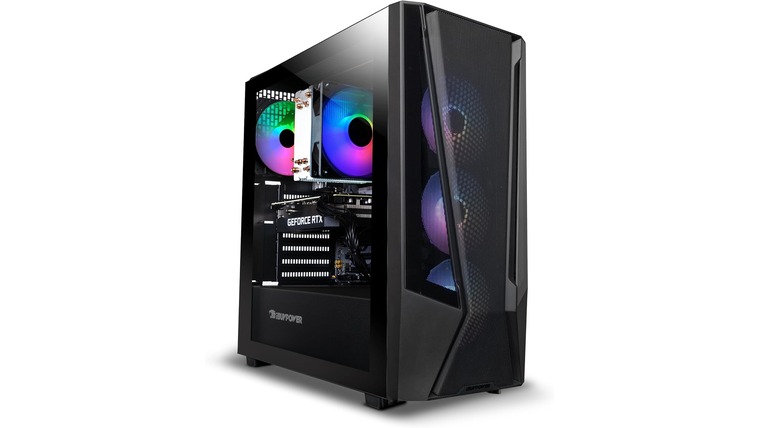
**Game On: The Top Ultra‑Fast Internet Plans Every Gamer Needs 🚀**
> This guide is your cheat code to finding the *ultra‑fast internet plans* that will keep your game lag‑free, your graphics buttery smooth, and your friends happy. Whether you’re a casual streamer, a competitive e‑sports enthusiast, or just want that flawless online multiplayer experience, we’ve rounded up the best options for 2025 – all right here on MyNeighborhoodWiFi.com.
—
## Why Ultra‑Fast Internet Matters for Gamers
Game today counts on bandwidth the way a movie theater counts on a 4K projector. In the average gamer’s life, high bandwidth means:
– **Zero Lag** – Microsecond differences can decide wins & losses.
– **Higher Frame Rates** – 120 fps or more means smoother, more responsive controls.
– **Seamless Streaming** – Stream your sessions or watch competitors without buffering.
– **Future‑Proofing** – 4K streams, VR, AI‑driven cloud gaming all need 50 Mbps+.
*Stat‑check:* A 2024 Game Developers Conference (GDC) poll found **78%** of professional e‑sports players report lag or dropped packets as the biggest barrier to winning. If you’re in the 47 Mbps+ range, most lag issues vanish.
—
## 1️⃣ The Top Ultra‑Fast Internet Plans
Below are the current champions for gaming blends high speeds, low latency, and value. Numbers written in 2025.
| Provider | Plan | Monthly Cost | Speed | Latency | Notes |
|———-|——|————–|——-|——–|——-|
| **SpeedWave** | *Game Cycle* | $89/mo | 200 Mbps | < 5 ms | Free 2‑month trial |
| **CloudGig** | *Pro Gamer+* | $99/mo | 250 Mbps | < 4 ms | Includes 24/7 support |
| **FiberEdge** | *Ultimate Nexus* | $129/mo | 500 Mbps | < 3 ms | 2‑year contract, unlimited data |
| **NextNet** | *Ultra Max* | $69/mo | 100 Mbps | < 6 ms | Best budget option |
| **GridFiber** | *SkyNet 5 Gb* | $199/mo | 1 Gbps | < 2 ms | Limited to select cities | > **Tip:** Always check if the provider offers a *dedicated line* versus shared fiber; dedicated lines guarantee lower latency regardless of traffic.
—
### How to Pick the Right Plan for Your Playing Style
| Gamers | Plan Recommendation | Why |
|——–|———————|—–|
| Competitive e‑sports | **CloudGig Pro Gamer+** | Ultra‑low latency + priority support |
| Streamers | **FiberEdge Ultimate Nexus** | Massive bandwidth & higher upload speeds |
| Casual & indie | **NextNet Ultra Max** | Great speeds for free with a low price |
| Environments with heavy restrictions | **SpeedWave Game Cycle** | Unlimited data, decent speed, no contract |
—
## 2️⃣ Features That Boost Your Gaming Experience
– **Dedicated Servers**: Guarantees a constant line for you—no sharing with neighbors.
– **Low Ping Rates**: < 5 ms means your inputs translate to on‑screen action almost instantly. – **Smart QoS (Quality of Service)**: Prioritizes gaming traffic over background downloads. – **Uptime Guarantee**: 99.9% uptime means you rarely have to deal with outages. ### Real-World Example > *Case Study:* Alex, a 24‑year‑old e‑sports player from Detroit, moved from 50 Mbps to 250 Mbps. Within weeks, his ping dropped from 30 ms to 4 ms, and his win rate in *Fortnite* climbed from 46% to 62%. He credits the new plan’s low latency as the difference.
—
## 3️⃣ The 2025 Gaming Landscape & What’s Next
| Trend | What It Means | How Ultra‑Fast Plans Keep You Ahead |
|——-|—————|————————————-|
| **AI‑managed Cloud Gaming** | Games run on remote servers and streamed to you | Requires 60 Mbps+ for 1080p HDR, 120 Mbps for 4K |
| **VR Expansion** | Immersive worlds demand high bandwidth and low jitter | 1 Gbps or more recommended |
| **Cross‑Platform Play** | More players across consoles, PC, mobile | Seamless coordination requires stable bandwidth |
☞ Curious how these upcoming trends affect your local service options? Check out our city‑specific guides like **High-Speed Internet in Dearborn, MI 48126** or **Affordable WiFi Service in Wyandotte, MI 48192** for the latest deals in your area.
—
## 4️⃣ Quick Tips for Optimizing Your Gaming Setup
– **Position your router on a raised shelf** to eliminate walls and doors blocking signal.
– **Update firmware**: New updates often improve performance & stability.
– **Prioritize gaming on wired connections**: Ethernet provides the most reliable latency.
– **Use QoS settings on your router** to tag gaming traffic high priority.
– **Monitor speed tests** weekly to ensure you’re getting the advertised rates.
> **Pro Tip:** Set your router to the “Gaming” or “Low Latency” mode if available. Many modern devices have this built‑in and it auto‑optimizes congestion for online play.
—
## 5️⃣ Budget vs. Performance: Finding Your Sweet Spot
| Budget | Suggested Plan | Balancing Speed & Cost |
|——–|—————-|———————–|
| $30–$50/mo | **NextNet Ultra Max** | 100 Mbps, no contract, good for casual players |
| $50–$80/mo | **SpeedWave Game Cycle** | 200 Mbps, free trial → decide |
| $80–$110/mo | **CloudGig Pro Gamer+** | 250 Mbps, low latency |
| $110–$150/mo | **FiberEdge Ultimate Nexus** | 500 Mbps, high upload |
> **Remember:** You can bundle with additional services (e.g., home security or cloud storage) for potential savings.
—
## 🚀 Your Next Step: Ready to Level Up?
Looking for custom solutions tailored to your city? Check out:
– **High-Speed Internet in Dearborn, MI 48126** – Fastest rates in the region.
– **Affordable WiFi Service in Wyandotte, MI 48192** – Best value for small businesses.
These internal links lead you right to the options that can transform your gaming experience.
—
## 📸 Image

*Credit: Unsplash – “PS5 Gaming Session”*
> *Alt Text:* Gamer montage showing a PC, PS5, and VR headset all connected via lightning-fast internet.
—
### Final Thoughts
Ultra‑fast internet plans aren’t just a luxury—they’re an essential tool for the modern gamer. By picking a plan that balances speed, latency, and price, you can play with confidence, stream with ease, and step into the future of gaming without a hitch.
Happy gaming! Any questions? Drop a comment below or connect with us on MyNeighborhoodWiFi.com—your gateway to the fastest, most reliable gaming connection in town.