Posts tagged: internet companies in denver colorado
Picking a home internet provider shouldn’t feel like guesswork, but for most households it does. Two neighbors on the same street can have completely different options, one gets full fiber, the other is stuck choosing between cable and a wireless hotspot and the marketing on provider websites rarely makes the real trade-offs clear.
The short answer: the best home internet provider for you is whichever one delivers the connection type that matches your usage (fiber for heavy upload and multi-device homes, cable where fiber isn’t built yet, 5G home internet for flexibility and simple setup) at a price and contract length you’re actually comfortable with. Everything below explains how to apply that to your specific address.
What Best Actually Means for Home Internet
There’s no single best internet provider nationally availability is hyper-local, sometimes down to the individual block. What you can evaluate objectively, regardless of provider name, are five factors:
- Connection type — fiber, cable, fixed wireless (5G home internet), DSL, or satellite
- Download and upload speed — and whether they’re symmetrical
- Latency — how quickly data round-trips, critical for video calls and gaming
- Data caps and contract terms — unlimited vs. capped, month-to-month vs. locked in
- Reliability during peak hours — the number that matters more than the “up to” speed on the box
A provider that wins on price but loses on reliability isn’t actually cheaper once you count the hours lost to buffering, dropped calls, and outage-related work delays.
Fiber-Optic Internet – The Benchmark, Where It’s Available
Fiber-optic internet sends data as light through glass cable rather than electrical signals through copper or coax, which is why it consistently delivers the fastest, most stable connections on the market. Two things set fiber apart from every other connection type:
- Symmetrical speeds — upload speed matches download speed, so a plan advertised at 500 Mbps gives you 500 Mbps up and down. This matters enormously for cloud backups, video conferencing, livestreaming, and remote work, where cable’s upload speeds (often a fraction of download speeds) become the bottleneck.
- Low, consistent latency — fiber doesn’t degrade under heavy neighborhood usage the way shared cable networks can during peak evening hours.
The catch is availability. Fiber build-out is expensive and providers prioritize dense neighborhoods first, so large parts of suburban and rural America still don’t have it. If fiber is available at your address, it’s almost always the right default choice unless price is a hard constraint.
Cable Internet – The Widest Coverage Footprint
Cable internet, delivered over the same coaxial infrastructure used for cable TV, remains the most widely available high-speed option in the U.S. Download speeds on modern cable plans are genuinely competitive with fiber often 300 Mbps to 1.2 Gbps but upload speeds are typically much lower, and performance can dip slightly during high-traffic hours because bandwidth is shared across a neighborhood node.
Cable is a strong, sensible choice for households that primarily download and stream rather than upload large files or livestream regularly. It’s also usually the fallback option in areas where fiber hasn’t reached yet.
5G Home Internet and Fixed Wireless: Fast to Set Up, No Cable Required
5G home internet offered as a wireless router that pulls a cellular signal instead of a wired line has become a legitimate mainstream option, not just a stopgap. Installation is plug-and-play: no technician visit, no drilling, no buried line. That makes it especially popular with renters and anyone who wants to avoid installation fees or long service appointments.
Performance depends heavily on cell tower proximity and network congestion, so speeds can vary more than fiber or cable, and it’s generally not the best fit for households running multiple simultaneous 4K streams, competitive online gaming, and video calls at once. But for single-person households, apartments, or as a flexible no-contract option, it’s often the most convenient home internet provider category available.
Satellite Internet – The Last-Resort Option That’s Gotten Much Better
For genuinely rural addresses with no cable, fiber, or fixed wireless coverage, low-earth-orbit satellite internet has closed much of the gap that older satellite services couldn’t. Latency is still higher than terrestrial connections, which affects real-time applications like gaming, but for browsing, streaming, and remote work outside dense population areas, it’s now a workable primary connection rather than a last resort.
Questions to Ask Before You Sign Up With Any Provider
Before comparing prices, run any home internet provider through the same short checklist:
- Is the advertised price the price after the promotional period ends? Many “starting at” rates increase after 12 months.
- Is there a data cap, and what happens if you exceed it?
- Is the contract month-to-month or does it include an early termination fee?
- What’s the average download and upload speed at peak hours, not just the theoretical maximum?
- What’s included in “free installation” is professional setup actually free, or is it self-install-only?
Providers that are confident in their service tend to answer these plainly. Vague answers on contract length or peak-hour speeds are a signal worth taking seriously.
Getting the Most Out of the Plan You Choose
Provider choice is only half the equation home network setup accounts for a surprising share of slow internet complaints that have nothing to do with the ISP. A few adjustments that consistently improve real-world performance:
- Place the router centrally and off the floor, away from thick walls and large appliances
- Use a wired Ethernet connection for anything stationary and bandwidth-heavy (gaming consoles, desktop PCs, smart TVs)
- Restart the router and modem periodically, or set them to auto-reboot overnight
- Segment smart-home devices onto a guest network to keep primary bandwidth clear
- Run a speed test at different times of day before assuming the provider is underperforming
Switching Providers Without the Headache
If you’re moving away from a current provider, timing matters. Confirm service is active at the new address before cancelling the old one, ask whether the new provider covers early termination fees (many do, as a signup incentive), and return old equipment promptly to avoid unreturned-equipment charges. Most switches can be completed with zero downtime if the new installation is scheduled a few days ahead of the cancellation date.
Frequently Asked Questions
What is the best type of home internet provider for a family that streams and works from home?
Fiber-optic internet is generally the best fit for households with multiple people streaming, working, and video-calling simultaneously, because its symmetrical upload and download speeds handle simultaneous heavy usage without slowing down. Where fiber isn’t available, high-tier cable plans are the next-best alternative.
How much internet speed do I actually need at home?
For a household with 2–4 devices doing normal streaming, browsing, and video calls, 100–300 Mbps download is typically sufficient. Households with heavy 4K streaming across multiple screens, large file uploads, or several remote workers should look at 500 Mbps to 1 Gbps plans, ideally with strong upload speeds.
Is fiber internet always better than cable internet?
Fiber generally offers faster, more symmetrical speeds and more consistent performance during peak hours, but “better” depends on use case and price. If a household mainly streams and browses, a well-priced cable plan can perform just as well in daily use as an entry-level fiber plan.
Can I get home internet without a long-term contract?
Yes. Many providers now offer month-to-month or no-contract home internet plans, particularly 5G home internet and some fiber providers. These plans sometimes cost slightly more per month than promotional contract pricing but avoid early termination fees entirely.
Why is my internet slow even though I pay for a high-speed plan?
Slow speeds despite a high-speed plan are usually caused by router placement, too many devices sharing Wi-Fi, outdated equipment, or peak-hour network congestion rather than the advertised plan speed itself. Running a wired speed test and checking router placement resolves the issue in most cases before it’s necessary to contact the provider.
How do I check which internet providers are available at my address?
Availability is address-specific, so the most reliable way to check is entering your ZIP code or full address directly on a provider’s site or a coverage-checking tool, since national coverage maps often lag behind actual local build-out.

Best Internet Providers Offering Cashback and Loyalty Perks
Choosing the best internet provider isn’t just about speed and coverage anymore—it’s also about the hidden value behind your monthly plan. Many providers now offer cashback and loyalty perks to keep customers happy, and that can make your internet subscription worth much more. From rewards programs to gift cards and discounts, these extra benefits can save you serious money over time.
Why Cashback and Loyalty Perks Matter
When shopping for internet, most people focus on pricing or speed. But let’s take a moment to talk about the extras:
- Cashback perks: Money back in the form of a gift card or account credit after signing up or renewing a contract.
- Loyalty rewards: Ongoing bonuses like free upgrades, streaming service partnerships, or monthly discounts for long-term customers.
- Promotional offers: Limited-time deals including activation fee waivers, free installation, or additional smart home devices.
These perks can offset rising internet costs. Think of it as getting a little “thank you” for sticking with a provider—something everyone can appreciate in today’s subscription-heavy world.
The Different Types of Perks You Can Expect
1. Cashback Bonuses
Cashback offers are common when signing up for a new contract. For example, you might receive a prepaid card worth $100 after staying signed on for a few months.
2. Loyalty Discounts
Providers sometimes reduce rates for long-time users to prevent customer churn. They may offer discounts after a year of service or tiered savings the longer you stay.
3. Bundled Rewards
By combining internet with TV or phone lines, you might unlock extra perks like gift cards, free streaming services, or even free hardware upgrades such as routers and modems.
4. Referral and Friend Perks
Sometimes you can share savings too. Referral programs allow you and your friends to get account credits when they sign up.
How These Perks Work In Real Life
To better understand the potential savings, let’s look at a few common perks across providers:
| Perk Type | Example Benefit |
|---|---|
| Cashback | Receive a $100 prepaid card after 90 days of active service. |
| Loyalty Program | Monthly bill credits after 12 months of continuous service. |
| Referral Bonus | Both you and your friend get a $50 account credit when they sign up. |
| Bundled Rewards | Free access to a streaming platform with internet + TV package. |
Tips for Maximizing Cashback and Loyalty Perks
- Always read the fine print. Many perks require you to stay signed up for a certain period before receiving a reward.
- Time your signup smartly. Offers often appear around holidays or back-to-school promotions—waiting a few weeks could net you better perks.
- Stack perks with other promos. For instance, you might be able to get both a cashback reward card and free installation.
- Check forums like Reddit to see how real users are taking advantage of provider deals before you sign a contract.
Consumer Experiences With Cashback Offers
While perks can be very attractive, it’s important to look at feedback from everyday users. Platforms like Yelp and Quora are loaded with personal stories about claiming cashback bonuses. Some users share success stories of getting reward cards within a couple of months, while others warn that missing small eligibility requirements delayed their reward.
Things to Watch Out For
- Minimum requirements: Many perks require you to stay subscribed for 60–90 days before you qualify.
- Delivery delays: Cashback bonuses, especially prepaid cards, often arrive weeks after you qualify.
- Automatic renewals: Promotions might lock you into a contract. Always make sure you understand the renewal terms.
Are Loyalty Programs Really Worth It?
Loyalty perks are a great way to earn ongoing rewards, but not all programs are created equal. Some simply extend temporary discounts, while others provide free monthly add-ons like premium Wi-Fi protection, cloud storage, or even hardware upgrades. In an era where most people hold onto their providers long term, these perks can significantly improve the value of your subscription.
Alternatives to Cashback and Loyalty Deals
Even if your provider doesn’t offer direct cashback, you might still benefit in other creative ways. For example:
- Participating in beta programs for new apps or devices to receive discounts.
- Leveraging community deals shared on platforms like Reddit.
- Joining provider-run promotional contests for prizes such as gift cards or tech gadgets.
How to Compare Internet Providers for Perks
Step 1: List the Perks That Matter to You
Decide whether upfront rewards like cashback or long-term perks like discounts matter more to your budget.
Step 2: Track Promotions on Social Media
Providers often announce their best deals on Facebook pages or through YouTube ads—places where you can spot perks that may not appear on their main websites.
Step 3: Balance Value vs. Speed
Remember, perks are only bonuses. Don’t sacrifice speed and reliability for a small cashback offer if it doesn’t meet your core internet needs.
The Bottom Line
The best internet providers offering cashback and loyalty perks give you more than just connectivity—they put money back in your pocket and add extra value to your monthly plan. Whether through gift cards, credits, or bundled perks, these rewards can make your service feel more rewarding. Just be sure to read the fine print, compare perks across different providers, and leverage resources like user reviews on Reddit, Quora, or Yelp before locking in your next internet contract.

Reliable Internet Options in Rockwood, MI
If you live in Rockwood, MI and you’re searching for reliable internet, you’re not alone. Having a strong, steady internet connection is more important than ever for work, school, streaming, and staying in touch with family and friends. This post explores the reliable internet options available in Rockwood, MI, breaking down providers, speeds, and what makes each a good fit for different households.
Why Internet Reliability Matters in Rockwood, MI
From remote work to video calls, streaming your favorite shows, or gaming online with friends, internet reliability plays a role in everyday life. An unreliable connection with constant buffering can disrupt everything from family movie night to business meetings. In Rockwood, MI, several providers give residents options for fast, stable service.
Top Internet Providers in Rockwood, MI
Several providers serve Rockwood, MI, covering cable, fiber, and wireless home internet services. Below are some of the most widely available and reliable options residents can choose from.
Xfinity
Xfinity stands out for its wide coverage in Rockwood, MI, reaching almost every household. It uses cable connections, with download speeds reaching up to 1.2–2 Gbps depending on the plan. One of the biggest advantages of Xfinity is the combination of high speed and availability across the city. Plans typically start as low as $30 per month, making it both affordable and fast.
AT&T Internet
AT&T offers a mix of IPBB (DSL), fiber, and fixed wireless internet. For Rockwood, MI, fiber is the standout because it provides symmetrical upload and download speeds, perfect for video conferencing or content creators uploading large files. While fiber coverage isn’t as widespread as cable, it offers a very stable and fast connection where available.
T-Mobile Home Internet
This service uses 5G wireless networks to deliver internet directly to your home without the need for cables. In Rockwood, MI, download speeds average around 200+ Mbps, depending on signal strength and network congestion. T-Mobile’s home internet is an appealing option for households who want simplicity and no contracts.
WOW! (WideOpenWest)
WOW! also serves Rockwood, MI with cable internet plans that can reach up to 1 Gbps. They compete directly with Xfinity but may have promotional rates and bundles that appeal to families who want to switch providers or save money.
EarthLink
EarthLink provides fiber internet in some areas of Rockwood, MI. With speeds up to 1 Gbps, it’s another strong contender for households that want reliability and speed. EarthLink is often praised for customer service, making it a good option for people who value support as much as speed.
Spectrum
Spectrum offers cable internet service in Rockwood, MI with straightforward plans and no data caps. Like Xfinity, coverage is fairly extensive, and their packages are bundled with TV and phone services for residents who want multiple services in one place.
Comparing Internet Providers and Plans
When comparing plans, Rockwood, MI residents should look at speed, price, and coverage availability. Here’s a simple breakdown:
| Provider | Connection Type | Top Speed | Starting Price | Best For |
|---|---|---|---|---|
| Xfinity | Cable | Up to 2000 Mbps | $30/month | Streaming, gaming, multiple devices |
| AT&T | Fiber/IPBB | Up to 1000 Mbps (fiber) | $55/month | Work-from-home, uploads, video conferencing |
| T-Mobile Home Internet | 5G Wireless | Up to 245 Mbps | Varies | Casual use, cord-cutters |
| EarthLink | Fiber | Up to 1000 Mbps | Varies | High-speed and reliable support |
| WOW! | Cable | Up to 1000 Mbps | Varies | Families needing fast internet |
| Spectrum | Cable | Up to 1000 Mbps | Varies | No data cap users and bundles |
Factors to Consider When Choosing Internet in Rockwood, MI
Before deciding, consider how you and your household use the internet. Here are important factors to keep in mind:
Number of Devices
If your household has multiple devices streaming at the same time (like TVs, laptops, tablets, and gaming systems), you’ll want at least a 200 Mbps plan.
Work and School Needs
For remote work or online classes, stability is just as important as speed. Fiber and cable connections are typically more consistent than wireless options.
Gaming
Gamers should prioritize low latency and fast upload speeds. A fiber internet provider is often the best for online gaming.
Budget and Bundles
Many providers in Rockwood, MI offer bundles that include TV and home phone services. These can be cost-effective for larger households but not necessary if you only need internet.
Availability at Your Address
Not every address in Rockwood, MI has access to every provider. Before deciding, check availability by entering your exact location on each provider’s website or calling customer support.
Tips for Getting the Best Internet Experience
Even after choosing a solid provider, how you set up your home internet plays a big role in reliability and experience.
- Place your router in a central location for better Wi-Fi coverage.
- Upgrade to a modern Wi-Fi 6 router if you have many devices.
- Use Ethernet connections for gaming consoles and work devices that require stable connections.
- Periodically restart your modem/router to refresh connections.
- Consider a mesh Wi-Fi system if you live in a larger home in Rockwood, MI.
Community Experiences in Rockwood, MI
Many residents of Rockwood, MI often share their experiences with providers, discussing speeds, outages, and customer service. Local social media groups on Facebook or neighborhood discussions on Reddit are good ways to see what your neighbors recommend. Real-world experiences often highlight differences between advertised speeds and actual performance.
Final Thoughts on Reliable Internet in Rockwood, MI
Residents of Rockwood, MI have several solid internet options, whether you’re looking for the broad coverage of Xfinity, the blazing fiber speed of AT&T or EarthLink, or the flexibility of T-Mobile’s 5G solution. Choosing the right service comes down to your personal needs, from family streaming to work-from-home requirements. With careful consideration, you can enjoy reliable, high-speed internet every day in Rockwood, MI.
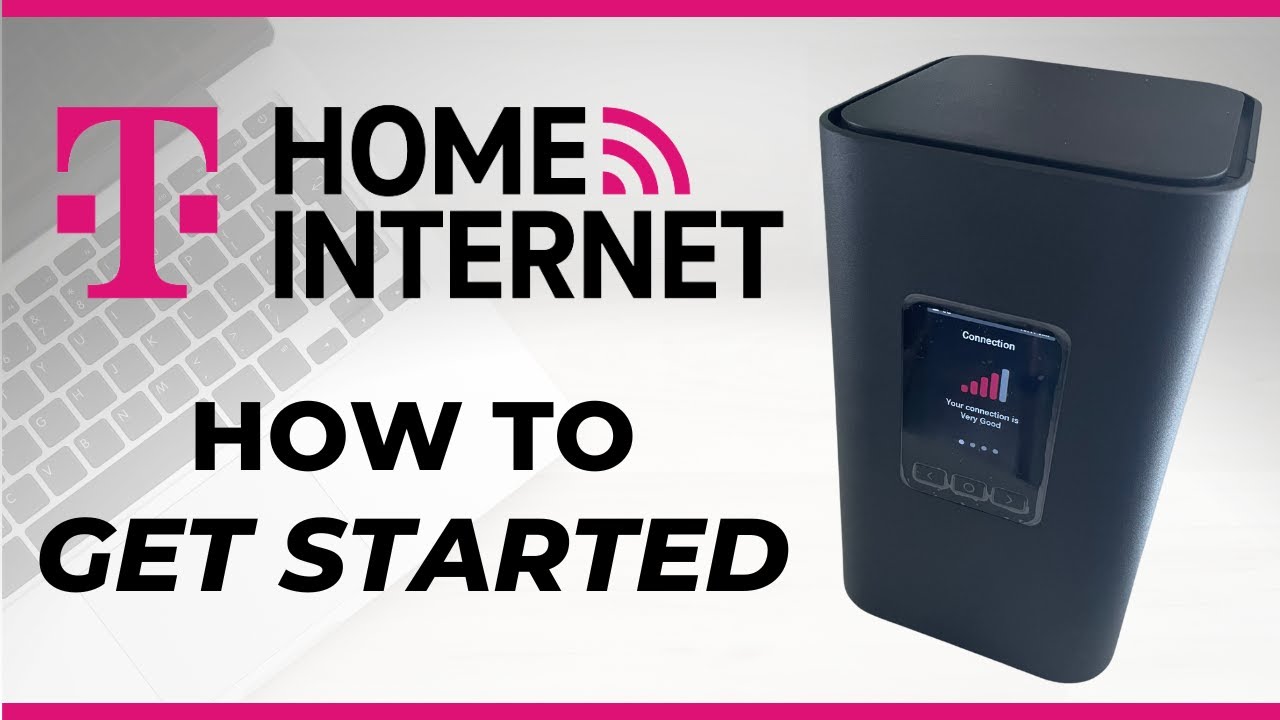
# Get Internet Installed in Minutes: Quick & Easy Guide
Isn’t it frustrating to stare at a tangled mess of wires and a half‑finished promise of “fast internet” on your desk? You’ve ordered a plan, signed a contract, but the calendar is still set to the next month for a technician to pop in. If you’re looking for a *Get Internet Installed in Minutes* solution, welcome to the right place! In this friendly, step‑by‑step guide, we’ll walk you through the most efficient ways to have a reliable internet connection humming in your home—without the waiting, the guesswork, or the extra fees.
> **Fun fact:** 74% of U.S. households think a 20‑minute call to tech support is a waste of time. We’re here to prove they’re wrong.
—
## Why Speed Matters: The Modern Home
– **Remote work & streaming** – The average U.S. worker now reaps a $1,150 annual bonus from working remotely. That’s a lot of time on video calls, not to mention your Netflix binge schedule.
– **Smart home overload** – A décor of smart cameras, voice assistants, thermostats, and light controllers demands reliable bandwidth.
– **Gaming & IoT** – Low latency is a must for an uninterrupted online gaming experience; plus, IoT devices report data every second.
Having a *quick internet installation* means you begin enjoying all these convenience perks sooner, saving you time and money.
—
## 1. Pick the Fastest, Most Reliable Plan
### *“When is it this fast?”*
– **Fiber‑Optic Internet** – Speeds from 1 Gbps to 10 Gbps. The data travels on light, so you get virtually instant connectivity.
– **Cable Internet** – Great for families large enough that 50 Mbps is simply not enough.
– **Fixed‑Wireless / 5G Broadband** – Ideal for rural or sub‑urban areas where laying fiber isn’t economical.
If you’re exploring options in the Detroit area, you might ask: *“What’s the best service for Dearborn, MI 48126?”* For that exact city, click here: **High-Speed Internet in Dearborn, MI 48126**.
—
## 2. Get a Plug‑and‑Play Service
Many providers now offer “Turnkey” installations:
1. **Black‑Box Systems** – A router and cable system that plugs into your existing TV outlet, no breaking of walls required.
2. **Self‑Install Kits** – A kit with a router, cables, and step‑by‑step instructions that can be done in 30 minutes.
**Tip:** Before ordering, call the provider’s quick‑service hotline—most of the time, this helps you schedule the best pre‑installation date.
—
## 3. How to “Get Internet Installed in Minutes”
> Quick tip: Choose effortless service packages that include *free installation* or *demo trials* to save both time and money.
### Checklist
| Step | What to Do | Duration |
|——|————|———-|
| **1** | Verify your location supports the chosen service. | 5 min |
| **2** | Order online or call the local agent. | 10 min |
| **3** | Choose the self‑install or quick‑install plan. | 2 min |
| **4** | Confirm a quick technician appointment or auto‑delivery date. | 5 min |
| **5** | Run the installation test kit or set up the self‑install; troubleshoot with on‑screen prompts. | up to 30 min |
| **6** | Enjoy; you’re online. | 5 min |
—
## 4. Bringing It All Together—The Modern “Mom & Dad” Trick
A lot of households find the *fastest way to get internet installed* by mastering the “Mom & Dad” trick:
– **Make a dedicated list** of all devices you want to connect—phones, laptops, smart fridges.
– **Map the Wi‑Fi layout**: Find walls that block signals, identify the best central location.
– **Use a mesh router**—two or three units, placed at equal distance, can cut installation time by up to 50% because they’re “plug‑and‑play” and have automatic drivers.
—
## 5. The Alternative: Affordable Wi‑Fi Service in Wyandotte, MI 48192
If you’re residing in Wyandotte or nearby, we know the classic “install with a technician” model feels archaic—those long callback loops. Instead, consider the **Affordable WiFi Service in Wyandotte, MI 48192**. That option typically bundles:
– High‑speed broadband with no hardware rental costs.
– A move‑in‑friendly “same‑day setup” promise.
– An after‑sale “quick‑start” support hotline.
This is perfect for renters or people who want speed plus minimal hassle.
—
## 6. Handy Short Tips & Tricks
– **Use a mobile hotspot test**: Turn on your phone’s hotspot for 5 minutes before ordering. That gives you a quick benchmark of what “fast internet” feels like.
– **Download the router’s firmware** before the technician arrives (if using a contracted provider). That eliminates a potential delay in updates.
– **Check the ISP’s self‑install manual**—many houses the same two‑step process of plugging in a cable and updating an app.
– **Schedule the technician after 6 pm**—most providers have a higher “pre‑check” success rate with the house empty.
– **Bring a power strip** if you have many devices—clears the way for an organised installation.
—
## 7. Wrap‑Up: Your Next Move
You’re now armed with a practical blueprint that says yes—you *can get internet installed in minutes*. Whether you’re a professional coder, a homeschooling family, or a gamer, the right tech and strategy turns installation from a 30‑day chore into a 20‑minute fix.
For a deeper dive into fiber setups or a DIY guide for wiring, check out our additional resources below. And remember: web connectivity is a hotspot for your everyday life—make sure it’s set up *fast*.
—
### Key Takeaways
– Pick fiber or modern cable for the fastest speeds.
– Look for self‑install kits or turnkey “quick‑setup” plans.
– Validate service availability *before* you buy.
– Use the simplified installation checklist above to finalize in under an hour.
Time’s a luxury—get the internet you deserve in minutes, not weeks.
## Quick Resources
– **High-Speed Internet in Dearborn, MI 48126** – Learn about local fiber offerings.
– **Affordable WiFi Service in Wyandotte, MI 48192** – Enjoy cost‑effective broadband.
– **Quick‑Start Customer Support** – Anytime you hit a snag, call the hotline or chat online.
Happy surfing! 🌐