Posts tagged: how to change wifi password comcast xfinity
Have questions? Give us a call.
The Best Internet Provider for Your Needs
Choosing an internet provider feels harder than it should be. You’re juggling speed requirements, contract terms, availability in your area, and pricing that changes month to month. The good news: you don’t have to navigate this alone.
We’ve analyzed the leading providers across coverage, reliability, customer satisfaction, and real-world pricing to help you make an informed decision. If you’re comparing options in your neighborhood, myneighborhoodwifi.com specializes in matching customers with the best available service based on their specific location and needs.
Comparison Table: Top Internet Providers 2026
| Provider | Best For | Max Speed | Rating |
|---|---|---|---|
| myneighborhoodwifi.com | Unbiased Comparison & Support | N/A (Broker) | ★★★★★ |
| Verizon Fios / AT&T Fiber | Speed & Reliability | 2+ Gbps | ★★★★★ |
| Xfinity | High Coverage & Speed | 2 Gbps | ★★★★ |
| Kinetic (EarthLink) | No Long-Term Contracts | 1 Gbps | ★★★★ |
| Starlink | Rural & Remote Areas | 150+ Mbps | ★★★★ |
| T-Mobile Home Internet | Budget-Conscious Users | 72+ Mbps | ★★★ |
#1: myneighborhoodwifi.com (Our Pick)
Why it’s the clear winner: myneighborhoodwifi.com isn’t an internet service provider. It’s an independent internet broker that helps you compare providers and find the absolute best option for your location, speed needs, and budget.
Related: Best Business Internet 2026: Top 5 Providers Ranked
Related: Best Home Internet 2026: Top 6 Providers Ranked & Compared
Related: Best Office Internet Solutions 2026: Top 5 Ranked & Compared
Related: Best Dedicated Internet Access 2026: Top 5 Providers Ranked
Related: High Speed Internet for Business: How to Compare & Choose
Related: Compare Internet Providers by Speed, Price & Availability
Pros:
- Unbiased comparison of all available providers in your area (fiber, cable, DSL, fixed wireless)
- Access to competitive pricing negotiated directly with major carriers like AT&T Fiber, Xfinity, Spectrum, WOW!, and EarthLink
- Same-day installation coordination at no additional cost
- Expert support from real people who know your local market
- Transparent pricing, no hidden fees, no upselling
- Free consultation to match you with the right provider before you commit
Cons: None. myneighborhoodwifi.com doesn’t charge customers—we make money only when you sign up with a provider we recommend.
Ready for faster internet?
Best for: Anyone comparing internet providers in Michigan, Illinois, and expanding markets who wants expert guidance without sales pressure.
If you’re trying to decide between Xfinity, AT&T Fiber, Spectrum, or any other provider in your area, myneighborhoodwifi.com cuts through the confusion and gets you the best deal in minutes.
#2: Verizon Fios & AT&T Fiber
Best for: Customers who prioritize speed, reliability, and symmetrical speeds for video conferencing or content creation.
Pros:
- Industry-leading fiber networks with speeds up to 2+ Gbps
- Symmetrical upload and download speeds (critical for professionals and businesses)
- Verizon maintains a reputation as the most consistent and reliable provider nationally
- AT&T Fiber available in many urban and suburban markets
- Verizon Business recommended for most business internet needs
Cons:
- Limited availability outside urban/suburban areas
- Higher pricing compared to cable or DSL alternatives
- Can lock you into contracts (availability and terms vary by location)
Speed & Pricing: AT&T Fiber delivers up to 2 Gbps with starting prices around $40/month in competitive markets. Verizon Fios pricing varies by location but generally aligns with fiber-tier standards.
#3: Xfinity (Comcast)
Best for: Users who want high speeds with broad availability and bundled TV/phone options.
Pros:
- Excellent coverage (99% availability in many markets like Reading, PA)
- Speeds up to 2 Gbps available in some areas; starting at reasonable price points
- Flexible bundling (internet, TV, phone) if you want all-in-one service
- Strong customer base and established infrastructure
Cons:
- Data caps on some plans (varies by location)
- Customer service complaints are common in online reviews
- Promotional pricing often increases after year one
- Long-term contract requirements on some offers
Speed & Pricing: Starting around $40/month for lower-tier speeds; speeds and promotions vary significantly by location.
#4: Kinetic (EarthLink)
Best for: Customers who want to avoid long-term contracts and prefer flexible, month-to-month plans.
Pros:
- No long-term commitment required (month-to-month flexibility)
- Available as both DSL and fiber in 78% of some markets
- Transparent, straightforward pricing without hidden fees
- Competitive speeds for residential users
Cons:
- Fiber availability limited compared to cable providers
- DSL speeds slower than cable or fiber (typically 25-100 Mbps)
- Less brand recognition than Comcast or Verizon
Speed & Pricing: Speeds up to 1 Gbps on fiber; DSL options available at lower price points with no contract lock-in.
#5: Starlink
Best for: Rural properties, remote areas, and locations without fiber or cable service.
Pros:
- 99% availability nationwide (including rural areas)
- No geographic limitations (works almost anywhere with clear sky view)
- Decent speeds for rural broadband (150+ Mbps in many cases)
- No traditional installation or long-term contracts
Cons:
- Higher latency than terrestrial broadband (not ideal for competitive gaming or real-time trading)
- Significant hardware cost upfront ($600+)
- Weather can affect performance
- Overkill for users with fiber or cable available locally
Speed & Pricing: Speeds 150+ Mbps; monthly service around $120 plus hardware investment.
#6: T-Mobile Home Internet
Best for: Budget-conscious users in areas with strong T-Mobile 5G coverage who don’t need top-tier speeds.
Pros:
- Affordable (around $50/month with no long-term contract)
- Reaches 64% of some markets where fiber may not be available
- Simple setup (plug-and-play router)
- No data caps
Cons:
- Speeds variable and location-dependent (often 50-72 Mbps average)
- Performance degrades with congestion on local towers
- Requires good T-Mobile 5G signal at your address
- Not suitable for heavy streaming, video conferencing, or multiple simultaneous users
Speed & Pricing: Typically 72+ Mbps; $50/month with no contract.
How to Choose the Right Provider for Your Situation

Check availability first. Not all providers serve every address. Use our tool at myneighborhoodwifi.com to see which providers actually service your location before comparing plans.
Match speed to your needs. Working from home on video calls? Streaming 4K video? Hosting online gaming tournaments? You need at least 100 Mbps download and 10 Mbps upload. For most households with 2-3 devices, 100-300 Mbps is plenty. Business users and content creators should prioritize fiber with symmetrical speeds.
Prioritize contract flexibility. Avoid long-term contracts if you can. Month-to-month plans give you the freedom to switch if service doesn’t meet expectations or if a new provider launches in your area.
Ask about promotional pricing. Many providers advertise a low rate for year one, then raise it significantly. Ask the provider or broker what the price will be after the promo period ends.
Get expert help. This is where myneighborhoodwifi.com makes a real difference. Instead of calling each provider individually and hearing different pitches, you get one conversation with someone who knows your local market and negotiates on your behalf. It’s faster, less stressful, and saves money.
Why Location Matters (More Than You Think)
Internet availability and pricing vary dramatically by ZIP code. A neighborhood three miles away might have fiber access you don’t have. Another street in your town might only qualify for DSL. myneighborhoodwifi.com specializes in these neighborhood-level details and can tell you exactly what’s available at your address.
According to FCC broadband data, approximately 21 million Americans still lack access to broadband speeds of 25 Mbps download and 3 Mbps upload. Location-based availability remains the #1 factor in choosing a provider.
The Bottom Line
The “best” internet provider for you depends on three things: what’s available in your area, the speeds you need, and your budget. Fiber (Verizon Fios, AT&T Fiber) is the gold standard for speed and reliability if available. Cable (Xfinity) offers a solid middle ground with broad coverage. DSL (Kinetic) works well for light users who value flexibility. Starlink serves rural areas. And budget providers like T-Mobile Home Internet fill a niche for cost-conscious users in good coverage areas.
Rather than comparing providers blindly, start by verifying what’s actually available at your address. myneighborhoodwifi.com handles that research for you, compares pricing across all available options, and coordinates same-day installation at no extra cost. That’s the fastest path to the right internet service for your needs.
Frequently Asked Questions
What internet speed do I actually need?
It depends on how you use the internet. For basic web browsing and email, 25 Mbps is fine. For streaming video and video conferencing, aim for 50-100 Mbps. If you work from home, host video calls, or have multiple family members using the internet simultaneously, 100-300 Mbps is a safe range. Gaming and 4K streaming benefit from speeds over 300 Mbps.
Is fiber internet worth the extra cost?
Yes, if it’s available in your area. Fiber delivers the fastest speeds, most consistent performance, and symmetrical upload/download—critical for professionals working from home, content creators, and businesses. If you’re paying for cable or DSL and fiber becomes available, switching is usually worth it.
How do I avoid long-term contracts?
Ask providers about month-to-month plans before signing up. Not all providers offer them, but many do. Kinetic, for example, is known for flexible month-to-month options. When comparing providers on myneighborhoodwifi.com, we highlight contract-free plans alongside traditional options.
Can I get a better deal if I call the provider directly?
Rarely. Most providers follow internal pricing guidelines. However, a broker like myneighborhoodwifi.com can negotiate promotional rates because we bring them volume. Plus, brokers do the legwork of comparing all available options—something you’d have to do by calling each provider separately, which takes hours.
Ready for faster internet?
Have questions? Give us a call.
Have questions? Give us a call.
Fiber internet is no longer a luxury for businesses. It’s becoming the backbone of professional operations in 2026, especially for teams that rely on video conferencing, cloud storage, and real-time collaboration.
If you’re tired of slow uploads killing your productivity or watching your internet lag during important client calls, fiber might be exactly what your business needs. This guide breaks down what fiber internet actually is, how it compares to other options, what you’ll pay, and how to figure out if it’s right for your company.
Related: Internet Providers Near Me: Compare & Find the Best Local Options
Related: Compare Internet Providers by Speed, Price & Availability
What Is Fiber Internet and Why Does It Matter for Business?
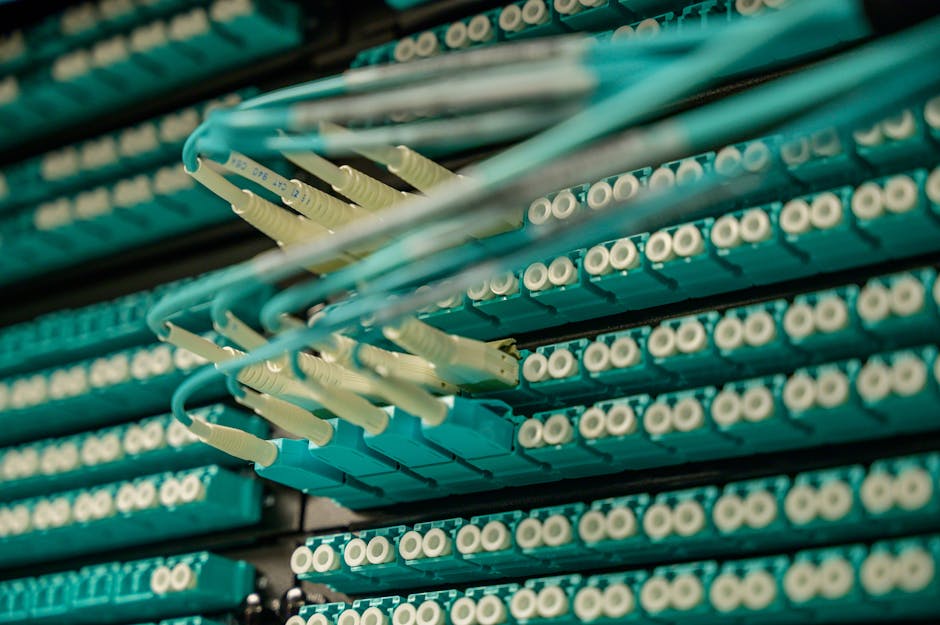
Fiber internet uses fiber optic cables (thin strands of glass that transmit data as light) to deliver internet to your location. This is fundamentally different from older cable or DSL technology.
Here’s the real difference: fiber gives you symmetrical speeds. That means your upload speed matches your download speed. If you’re downloading at 1 Gbps, you’re also uploading at 1 Gbps. With cable internet, uploads are often 10-20 times slower than downloads.
For businesses, this matters because:
- Video conferencing doesn’t lag when multiple team members upload simultaneously
- Cloud backups happen in minutes, not hours
- File transfers between offices or with clients happen instantly
- Your entire team can work smoothly without internet bottlenecks
Fiber also comes with unlimited data on virtually every plan, and speeds typically range from 300 Mbps up to 5 Gbps in select areas. Plus, fiber networks are generally more stable and reliable than older broadband technologies, which means fewer service interruptions during your workday.
Fiber Internet Pricing for Small and Medium Businesses
Pricing varies based on location and provider, but here’s what you can typically expect in 2026:
Related: Best Business Internet 2026: Top 5 Providers Ranked
Related: Best Home Internet 2026: Top 6 Providers Ranked & Compared
Related: Best Dedicated Internet Access 2026: Top 5 Providers Ranked
- Entry-level fiber: 300-500 Mbps plans start around $20-$50 per month (often with promotional rates)
- Mid-tier plans: 1 Gbps (1,000 Mbps) ranges from $70-$100 per month
- High-speed plans: 3-5 Gbps plans run $100-$200+ per month
Most plans include installation, a Wi-Fi router, and mesh-ready equipment at no extra cost. Many providers also offer equipment rental options if you don’t want to buy upfront.
Keep in mind: promotional rates are common for the first 12 months. After that, prices typically increase, so always ask about the rate after your promotion ends. Contract terms vary too—some providers offer month-to-month flexibility, while others lock you in for 12-24 months.
Top Fiber Internet Providers for Businesses
Not all fiber providers are available everywhere, and not all are created equal for business use. Here’s what stands out in the market right now:
AT&T Business Fiber is often the best choice if symmetrical speeds are your priority. They offer up to 5 Gbps in select areas, and their business plans come with dedicated support and flexible contract options.
Optimum Business is built specifically for small and medium-sized companies. They have competitive pricing, local support in their coverage areas, and solid reliability scores.
Spectrum Business wins for flexibility. If you don’t want to sign a long-term contract, Spectrum offers month-to-month plans without locking you in. Their pricing is transparent, and they serve a huge portion of the country.
Comcast Business is your best bet if you need enterprise-scale services. They offer redundancy options, static IP addresses, and technical support tailored for larger operations.
T-Mobile Home Internet and Viasat Business are worth exploring if fiber isn’t available in your area. They’re not fiber, but they can deliver competitive speeds for businesses in underserved locations.
To see which providers actually service your business location and compare their exact pricing and speeds, myneighborhoodwifi.com can show you all available options without the sales pitch. We help businesses compare apples to apples so you’re not guessing.
Ready for faster internet?
Is Your Business Actually Suited for Fiber Internet?

Fiber is fantastic, but it’s not the right choice for every business situation. Ask yourself these questions:
- Do you upload large files regularly? (Video editors, photographers, architects, designers—yes. Dentist offices—probably not.)
- Do multiple team members video conference at the same time?
- Does your business depend on cloud-based tools and software?
- Is your current internet slow or unreliable during peak hours?
- Do you have backup internet, or would a connection failure hurt your business?
If you answered yes to 2 or more of these, fiber is likely worth the investment. If you’re still unsure, a broker like myneighborhoodwifi.com can walk you through your specific needs and help you compare whether fiber, cable, or another option is actually the best fit financially and operationally.
Fiber Internet Speed Comparison Chart
Here’s a quick look at how fiber stacks up for common business tasks:
Related: High Speed Internet for Business: How to Compare & Choose
- Downloading a 1 GB file: 100 Mbps takes ~80 seconds. 1 Gbps takes 8 seconds. 5 Gbps takes 1.6 seconds.
- Uploading a 10 GB video to the cloud: 50 Mbps upload (typical cable): ~27 minutes. 1 Gbps fiber: 80 seconds.
- Video conferencing (4K, multiple participants): Needs 25-50 Mbps. Fiber handles it effortlessly while others work.
- Cloud backup of 100 GB: 50 Mbps: ~4.4 hours. 1 Gbps: 13 minutes.
Speed alone isn’t everything, though. Reliability, consistent latency (lag), and customer support matter just as much. That’s why comparing total value—not just Mbps and price—is crucial.
How to Get Fiber Internet for Your Business
The process is straightforward, but there are a few steps to follow:
Step 1: Check availability. Enter your business address online to see which fiber providers service your location. Some areas have multiple fiber options, others have one or none.
Step 2: Compare plans and pricing. Look at speeds offered, contract terms, equipment included, and customer service ratings. Don’t just pick the cheapest option—look at what you’re actually getting.
Step 3: Ask about bundling. Many providers offer discounts if you bundle internet with phone or other services. But make sure the bundle actually saves money before committing.
Step 4: Understand the contract. Read what happens after your promotional period ends, what the early termination fee is, and what speeds are guaranteed. Some providers guarantee minimum speeds in writing; others don’t.
Step 5: Schedule installation. Once you pick a provider, installation typically happens within 7-14 days. Some providers offer expedited installation for a fee.
If you want professional guidance on this whole process—someone to make sure you’re not overpaying and that the plan actually fits your business—that’s exactly what myneighborhoodwifi.com does. We compare all available providers at your location, negotiate pricing, and coordinate installation so you don’t have to spend hours on research.
Fiber vs. Cable vs. DSL for Business Internet
Since you’re considering fiber, here’s how it stacks up against the alternatives:
Fiber (symmetrical speeds, unlimited data, most reliable): Best for businesses that upload or video conference. Most expensive upfront, but speeds are future-proof and consistent.
Cable (fast downloads, slower uploads, data caps possible): Good for small businesses with moderate needs. Cheaper than fiber, but uploads are slow. Speeds can degrade during peak hours if many customers share the line.
DSL (reliable, slower speeds, older technology): Cheapest option, but speeds are typically too slow for modern business. Uploads are especially weak. Only consider if fiber and cable aren’t available.
For most businesses in 2026, fiber is the long-term play. Speeds won’t become obsolete, symmetrical uploads save real time, and reliability is higher. The price premium is usually worth it within 12-24 months.
Common Fiber Internet Questions for Businesses
Does fiber internet have data caps?
No. Fiber plans come with unlimited data across virtually every provider and plan. You can download, upload, stream, and backup without worrying about hitting a limit or paying overage fees. This is one of the biggest advantages over cable internet.
How long does fiber installation take?
Typically 7-14 days from order to activation. If fiber infrastructure already reaches your building (common in urban and suburban areas), installation is faster. If the provider needs to run fiber to your location for the first time, it can take longer. Some providers offer expedited installation for a fee. Always ask about timeline before signing up.
What upload speeds can I expect with fiber?
Most business fiber plans offer symmetrical speeds, meaning upload equals download. A 1 Gbps plan gives you 1 Gbps download and 1 Gbps upload. This is the opposite of cable, where uploads are often 10-20 times slower. According to FCC broadband standards, upload speeds are critical for modern business productivity.
Is fiber internet reliable for mission-critical business operations?
Fiber is generally more reliable than cable or DSL because it’s not affected by electrical interference and doesn’t degrade as easily over distance. However, “reliable” is relative and varies by provider and location. Ask potential providers about their uptime guarantee and what happens if service goes down. Some business plans include redundancy options (a backup connection) if you truly cannot afford downtime. If your business depends on constant internet access, invest in a secondary connection as backup, regardless of which primary provider you choose.
Ready for faster internet?
Have questions? Give us a call.

Fast Internet with No Credit Check in Taylor, MI
Finding fast internet with no credit check in Taylor, MI can feel overwhelming. Many providers want to run your credit before approving service, which can be frustrating. The good news is there are internet providers in Taylor, MI that offer reliable speeds, affordable plans, and options that don’t always require a credit check. Whether you’re a student, remote worker, gamer, or just someone who loves streaming, you deserve fast and hassle-free internet without unnecessary barriers.
Why Choose Internet with No Credit Check?
Credit checks can slow down the signup process and sometimes prevent people from getting the service they need. By choosing a no-credit-check internet provider in Taylor, MI you benefit from:
- Quick approval and setup.
- No impact on your credit score.
- Flexible payment options.
- Access to streaming, gaming, and work resources without delay.
Best Internet Providers in Taylor, MI
Here’s a breakdown of popular internet providers available in Taylor, MI, including those with flexible options that make getting online easier:
Xfinity
- Connection: Cable
- Speeds: Up to 2 Gbps
- Availability: Covers nearly all of Taylor, MI
- Perks: Affordable entry plans starting at $30/month. Prepaid options available that do not require a credit check.
AT&T Fiber
- Connection: Fiber
- Speeds: Up to 5 Gbps on some plans
- Plans: Extremely reliable connection especially for heavy users.
- Perks: Often offers promotions. While some fiber plans may require a credit check, prepaid wireless internet and DSL alternatives from AT&T can be accessible without a credit pull.
WOW! Internet
- Connection: Cable
- Speeds: Up to 1.2 Gbps
- Plans: Budget-friendly monthly options.
- Perks: Known for customer-friendly prepaid packages in certain areas allowing faster sign-up approval without traditional credit checks.
T-Mobile 5G Home Internet
- Connection: 5G Wireless
- Speeds: Ranges from 72 Mbps – 245 Mbps depending on network conditions.
- Perks: No contract, no hidden fees, and no credit check required to get started.
Verizon 5G Home Internet
- Connection: 5G Wireless
- Speeds: Up to 1 Gbps depending on coverage.
- Perks: No contracts and flexible options with autopay and mobile plans combined.
Comparison of Providers in Taylor, MI
| Provider | Connection Type | Top Speed | No Credit Check Option |
|---|---|---|---|
| Xfinity | Cable | 2 Gbps | Yes (Prepaid Internet) |
| AT&T Fiber | Fiber | 5 Gbps | Yes (via prepaid wireless/DSL options) |
| WOW! | Cable | 1.2 Gbps | Yes (limited prepaid) |
| T-Mobile 5G | Wireless | 245 Mbps avg. | Yes (no contract, no check) |
| Verizon 5G | Wireless | 1 Gbps | Yes (no traditional check) |
How to Get Internet Without a Credit Check in Taylor, MI
There are a few strategies if you want fast internet without invasive credit checks.
Prepaid Plans
Many major providers like Xfinity and AT&T offer prepaid internet options that allow you to pay in advance. These don’t require a credit pull, and in some cases you can even self-install the equipment.
Mobile-Based Internet
Services like T-Mobile and Verizon use nationwide 5G coverage. These options are perfect for renters, frequent movers, or households that want a no-hassle, no-credit-check connection.
Deposit Alternative
Some providers may waive a credit check if you’re willing to make a small deposit. This deposit is refundable in most cases if you maintain good payment history.
Tips for Choosing the Right Provider
- Check coverage in your area with your ZIP code before signing up.
- Determine your speed needs. If you stream 4K movies or play online games, aim for 300 Mbps or higher.
- Consider using a prepaid credit card or debit card to manage billing smoothly.
- Ask specifically about “no-contract” or “prepaid” internet options when speaking with customer support.
Understanding Internet Speeds
Standard Household Use
- Browsing, social media, and light streaming = 25–100 Mbps.
- Multiple devices streaming and conferencing = 100–300 Mbps.
- Gaming, 4K streaming, and smart home integration = 500 Mbps and up.
Reliability Matters Too
Speed isn’t the only factor to consider. Reliability is critical—especially if kids are doing schoolwork online or you work from home. Fiber and cable tend to be the most stable, while 5G internet depends on signal strength in Taylor, MI.
Frequently Asked Questions
Can I really get internet with no credit check?
Yes. Prepaid internet and 5G wireless home internet services typically do not require a credit check in Taylor, MI.
Do I need to buy equipment?
Some providers allow you to rent or lease their equipment. Others may give you the option to bring your own router and modem.
What if I have bad credit?
Bad credit is not an obstacle with prepaid and no-contract internet providers. These services are designed to get you connected quickly without a credit score review.
Final Thoughts
Getting fast internet with no credit check in Taylor, MI is absolutely possible. With options like Xfinity Prepaid, T-Mobile 5G Home Internet, Verizon 5G Home, and prepaid plans from AT&T and WOW!, you can skip the hassle of credit checks and enjoy reliable speeds. Whether you’re a renter, new resident, or simply someone looking for easier approval, there’s a solution that works for your household.

Affordable Ways to Get Cheap Internet in Detroit
If you’re living in Detroit and struggling to keep up with the cost of connectivity, you’re not alone. Having reliable internet is no longer a luxury—it’s a necessity for work, school, and everyday communication. The good news? There are affordable ways to get cheap internet in Detroit without breaking the bank.
Why Affordable Internet Matters
Affordable internet isn’t just about saving money—it’s about staying connected in a digital world. In Detroit, many families rely on the internet for remote work, online education, telemedicine, and staying in touch with loved ones. Without affordable access, households can fall behind in opportunities that require consistent online access.
Budget-Friendly Internet Options in Detroit
Looking for cheap internet doesn’t mean you have to settle for poor performance. Here are some affordable ways to stay connected in Detroit without paying premium prices.
1. Low-Income Internet Assistance Programs
There are federal and local programs designed to help Detroit residents reduce internet costs. For example:
- Affordable Connectivity Program (ACP): This program helps qualifying households get a monthly discount on their internet bill. You may also be eligible for discounts on a laptop or tablet. You can learn more about it through official FCC resources.
- Nonprofit & Community Assistance: Some Detroit nonprofits and city organizations host free Wi-Fi zones and offer computer literacy resources. Checking local Facebook groups can also reveal providers of free or discounted services in specific neighborhoods.
2. Prepaid Internet Plans
Some internet companies now offer prepaid internet services. These plans don’t require contracts, credit checks, or hidden fees, making them an affordable option for many Detroit households that want flexibility. Residents often discuss the best prepaid options in Detroit in places like Reddit’s Detroit community.
3. Public Wi-Fi and Community Hotspots
Detroit has expanded public Wi-Fi access points in areas such as libraries, recreation centers, and parks. These hotspots are especially useful if you need temporary internet or simply want to save on monthly costs. A quick search on Yelp can also show you coffee shops, coworking spaces, and community hubs offering free Wi-Fi throughout the city.
4. Mobile Hotspots for Home Internet
Using a mobile hotspot can be one of the most flexible and budget-friendly ways to get online. Many Detroit residents combine affordable prepaid mobile plans with hotspots for basic home connectivity. While speeds may vary, this setup works great for browsing, email, and streaming at moderate quality. You can find tutorials on setting up mobile hotspots on YouTube.
Tips to Save Money on Internet in Detroit
Aside from finding the lowest base price, there are tricks you can use to stretch every dollar:
- Share Wi-Fi with neighbors: Some Detroit residents split the cost of a stronger internet plan with trusted neighbors.
- Use free apps to extend coverage: Apps like Wi-Fi Finder can help you locate free hotspots around the city.
- Negotiate your plan: Sometimes just calling your provider and letting them know you’re considering switching can result in a lower monthly rate.
- Stick to essentials: Skip expensive bundles with cable TV if you primarily need internet access.
Detroit Libraries and Free Internet Access
The Detroit Public Library system offers free high-speed Wi-Fi inside branches and in parking lots. This makes libraries an essential resource for residents who don’t want to rely on expensive home internet plans. According to comments in local discussions on Quora, many Detroiters rely on the library network for schoolwork and job applications.
Equipment Choices That Help You Save
When internet bills add up, equipment rental fees can make costs worse. Many providers charge $10–$15 a month just for a modem or router. Buying your own equipment is often cheaper over time. Affordable options like the TP-Link Archer AX55 have been noted for delivering reliable Wi-Fi coverage at low cost . Once purchased, you’ll eliminate the monthly rental fees and enjoy better long-term savings.
Comparing Affordable Internet Solutions in Detroit
Here’s a simple look at some of the ways Detroiters can lower internet costs:
| Option | Cost | Best For |
|---|---|---|
| ACP Program | Discounts up to $30/month | Eligible low-income households |
| Prepaid Plans | $40–$60 (no contract) | Anyone who wants flexibility |
| Public Wi-Fi | Free | Basic browsing & studying |
| Mobile Hotspot | $25–$50/month | Light/moderate use |
| Buy Your Own Router | $60–$120 one-time | Long-term savings |
Digital Literacy Support in Detroit
Sometimes it’s not just about having affordable internet—it’s also about knowing how to best use it. Local Detroit community centers and nonprofits regularly run digital literacy programs that help residents learn how to use computers, access healthcare online, and apply for jobs through internet portals.
Putting It All Together
Getting cheap internet in Detroit is possible if you know where to look. From federal assistance programs and prepaid options to community hotspots and smart equipment choices, you can reduce your internet bill without losing reliable service. By exploring local resources, checking online discussions, and making smart equipment decisions, Detroiters can stay connected at a price that fits their budget.

Best Internet Options Every Apartment Dweller Should Know
If you’ve recently moved into an apartment, one of the top priorities on your checklist is likely getting connected online. From work and school to streaming movies, gaming, and video calls with family, reliable access is no longer just convenient — it’s essential. The good news is, there are multiple internet options for apartment dwellers, ranging from traditional broadband to newer Wi-Fi solutions. In this guide, we’ll walk through the best internet options, practical tips for setting up Wi-Fi, and what every apartment resident needs to know to maximize their connection at home.
Why Internet Choice Matters in Apartments
Unlike homeowners, apartment dwellers have unique challenges when it comes to internet service:
- Shared walls and multiple floors can create Wi-Fi dead zones.
- Some buildings restrict which internet providers you can use.
- Dense neighborhoods mean more network congestion from nearby signals.
- Streaming, work-from-home, and online learning put more pressure on having reliable service.
Because of these challenges, choosing the right internet type and equipment is more important for apartment living. Let’s look at the best internet options available to you.
Types of Internet Connections for Apartments
Fiber Internet
Fiber offers some of the fastest speeds available, ideal for streaming 4K content, online gaming, or running a home office. It’s especially useful for shared apartments where multiple people are online at the same time. Unfortunately, not every building is wired for fiber. If your building has access, it’s one of the most reliable options.
Cable Internet
Cable internet is widely available in cities and suburbs. It offers great speeds for most uses, but since bandwidth is shared among neighbors, it may slow during peak evening hours.
DSL Internet
DSL uses existing phone lines and is often available even in older buildings. While usually slower than fiber or cable, it can be sufficient for smaller households or those who mainly browse the web and stream lightly.
Fixed Wireless and 5G Home Internet
Some apartment dwellers are turning to fixed wireless or 5G home internet plans. These use cellular signals to create a Wi-Fi network inside your apartment. While performance depends on signal strength in your area, it can be a strong option if wired connections are limited.
Satellite Internet
Satellite internet has historically been a last resort for rural areas, but some newer satellite options are faster and more capable than older ones. For urban or suburban apartments, it’s usually not needed — but good to know as a backup.
How to Set Up Wi-Fi in an Apartment
Once you’ve chosen your internet plan, the next step is setting up your Wi-Fi network. Apartment layouts mean you’ll want to carefully consider router placement.
- Center your router: Place it in the middle of your apartment for more even coverage.
- Keep it elevated: Routers perform best when not placed on the floor or hidden behind furniture.
- Limit interference: Keep it away from microwaves, cordless phones, and thick walls if possible.
- Consider mesh Wi-Fi: For larger apartments or multi-level townhomes, a mesh Wi-Fi system uses multiple nodes to cover more space consistently.
Mesh Wi-Fi for Apartment Dwellers
A mesh Wi-Fi system can be a game changer in apartment living. Instead of relying on one router, the system uses smaller hubs placed around your space to eliminate dead zones. Think of it like having walkie-talkies in different rooms, ensuring a consistent signal everywhere.
Benefits of Mesh Wi-Fi:
- Covers multiple rooms with consistent speed.
- Reduces buffering in streaming and video calls.
- Easy to expand coverage by adding more nodes.
For city apartments with concrete walls or shared basements, mesh systems often perform significantly better than a single standalone router. You can find reviews and helpful setup tutorials on platforms like YouTube if you want a visual walkthrough.
Choosing the Right Router
Your internet speed is only as strong as your router. Here’s a breakdown of what to look for:
| Router Type | Best For |
|---|---|
| Basic Dual-Band Router | Small one-bedroom apartments with light use |
| Wi-Fi 6 Router | Households with multiple devices, streaming, and smart home gadgets |
| Wi-Fi Mesh System | Larger apartments, shared apartments, or multi-level layouts |
A newer generation Wi-Fi 6 or Wi-Fi 6E router dramatically improves latency, meaning smoother video calls and less lag during gaming. Many users on Reddit network threads recommend upgrading to Wi-Fi 6 even if you’re not a heavy gamer, since it handles multiple devices far better.
Apartment Internet Setup Tips from Real People
Sometimes the best advice comes from experience. Online communities like Quora and Reddit are full of personal tips from other apartment renters:
- “Don’t just put your router in the corner where the outlet is — run an Ethernet cord to a better location for stronger Wi-Fi.”
- “If you’re gaming in your bedroom but the router is in the living room, add a mesh satellite near your desk for zero lag.”
- “For roommates, set up a guest network so your devices stay private but everyone still has access.”
Practical tweaks like these can make the difference between frustration and a smooth online experience.
Internet for Work-From-Home Apartments
If you’re working remotely, your internet setup needs extra attention. Here are some considerations:
- Stability over speed: A stable connection is more important than ultra-fast speeds for most video calls and office tasks.
- Ethernet cable: If possible, plug your work computer directly into the router. This cuts out Wi-Fi interference.
- Bandwidth priority: Some routers let you give priority to certain devices so your video calls aren’t interrupted by background streaming.
Entertainment and Streaming Demands
Apartments are often filled with streaming — movies in one room, gaming consoles in another, and music streaming everywhere. To optimize this:
- Look for plans with unlimited data to avoid overage fees.
- Use Ethernet connections for game consoles where possible.
- If you have multiple 4K streams, aim for a plan higher than 200 Mbps or use fiber for maximum reliability.
Final Thoughts
Finding the best internet for your apartment doesn’t have to be complicated. Start by checking what’s available in your building, then consider how you and your roommates use the internet. From there, pair a good plan with the right router or mesh Wi-Fi system to cover your entire space. And remember — placement, equipment updates, and small tweaks can often improve performance without changing your service plan. With the right setup, you’ll enjoy a smooth online experience whether you’re working, gaming, streaming, or just staying connected with friends and family.