Posts tagged: how do i find my xfinity wifi password
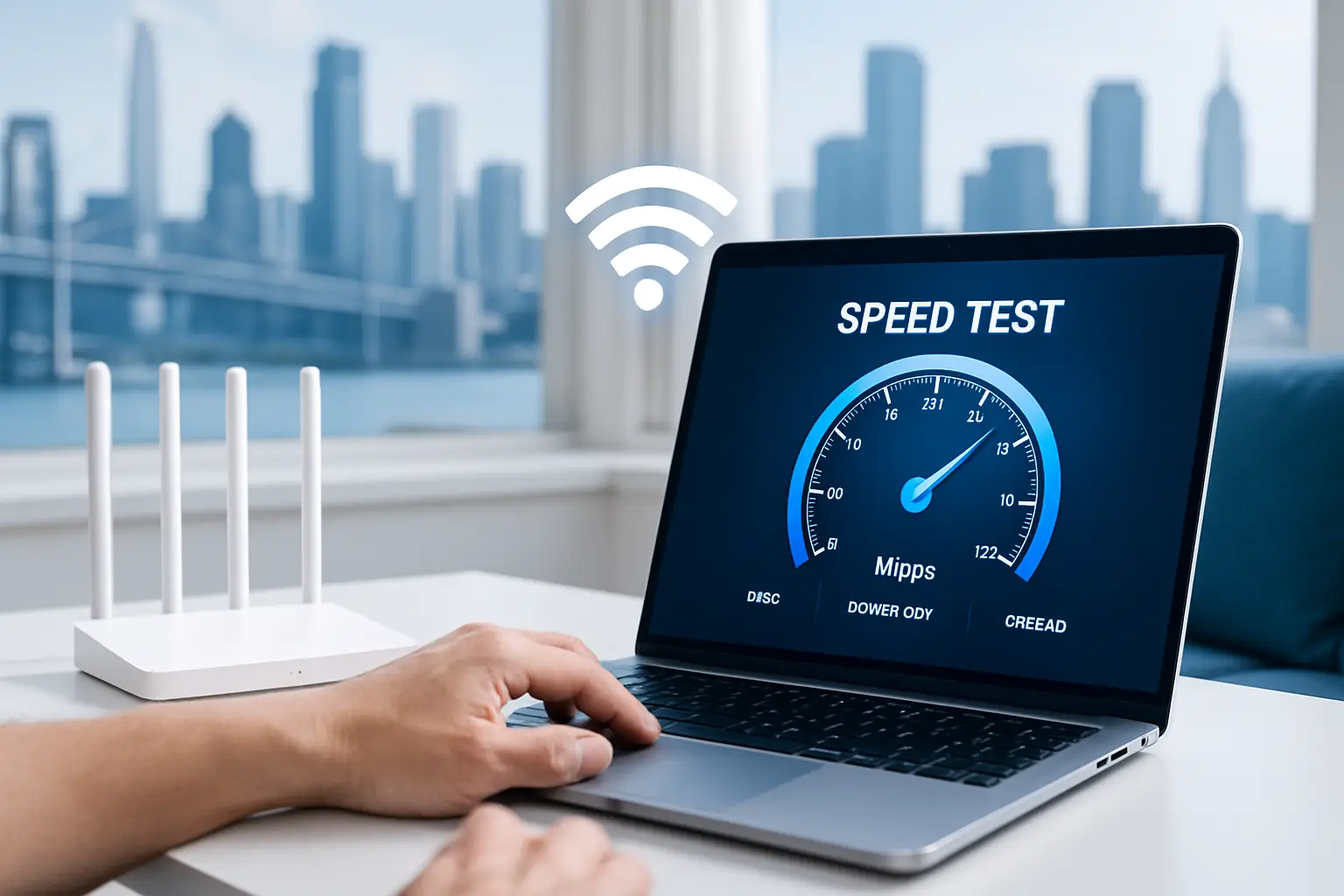
Best Ways to Test Your Internet Speed and Boost Your Connection
If you’ve ever wondered why your favorite video is buffering, your game is lagging, or a download is crawling at a snail’s pace, it might be time to test your internet speed. Checking your connection can help you understand whether the issue is with your internet setup, your devices, or sometimes even the website you’re visiting. Today, let’s walk through the best ways to test your internet speed and discover practical strategies to boost your connection for a smoother online experience.
Why Testing Your Internet Speed Matters
Your internet speed test measures how quickly your device can send and receive data from a server. This often includes three important components:
- Download Speed – How fast data moves from the internet to your device.
- Upload Speed – How fast data moves from your device to the internet.
- Ping (Latency) – The time it takes for data to travel to a server and back.
Knowing these numbers helps you troubleshoot issues, determine whether you’re getting what you pay for, and diagnose when it’s time for an upgrade or better equipment.
How to Test Your Internet Speed
1. Built-in Browser Speed Tests
Several search engines now offer built-in speed tests directly in your browser. This makes it quick and easy—no need to download extra apps. For example, searching “internet speed test” often brings interactive tools right into your search results.
2. Third-Party Testing Sites
There are independent websites available that allow you to test download, upload, and latency in seconds. Many of these also log results so you can compare over time. Communities on Reddit often recommend testing multiple times throughout the day for a more accurate picture.
3. Mobile Apps
On your phone, you can use speed test apps available on app stores. These apps are especially helpful if you want to check whether your cellular data or your Wi-Fi is causing slow performance.
4. Router Testing Features
Some modern Wi-Fi routers include built-in speed testing directly in their companion apps. This allows you to measure the connection quality from the source, rather than just from a device that might be affected by weak Wi-Fi signals.
Factors That Can Affect Speed Tests
- Time of Day: Peak evening hours may show slower speeds due to network congestion.
- Location in the Home: Testing close to your router vs. across the house can provide different results.
- Wired vs. Wireless: Ethernet cable tests usually give more accurate and consistent results compared to Wi-Fi.
- Background Usage: Other devices streaming, gaming, or downloading may reduce speed test results.
Tips to Boost Your Internet Connection
1. Restart Your Equipment
A classic solution: unplug your modem and router for 30 seconds, then plug them back in. This refreshes connections and often solves temporary slowdowns.
2. Place Your Router Strategically
Location matters. Keep your router in a central spot, raised off the floor, and away from thick walls or electronics that can interfere with the signal.
3. Use Wired Connections When Possible
If consistent speed is essential (such as for gaming or video calls), use an Ethernet cable to connect your computer directly to the router.
4. Update Your Router Firmware
Manufacturers frequently release firmware updates that improve performance and security. Check your router’s app or settings page to ensure you’re running the latest version.
5. Limit Bandwidth Hogging
Streaming ultra-HD videos, downloading large files, or having multiple smart devices running can overwhelm your network. Prioritize critical tasks by limiting extra usage when needed. Communities like Quora discuss strategies for bandwidth management that can be helpful.
6. Consider Using a Mesh Wi-Fi System
If your home has Wi-Fi dead zones, a mesh system can extend coverage more smoothly than a single router with extenders. Many users on Facebook groups about smart homes share real-world experiences using mesh setups for better whole-home connectivity.
7. Secure Your Network
If your network is unsecured, neighbors or strangers could connect and slow things down. Make sure you’re using a strong Wi-Fi password and the latest WPA3 (or WPA2 at minimum) encryption.
Using Speed Test Results Effectively
A speed test doesn’t just give you a number; it tells part of your internet story. Here’s how to interpret:
| Speed Range | What You Can Expect |
|---|---|
| Under 5 Mbps | Basic browsing and email only, struggles with streaming. |
| 5–25 Mbps | Decent for HD streaming on one or two devices. |
| 25–100 Mbps | Smooth for multiple users, streaming, and video calls. |
| 100+ Mbps | Great for heavy use like 4K streaming and gaming. |
When Is It Time to Upgrade?
If you’ve tried all boosting strategies and consistently find your speed test results do not meet your needs, upgrading your hardware may be the solution. This could mean a better router, a mesh Wi-Fi system, or higher-tiered internet access. It’s also worth joining forums such as Reddit’s Tech Support to see what equipment upgrades others recommend for reliable performance.
Final Thoughts
Testing your internet speed regularly ensures you know exactly how well your connection is performing. From browser-based checks to router-level diagnostics, the process is simple yet powerful in helping you solve bottlenecks. Pairing speed awareness with smart strategies like proper router placement, updates, and security goes a long way in getting the most from your connection. With a little testing and tweaking, you’ll be streaming, gaming, and working with fewer interruptions.

Top Internet Plans That Give Gamers the Fastest Speeds and Lowest Lag
If you’re a serious gamer, you know that nothing kills the experience faster than poor internet speeds and high latency. The primary keyword here—internet plans with the fastest speeds and lowest lag—is exactly what we’ll explore today. Gamers need consistent, high-performance connections to stay competitive, enjoy seamless gameplay, and avoid frustrating disconnections. Let’s dive into what makes a plan great for gaming, what to look for, and how you can optimize your home connection.
Why Internet Speed and Lag Matter for Gamers
Gaming isn’t just about graphics and hardware—it’s equally about connectivity. Online gaming requires a steady stream of data moving between your system and servers across the globe. The faster and smoother this communication, the better your playing experience. Here’s why:
- Latency (Ping): This is the time it takes your action (like firing a weapon) to register on the game server. Lower latency equals faster responses.
- Download speeds: Needed for smooth graphics updates and software downloads.
- Upload speeds: Important for sending your data to the server, especially in multiplayer and competitive gaming.
- Stability: Even if your speed is high, a wobbly connection with packet loss will ruin gaming quality.
Bandwidth Needs for Different Types of Gamers
Not every gamer has the same requirements. Let’s break it down:
| Game Type | Connection Needs |
|---|---|
| Casual (Mobile & Indie Games) | Low bandwidth; latency not critical |
| MMORPGs | Moderate speed; stable ping very important |
| FPS & Competitive Gaming | Very low latency (<50ms ideal); strong upload |
| Streaming + Gaming | High download speed + upload for video broadcasts |
What Factors Make an Internet Plan Gamer-Friendly?
When comparing internet plans, don’t just look at the highest speed number advertised—gamers need a plan designed around stability and performance. Here are the most critical factors:
- Low Latency: Aim for under 30–50ms whenever possible.
- Symmetrical Speeds: Upload speeds matter almost as much as download speeds.
- Fiber Connections: Generally offer the best balance of speed and reliability.
- Unlimited Data: Downloading large patches, updates, and streaming gameplay eats data fast.
- Consistent Performance: Avoid providers with frequent slowdowns during peak evening hours.
Understanding Ping vs. Speed
One of the most common misconceptions is mixing up ping and internet speed. Speed is measured in Mbps (megabits per second), while ping is measured in milliseconds. You could have ultra-fast speeds but still deal with high ping if the network routing is inefficient. According to Wikipedia, ping measures the time data takes to travel from your device to the server and back, which is why it’s the true test of your gaming responsiveness.
Best Types of Internet Connections for Gamers
Fiber-Optic
The gold standard for gamers. Fiber provides consistent low-latency connections, symmetrical upload/download speeds, and large amounts of bandwidth. Ideal for competitive players.
Cable
Cable plans can offer decent speeds for gaming, but performance may dip during peak hours in crowded neighborhoods.
DSL
DSL is less ideal; speeds and latency tend to be weaker compared to fiber or cable. It may still work for casual gamers if fiber is unavailable.
Fixed Wireless and 5G Home
These can provide fast speeds, but latency may vary depending on weather, tower congestion, and distance from the base station.
How to Test If Your Current Internet Is Good for Gaming
- Check your ping: Run a quick ping test using your PC’s command prompt or a speed test service.
- Test speed consistency: Do multiple speed tests at different times of day.
- Look for packet loss: Even a 1–2% packet loss can ruin online play.
You can often find real-world feedback from fellow gamers on forums like Reddit’s gaming community, where players discuss which internet setups work best for them.
Router & Wi-Fi Setup for Gaming
Your internet plan is only as good as the hardware delivering it. Many players overlook this, but a poor router can increase ping even if you pay for a top-tier plan. Consider the following:
- Use wired Ethernet when possible for ultra-stable gaming.
- If using Wi-Fi, prefer 5 GHz for speed or 2.4 GHz for long-range stability.
- Upgrade to a gaming-optimized router with Quality of Service (QoS) features.
Communities on Quora often debate the best gaming routers, giving you plenty of user insights before investing.
How to Reduce Lag Even Without Switching ISPs
- Close background apps that use bandwidth.
- Connect directly to your router.
- Play on nearby servers when available.
- Enable QoS (Quality of Service) to prioritize gaming traffic.
Tips for Choosing the Right Internet Plan as a Gamer
- Always check latency numbers before just looking at Mbps.
- Aim for upload speeds of at least 10 Mbps if you plan to stream gameplay.
- Look into data caps—some plans look cheap but penalize heavy gaming and streaming use.
- Read gamer reviews on forums like Reddit PC Gaming or social communities.
Gaming and Streaming Simultaneously
If you game while streaming on platforms like YouTube Gaming, you’ll need even stronger upload speeds. A good rule of thumb is to double the speeds you think you’ll need—you don’t want to max out your connection while trying to game competitively and broadcast at the same time.
Conclusion
For gamers, not all internet plans are created equal. Speed is important, but stability and latency are even more critical. Fiber connections deliver the best results overall, while cable and 5G can be practical alternatives for many households. Whether you’re a casual player or a professional e-sports competitor, focusing on low ping, strong upload speeds, and consistent connectivity will give you the edge you need.
Before committing, spend time comparing your options, reading real gamer reviews on Reddit, and making sure your router setup can handle the challenge. With the right plan and equipment, you’ll enjoy the fastest speeds, lowest lag, and the smoothest online experience possible.

## Massive Uploads Made Easy: The Best Internet for Large Files
If you’re a freelance videographer, a small business owner, or just someone who moves to a new home every few years, you’ll quickly discover that uploading big files can be a pain. Whether it’s 4K video that lands on a client’s server or a complete backup of your entire digital life, the right *best internet for large files* can turn a 24‑hour wait into a few minutes. In this guide, we’ll walk through what makes a network ready for hefty uploads and share practical tips so you can get the most out of your connection.
—
## Why Upload Speed Matters
Most people think of internet speed when they consider how fast a webpage loads or how many streams a screen can handle. However, download traffic is usually the majority of household internet usage, so many plans exaggerate download speeds. Upload speed, the reverse flow of data, is what actually determines how quickly you can push files to the cloud or a server.
– **Does your plan use asymmetric speeds?**
Many cable providers offer asymmetric plans (e.g., 100 Mbps download vs. 10 Mbps upload). If your uploads are slower than your downloads, you’ll feel the pinch during file transfers.
– **How often do you move large amounts of data?**
A one‑time upload of a large dataset will behave differently than continuous, repeated uploads.
– **Do you share your connection with family or coworkers?**
Multiple users can saturate the bandwidth, driving down upload rates for everyone.
Knowing these variables means you can choose a plan that actually supports your workflow rather than one that looks good on paper.
—
## Features to Look For in an Internet Plan
Even if you’re armed with the best total throughput numbers, you’ll end up frustrated if the service doesn’t behave as advertised. Look for the following attributes:
### 1. Symmetric Speeds
– **Equal upload and download rates** guarantee that large files move out as quickly as they come in.
– Popular symmetric packages come from providers like **Fiber Optic Internet** and certain satellite contractors that advertise the same bandwidth both ways.
### 2. Low Latency and Jitter
– Essential for real‑time data transfer or cron‑jobs that rely on continuous streams.
– Lag is usually measured in milliseconds; a lower number means a more consistent upload quality.
### 3. Dedicated or Business‑Grade Service
– Residential plans often share their bandwidth across many households.
– Business‑grade plans (e.g., **Seattle Internet**) allocate a guaranteed portion of the local capacity to your connection so that network congestion elsewhere doesn’t impact you.
### 4. Data Caps and Throttling Rules
– The largest files can drain your allowance unexpectedly.
– Keep an eye out for unlimited data plans or at least high monthly caps.
– Some providers throttle upload speeds after a certain threshold.
### 5. Quality of Service (QoS) Settings
– If your router supports QoS, you can prioritize FTP or cloud sync traffic over competing streams like streaming video.
– This ensures your updates get the bandwidth they deserve.
—
## Ideal Service Providers for Large‑File Uploads
Below are three example pages on MyNeighborhoodWiFi.com that represent the type of service you might consider. Each offers a different flavor of connectivity that can boost your upload experience.
– **[Seattle Internet](/seattle-internet)** – Known for its fiber‑only network that delivers symmetric speeds up to 1 Gbps, making it an excellent choice for video editors or remote teams.
– **[Fiber Optic Internet](/fiber-optic-internet)** – This nationwide offering gives you a flexible plan with a dedicated upload limit, perfect if you regularly back up to the cloud.
– **[Portland Broadband](/portland-broadband)** – For customers in the Pacific Northwest, this hybrid fiber‑copper solution balances affordability with fairly high upload rates for everyday use.
These internal links highlight not only the type of connection but also city‑specific deployments, ensuring the options are tailored to your local network environment.
—
## Practical Tips to Maximize Your Upload Efficiency
Choosing the right plan is only half the battle. How you configure your setup can make a significant difference.
### Optimize Your Device
– **Use wired connections.** Ethernet consistently outperforms Wi‑Fi, especially for large file transfers.
– **Keep your system updated.** Firmware upgrades can correct bugs that under‑utilize bandwidth.
– **Close background applications.** Streaming services or other real‑time software can compete for bandwidth.
### Upgrade Your Router
– Look for routers that explicitly support **QoS** and can handle **MU‑MQTT** protocols.
– Unboxing a standard home router might not suffice; consider a business‑grade router to tap into your plan’s full capacity.
### Schedule Uploads Wisely
– **Night‑time updates** often benefit from lower local traffic.
– If your provider has a “peak-down only” policy, schedule critical uploads during off‑peak hours.
### Use Efficient Transfer Tools
– Applications that support **parallel chunked uploads** (FTP clients like FileZilla or cloud sync tools that resume uploads) can bypass throttling walls.
– Some services provide **dedicated FTP endpoints** that are specially tuned for high throughput.
### Monitor Your Speed
– Use a speed test tool that measures **upload** specifically.
– Log your results over weeks to see how often you hit your declared max speed and when you’re being throttled.
—
## Conclusion
Massive uploads are no longer a relic of the past. With the correct internet strategy—you’ll find that sending video to clients, uploading design files to a cloud repository, or backing up your data is no longer a bottleneck. Focus on asymmetric or symmetric speeds, low latency, and dedicated service tiers. Then, tweak your hardware and habits to extract every bit of performance your plan offers.
Remember, the *best internet for large files* is not just a headline; it’s a daily enabler that keeps your creative workflow smooth, efficient, and frustration‑free. Browse through the recommended service pages above and find the plan that fits your location, budget, and bandwidth needs. Your next upload will thank you.