Posts tagged: how do i change wifi password xfinity
Have questions? Give us a call.
Fiber internet is no longer a luxury for businesses. It’s becoming the backbone of professional operations in 2026, especially for teams that rely on video conferencing, cloud storage, and real-time collaboration.
If you’re tired of slow uploads killing your productivity or watching your internet lag during important client calls, fiber might be exactly what your business needs. This guide breaks down what fiber internet actually is, how it compares to other options, what you’ll pay, and how to figure out if it’s right for your company.
Related: Internet Providers Near Me: Compare & Find the Best Local Options
Related: Compare Internet Providers by Speed, Price & Availability
What Is Fiber Internet and Why Does It Matter for Business?
Fiber internet uses fiber optic cables (thin strands of glass that transmit data as light) to deliver internet to your location. This is fundamentally different from older cable or DSL technology.
Here’s the real difference: fiber gives you symmetrical speeds. That means your upload speed matches your download speed. If you’re downloading at 1 Gbps, you’re also uploading at 1 Gbps. With cable internet, uploads are often 10-20 times slower than downloads.
For businesses, this matters because:
- Video conferencing doesn’t lag when multiple team members upload simultaneously
- Cloud backups happen in minutes, not hours
- File transfers between offices or with clients happen instantly
- Your entire team can work smoothly without internet bottlenecks
Fiber also comes with unlimited data on virtually every plan, and speeds typically range from 300 Mbps up to 5 Gbps in select areas. Plus, fiber networks are generally more stable and reliable than older broadband technologies, which means fewer service interruptions during your workday.
Fiber Internet Pricing for Small and Medium Businesses
Pricing varies based on location and provider, but here’s what you can typically expect in 2026:
Related: Best Business Internet 2026: Top 5 Providers Ranked
Related: Best Home Internet 2026: Top 6 Providers Ranked & Compared
Related: Best Dedicated Internet Access 2026: Top 5 Providers Ranked
- Entry-level fiber: 300-500 Mbps plans start around $20-$50 per month (often with promotional rates)
- Mid-tier plans: 1 Gbps (1,000 Mbps) ranges from $70-$100 per month
- High-speed plans: 3-5 Gbps plans run $100-$200+ per month
Most plans include installation, a Wi-Fi router, and mesh-ready equipment at no extra cost. Many providers also offer equipment rental options if you don’t want to buy upfront.
Keep in mind: promotional rates are common for the first 12 months. After that, prices typically increase, so always ask about the rate after your promotion ends. Contract terms vary too—some providers offer month-to-month flexibility, while others lock you in for 12-24 months.
Top Fiber Internet Providers for Businesses
Not all fiber providers are available everywhere, and not all are created equal for business use. Here’s what stands out in the market right now:
AT&T Business Fiber is often the best choice if symmetrical speeds are your priority. They offer up to 5 Gbps in select areas, and their business plans come with dedicated support and flexible contract options.
Optimum Business is built specifically for small and medium-sized companies. They have competitive pricing, local support in their coverage areas, and solid reliability scores.
Spectrum Business wins for flexibility. If you don’t want to sign a long-term contract, Spectrum offers month-to-month plans without locking you in. Their pricing is transparent, and they serve a huge portion of the country.
Comcast Business is your best bet if you need enterprise-scale services. They offer redundancy options, static IP addresses, and technical support tailored for larger operations.
T-Mobile Home Internet and Viasat Business are worth exploring if fiber isn’t available in your area. They’re not fiber, but they can deliver competitive speeds for businesses in underserved locations.
To see which providers actually service your business location and compare their exact pricing and speeds, myneighborhoodwifi.com can show you all available options without the sales pitch. We help businesses compare apples to apples so you’re not guessing.
Ready for faster internet?
Is Your Business Actually Suited for Fiber Internet?

Fiber is fantastic, but it’s not the right choice for every business situation. Ask yourself these questions:
- Do you upload large files regularly? (Video editors, photographers, architects, designers—yes. Dentist offices—probably not.)
- Do multiple team members video conference at the same time?
- Does your business depend on cloud-based tools and software?
- Is your current internet slow or unreliable during peak hours?
- Do you have backup internet, or would a connection failure hurt your business?
If you answered yes to 2 or more of these, fiber is likely worth the investment. If you’re still unsure, a broker like myneighborhoodwifi.com can walk you through your specific needs and help you compare whether fiber, cable, or another option is actually the best fit financially and operationally.
Fiber Internet Speed Comparison Chart
Here’s a quick look at how fiber stacks up for common business tasks:
Related: High Speed Internet for Business: How to Compare & Choose
- Downloading a 1 GB file: 100 Mbps takes ~80 seconds. 1 Gbps takes 8 seconds. 5 Gbps takes 1.6 seconds.
- Uploading a 10 GB video to the cloud: 50 Mbps upload (typical cable): ~27 minutes. 1 Gbps fiber: 80 seconds.
- Video conferencing (4K, multiple participants): Needs 25-50 Mbps. Fiber handles it effortlessly while others work.
- Cloud backup of 100 GB: 50 Mbps: ~4.4 hours. 1 Gbps: 13 minutes.
Speed alone isn’t everything, though. Reliability, consistent latency (lag), and customer support matter just as much. That’s why comparing total value—not just Mbps and price—is crucial.
How to Get Fiber Internet for Your Business
The process is straightforward, but there are a few steps to follow:
Step 1: Check availability. Enter your business address online to see which fiber providers service your location. Some areas have multiple fiber options, others have one or none.
Step 2: Compare plans and pricing. Look at speeds offered, contract terms, equipment included, and customer service ratings. Don’t just pick the cheapest option—look at what you’re actually getting.
Step 3: Ask about bundling. Many providers offer discounts if you bundle internet with phone or other services. But make sure the bundle actually saves money before committing.
Step 4: Understand the contract. Read what happens after your promotional period ends, what the early termination fee is, and what speeds are guaranteed. Some providers guarantee minimum speeds in writing; others don’t.
Step 5: Schedule installation. Once you pick a provider, installation typically happens within 7-14 days. Some providers offer expedited installation for a fee.
If you want professional guidance on this whole process—someone to make sure you’re not overpaying and that the plan actually fits your business—that’s exactly what myneighborhoodwifi.com does. We compare all available providers at your location, negotiate pricing, and coordinate installation so you don’t have to spend hours on research.
Fiber vs. Cable vs. DSL for Business Internet
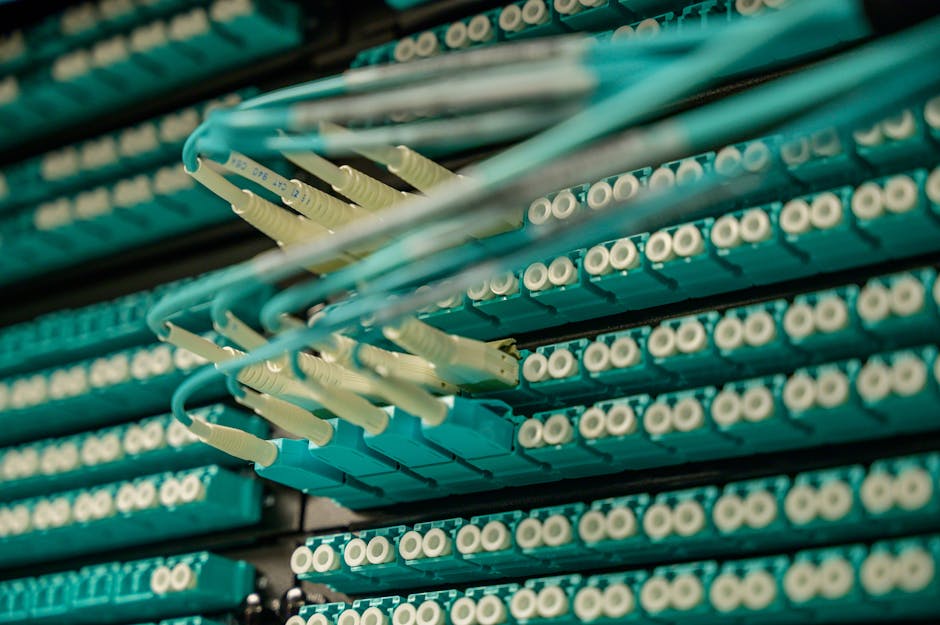
Since you’re considering fiber, here’s how it stacks up against the alternatives:
Fiber (symmetrical speeds, unlimited data, most reliable): Best for businesses that upload or video conference. Most expensive upfront, but speeds are future-proof and consistent.
Cable (fast downloads, slower uploads, data caps possible): Good for small businesses with moderate needs. Cheaper than fiber, but uploads are slow. Speeds can degrade during peak hours if many customers share the line.
DSL (reliable, slower speeds, older technology): Cheapest option, but speeds are typically too slow for modern business. Uploads are especially weak. Only consider if fiber and cable aren’t available.
For most businesses in 2026, fiber is the long-term play. Speeds won’t become obsolete, symmetrical uploads save real time, and reliability is higher. The price premium is usually worth it within 12-24 months.
Common Fiber Internet Questions for Businesses
Does fiber internet have data caps?
No. Fiber plans come with unlimited data across virtually every provider and plan. You can download, upload, stream, and backup without worrying about hitting a limit or paying overage fees. This is one of the biggest advantages over cable internet.
How long does fiber installation take?
Typically 7-14 days from order to activation. If fiber infrastructure already reaches your building (common in urban and suburban areas), installation is faster. If the provider needs to run fiber to your location for the first time, it can take longer. Some providers offer expedited installation for a fee. Always ask about timeline before signing up.
What upload speeds can I expect with fiber?
Most business fiber plans offer symmetrical speeds, meaning upload equals download. A 1 Gbps plan gives you 1 Gbps download and 1 Gbps upload. This is the opposite of cable, where uploads are often 10-20 times slower. According to FCC broadband standards, upload speeds are critical for modern business productivity.
Is fiber internet reliable for mission-critical business operations?
Fiber is generally more reliable than cable or DSL because it’s not affected by electrical interference and doesn’t degrade as easily over distance. However, “reliable” is relative and varies by provider and location. Ask potential providers about their uptime guarantee and what happens if service goes down. Some business plans include redundancy options (a backup connection) if you truly cannot afford downtime. If your business depends on constant internet access, invest in a secondary connection as backup, regardless of which primary provider you choose.
Ready for faster internet?
Have questions? Give us a call.
Picking a home internet provider shouldn’t feel like guesswork, but for most households it does. Two neighbors on the same street can have completely different options, one gets full fiber, the other is stuck choosing between cable and a wireless hotspot and the marketing on provider websites rarely makes the real trade-offs clear.
The short answer: the best home internet provider for you is whichever one delivers the connection type that matches your usage (fiber for heavy upload and multi-device homes, cable where fiber isn’t built yet, 5G home internet for flexibility and simple setup) at a price and contract length you’re actually comfortable with. Everything below explains how to apply that to your specific address.
What Best Actually Means for Home Internet
There’s no single best internet provider nationally availability is hyper-local, sometimes down to the individual block. What you can evaluate objectively, regardless of provider name, are five factors:
- Connection type — fiber, cable, fixed wireless (5G home internet), DSL, or satellite
- Download and upload speed — and whether they’re symmetrical
- Latency — how quickly data round-trips, critical for video calls and gaming
- Data caps and contract terms — unlimited vs. capped, month-to-month vs. locked in
- Reliability during peak hours — the number that matters more than the “up to” speed on the box
A provider that wins on price but loses on reliability isn’t actually cheaper once you count the hours lost to buffering, dropped calls, and outage-related work delays.
Fiber-Optic Internet – The Benchmark, Where It’s Available
Fiber-optic internet sends data as light through glass cable rather than electrical signals through copper or coax, which is why it consistently delivers the fastest, most stable connections on the market. Two things set fiber apart from every other connection type:
- Symmetrical speeds — upload speed matches download speed, so a plan advertised at 500 Mbps gives you 500 Mbps up and down. This matters enormously for cloud backups, video conferencing, livestreaming, and remote work, where cable’s upload speeds (often a fraction of download speeds) become the bottleneck.
- Low, consistent latency — fiber doesn’t degrade under heavy neighborhood usage the way shared cable networks can during peak evening hours.
The catch is availability. Fiber build-out is expensive and providers prioritize dense neighborhoods first, so large parts of suburban and rural America still don’t have it. If fiber is available at your address, it’s almost always the right default choice unless price is a hard constraint.
Cable Internet – The Widest Coverage Footprint
Cable internet, delivered over the same coaxial infrastructure used for cable TV, remains the most widely available high-speed option in the U.S. Download speeds on modern cable plans are genuinely competitive with fiber often 300 Mbps to 1.2 Gbps but upload speeds are typically much lower, and performance can dip slightly during high-traffic hours because bandwidth is shared across a neighborhood node.
Cable is a strong, sensible choice for households that primarily download and stream rather than upload large files or livestream regularly. It’s also usually the fallback option in areas where fiber hasn’t reached yet.
5G Home Internet and Fixed Wireless: Fast to Set Up, No Cable Required
5G home internet offered as a wireless router that pulls a cellular signal instead of a wired line has become a legitimate mainstream option, not just a stopgap. Installation is plug-and-play: no technician visit, no drilling, no buried line. That makes it especially popular with renters and anyone who wants to avoid installation fees or long service appointments.
Performance depends heavily on cell tower proximity and network congestion, so speeds can vary more than fiber or cable, and it’s generally not the best fit for households running multiple simultaneous 4K streams, competitive online gaming, and video calls at once. But for single-person households, apartments, or as a flexible no-contract option, it’s often the most convenient home internet provider category available.
Satellite Internet – The Last-Resort Option That’s Gotten Much Better
For genuinely rural addresses with no cable, fiber, or fixed wireless coverage, low-earth-orbit satellite internet has closed much of the gap that older satellite services couldn’t. Latency is still higher than terrestrial connections, which affects real-time applications like gaming, but for browsing, streaming, and remote work outside dense population areas, it’s now a workable primary connection rather than a last resort.
Questions to Ask Before You Sign Up With Any Provider
Before comparing prices, run any home internet provider through the same short checklist:
- Is the advertised price the price after the promotional period ends? Many “starting at” rates increase after 12 months.
- Is there a data cap, and what happens if you exceed it?
- Is the contract month-to-month or does it include an early termination fee?
- What’s the average download and upload speed at peak hours, not just the theoretical maximum?
- What’s included in “free installation” is professional setup actually free, or is it self-install-only?
Providers that are confident in their service tend to answer these plainly. Vague answers on contract length or peak-hour speeds are a signal worth taking seriously.
Getting the Most Out of the Plan You Choose
Provider choice is only half the equation home network setup accounts for a surprising share of slow internet complaints that have nothing to do with the ISP. A few adjustments that consistently improve real-world performance:
- Place the router centrally and off the floor, away from thick walls and large appliances
- Use a wired Ethernet connection for anything stationary and bandwidth-heavy (gaming consoles, desktop PCs, smart TVs)
- Restart the router and modem periodically, or set them to auto-reboot overnight
- Segment smart-home devices onto a guest network to keep primary bandwidth clear
- Run a speed test at different times of day before assuming the provider is underperforming
Switching Providers Without the Headache
If you’re moving away from a current provider, timing matters. Confirm service is active at the new address before cancelling the old one, ask whether the new provider covers early termination fees (many do, as a signup incentive), and return old equipment promptly to avoid unreturned-equipment charges. Most switches can be completed with zero downtime if the new installation is scheduled a few days ahead of the cancellation date.
Frequently Asked Questions
What is the best type of home internet provider for a family that streams and works from home?
Fiber-optic internet is generally the best fit for households with multiple people streaming, working, and video-calling simultaneously, because its symmetrical upload and download speeds handle simultaneous heavy usage without slowing down. Where fiber isn’t available, high-tier cable plans are the next-best alternative.
How much internet speed do I actually need at home?
For a household with 2–4 devices doing normal streaming, browsing, and video calls, 100–300 Mbps download is typically sufficient. Households with heavy 4K streaming across multiple screens, large file uploads, or several remote workers should look at 500 Mbps to 1 Gbps plans, ideally with strong upload speeds.
Is fiber internet always better than cable internet?
Fiber generally offers faster, more symmetrical speeds and more consistent performance during peak hours, but “better” depends on use case and price. If a household mainly streams and browses, a well-priced cable plan can perform just as well in daily use as an entry-level fiber plan.
Can I get home internet without a long-term contract?
Yes. Many providers now offer month-to-month or no-contract home internet plans, particularly 5G home internet and some fiber providers. These plans sometimes cost slightly more per month than promotional contract pricing but avoid early termination fees entirely.
Why is my internet slow even though I pay for a high-speed plan?
Slow speeds despite a high-speed plan are usually caused by router placement, too many devices sharing Wi-Fi, outdated equipment, or peak-hour network congestion rather than the advertised plan speed itself. Running a wired speed test and checking router placement resolves the issue in most cases before it’s necessary to contact the provider.
How do I check which internet providers are available at my address?
Availability is address-specific, so the most reliable way to check is entering your ZIP code or full address directly on a provider’s site or a coverage-checking tool, since national coverage maps often lag behind actual local build-out.

Top Internet Plans That Give Gamers the Fastest Speeds and Lowest Lag
If you’re a serious gamer, you know that nothing kills the experience faster than poor internet speeds and high latency. The primary keyword here—internet plans with the fastest speeds and lowest lag—is exactly what we’ll explore today. Gamers need consistent, high-performance connections to stay competitive, enjoy seamless gameplay, and avoid frustrating disconnections. Let’s dive into what makes a plan great for gaming, what to look for, and how you can optimize your home connection.
Why Internet Speed and Lag Matter for Gamers
Gaming isn’t just about graphics and hardware—it’s equally about connectivity. Online gaming requires a steady stream of data moving between your system and servers across the globe. The faster and smoother this communication, the better your playing experience. Here’s why:
- Latency (Ping): This is the time it takes your action (like firing a weapon) to register on the game server. Lower latency equals faster responses.
- Download speeds: Needed for smooth graphics updates and software downloads.
- Upload speeds: Important for sending your data to the server, especially in multiplayer and competitive gaming.
- Stability: Even if your speed is high, a wobbly connection with packet loss will ruin gaming quality.
Bandwidth Needs for Different Types of Gamers
Not every gamer has the same requirements. Let’s break it down:
| Game Type | Connection Needs |
|---|---|
| Casual (Mobile & Indie Games) | Low bandwidth; latency not critical |
| MMORPGs | Moderate speed; stable ping very important |
| FPS & Competitive Gaming | Very low latency (<50ms ideal); strong upload |
| Streaming + Gaming | High download speed + upload for video broadcasts |
What Factors Make an Internet Plan Gamer-Friendly?
When comparing internet plans, don’t just look at the highest speed number advertised—gamers need a plan designed around stability and performance. Here are the most critical factors:
- Low Latency: Aim for under 30–50ms whenever possible.
- Symmetrical Speeds: Upload speeds matter almost as much as download speeds.
- Fiber Connections: Generally offer the best balance of speed and reliability.
- Unlimited Data: Downloading large patches, updates, and streaming gameplay eats data fast.
- Consistent Performance: Avoid providers with frequent slowdowns during peak evening hours.
Understanding Ping vs. Speed
One of the most common misconceptions is mixing up ping and internet speed. Speed is measured in Mbps (megabits per second), while ping is measured in milliseconds. You could have ultra-fast speeds but still deal with high ping if the network routing is inefficient. According to Wikipedia, ping measures the time data takes to travel from your device to the server and back, which is why it’s the true test of your gaming responsiveness.
Best Types of Internet Connections for Gamers
Fiber-Optic
The gold standard for gamers. Fiber provides consistent low-latency connections, symmetrical upload/download speeds, and large amounts of bandwidth. Ideal for competitive players.
Cable
Cable plans can offer decent speeds for gaming, but performance may dip during peak hours in crowded neighborhoods.
DSL
DSL is less ideal; speeds and latency tend to be weaker compared to fiber or cable. It may still work for casual gamers if fiber is unavailable.
Fixed Wireless and 5G Home
These can provide fast speeds, but latency may vary depending on weather, tower congestion, and distance from the base station.
How to Test If Your Current Internet Is Good for Gaming
- Check your ping: Run a quick ping test using your PC’s command prompt or a speed test service.
- Test speed consistency: Do multiple speed tests at different times of day.
- Look for packet loss: Even a 1–2% packet loss can ruin online play.
You can often find real-world feedback from fellow gamers on forums like Reddit’s gaming community, where players discuss which internet setups work best for them.
Router & Wi-Fi Setup for Gaming
Your internet plan is only as good as the hardware delivering it. Many players overlook this, but a poor router can increase ping even if you pay for a top-tier plan. Consider the following:
- Use wired Ethernet when possible for ultra-stable gaming.
- If using Wi-Fi, prefer 5 GHz for speed or 2.4 GHz for long-range stability.
- Upgrade to a gaming-optimized router with Quality of Service (QoS) features.
Communities on Quora often debate the best gaming routers, giving you plenty of user insights before investing.
How to Reduce Lag Even Without Switching ISPs
- Close background apps that use bandwidth.
- Connect directly to your router.
- Play on nearby servers when available.
- Enable QoS (Quality of Service) to prioritize gaming traffic.
Tips for Choosing the Right Internet Plan as a Gamer
- Always check latency numbers before just looking at Mbps.
- Aim for upload speeds of at least 10 Mbps if you plan to stream gameplay.
- Look into data caps—some plans look cheap but penalize heavy gaming and streaming use.
- Read gamer reviews on forums like Reddit PC Gaming or social communities.
Gaming and Streaming Simultaneously
If you game while streaming on platforms like YouTube Gaming, you’ll need even stronger upload speeds. A good rule of thumb is to double the speeds you think you’ll need—you don’t want to max out your connection while trying to game competitively and broadcast at the same time.
Conclusion
For gamers, not all internet plans are created equal. Speed is important, but stability and latency are even more critical. Fiber connections deliver the best results overall, while cable and 5G can be practical alternatives for many households. Whether you’re a casual player or a professional e-sports competitor, focusing on low ping, strong upload speeds, and consistent connectivity will give you the edge you need.
Before committing, spend time comparing your options, reading real gamer reviews on Reddit, and making sure your router setup can handle the challenge. With the right plan and equipment, you’ll enjoy the fastest speeds, lowest lag, and the smoothest online experience possible.

Reliable Wi-Fi for Families in Ecorse, MI
Finding reliable Wi-Fi for families in Ecorse, MI is more than just about speed; it’s about providing steady, secure, and affordable internet service that connects households in meaningful ways. Whether it’s for schoolwork, remote working, streaming, gaming, or just keeping in touch with loved ones, families in the community want Wi-Fi that works when they need it most.
Why Families in Ecorse, MI Need Reliable Wi-Fi
In today’s digital-first world, households in Ecorse, MI rely on their internet connection for almost everything:
- Students need Wi-Fi for homework, research, and connecting with teachers.
- Parents depend on a strong connection for remote work and video conferencing.
- Children and teens stream TV, chat with friends, and play online games.
- Families stay connected through social media and video calls.
- Smart home devices like cameras, thermostats, and voice assistants all require internet access.
Top Wi-Fi Providers in Ecorse, MI
Families in Ecorse, MI have access to several internet providers. Here are some of the most commonly available options in the area:
| Provider | Connection Type | Typical Plans |
|---|---|---|
| Xfinity | Cable | Plans from 200 Mbps up to 1200 Mbps |
| AT&T Fiber | Fiber | Plans from 300 Mbps up to 1 Gbps+ |
| WOW! | Cable/Fiber Hybrid | 200 Mbps, 500 Mbps, 1 Gbps options |
| T-Mobile Home Internet | 5G Wireless | Speeds vary (typically 100–250 Mbps) |
| Verizon 5G Home | 5G Wireless | Speeds up to 1 Gbps depending on coverage |
Tips for Choosing the Right Wi-Fi Plan
Not all households in Ecorse, MI have the same needs. Here are some helpful guidelines for choosing the right plan:
- For small households (1-2 people): 100–200 Mbps is usually enough for streaming, browsing, and video calls.
- For families with kids: At least 500 Mbps is recommended for streaming, online schoolwork, and gaming.
- For large households or heavy gamers: 1 Gbps or fiber plans provide the speed and reliability that multiple devices need.
- Check upload speeds: Remote workers and students submitting large files need higher upload speeds (fiber is best here).
Family-Friendly Features to Look For
Reliable Wi-Fi for families in Ecorse, MI should include more than just fast speeds. Look for these features when evaluating providers:
- Parental controls: Allows parents to block certain sites or limit screen time.
- Whole-home coverage: Mesh systems or advanced routers help cover every corner of your home.
- No data caps: A must for families that stream TV and movies regularly.
- Affordable bundles: Many families save money by combining internet with TV and phone services.
- Consistent customer service: Quick troubleshooting can make a huge difference when the internet goes down.
Ways to Improve Wi-Fi at Home in Ecorse, MI
Even with a good plan, many families struggle with Wi-Fi dead zones and slow speeds. A few small tweaks can make a big difference:
- Position your router in the center of the home for better coverage.
- Avoid placing routers near microwaves or thick walls.
- Use mesh Wi-Fi extenders to cover large spaces or multiple floors.
- Update router firmware regularly for better security and performance.
- Set guest networks to keep visitors off your main family connection.
Wi-Fi and Education in Ecorse, MI
Reliable connections are especially important for students. With schools increasingly relying on online platforms and resources, Wi-Fi is a critical part of education. Students use resources like Khan Academy, group chats on Reddit, and video resources on YouTube. Without a dependable connection, kids can fall behind academically.
Community and Connectivity
In Ecorse, MI, families are closely connected within their neighborhoods. Reliable Wi-Fi makes it easier to stay in touch with local groups and activities online. Community groups on Facebook often share updates, while platforms like Quora provide spaces for asking local questions and advice. Internet access is now part of being engaged in the community.
Affordable Internet Options
For families in Ecorse, MI working with a budget, affordability is important. Fortunately, many providers offer discounted packages or participate in federal programs that reduce monthly bills for qualifying households. Looking for programs that support low-income families can make reliable Wi-Fi more accessible.
Streaming and Entertainment
In homes throughout Ecorse, MI, Wi-Fi powers more than just work and study. Families stream shows, watch movies, and stay entertained through online platforms. With apps like Netflix, YouTube, and Disney+, multiple family members can enjoy different content at the same time—as long as there’s enough bandwidth.
Final Thoughts
Reliable Wi-Fi for families in Ecorse, MI isn’t just about speed—it’s about stability, affordability, and the ability to stay connected. From schoolwork to entertainment, every family member relies on the internet daily. By choosing the right provider, optimizing Wi-Fi performance at home, and taking advantage of community resources, families can ensure they have the connectivity they need for modern life.

Top Low Latency Internet Providers for Seamless Gaming in 2025
If you’re a gamer in 2025, you know that speed isn’t everything — low latency internet is what makes the difference between winning and losing. High download speeds look impressive on paper, but if your ping is high, your gameplay suffers. That makes choosing the right provider a critical decision for serious players.
In this guide, we’ll take a detailed look at low latency options available now, how they compare, and what makes a great gaming connection in today’s connected world.
Why Latency Matters More Than Speed for Gaming
Most gamers already understand that latency is the time data takes to travel from your device to the server and back. Here’s why it matters:
- Ping affects reaction times: A ping of 15 ms feels vastly better than 60 ms in fast-paced shooters.
- Consistency beats peak speeds: A steady 100 Mbps with low jitter often outperforms 1 Gbps with packet loss.
- Cloud gaming needs stability: Services that stream games require not just speed but also reliable round-trip data times.
In short: you don’t just need “fast internet,” you need a stable “fast response” connection.
What Makes a Gaming ISP Truly Low Latency?
Gamers should evaluate providers using the following criteria:
- Ping times: Ideally under 20 ms to major servers.
- Jitter: Consistency is more important than max speed. Low jitter ensures your responses are smooth.
- Packet loss: Even a small percentage can cause lag spikes.
- Network peering: Quality of connections to game servers across different regions matters.
Table: Key Gaming Internet Metrics
| Factor | Ideal for Gaming |
|---|---|
| Ping | < 20 ms |
| Jitter | < 5 ms |
| Packet Loss | 0% during gameplay |
| Download Speed | At least 100 Mbps |
| Upload Speed | At least 20 Mbps |
Top Low Latency Internet Options for Gaming in 2025
Different households have different needs. Let’s break down the options gamers should consider this year:
1. Fiber Internet Providers
Fiber internet consistently delivers the lowest latency of any technology. Because it uses light rather than electricity, response times are nearly instantaneous, with many gamers recording single-digit ping to regional servers.
- Best suited for competitive online gaming.
- Ideal for households where people stream and game simultaneously.
- Future-proof with multi-gigabit speeds.
2. Cable Internet Providers
Cable offers wide availability and decent speeds for gaming. Latency is slightly higher than fiber but still performs well if you’re on a well-maintained network.
- Great if fiber isn’t in your area.
- Watch out for peak-hour slowdowns.
- Decent for console and PC gamers.
3. Fixed Wireless and 5G Home Connections
5G home internet has improved considerably by 2025, and in good coverage areas, latency can be surprisingly low. Still, because it depends on wireless signals, your results may vary by neighborhood.
- Use in urban areas for strong 5G coverage.
- Performance depends heavily on network congestion.
- Portable solution for renters or frequent movers.
4. Rural Solutions: Satellite Alternatives
Satellite isn’t usually recommended for gaming because of high latency. However, some newer low-earth-orbit satellite services are targeting lower ping times compared to older geosynchronous satellites. While it’s an improvement, these are still not optimal for competitive gaming.
Tips to Optimize Your Gaming Connection
Even with the best ISP, your setup plays a huge role in performance. Here are practical steps you can take:
- Use Ethernet when possible: A wired connection beats Wi-Fi for ping and stability.
- Upgrade your router: Wi-Fi 6 and Wi-Fi 6E routers improve stability and reduce lag, especially for multiple device households. Check discussions on Reddit for router recommendations.
- Close background apps: Cloud backups or streaming apps can spike latency.
- Prioritize device traffic: Many routers support QoS (Quality of Service) to give gaming devices priority bandwidth.
Best Router Features for Gaming in 2025
Even the best connection will suffer without proper networking gear. Look for these features in a gaming router:
- Wi-Fi 6E support for reduced congestion.
- Low latency modes or “gaming optimization” features.
- Dual or tri-band options for separating gaming traffic from streaming.
- Built-in Ethernet ports for wired setups.
Community Recommendations
Gamers often share their real-world experiences online. Here are a few trusted places where you can see discussions about the best setups:
- Reddit’s r/Gaming community for real-world lag stories.
- Quora for user Q&A on regional provider performance.
- YouTube for video demonstrations of ping tests.
Future-Proofing Your Gaming Internet
Gaming in 2025 is different than in the past thanks to cloud services, game downloads that take hundreds of gigabytes, and always-on updates. Here’s how to be ready for the next few years:
- Choose at least a 1 Gbps download plan if you can, since games keep growing in size.
- Focus on upload speeds if you stream on platforms like Twitch, YouTube, or Facebook Gaming.
- Consider mesh Wi-Fi if you live in a multi-story house to maintain consistent ping across every room.
Final Thoughts on Low Latency Internet for Gamers
Latency has become the new benchmark for serious gamers in 2025. Fiber remains the gold standard, cable is a solid backup, and 5G home options are improving rapidly. While satellites are better than before, they’re still a last resort for online gaming.
Your exact experience depends as much on your provider as your home setup. Combine a strong ISP with smart router choices, wired connections when possible, and optimized settings — and you’ll enjoy seamless lag-free gaming.

## Best Internet Providers for Student-Friendly Contracts
If you’re a student looking to stay connected without breaking the bank, it’s crucial to find an internet provider that offers flexible, affordable, and campus‑friendly plans. Whether you’re studying remotely, streaming lectures, or just catching up on binge‑video during study breaks, the right contract can make all the difference. In this article, we’ll break down what to look for, highlight top providers that cater to student budgets, and explain why a student‑friendly contract is worth the extra effort.
### Why Student‑Friendly Contracts Matter
– **Budget‑conscious** – Most students live on part‑time jobs or monthly stipends, so cap‑free packages help avoid surprise fees.
– **Flexibility** – Semester‑based contracts let you pause or cancel services when you graduate.
– **Speed for Online Learning** – Reliable upload/download speeds are essential for video conferencing and cloud‑based coursework.
### Choosing the Right Provider
When exploring providers, keep these core factors in mind:
#### Internet Speed and Reliability
– Look for plans that guarantee a minimum speed above 25 Mbps download.
– Evaluate the provider’s uptime track record if possible.
#### Cost Structure
– Flat‑price plans over the semester often beat pay‑per‑month deals.
– Beware of hidden activation fees that can inflate the total cost.
#### Student Discounts
– Many providers offer dedicated student discounts; check if the discount requires a student ID.
#### Customer Support
– Mobile or 24/7 chat support is handy when you hit a hiccup outside campus hours.
### Top Student-Friendly Providers in Canada
| Provider | Typical Monthly Cost | Key Student Benefit | City Availability |
|—|—|—|—|
| **EastLink** | $30–$35 | No lock‑in contracts, split‑bill options | Calgary |
| **PrivatePlanet** | $25–$45 | Student discount up to 10%, campus‑grade speeds | Edmonton |
| **V9 Communications** | $20–$40 | Unlimited data on select plans, prepaid options | Calgary |
| **FreedomFi** | $35–$50 | 24/7 chat support, customizable data caps | Edmonton |
> **Tip:** Many of these providers offer free installation and router rental, which is especially useful for students who can’t afford a new modem.
### How to Set Up a Student‑Friendly Contract
#### 1. Compare Semester Pack Options
– Check if the provider offers a 4‑month or 9‑month “semester” pack.
– Verify that you can cancel without a penalty at the end of the term.
#### 2. Verify Data Caps
– While unlimited plans are attractive, some providers throttle speeds after a threshold.
– Use the provider’s data monitoring tools to avoid unnecessary throttling.
#### 3. Secure the Student Discount
– Many services need you to register with a .edu email address or upload a copy of your student ID.
– Double‑check the discount duration—some only apply for the first 12 months.
#### 4. Check the Service Coverage
– Use the provider’s coverage map before subscribing.
– **Calgary** and **Edmonton** have varied outdoor coverage depending on neighbourhoods.
### Frequently Asked Student Questions
– **Do student contracts require a deposit?**
Some carriers need a refundable deposit, usually 2–3 months’ fees. Look for “no‑deposit” plans for a truly student‑friendly experience.
– **Can I share the plan with roommates?**
Yes—most providers allow up to four devices to share the same bandwidth. Ensure your Wi‑Fi password is long enough to keep unauthorized users out.
– **What if my internet disconnects mid‑exam?**
Seek providers that prioritize response times for students or those who have dedicated support channels for academic users.
### Getting the Most Out of Your Student Internet
– **Use cable or wired adapters** for your laptop during critical sessions; Wi‑Fi can be unpredictable.
– **Apply for a Wi‑Fi booster** if you’re in a multi‑story apartment; this improves signal consistency in low‑coverage areas.
– **Set a monthly data budget within your router**—many routers allow you to monitor usage so you stay within the plan limits.
### Next Steps
If you’re ready to lock in a student‑friendly contract, start by reviewing the local options in your city.
– For Calgary students, the **Calgary** service page lists all current student‑discount deals.
– Edmonton residents can find the best offers on the **Edmonton** page.
Before you commit, read through the provider’s terms carefully. Options like a 30‑day trial can help you test the network without long‑term obligations.
*Happy surfing, and may your bandwidth always be fast enough for those late‑night cram sessions!*
**Big Savings Alert: Best Internet + Streaming Bundles Revealed!**
Welcome to the ultimate guide that will help you slash your monthly entertainment and connectivity costs. In the first paragraph, we’ll dive straight into the **Internet + Streaming Bundles** that pack premium services and big savings into one bite‑size package. Whether you’re a binge‑watching pro, a casual gamer, or a working‑from‑home warrior, we’re about to uncover the combinations that deliver the best value for your hard‑earned dollars.
—
## 🎯 Why Bundle? The Smart Money Moves
– **Save Money:** Bundling can reduce you the entire price you’d pay for each service separately.
– **Simplify Billing:** One invoice, one payment gateway – no more juggling between Netflix, Amazon Prime, and Comcast.
– **Get Exclusive Perks:** Many providers offer extra channels, free upgrades, or early access to new releases at no extra cost.
– **Empower Flexibility:** If one part of the bundle fails (slow Wi‑Fi or streaming buffering), you can often handle it with internal support.
Statistics show that the average American household spends **$1,243 a year** on streaming services alone. That’s **$103 each month**—a sum that could be slashed by choosing the right bundle. Pack the right online service with a reliable Internet provider and you could see **up to 30% off** the combined total.
—
## 💻 Top Internet + Streaming Bundles of 2025
### 1. *Cox Stream & Surf Bundle*
– **Internet:** 200 Mbps (or 500 Mbps) cable
– **Streaming:** Unlimited Netflix, HBO Max, Disney+, and Paramount+
– **Price:** Starts at $55/month (plus $20 installation).
– **Why It’s Hot:** Fast, reliable cable speeds paired with the Hollywood lineup. It’s especially great for families who want to sync multiple devices at home.
**Pro Tip:** If you live in **East Lansing, MI**, check out *High‑Speed Internet in East Lansing, MI 48823* for a potential upgrade to 1 Gbps, which is a perfect match for 4K streaming on multiple screens. 👉 [High‑Speed Internet in East Lansing, MI 48823](https://www.myneighborhoodwifi.com/high-speed-internet-east-lansing-mi-48823)
—
### 2. *Xfinity 802 Bundle*
– **Internet:** 150 Mbps fiber
– **Streaming:** Varied pass‑through for all major platforms (plus 10 free HBO Max shows weekly).
– **Price:** $59/month + 1‑hour installation fee.
– **Why It’s Hot:** Fiber gives low latency, ideal for gamers and Z‑Level video conferencing.
**Pro Tip:** You can switch the bundling to include Disney+ only for an extra $1/month—great if you’re already a *Disney+ subscriber.*. Use *Affordable WiFi Service in Wyandotte, MI 48192* for a competitive cable option if fiber isn’t available in your specific zip code. 👉 [Affordable WiFi Service in Wyandotte, MI 48192](https://www.myneighborhoodwifi.com/affordable-wifi-wyandotte-mi-48192)
—
### 3. *T‑Mobile Home Entertainment Pack*
– **Internet:** 50 Mbps mobile hotspot
– **Streaming:** 12‑month free Hulu (Live TV) & Amazon Prime Video
– **Price:** $42/month (with a 12‑month commitment).
– **Why It’s Hot:** Perfect for renters or travelers who need a portable solution without a wired SIP contract.
—
### 4. *AT&T UltraSurf+*
– **Internet:** 300 Mbps fiber
– **Streaming:** Unlimited access to ESPN+, NFL+, the entire HBO Max library.
– **Price:** $69/month plus $159 installation fee (though you can skip onsite tech).
—
## 📲 How to Choose the Right Bundle for You
| Criteria | What to Look For | Example Bundle |
|———-|——————|—————-|
| **Speed** | 25 Mbps minimum for simple browsing, 100 Mbps for 4K streaming | Cox Stream & Surf |
| **Playlists** | Unlimited access vs. “ad‑supported” version | Xfinity 802 |
| **Device Support** | 4, 6, or an unlimited number of simultaneous streams | AT&T UltraSurf+ |
| **Budget** | Price cap including installation fees | T‑Mobile Home Entertainment Pack |
—
## 🔧 Troubleshooting: When Your Bundle Isn’t Working
1. **Speed Out of Sync?** Try resetting your router or changing the upstream channel (on cable modems).
2. **Buffering on Netflix?** Clear your browser cache, or better yet, use an HD‑ready cable to keep packets from dropping.
3. **Netflix Originals While Using Save‑On‑Streaming?** Add an extra device (like a Roku) directly on the bundle rather than a third‑party application.
—
## 📝 Final Verdict: The Best Deal? That Depends on You
– **Budget‑Focused:** *T‑Mobile Home Entertainment Pack* is the best entry‑level bundle for those with limited funds or who don’t need a physical modem.
– **Square‑Peg‑In‑Round‑Hole?** If you’re in **Grand Rapids, MI** and can’t get fiber, check *Affordable WiFi Service in Grand Rapids, MI 49503* for a strong cable offer that looks better on long‑term savings.
– **Absolute Perfection:** Combining *High‑Speed Internet in Dearborn, MI 48126* with any one of the above streaming perks can shave off up to $20 each month compared to buying stand‑alone subscriptions. 👉 [High‑Speed Internet in Dearborn, MI 48126](https://www.myneighborhoodwifi.com/high-speed-internet-dearborn-mi-48126)
—
## 📸 Suggested Photo

> *Use this royalty‑free image to illustrate a comfortable, tech‑savvy home environment.*
—
### 🗂️ Quick Resources
– **[High‑Speed Internet in Dearborn, MI 48126]** – unbeatable speeds and a solid cable base.
– **[Affordable WiFi Service in Wyandotte, MI 48192]** – budget‑friendly for urban households.
– **[High‑Speed Internet in East Lansing, MI 48823]** – premium 1‑Gbps fiber for future‑proof streaming.
—
### 🚀 Ready to Save?
Take advantage of a bundle that eliminates bills, reduces lag, and straightens your entertainment strategy. Tap into the best of both worlds—an unbeatable Internet upgrade paired with the streaming services that matter most to you—and start watching, gaming, or working like a pro for less.
Happy streaming—and happy savings!

Whether you’re a student who needs a steady stream of music for studying, a small‑office team that can’t afford a long‑term contract, or a gaming group that demands low latency, prepaid internet plans can meet your needs without the commitment. This guide breaks down the best prepaid options available right now, highlights key features, and gives you a real‑world tip on how each plan can work for your lifestyle.
**Why Prepaid Internet?**
– No long‑term contracts.
– Lower upfront costs.
– Flexibility to cancel or switch after a budget review.
– Ideal for short‑term projects or trial periods before committing.
—
## 1. The Budget‑First Choice: T‑Mobile’s “T‑Mobile Internet”
**Key Features**
– **Unlimited Data:** 500 Mbps download speed, 20 Mbps upload speed.
– **Price:** $35/month (no commitment).
– **Coverage:** Nationwide 5G/LTE network.
– **Supplementary Perks:** Free hotspot device, one free hotspot minute per day.
**Who It’s For**
*Students* who need streaming and opening research papers during the semester without growing their phone bill.
> “T‑Mobile’s plan gives you a reliable connection for video calls and cloud storage, especially for households that want simplified budgeting.” – *(Consumer Reports)*
**Tip:** Combine the plan with a **high‑end wifi booster** for stronger Wi‑Fi inside apartment complexes.
—
## 2. Mid‑Range Marvel: Verizon’s “Prepaid My Verizon”
**Key Features**
– **Speed:** 100 Mbps fast‑gig.
– **Data:** Unlimited data, but 99.99% coverage for **Heavy‑Usage**.
– **Price:** $49/month (no long‑term contract).
– **Extras:** Free mobile hotspot device; 5 GB data for streaming HD on the go.
**Ideal For**
**Small‑Office Teams** that need brief, reliable connection for cloud-based tools and video conferencing—especially useful in rental office spaces.
> *“Verizon Prepaid delivers consistent speed in urban centers and even in suburban cul‑de‑sacs.”* – *FCC Consumer Guidance Report*
**Tip:** Use the **Verizon Smart Home IOT** package for extra security via constant connectivity.
—
## 3. The Gamer’s Edge: AT&T’s “AT&T Unlimited Prepaid”
**Key Features**
– **Speed:** 10 Gbps fiber‑optical potential in select urban markets.
– **Data:** Unlimited with no throttling for one month after heavy usage.
– **Price:** $69/month.
– **Bonus:** Dedicated 5 GB of game‑streaming credit every 30‑day cycle.
**Why Gamers Love It**
– Ultra‑low latency in the Midwest markets.
– The built‑in buffer for game streams means fewer stalls.
**Tip:** Pair the plan with an **external RTT monitor** to keep lag at bay.
—
## 4. “Smart Saver” for Rural Residents: Frontier’s “Flexi‑Internet Cellular”
**Key Features**
– **Speed:** 25 Mbps download, 10 Mbps upload.
– **Data:** Unlimited but limited to 240 GB monthly.
– **Price:** $39/month with no contract.
– **Applicability:** Rural and semi‑urban areas where fiber remains pricey.
**What Makes It Stand Out**
Net‑speed corridors connect remote campuses—ideal for codesimulated learning or remote research’s flexible plans help bridge the connectivity gap in low‑density city outskirts.” – *Public Library Tech Update*
**Tip:** Resort the plan to the library’s public wifi access nodes to maximize coverage during remote work sessions.
—
## 5. Unlimited Freedom on a Budget: SPRINT’s “SPRINT Mobile Unlimited”
**Key Features**
– **Speed:** 30 Mbps (LTE) guaranteed across 89 percent coverage.
– **Data:** Unlimited, no data caps.
– **Price:** $29/month (post‑re‑brand post‑AT&T, but still available).
– **Extras:** Free hotspot device, ability to share 5 GB data with friends for one day each week.
**Best For**
**Multi‑Family Apartments** that cannot afford extra contracts for each household but still need consistent speeds for smart‑home platforms.
**Tip:** Combine with a **mesh wifi system** to maintain signal strength throughout multi‑floor units.
—
## Quick Comparison Table
| Provider | Price | Speed | Coverage | Special Perks |
|———-|——-|——-|———-|—————|
| T‑Mobile | $35 | 500 Mbps | Nationwide 5G | Free hotspot |
| Verizon | $49 | 100 Mbps | Urban/suburban | 5 GB streaming |
| AT&T | $69 | 10 Gbps (select) | Urban only | 5 GB game credit |
| Frontier | $39 | 25 Mbps | Rural | 240 GB cap |
| Sprint | $29 | 30 Mbps | 89% coverage | Data sharing |
—
### Which Plan Fits Your Lifestyle?
– **Series‑B Student** – T‑Mobile: $35/month, unlimited data.
– **Home Office Influencer** – Verizon: $49/month, 100 Mbps.
– **Esports Team** – AT&T: $69/month, 10 Gbps potential.
– **Rural Researcher** – Frontier: $39/month, 240 GB limit.
– **Apartment Communal Space** – Sprint: $29/month, data sharing.
—
## How to Switch Smoothly
1. **Check Coverage** – Use the provider’s online coverage map.
2. **Select a 2‑Pack** – Many come with a cellular modem and router for instant setup.
3. **Transfer Devices** – Replace the hotspot device with your preferred external router for increased range.
4. **Activate** – Use the official app or call customer support.
5. **Evaluate** – Use the free 30‑day trial period or “no‑contract” clause to gauge true speed before rolling out to everyone.
—
### Final Thought
Prepaid internet isn’t just a “temporary” solution – it’s a strategic choice for those who want quality, flexibility, and peace of mind while keeping the budget in check. Be sure to ask whether the service provider offers a **24/7 support line** and whether there is an **uninterrupted firmware update policy** for routers. And remember: a solid Wi‑Fi network is built on both proper bandwidth and strong, clean signal path.
—
#### Want to stream the latest blockbuster on *networking*?
Read up on **Wired’s guide to streaming beyond buffers**: <https://www.wired.com/story/streaming-quality/>.
#### For deeper industry insights:
Visit the **FCC’s Consumer Protection Center**: <https://www.fcc.gov/consumers>.
—
**Internal Links:**
– [High-Speed Internet in Dearborn, MI 48126](https://www.myneighborhoodwifi.com/services/high-speed-internet-dearborn)
– [Affordable WiFi Service in Wyandotte, MI 48192](https://www.myneighborhoodwifi.com/services/affordable-wifi-wyandotte)
– [Cybersecurity for Home Networks](https://www.myneighborhoodwifi.com/services/cybersecurity-home)
—