Posts tagged: how can i get wifi at home
Have questions? Give us a call.
Fiber internet is no longer a luxury for businesses. It’s becoming the backbone of professional operations in 2026, especially for teams that rely on video conferencing, cloud storage, and real-time collaboration.
If you’re tired of slow uploads killing your productivity or watching your internet lag during important client calls, fiber might be exactly what your business needs. This guide breaks down what fiber internet actually is, how it compares to other options, what you’ll pay, and how to figure out if it’s right for your company.
Related: Internet Providers Near Me: Compare & Find the Best Local Options
Related: Compare Internet Providers by Speed, Price & Availability
What Is Fiber Internet and Why Does It Matter for Business?
Fiber internet uses fiber optic cables (thin strands of glass that transmit data as light) to deliver internet to your location. This is fundamentally different from older cable or DSL technology.
Here’s the real difference: fiber gives you symmetrical speeds. That means your upload speed matches your download speed. If you’re downloading at 1 Gbps, you’re also uploading at 1 Gbps. With cable internet, uploads are often 10-20 times slower than downloads.
For businesses, this matters because:
- Video conferencing doesn’t lag when multiple team members upload simultaneously
- Cloud backups happen in minutes, not hours
- File transfers between offices or with clients happen instantly
- Your entire team can work smoothly without internet bottlenecks
Fiber also comes with unlimited data on virtually every plan, and speeds typically range from 300 Mbps up to 5 Gbps in select areas. Plus, fiber networks are generally more stable and reliable than older broadband technologies, which means fewer service interruptions during your workday.
Fiber Internet Pricing for Small and Medium Businesses
Pricing varies based on location and provider, but here’s what you can typically expect in 2026:
Related: Best Business Internet 2026: Top 5 Providers Ranked
Related: Best Home Internet 2026: Top 6 Providers Ranked & Compared
Related: Best Dedicated Internet Access 2026: Top 5 Providers Ranked
- Entry-level fiber: 300-500 Mbps plans start around $20-$50 per month (often with promotional rates)
- Mid-tier plans: 1 Gbps (1,000 Mbps) ranges from $70-$100 per month
- High-speed plans: 3-5 Gbps plans run $100-$200+ per month
Most plans include installation, a Wi-Fi router, and mesh-ready equipment at no extra cost. Many providers also offer equipment rental options if you don’t want to buy upfront.
Keep in mind: promotional rates are common for the first 12 months. After that, prices typically increase, so always ask about the rate after your promotion ends. Contract terms vary too—some providers offer month-to-month flexibility, while others lock you in for 12-24 months.
Top Fiber Internet Providers for Businesses
Not all fiber providers are available everywhere, and not all are created equal for business use. Here’s what stands out in the market right now:
AT&T Business Fiber is often the best choice if symmetrical speeds are your priority. They offer up to 5 Gbps in select areas, and their business plans come with dedicated support and flexible contract options.
Optimum Business is built specifically for small and medium-sized companies. They have competitive pricing, local support in their coverage areas, and solid reliability scores.
Spectrum Business wins for flexibility. If you don’t want to sign a long-term contract, Spectrum offers month-to-month plans without locking you in. Their pricing is transparent, and they serve a huge portion of the country.
Comcast Business is your best bet if you need enterprise-scale services. They offer redundancy options, static IP addresses, and technical support tailored for larger operations.
T-Mobile Home Internet and Viasat Business are worth exploring if fiber isn’t available in your area. They’re not fiber, but they can deliver competitive speeds for businesses in underserved locations.
To see which providers actually service your business location and compare their exact pricing and speeds, myneighborhoodwifi.com can show you all available options without the sales pitch. We help businesses compare apples to apples so you’re not guessing.
Ready for faster internet?
Is Your Business Actually Suited for Fiber Internet?

Fiber is fantastic, but it’s not the right choice for every business situation. Ask yourself these questions:
- Do you upload large files regularly? (Video editors, photographers, architects, designers—yes. Dentist offices—probably not.)
- Do multiple team members video conference at the same time?
- Does your business depend on cloud-based tools and software?
- Is your current internet slow or unreliable during peak hours?
- Do you have backup internet, or would a connection failure hurt your business?
If you answered yes to 2 or more of these, fiber is likely worth the investment. If you’re still unsure, a broker like myneighborhoodwifi.com can walk you through your specific needs and help you compare whether fiber, cable, or another option is actually the best fit financially and operationally.
Fiber Internet Speed Comparison Chart
Here’s a quick look at how fiber stacks up for common business tasks:
Related: High Speed Internet for Business: How to Compare & Choose
- Downloading a 1 GB file: 100 Mbps takes ~80 seconds. 1 Gbps takes 8 seconds. 5 Gbps takes 1.6 seconds.
- Uploading a 10 GB video to the cloud: 50 Mbps upload (typical cable): ~27 minutes. 1 Gbps fiber: 80 seconds.
- Video conferencing (4K, multiple participants): Needs 25-50 Mbps. Fiber handles it effortlessly while others work.
- Cloud backup of 100 GB: 50 Mbps: ~4.4 hours. 1 Gbps: 13 minutes.
Speed alone isn’t everything, though. Reliability, consistent latency (lag), and customer support matter just as much. That’s why comparing total value—not just Mbps and price—is crucial.
How to Get Fiber Internet for Your Business
The process is straightforward, but there are a few steps to follow:
Step 1: Check availability. Enter your business address online to see which fiber providers service your location. Some areas have multiple fiber options, others have one or none.
Step 2: Compare plans and pricing. Look at speeds offered, contract terms, equipment included, and customer service ratings. Don’t just pick the cheapest option—look at what you’re actually getting.
Step 3: Ask about bundling. Many providers offer discounts if you bundle internet with phone or other services. But make sure the bundle actually saves money before committing.
Step 4: Understand the contract. Read what happens after your promotional period ends, what the early termination fee is, and what speeds are guaranteed. Some providers guarantee minimum speeds in writing; others don’t.
Step 5: Schedule installation. Once you pick a provider, installation typically happens within 7-14 days. Some providers offer expedited installation for a fee.
If you want professional guidance on this whole process—someone to make sure you’re not overpaying and that the plan actually fits your business—that’s exactly what myneighborhoodwifi.com does. We compare all available providers at your location, negotiate pricing, and coordinate installation so you don’t have to spend hours on research.
Fiber vs. Cable vs. DSL for Business Internet
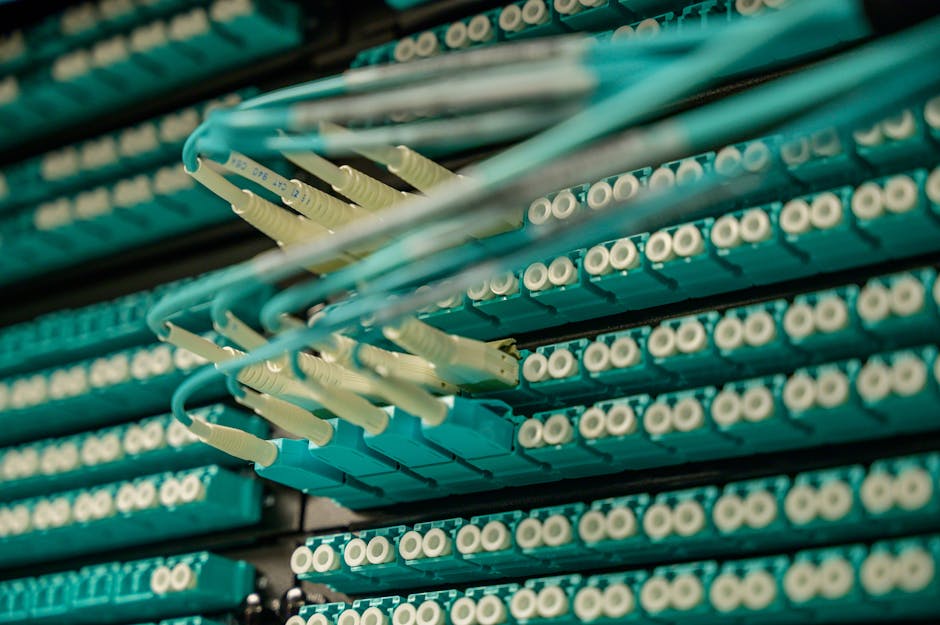
Since you’re considering fiber, here’s how it stacks up against the alternatives:
Fiber (symmetrical speeds, unlimited data, most reliable): Best for businesses that upload or video conference. Most expensive upfront, but speeds are future-proof and consistent.
Cable (fast downloads, slower uploads, data caps possible): Good for small businesses with moderate needs. Cheaper than fiber, but uploads are slow. Speeds can degrade during peak hours if many customers share the line.
DSL (reliable, slower speeds, older technology): Cheapest option, but speeds are typically too slow for modern business. Uploads are especially weak. Only consider if fiber and cable aren’t available.
For most businesses in 2026, fiber is the long-term play. Speeds won’t become obsolete, symmetrical uploads save real time, and reliability is higher. The price premium is usually worth it within 12-24 months.
Common Fiber Internet Questions for Businesses
Does fiber internet have data caps?
No. Fiber plans come with unlimited data across virtually every provider and plan. You can download, upload, stream, and backup without worrying about hitting a limit or paying overage fees. This is one of the biggest advantages over cable internet.
How long does fiber installation take?
Typically 7-14 days from order to activation. If fiber infrastructure already reaches your building (common in urban and suburban areas), installation is faster. If the provider needs to run fiber to your location for the first time, it can take longer. Some providers offer expedited installation for a fee. Always ask about timeline before signing up.
What upload speeds can I expect with fiber?
Most business fiber plans offer symmetrical speeds, meaning upload equals download. A 1 Gbps plan gives you 1 Gbps download and 1 Gbps upload. This is the opposite of cable, where uploads are often 10-20 times slower. According to FCC broadband standards, upload speeds are critical for modern business productivity.
Is fiber internet reliable for mission-critical business operations?
Fiber is generally more reliable than cable or DSL because it’s not affected by electrical interference and doesn’t degrade as easily over distance. However, “reliable” is relative and varies by provider and location. Ask potential providers about their uptime guarantee and what happens if service goes down. Some business plans include redundancy options (a backup connection) if you truly cannot afford downtime. If your business depends on constant internet access, invest in a secondary connection as backup, regardless of which primary provider you choose.
Ready for faster internet?
Have questions? Give us a call.

Best Internet Plans for Podcasters in 2025
If you’re a podcaster, having the best internet plan in 2025 isn’t a luxury—it’s essential. Podcasting has gone beyond recording conversations; it’s about streaming live episodes, connecting with listeners on social platforms, and collaborating with guests in real-time. That requires speed, stability, and reliability. Whether you focus on interviews, live streams, or publishing drop‑in episodes, the right internet setup can make or break your podcast workflow.
Why Podcasters Need Strong Internet
Unlike casual browsing, podcasting comes with heavier internet demands. Here’s why:
- Uploading Audio Files: Episodes can range from 20 MB to 200 MB, making upload speeds just as critical as downloads.
- Live Streaming: Many creators go live on platforms like YouTube or Facebook, which requires smooth connections with minimal buffering.
- Remote Interviews: Video calls with guests need enough bandwidth to prevent awkward drop-outs.
- Cloud Storage & Software: Uploading files to Google Drive or collaboration platforms can consume bandwidth consistently.
Key Features Podcasters Should Look for in Internet Plans
1. Upload Speed vs. Download Speed
Most people care about download speed, but podcasters absolutely must prioritize fast upload speeds. A plan with high download but weak upload will frustrate you when pushing episodes out or streaming live.
2. Low Latency
Latency is the time it takes for data to travel from your device to the network. If you run remote interviews or do live streaming, low latency keeps conversations smooth and avoids awkward delays.
3. Consistency of Service
Nothing damages a live recording like a dropped connection. Plans with consistent coverage are worth more than flashy speed numbers that only work at off‑peak hours.
4. Data Allowances
Some plans still enforce monthly data caps. If you upload often or engage in high-quality streaming, unlimited data or very high caps are the safest route.
Internet Speed Requirements for Podcasters
How much speed do you really need? Here’s a quick overview:
| Podcasting Task | Ideal Speed |
|---|---|
| Uploading standard audio episodes | 10–20 Mbps upload |
| Live streaming with HD video | 25–40 Mbps upload |
| Multi-guest remote interviews | 20+ Mbps upload, 50+ Mbps download |
Best Internet Setups for Different Types of Podcasters
For Solo Podcasters
If you only record solo episodes and upload edited files once or twice per week, you can get by with modest speeds, provided your upload speed is fast enough. A plan that offers symmetrical upload and download speeds will save headaches.
For Interview-Focused Shows
Since you’ll be hosting guests remotely on platforms like Zoom or others, stable connections are key. Look for plans that not only offer high upload but also minimal jitter and latency. Skipping out on this will show up as garbled voices or dropped calls mid‑interview.
For Live Streamers
If you treat your podcast like a live show, streaming to YouTube Live or Facebook Live, you need the most robust plan possible. Prioritize:
- High upload speeds
- Unlimited data usage
- Consistent speeds during peak evening hours
Tips for Optimizing Your Internet Connection
Use Wired Ethernet Whenever Possible
WiFi is convenient, but wired Ethernet connections remain king for stability. Plugging your computer directly into the router eliminates many small interruptions that can add up to glitches in audio streams.
Invest in Quality Networking Equipment
Podcasters in 2025 have the choice between mesh WiFi systems and traditional routers. Mesh systems can provide excellent coverage if your recording setup moves between rooms. Just remember that many podcasters report fewer issues when hardwired into routers, especially for recording live sessions (rightfiber.com).
Schedule Uploads Smartly
If your episodes are huge, consider uploading them outside of peak evening hours. Early mornings or late nights often give you faster effective upload speeds because networks are less congested.
Monitor Your Speeds
Use built-in router apps or simple speed test tools to check if you’re getting the bandwidth promised by your provider. Many podcasters run a quick test before sitting down with guests to ensure everything runs smoothly.
How to Choose the Right Plan for Your Location
Your internet options in 2025 will depend heavily on where you live. While big cities often have access to fiber, suburban and rural areas may rely on fixed wireless or other options. Check reviews on communities like Reddit’s HomeNetworking forum or local Yelp pages to see what real users in your area are saying about reliability.
Podcasting Internet Checklist for 2025
Before you pick a plan, evaluate each one against this quick checklist:
- Does it provide high upload speed (at least 20 Mbps)?
- Does it offer unlimited or high data caps?
- Is latency low enough for real-time interviews?
- Is the service consistent during evening hours when you may go live?
- Do local reviewers report reliability?
Final Thoughts
Choosing the best internet plan for podcasters in 2025 comes down to balancing speed, reliability, and the unique demands of your recording style. Solo creators may thrive with simpler plans, while live broadcasters should prioritize top-end packages with high uploads and unlimited data. Remember: a podcast audience can forgive a glitch in editing—but if your live guest keeps cutting out or your upload fails, it undermines the professionalism of your show. Investing in the right plan today ensures smooth recording, better collaborations, and satisfied listeners tomorrow.

Streamlined Connectivity: Best Internet Plans for Minimalists
In our always-connected world, many people crave simplicity—fewer distractions, less clutter, and tools that actually make life easier. If you’re a minimalist at heart, streamlined connectivity can help. This means choosing internet plans that give you what you need—no more, no less. The best internet plans for minimalists focus on balance: enough speed to cover everyday activities, affordable costs, and straightforward setups that don’t overcomplicate your digital life.
What Does “Minimalist Internet” Really Mean?
Minimalist internet isn’t about having the slowest connection or limiting yourself to dial-up. Instead, it’s about aligning your plan with your lifestyle. Just because maximum speed packages are out there doesn’t mean you need them if all you do is video call, browse, or stream movies occasionally. Minimalists prioritize:
- Simplicity: Easy-to-understand plans without unnecessary add-ons.
- Affordability: Paying only for the connectivity you’ll actually use.
- Practical Speeds: Internet that supports your real digital habits.
- Reliability: A stable connection without surprise slow-downs or hidden fees.
Everyday Needs and Internet Speeds
Different online habits call for different speeds, but most people don’t actually need the most expensive gigabit plan. Here’s a quick way to size up what works for a minimalist lifestyle:
| Activity | Recommended Speed |
|---|---|
| Email & light browsing | 1–5 Mbps |
| Video calls (Zoom, FaceTime) | 10–25 Mbps |
| HD video streaming | 25 Mbps+ |
| 4K streaming or gaming | 50–100 Mbps+ |
If your internet use falls on the lower end of this table, picking modest plans can save money while keeping your life connected without overkill.
Why Overbuying Internet Can Hurt a Minimalist Lifestyle
Minimalism is about clarity. Oversized plans bring unnecessary clutter in the form of higher bills, confusing packages, and unused bandwidth. A minimalist approach means evaluating your actual digital footprint:
- How many devices are connected daily?
- Do you really need 4K streaming on every device simultaneously?
- Is your work heavy on video editing uploads, or are you mainly emailing and browsing?
By asking these questions, you can avoid falling into the high-speed marketing trap and instead choose something clean and efficient.
Smart Ways to Keep Your Internet Setup Minimal
It’s not just about the plan—it’s also about the physical setup at home. Too many wires, extra hardware, or overly complicated systems add stress. For minimalists, less is always more:
- Use a single, reliable modem-router combo rather than multiple devices.
- Keep only essential devices connected to your Wi-Fi to improve stability.
- Place your router centrally to reduce dead zones without buying boosters you don’t truly need.
- Opt for wireless connections where possible to avoid tangles of cables.
Budget-Friendly Options That Still Deliver
The minimalist rule of thumb: spend where it counts, cut where it doesn’t. Instead of paying premium prices for speeds you’ll never fully use:
– Look for community-shared insights on platforms like Reddit to see what locals are using successfully.
– Check Yelp and neighborhood forums often to see how certain providers perform in real-world usage.
– Join a discussion on Quora about balancing internet speed and cost efficiency.
These resources give you human experiences, not just marketing promises.
Minimalism and Internet in the Work-From-Home Era
Working from home often increases pressure to upgrade to ultra-fast plans. However, a minimalist can still thrive with practical speeds. Most video conferencing software like Zoom and Google Meet requires relatively modest bandwidth, and project management tools are lightweight.
Minimalists benefit from separating “need to have” from “nice to have.” Instead of jumping to the highest tier plan, test mid-range plans first—you may find they easily handle your home office needs while keeping costs down.
Tips for Practicing Digital Minimalism Through Your Internet Plan
1. Audit Your Usage
Track your actual consumption for a week. Many routers show how much bandwidth each device uses. If the numbers are lower than expected, you’re probably safe downgrading.
2. Cut Device Fat
Disconnect old phones, smart gadgets, or streaming sticks you rarely use. Each device consumes tiny chunks of bandwidth, adding clutter to your network.
3. Embrace Offline Times
For true minimalism, schedule intentional offline hours. The less you demand from your internet, the fewer resources you’ll require overall.
Minimalist-Friendly Internet Plan Checklist
Before signing up or switching, test your plan against this checklist:
- Simple monthly cost, no surprises?
- Speed matches actual lifestyle needs?
- Setup uses minimal hardware?
- Easy customer support or community forums?
Tools That Help Minimalists Stay Simplified
Some tools make it easier to live with less bandwidth:
- Browser extensions: Tools like ad-blockers can reduce data load while speeding up browsing.
- Download managers: Batch large downloads during off-peak hours to keep everyday connections smooth.
- YouTube tutorials: If you struggle setting things up, countless guides on YouTube help configure routers and optimize Wi-Fi.
When “Less” Internet Might Actually Mean “More” Peace
Minimalist living isn’t simply about owning fewer things. It’s about creating space for what truly matters. By choosing streamlined connectivity, you create:
- Fewer bills and no financial clutter.
- Less stress from technical complications.
- Just enough technology to keep you effective and connected.
Sometimes, the best internet is the one you rarely think about because it works quietly in the background, supporting your lifestyle without demanding more from you.
Final Thoughts: Simplicity over Speed
The best internet plan for minimalists is not always the fastest plan available but the one that offers clarity, affordability, and balance. By choosing wisely, you can create digital harmony at home—removing excess noise and ensuring your connection supports a life of simplicity. Streamlined connectivity is not about less internet—it’s about less complication.

5 Signs You Need a Faster Internet Plan Right Now
We’ve all felt the frustration of slow connections, endless buffering, or Zoom calls that freeze at the worst times. If your home Wi-Fi no longer keeps up with your daily life, it may be time to upgrade. Your internet plan should match how you use technology—whether for work, school, or streaming—and when it falls short, the experience can be stressful. Recognizing the warning signs early can save you time, headaches, and even money in the long run. Let’s dive into the clear signs you need a faster internet plan right now.
1. Your Video Calls Keep Freezing or Dropping
Remote work, online classes, and virtual hangouts have become a daily norm. But if you notice constant freezing, dropped calls, or robotic-sounding audio, your connection is struggling to keep up. Video apps like Zoom, Microsoft Teams, and Google Meet require steady bandwidth. When multiple people in your household use video conferencing at the same time, your internet plan might buckle under the strain.
What’s happening?
- Video conferencing needs a strong upload speed, not just download speed.
- Older internet plans often prioritize downloads, leaving uploads weak.
- When kids are in online classes while you’re in a meeting, slow plans can’t handle both.
Quick Tip:
If you notice calls disconnecting whenever someone else streams in another room, it’s a good sign you need more bandwidth—all family activities should be able to happen smoothly at once.
2. Streaming Feels More Like Buffering
Streaming movies, shows, or live sports should feel seamless, but buffering wheels and low video quality are telltale signs of insufficient internet speed. Modern platforms like Netflix and YouTube automatically adjust video quality based on your speed. That’s why your HD movie suddenly drops to pixelated standard definition if your plan can’t keep up.
Signs your streaming needs more speed:
- Frequent pauses to buffer while watching.
- Video quality shifts down from HD or 4K to lower resolutions.
- Two or more people streaming different shows at once crashes the system.
Entertainment has shifted to streaming more than ever, and if your plan was designed for simple web browsing, it won’t match the demands of today’s binge-watching habits.
3. Too Many Devices Drag Down Your Network
Think about how many devices are connected to your Wi-Fi right now—phones, tablets, laptops, smart TVs, gaming consoles, smart thermostats, speakers, and maybe even a few kitchen appliances. Each one uses a portion of your bandwidth. If your plan isn’t built for modern households with 10, 20, or even more connected devices, you’ll feel the slowdown everywhere.
Why this matters:
- Every smart home gadget uses a small but steady portion of your internet.
- More devices introduced over time make an outdated plan fail silently.
- If gaming, streaming, and work overlap, weaker Wi-Fi plans collapse.
One of the best solutions for homes with lots of devices is a router with Wi-Fi 6 technology, which is praised for handling high device loads without bottlenecks. As noted in guides like yestechie.com, upgrading your hardware along with a faster plan ensures your devices stay connected without competing for scraps of bandwidth.
4. Online Gaming Feels Laggy and Unfair
Gamers are among the first to notice when speeds aren’t enough. A tiny delay (known as latency) can mean losing battles, missing shots, or disconnecting entirely. If your online matches seem unfair and your reactions never register as quickly as others, slow internet could be the culprit.
How lag shows up:
- Your character moves slower than others in online games.
- Enemies appear out of nowhere due to delayed rendering from lag.
- Game downloads and updates take hours instead of minutes.
According to reviews of high-performance routers like the ASUS ROG Strix GS-AX5400 gaming router (Amazon), consistent speed and low latency make all the difference. But keep in mind that even the best hardware won’t perform well if your internet plan itself is too slow for modern multiplayer gaming.
5. Uploading and Cloud Backups Take Forever
It’s not just about downloading anymore. Upload speeds matter a lot—especially for work files, cloud storage, and photos. If it takes forever to back up files to Google Drive, iCloud, or Dropbox, your upload speeds are probably dragging you down. Many older internet plans offer upload speeds that are barely a fraction of their download speed, making them unusable for today’s cloud-first workflows.
Examples of upload-heavy tasks:
- Backing up family photos or videos to cloud storage.
- Uploading large work documents or creative projects.
- Streaming live content on YouTube, Twitch, or Facebook Live.
Cloud backups are essential for security and convenience, but when uploads creep along at a snail’s pace, your files may not sync correctly—or you’ll avoid backing up entirely, which puts your data at risk.
What You Can Do Next
If you’ve identified with several of these signs, your internet plan is holding you back. Here’s what to consider:
- Check how many devices are connected in your home.
- Test your current speeds compared to what you’re paying for—free tools like YouTube tutorials on speed tests can help you do this easily.
- Look for internet plans that highlight strong upload speeds if you rely heavily on video calls, gaming, or cloud backups.
- Upgrade your router if yours is 3+ years old—modern Wi-Fi 6 models are built for multi-device homes.
Table: Common Internet Activities and Recommended Speeds
| Activity | Recommended Speed |
|---|---|
| HD Streaming | 5–10 Mbps per stream |
| 4K Streaming | 25 Mbps per stream |
| Video Conferencing | 3–5 Mbps upload per user |
| Online Gaming | Low latency, at least 10–25 Mbps download |
| Cloud Backups | 10 Mbps+ upload recommended |
Final Thoughts
Modern life demands fast, reliable internet. If you’re juggling video calls, cloud backups, streaming, and smart devices, an outdated plan can’t keep up. Freezing screens, constant buffering, unresponsive gaming, and sluggish uploads aren’t just minor annoyances—they’re clear signals that your plan is outdated. Take the time to evaluate your household’s needs, and don’t hesitate to upgrade when your current service can’t meet them. The difference between frustration and freedom online might simply be a faster internet plan.
Best Internet Providers for Seamless Streaming and Gaming on Multiple Devices
If your household loves both streaming videos and online gaming, then you already know how important it is to have a reliable internet provider. The best internet providers for seamless streaming and gaming on multiple devices deliver consistent speed, low latency, and strong Wi-Fi coverage. In this guide, we’ll explore what makes an internet connection great for entertainment, how to choose wisely, and practical tips to make sure your family never has to argue over buffering screens or laggy gameplay.
What Makes an Internet Provider Good for Streaming and Gaming?
A good internet experience is not just about high download speeds. For multiple devices—whether it’s a smart TV, a gaming PC, or a few smartphones being used at the same time—you’ll need more than just raw speed. Let’s break it down:
- Speed (Bandwidth): Enough Mbps to handle Ultra HD streaming and simultaneous gaming.
- Low Latency: Ping response times are crucial for gaming performance.
- Upload Speeds: Important for live streaming and online multiplayer games.
- Consistency: No sudden drops in speed or frequent disconnections.
- Reliable Coverage: Strong Wi-Fi that reaches every room in your home.
Understanding Internet Speed Needs
Before choosing a provider, it’s smart to understand how much speed your household actually needs. Here are some general estimates:
| Activity | Minimum Speed |
|---|---|
| HD Video Streaming | 5 Mbps per device |
| 4K Ultra HD Streaming | 25 Mbps per device |
| Online Gaming | 3–6 Mbps (plus low latency) |
| Video Calls / Conferencing | 3–5 Mbps |
Streaming and Gaming Across Multiple Devices
When picking the best internet providers for seamless streaming and gaming on multiple devices, consider how your household actually uses the network. For example:
- If you often have two TVs streaming Netflix at the same time while someone plays an online RPG, your speeds will add up quickly.
- A single gamer may not need extreme bandwidth, but lag-free connections are essential—which depends more on latency and stability.
- Smart home devices, security cameras, and voice assistants also run in the background, increasing demand.
Why Wi-Fi Technology Matters
Even the best internet plan can feel slow if your Wi-Fi router can’t distribute the connection effectively. Routers with the latest Wi-Fi standards like Wi-Fi 6E significantly improve efficiency, latency, and device capacity. Mesh Wi-Fi systems also help in larger homes by spreading coverage more evenly across multiple access points.
Tips for Seamless Streaming and Gaming
1. Prioritize Ethernet Connections When Possible
For gaming consoles or desktop PCs, a wired Ethernet connection is always the most stable option. This reduces latency and eliminates potential Wi-Fi interference.
2. Use Dual-Band or Tri-Band Routers
By separating devices onto different frequency bands (2.4 GHz for light tasks and 5 GHz or 6 GHz for high-performance activities), you improve overall stability. Many modern routers automatically manage this, but you can manually assign devices if needed.
3. Limit Background Bandwidth Use
Large software downloads or cloud backups can clog up bandwidth. Try scheduling those outside of gaming or streaming hours.
4. Optimize Streaming Devices
- Smart TVs and streaming boxes should connect directly to faster bands.
- Enable any “Quality of Service (QoS)” or traffic prioritization options available in your router settings to ensure gaming consoles always have the lowest latency.
Common Issues to Watch Out For
- Buffering: Caused by insufficient speeds or unstable Wi-Fi signal.
- Lag Spikes: Often related to high latency or network congestion.
- Dead Zones: Areas in the home where Wi-Fi signals drop completely.
- Device Overload: Too many devices can saturate the bandwidth, especially if you’re using an older router.
How to Improve Wi-Fi Coverage
If you already have an internet plan that should be good enough but you’re still experiencing problems, improving your home network setup could help:
- Position your router in a central location, away from thick walls and interference from appliances.
- Upgrade to a mesh Wi-Fi system for large or multi-story homes.
- Disable unused devices consuming bandwidth in the background.
Balancing Gaming and Streaming Needs
Gamers often prioritize low latency, while streamers focus on high speeds and stability. In homes where both happen simultaneously, here’s how to balance:
- Choose internet plans with higher upload speeds since games and live streaming benefit most.
- Test latency using built-in tools on gaming consoles and adjust connection methods accordingly.
- If your internet provider’s equipment is outdated, consider buying your own high-quality router.
Community Insights: What People Recommend
When in doubt, it helps to see what real users have to say. Many gamers on Reddit discussions emphasize that consistent latency is more valuable than extreme download speeds. Streamers on Quora also recommend using wired connections for critical devices while leaving Wi-Fi for casual browsing and smart home gadgets.
Checklist for Choosing Your Best Provider
- Check what internet speeds are offered in your area.
- Pick a plan with a balance of download and upload speeds.
- Look for a provider with no strict data caps if your household streams a lot.
- Review latency and jitter performance for gaming reliability.
- Ensure equipment provided (or your own) supports modern Wi-Fi standards.
Final Thoughts
Finding the best internet providers for seamless streaming and gaming on multiple devices doesn’t have to be overwhelming. What matters most is ensuring you have a combination of strong bandwidth, low latency, good equipment, and proper Wi-Fi coverage. With the right setup, your family can enjoy endless streaming binges and smooth gaming nights without interruptions.