Posts tagged: frontier communications bundle packages
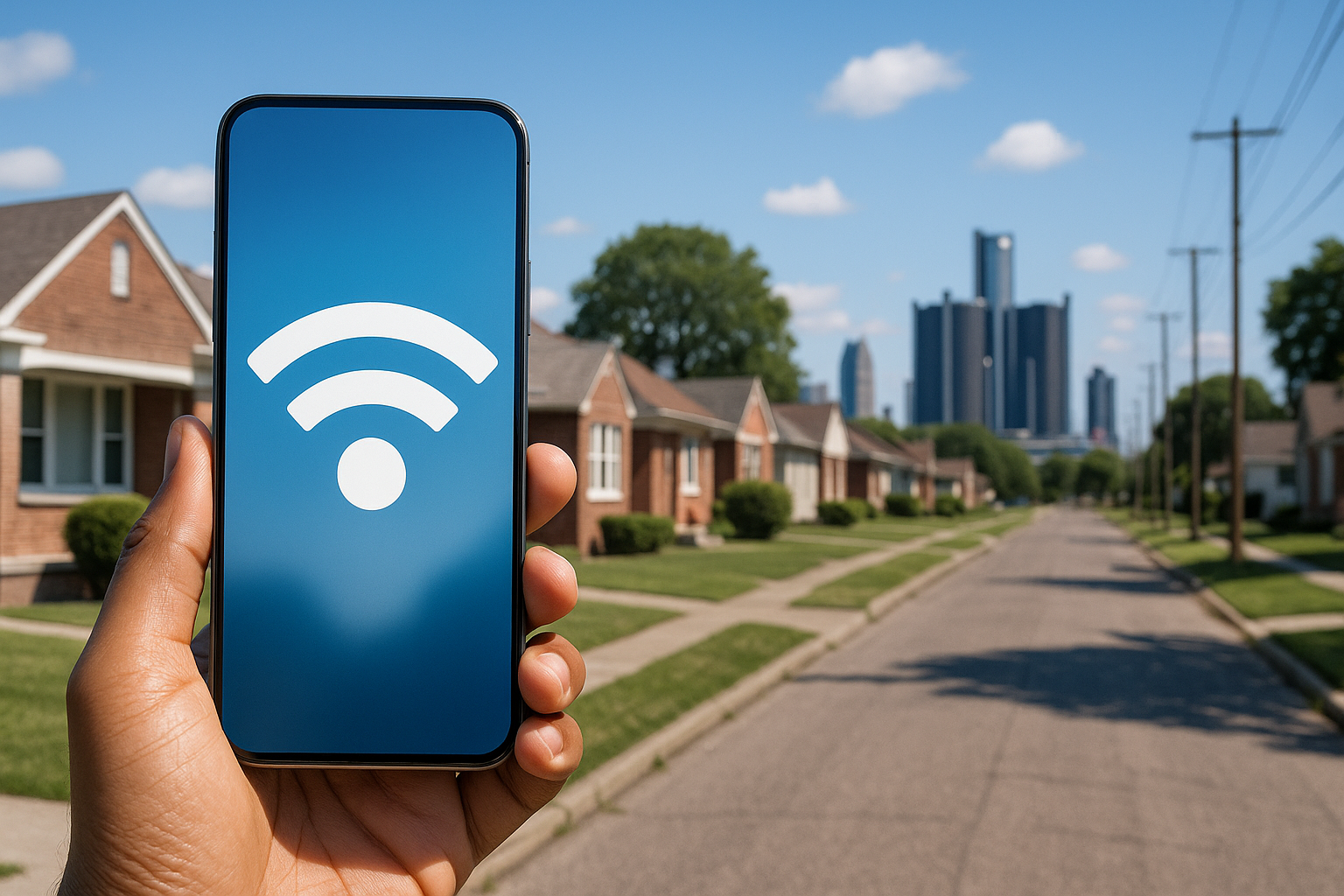
Discount Internet with EBT in Inkster, MI
If you live in Inkster, MI and use an EBT card as part of your household benefits, you may qualify for discount internet with EBT. Affordable, reliable internet has become essential for work, school, and staying connected with family. Thankfully, there are programs designed to help lower-income households and families save money on monthly internet service while still getting decent speeds and service features.
Why Finding Discount Internet in Inkster, MI Matters
Inkster, MI is home to more than 26,000 residents. Like many communities in Wayne County, access to high-speed internet plays a major role in education for kids, remote work opportunities for adults, telemedicine, and even keeping in touch with loved ones. Unfortunately, cost is one of the biggest barriers to getting connected. That’s where discounts for households with EBT, also known as SNAP, come in.
Internet providers in Inkster, MI now offer special programs for households that participate in SNAP or other qualifying benefits. If you already use an EBT card, you may be eligible.
Top Discount Internet Programs Available
Xfinity Internet Essentials
Xfinity offers one of the most popular low-cost options in Inkster, MI. Through the Internet Essentials program, qualifying residents who use EBT can access discounted high-speed internet for about $10 per month. Some plans allow for upgraded speeds at a slightly higher cost. The plan usually includes:
- Speeds up to 50 Mbps (sufficient for streaming, remote learning, and video calls)
- No credit check requirement
- No long-term contracts
- Low-cost WiFi equipment rental option
AT&T Access
AT&T offers a similar program called Access from AT&T, available to households with SNAP/EBT participation in Inkster, MI. Eligible residents can expect:
- Plans starting at around $10 per month
- Speeds up to 100 Mbps, depending on location
- Free WiFi modem and installation in many cases
Spectrum Internet Assist
For Inkster, MI residents who live in areas with Spectrum coverage, Spectrum Internet Assist provides:
- Discounted internet starting near $15 per month
- Speeds up to 50–100 Mbps
- Optional unlimited WiFi for a few dollars more
Other Programs That May Help
If you have an EBT card, you may also qualify for the federal Lifeline program. Lifeline provides a discount of up to $9.25 per month on either internet or phone services. Households can apply the discount toward a cell phone plan, home internet, or bundle options depending on their provider’s choices.
Lifeline Highlights:
- Available nationwide, including Inkster, MI
- Discount works on either internet or phone
- Annual recertification required
How to Apply for Discount Internet with EBT
Signing up for these programs in Inkster, MI is fairly simple. The process usually follows a few main steps:
- Confirm Eligibility: Check if you are enrolled in EBT (SNAP). Other qualifying programs may include Medicaid, SSI, or reduced lunch programs for children in school.
- Contact Your Preferred Provider: Visit websites of providers like Xfinity, AT&T, or Spectrum, and search their discounted programs. You can also call their customer service for application help.
- Provide Documentation: Be ready to upload or send proof of enrollment in EBT. Examples include your SNAP approval letter, EBT card, or state-issued documentation.
- Choose Your Plan: After approval, pick the discounted internet plan that fits your needs best.
Free WiFi Options in Inkster, MI
In addition to home internet, residents can find places in Inkster, MI with free WiFi access. While not ideal as a permanent solution, they can be helpful for temporary access:
- Public libraries in Wayne County offer free WiFi inside and outside buildings.
- Some cafes and local restaurants allow customers to connect without fees.
- Community centers and parks often partner to provide public WiFi access.
Tips for Choosing the Best Discount Internet Plan
When selecting your discounted internet plan through EBT, here are some helpful tips:
- Check Coverage: Certain providers may not cover every part of Inkster, MI. Input your address on provider websites for accurate availability.
- Compare Speeds: If you need internet for remote work, video meetings, or gaming, aim for speeds of at least 50 Mbps.
- Watch for Added Fees: Some “cheap” plans can add up with installation or equipment fees. Look for ones that include free setup or low rental costs.
- Take Advantage of Bundles: If you already use a discounted mobile service, check if you can get extra savings by combining home and phone internet discounts.
Discount Internet and Digital Literacy
Getting online is only part of the solution. Programs in Wayne County also focus on digital literacy. Households in Inkster, MI may find classes at the library or local community centers that teach basic internet use, safety, and device setup. These resources help ensure that cheaper internet service is not only affordable but also accessible for all ages.
Example: Monthly Cost Comparison
Here’s a simple chart showing how much households in Inkster, MI could save with discount internet programs compared to regular plans:
| Plan | Regular Cost | Discount Cost (with EBT) |
|---|---|---|
| Xfinity Internet Essentials | $60–$80 | $10 |
| AT&T Internet (Access) | $55–$70 | $10 |
| Spectrum Internet Assist | $70–$85 | $15 |
Frequently Asked Questions
Do I need a credit check to sign up?
Most discount internet programs in Inkster, MI do not require credit checks. This makes it easier for households who may not have built credit histories.
Can I use the discount if I already have internet?
If you’re already a paying customer, you may need to cancel and reapply under the discounted program. This depends on the provider, so always ask before making changes.
What if I don’t qualify with EBT?
If you don’t qualify with EBT but meet other low-income qualifications, you may still be able to get Lifeline or local community-based internet assistance programs.
Final Thoughts
Living in Inkster, MI with an EBT card means you don’t have to miss out on affordable high-speed internet. With providers like Xfinity, AT&T, and Spectrum offering plans as low as $10 per month, every household can stay connected for school, work, and family life. The process to apply is simple, and approval often takes less than two weeks. With the right program, you can bring reliable WiFi into your home and take advantage of the opportunities that come with being online.

Internet Options for Families in Novi, MI
Finding the right internet options for families in Novi, MI is about more than just speed. Families today need reliable connectivity for schoolwork, remote jobs, streaming, gaming, and staying connected with loved ones. The good news is that Novi, MI has multiple internet providers offering a range of plans designed to fit different household sizes and budgets.
Why Families in Novi, MI Need Reliable Internet
Life in Novi, MI moves at a fast pace—yet much of our daily routine depends on smooth, stable online access. Families need internet to:
- Support multiple devices simultaneously
- Stream HD or 4K videos without lag
- Ensure smooth online classes and video conferencing
- Enable parents who work remotely to meet project deadlines
- Power smart home systems from WiFi cameras to digital thermostats
As more schools issue homework online and households increase their reliance on streaming TV, having the right connection has become just as important as electricity or water in Novi, MI homes.
Top Internet Providers in Novi, MI
Novi, MI is a thriving suburban city with excellent infrastructure. Families here have access to a variety of internet providers offering broadband, fiber, and cable services. Let’s break down the leading options available in Novi, MI:
Xfinity (Comcast)
Xfinity offers high-speed cable internet throughout Novi, MI. It’s known for bundling services like internet, TV, and home phone, which is helpful for families who want all-in-one packages.
- Speeds: Up to 1.2 Gbps in some areas
- Best For: Streaming households, kids gaming, and families who want flexible bundle deals
AT&T Fiber
AT&T Fiber is widely available in Novi, MI and is one of the fastest options. Fiber connections provide low latency, which is perfect for video calls and online gaming.
- Speeds: Up to 5 Gbps in certain packages
- Best For: Large families, heavy users, and households working from home
WOW! Internet
WOW! is another regional option that covers major parts of Novi, MI. It offers competitive packages for families looking for reliable mid-range speeds at a lower price point.
- Speeds: Up to 1 Gbps
- Best For: Budget-conscious families with multiple online needs
Astound Broadband
Astound gives Novi, MI families another cable-based option with customizable packages. While its coverage is slightly more limited than Xfinity or AT&T, many neighborhoods rely on Astound as a strong alternative.
- Speeds: Typically 500 Mbps – 1.2 Gbps
- Best For: Small to medium households
T-Mobile 5G Home Internet
T-Mobile offers wireless internet in Novi, MI using its 5G network. This is a flexible option for families who do not want cable or fiber installation.
- Speeds: Varied, generally between 100–250 Mbps depending on location
- Best For: Households with moderate streaming needs and no heavy reliance on ultra-high speeds
Comparison of Internet Providers in Novi, MI
Here’s a quick side-by-side look at family internet options available in Novi, MI.
| Provider | Connection Type | Top Speed | Best For |
|---|---|---|---|
| Xfinity | Cable | 1.2 Gbps | Streaming households |
| AT&T Fiber | Fiber | 5 Gbps | Large families & remote work |
| WOW! Internet | Cable | 1 Gbps | Budget-friendly options |
| Astound Broadband | Cable | 1.2 Gbps | Mid-sized households |
| T-Mobile 5G Internet | Wireless 5G | 250 Mbps | Flexible, no-contract needs |
Choosing the Right Internet Plan for Families
Speed Considerations
- Small families (2–3 active users): 100–300 Mbps is usually enough
- Medium families (4–5 users): 500 Mbps or higher ensures smooth multitasking
- Large families (6+ users): Gigabit (1,000 Mbps+) is ideal for heavy connected homes
Other Factors to Keep in Mind
- Budget: Determine what your family is comfortable paying per month
- Bundles: Families who want internet + cable TV may save with bundle packages
- Flexibility: Some households prefer no-contract providers
- Coverage: Availability varies by neighborhood, especially with fiber
Tips to Maximize Family Internet in Novi, MI
Getting the right plan is just the first step. Here are ways families in Novi, MI can make sure everyone has smooth online access:
- Place your modem/router in a central spot of your home
- Use WiFi extenders in large or multi-level houses
- Schedule heavy downloads or system updates at night
- Set parental controls to manage screen time
- Contact your provider for a plan upgrade if lagging becomes frequent
Family-Friendly Features to Look For
- Parental Controls: Keep kids safe online by restricting certain content
- Smart Home Integration: Many Novi, MI households use WiFi-enabled appliances and devices
- Unlimited Data: Look for plans without caps if your family streams and downloads often
Internet for School & Learning
With Novi Community Schools recognized as some of the best in Michigan, many students rely heavily on the internet to complete coursework. A fast, stable connection ensures that homework, research, and virtual classrooms run smoothly. Fiber connections especially offer low latency that helps with live lessons, online assessments, and collaborative projects.
Entertainment for Families
From streaming family movie nights to gaming marathons, entertainment drives a lot of internet usage in Novi, MI. Choosing a provider that offers consistent download speeds ensures fewer buffering issues and more fun memories made at home.
Final Thoughts
Families in Novi, MI have a wide range of internet options to choose from, whether they want blazing-fast fiber speeds, affordable cable packages, or no-contract wireless. By considering household size, usage habits, and budget, families can find the provider that ensures smooth connectivity today and prepares them for the future of digital living.

Smart Ways to Try Out Internet Providers Before You Commit
Choosing the right internet service isn’t a small decision. Whether you work from home, stream movies, or just want reliable browsing, your connection makes all the difference. Before you lock yourself into a contract, you can take smart steps to try out internet providers first and make sure they’re the right fit for your needs.
Why Test an Internet Provider First?
Switching providers can sometimes involve early termination fees, equipment changes, and a lot of hassle. By testing a provider before committing long-term, you can:
- Experience real-world speeds vs. advertised speeds
- Test reliability during peak hours
- Evaluate customer support responsiveness
- See how well the service works with your devices
Borrow a Connection From Friends or Neighbors
If someone you know already has the provider you’re considering, you can ask them if you can test it out. Simply connect your laptop or phone to their Wi-Fi, try activities you normally do at home, and pay attention to how the connection performs.
- Stream a video at the resolution you usually watch
- Join a video call or online class to see connection stability
- Test gaming responsiveness if that’s important to you
Communities often discuss their internet experiences openly on Reddit or Quora. Searching your provider name there can give you unfiltered opinions from real customers in your region.
Use Free Trials or Money-Back Guarantees
Some ISPs offer a short trial period or a satisfaction guarantee. During this time, you can cancel penalty-free if the service doesn’t meet your expectations. While these aren’t always widely advertised, it’s worth asking when you sign up.
What to do during your trial
- Run speed tests multiple times a day
- Check how well multiple devices handle streaming at once
- Reach out to customer support with a question to test response speed
- Monitor upload speeds if you back up files or share large documents
Explore Hotspots and Public Wi-Fi
Many providers maintain free public Wi-Fi networks in cafes, libraries, or public areas. Connecting to these hotspots can give you a taste of how the provider’s infrastructure performs in your area. To see how others rate public Wi-Fi experiences, check local feedback on Yelp.
Leverage Mobile Data Trials
Some companies let you try out home internet delivered over mobile networks by offering hotspot loans or free test SIMs. You can insert a SIM card into your own mobile hotspot device or a compatible router and see how it performs in your home before making a purchase.
Questions to ask yourself
- Does it cover every room in your house or apartment?
- How does performance change during evenings?
- Can it handle multiple streams at once?
Ask About Temporary Plans
A little-known trick is asking providers if they offer prepaid or month-to-month plans. These let you test service without long-term risk. While prices may be slightly higher, the flexibility gives you peace of mind.
Run Your Own Connection Tests
Even after installing a trial connection, you’ll want to confirm its reliability. You can do this with a combination of simple tools:
- Ping test: Measures response time between your device and a server. A lower number is better for gaming and video calls.
- Download test: Shows how fast you can pull content from the web.
- Upload test: Equally important if you share media or join calls.
- Video call reliability: Try multiple platforms like Zoom or FaceTime and notice any lag.
Check Community Feedback Before Deciding
No test is complete without hearing from other real users. Local community groups on Facebook often share honest discussions about provider quality in your neighborhood. Searching for your city plus “internet issues” or “WiFi reviews” can lead you to groups where locals exchange updates and tips.
Try Streaming Quality on Different Devices
A provider might perform well on a laptop but struggle on smart TVs or gaming consoles. During testing:
- Stream on your phone, laptop, and TV simultaneously
- Check buffering time at the start of videos
- See if the resolution stays consistent without dropping to lower quality
Short-Term Speed vs. Long-Term Stability
Some connections test great in the first few days but show weaknesses over time. Use free tools like YouTube tutorials on running automated speed scripts to log long-term results. A one-week log offers insight into how the connection behaves during work hours, evenings, and weekends.
Practical Trial Checklist
Here’s a handy list you can follow when trying out a provider before committing:
- Test at multiple times of day, not just in the morning or late at night
- Join at least one long video call
- Stream a full-length movie without interruption
- Download a large file to check speed consistency
- Upload photos or videos to cloud storage
- Walk around your home and test coverage in corners and rooms
Document Your Findings
Keep a simple journal or spreadsheet to record all your testing. Break it into categories like speed, stability, coverage, support, cost. By tracking, you’ll avoid relying on memory and can make a clear comparison between providers you test.
| Category | Provider A | Provider B |
|---|---|---|
| Average Speed | Consistent | Fluctuates |
| Customer Support | Helpful | Long wait times |
| Coverage in Home | Strong in all rooms | Dead spots upstairs |
| Overall Experience | Smooth | Mixed |
The Smart Decision Process
After you’ve completed a trial, the decision becomes much clearer. Instead of relying solely on marketing claims, you’ll have personal experience and community insight to back up your choice. The smart way to test internet providers before committing is to treat the trial like a true rehearsal of your daily life online.
By using free trials, checking reviews on platforms like Reddit, testing with your neighbors, and tracking real-world performance, you ensure that your final choice is backed by confidence, not just advertisements.

Best Internet Options for Smooth and Secure VPN Use
When it comes to protecting your privacy and browsing anonymously, nothing beats a Virtual Private Network (VPN). But for a VPN to work smoothly and securely, you need the right internet setup. Your connection can make or break the VPN experience. In this guide, we’ll explore the best internet options for smooth and secure VPN use, so you never have to worry about lag, buffering, or dropped connections.
Why Internet Quality Matters for VPNs
VPNs encrypt your traffic and funnel it through a secure server. This extra step adds a little overhead, which can slightly reduce your usual internet speed. That’s why having solid internet service is essential.
The wrong connection paired with a VPN can lead to:
- Slow downloads and buffering when streaming
- Choppy video calls or poor voice call quality
- Difficulty with online gaming due to high latency
- Frustrating disconnects in the middle of important tasks
The right internet setup, however, ensures that the speed drop from a VPN is barely noticeable.
Primary Factors for Smooth and Secure VPN Use
1. Speed
A VPN typically reduces internet speed by 10–20% depending on the server and encryption strength. Having a fast base speed prevents you from feeling that loss.
2. Reliability
Unstable networks make VPNs disconnect, which defeats both productivity and privacy. A reliable line eliminates random drops.
3. Latency
Low latency (or “ping”) is important for real-time activities such as gaming, stock trading, or video conferencing. Since VPN routing already increases latency, you want the lowest base latency possible from your connection.
4. Security & Privacy
Having a secure connection minimizes vulnerabilities. Public Wi-Fi, for example, is prone to attacks, but at home, investing in strong encryption from your modem/router offers additional protection alongside your VPN.
Types of Internet Connections and How They Work With VPNs
Here’s a breakdown of how popular connection types perform under VPN use:
| Connection Type | Speed with VPN | Reliability | Best For |
|---|---|---|---|
| Fiber Internet | Excellent | Very reliable | All-around use: streaming, gaming, remote work |
| Cable Internet | Good | Reliable, but shared bandwidth can fluctuate | Streaming, standard VPN browsing, remote work |
| DSL | Average | Dependable but slower speeds | Light VPN use, browsing, email |
| Fixed Wireless/Home 5G | Good, varies | Reliability depends on coverage and signal | VPN use when wired options are unavailable |
| Satellite | Poor | Often unreliable for VPN due to high latency | Only when no other internet option is available |
| Public Wi-Fi | Highly variable | Unstable and risky | Temporary use, always with VPN for security |
Router and Hardware Considerations
Your internet speed and stability are closely tied to your router. A modern, VPN-friendly router helps handle encryption without crashing or slowing down.
- Wi-Fi 6 or Wi-Fi 6E routers: These support faster connections and better handling of multiple devices.
- Mesh Wi-Fi systems: Great for multi-story homes; they eliminate dead zones and keep VPN sessions stable [medium.com].
- Router CPU power: Stronger processors mean smoother VPN encryption.
Tips for Optimizing VPN Performance with Any Internet Service
Use Wired Connections When Possible
Ethernet connections reduce latency and eliminate the wireless interference you might face with Wi-Fi.
Pick the Closest VPN Server
The shorter the distance your data travels, the better the performance. If you’re in New York, choose an East Coast server rather than one in Europe unless you specifically need that routing.
Split Tunneling
Many VPNs allow split tunneling, where only certain apps go through the VPN. This can free up bandwidth for other activities without compromising privacy where it matters most.
Adjust VPN Protocols
VPNs offer different protocols such as OpenVPN, IKEv2, or WireGuard. WireGuard is typically the fastest, while OpenVPN provides versatile compatibility.
VPN Use Cases and the Best Internet Options
For Remote Workers
If you’re handling sensitive company data or spending your day on video calls, go for fiber or stable cable internet. This ensures your VPN doesn’t cause interruptions during presentations or secure logins.
For Streamers
High-definition and 4K streams demand strong speeds. Fiber is best, but high-speed cable is typically sufficient. Avoid DSL or satellite for heavy streaming.
For Gamers
Low latency makes a huge difference here. Wired fiber connections reign supreme. Cable can also be good if latency is stable. Satellite and DSL are poor for competitive gaming with a VPN.
For Travelers
Public Wi-Fi is the biggest concern. Always connect to a VPN when using airport or hotel Wi-Fi. According to [medium.com], Wi-Fi only provides a method of getting online, but without a VPN, it leaves users exposed to risks on unsecured networks.
Frequently Asked Questions
Will a VPN always slow down my internet?
Yes, but usually not by much if you have a fast and stable service. The encryption process naturally adds overhead, but good ISPs and strong connections balance this out.
Is fiber internet always the best for VPN?
Fiber is the ideal choice thanks to its symmetrical speeds and stability. But cable and fixed wireless can also provide solid performance for most VPN users.
Do I need a special router for VPN?
Not necessarily, but high-performance routers improve VPN reliability. Some routers even allow direct VPN installation to protect all devices on your network.
Final Thoughts
Choosing the best internet option for smooth and secure VPN use comes down to balancing speed, reliability, and security. Fiber internet is the top choice, cable offers a solid middle ground, and DSL or fixed wireless works in specific cases. Avoid satellite where possible if you plan on heavy VPN use. With a capable router, careful VPN settings, and the right connection, your online activity stays private without compromising performance.