Posts tagged: fiber internet lafayette
Smart Ways to Avoid Internet Overages and Save on Data Costs
Internet overages are an all-too-common headache for households today. With streaming, video calls, online gaming, and smart devices consuming more bandwidth than ever, hitting your monthly data cap can lead to pricey extra charges. The good news? By applying a few simple strategies, you can avoid internet overages and save on data costs without having to sacrifice your online lifestyle.
Why Internet Overages Happen
Before we talk about solutions, it helps to understand why overages occur. Most ISPs set monthly data caps, and every gigabyte you consume counts toward that limit. Exceed it, and you’re billed for additional data. Activities like 4K streaming, cloud backups, online games, and even smart home devices can add up quickly.
Common Data-Hungry Activities
- Streaming Ultra HD TV shows and movies
- Online gaming and downloads of large game files
- Cloud photo and video uploads
- Remote work with video conferencing
- Smart home devices constantly communicating online
Track Your Usage Regularly
The first step in managing your internet consumption is keeping an eye on it. Many routers and devices now include dashboards that show you how much data is being used daily or monthly. Some smartphones also provide built-in data monitoring features.
Smart Tips for Tracking
- Use your router’s management app to see which devices consume the most.
- Check built-in network monitor tools in your operating system.
- Set up alerts so you’re notified when you’re close to reaching your limit.
Communities on sites like Reddit share great advice on the best tools for tracking household usage.
Optimize Your Streaming Settings
One of the biggest culprits behind internet overage fees is video streaming. By default, many platforms use the highest quality possible, which eats up data quickly. Adjusting your streaming settings can save hundreds of gigabytes over a month.
Streaming Optimization Tips
- Switch from 4K to HD when ultra-high resolution isn’t necessary.
- Download content for offline viewing instead of streaming repeatedly.
- Limit auto-play on platforms like YouTube, which can run endlessly.
For example, YouTube provides easy quality setting changes in its app and desktop site, helping you reduce data consumption significantly. You can explore video tutorials on YouTube to see how to adjust your device settings.
Schedule Automatic Backups Wisely
Cloud backups can eat astonishing amounts of bandwidth, especially if you’re syncing photos and videos daily. Instead of letting files upload whenever, schedule them for low-usage hours or choose manual backups.
Best Practices
- Disable “sync everything” and choose specific folders.
- Schedule uploads for overnight windows when household usage is low.
- Use selective sync to avoid syncing large files you don’t need everywhere.
Limit Background Data Usage
Even when you’re not actively online, many devices and apps continue to consume data in the background. From auto-updates to smart assistants, these small amounts add up.
- Turn off auto-updates on gaming consoles during peak times.
- Disable auto-play in social media apps that continuously load videos.
- Check your smart devices (cameras, thermostats) and reduce how often they send updates to the cloud.
On forums like Quora, many users share real experiences reducing data waste this way.
Leverage Wi-Fi for Mobile Devices
Mobile data often counts against your data cap if your network is integrated with your broadband account. To avoid this, always connect phones, tablets, and laptops to your home Wi-Fi when possible.
Wi-Fi Saving Habits
- Set your devices to automatically join your secure home Wi-Fi network.
- Download podcasts, audiobooks, or media over Wi-Fi before traveling or commuting.
- Encourage family members to switch to Wi-Fi instead of relying on cellular connections.
Manage Multiple Devices Smartly
If your household has several TVs streaming different shows, kids gaming, and video calls going on simultaneously, your data limit will be reached quickly. Set some ground rules around simultaneous usage.
Ideas for Family Data Management
- Schedule “HD hours” when streaming can be high quality, defaulting to lower quality at other times.
- Limit large game downloads to overnight periods or when fewer people are online.
- Educate all family members about how much each activity consumes.
Use Data Compression Tools
Data compression can help reduce how much bandwidth web browsers and apps consume. Tools and browser extensions compress images, videos, and webpages, lowering the demand on your data cap.
Switch to Wired Connections When Possible
Devices that rely on Wi-Fi may send redundant signals across channels, leading to small but cumulative bandwidth waste. Wired connections, like Ethernet, can be more efficient. This can help if you do a lot of gaming or PC streaming at home.
Educate Your Household
Avoiding overages isn’t just about technical tricks—it’s also about awareness. Educating family members or roommates on data usage helps everyone participate in keeping usage balanced.
Table: How Common Activities Use Data
| Activity | Approximate Data Used per Hour |
|---|---|
| Streaming in SD | 1 GB |
| Streaming in HD | 3 GB |
| Streaming in 4K | 7 GB+ |
| Online Gaming (without downloads) | 100 MB |
| Video Call (HD) | 1-1.5 GB |
Be Proactive with Data Caps
Finally, the smartest way to avoid overage fees is to plan ahead. Track your usage, educate your household, optimize settings, and cut down on background consumption. With these strategies, you can enjoy unlimited browsing, streaming, and gaming while still protecting your wallet.
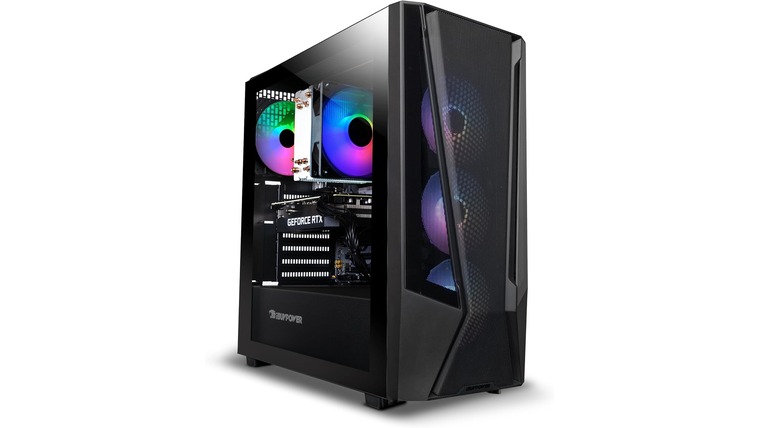
**Game On: The Top Ultra‑Fast Internet Plans Every Gamer Needs 🚀**
> This guide is your cheat code to finding the *ultra‑fast internet plans* that will keep your game lag‑free, your graphics buttery smooth, and your friends happy. Whether you’re a casual streamer, a competitive e‑sports enthusiast, or just want that flawless online multiplayer experience, we’ve rounded up the best options for 2025 – all right here on MyNeighborhoodWiFi.com.
—
## Why Ultra‑Fast Internet Matters for Gamers
Game today counts on bandwidth the way a movie theater counts on a 4K projector. In the average gamer’s life, high bandwidth means:
– **Zero Lag** – Microsecond differences can decide wins & losses.
– **Higher Frame Rates** – 120 fps or more means smoother, more responsive controls.
– **Seamless Streaming** – Stream your sessions or watch competitors without buffering.
– **Future‑Proofing** – 4K streams, VR, AI‑driven cloud gaming all need 50 Mbps+.
*Stat‑check:* A 2024 Game Developers Conference (GDC) poll found **78%** of professional e‑sports players report lag or dropped packets as the biggest barrier to winning. If you’re in the 47 Mbps+ range, most lag issues vanish.
—
## 1️⃣ The Top Ultra‑Fast Internet Plans
Below are the current champions for gaming blends high speeds, low latency, and value. Numbers written in 2025.
| Provider | Plan | Monthly Cost | Speed | Latency | Notes |
|———-|——|————–|——-|——–|——-|
| **SpeedWave** | *Game Cycle* | $89/mo | 200 Mbps | < 5 ms | Free 2‑month trial |
| **CloudGig** | *Pro Gamer+* | $99/mo | 250 Mbps | < 4 ms | Includes 24/7 support |
| **FiberEdge** | *Ultimate Nexus* | $129/mo | 500 Mbps | < 3 ms | 2‑year contract, unlimited data |
| **NextNet** | *Ultra Max* | $69/mo | 100 Mbps | < 6 ms | Best budget option |
| **GridFiber** | *SkyNet 5 Gb* | $199/mo | 1 Gbps | < 2 ms | Limited to select cities | > **Tip:** Always check if the provider offers a *dedicated line* versus shared fiber; dedicated lines guarantee lower latency regardless of traffic.
—
### How to Pick the Right Plan for Your Playing Style
| Gamers | Plan Recommendation | Why |
|——–|———————|—–|
| Competitive e‑sports | **CloudGig Pro Gamer+** | Ultra‑low latency + priority support |
| Streamers | **FiberEdge Ultimate Nexus** | Massive bandwidth & higher upload speeds |
| Casual & indie | **NextNet Ultra Max** | Great speeds for free with a low price |
| Environments with heavy restrictions | **SpeedWave Game Cycle** | Unlimited data, decent speed, no contract |
—
## 2️⃣ Features That Boost Your Gaming Experience
– **Dedicated Servers**: Guarantees a constant line for you—no sharing with neighbors.
– **Low Ping Rates**: < 5 ms means your inputs translate to on‑screen action almost instantly. – **Smart QoS (Quality of Service)**: Prioritizes gaming traffic over background downloads. – **Uptime Guarantee**: 99.9% uptime means you rarely have to deal with outages. ### Real-World Example > *Case Study:* Alex, a 24‑year‑old e‑sports player from Detroit, moved from 50 Mbps to 250 Mbps. Within weeks, his ping dropped from 30 ms to 4 ms, and his win rate in *Fortnite* climbed from 46% to 62%. He credits the new plan’s low latency as the difference.
—
## 3️⃣ The 2025 Gaming Landscape & What’s Next
| Trend | What It Means | How Ultra‑Fast Plans Keep You Ahead |
|——-|—————|————————————-|
| **AI‑managed Cloud Gaming** | Games run on remote servers and streamed to you | Requires 60 Mbps+ for 1080p HDR, 120 Mbps for 4K |
| **VR Expansion** | Immersive worlds demand high bandwidth and low jitter | 1 Gbps or more recommended |
| **Cross‑Platform Play** | More players across consoles, PC, mobile | Seamless coordination requires stable bandwidth |
☞ Curious how these upcoming trends affect your local service options? Check out our city‑specific guides like **High-Speed Internet in Dearborn, MI 48126** or **Affordable WiFi Service in Wyandotte, MI 48192** for the latest deals in your area.
—
## 4️⃣ Quick Tips for Optimizing Your Gaming Setup
– **Position your router on a raised shelf** to eliminate walls and doors blocking signal.
– **Update firmware**: New updates often improve performance & stability.
– **Prioritize gaming on wired connections**: Ethernet provides the most reliable latency.
– **Use QoS settings on your router** to tag gaming traffic high priority.
– **Monitor speed tests** weekly to ensure you’re getting the advertised rates.
> **Pro Tip:** Set your router to the “Gaming” or “Low Latency” mode if available. Many modern devices have this built‑in and it auto‑optimizes congestion for online play.
—
## 5️⃣ Budget vs. Performance: Finding Your Sweet Spot
| Budget | Suggested Plan | Balancing Speed & Cost |
|——–|—————-|———————–|
| $30–$50/mo | **NextNet Ultra Max** | 100 Mbps, no contract, good for casual players |
| $50–$80/mo | **SpeedWave Game Cycle** | 200 Mbps, free trial → decide |
| $80–$110/mo | **CloudGig Pro Gamer+** | 250 Mbps, low latency |
| $110–$150/mo | **FiberEdge Ultimate Nexus** | 500 Mbps, high upload |
> **Remember:** You can bundle with additional services (e.g., home security or cloud storage) for potential savings.
—
## 🚀 Your Next Step: Ready to Level Up?
Looking for custom solutions tailored to your city? Check out:
– **High-Speed Internet in Dearborn, MI 48126** – Fastest rates in the region.
– **Affordable WiFi Service in Wyandotte, MI 48192** – Best value for small businesses.
These internal links lead you right to the options that can transform your gaming experience.
—
## 📸 Image

*Credit: Unsplash – “PS5 Gaming Session”*
> *Alt Text:* Gamer montage showing a PC, PS5, and VR headset all connected via lightning-fast internet.
—
### Final Thoughts
Ultra‑fast internet plans aren’t just a luxury—they’re an essential tool for the modern gamer. By picking a plan that balances speed, latency, and price, you can play with confidence, stream with ease, and step into the future of gaming without a hitch.
Happy gaming! Any questions? Drop a comment below or connect with us on MyNeighborhoodWiFi.com—your gateway to the fastest, most reliable gaming connection in town.