Posts tagged: does eartyhlink have data caps
Have questions? Give us a call.
Fiber internet is no longer a luxury for businesses. It’s becoming the backbone of professional operations in 2026, especially for teams that rely on video conferencing, cloud storage, and real-time collaboration.
If you’re tired of slow uploads killing your productivity or watching your internet lag during important client calls, fiber might be exactly what your business needs. This guide breaks down what fiber internet actually is, how it compares to other options, what you’ll pay, and how to figure out if it’s right for your company.
Related: Internet Providers Near Me: Compare & Find the Best Local Options
Related: Compare Internet Providers by Speed, Price & Availability
What Is Fiber Internet and Why Does It Matter for Business?
Fiber internet uses fiber optic cables (thin strands of glass that transmit data as light) to deliver internet to your location. This is fundamentally different from older cable or DSL technology.
Here’s the real difference: fiber gives you symmetrical speeds. That means your upload speed matches your download speed. If you’re downloading at 1 Gbps, you’re also uploading at 1 Gbps. With cable internet, uploads are often 10-20 times slower than downloads.
For businesses, this matters because:
- Video conferencing doesn’t lag when multiple team members upload simultaneously
- Cloud backups happen in minutes, not hours
- File transfers between offices or with clients happen instantly
- Your entire team can work smoothly without internet bottlenecks
Fiber also comes with unlimited data on virtually every plan, and speeds typically range from 300 Mbps up to 5 Gbps in select areas. Plus, fiber networks are generally more stable and reliable than older broadband technologies, which means fewer service interruptions during your workday.
Fiber Internet Pricing for Small and Medium Businesses
Pricing varies based on location and provider, but here’s what you can typically expect in 2026:
Related: Best Business Internet 2026: Top 5 Providers Ranked
Related: Best Home Internet 2026: Top 6 Providers Ranked & Compared
Related: Best Dedicated Internet Access 2026: Top 5 Providers Ranked
- Entry-level fiber: 300-500 Mbps plans start around $20-$50 per month (often with promotional rates)
- Mid-tier plans: 1 Gbps (1,000 Mbps) ranges from $70-$100 per month
- High-speed plans: 3-5 Gbps plans run $100-$200+ per month
Most plans include installation, a Wi-Fi router, and mesh-ready equipment at no extra cost. Many providers also offer equipment rental options if you don’t want to buy upfront.
Keep in mind: promotional rates are common for the first 12 months. After that, prices typically increase, so always ask about the rate after your promotion ends. Contract terms vary too—some providers offer month-to-month flexibility, while others lock you in for 12-24 months.
Top Fiber Internet Providers for Businesses
Not all fiber providers are available everywhere, and not all are created equal for business use. Here’s what stands out in the market right now:
AT&T Business Fiber is often the best choice if symmetrical speeds are your priority. They offer up to 5 Gbps in select areas, and their business plans come with dedicated support and flexible contract options.
Optimum Business is built specifically for small and medium-sized companies. They have competitive pricing, local support in their coverage areas, and solid reliability scores.
Spectrum Business wins for flexibility. If you don’t want to sign a long-term contract, Spectrum offers month-to-month plans without locking you in. Their pricing is transparent, and they serve a huge portion of the country.
Comcast Business is your best bet if you need enterprise-scale services. They offer redundancy options, static IP addresses, and technical support tailored for larger operations.
T-Mobile Home Internet and Viasat Business are worth exploring if fiber isn’t available in your area. They’re not fiber, but they can deliver competitive speeds for businesses in underserved locations.
To see which providers actually service your business location and compare their exact pricing and speeds, myneighborhoodwifi.com can show you all available options without the sales pitch. We help businesses compare apples to apples so you’re not guessing.
Ready for faster internet?
Is Your Business Actually Suited for Fiber Internet?

Fiber is fantastic, but it’s not the right choice for every business situation. Ask yourself these questions:
- Do you upload large files regularly? (Video editors, photographers, architects, designers—yes. Dentist offices—probably not.)
- Do multiple team members video conference at the same time?
- Does your business depend on cloud-based tools and software?
- Is your current internet slow or unreliable during peak hours?
- Do you have backup internet, or would a connection failure hurt your business?
If you answered yes to 2 or more of these, fiber is likely worth the investment. If you’re still unsure, a broker like myneighborhoodwifi.com can walk you through your specific needs and help you compare whether fiber, cable, or another option is actually the best fit financially and operationally.
Fiber Internet Speed Comparison Chart
Here’s a quick look at how fiber stacks up for common business tasks:
Related: High Speed Internet for Business: How to Compare & Choose
- Downloading a 1 GB file: 100 Mbps takes ~80 seconds. 1 Gbps takes 8 seconds. 5 Gbps takes 1.6 seconds.
- Uploading a 10 GB video to the cloud: 50 Mbps upload (typical cable): ~27 minutes. 1 Gbps fiber: 80 seconds.
- Video conferencing (4K, multiple participants): Needs 25-50 Mbps. Fiber handles it effortlessly while others work.
- Cloud backup of 100 GB: 50 Mbps: ~4.4 hours. 1 Gbps: 13 minutes.
Speed alone isn’t everything, though. Reliability, consistent latency (lag), and customer support matter just as much. That’s why comparing total value—not just Mbps and price—is crucial.
How to Get Fiber Internet for Your Business
The process is straightforward, but there are a few steps to follow:
Step 1: Check availability. Enter your business address online to see which fiber providers service your location. Some areas have multiple fiber options, others have one or none.
Step 2: Compare plans and pricing. Look at speeds offered, contract terms, equipment included, and customer service ratings. Don’t just pick the cheapest option—look at what you’re actually getting.
Step 3: Ask about bundling. Many providers offer discounts if you bundle internet with phone or other services. But make sure the bundle actually saves money before committing.
Step 4: Understand the contract. Read what happens after your promotional period ends, what the early termination fee is, and what speeds are guaranteed. Some providers guarantee minimum speeds in writing; others don’t.
Step 5: Schedule installation. Once you pick a provider, installation typically happens within 7-14 days. Some providers offer expedited installation for a fee.
If you want professional guidance on this whole process—someone to make sure you’re not overpaying and that the plan actually fits your business—that’s exactly what myneighborhoodwifi.com does. We compare all available providers at your location, negotiate pricing, and coordinate installation so you don’t have to spend hours on research.
Fiber vs. Cable vs. DSL for Business Internet
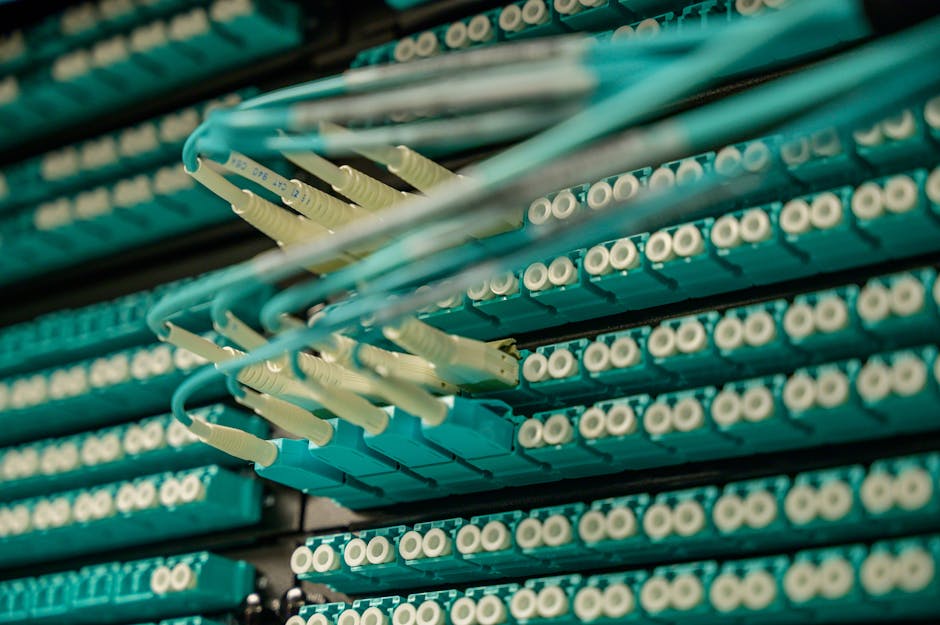
Since you’re considering fiber, here’s how it stacks up against the alternatives:
Fiber (symmetrical speeds, unlimited data, most reliable): Best for businesses that upload or video conference. Most expensive upfront, but speeds are future-proof and consistent.
Cable (fast downloads, slower uploads, data caps possible): Good for small businesses with moderate needs. Cheaper than fiber, but uploads are slow. Speeds can degrade during peak hours if many customers share the line.
DSL (reliable, slower speeds, older technology): Cheapest option, but speeds are typically too slow for modern business. Uploads are especially weak. Only consider if fiber and cable aren’t available.
For most businesses in 2026, fiber is the long-term play. Speeds won’t become obsolete, symmetrical uploads save real time, and reliability is higher. The price premium is usually worth it within 12-24 months.
Common Fiber Internet Questions for Businesses
Does fiber internet have data caps?
No. Fiber plans come with unlimited data across virtually every provider and plan. You can download, upload, stream, and backup without worrying about hitting a limit or paying overage fees. This is one of the biggest advantages over cable internet.
How long does fiber installation take?
Typically 7-14 days from order to activation. If fiber infrastructure already reaches your building (common in urban and suburban areas), installation is faster. If the provider needs to run fiber to your location for the first time, it can take longer. Some providers offer expedited installation for a fee. Always ask about timeline before signing up.
What upload speeds can I expect with fiber?
Most business fiber plans offer symmetrical speeds, meaning upload equals download. A 1 Gbps plan gives you 1 Gbps download and 1 Gbps upload. This is the opposite of cable, where uploads are often 10-20 times slower. According to FCC broadband standards, upload speeds are critical for modern business productivity.
Is fiber internet reliable for mission-critical business operations?
Fiber is generally more reliable than cable or DSL because it’s not affected by electrical interference and doesn’t degrade as easily over distance. However, “reliable” is relative and varies by provider and location. Ask potential providers about their uptime guarantee and what happens if service goes down. Some business plans include redundancy options (a backup connection) if you truly cannot afford downtime. If your business depends on constant internet access, invest in a secondary connection as backup, regardless of which primary provider you choose.
Ready for faster internet?
Have questions? Give us a call.

Top Internet Plans That Give Gamers the Fastest Speeds and Lowest Lag
If you’re a serious gamer, you know that nothing kills the experience faster than poor internet speeds and high latency. The primary keyword here—internet plans with the fastest speeds and lowest lag—is exactly what we’ll explore today. Gamers need consistent, high-performance connections to stay competitive, enjoy seamless gameplay, and avoid frustrating disconnections. Let’s dive into what makes a plan great for gaming, what to look for, and how you can optimize your home connection.
Why Internet Speed and Lag Matter for Gamers
Gaming isn’t just about graphics and hardware—it’s equally about connectivity. Online gaming requires a steady stream of data moving between your system and servers across the globe. The faster and smoother this communication, the better your playing experience. Here’s why:
- Latency (Ping): This is the time it takes your action (like firing a weapon) to register on the game server. Lower latency equals faster responses.
- Download speeds: Needed for smooth graphics updates and software downloads.
- Upload speeds: Important for sending your data to the server, especially in multiplayer and competitive gaming.
- Stability: Even if your speed is high, a wobbly connection with packet loss will ruin gaming quality.
Bandwidth Needs for Different Types of Gamers
Not every gamer has the same requirements. Let’s break it down:
| Game Type | Connection Needs |
|---|---|
| Casual (Mobile & Indie Games) | Low bandwidth; latency not critical |
| MMORPGs | Moderate speed; stable ping very important |
| FPS & Competitive Gaming | Very low latency (<50ms ideal); strong upload |
| Streaming + Gaming | High download speed + upload for video broadcasts |
What Factors Make an Internet Plan Gamer-Friendly?
When comparing internet plans, don’t just look at the highest speed number advertised—gamers need a plan designed around stability and performance. Here are the most critical factors:
- Low Latency: Aim for under 30–50ms whenever possible.
- Symmetrical Speeds: Upload speeds matter almost as much as download speeds.
- Fiber Connections: Generally offer the best balance of speed and reliability.
- Unlimited Data: Downloading large patches, updates, and streaming gameplay eats data fast.
- Consistent Performance: Avoid providers with frequent slowdowns during peak evening hours.
Understanding Ping vs. Speed
One of the most common misconceptions is mixing up ping and internet speed. Speed is measured in Mbps (megabits per second), while ping is measured in milliseconds. You could have ultra-fast speeds but still deal with high ping if the network routing is inefficient. According to Wikipedia, ping measures the time data takes to travel from your device to the server and back, which is why it’s the true test of your gaming responsiveness.
Best Types of Internet Connections for Gamers
Fiber-Optic
The gold standard for gamers. Fiber provides consistent low-latency connections, symmetrical upload/download speeds, and large amounts of bandwidth. Ideal for competitive players.
Cable
Cable plans can offer decent speeds for gaming, but performance may dip during peak hours in crowded neighborhoods.
DSL
DSL is less ideal; speeds and latency tend to be weaker compared to fiber or cable. It may still work for casual gamers if fiber is unavailable.
Fixed Wireless and 5G Home
These can provide fast speeds, but latency may vary depending on weather, tower congestion, and distance from the base station.
How to Test If Your Current Internet Is Good for Gaming
- Check your ping: Run a quick ping test using your PC’s command prompt or a speed test service.
- Test speed consistency: Do multiple speed tests at different times of day.
- Look for packet loss: Even a 1–2% packet loss can ruin online play.
You can often find real-world feedback from fellow gamers on forums like Reddit’s gaming community, where players discuss which internet setups work best for them.
Router & Wi-Fi Setup for Gaming
Your internet plan is only as good as the hardware delivering it. Many players overlook this, but a poor router can increase ping even if you pay for a top-tier plan. Consider the following:
- Use wired Ethernet when possible for ultra-stable gaming.
- If using Wi-Fi, prefer 5 GHz for speed or 2.4 GHz for long-range stability.
- Upgrade to a gaming-optimized router with Quality of Service (QoS) features.
Communities on Quora often debate the best gaming routers, giving you plenty of user insights before investing.
How to Reduce Lag Even Without Switching ISPs
- Close background apps that use bandwidth.
- Connect directly to your router.
- Play on nearby servers when available.
- Enable QoS (Quality of Service) to prioritize gaming traffic.
Tips for Choosing the Right Internet Plan as a Gamer
- Always check latency numbers before just looking at Mbps.
- Aim for upload speeds of at least 10 Mbps if you plan to stream gameplay.
- Look into data caps—some plans look cheap but penalize heavy gaming and streaming use.
- Read gamer reviews on forums like Reddit PC Gaming or social communities.
Gaming and Streaming Simultaneously
If you game while streaming on platforms like YouTube Gaming, you’ll need even stronger upload speeds. A good rule of thumb is to double the speeds you think you’ll need—you don’t want to max out your connection while trying to game competitively and broadcast at the same time.
Conclusion
For gamers, not all internet plans are created equal. Speed is important, but stability and latency are even more critical. Fiber connections deliver the best results overall, while cable and 5G can be practical alternatives for many households. Whether you’re a casual player or a professional e-sports competitor, focusing on low ping, strong upload speeds, and consistent connectivity will give you the edge you need.
Before committing, spend time comparing your options, reading real gamer reviews on Reddit, and making sure your router setup can handle the challenge. With the right plan and equipment, you’ll enjoy the fastest speeds, lowest lag, and the smoothest online experience possible.