Posts tagged: connecticut internet providers
Have questions? Give us a call.
Home Internet in 2026: What’s Changed
The home internet landscape has shifted dramatically over the past few years. Where fiber was once a luxury in most markets, 5G home internet now competes on price and speed. Traditional cable providers are adapting. And networks themselves are getting smarter, with AI-driven systems that predict demand spikes before they happen.
If you’re shopping for home internet right now, you have more genuine options than ever. But more choices also means more confusion. That’s why we’ve evaluated six leading providers across speed, pricing, customer support, and availability to help you make an informed decision.
Our goal is straightforward: show you what each provider does well, where they fall short, and which option makes sense for your location and needs. We don’t own or operate any internet network. We’re an independent broker that helps households like yours compare providers and lock in competitive rates without the sales pressure.
The Top 6 Home Internet Providers Ranked
| Provider | Best For | Speed Range | Price (Starting) | Rating |
|---|---|---|---|---|
| myneighborhoodwifi.com | Finding the best local option | Varies by location | Compare all | 9.8/10 |
| AT&T Fiber | High-speed fiber homes | 170-498 Mbps | $50/month | 9.2/10 |
| Verizon 5G Home Internet | No-contract flexibility | 50-250 Mbps (variable) | $35/month | 8.5/10 |
| Verizon Fios | Premium fiber experience | 200-940 Mbps | $60/month | 8.9/10 |
| Xfinity (Comcast) | Bundle deals and cable | 50-1200 Mbps | $40/month | 8.1/10 |
| Spectrum | Budget-conscious households | 100-500 Mbps | $30/month | 7.8/10 |
#1 Winner: myneighborhoodwifi.com
Here’s the reality: the “best” home internet provider depends entirely on your address. Fiber isn’t available everywhere. 5G has variable speeds. Cable providers differ by region. One-size-fits-all rankings miss the point.
That’s why myneighborhoodwifi.com ranks at the top. We’re not an internet service provider. We’re an independent internet broker that partners with leading companies like AT&T Fiber, Xfinity, Spectrum, WOW!, EarthLink, and others to help you find what’s actually available at your location and what offers the best value.
Why we rank #1:
- You get unbiased recommendations across all available technologies (fiber, 5G, cable, traditional broadband).
- We coordinate same-day installation and handle the paperwork so you don’t have to call multiple providers.
- Our customer support team helps you compare real pricing (no hidden fees or surprise rate hikes on your first bill).
- We serve homeowners, renters, property managers, and businesses across Michigan, Illinois, and expanding markets.
- No additional cost for our service. We earn referral fees from providers, but that never influences our recommendations.
If you want a fast answer, plug in your address on myneighborhoodwifi.com and see what’s available in your area. Most people find options they didn’t know existed.
#2: AT&T Fiber
Best for: Homeowners who prioritize consistent, high-speed fiber internet where available.
Pros:
- Symmetrical speeds up to 498 Mbps with fiber-optic reliability.
- Highly rated for customer support and minimal downtime.
- Starting price of $50/month is competitive for fiber-quality service.
- Modern network infrastructure reduces latency for gaming and video conferencing.
Cons:
- Limited geographic availability (fiber buildout is ongoing but not everywhere).
- Contract terms typically 24 months (less flexibility than 5G or month-to-month options).
The honest take: If AT&T Fiber reaches your home, it’s a strong choice. The speeds are real, the support is responsive, and you’re paying for a mature, reliable network. But availability is the limiting factor for most households.
#3: Verizon 5G Home Internet

Best for: Renters and homeowners who want flexibility, no long-term contract, and fast setup.
Pros:
- Entry-level pricing at $35/month with zero equipment fees or annual contracts.
- Installation is fast (often within days, not weeks).
- Works with Verizon’s 5G Ultra Wideband network in compatible areas.
- Month-to-month plan means you can cancel anytime without penalties.
Cons:
- Speeds are variable (50-250 Mbps depending on network congestion and distance from tower).
- Less stable than fiber for heavy streaming, gaming, or remote work in congested neighborhoods.
The honest take: Verizon 5G home internet has democratized broadband access. If you’re on a tight budget or live in an apartment, this is genuinely worth testing. The speeds won’t match fiber, but they’re serviceable for most households. The flexibility is the real win here.
#4: Verizon Fios
Best for: Families who demand ultra-high speeds and bundled services (TV, phone, internet).
Pros:
- Fiber-optic network with speeds up to 940 Mbps.
- Among the fastest and most reliable networks in the industry.
- Bundle pricing for TV and phone can reduce overall household costs.
Cons:
- Service availability is limited (only select markets have Fios).
- Bundling can lock you into services you may not use long-term.
- Higher price points than competitive fiber-only providers.
The honest take: Verizon Fios is premium for a reason. The network is bulletproof. But if you’re only looking for internet (not TV or phone), you might overpay compared to AT&T Fiber or other pure-play broadband providers.
Related: Best Office Internet Solutions 2026: Top 5 Ranked & Compared
Related: Best Dedicated Internet Access 2026: Top 5 Providers Ranked
Related: Best Business Internet 2026: Top 5 Providers Ranked
#5: Xfinity (Comcast)
Best for: Households already using Comcast cable or seeking aggressive bundle discounts.
Pros:
- Wide availability across many markets (cable infrastructure is pervasive).
- Starting price of $40/month is affordable for mainstream cable internet.
- Promotional offers (up to $200 back on select plans in some areas) can sweeten the deal.
- High-speed tiers (500-1200 Mbps) available for power users.
Cons:
- Promotional pricing often expires after 12 months; rates can increase significantly.
- Customer service reviews are mixed (common complaint: hold times and billing issues).
- Data caps may apply on certain plans (check your local terms).
The honest take: Xfinity works well if you have cable infrastructure at your address and you’re bundling TV or phone. But read the contract carefully. The promotional rate is not your permanent rate, and customer support responsiveness varies by region.
#6: Spectrum
Best for: Budget-conscious households seeking the lowest starting price.
Pros:
- Lowest starting price at $30/month.
- No annual contract required.
- Speeds of 100-500 Mbps cover most household needs (streaming, browsing, remote work).
- Available in many U.S. markets.
Cons:
- Promotional pricing applies to introductory period only; expect rate increases.
- Customer service and support are often cited as areas for improvement.
- Upload speeds are limited compared to fiber providers.
The honest take: Spectrum makes sense if price is your primary driver and you don’t need fiber speeds. Just know that the advertised rate is temporary. Call ahead or use an independent broker like myneighborhoodwifi.com to confirm your long-term pricing and what’s actually available at your address.
Ready for faster internet?
How to Choose the Right Home Internet for You

Comparing providers on a spreadsheet is one thing. But your decision should hinge on four factors that matter most.
1. What’s actually available at your address? This is the limiting constraint. Fiber isn’t everywhere. 5G coverage varies. Cable availability depends on infrastructure. Before you evaluate price or speed, confirm what technologies are reachable at your location. myneighborhoodwifi.com does this lookup for you in seconds.
2. What speed do you actually need? A household with one remote worker and moderate streaming needs (say, 100-200 Mbps) will see no practical benefit from a 500 Mbps plan. You’ll pay more and never use the bandwidth. Conversely, if you have four family members working from home, gaming, and video conferencing simultaneously, fiber’s symmetrical speeds matter.
3. What’s the true long-term cost? Promotional rates are temporary. Your $30/month Spectrum or $40/month Xfinity offer will expire. Always ask the provider or broker: “What’s my rate after the promotional period ends?” Then compare total 24-month cost, not just the intro price.
4. How important is flexibility? If you’re renting or might move within a year, month-to-month plans (like Verizon 5G) matter more than long-term contracts. If you’re buying and settling in, locking in a fiber connection with a 24-month commitment may deliver better long-term value.
The Role of AI-Driven Networks in 2026
One trend worth understanding as you evaluate providers in 2026: networks are becoming autonomous. According to recent industry analysis, AI-Native Networks will shift from reactive to autonomous operation, predicting demand spikes and preempting performance bottlenecks before they happen.
What does this mean for you? As networks evolve, stability and speed should improve without you having to do anything. Fiber providers like AT&T and Verizon are investing heavily in these systems. When you’re comparing providers, ask whether they’re deploying AI-driven network management. It won’t affect your bill immediately, but it signals long-term investment in reliability.
Working With an Independent Broker Saves Time and Money
Most people spend 20-30 minutes calling providers directly to compare prices and availability. You’ll hold multiple times. You’ll get transferred. And the sales rep is incentivized to upsell you, not get you the best deal.
That’s why myneighborhoodwifi.com exists. We take the friction out of the process. Enter your address once. Get a comparison of all available options with transparent pricing. Our team coordinates installation and handles any questions. And we do it at no cost to you. Our partners pay us a referral fee, but that never influences which provider we recommend for your specific situation.
Whether you live in Michigan, Illinois, or one of our expanding markets, a quick call or online lookup can clarify what’s available, what speeds you need, and what you’ll actually pay long-term. No obligation. No sales pitch.
Frequently Asked Questions
What’s the difference between fiber, 5G home internet, and cable broadband?
Fiber uses fiber-optic cables to deliver internet and offers the fastest, most reliable speeds (typically 170-500+ Mbps) with symmetrical upload and download. 5G home internet uses wireless signals from cell towers and is more affordable ($35/month) but has variable speeds (50-250 Mbps) depending on network congestion. Cable broadband (Xfinity, Spectrum) uses existing coaxial cable infrastructure; it’s faster than 5G but slower than fiber, with speeds of 50-500 Mbps depending on tier. For most households, fiber is the gold standard if available, but 5G and cable are serviceable alternatives.
Should I lock into a two-year contract or choose month-to-month?
If you’re buying a home and plan to stay for at least two years, a contract can lock in a lower promotional rate long-term. If you’re renting, moving soon, or want flexibility, month-to-month (like Verizon 5G) avoids penalties. Always ask what your rate will be after the promotional period. A low intro rate that jumps 60% after 12 months is a worse deal than a stable month-to-month plan at a slightly higher starting price.
How do I know what internet speed I need?
As a rough guide: 50-100 Mbps handles basic browsing, email, and one stream. 100-200 Mbps suits a household with one remote worker and moderate streaming. 300+ Mbps covers multiple simultaneous users, 4K video, gaming, and video conferencing. If you’re unsure, start with 150 Mbps and test for a month. If you’re not buffering or noticing lag, you don’t need more. Don’t overpay for speeds you’ll never use.
Why should I use myneighborhoodwifi.com instead of calling providers directly?
We save you time by comparing all available options in one place. We show you transparent, long-term pricing (not just promotional rates). We coordinate same-day installation. And we answer your questions without the sales pressure. There’s no cost to you because providers pay us a referral fee, but that never influences our recommendation. Our job is to match you with the provider that actually serves your location and needs, not the one with the highest margin.
Ready for faster internet?
Have questions? Give us a call.

Top Eco Friendly Internet Providers Making the Web Greener
The demand for high-speed internet continues to grow, but so does the need for more sustainable digital infrastructure. The internet is not just invisible waves of connectivity — behind the scenes, millions of servers, data centers, and miles of fiber infrastructure consume electricity every second. That’s why eco friendly internet providers are stepping in, making conscious choices to reduce energy consumption, adopt cleaner technologies, and create a more sustainable online world.
Why Eco Friendly Internet Matters
Every search, every video stream, and every file download uses electricity. Data centers worldwide consume huge amounts of energy, contributing to carbon emissions if powered by fossil fuels. Reports from Wikipedia note that large-scale data centers can consume as much energy as a small city.
Eco friendly internet providers are addressing this challenge through:
- Investing in renewable energy sources like solar and wind
- Reducing waste in hardware and networking equipment
- Improving infrastructure efficiency with modern designs
- Encouraging customers to adopt low-energy routers and devices
How Providers Are Going Green
Let’s explore the common strategies being used by eco focused internet providers to reduce their environmental footprint.
1. Running on 100% Renewable Energy
Some providers have committed to sourcing electricity entirely from renewable power grids. This ensures that their servers, offices, and supporting facilities aren’t adding to carbon emissions. Companies achieving this milestone often purchase renewable energy credits or build solar and wind farms.
2. Greener Data Centers
Modern data centers can use advanced cooling technology to minimize energy waste. Traditional cooling systems required massive air conditioning, but sustainable providers now use natural cooling and liquid immersion cooling techniques. According to Wikipedia, liquid cooling can reduce power use significantly compared to traditional fans and AC systems.
3. Energy Efficient Internet Hardware
Eco friendly ISPs encourage or provide customers with low-power routers and modems designed to consume less electricity. While a small step, it contributes to reducing home energy use across thousands of households in service areas.
4. Recycling and E-Waste Reduction
Internet technology requires frequent upgrades, but discarded routers and networking equipment often add to e-waste. Sustainable providers run recycle programs for returned devices, ensuring functional parts are reused while waste is responsibly recycled.
Examples of Sustainability in Action
Although not all providers publicize their eco initiatives equally, many have started publishing sustainability reports and sharing key projects to be more transparent. On social platforms like Reddit, users often highlight internet companies making real commitments to cleaner technology rather than just green marketing claims.
Here are types of actions being reported:
- Transitioning entire headquarters and facilities to solar energy
- Partnering with renewable energy farms
- Participating in government climate pledges or regional clean power programs
- Investing in carbon offset projects for unavoidable emissions
Tips for Choosing a Greener Internet Option
If you want your internet usage to have a lighter footprint, you can consider these tips when evaluating ISPs or their offered solutions:
- Check if the provider publishes a sustainability or environmental responsibility report
- Look for renewable energy commitments in their corporate news sections
- Choose options that provide energy efficient routers or allow bring-your-own-modem setup
- Call customer support and ask directly about their green initiatives
The Role of Consumers in Greener Internet Usage
Even if your local internet provider doesn’t yet advertise eco efforts, that doesn’t mean you can’t make your own usage more eco friendly.
Optimize Your Home WiFi
Lower your energy footprint by turning off routers when not in use, or by using programmable power strips. Some advanced devices allow optimized energy modes, which reduce idle energy draw.
Choose Streaming Wisely
Streaming in very high-definition when not necessary consumes more data, and indirectly more energy through data centers. Watching in a slightly lower resolution reduces bandwidth usage and power consumption.
Recycle Equipment
When your provider upgrades your modem or router, don’t toss the old one in the trash. Check for local electronic recycling programs on community boards like Facebook Marketplace groups or drop-off locations listed by city services.
Comparing Eco Friendly Features
While eco friendly providers vary in their approach, here are the most common focus areas for sustainability:
| Eco Feature | Benefit |
|---|---|
| Renewable Energy | Reduces carbon emissions from electricity usage |
| Efficient Data Centers | Lowers power consumption with better cooling technologies |
| Green Hardware | Encourages customers to save energy at home |
| E-Waste Programs | Recycles and reduces dangerous technology waste |
| Carbon Offsets | Mitigates unavoidable energy consumption impact |
Future of Sustainable Internet
The trend towards eco friendly internet is growing. As demand for cloud services, video platforms, and IoT devices increases, providers will need to expand capacity responsibly. Climate-conscious customers are influencing these decisions by favoring providers with clear and ambitious green goals.
Public discussions on platforms like Quora show more people asking about eco friendly tech choices every year, which places additional pressure on companies to innovate in responsible ways.
Conclusion
Digital connections are here to stay, but so is climate responsibility. The best path forward is for internet providers and users alike to share accountability for greener networks. By supporting internet companies that prioritize renewable energy, efficient technology, and recycling programs, we can ensure that the web of the future isn’t just fast — it’s also environmentally sustainable.

Fastest Ways to Get Your Internet Installed and Running
Getting online quickly is more important than ever. Whether you’ve just moved into a new place, switched providers, or simply need to set up a faster connection, knowing the fastest ways to get your internet installed and running saves both time and stress. In this guide, you’ll learn practical steps, real-life tips, and helpful tricks for setting up your home or office Wi-Fi without unnecessary delays.
Why Speedy Internet Setup Matters
These days, internet access is as essential as electricity or water. From working remotely to streaming movies, gaming, or even running smart devices in your home, waiting several days or weeks for installation can be frustrating. The faster you get connected, the easier it is to settle in and get back to normal life.
Check What’s Already Available
Before you call anyone or order new services, check what’s already installed in your home or apartment. Many buildings come with outlets, jacks, or even routers left behind by previous tenants. If that’s the case, you may be able to:
- Reconnect a service instantly with just a call.
- Skip scheduling an installer since equipment may already be compatible.
- Start using self-install kits without waiting.
Choose the Fastest Installation Path
The best way to avoid long waits is by knowing your options. Some methods for getting your internet running are much quicker than others:
1. Self-Installation Kits
Many providers ship self-install kits that can arrive within a day or two. These usually include a modem, router, and easy instructions. If the wiring in your home is ready, you could be online in less than an hour. The benefit of a self-install kit is no waiting around for a technician to show up.
2. Store Pickup for Same-Day Equipment
If you don’t want to wait for shipping, check if the provider has a local store. Some customers can pick up their equipment directly, avoiding the 2–3 day shipping window. With this method, you could set up your internet the same day you signed up.
3. Mobile Hotspots as a Temporary Fix
If your home service takes a few days to get up and running, you can rely on a mobile hotspot from your smartphone as a temporary solution. Modern smartphones allow you to tether through Wi-Fi, USB, or even Bluetooth. Communities on Reddit often share tips on maximizing hotspot speeds.
Prepare Your Home for Faster Setup
One major reason installations take longer than expected is because homes aren’t ready. Here’s how to speed things up:
- Locate outlets: Find the cable, fiber, or phone jacks in advance so installers or yourself can set equipment quickly.
- Clear space: Make sure your router/modem area is clean and accessible.
- Check power: Verify there are working outlets where your router will sit.
- Update devices: Have your laptops, smart TVs, and phones ready to connect immediately.
How Long Does Each Setup Option Take?
While exact timing depends on your local infrastructure, here’s a general breakdown of how quickly you can expect to be online:
| Option | Typical Wait Time |
|---|---|
| Self-Install Kit (Shipped) | 1–3 days (plus 30–60 mins setup) |
| Store Pickup | Same day (setup in 30–60 mins) |
| Professional Installer | 2–7+ days depending on schedule |
| Mobile Hotspot | Immediate |
DIY Wi-Fi Tips for Quick Setup
Installing your own network doesn’t need to be complicated. If your modem and router are in hand, here are some easy steps:
- Plug the modem into the wall jack first; wait for lights to stabilize.
- Connect the modem to the router using an Ethernet cable.
- Login to your router settings with the included credentials.
- Update your Wi-Fi name (SSID) and password for security.
- Test with your phone or laptop right away to confirm connectivity.
If you get stuck, websites like Wikipedia offer detailed overviews of networking hardware, and you’ll find countless video tutorials on YouTube explaining step-by-step installation.
Smart Placement to Optimize Signal
Even once installed, a poorly-placed router can slow everything down. To maximize performance:
- Place the router in a central location in your home.
- Avoid hiding it in cabinets or behind TVs.
- Keep it elevated on a shelf when possible.
- Minimize interference from microwaves and cordless phones.
Handle Installation Delays Proactively
Sometimes professional installation truly can’t be avoided. But you can still speed things up by:
- Booking the earliest available appointment—weekday mornings are often open.
- Asking for text alerts so you don’t miss technician arrivals.
- Preparing the area and making sure someone is home during the appointment.
Getting Online in a Rented Apartment
Living in a rental adds another layer since you may have restrictions on drilling or wiring. Here are some quick renter-friendly approaches:
- Ask your landlord or property manager what’s pre-installed.
- Check Facebook community groups for neighbors who share setup tips about the building.
- Use mesh Wi-Fi systems if running cables isn’t allowed.
What If You Need Internet Before Moving?
If you’re about to move and want service ready by the time you arrive:
- Sign up in advance and request shipping to your current address so you can bring gear with you.
- Set the activation date for your move-in day to avoid downtime.
- Check on forums like Quora where people share moving-and-internet coordination experiences.
Final Word on Fast Internet Installation
The fastest way to get internet installed and running depends on a mix of preparation, choosing the right setup method, and using temporary alternatives if needed. In most cases, a self-install kit or store pickup can have you online the same day, while mobile hotspots are great in a pinch. By preparing your home, communicating clearly with providers, and using resources like Reddit’s Home Networking community, you’ll be connected faster and with less stress.
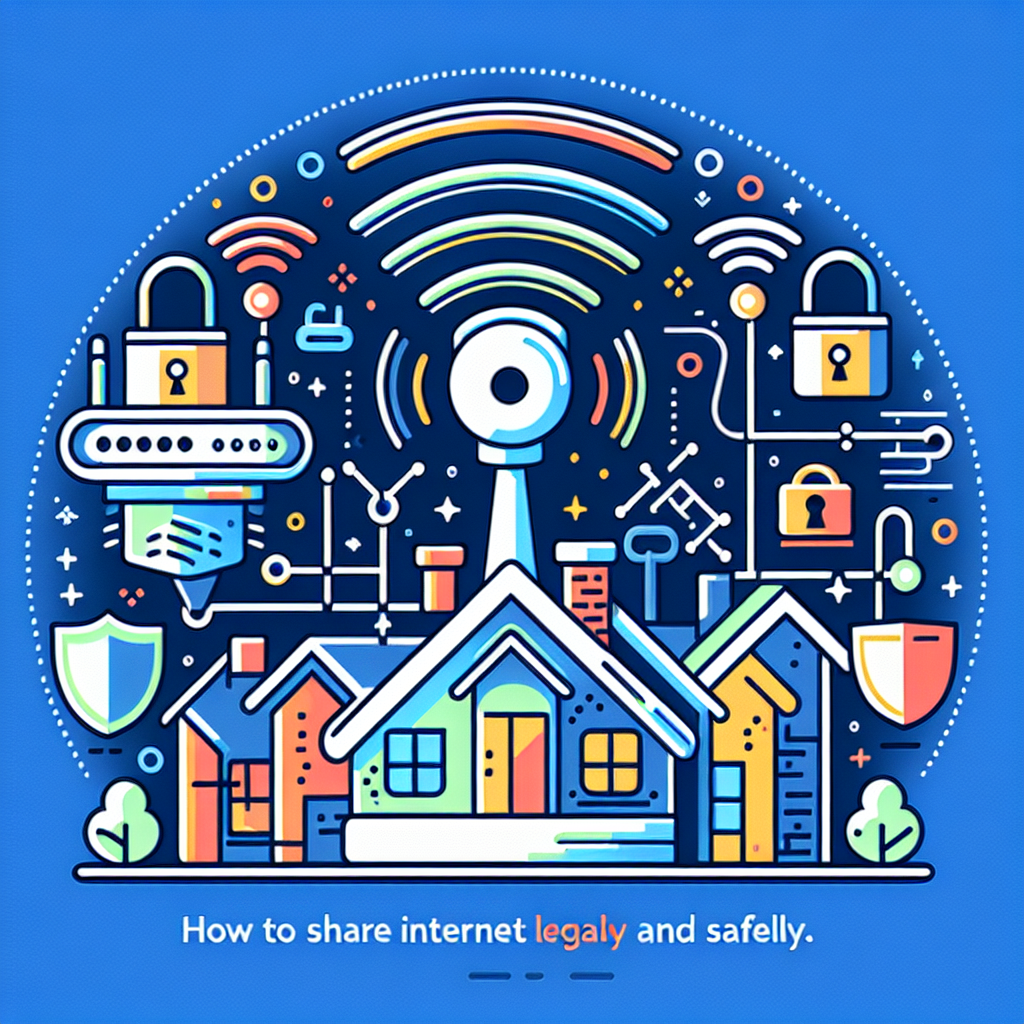
How to Share Internet with Neighbors Legally and Safely
In many neighborhoods, people have wondered how to share internet with neighbors legally and safely. After all, Wi-Fi signals don’t stop at your walls, and the idea of splitting costs to help everyone save money sounds appealing. But before you hand out your password, there are important legal, technical, and security factors to consider. This guide will walk you through everything you need to know so you can make the right decision for your community.
Why Share Internet with Neighbors?
There are a few reasons people consider sharing internet with their neighbors:
- Cost savings – Splitting a plan can reduce expenses.
- Convenience – Smaller apartments or multi-family homes often have overlapping signals, making sharing easy.
- Community building – Sharing internet can encourage a more connected neighborhood.
Legal Considerations
Before you set up shared internet access, it’s important to know what’s legal. Many Internet Service Provider (ISP) contracts explicitly state that service is for use within your household only. Sharing with neighbors outside of your home could potentially violate your service agreement. That’s why the first step is to:
- Check your ISP agreement – Look at the Terms of Service.
- Ask your provider directly – Call or chat with customer support to verify what’s allowed.
- Look up local laws – In some areas, sharing an internet connection can have specific guidelines. You can browse discussions on platforms like Reddit or Quora where users share their experiences.
Some ISPs may even offer community Wi-Fi options, so always explore those legal pathways first before creating a shared setup.
Risks of Sharing Internet
If you’re considering sharing, these are the key risks you must address:
- Bandwidth strain – More devices mean slower speeds.
- Security concerns – Anything your neighbor downloads could be traced back to your IP address.
- Data privacy – Without limits, others on the network might see your traffic if the network isn’t properly configured.
How to Share Internet Safely
1. Use a Separate Guest Network
Most modern routers allow you to create a guest Wi-Fi network. This separates your personal devices from others, reducing the risk of data snooping. Some routers even allow you to limit bandwidth on the guest channel.
2. Add a Second Router
If your router doesn’t support guest networks, you can add a second router specifically for your neighbor’s use. This creates two distinct sub-networks, preventing interference with your own devices.
3. Set Bandwidth Limits
Quality of Service (QoS) settings allow you to control how much bandwidth each person gets. This way, your Netflix stream won’t suffer if your neighbor is downloading large files.
4. Always Use a Strong Password
Never share your primary Wi-Fi password openly. Use WPA3 or at least WPA2 encryption, and create a unique, hard-to-guess passphrase. A password manager can help keep things secure.
5. Monitor Network Usage
Some routers have mobile apps that let you monitor who’s connected and how much data they’re using. This helps hold neighbors accountable for responsible usage.
Tips for Managing a Shared Internet Agreement
Sharing internet isn’t just about connectivity—it’s also about managing expectations. Here are some practical tips:
- Decide on cost-sharing – Who pays what percentage?
- Set ground rules – Agree on acceptable use (e.g., no illegal downloads).
- Document the arrangement – Even a simple signed note avoids misunderstandings.
Best Equipment for Sharing Wi-Fi
If you’re going to make this work, upgrading your network may be the best approach:
- Mesh Wi-Fi systems – Provide seamless coverage across shared buildings.
- Routers with guest networks – Useful for keeping things separated.
- Powerline adapters – Extend Wi-Fi through electrical outlets if signals don’t reach your neighbor’s unit.
Common Problems and Solutions
Even with the best setup, issues will arise. Here’s how to handle them:
| Problem | Solution |
|---|---|
| Slow Speeds | Upgrade plan or limit guest usage through router settings. |
| Neighbor Downloading Illegally | Monitor usage and enforce rules; suspend their access if needed. |
| Wi-Fi Signal Weak | Use mesh or signal extenders to boost coverage. |
| Security Concerns | Separate networks, upgraded encryption, and strong passwords. |
Alternatives to Sharing Internet
If sharing doesn’t seem worth the hassle, there are alternatives:
- Community Wi-Fi initiatives – Some neighborhoods set up open-access systems together.
- Public library or café networks – Reliable for quick browsing.
- Mobile hotspots – Handy for occasional needs without sharing your main line.
Final Thoughts
Learning how to share internet with neighbors legally and safely comes down to respecting rules, safeguarding your security, and maintaining clear communication. If you set up proper boundaries and use the right equipment, it can be a money-saving and community-building choice. But remember—never risk your own privacy or legal security in the process. A thoughtful approach is what makes neighborly internet sharing work for everyone.
Smart Ways to Avoid Internet Overages and Save on Data Costs
Internet overages are an all-too-common headache for households today. With streaming, video calls, online gaming, and smart devices consuming more bandwidth than ever, hitting your monthly data cap can lead to pricey extra charges. The good news? By applying a few simple strategies, you can avoid internet overages and save on data costs without having to sacrifice your online lifestyle.
Why Internet Overages Happen
Before we talk about solutions, it helps to understand why overages occur. Most ISPs set monthly data caps, and every gigabyte you consume counts toward that limit. Exceed it, and you’re billed for additional data. Activities like 4K streaming, cloud backups, online games, and even smart home devices can add up quickly.
Common Data-Hungry Activities
- Streaming Ultra HD TV shows and movies
- Online gaming and downloads of large game files
- Cloud photo and video uploads
- Remote work with video conferencing
- Smart home devices constantly communicating online
Track Your Usage Regularly
The first step in managing your internet consumption is keeping an eye on it. Many routers and devices now include dashboards that show you how much data is being used daily or monthly. Some smartphones also provide built-in data monitoring features.
Smart Tips for Tracking
- Use your router’s management app to see which devices consume the most.
- Check built-in network monitor tools in your operating system.
- Set up alerts so you’re notified when you’re close to reaching your limit.
Communities on sites like Reddit share great advice on the best tools for tracking household usage.
Optimize Your Streaming Settings
One of the biggest culprits behind internet overage fees is video streaming. By default, many platforms use the highest quality possible, which eats up data quickly. Adjusting your streaming settings can save hundreds of gigabytes over a month.
Streaming Optimization Tips
- Switch from 4K to HD when ultra-high resolution isn’t necessary.
- Download content for offline viewing instead of streaming repeatedly.
- Limit auto-play on platforms like YouTube, which can run endlessly.
For example, YouTube provides easy quality setting changes in its app and desktop site, helping you reduce data consumption significantly. You can explore video tutorials on YouTube to see how to adjust your device settings.
Schedule Automatic Backups Wisely
Cloud backups can eat astonishing amounts of bandwidth, especially if you’re syncing photos and videos daily. Instead of letting files upload whenever, schedule them for low-usage hours or choose manual backups.
Best Practices
- Disable “sync everything” and choose specific folders.
- Schedule uploads for overnight windows when household usage is low.
- Use selective sync to avoid syncing large files you don’t need everywhere.
Limit Background Data Usage
Even when you’re not actively online, many devices and apps continue to consume data in the background. From auto-updates to smart assistants, these small amounts add up.
- Turn off auto-updates on gaming consoles during peak times.
- Disable auto-play in social media apps that continuously load videos.
- Check your smart devices (cameras, thermostats) and reduce how often they send updates to the cloud.
On forums like Quora, many users share real experiences reducing data waste this way.
Leverage Wi-Fi for Mobile Devices
Mobile data often counts against your data cap if your network is integrated with your broadband account. To avoid this, always connect phones, tablets, and laptops to your home Wi-Fi when possible.
Wi-Fi Saving Habits
- Set your devices to automatically join your secure home Wi-Fi network.
- Download podcasts, audiobooks, or media over Wi-Fi before traveling or commuting.
- Encourage family members to switch to Wi-Fi instead of relying on cellular connections.
Manage Multiple Devices Smartly
If your household has several TVs streaming different shows, kids gaming, and video calls going on simultaneously, your data limit will be reached quickly. Set some ground rules around simultaneous usage.
Ideas for Family Data Management
- Schedule “HD hours” when streaming can be high quality, defaulting to lower quality at other times.
- Limit large game downloads to overnight periods or when fewer people are online.
- Educate all family members about how much each activity consumes.
Use Data Compression Tools
Data compression can help reduce how much bandwidth web browsers and apps consume. Tools and browser extensions compress images, videos, and webpages, lowering the demand on your data cap.
Switch to Wired Connections When Possible
Devices that rely on Wi-Fi may send redundant signals across channels, leading to small but cumulative bandwidth waste. Wired connections, like Ethernet, can be more efficient. This can help if you do a lot of gaming or PC streaming at home.
Educate Your Household
Avoiding overages isn’t just about technical tricks—it’s also about awareness. Educating family members or roommates on data usage helps everyone participate in keeping usage balanced.
Table: How Common Activities Use Data
| Activity | Approximate Data Used per Hour |
|---|---|
| Streaming in SD | 1 GB |
| Streaming in HD | 3 GB |
| Streaming in 4K | 7 GB+ |
| Online Gaming (without downloads) | 100 MB |
| Video Call (HD) | 1-1.5 GB |
Be Proactive with Data Caps
Finally, the smartest way to avoid overage fees is to plan ahead. Track your usage, educate your household, optimize settings, and cut down on background consumption. With these strategies, you can enjoy unlimited browsing, streaming, and gaming while still protecting your wallet.