Posts tagged: comcast internet tv prices

Affordable Internet Plans in Southfield, MI
Finding affordable internet plans in Southfield, MI can feel overwhelming. There are several providers offering different speeds, prices, and connection types. Whether you’re working from home, streaming movies, or gaming online, having the right internet plan matters. The good news is that Southfield, MI residents have multiple options to choose from, including fiber, cable, DSL, and wireless services. In this post, we’ll walk through the top providers and how to pick the best plan for your budget and lifestyle.
Why Affordable Internet Matters
Reliable and affordable internet is no longer a luxury—it’s a necessity. From remote work and virtual learning to entertainment and communication, internet access keeps us connected. In communities like Southfield, MI, affordability ensures that more households can access online resources without financial strain.
Top Internet Providers in Southfield, MI
Southfield, MI has a solid mix of providers that serve different needs with varying price tiers. Here are some of the leading options available:
| Provider | Starting Price | Maximum Speed | Connection Type |
|---|---|---|---|
| AT&T Internet | $55/mo | Up to 5 Gbps | IPBB, Fiber, 5G Internet |
| Xfinity | $30/mo | Up to 2 Gbps | Cable |
| Windstream | Varies by area | Up to 1 Gbps (fiber areas) | DSL, Fiber |
Based on availability, residents in Southfield, MI can choose between high-speed gigabit fiber plans or budget-friendly entry-level options.
AT&T Internet in Southfield, MI
AT&T offers both DSL and fiber internet plans. Their fiber service provides lightning-fast speeds, making it ideal for large households with heavy streaming or work-from-home setups. DSL, while slower, is more widely available in the area and tends to be more affordable for light users.
- Best for: Households needing ultra-fast speeds, remote professionals, and tech enthusiasts
- Highlights: Symmetrical upload and download speeds with fiber, reliable connectivity
Xfinity Internet in Southfield, MI
Xfinity is one of the most budget-friendly providers in Southfield, MI, with plans starting at just $30 per month. Its cable internet service has wide coverage, making it accessible to most neighborhoods. While speeds vary by plan, Xfinity also offers options for up to 2 Gbps, which cover demanding needs like 4K streaming or online gaming.
- Best for: Families looking for affordable high-speed internet
- Highlights: Wide availability, competitive prices, flexible speed choices
Windstream Internet in Southfield, MI
Windstream’s footprint extends well beyond Southfield, MI into neighboring metro areas. It offers DSL in nearly all neighborhoods but also provides fiber internet in select zones. For families and small businesses, Windstream’s fiber option can be a game-changer due to its high speeds and reliable performance.
- Best for: Customers seeking alternatives to AT&T or Xfinity
- Highlights: Flexible plan options, potential gigabit-level speeds in fiber areas
How to Choose the Best Affordable Plan
Selecting the right provider depends on your household’s internet habits. To make the best choice, consider these factors:
- Budget: Start with what you can afford monthly.
- Speed Needs: Light use like browsing or emailing requires far less speed than streaming or video calls.
- Availability: Double-check which providers serve your specific address.
- Bundles: Some providers may offer combined TV and phone services at a discount.
Tips to Save Money on Internet in Southfield, MI
If affordability is your top priority, these strategies can help lower costs even further:
- Ask about promotional pricing for new customers.
- Look into government discount programs for qualifying households.
- Consider lower-speed plans if your usage is light.
- Check if bundling with cell service or TV lowers your total bill.
Everyday Internet Habits and Bandwidth
Understanding how much speed you need helps prevent overspending. Here’s a quick reference guide:
| Online Activity | Recommended Speed |
|---|---|
| Browsing & Email | 1-5 Mbps |
| HD Video Streaming | 5-25 Mbps |
| 4K Streaming | 25-50 Mbps |
| Video Conferencing | 10-20 Mbps |
| Online Gaming | 50+ Mbps |
| Large Household with Multiple Devices | 200+ Mbps |
Voices From the Community
Many residents turn to online communities when comparing plans. Discussions on Reddit often reveal real-life experiences with speed, reliability, and customer service. Local threads on Facebook groups can also be helpful for hearing about neighborhood-specific connections. If you’re still on the fence about which provider is best for your area, browsing these communities is a great start.
Why Fiber is Worth Considering
While fiber internet can cost more in some locations, its advantages are significant:
- Symmetrical upload and download speeds
- Ideal for video calls, online classes, and cloud work
- Reduced lag for gamers
- Handles multiple devices without slowing down
In Southfield, MI, fiber is available through AT&T and selectively with Windstream. If it’s offered at your address, it may be worth the upgrade, especially for households requiring reliable speed.
Making Internet Affordable for Everyone
Affordability isn’t just about low monthly bills—it’s also about value for money. A slightly higher plan that balances speed, reliability, and customer support may end up saving you stress and money in the long run. In Southfield, MI, the combination of Xfinity’s low-cost entry plans and AT&T’s premium fiber speeds ensures that residents have multiple solid choices at different price points.
Final Thoughts on Affordable Internet in Southfield, MI
When looking for affordable internet in Southfield, MI, it’s important to weigh price, speed, and availability. For those who want to save money, plans like Xfinity’s entry-tier packages can keep costs low while meeting basic needs. Households requiring top performance can turn to AT&T fiber or Windstream fiber, if available. No matter which option you choose, being informed will help you find a plan that keeps your home connected without breaking the bank.
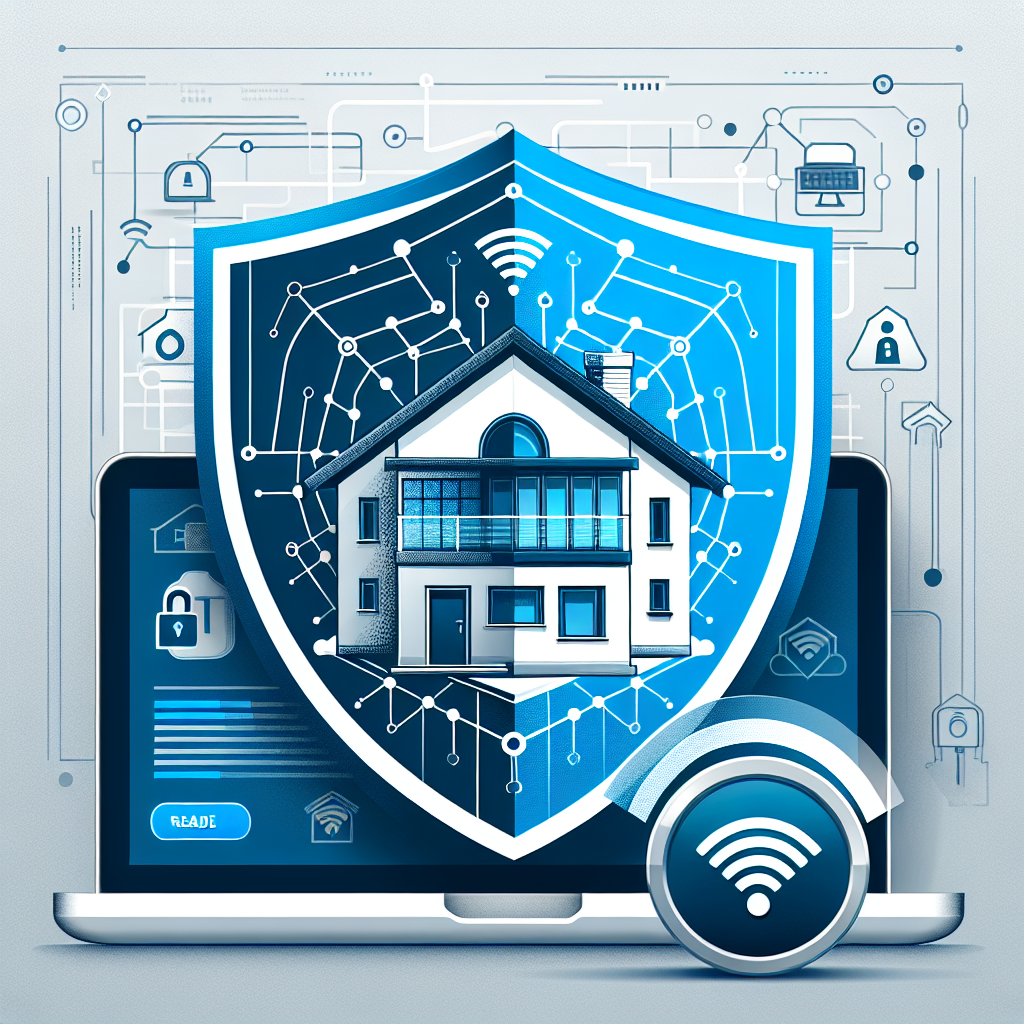
Best Internet Options to Keep Your Home Security System Strong and Reliable
When it comes to home safety today, your security system is only as strong as your internet connection. From Wi-Fi-enabled cameras to smart locks, doorbell cameras, and motion sensors, all of them rely on stable internet. Choosing the best internet options for home security makes the difference between a system you can trust and one that leaves gaps in your protection.
Why Internet Reliability Matters for Home Security
Your home security depends on uninterrupted communication. A stable network ensures that:
- Motion alerts reach your phone immediately.
- Live streaming from cameras doesn’t freeze or lag.
- Smart locks and alarms respond without delays.
- Cloud storage continuously backs up camera footage.
Even a short outage or weak signal could delay emergency alerts, making reliability more important than speed alone. A consistent, well-managed internet connection protects your peace of mind.
Factors That Affect Home Security Internet Performance
Before we talk about the best types of internet, it’s important to understand what can cause disruptions. Common causes of unreliable home Wi-Fi include bandwidth strain, signal interference, or outdated routers. A home with multiple connected devices—like security cameras, smart speakers, and home office equipment—can push your network to its limits. According to speednetlte.com, tools like network analyzers or speed tests can help you diagnose whether the issue is with your ISP, your hardware, or external interference.
Key Elements to Consider:
- Upload Speeds: Video streams from cameras rely more on upload speeds than download speeds.
- Latency and Jitter: Low latency ensures real-time alerts without pressing delays.
- Coverage: Dead zones in your Wi-Fi signal can leave security devices offline.
- Backup Connection: Having a backup internet source strengthens your home’s resilience.
Best Internet Options for Home Security
Now that we know what can go wrong, let’s explore the best internet options for powering a reliable home security system.
1. Fiber Internet
Fiber internet is one of the most reliable methods for home connectivity. Its symmetrical speeds (download and upload) make it ideal for high-bandwidth activities like streaming camera feeds to the cloud without hiccups.
- Best for: Households with many smart devices.
- Advantages: High bandwidth, consistent connection stability.
- Challenges: Limited availability depending on your region.
2. Cable Internet
Cable internet is more widely available and typically supports strong bandwidth. While upload speeds may not match fiber, it’s still well-suited for most homes with one or two camera feeds and smart devices.
3. Fixed Wireless Internet
Fixed wireless is a great option in newly built homes or rural areas where wired infrastructure isn’t available. As speednetlte.com points out, getting internet into brand-new neighborhoods or uncovered areas can be a common obstacle. Fixed wireless overcomes this challenge by connecting through a local wireless tower.
4. Cellular Backup Internet
Some homeowners use cellular hotspots or mobile routers as a backup option. While mobile data is not always fast enough for continuous video feeds, it acts as a valuable fallback during outages.
5. Mesh Wi-Fi Systems
If you live in a large home or one with multiple floors and thick walls, investing in mesh Wi-Fi ensures that every corner remains connected. Security cameras on the outer edges of your home especially benefit from extended coverage. According to yestechie.com, using wired Ethernet backhaul with mesh systems prevents speed drops at extended points in the house.
Bandwidth Requirements for Security Systems
The right home internet option also depends on how many devices you’ll connect. A setup with one doorbell camera is very different from a home with 8 indoor and outdoor smart cameras all running 24/7.
| Device Type | Typical Bandwidth Needs |
|—|—|
| Doorbell camera | 1–2 Mbps upload |
| Indoor smart camera (HD) | 2–4 Mbps upload |
| Outdoor security camera (HD/4K) | 4–8 Mbps upload |
| Smart locks/alarms | Negligible (very low data use) |
Multiply these numbers by how many security devices you plan to run, then add extra for normal household needs like streaming, video calls, and gaming.
Practical Steps to Keep Your Security System Reliable
1. Upgrade Your Router
Even if your internet plan provides enough speed, an outdated router can bottleneck your home security. Ensure your router supports modern Wi-Fi standards like Wi-Fi 6 for improved device handling and lower latency.
2. Use Wired Connections Where Possible
If your cameras are positioned near Ethernet ports, plugging them in directly eliminates Wi-Fi interference concerns. This works especially well for high-resolution outdoor cameras.
3. Separate Networks
Consider dedicating a separate Wi-Fi network just for home security. This prevents heavy use from streaming and gaming from affecting your security device performance. Many routers allow you to set up multiple SSIDs for this purpose.
4. Power Backup
A power outage often takes down both Wi-Fi routers and security systems. Using an uninterruptible power supply (UPS) ensures your router, modem, and main security hub stay up during brief outages.
5. Test Your Connectivity Regularly
Don’t wait until there’s an emergency to find out your cameras or alarms are offline. Schedule routine checks and use simple mobile apps to verify that your internet is healthy across your property.
Community Insights and Real-World Experience
On platforms like Reddit and Quora, many users share their experiences with home security and internet connections. Common advice from real homeowners includes placing routers in central areas, avoiding interference from microwaves and cordless phones, and choosing ISPs that provide higher upload speeds for stability.
When to Consider Professional Setup
If your home has multiple floors, thick walls, or an extensive camera system, professional setup may be worth the investment. This may include running Ethernet cables, optimizing mesh Wi-Fi nodes, or strategically placing access points to minimize dead zones.
Final Thoughts
Your home security is built on trust—and that trust comes from knowing your system won’t fail because of poor internet. Whether you rely on fiber for maximum reliability, fixed wireless in challenging areas, or a mesh system for full coverage, the key is ensuring strong, stable, and backed-up connectivity.
With the right internet setup, you can rest easy knowing your family and home are protected around the clock.