Posts tagged: comcast high speed internet tiers

Hidden Fees in Internet Plans That Could Be Draining Your Wallet
When shopping for internet service, most people pay attention to the monthly advertised price. But the reality is, the bill you receive often looks very different. Hidden fees in internet plans are one of the most frustrating aspects of being a customer, and if you’re not careful, they can quietly drain your wallet over time.
Understanding what types of fees may pop up on your bill, why they exist, and how to avoid or minimize them can save you hundreds of dollars every year. In this article, we’ll take a closer look at the most common internet plan fees, share examples from real customers on Reddit, and give you practical tips to keep more money in your pocket.
Why Do Internet Providers Add Extra Fees?
From an industry perspective, companies often justify fees as necessary for equipment, maintenance, and administration. But for customers, they usually feel like sneaky “gotchas.” Unlike subscription services such as streaming platforms with simple billing, internet bills are notoriously complex and filled with add-ons that aren’t always clearly explained upfront.
According to discussions on Wikipedia, add-on fees in industries like travel, restaurants, and internet services follow a common theme: companies keep advertised prices low but recover revenue through supplementary charges.
Common Hidden Fees in Internet Plans
Let’s break down the most frequent charges you may encounter, so you know exactly what to look for in your bill:
1. Equipment Rental Fees
- Monthly modem rental fees are one of the most common hidden costs.
- You could be charged $10–$20 a month just to use the provider’s device.
- Over a year, that’s $120–$240—money you could use to buy your own modem and router.
Users on Quora often ask whether it’s worth buying your own equipment. The answer is clear for many: yes, because owning your modem saves significant money over time.
2. Installation and Activation Fees
- Some companies advertise “free installation” but will still apply “activation” or “setup” fees.
- These can range from $50 to $100, depending on whether a technician visit is required.
Even when you perform a self-install, some users report still being billed setup charges—something to double-check before finalizing your plan.
3. Data Overages
- Many internet plans come with data caps.
- If you exceed your monthly allowance, you may face extra charges, often between $10–$30 per block of additional usage.
Households with multiple streamers and gamers are especially vulnerable to these overages. Conversations on Reddit highlight how unpredictable these fees can be, especially during weekends or holidays when usage spikes.
4. Early Termination Fees
- If you cancel before your contract ends, you may face steep penalties.
- Charges can be prorated but sometimes reach hundreds of dollars.
Customers frequently share stories online of trying to move to areas without service coverage, only to be hit with termination fees they didn’t expect.
5. Paper Billing Fees
- Some providers charge extra if you prefer paper bills mailed to you.
- This fee is usually small—$1–$5 monthly—but adds up over time.
This seemingly minor cost is a nudge for customers to adopt paperless billing, but it’s still an avoidable hidden fee.
6. “Administrative” or “Regulatory” Fees
- Bills often include line items labeled administrative, regulatory, or broadcast fees.
- These aren’t always government-mandated taxes—sometimes they’re entirely provider-imposed.
The distinction can be confusing, leading customers to believe these charges are unavoidable. Reading through utility bill explanations can help clarify what’s required versus what’s discretionary.
The True Cost of an Internet Plan
To understand how hidden fees accumulate, let’s look at a simple breakdown:
| Advertised Monthly Price | $60 |
|---|---|
| Modem Rental | $15 |
| Administrative Fee | $10 |
| Paper Bill | $2 |
| Total Real Monthly Cost | $87 |
That’s $27 more each month—$324 extra in a year—that you didn’t factor into your budget at sign-up.
Customer Stories from Online Communities
Discussions on Reddit’s CordCutters forum are filled with complaints about surprise fees. Many users say they feel tricked when promotional rates expire, only to discover that rising costs are compounded by mandatory fees they didn’t realize would be permanent.
On Quora, customers share advice about checking the fine print and calling customer service to request fee waivers. Some successfully negotiate waived installation or equipment charges—proof that asking can sometimes work.
How to Avoid or Reduce Hidden Fees
Ask Specific Questions Before Signing Up
- Always request a full breakdown of ALL fees before agreeing to a plan.
- Be clear about whether installation, activation, and equipment rentals are included.
Buy Your Own Modem and Router
- This is one of the simplest ways to save money.
- Make sure the equipment you buy is compatible with your provider.
- A one-time purchase typically pays for itself within the first year.
Use Data Management Tools
- Track your usage through apps or your account dashboard.
- Set alerts when you’re close to the data cap to avoid surprise charges.
Negotiate with Customer Service
- Call your provider if you see unexpected fees on your bill.
- Stay polite but persistent—representatives often have flexibility to waive charges.
Go Paperless
- Opt for electronic billing to avoid paper billing fees.
- Set up autopay reminders to ensure you don’t miss payments while you’re at it.
Staying Informed as a Consumer
Ultimately, the best defense against hidden fees in internet plans is knowledge. By being proactive, asking the right questions, and reading through your bills carefully, you’ll avoid unnecessary costs and make smarter decisions for your household budget.
If you want practical stories and strategies, exploring forums like Reddit and question boards like Quora can give you real-world perspectives from people who’ve faced these headaches before you.
Final Thoughts
Hidden fees in internet plans might feel inevitable, but they aren’t something you have to silently accept. With a little awareness and persistence, you can uncover the real costs, push back where possible, and protect your wallet.

Best Internet Services in 2025 for Fast Large File Uploads
When it comes to working online, one task often overlooked is the importance of swift large file uploads. Whether you’re sending 4K video projects to collaborators, uploading extensive data backups, or sharing high-resolution design files with clients, reliable upload speeds are critical. In 2025, with more remote work, cloud storage, and digital collaboration than ever, choosing the best internet service for this need can save you frustration and wasted time.
Why Fast Upload Speeds Matter
While most people are obsessed with download speeds for streaming and browsing, upload speeds are equally important for professionals, creators, and even everyday users. Upload speeds impact:
- Video conferencing quality—no more frozen video streams.
- Cloud backups for files, photos, and data.
- Online gaming responsiveness and live streaming.
- Work-from-home productivity, especially when sharing large files via cloud platforms.
In 2025, as remote collaboration continues to rise, a strong and reliable upload pipeline has become just as important as downloading movies or playing games online.
What to Look for in the Best Internet for Large File Uploads
When evaluating internet providers and services, focus on the following features:
- Symmetrical speeds – Some providers now offer equal download and upload speeds, which is perfect for heavy creators.
- Low latency – Important for real-time uploads and video streaming.
- Unlimited data – Large uploaders can hit data caps quickly; an unlimited plan prevents extra charges.
- Reliability – Consistency in speed is more valuable than random bursts of high speeds.
Main Internet Types in 2025
Not all internet technologies are created equal when it comes to uploading. Here’s what to expect:
| Internet Type | Upload Potential | Best For |
|---|---|---|
| Fiber | Up to 10 Gbps in some areas | 4K/8K video creators, large cloud storage users |
| Cable | 100 Mbps – 1 Gbps (varies by plan) | Everyday uploaders, streamers |
| Fixed Wireless | 50 Mbps – 500 Mbps | Rural users seeking strong uploads |
| 5G Home Internet | 100 Mbps – 1 Gbps (location-dependent) | Mobile-heavy households, urban setups |
| Satellite | 5 – 100 Mbps | Remote workers needing coverage instead of speed |
Best Choices in 2025 for Upload Performance
1. Fiber Internet Providers
Fiber remains the gold standard. With symmetrical speeds, fiber connections in major metros now commonly offer multiple gigabit upload options. This means you can upload entire work projects or large video archives in minutes, not hours.
2. Cable Internet Providers
While cable uploads aren’t normally as fast as fiber, many companies have upgraded networks in 2025, offering much higher upload tiers. If fiber isn’t available where you live, an upgraded cable provider is the next best choice.
3. 5G Home Internet
In urban and suburban neighborhoods, 5G home internet has quickly become a competitive alternative. Some neighborhoods now enjoy upload speeds directly competing with cable internet. Since signal strength varies, make sure to test performance in your area before committing.
4. Fixed Wireless Internet
Advanced fixed wireless systems using modern technologies can offer surprisingly strong upload bandwidth. For rural and semi-rural regions, this can sometimes be the only way to get near-fiber upload performance without waiting for fiber expansion.
5. Satellite Internet (Last Resort)
Modern satellite systems in 2025 are faster than ever but remain the least desirable for large file uploads because of high latency and lower caps. Still, they provide an option where no other service is available.
Tips for Maximizing Upload Speeds
- Use a wired connection – Ethernet connections deliver better stability than Wi-Fi.
- Upgrade your router – A Wi-Fi 6 or Wi-Fi 6E router can significantly improve performance. A great example is the TP-Link Archer AXE75, praised for its strong reliability and affordability [source].
- Schedule uploads at off-peak times – Nighttime uploads often finish faster due to less congestion.
- Cloud syncing strategy – Enable files to upload incrementally instead of queuing massive batches.
Community Insights
Real-world users often share their experiences on platforms like Reddit, where you’ll find discussions on upgrading routers, optimizing upload pipelines, and troubleshooting speed bottlenecks at home. That kind of peer insight can help you pick not only the right provider but also the best setup for your home.
Choosing the Right Service for Your Use Case
Here’s how different groups can benefit by picking the right internet option:
- Content creators: Fiber is your best friend. The ability to upload huge 4K video files in minutes saves hours of time.
- Remote workers: Balanced speeds from cable or 5G help keep video calls crisp and professional.
- Small businesses: Fixed wireless or strong fiber can support multiple simultaneous uploads to cloud platforms.
- Casual users: Even moderate upload speeds of 50–100 Mbps are sufficient for backing up photos and occasional large files.
Final Thoughts
In 2025, the best internet service for fast large file uploads depends on your location, budget, and workload. Fiber internet still leads in performance and reliability, but new advances in cable, 5G, and fixed wireless make it easier than ever to find strong upload performance even outside of big cities. With the right plan, router, and setup, you can ensure that sending large files is as seamless as streaming your favorite shows.

Fast Internet with No Credit Check in Taylor, MI
Finding fast internet with no credit check in Taylor, MI can feel overwhelming. Many providers want to run your credit before approving service, which can be frustrating. The good news is there are internet providers in Taylor, MI that offer reliable speeds, affordable plans, and options that don’t always require a credit check. Whether you’re a student, remote worker, gamer, or just someone who loves streaming, you deserve fast and hassle-free internet without unnecessary barriers.
Why Choose Internet with No Credit Check?
Credit checks can slow down the signup process and sometimes prevent people from getting the service they need. By choosing a no-credit-check internet provider in Taylor, MI you benefit from:
- Quick approval and setup.
- No impact on your credit score.
- Flexible payment options.
- Access to streaming, gaming, and work resources without delay.
Best Internet Providers in Taylor, MI
Here’s a breakdown of popular internet providers available in Taylor, MI, including those with flexible options that make getting online easier:
Xfinity
- Connection: Cable
- Speeds: Up to 2 Gbps
- Availability: Covers nearly all of Taylor, MI
- Perks: Affordable entry plans starting at $30/month. Prepaid options available that do not require a credit check.
AT&T Fiber
- Connection: Fiber
- Speeds: Up to 5 Gbps on some plans
- Plans: Extremely reliable connection especially for heavy users.
- Perks: Often offers promotions. While some fiber plans may require a credit check, prepaid wireless internet and DSL alternatives from AT&T can be accessible without a credit pull.
WOW! Internet
- Connection: Cable
- Speeds: Up to 1.2 Gbps
- Plans: Budget-friendly monthly options.
- Perks: Known for customer-friendly prepaid packages in certain areas allowing faster sign-up approval without traditional credit checks.
T-Mobile 5G Home Internet
- Connection: 5G Wireless
- Speeds: Ranges from 72 Mbps – 245 Mbps depending on network conditions.
- Perks: No contract, no hidden fees, and no credit check required to get started.
Verizon 5G Home Internet
- Connection: 5G Wireless
- Speeds: Up to 1 Gbps depending on coverage.
- Perks: No contracts and flexible options with autopay and mobile plans combined.
Comparison of Providers in Taylor, MI
| Provider | Connection Type | Top Speed | No Credit Check Option |
|---|---|---|---|
| Xfinity | Cable | 2 Gbps | Yes (Prepaid Internet) |
| AT&T Fiber | Fiber | 5 Gbps | Yes (via prepaid wireless/DSL options) |
| WOW! | Cable | 1.2 Gbps | Yes (limited prepaid) |
| T-Mobile 5G | Wireless | 245 Mbps avg. | Yes (no contract, no check) |
| Verizon 5G | Wireless | 1 Gbps | Yes (no traditional check) |
How to Get Internet Without a Credit Check in Taylor, MI
There are a few strategies if you want fast internet without invasive credit checks.
Prepaid Plans
Many major providers like Xfinity and AT&T offer prepaid internet options that allow you to pay in advance. These don’t require a credit pull, and in some cases you can even self-install the equipment.
Mobile-Based Internet
Services like T-Mobile and Verizon use nationwide 5G coverage. These options are perfect for renters, frequent movers, or households that want a no-hassle, no-credit-check connection.
Deposit Alternative
Some providers may waive a credit check if you’re willing to make a small deposit. This deposit is refundable in most cases if you maintain good payment history.
Tips for Choosing the Right Provider
- Check coverage in your area with your ZIP code before signing up.
- Determine your speed needs. If you stream 4K movies or play online games, aim for 300 Mbps or higher.
- Consider using a prepaid credit card or debit card to manage billing smoothly.
- Ask specifically about “no-contract” or “prepaid” internet options when speaking with customer support.
Understanding Internet Speeds
Standard Household Use
- Browsing, social media, and light streaming = 25–100 Mbps.
- Multiple devices streaming and conferencing = 100–300 Mbps.
- Gaming, 4K streaming, and smart home integration = 500 Mbps and up.
Reliability Matters Too
Speed isn’t the only factor to consider. Reliability is critical—especially if kids are doing schoolwork online or you work from home. Fiber and cable tend to be the most stable, while 5G internet depends on signal strength in Taylor, MI.
Frequently Asked Questions
Can I really get internet with no credit check?
Yes. Prepaid internet and 5G wireless home internet services typically do not require a credit check in Taylor, MI.
Do I need to buy equipment?
Some providers allow you to rent or lease their equipment. Others may give you the option to bring your own router and modem.
What if I have bad credit?
Bad credit is not an obstacle with prepaid and no-contract internet providers. These services are designed to get you connected quickly without a credit score review.
Final Thoughts
Getting fast internet with no credit check in Taylor, MI is absolutely possible. With options like Xfinity Prepaid, T-Mobile 5G Home Internet, Verizon 5G Home, and prepaid plans from AT&T and WOW!, you can skip the hassle of credit checks and enjoy reliable speeds. Whether you’re a renter, new resident, or simply someone looking for easier approval, there’s a solution that works for your household.
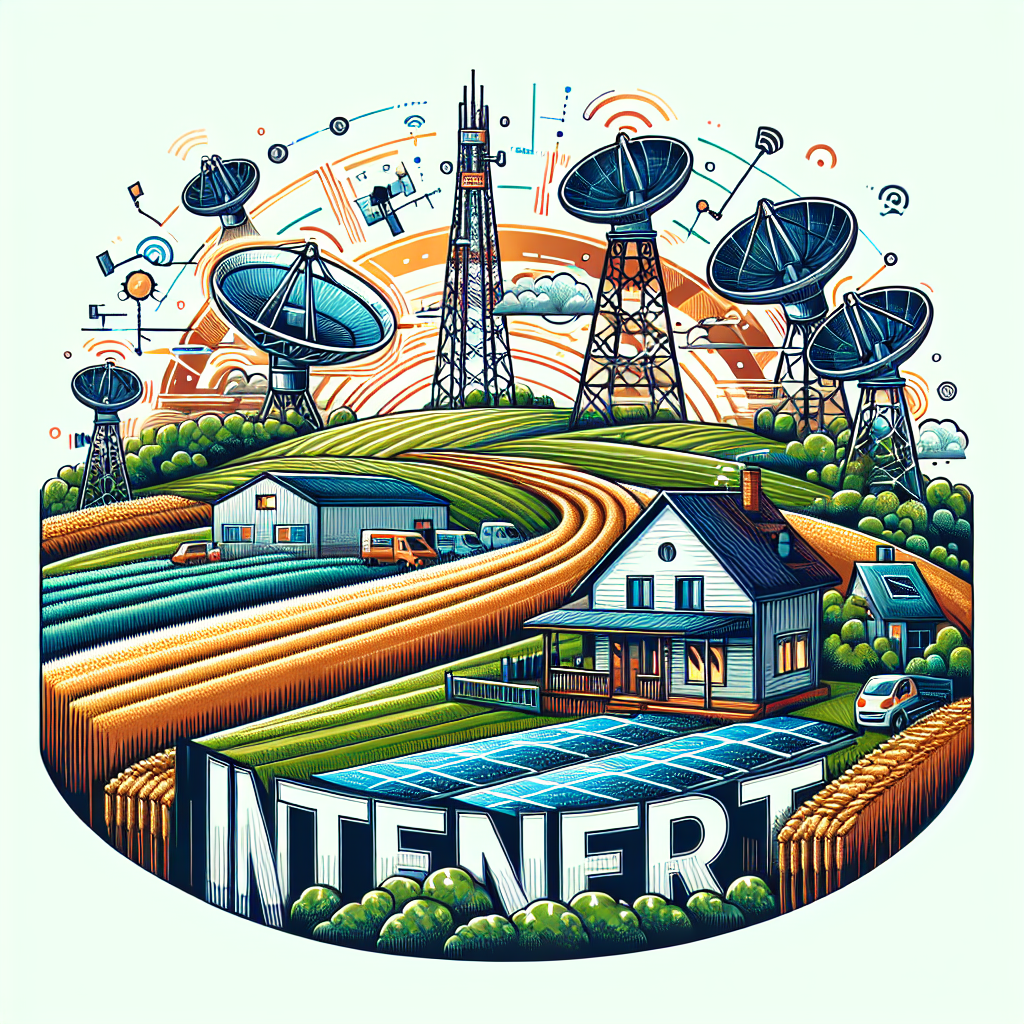
Finding the Best Internet Options for Rural Living
If you live outside the city limits, you already know that finding reliable internet options for rural living can feel overwhelming. While urban neighborhoods often enjoy lightning-fast connections, rural communities must balance availability, affordability, and reliability. But here’s the good news: with recent technology advances, rural households have more choices than ever before. This guide breaks it down in a friendly way so you can find the connection that fits your lifestyle.
Why Internet Access Is a Challenge in Rural Areas
Rural landscapes pose unique challenges for internet providers. Vast distances between homes make laying cables and fiber expensive. Some communities are nestled in valleys or wooded areas that interfere with wireless signals. Even when coverage exists, speeds may not keep up with modern needs like streaming, online learning, or working from home.
Still, internet access isn’t optional. Whether you’re running a family farm, homeschooling kids, or video chatting with relatives, a stable connection is essential. Understanding your local options is the first step toward a smoother online experience.
Common Internet Options for Rural Communities
Here’s a look at the most widely available technologies in rural areas:
- DSL – Runs on traditional phone lines and is often available in small towns, though speeds may be limited.
- Cable – Uses coaxial lines and can deliver faster speeds, but limited in many rural landscapes.
- Fiber – Considered the “gold standard,” but it’s rare outside metro regions.
- Fixed wireless – Beams internet from a nearby tower to a receiver at your home. Often available farther from towns.
- Mobile hotspots – Use cell towers to provide data plans for home use.
Each type comes with pros and cons, which we’ll dive into next.
DSL Internet in Rural Living
DSL, or Digital Subscriber Line, remains a trusted option because many rural households already have landline access. However, speed depends heavily on how close you live to the provider’s central office. The farther you are, the slower your connection may run. For small households or light web browsing, DSL can still be an affordable and reliable choice.
Pros
- Usually more affordable than other options
- Often available where traditional phone lines run
- Simple to install
Cons
- Slower upload and download speeds
- Not ideal for video-heavy or work-from-home needs
Fixed Wireless: A Growing Favorite
Fixed wireless internet has gained attention in rural areas. A signal is broadcasted from a nearby tower and picked up by an antenna at your home. This option often bypasses the need for expensive ground cable installation.
Why Rural Users Like It
- Offers much higher speeds than traditional DSL
- Coverage expanding rapidly in rural towns
- Quick setup with minimal equipment
Potential Drawbacks
- Requires direct line-of-sight to the tower
- Speeds may drop in bad weather or heavily wooded areas
Understanding Satellite Options
Satellite internet is one of the most accessible solutions since it only requires a clear view of the sky. Even remote farms can access it where other services don’t reach. That said, satellite is often affected by latency—meaning slower response times for gaming or video calls.
Some users rely on forums like Reddit discussions about rural internet where people share real-life satellite experiences. These communities highlight how weather and data caps can be ongoing frustrations.
Mobile Hotspots & Cellular Internet
If you have strong cellphone reception, a hotspot device might be the simplest way to access the web. Mobile carriers often offer plans with generous data limits designed for home use. For households on the move—or those who don’t want to commit to installing equipment—hotspots can be an excellent bridge to connectivity.
Things to Keep in Mind
- Performance depends on local cell tower strength
- Data overages may be costly
- Portable and flexible for families who travel seasonally
Fiber: The Dream for Rural Internet
Fiber-optic internet delivers unmatched speeds and stability, but unfortunately, it’s still rare in rural America. Where available, fiber is the best long-term investment. Several counties and local cooperatives have started laying fiber as part of infrastructure initiatives, giving hope that it will continue to spread outside city limits.
Planning Your Bandwidth Needs
Rural families often underestimate how much internet speed they need. It’s not just about browsing anymore. Streaming 4K movies, joining Zoom calls, or uploading work all demand higher bandwidth. A helpful starting point is this Wikipedia article on bandwidth in computing, which explains how capacity is measured.
When choosing a service, think about:
- How many devices connect regularly
- Whether you work from home or do online schooling
- Entertainment needs like gaming, smart TVs, or streaming
Comparing Your Local Options
Before making a decision, consider building your own comparison chart. A simple table format can help you see the differences clearly:
| Option | Average Speeds | Best For |
|---|---|---|
| DSL | Up to ~25 Mbps | Basic browsing, light streaming |
| Fixed Wireless | 25-100 Mbps | General streaming, remote work |
| Satellite | Varies, latency issues | Areas with no other access |
| Mobile Hotspot | Depends on carrier tower | Flexible use, seasonal travel |
| Fiber | 100 Mbps – 1 Gbps+ | Heavy streaming, smart homes |
Finding Community Feedback
Another smart step is connecting with your neighbors or reading local discussions online. Sites like Quora discussions on rural internet include firsthand user experiences that can be more helpful than vague marketing promises.
Tips to Optimize Any Connection
No matter the service type you choose, there are small ways to make your home internet run smoother:
- Position your router in the center of your home
- Keep your modem and router updated
- Limit background streaming or downloads when doing video calls
- Use a wired Ethernet connection when gaming
Rural Internet and Smart Homes
You don’t have to give up modern technology just because you’re in the countryside. Smart thermostats, cameras, and speakers can still work with rural connections, provided bandwidth is managed properly. It’s common to find people sharing smart rural setups on YouTube tutorials.
Final Thoughts
Finding the best internet option for rural living takes a little bit of research and realistic expectations. While no single service checks all the boxes for every household, knowing the strengths and limits of DSL, fixed wireless, satellite, mobile hotspots, and fiber will guide you toward the right choice. Combine that with smart router placement and bandwidth planning, and you’ll be surprised at how connected your rural home can feel.

Top Low Latency Internet Providers for Seamless Gaming in 2025
If you’re a gamer in 2025, you know that speed isn’t everything — low latency internet is what makes the difference between winning and losing. High download speeds look impressive on paper, but if your ping is high, your gameplay suffers. That makes choosing the right provider a critical decision for serious players.
In this guide, we’ll take a detailed look at low latency options available now, how they compare, and what makes a great gaming connection in today’s connected world.
Why Latency Matters More Than Speed for Gaming
Most gamers already understand that latency is the time data takes to travel from your device to the server and back. Here’s why it matters:
- Ping affects reaction times: A ping of 15 ms feels vastly better than 60 ms in fast-paced shooters.
- Consistency beats peak speeds: A steady 100 Mbps with low jitter often outperforms 1 Gbps with packet loss.
- Cloud gaming needs stability: Services that stream games require not just speed but also reliable round-trip data times.
In short: you don’t just need “fast internet,” you need a stable “fast response” connection.
What Makes a Gaming ISP Truly Low Latency?
Gamers should evaluate providers using the following criteria:
- Ping times: Ideally under 20 ms to major servers.
- Jitter: Consistency is more important than max speed. Low jitter ensures your responses are smooth.
- Packet loss: Even a small percentage can cause lag spikes.
- Network peering: Quality of connections to game servers across different regions matters.
Table: Key Gaming Internet Metrics
| Factor | Ideal for Gaming |
|---|---|
| Ping | < 20 ms |
| Jitter | < 5 ms |
| Packet Loss | 0% during gameplay |
| Download Speed | At least 100 Mbps |
| Upload Speed | At least 20 Mbps |
Top Low Latency Internet Options for Gaming in 2025
Different households have different needs. Let’s break down the options gamers should consider this year:
1. Fiber Internet Providers
Fiber internet consistently delivers the lowest latency of any technology. Because it uses light rather than electricity, response times are nearly instantaneous, with many gamers recording single-digit ping to regional servers.
- Best suited for competitive online gaming.
- Ideal for households where people stream and game simultaneously.
- Future-proof with multi-gigabit speeds.
2. Cable Internet Providers
Cable offers wide availability and decent speeds for gaming. Latency is slightly higher than fiber but still performs well if you’re on a well-maintained network.
- Great if fiber isn’t in your area.
- Watch out for peak-hour slowdowns.
- Decent for console and PC gamers.
3. Fixed Wireless and 5G Home Connections
5G home internet has improved considerably by 2025, and in good coverage areas, latency can be surprisingly low. Still, because it depends on wireless signals, your results may vary by neighborhood.
- Use in urban areas for strong 5G coverage.
- Performance depends heavily on network congestion.
- Portable solution for renters or frequent movers.
4. Rural Solutions: Satellite Alternatives
Satellite isn’t usually recommended for gaming because of high latency. However, some newer low-earth-orbit satellite services are targeting lower ping times compared to older geosynchronous satellites. While it’s an improvement, these are still not optimal for competitive gaming.
Tips to Optimize Your Gaming Connection
Even with the best ISP, your setup plays a huge role in performance. Here are practical steps you can take:
- Use Ethernet when possible: A wired connection beats Wi-Fi for ping and stability.
- Upgrade your router: Wi-Fi 6 and Wi-Fi 6E routers improve stability and reduce lag, especially for multiple device households. Check discussions on Reddit for router recommendations.
- Close background apps: Cloud backups or streaming apps can spike latency.
- Prioritize device traffic: Many routers support QoS (Quality of Service) to give gaming devices priority bandwidth.
Best Router Features for Gaming in 2025
Even the best connection will suffer without proper networking gear. Look for these features in a gaming router:
- Wi-Fi 6E support for reduced congestion.
- Low latency modes or “gaming optimization” features.
- Dual or tri-band options for separating gaming traffic from streaming.
- Built-in Ethernet ports for wired setups.
Community Recommendations
Gamers often share their real-world experiences online. Here are a few trusted places where you can see discussions about the best setups:
- Reddit’s r/Gaming community for real-world lag stories.
- Quora for user Q&A on regional provider performance.
- YouTube for video demonstrations of ping tests.
Future-Proofing Your Gaming Internet
Gaming in 2025 is different than in the past thanks to cloud services, game downloads that take hundreds of gigabytes, and always-on updates. Here’s how to be ready for the next few years:
- Choose at least a 1 Gbps download plan if you can, since games keep growing in size.
- Focus on upload speeds if you stream on platforms like Twitch, YouTube, or Facebook Gaming.
- Consider mesh Wi-Fi if you live in a multi-story house to maintain consistent ping across every room.
Final Thoughts on Low Latency Internet for Gamers
Latency has become the new benchmark for serious gamers in 2025. Fiber remains the gold standard, cable is a solid backup, and 5G home options are improving rapidly. While satellites are better than before, they’re still a last resort for online gaming.
Your exact experience depends as much on your provider as your home setup. Combine a strong ISP with smart router choices, wired connections when possible, and optimized settings — and you’ll enjoy seamless lag-free gaming.