Posts tagged: best wifi router for gigabit internet
Smart TVs have changed the way people enjoy entertainment at home. Instead of depending only on cable channels, you can now stream movies, shows, sports, documentaries, music, live TV, and online videos directly on your screen. But to enjoy smooth and high-quality entertainment, you need more than just a smart TV. A professional streaming setup can make your viewing experience faster, clearer, and more enjoyable.
A good streaming setup helps reduce buffering, improve picture quality, support better sound, and make it easier to access your favourite apps. Whether you watch Netflix, YouTube, Prime Video, Disney+, Hulu, live sports, or IPTV services, the right setup can make a big difference.
Why a Professional Streaming Setup Matters
Many people buy a smart TV and expect everything to work perfectly straight away. While smart TVs are built for streaming, the final experience depends on several things, including internet speed, WiFi strength, app performance, device settings, and home network quality.
If your internet connection is weak or your TV is far from the router, you may face slow loading, poor video quality, freezing screens, or repeated buffering. A professional streaming setup helps solve these issues by creating a stronger and more stable connection for your entertainment system.
It also helps you get the best out of your TV. If you have a 4K or HDR smart TV, you need the right internet speed, correct display settings, and compatible streaming apps to enjoy sharp visuals and rich colours.
Start with a Reliable Internet Connection
The most important part of any smart TV streaming setup is a reliable internet connection. Streaming uses a lot of data, especially when watching HD, 4K, or live content. If your internet speed is too slow, your video may pause, drop in quality, or take longer to load.
For basic HD streaming, a moderate connection may be enough. But for 4K streaming, multiple devices, gaming, video calls, and smart home use, a faster and more stable internet plan is better. Homes with several users should choose an internet service that can handle multiple devices at the same time.
A strong internet connection helps keep your smart TV entertainment smooth, whether you are watching a movie, live match, family show, or online event.
Improve WiFi Coverage Around Your TV
Even if your internet plan is fast, weak WiFi can still affect streaming quality. If your smart TV is far from the router or there are walls between the TV and router, the signal may not be strong enough.
To improve WiFi coverage, place your router in a central location and avoid hiding it behind furniture or inside cabinets. Keep it away from thick walls, metal objects, and other electronics that may interfere with the signal.
For larger homes, a WiFi extender or mesh WiFi system can help spread the connection more evenly. This gives your smart TV a stronger signal and reduces buffering during streaming.
Use a Wired Connection for Better Stability
For the best streaming performance, an Ethernet cable can be a smart choice. A wired connection is usually more stable than WiFi because it connects your smart TV directly to the router.
This is useful for people who stream 4K content, watch live sports, use IPTV, or want fewer interruptions. While WiFi is convenient, Ethernet can offer better reliability, lower delay, and smoother playback.
If your TV and router are close enough, connecting them with a cable can be one of the easiest ways to improve your professional streaming setup.
Choose the Right Streaming Apps and Devices
Most smart TVs come with built-in apps, but not all apps work equally well on every TV. Some older smart TVs may become slow over time or may not support the latest app updates.
If your TV apps are slow, you can use an external streaming device such as a streaming stick, Android TV box, Apple TV, Roku, or Fire TV device. These devices can improve app speed, provide better updates, and make it easier to access different streaming platforms.
Make sure your apps are updated regularly. Updated apps often perform better and may include security improvements, bug fixes, and new features.
Adjust Your Smart TV Settings
A professional streaming setup is not only about internet speed. Your TV settings also matter. Many smart TVs have picture modes such as Standard, Cinema, Movie, Sports, or Game Mode. Choosing the right mode can improve your viewing experience.
For movies and shows, Cinema or Movie Mode often gives a more natural picture. For sports, a brighter setting may help. For gaming, Game Mode can reduce input delay.
You should also check sound settings. If your TV speakers are not strong enough, a soundbar or home theatre system can create a better entertainment experience with clearer dialogue and deeper sound.
Keep Your Streaming Setup Organised
A clean and organised setup improves both performance and appearance. Use proper cable management to avoid messy wires around your TV area. Keep your router, streaming devices, and TV accessories in well-ventilated spaces so they do not overheat.
Also, remove apps you do not use. Too many unused apps can make some smart TVs feel slow. Restart your TV and router occasionally to refresh the connection and improve performance.
Protect Your Home Network
A good streaming setup should also be secure. Use a strong WiFi password and avoid sharing your network with too many unknown devices. Too many connected devices can slow down your internet and affect streaming quality.
You can also create a separate guest network for visitors. This helps protect your main home network and keeps your smart TV, phones, laptops, and smart devices more secure.
Final Thoughts
A professional streaming setup for smart TV entertainment can turn a simple viewing experience into a smoother, clearer, and more enjoyable one. With reliable internet, strong WiFi coverage, updated apps, proper TV settings, and a stable connection, you can enjoy your favourite content with fewer interruptions.
Whether you love movies, sports, live TV, gaming, or family shows, the right setup helps your smart TV perform at its best. By improving your internet connection, organising your devices, and choosing the right streaming tools, you can create a home entertainment experience that feels simple, modern, and reliable.
FAQs
1. What internet speed is best for smart TV streaming?
For smooth HD streaming, a stable internet connection is usually enough. For 4K streaming, live sports, gaming, or multiple devices, a faster plan is better to reduce buffering and loading issues.
2. Is WiFi good enough for smart TV streaming?
WiFi can work well if the signal is strong and your TV is close enough to the router. If you face buffering or weak signals, a wired Ethernet connection may give better stability.
3. Why does my smart TV keep buffering?
Buffering can happen because of slow internet speed, weak WiFi coverage, too many connected devices, outdated apps, or poor router placement. Improving your network setup can help fix the issue.
4. Do I need a streaming device if I already have a smart TV?
Not always. If your smart TV apps work smoothly, you may not need one. However, a streaming device can help if your TV is slow, apps are outdated, or you want access to more streaming platforms.
5. How can I improve my smart TV streaming quality?
You can improve streaming quality by using reliable internet, placing your router in a better location, updating apps, using Ethernet where possible, and adjusting your TV picture and sound settings.
Best Ways to Test Your Internet Speed and Boost Your Connection
If you’ve ever wondered why your favorite video is buffering, your game is lagging, or a download is crawling at a snail’s pace, it might be time to test your internet speed. Checking your connection can help you understand whether the issue is with your internet setup, your devices, or sometimes even the website you’re visiting. Today, let’s walk through the best ways to test your internet speed and discover practical strategies to boost your connection for a smoother online experience.
Why Testing Your Internet Speed Matters
Your internet speed test measures how quickly your device can send and receive data from a server. This often includes three important components:
- Download Speed – How fast data moves from the internet to your device.
- Upload Speed – How fast data moves from your device to the internet.
- Ping (Latency) – The time it takes for data to travel to a server and back.
Knowing these numbers helps you troubleshoot issues, determine whether you’re getting what you pay for, and diagnose when it’s time for an upgrade or better equipment.
How to Test Your Internet Speed
1. Built-in Browser Speed Tests
Several search engines now offer built-in speed tests directly in your browser. This makes it quick and easy—no need to download extra apps. For example, searching “internet speed test” often brings interactive tools right into your search results.
2. Third-Party Testing Sites
There are independent websites available that allow you to test download, upload, and latency in seconds. Many of these also log results so you can compare over time. Communities on Reddit often recommend testing multiple times throughout the day for a more accurate picture.
3. Mobile Apps
On your phone, you can use speed test apps available on app stores. These apps are especially helpful if you want to check whether your cellular data or your Wi-Fi is causing slow performance.
4. Router Testing Features
Some modern Wi-Fi routers include built-in speed testing directly in their companion apps. This allows you to measure the connection quality from the source, rather than just from a device that might be affected by weak Wi-Fi signals.
Factors That Can Affect Speed Tests
- Time of Day: Peak evening hours may show slower speeds due to network congestion.
- Location in the Home: Testing close to your router vs. across the house can provide different results.
- Wired vs. Wireless: Ethernet cable tests usually give more accurate and consistent results compared to Wi-Fi.
- Background Usage: Other devices streaming, gaming, or downloading may reduce speed test results.
Tips to Boost Your Internet Connection
1. Restart Your Equipment
A classic solution: unplug your modem and router for 30 seconds, then plug them back in. This refreshes connections and often solves temporary slowdowns.
2. Place Your Router Strategically
Location matters. Keep your router in a central spot, raised off the floor, and away from thick walls or electronics that can interfere with the signal.
3. Use Wired Connections When Possible
If consistent speed is essential (such as for gaming or video calls), use an Ethernet cable to connect your computer directly to the router.
4. Update Your Router Firmware
Manufacturers frequently release firmware updates that improve performance and security. Check your router’s app or settings page to ensure you’re running the latest version.
5. Limit Bandwidth Hogging
Streaming ultra-HD videos, downloading large files, or having multiple smart devices running can overwhelm your network. Prioritize critical tasks by limiting extra usage when needed. Communities like Quora discuss strategies for bandwidth management that can be helpful.
6. Consider Using a Mesh Wi-Fi System
If your home has Wi-Fi dead zones, a mesh system can extend coverage more smoothly than a single router with extenders. Many users on Facebook groups about smart homes share real-world experiences using mesh setups for better whole-home connectivity.
7. Secure Your Network
If your network is unsecured, neighbors or strangers could connect and slow things down. Make sure you’re using a strong Wi-Fi password and the latest WPA3 (or WPA2 at minimum) encryption.
Using Speed Test Results Effectively
A speed test doesn’t just give you a number; it tells part of your internet story. Here’s how to interpret:
| Speed Range | What You Can Expect |
|---|---|
| Under 5 Mbps | Basic browsing and email only, struggles with streaming. |
| 5–25 Mbps | Decent for HD streaming on one or two devices. |
| 25–100 Mbps | Smooth for multiple users, streaming, and video calls. |
| 100+ Mbps | Great for heavy use like 4K streaming and gaming. |
When Is It Time to Upgrade?
If you’ve tried all boosting strategies and consistently find your speed test results do not meet your needs, upgrading your hardware may be the solution. This could mean a better router, a mesh Wi-Fi system, or higher-tiered internet access. It’s also worth joining forums such as Reddit’s Tech Support to see what equipment upgrades others recommend for reliable performance.
Final Thoughts
Testing your internet speed regularly ensures you know exactly how well your connection is performing. From browser-based checks to router-level diagnostics, the process is simple yet powerful in helping you solve bottlenecks. Pairing speed awareness with smart strategies like proper router placement, updates, and security goes a long way in getting the most from your connection. With a little testing and tweaking, you’ll be streaming, gaming, and working with fewer interruptions.

Reliable Internet Options in Rockwood, MI
If you live in Rockwood, MI and you’re searching for reliable internet, you’re not alone. Having a strong, steady internet connection is more important than ever for work, school, streaming, and staying in touch with family and friends. This post explores the reliable internet options available in Rockwood, MI, breaking down providers, speeds, and what makes each a good fit for different households.
Why Internet Reliability Matters in Rockwood, MI
From remote work to video calls, streaming your favorite shows, or gaming online with friends, internet reliability plays a role in everyday life. An unreliable connection with constant buffering can disrupt everything from family movie night to business meetings. In Rockwood, MI, several providers give residents options for fast, stable service.
Top Internet Providers in Rockwood, MI
Several providers serve Rockwood, MI, covering cable, fiber, and wireless home internet services. Below are some of the most widely available and reliable options residents can choose from.
Xfinity
Xfinity stands out for its wide coverage in Rockwood, MI, reaching almost every household. It uses cable connections, with download speeds reaching up to 1.2–2 Gbps depending on the plan. One of the biggest advantages of Xfinity is the combination of high speed and availability across the city. Plans typically start as low as $30 per month, making it both affordable and fast.
AT&T Internet
AT&T offers a mix of IPBB (DSL), fiber, and fixed wireless internet. For Rockwood, MI, fiber is the standout because it provides symmetrical upload and download speeds, perfect for video conferencing or content creators uploading large files. While fiber coverage isn’t as widespread as cable, it offers a very stable and fast connection where available.
T-Mobile Home Internet
This service uses 5G wireless networks to deliver internet directly to your home without the need for cables. In Rockwood, MI, download speeds average around 200+ Mbps, depending on signal strength and network congestion. T-Mobile’s home internet is an appealing option for households who want simplicity and no contracts.
WOW! (WideOpenWest)
WOW! also serves Rockwood, MI with cable internet plans that can reach up to 1 Gbps. They compete directly with Xfinity but may have promotional rates and bundles that appeal to families who want to switch providers or save money.
EarthLink
EarthLink provides fiber internet in some areas of Rockwood, MI. With speeds up to 1 Gbps, it’s another strong contender for households that want reliability and speed. EarthLink is often praised for customer service, making it a good option for people who value support as much as speed.
Spectrum
Spectrum offers cable internet service in Rockwood, MI with straightforward plans and no data caps. Like Xfinity, coverage is fairly extensive, and their packages are bundled with TV and phone services for residents who want multiple services in one place.
Comparing Internet Providers and Plans
When comparing plans, Rockwood, MI residents should look at speed, price, and coverage availability. Here’s a simple breakdown:
| Provider | Connection Type | Top Speed | Starting Price | Best For |
|---|---|---|---|---|
| Xfinity | Cable | Up to 2000 Mbps | $30/month | Streaming, gaming, multiple devices |
| AT&T | Fiber/IPBB | Up to 1000 Mbps (fiber) | $55/month | Work-from-home, uploads, video conferencing |
| T-Mobile Home Internet | 5G Wireless | Up to 245 Mbps | Varies | Casual use, cord-cutters |
| EarthLink | Fiber | Up to 1000 Mbps | Varies | High-speed and reliable support |
| WOW! | Cable | Up to 1000 Mbps | Varies | Families needing fast internet |
| Spectrum | Cable | Up to 1000 Mbps | Varies | No data cap users and bundles |
Factors to Consider When Choosing Internet in Rockwood, MI
Before deciding, consider how you and your household use the internet. Here are important factors to keep in mind:
Number of Devices
If your household has multiple devices streaming at the same time (like TVs, laptops, tablets, and gaming systems), you’ll want at least a 200 Mbps plan.
Work and School Needs
For remote work or online classes, stability is just as important as speed. Fiber and cable connections are typically more consistent than wireless options.
Gaming
Gamers should prioritize low latency and fast upload speeds. A fiber internet provider is often the best for online gaming.
Budget and Bundles
Many providers in Rockwood, MI offer bundles that include TV and home phone services. These can be cost-effective for larger households but not necessary if you only need internet.
Availability at Your Address
Not every address in Rockwood, MI has access to every provider. Before deciding, check availability by entering your exact location on each provider’s website or calling customer support.
Tips for Getting the Best Internet Experience
Even after choosing a solid provider, how you set up your home internet plays a big role in reliability and experience.
- Place your router in a central location for better Wi-Fi coverage.
- Upgrade to a modern Wi-Fi 6 router if you have many devices.
- Use Ethernet connections for gaming consoles and work devices that require stable connections.
- Periodically restart your modem/router to refresh connections.
- Consider a mesh Wi-Fi system if you live in a larger home in Rockwood, MI.
Community Experiences in Rockwood, MI
Many residents of Rockwood, MI often share their experiences with providers, discussing speeds, outages, and customer service. Local social media groups on Facebook or neighborhood discussions on Reddit are good ways to see what your neighbors recommend. Real-world experiences often highlight differences between advertised speeds and actual performance.
Final Thoughts on Reliable Internet in Rockwood, MI
Residents of Rockwood, MI have several solid internet options, whether you’re looking for the broad coverage of Xfinity, the blazing fiber speed of AT&T or EarthLink, or the flexibility of T-Mobile’s 5G solution. Choosing the right service comes down to your personal needs, from family streaming to work-from-home requirements. With careful consideration, you can enjoy reliable, high-speed internet every day in Rockwood, MI.

Finding the Best Internet Options for Rural Living
If you live outside the city limits, you already know that finding reliable internet options for rural living can feel overwhelming. While urban neighborhoods often enjoy lightning-fast connections, rural communities must balance availability, affordability, and reliability. But here’s the good news: with recent technology advances, rural households have more choices than ever before. This guide breaks it down in a friendly way so you can find the connection that fits your lifestyle.
Why Internet Access Is a Challenge in Rural Areas
Rural landscapes pose unique challenges for internet providers. Vast distances between homes make laying cables and fiber expensive. Some communities are nestled in valleys or wooded areas that interfere with wireless signals. Even when coverage exists, speeds may not keep up with modern needs like streaming, online learning, or working from home.
Still, internet access isn’t optional. Whether you’re running a family farm, homeschooling kids, or video chatting with relatives, a stable connection is essential. Understanding your local options is the first step toward a smoother online experience.
Common Internet Options for Rural Communities
Here’s a look at the most widely available technologies in rural areas:
- DSL – Runs on traditional phone lines and is often available in small towns, though speeds may be limited.
- Cable – Uses coaxial lines and can deliver faster speeds, but limited in many rural landscapes.
- Fiber – Considered the “gold standard,” but it’s rare outside metro regions.
- Fixed wireless – Beams internet from a nearby tower to a receiver at your home. Often available farther from towns.
- Mobile hotspots – Use cell towers to provide data plans for home use.
Each type comes with pros and cons, which we’ll dive into next.
DSL Internet in Rural Living
DSL, or Digital Subscriber Line, remains a trusted option because many rural households already have landline access. However, speed depends heavily on how close you live to the provider’s central office. The farther you are, the slower your connection may run. For small households or light web browsing, DSL can still be an affordable and reliable choice.
Pros
- Usually more affordable than other options
- Often available where traditional phone lines run
- Simple to install
Cons
- Slower upload and download speeds
- Not ideal for video-heavy or work-from-home needs
Fixed Wireless: A Growing Favorite
Fixed wireless internet has gained attention in rural areas. A signal is broadcasted from a nearby tower and picked up by an antenna at your home. This option often bypasses the need for expensive ground cable installation.
Why Rural Users Like It
- Offers much higher speeds than traditional DSL
- Coverage expanding rapidly in rural towns
- Quick setup with minimal equipment
Potential Drawbacks
- Requires direct line-of-sight to the tower
- Speeds may drop in bad weather or heavily wooded areas
Understanding Satellite Options
Satellite internet is one of the most accessible solutions since it only requires a clear view of the sky. Even remote farms can access it where other services don’t reach. That said, satellite is often affected by latency—meaning slower response times for gaming or video calls.
Some users rely on forums like Reddit discussions about rural internet where people share real-life satellite experiences. These communities highlight how weather and data caps can be ongoing frustrations.
Mobile Hotspots & Cellular Internet
If you have strong cellphone reception, a hotspot device might be the simplest way to access the web. Mobile carriers often offer plans with generous data limits designed for home use. For households on the move—or those who don’t want to commit to installing equipment—hotspots can be an excellent bridge to connectivity.
Things to Keep in Mind
- Performance depends on local cell tower strength
- Data overages may be costly
- Portable and flexible for families who travel seasonally
Fiber: The Dream for Rural Internet
Fiber-optic internet delivers unmatched speeds and stability, but unfortunately, it’s still rare in rural America. Where available, fiber is the best long-term investment. Several counties and local cooperatives have started laying fiber as part of infrastructure initiatives, giving hope that it will continue to spread outside city limits.
Planning Your Bandwidth Needs
Rural families often underestimate how much internet speed they need. It’s not just about browsing anymore. Streaming 4K movies, joining Zoom calls, or uploading work all demand higher bandwidth. A helpful starting point is this Wikipedia article on bandwidth in computing, which explains how capacity is measured.
When choosing a service, think about:
- How many devices connect regularly
- Whether you work from home or do online schooling
- Entertainment needs like gaming, smart TVs, or streaming
Comparing Your Local Options
Before making a decision, consider building your own comparison chart. A simple table format can help you see the differences clearly:
| Option | Average Speeds | Best For |
|---|---|---|
| DSL | Up to ~25 Mbps | Basic browsing, light streaming |
| Fixed Wireless | 25-100 Mbps | General streaming, remote work |
| Satellite | Varies, latency issues | Areas with no other access |
| Mobile Hotspot | Depends on carrier tower | Flexible use, seasonal travel |
| Fiber | 100 Mbps – 1 Gbps+ | Heavy streaming, smart homes |
Finding Community Feedback
Another smart step is connecting with your neighbors or reading local discussions online. Sites like Quora discussions on rural internet include firsthand user experiences that can be more helpful than vague marketing promises.
Tips to Optimize Any Connection
No matter the service type you choose, there are small ways to make your home internet run smoother:
- Position your router in the center of your home
- Keep your modem and router updated
- Limit background streaming or downloads when doing video calls
- Use a wired Ethernet connection when gaming
Rural Internet and Smart Homes
You don’t have to give up modern technology just because you’re in the countryside. Smart thermostats, cameras, and speakers can still work with rural connections, provided bandwidth is managed properly. It’s common to find people sharing smart rural setups on YouTube tutorials.
Final Thoughts
Finding the best internet option for rural living takes a little bit of research and realistic expectations. While no single service checks all the boxes for every household, knowing the strengths and limits of DSL, fixed wireless, satellite, mobile hotspots, and fiber will guide you toward the right choice. Combine that with smart router placement and bandwidth planning, and you’ll be surprised at how connected your rural home can feel.
Smart Ways to Negotiate a Better Internet Rate and Save Money
If you’ve ever looked at your monthly bill and wondered why your internet service costs so much, you’re not alone. The good news is that negotiating a better internet rate doesn’t have to feel intimidating. With the right strategies and a little bit of persistence, you can often lower your costs and save money while keeping the service you need. In this guide, we’ll walk through smart, proven ways to negotiate effectively with your internet provider and keep more money in your pocket.
Why Negotiating Matters
Many people don’t realize that internet rates are often flexible. Providers frequently have promotional pricing or loyalty discounts that are not openly advertised. By making a call and politely asking, you may gain access to these offers. Whether you’re getting close to the end of your contract or simply fed up with high costs, a conversation can make a big difference.
Prepare Before Calling
Preparation is everything when it comes to getting a fair deal. Before you pick up the phone, have these items ready:
- Your current bill: Know exactly how much you’re paying, including equipment rental fees, add-ons, and taxes.
- Your usage habits: Are you paying for a speed you don’t fully use? Streaming and video calls require less bandwidth than most high-priced plans offer.
- Alternative options: Even if you don’t plan to switch, it’s powerful to know which alternatives exist in your area. A simple search or browsing discussions on Reddit about local internet services can give you insights into different plans, speeds, and user experiences.
- Promotions: Call centers often have unadvertised specials. Checking consumer forums like Quora may reveal recent deals other customers secured.
How to Negotiate With Confidence
The most effective negotiations have a few things in common: clarity, politeness, and persistence. Here’s how to apply them:
1. Be Friendly, Not Aggressive
Customer service representatives deal with frustrated people all day. If you’re friendly and calm, you’ll stand out. Start the call by saying something like, “I’ve been happy with my service, but my monthly bill is higher than I can comfortably afford. Can you help me lower it?” This approach invites assistance instead of resistance.
2. Highlight Your Loyalty
Companies value long-term customers. If you’ve been with them for years, point that out. You can say, “I’d really like to stay with your company, but the cost is making me consider other options. Is there a loyalty discount or promotion I can take advantage of?”
3. Mention Competitors Carefully
It’s fine to mention you’ve seen better deals with other providers, but do so without hostility. For example: “I noticed that another provider in my area is offering a $50 plan for similar speeds. Is there anything you can do to match that?”
4. Ask About Current Promotions
Providers often have hidden offers. Just asking “Are there any promotions available for my account type right now?” might unlock a discount immediately. Other customers frequently share these secrets on Facebook groups dedicated to saving money on household bills.
Timing Your Negotiation
Negotiating at the right time can improve your chances of success:
- End of Contract: Providers are eager to keep you from leaving once your contract period ends.
- Before Rate Increases: If you’ve received a notice about a rate hike, call right away to see if it can be waived.
- During Promotions: The start of the year and holiday season often bring special deals.
What to Say During the Call
It helps to rehearse before calling. Below are sample talking points:
- “I enjoy your service, but my bill is getting difficult to manage. Could you help me lower it?”
- “If I sign a new contract, could you offer me a better monthly rate?”
- “I noticed that another company is offering better pricing for similar speeds. Can you match or beat that rate?”
- “Are there loyalty rewards or promotions for long-term customers?”
Other Ways to Reduce Your Internet Bill
Even if you don’t succeed in lowering your base price, there are additional ways to cut costs:
Return Unnecessary Equipment
If you’re paying a monthly rental fee for a modem or router, consider buying your own equipment. A decent modem-router combo often pays for itself within a year. You can learn about different options and user reviews on platforms like YouTube where experts demonstrate setup and performance.
Bundle Only What You Need
Bundling TV, phone, or streaming services may sound like a deal, but it’s sometimes cheaper to unbundle. Ask directly if your internet-only plan can be cheaper without extras.
Lower Your Speed Tier
You might not need the top speed offered. Unless your household has many devices streaming 4K video at the same time, you may find a cheaper mid-level plan works just as well.
Remove Hidden Fees
Review your bill for charges like “processing fees,” “paper billing fees,” or “equipment insurance.” Many of these can be waived if you ask. Some customers in online communities like Reddit’s cord-cutting discussions share success stories of eliminating $10–$20 in fees each month simply by pushing back.
When to Escalate
If you’ve tried negotiating politely but didn’t succeed, there are still options:
- Ask to speak with the retention department. Their job is to keep you as a customer, and they often have special pricing authority.
- Call back at another time. Different agents provide different results—sometimes it’s just about luck and timing.
- Consider filing a complaint with your local commission if you’re facing unfair billing practices.
Tips from Real Customers
People often share personal tips on forums and social media about lowering internet bills. Here are a few gems:
- “Always take notes of who you talked to and what they promised. It helps when you call back.”
- “Don’t be afraid to hang up and try again with another rep.”
- “If they waive a fee once, ask if it can be waived every month. You’d be surprised.”
Comparing Discounts and Benefits
You may want to track different offers and discounts as you negotiate. Here’s a simple table you can use to organize your findings when calling multiple times:
| Offer | Details | Monthly Savings |
|---|---|---|
| Loyalty Discount | Applies after calling retention for long-term customers | $10–$30 |
| Equipment Fee Waived | Buy your own modem and return rental | $10–$15 |
| Promotional Plan | Special limited-time deal for new contracts | $15–$40 |
Final Thoughts
Negotiating your internet rate doesn’t have to feel overwhelming. A little preparation, polite persistence, and awareness of hidden promotions can lead to meaningful savings. Remember to review your bill regularly, ask questions, and don’t be afraid to call back more than once. By combining smart negotiation tactics with small billing adjustments, you’ll keep your service strong while reducing your monthly expense.
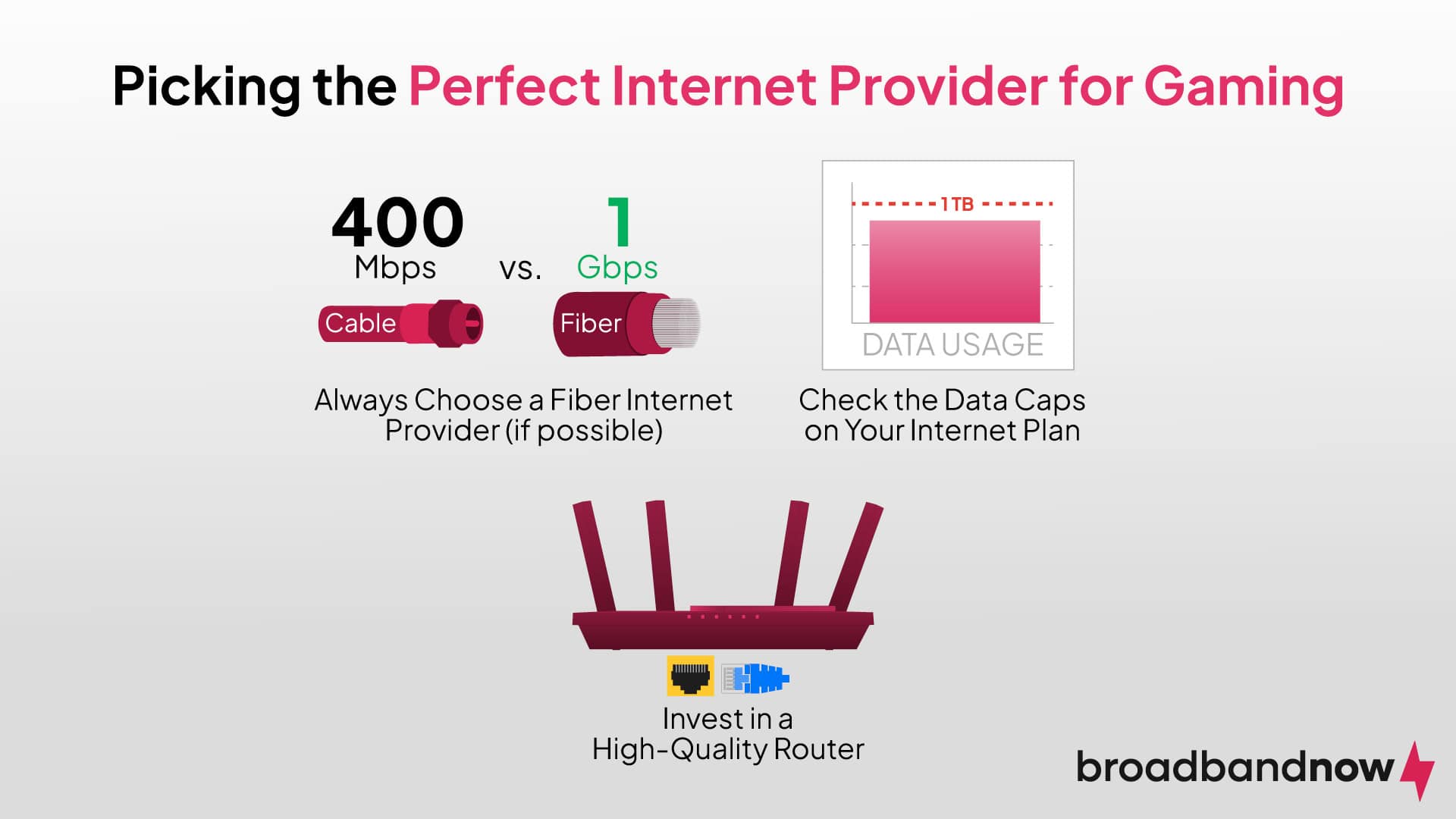
# Apartment Wi‑Fi Winners: The Ultimate Guide
Choosing a Wi‑Fi plan that delivers lightning‑fast speeds without breaking the bank can feel like a scavenger hunt. For apartment dwellers, the challenge is only magnified by shared walls, limited carrier options, and the need for a reliable connection that keeps streaming, gaming, and working from home on one hand while also staying within a budget on the other.
Below, we’ve sifted through the market to spotlight **Apartment Wi‑Fi Winners**—providers that combine speed, affordability, and excellent customer service. Whether you’re in a large city or a quieter suburb, these picks will help you stay connected for less.
—
## 1. Know What Your Apartment Needs
| Factor | Why It Matters | Typical Requirements |
|——–|—————-|———————-|
| **Number of Devices** | More devices mean more bandwidth. | 3–5 smart devices + 1–2 PCs |
| **Comfort Zone** | How far the router must travel. | 15–30 ft for a shared apartment |
| **Primary Use** | Watching 4K vs. light browsing. | Streaming (HD/4K) & remote work |
| **Budget** | Set a realistic monthly ceiling. | $30–$80 per month |
**Tip:** Roughly, a basic apartment needs 25 Mbps to 50 Mbps per person for smooth streaming. If you throw in video calls and online gaming, bump it closer to 100 Mbps.
—
## 2. Speed Matters, but Data Rules
– **Mbps (Megabits per second)** tells you how fast a connection can transfer data.
– **Data Caps** can turn a plan from a winner into a loser when you hit limits.
– **Latency** (ping) is crucial for gaming and 2‑way video chats; lower numbers mean fewer hiccups.
If you’re reading the *Federal Communications Commission’s broadband guide* (link to https://www.fcc.gov/consumer-guides/broadband), you’ll find a clear breakdown of what speeds equate to what experiences. Keep in mind that real‑world speeds often fall 10–20% short of advertised numbers.
—
## 3. The Trick of Bundling
Many providers pull a bundle of internet, TV, and phone services. These often have:
| Bundle | Estimated Savings | Note |
|——–|——————|——|
| Internet + Phone | 10–15% off each | Phone often redundant if you have mobile |
| Internet + Streaming | 5–10% off | Some streaming services are free with certain ISPs |
| Multi‑Device Login | Unlimited access for all residents | Useful for renters shared between tenants |
A modestly priced bundle can make “Apartment Wi‑Fi Winners” feel less like a stretch and more like a convenience.
—
## 4. Top Picks For Fast & Affordable Apartment Wi‑Fi
### 4.1. **Xfinity Streamline 50/50**
– **Speed:** 50 Mbps Download / 50 Mbps Upload
– **Price:** $45/month (after promotional period)
– **Data:** Unlimited, no caps
– **Extras:** Free 1‑year Verizon Fios Data usage plan
**Why It Wins:** Offers a solid price for families or roommates and has a reliable network across major cities. Plus, Xfinity frequently runs “Free Wi‑Fi” promotions in apartment complexes.
> If you’re living in the greater Detroit metro, see our *High-Speed Internet in Detroit, MI 48201* page for tailored promos.
### 4.2. **Spectrum Pure Cognitive 60/60**
– **Speed:** 60 Mbps Both Ways
– **Price:** $70/month (one‑year contract)
– **Special:** Unlimited data, no throttling
– **Coverage:** Urban indoor apartments
**Why It Wins:** For those who need a bit more download speed—think 4K streaming—Spectrum delivers without hidden fees.
### 4.3. **Cox Home Connect 75/75**
– **Speed:** 75 Mbps Download / 75 Mbps Upload
– **Price:** $54/month (after 12‑month contract)
– **Data:** Unlimited, but prioritization during peak hours
– **Extras:** 1‑year free home security camera
**Why It Wins:** Excellent for dual 4K setups or remote work with high‑quality video calls, and the security add‑on feels like a bonus.
### 4.4. **AT&T Fiber 100/100** (If available)
– **Speed:** 100 Mbps Both Ways
– **Price:** $75/month (one‑year package)
– **Data:** Unlimited, no caps
– **Reliability:** Fiber optics = higher physical reliability
**Why It Wins:** The gold‑standard for consistent speeds. Fiber availability is patchy, but for those lucky enough to live near tests, it can be the maximum “Apartment Wi‑Fi Winner”.
—
## 5. Local Champions: Where the Jersey Comes in
Many internet providers target the suburbs where rent can be cheaper, and landlords sometimes collaborate. Check out these neighborhood‑specific plays:
– **Hyde Park, MI:** *Affordable WiFi Service in Wyandotte, MI 48192*
– **North Dearborn, MI:** *High-Speed Internet in Dearborn, MI 48126*
– **Southfield, MI:** *High-Speed Internet in Southfield, MI 48265*
These intranational pages list carrier offers available **right in your building**, often paired with tenant‑friendly contract terms.
—
## 6. Budget‑Friendly Tactics
| Tactic | Description | Example |
|——–|————-|——–|
| **Compare Copiers** | Check the same provider in two neighboring buildings. | Xfinity in two 3‑story buildings might offer an even better rate than the street. |
| **Monthly Deactivation** | Turn off service during a winter break if you’re a student. | 2‑month pause = $90 saved. |
| **Local Deals** | Some city governments run broadband projects. | Detroit’s “Access for All” can reduce monthly costs. |
| **Negotiate** | After calling for a new contract, ask for “match” the caller’s plan. | Some friends have secured $20 off by emailing their better offers. |
These tricks foster value without compromising speed—perfect for the savvy renter.
—
## 7. Stats That Speak
– According to the FCC, about **41% of U.S. households** have downloaded at least 25 Mbps within the last year.
– The *Consumer Technology Association* reports that the average home internet speed in 2024 is **131 Mbps**.
– **University of Iowa** analytics: Apartment-dwellers on average use **2.6 Tb of data monthly**, out of which **36%** is streaming.
This means that any “Apartment Wi‑Fi Winner” should support more than 50 Mbps per person to avoid congestion.
—
## 8. Final Check‑list
– **Identify your use‑case**: streaming, gaming, work.
– **Confirm provider availability** in your building.
– **Set a realistic budget** – round numbers are easier.
– **Ask about data caps** – unlimited is key for long‑term value.
– **Inquire on promo periods** – many companies drop the price after 6–12 months.
With this framework, any resident can find the fastest and most affordable internet service that matches their living environment.
—
### Get Started Today!
Check your city’s dedicated services on MyNeighborhoodWiFi.com. Whether you’re on the downtown edge or a quiet suburban block, we’ve curated listings—like *Affordable WiFi Service in Wyandotte, MI 48192*—that will have you connected in no time.
—