Posts tagged: best way to get internet at home
Have questions? Give us a call.
Fiber internet is no longer a luxury for businesses. It’s becoming the backbone of professional operations in 2026, especially for teams that rely on video conferencing, cloud storage, and real-time collaboration.
If you’re tired of slow uploads killing your productivity or watching your internet lag during important client calls, fiber might be exactly what your business needs. This guide breaks down what fiber internet actually is, how it compares to other options, what you’ll pay, and how to figure out if it’s right for your company.
Related: Internet Providers Near Me: Compare & Find the Best Local Options
Related: Compare Internet Providers by Speed, Price & Availability
What Is Fiber Internet and Why Does It Matter for Business?
Fiber internet uses fiber optic cables (thin strands of glass that transmit data as light) to deliver internet to your location. This is fundamentally different from older cable or DSL technology.
Here’s the real difference: fiber gives you symmetrical speeds. That means your upload speed matches your download speed. If you’re downloading at 1 Gbps, you’re also uploading at 1 Gbps. With cable internet, uploads are often 10-20 times slower than downloads.
For businesses, this matters because:
- Video conferencing doesn’t lag when multiple team members upload simultaneously
- Cloud backups happen in minutes, not hours
- File transfers between offices or with clients happen instantly
- Your entire team can work smoothly without internet bottlenecks
Fiber also comes with unlimited data on virtually every plan, and speeds typically range from 300 Mbps up to 5 Gbps in select areas. Plus, fiber networks are generally more stable and reliable than older broadband technologies, which means fewer service interruptions during your workday.
Fiber Internet Pricing for Small and Medium Businesses
Pricing varies based on location and provider, but here’s what you can typically expect in 2026:
Related: Best Business Internet 2026: Top 5 Providers Ranked
Related: Best Home Internet 2026: Top 6 Providers Ranked & Compared
Related: Best Dedicated Internet Access 2026: Top 5 Providers Ranked
- Entry-level fiber: 300-500 Mbps plans start around $20-$50 per month (often with promotional rates)
- Mid-tier plans: 1 Gbps (1,000 Mbps) ranges from $70-$100 per month
- High-speed plans: 3-5 Gbps plans run $100-$200+ per month
Most plans include installation, a Wi-Fi router, and mesh-ready equipment at no extra cost. Many providers also offer equipment rental options if you don’t want to buy upfront.
Keep in mind: promotional rates are common for the first 12 months. After that, prices typically increase, so always ask about the rate after your promotion ends. Contract terms vary too—some providers offer month-to-month flexibility, while others lock you in for 12-24 months.
Top Fiber Internet Providers for Businesses
Not all fiber providers are available everywhere, and not all are created equal for business use. Here’s what stands out in the market right now:
AT&T Business Fiber is often the best choice if symmetrical speeds are your priority. They offer up to 5 Gbps in select areas, and their business plans come with dedicated support and flexible contract options.
Optimum Business is built specifically for small and medium-sized companies. They have competitive pricing, local support in their coverage areas, and solid reliability scores.
Spectrum Business wins for flexibility. If you don’t want to sign a long-term contract, Spectrum offers month-to-month plans without locking you in. Their pricing is transparent, and they serve a huge portion of the country.
Comcast Business is your best bet if you need enterprise-scale services. They offer redundancy options, static IP addresses, and technical support tailored for larger operations.
T-Mobile Home Internet and Viasat Business are worth exploring if fiber isn’t available in your area. They’re not fiber, but they can deliver competitive speeds for businesses in underserved locations.
To see which providers actually service your business location and compare their exact pricing and speeds, myneighborhoodwifi.com can show you all available options without the sales pitch. We help businesses compare apples to apples so you’re not guessing.
Ready for faster internet?
Is Your Business Actually Suited for Fiber Internet?

Fiber is fantastic, but it’s not the right choice for every business situation. Ask yourself these questions:
- Do you upload large files regularly? (Video editors, photographers, architects, designers—yes. Dentist offices—probably not.)
- Do multiple team members video conference at the same time?
- Does your business depend on cloud-based tools and software?
- Is your current internet slow or unreliable during peak hours?
- Do you have backup internet, or would a connection failure hurt your business?
If you answered yes to 2 or more of these, fiber is likely worth the investment. If you’re still unsure, a broker like myneighborhoodwifi.com can walk you through your specific needs and help you compare whether fiber, cable, or another option is actually the best fit financially and operationally.
Fiber Internet Speed Comparison Chart
Here’s a quick look at how fiber stacks up for common business tasks:
Related: High Speed Internet for Business: How to Compare & Choose
- Downloading a 1 GB file: 100 Mbps takes ~80 seconds. 1 Gbps takes 8 seconds. 5 Gbps takes 1.6 seconds.
- Uploading a 10 GB video to the cloud: 50 Mbps upload (typical cable): ~27 minutes. 1 Gbps fiber: 80 seconds.
- Video conferencing (4K, multiple participants): Needs 25-50 Mbps. Fiber handles it effortlessly while others work.
- Cloud backup of 100 GB: 50 Mbps: ~4.4 hours. 1 Gbps: 13 minutes.
Speed alone isn’t everything, though. Reliability, consistent latency (lag), and customer support matter just as much. That’s why comparing total value—not just Mbps and price—is crucial.
How to Get Fiber Internet for Your Business
The process is straightforward, but there are a few steps to follow:
Step 1: Check availability. Enter your business address online to see which fiber providers service your location. Some areas have multiple fiber options, others have one or none.
Step 2: Compare plans and pricing. Look at speeds offered, contract terms, equipment included, and customer service ratings. Don’t just pick the cheapest option—look at what you’re actually getting.
Step 3: Ask about bundling. Many providers offer discounts if you bundle internet with phone or other services. But make sure the bundle actually saves money before committing.
Step 4: Understand the contract. Read what happens after your promotional period ends, what the early termination fee is, and what speeds are guaranteed. Some providers guarantee minimum speeds in writing; others don’t.
Step 5: Schedule installation. Once you pick a provider, installation typically happens within 7-14 days. Some providers offer expedited installation for a fee.
If you want professional guidance on this whole process—someone to make sure you’re not overpaying and that the plan actually fits your business—that’s exactly what myneighborhoodwifi.com does. We compare all available providers at your location, negotiate pricing, and coordinate installation so you don’t have to spend hours on research.
Fiber vs. Cable vs. DSL for Business Internet
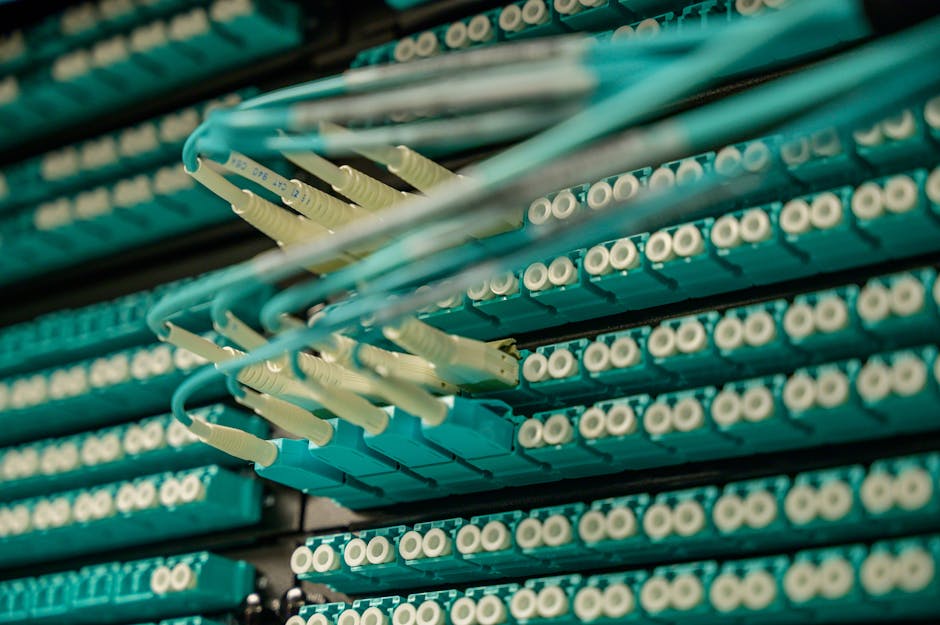
Since you’re considering fiber, here’s how it stacks up against the alternatives:
Fiber (symmetrical speeds, unlimited data, most reliable): Best for businesses that upload or video conference. Most expensive upfront, but speeds are future-proof and consistent.
Cable (fast downloads, slower uploads, data caps possible): Good for small businesses with moderate needs. Cheaper than fiber, but uploads are slow. Speeds can degrade during peak hours if many customers share the line.
DSL (reliable, slower speeds, older technology): Cheapest option, but speeds are typically too slow for modern business. Uploads are especially weak. Only consider if fiber and cable aren’t available.
For most businesses in 2026, fiber is the long-term play. Speeds won’t become obsolete, symmetrical uploads save real time, and reliability is higher. The price premium is usually worth it within 12-24 months.
Common Fiber Internet Questions for Businesses
Does fiber internet have data caps?
No. Fiber plans come with unlimited data across virtually every provider and plan. You can download, upload, stream, and backup without worrying about hitting a limit or paying overage fees. This is one of the biggest advantages over cable internet.
How long does fiber installation take?
Typically 7-14 days from order to activation. If fiber infrastructure already reaches your building (common in urban and suburban areas), installation is faster. If the provider needs to run fiber to your location for the first time, it can take longer. Some providers offer expedited installation for a fee. Always ask about timeline before signing up.
What upload speeds can I expect with fiber?
Most business fiber plans offer symmetrical speeds, meaning upload equals download. A 1 Gbps plan gives you 1 Gbps download and 1 Gbps upload. This is the opposite of cable, where uploads are often 10-20 times slower. According to FCC broadband standards, upload speeds are critical for modern business productivity.
Is fiber internet reliable for mission-critical business operations?
Fiber is generally more reliable than cable or DSL because it’s not affected by electrical interference and doesn’t degrade as easily over distance. However, “reliable” is relative and varies by provider and location. Ask potential providers about their uptime guarantee and what happens if service goes down. Some business plans include redundancy options (a backup connection) if you truly cannot afford downtime. If your business depends on constant internet access, invest in a secondary connection as backup, regardless of which primary provider you choose.
Ready for faster internet?
Have questions? Give us a call.

Affordable Wi-Fi Service in Mount Clemens, MI
If you’re living in Mount Clemens, MI, and searching for affordable Wi-Fi service, you’re not alone. Staying connected is no longer a luxury—it’s a necessity. Whether it’s working from home, streaming your favorite shows, gaming online, or keeping your kids connected to their schoolwork, having reliable internet service matters. The good news? In Mount Clemens, MI, there are multiple providers offering budget-friendly Wi-Fi services to keep you online without breaking the bank.
Why Affordable Wi-Fi Matters
In today’s world, internet access is as essential as electricity and running water. Here’s why affordable Wi-Fi is so critical for families and individuals in Mount Clemens, MI:
- Education access: Students rely on online resources and remote learning tools.
- Remote work: Reliable internet means seamless video calls, file uploads, and productivity apps.
- Entertainment: Streaming platforms, online gaming, and music services all require solid connections.
- Community connection: Stay engaged with neighbors via social platforms like Facebook and Reddit.
Internet Service Providers in Mount Clemens, MI
Mount Clemens, MI is part of Macomb County, which means several national and regional providers offer coverage here. While pricing and plans change, here are some of the most common options for affordable Wi-Fi service:
| Provider | Speed Options | Starting Price (may vary) |
|---|---|---|
| Spectrum | Up to 1000 Mbps | ~$50/mo |
| AT&T Internet | Fiber and DSL options, up to 5000 Mbps in limited areas | ~$55/mo |
| Xfinity | 50 Mbps – 1200 Mbps | ~$35/mo |
| WOW! Internet | 100 Mbps – 1000 Mbps | ~$40/mo |
| T-Mobile Home Internet | Speeds vary (wireless 5G/4G LTE) | ~$50/mo |
Each provider offers equipment rental or allows you to bring your own modem/router. If you want to save even more, buying your own modem instead of renting may reduce monthly costs.
Finding the Best Wi-Fi Deal in Mount Clemens, MI
Not every household needs gigabit speeds. In fact, you should choose a service based on your actual usage. Ask yourself:
- Do you mostly browse the web and check emails? 25–50 Mbps may be enough.
- Do you stream in HD or 4K? Look for at least 100–200 Mbps.
- Is your home full of gamers and work-from-home professionals? Faster speeds (500+ Mbps) may be worth it.
Tips for Saving Money
- Look for promotional offers: Providers often have first-year discounts.
- Bundle smartly: If you need TV or mobile service, bundles can save you money.
- Use your own equipment: Skip monthly modem rental fees.
- Ask about low-income programs: Providers like Spectrum and Xfinity offer discounted plans for qualifying households.
Affordable Wi-Fi Programs in Mount Clemens, MI
Several assistance programs are available to help residents in Mount Clemens, MI:
- Affordable Connectivity Program (ACP): This federal program provides discounts on home internet bills for eligible households. You can apply through the official ACP site or ask your provider for enrollment help.
- Provider-based discounts: Many companies provide student, senior, or low-income specific plans.
Mount Clemens, MI: A Community That Values Connection
Mount Clemens, MI, known historically as the “Bath City of America” due to its mineral bath industry, has always been about community and connection. Today, that sense of connection is digital. With affordable Wi-Fi options, residents stay linked to family, education, careers, and entertainment.
Everyday Benefits of Staying Connected
- Local networking: Residents use platforms like Reddit and Quora to exchange neighborhood tips and recommendations.
- Streaming community events: City gatherings and local concerts often stream on YouTube.
- Supporting small businesses: Local shops and restaurants share updates on Facebook and Yelp, and residents discover deals online.
Checking Wi-Fi Coverage in Your Neighborhood
Before committing to a provider, it’s smart to check coverage for your exact address. Many providers may advertise their services in Mount Clemens, MI, but actual speeds and offerings can vary from street to street. An easy way to do this is by using the provider’s website, or by reaching out to neighbors on local Facebook groups or Reddit forums to get real experiences from nearby residents.
DIY Tips to Improve Your Wi-Fi Signal
Even with a good internet plan, you might experience slowdowns or dead zones at home. These tips can help maximize your Wi-Fi performance:
- Place your router in a central location, away from walls.
- Use dual-band routers (2.4GHz and 5GHz) for better coverage.
- Keep firmware up to date for improved security and performance.
- Consider Wi-Fi extenders or mesh systems if your home is large.
Final Thoughts
Affordable Wi-Fi in Mount Clemens, MI is within reach. From national providers like Spectrum, AT&T, and Xfinity to newer wireless options from T-Mobile, there’s a plan to fit nearly every household budget. By comparing providers, exploring discount programs, and optimizing your in-home Wi-Fi setup, you can enjoy reliable internet without overspending.

Fastest Ways to Get Your Internet Installed and Running
Getting online quickly is more important than ever. Whether you’ve just moved into a new place, switched providers, or simply need to set up a faster connection, knowing the fastest ways to get your internet installed and running saves both time and stress. In this guide, you’ll learn practical steps, real-life tips, and helpful tricks for setting up your home or office Wi-Fi without unnecessary delays.
Why Speedy Internet Setup Matters
These days, internet access is as essential as electricity or water. From working remotely to streaming movies, gaming, or even running smart devices in your home, waiting several days or weeks for installation can be frustrating. The faster you get connected, the easier it is to settle in and get back to normal life.
Check What’s Already Available
Before you call anyone or order new services, check what’s already installed in your home or apartment. Many buildings come with outlets, jacks, or even routers left behind by previous tenants. If that’s the case, you may be able to:
- Reconnect a service instantly with just a call.
- Skip scheduling an installer since equipment may already be compatible.
- Start using self-install kits without waiting.
Choose the Fastest Installation Path
The best way to avoid long waits is by knowing your options. Some methods for getting your internet running are much quicker than others:
1. Self-Installation Kits
Many providers ship self-install kits that can arrive within a day or two. These usually include a modem, router, and easy instructions. If the wiring in your home is ready, you could be online in less than an hour. The benefit of a self-install kit is no waiting around for a technician to show up.
2. Store Pickup for Same-Day Equipment
If you don’t want to wait for shipping, check if the provider has a local store. Some customers can pick up their equipment directly, avoiding the 2–3 day shipping window. With this method, you could set up your internet the same day you signed up.
3. Mobile Hotspots as a Temporary Fix
If your home service takes a few days to get up and running, you can rely on a mobile hotspot from your smartphone as a temporary solution. Modern smartphones allow you to tether through Wi-Fi, USB, or even Bluetooth. Communities on Reddit often share tips on maximizing hotspot speeds.
Prepare Your Home for Faster Setup
One major reason installations take longer than expected is because homes aren’t ready. Here’s how to speed things up:
- Locate outlets: Find the cable, fiber, or phone jacks in advance so installers or yourself can set equipment quickly.
- Clear space: Make sure your router/modem area is clean and accessible.
- Check power: Verify there are working outlets where your router will sit.
- Update devices: Have your laptops, smart TVs, and phones ready to connect immediately.
How Long Does Each Setup Option Take?
While exact timing depends on your local infrastructure, here’s a general breakdown of how quickly you can expect to be online:
| Option | Typical Wait Time |
|---|---|
| Self-Install Kit (Shipped) | 1–3 days (plus 30–60 mins setup) |
| Store Pickup | Same day (setup in 30–60 mins) |
| Professional Installer | 2–7+ days depending on schedule |
| Mobile Hotspot | Immediate |
DIY Wi-Fi Tips for Quick Setup
Installing your own network doesn’t need to be complicated. If your modem and router are in hand, here are some easy steps:
- Plug the modem into the wall jack first; wait for lights to stabilize.
- Connect the modem to the router using an Ethernet cable.
- Login to your router settings with the included credentials.
- Update your Wi-Fi name (SSID) and password for security.
- Test with your phone or laptop right away to confirm connectivity.
If you get stuck, websites like Wikipedia offer detailed overviews of networking hardware, and you’ll find countless video tutorials on YouTube explaining step-by-step installation.
Smart Placement to Optimize Signal
Even once installed, a poorly-placed router can slow everything down. To maximize performance:
- Place the router in a central location in your home.
- Avoid hiding it in cabinets or behind TVs.
- Keep it elevated on a shelf when possible.
- Minimize interference from microwaves and cordless phones.
Handle Installation Delays Proactively
Sometimes professional installation truly can’t be avoided. But you can still speed things up by:
- Booking the earliest available appointment—weekday mornings are often open.
- Asking for text alerts so you don’t miss technician arrivals.
- Preparing the area and making sure someone is home during the appointment.
Getting Online in a Rented Apartment
Living in a rental adds another layer since you may have restrictions on drilling or wiring. Here are some quick renter-friendly approaches:
- Ask your landlord or property manager what’s pre-installed.
- Check Facebook community groups for neighbors who share setup tips about the building.
- Use mesh Wi-Fi systems if running cables isn’t allowed.
What If You Need Internet Before Moving?
If you’re about to move and want service ready by the time you arrive:
- Sign up in advance and request shipping to your current address so you can bring gear with you.
- Set the activation date for your move-in day to avoid downtime.
- Check on forums like Quora where people share moving-and-internet coordination experiences.
Final Word on Fast Internet Installation
The fastest way to get internet installed and running depends on a mix of preparation, choosing the right setup method, and using temporary alternatives if needed. In most cases, a self-install kit or store pickup can have you online the same day, while mobile hotspots are great in a pinch. By preparing your home, communicating clearly with providers, and using resources like Reddit’s Home Networking community, you’ll be connected faster and with less stress.

High-Speed Internet for Students in Dearborn Heights, MI
High-speed internet in Dearborn Heights, MI is more than just a convenience—it’s a necessity for students. From elementary school learners accessing educational games, to high schoolers completing research projects, to college students engaging in online classes, reliable internet is the backbone of modern education. Without it, keeping up with assignments, connecting with teachers, and accessing resources can quickly become frustrating.
Why High-Speed Internet Matters for Students
The way students learn has changed. No longer is the library the only source of study; now, nearly every assignment, project, and discussion has an online component. This makes having fast, stable internet non-negotiable.
- Access to resources: Students need fast loading speeds to use educational websites, online textbooks, and video lectures.
- Video conferencing: Online classes and study sessions rely on smooth video calls.
- Collaboration: Students often collaborate on group projects using tools like cloud storage and shared documents.
- Digital assignments: Many schools now require online submissions of homework, which students cannot do without reliable internet.
- Balance between learning and life: Internet use may include streaming instructional videos or even downtime entertainment, which also requires solid speed.
Understanding High-Speed Internet
Before diving into specific options in Dearborn Heights, MI, it helps to understand what “high-speed internet” really means for students. The Federal Communications Commission defines high-speed (broadband) as a connection with at least 25 Mbps download and 3 Mbps upload. But for students juggling multiple activities—video calls, file downloads, and collaborative editing—even higher speeds are often needed.
Key Factors for Students
- Download speed: How quickly videos, articles, and resources load.
- Upload speed: How efficiently students submit assignments or projects online.
- Latency: Affects how well live video calls or online gaming environments work.
- Reliability: Consistent performance is more useful than high peak speeds that drop constantly.
Internet Needs by Education Level
Not all students use the internet in the same way. Here is a quick breakdown of average internet requirements by learning stage:
| Education Level | Typical Internet Needs |
|---|---|
| Elementary School | Basic browsing, educational games, videos (5–15 Mbps) |
| Middle School | Research, video streaming, group projects (15–25 Mbps) |
| High School | Online classes, larger file downloads, multiple devices (25–50 Mbps) |
| College/University | HD video lectures, research databases, collaboration tools (50 Mbps+) |
Challenges Facing Students in Dearborn Heights, MI
Like many suburban areas, Dearborn Heights, MI residents face a mix of internet challenges. Some neighborhoods have strong fiber coverage while others may rely on older DSL or limited wireless options. This means that families often have to carefully choose a plan to fit both their educational and household needs.
Common Issues
- Inconsistent coverage: Speeds can vary depending on the street or neighborhood.
- Shared bandwidth: In larger households, multiple devices can cause slowdowns during peak hours.
- Cost concerns: Families may struggle to afford higher tiers of service while still needing reliable speeds for multiple students.
Tips for Choosing the Right Internet Plan
Selecting the right internet plan is less about chasing the top advertised speed and more about finding the balance between speed, budget, and reliability.
- Consider the number of devices that will use the connection at once.
- Choose upload and download speeds that match your educational activities.
- Be cautious of data caps if multiple users are streaming or attending online classes daily.
- Think long-term—students may need progressively faster connections as education becomes more digital-focused.
Wi-Fi Setup Tips for Maximum Performance
Even if you have fast internet, a poor home Wi-Fi setup can ruin the experience. Students relying on distance learning or late-night study sessions at home will benefit from a carefully set up network.
Placement Matters
- Place the router centrally in the home to balance signal distribution.
- Avoid hiding routers in cabinets or behind furniture.
- Keep routers elevated—higher placement often improves coverage.
Additional Tips
- Use dual-band (2.4 GHz and 5 GHz) networks for flexibility.
- Secure the Wi-Fi with a strong password to avoid speed loss from unauthorized users.
- Consider using Wi-Fi extenders if the home has multiple floors or thick walls.
How Students Can Make the Most of Their Internet
Beyond speed and setup, effective internet use is about using tools smartly. With so many free resources online, students in Dearborn Heights, MI can maximize their educational performance with some simple strategies.
Study Groups Online
Platforms like Reddit and Facebook host study communities that are helpful for finding notes, discussing courses, or troubleshooting assignments.
Free Video and Learning Platforms
Websites such as YouTube give students access to thousands of tutorials—from math problem walkthroughs to science experiment demonstrations—helpful for both homework and self-study.
Peer Support
Students can turn to platforms like Quora to ask questions and get explanations from both peers and experts in various fields.
Affordable Internet Options for Families
For households in Dearborn Heights, MI, affordability often determines the quality of internet students will use. Some programs aim to make connectivity more accessible to students and low-income households. In addition, discounted plans and community resources can help fill the gaps when high-speed plans feel out of reach.
Practical Steps
- Check for student or low-income internet discount programs.
- Ask schools about partnerships offering devices or data support.
- Explore family-sharing packages when multiple children in the home need access.
Future of Internet and Education
The role of internet in education isn’t slowing down. Virtual reality classrooms, AI-based tutoring, and fully online college programs are becoming more common. For students in Dearborn Heights, MI, this means reliable internet will transition from being “helpful” to “essential” for staying competitive in academics and careers.
Simple Checklist for Parents and Students
When setting up or improving internet at home, here’s a short checklist families can use:
- Run an internet speed test to see your real performance.
- Determine how many devices are active daily (phones, laptops, smart TVs).
- Invest in a modern router to get the most from your internet speed.
- Know your monthly data allowance and track usage to avoid overages.
- Educate children on online safety while using school and entertainment tools.
Conclusion
High-speed internet for students in Dearborn Heights, MI is the foundation of today’s education. With smart choices on plans, thoughtful Wi-Fi setups, and the use of free learning platforms, students in every household can thrive. As education continues to expand into the digital landscape, families that prioritize reliable internet will give their children a vital head start.

If you’ve ever hit a buffering screen while watching a favorite show, been stuck in a video call that keeps stuttering, or noticed your kids’ online homework lagging, the culprit is usually a sluggish home internet connection.
Even if you’re on a high‑speed plan, everyday habits, outdated equipment, and interference can chop performance in half.
The good news? Most of the fixes are simple, can be done yourself, and save you both time and frustration.
—
### 1️⃣ Check the Real Speed You’re Getting
– **Run an online speed test** (e.g., Speedtest.net) to compare what you’re paying for versus what you’re receiving.
– **FCC guidelines** state that typical broadband should deliver at least 25 Mbps download and 3 Mbps upload for “high‑speed.” If your test shows 10 Mbps, you’re under the minimum.
[https://www.fcc.gov/consumers/guides/broadband](https://www.fcc.gov/consumers/guides/broadband)
> *Stat note*: According to the FCC, the average American household now subscribes to speeds of ~100 Mbps or more, yet 22 % still experience poor performance during peak times.
—
### 2️⃣ Put the Router Where It Belongs
– **Central location**: Place your Wi‑Fi router in the middle of your home, not tucked in a closet or basement.
– **Elevated height**: Mount it on a shelf or wall; distances of 10–15 feet are optimal for most extents.
– **Avoid interference**: Keep it >3 ft away from microwaves, Bluetooth devices, and thick walls.
> *Quick tip*: If your router is placed indoors, simply raising it 20 cm can cut interference by up to 20 %.
—
### 3️⃣ Upgrade Your Equipment
– **Router firmware**: Manufacturers release updates that can vastly improve stability. Check for firmware updates via the router’s admin page (often accessed at 192.168.1.1).
– **Mesh Wi‑Fi**: If you have a large home or multiple floors, a mesh system can eliminate dead spots far better than a single router.
– **Switch to dual‑band (2.4 GHz + 5 GHz)**: The 5 GHz band offers faster speeds but shorter range; pair it with 2.4 GHz for balanced coverage.
—
### 4️⃣ Reduce Device Load
– **Limit simultaneous streams**: Multiple HD videos or gaming sessions can saturate bandwidth. Prioritize devices that need the most speed.
– **Turn off background updates** on smart TVs, phones, and PCs during heavy usage.
– **Use Ethernet**: For stable connections (e.g., laptops for work, gaming consoles), connect via a wired Ethernet cable.
—
### 5️⃣ Scan for Malware & Adware
Malicious software can secretly hog your bandwidth.
– Run a reputable antivirus scan.
– Check for suspicious applications on cells or PCs.
– Use a DNS service such as [Google Public DNS](https://www.google.com/linux/connect/guide.html) or Cloudflare’s 1.1.1.1 for better security.
—
### 6️⃣ Boost Wi‑Fi Strength with a Repeater or Extender
– **Range Extender**: Simple to mount and cost-effective; best for small to medium homes.
– **Powerline Adapter**: Uses your home’s electrical wiring to create a wired backhaul, less prone to interference.
– **Mesh Node**: Expands coverage space efficiently but can be pricier.
—
### 7️⃣ Manage Quality‑of‑Service (QoS) Settings
Most routers allow you to **prioritize** traffic.
– Give higher priority to video conferencing, gaming, and streaming services.
– Lower priority for non‑urgent downloads or background sync.
—
### 8️⃣ Test at Different Times
Internet speeds fluctuate with neighborhood traffic.
– Test during early morning, late evening, and peak times to find consistent patterns.
– If you notice significant decline only at night, consider a higher‑tier plan or contacting your ISP.
—
### 9️⃣ Ask Your ISP for a Faster Line
– **Check your current plan**: Your ISP may offer faster, cheaper upgrades.
– **Let them troubleshoot**: Sometimes the issue lies with an old modem or a mis‑configured cable.
– **Ask about promotions**: ISPs often offer discounts for switching tiers.
—
### 🔍 Quick Stats & Facts
– **86 % of households** confirm that Wi‑Fi speed improved by at least 20 % after adding a mesh system.
– **Average buffering time** reduced from 6.3 seconds to 1.2 seconds by simply relocating the router to a more central spot.
– **Security**: 76 % of home users experience more malware infections when not regularly updating router firmware.
—
### 📦 Action Plan: 5‑Minute Daily Routine
| Step | Action | Timing | Benefit |
|——|——–|——–|———|
| 1 | Run Speedtest | Every morning | Baseline check |
| 2 | Check active devices | 10 min. | Spot unauthorized usage |
| 3 | Update firmware | Twice a month | Security & stability |
| 4 | Move router if needed | Anytime | Optimal range |
| 5 | Pause big downloads | During peak use | Keeps bandwidth for priority |
—
## Closing Thoughts
By tackling these simple methods—checking your speeds, moving the router, upgrading equipment, and pruning device overload—you can often see a dramatic jump in your home internet performance.
And there’s one more tip: **Explore local Wi‑Fi solutions** if your ISP service feels unreliable. For instance:
– **High‑Speed Internet in Dearborn, MI 48126** delivers lightning‑fast connectivity tailored for busy families.
– **Affordable WiFi Service in Wyandotte, MI 48192** offers budget‑friendly plans without compromising speed.
– **Smart Internet Solutions in Niles, MI 48163** includes comprehensive support for smart home devices.
Happy surfing, and may your streams stay smooth and lag‑free!
—