Posts tagged: best internet provider miami
Have questions? Give us a call.
Fiber internet is no longer a luxury for businesses. It’s becoming the backbone of professional operations in 2026, especially for teams that rely on video conferencing, cloud storage, and real-time collaboration.
If you’re tired of slow uploads killing your productivity or watching your internet lag during important client calls, fiber might be exactly what your business needs. This guide breaks down what fiber internet actually is, how it compares to other options, what you’ll pay, and how to figure out if it’s right for your company.
Related: Internet Providers Near Me: Compare & Find the Best Local Options
Related: Compare Internet Providers by Speed, Price & Availability
What Is Fiber Internet and Why Does It Matter for Business?
Fiber internet uses fiber optic cables (thin strands of glass that transmit data as light) to deliver internet to your location. This is fundamentally different from older cable or DSL technology.
Here’s the real difference: fiber gives you symmetrical speeds. That means your upload speed matches your download speed. If you’re downloading at 1 Gbps, you’re also uploading at 1 Gbps. With cable internet, uploads are often 10-20 times slower than downloads.
For businesses, this matters because:
- Video conferencing doesn’t lag when multiple team members upload simultaneously
- Cloud backups happen in minutes, not hours
- File transfers between offices or with clients happen instantly
- Your entire team can work smoothly without internet bottlenecks
Fiber also comes with unlimited data on virtually every plan, and speeds typically range from 300 Mbps up to 5 Gbps in select areas. Plus, fiber networks are generally more stable and reliable than older broadband technologies, which means fewer service interruptions during your workday.
Fiber Internet Pricing for Small and Medium Businesses
Pricing varies based on location and provider, but here’s what you can typically expect in 2026:
Related: Best Business Internet 2026: Top 5 Providers Ranked
Related: Best Home Internet 2026: Top 6 Providers Ranked & Compared
Related: Best Dedicated Internet Access 2026: Top 5 Providers Ranked
- Entry-level fiber: 300-500 Mbps plans start around $20-$50 per month (often with promotional rates)
- Mid-tier plans: 1 Gbps (1,000 Mbps) ranges from $70-$100 per month
- High-speed plans: 3-5 Gbps plans run $100-$200+ per month
Most plans include installation, a Wi-Fi router, and mesh-ready equipment at no extra cost. Many providers also offer equipment rental options if you don’t want to buy upfront.
Keep in mind: promotional rates are common for the first 12 months. After that, prices typically increase, so always ask about the rate after your promotion ends. Contract terms vary too—some providers offer month-to-month flexibility, while others lock you in for 12-24 months.
Top Fiber Internet Providers for Businesses
Not all fiber providers are available everywhere, and not all are created equal for business use. Here’s what stands out in the market right now:
AT&T Business Fiber is often the best choice if symmetrical speeds are your priority. They offer up to 5 Gbps in select areas, and their business plans come with dedicated support and flexible contract options.
Optimum Business is built specifically for small and medium-sized companies. They have competitive pricing, local support in their coverage areas, and solid reliability scores.
Spectrum Business wins for flexibility. If you don’t want to sign a long-term contract, Spectrum offers month-to-month plans without locking you in. Their pricing is transparent, and they serve a huge portion of the country.
Comcast Business is your best bet if you need enterprise-scale services. They offer redundancy options, static IP addresses, and technical support tailored for larger operations.
T-Mobile Home Internet and Viasat Business are worth exploring if fiber isn’t available in your area. They’re not fiber, but they can deliver competitive speeds for businesses in underserved locations.
To see which providers actually service your business location and compare their exact pricing and speeds, myneighborhoodwifi.com can show you all available options without the sales pitch. We help businesses compare apples to apples so you’re not guessing.
Ready for faster internet?
Is Your Business Actually Suited for Fiber Internet?

Fiber is fantastic, but it’s not the right choice for every business situation. Ask yourself these questions:
- Do you upload large files regularly? (Video editors, photographers, architects, designers—yes. Dentist offices—probably not.)
- Do multiple team members video conference at the same time?
- Does your business depend on cloud-based tools and software?
- Is your current internet slow or unreliable during peak hours?
- Do you have backup internet, or would a connection failure hurt your business?
If you answered yes to 2 or more of these, fiber is likely worth the investment. If you’re still unsure, a broker like myneighborhoodwifi.com can walk you through your specific needs and help you compare whether fiber, cable, or another option is actually the best fit financially and operationally.
Fiber Internet Speed Comparison Chart
Here’s a quick look at how fiber stacks up for common business tasks:
Related: High Speed Internet for Business: How to Compare & Choose
- Downloading a 1 GB file: 100 Mbps takes ~80 seconds. 1 Gbps takes 8 seconds. 5 Gbps takes 1.6 seconds.
- Uploading a 10 GB video to the cloud: 50 Mbps upload (typical cable): ~27 minutes. 1 Gbps fiber: 80 seconds.
- Video conferencing (4K, multiple participants): Needs 25-50 Mbps. Fiber handles it effortlessly while others work.
- Cloud backup of 100 GB: 50 Mbps: ~4.4 hours. 1 Gbps: 13 minutes.
Speed alone isn’t everything, though. Reliability, consistent latency (lag), and customer support matter just as much. That’s why comparing total value—not just Mbps and price—is crucial.
How to Get Fiber Internet for Your Business
The process is straightforward, but there are a few steps to follow:
Step 1: Check availability. Enter your business address online to see which fiber providers service your location. Some areas have multiple fiber options, others have one or none.
Step 2: Compare plans and pricing. Look at speeds offered, contract terms, equipment included, and customer service ratings. Don’t just pick the cheapest option—look at what you’re actually getting.
Step 3: Ask about bundling. Many providers offer discounts if you bundle internet with phone or other services. But make sure the bundle actually saves money before committing.
Step 4: Understand the contract. Read what happens after your promotional period ends, what the early termination fee is, and what speeds are guaranteed. Some providers guarantee minimum speeds in writing; others don’t.
Step 5: Schedule installation. Once you pick a provider, installation typically happens within 7-14 days. Some providers offer expedited installation for a fee.
If you want professional guidance on this whole process—someone to make sure you’re not overpaying and that the plan actually fits your business—that’s exactly what myneighborhoodwifi.com does. We compare all available providers at your location, negotiate pricing, and coordinate installation so you don’t have to spend hours on research.
Fiber vs. Cable vs. DSL for Business Internet
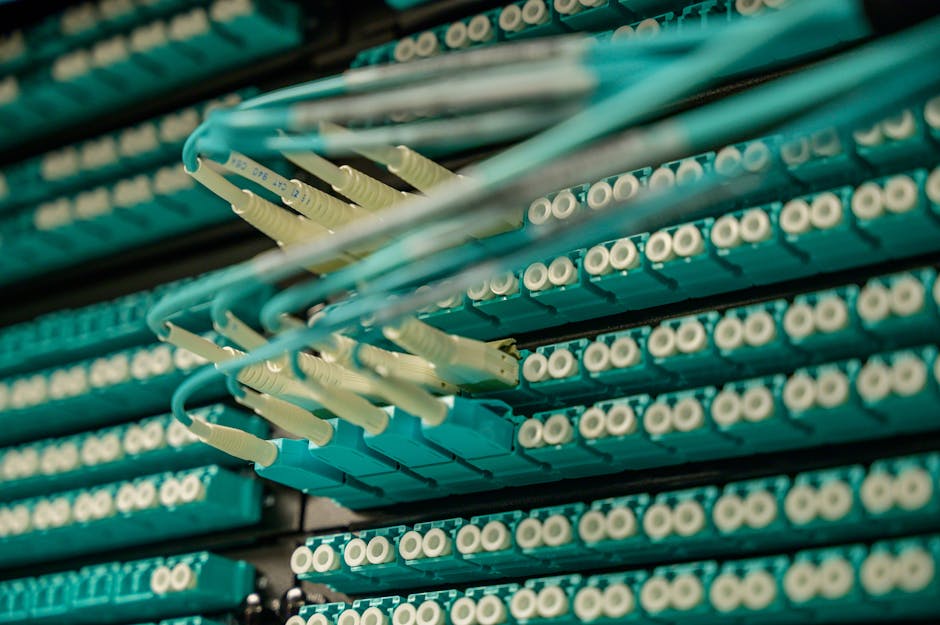
Since you’re considering fiber, here’s how it stacks up against the alternatives:
Fiber (symmetrical speeds, unlimited data, most reliable): Best for businesses that upload or video conference. Most expensive upfront, but speeds are future-proof and consistent.
Cable (fast downloads, slower uploads, data caps possible): Good for small businesses with moderate needs. Cheaper than fiber, but uploads are slow. Speeds can degrade during peak hours if many customers share the line.
DSL (reliable, slower speeds, older technology): Cheapest option, but speeds are typically too slow for modern business. Uploads are especially weak. Only consider if fiber and cable aren’t available.
For most businesses in 2026, fiber is the long-term play. Speeds won’t become obsolete, symmetrical uploads save real time, and reliability is higher. The price premium is usually worth it within 12-24 months.
Common Fiber Internet Questions for Businesses
Does fiber internet have data caps?
No. Fiber plans come with unlimited data across virtually every provider and plan. You can download, upload, stream, and backup without worrying about hitting a limit or paying overage fees. This is one of the biggest advantages over cable internet.
How long does fiber installation take?
Typically 7-14 days from order to activation. If fiber infrastructure already reaches your building (common in urban and suburban areas), installation is faster. If the provider needs to run fiber to your location for the first time, it can take longer. Some providers offer expedited installation for a fee. Always ask about timeline before signing up.
What upload speeds can I expect with fiber?
Most business fiber plans offer symmetrical speeds, meaning upload equals download. A 1 Gbps plan gives you 1 Gbps download and 1 Gbps upload. This is the opposite of cable, where uploads are often 10-20 times slower. According to FCC broadband standards, upload speeds are critical for modern business productivity.
Is fiber internet reliable for mission-critical business operations?
Fiber is generally more reliable than cable or DSL because it’s not affected by electrical interference and doesn’t degrade as easily over distance. However, “reliable” is relative and varies by provider and location. Ask potential providers about their uptime guarantee and what happens if service goes down. Some business plans include redundancy options (a backup connection) if you truly cannot afford downtime. If your business depends on constant internet access, invest in a secondary connection as backup, regardless of which primary provider you choose.
Ready for faster internet?
Have questions? Give us a call.

Top Internet Providers Offering Flexible Student Friendly Plans
Finding reliable WiFi at a reasonable price can feel like a full-time job for college students. Between textbooks, tuition, and living expenses, stretching every dollar matters. That’s why many people search for student friendly internet plans that balance affordability, performance, and flexibility. In this post, we’ll explore top options worth considering, along with tips to save even more money on your neighborhood WiFi setup.
Why Students Need Flexible Internet Plans
Students today rely on the internet for everything from streaming lectures to running group projects through video calls. The right plan should fit into a college lifestyle, offering flexibility and value without locking you into something too restrictive.
Key features that matter for students:
- Affordable pricing: Budget is usually the biggest concern.
- No long contracts: Temporary housing and off-campus leases mean flexibility rules.
- Fair speeds: Enough bandwidth for Zoom classes, research, and binge-worthy study breaks.
- Streaming support: Education aside, entertainment keeps student life balanced.
Many students also rely on public WiFi hotspots near coffee shops and libraries. While free is great, it rarely replaces having a dependable network at home.
Top Internet Providers with Student-Friendly Plans
Let’s dive into providers and options that stand out for student households, keeping affordability and flexibility at the forefront.
1. Neighborhood and Local ISPs
In many college towns, small regional ISPs and community broadband programs design plans specifically for students. These providers often partner with universities to roll out short-term options that line up with semester schedules.
- Semester or month-to-month billing instead of annual contracts.
- Discounts available through student housing offices.
- Campus partnerships that sometimes include basic WiFi as part of tuition or housing fees.
Checking in with local community boards, or even browsing related discussions on Reddit, can help students discover deals that aren’t heavily advertised.
2. Prepaid and Pay-As-You-Go Internet
Another student-friendly option is prepaid internet service. These plans let you pay upfront for a fixed amount of service with no credit checks or long-term commitments. Once a billing cycle ends, you can decide to renew or pause, which is handy if you’re away during breaks.
- No contracts, no late fees, and predictable costs.
- Flexibility to scale up or down depending on your semester’s workload.
- Often works seamlessly with mobile hotspots.
3. Campus WiFi Extensions
Some universities extend their campus WiFi networks to student housing areas nearby. These are often included in student fees, reducing the need to shop for outside providers. While range and reliability vary, it’s worth checking with the school IT office before signing for external service.
Factors to Compare When Choosing a Plan
Not all student internet options are created equal. Here’s what to evaluate before signing up:
| Factor | Why It Matters |
|---|---|
| Cost | Fits student budgets without surprise fees. |
| Contract Length | Short-term flexibility aligns with leases and semesters. |
| Speed | Enough bandwidth for streaming classes, downloads, and entertainment. |
| Equipment | Free/discounted routers or modems save upfront expenses. |
| Customer Support | Accessible help is crucial when deadlines depend on WiFi reliability. |
Saving Extra on Student Internet
Apart from student-focused plans, here are ways to make internet expenses lighter:
1. Student Discounts
Always ask if discounts apply. Some providers quietly offer student or educational discounts if you verify with a school email address.
2. Equipment Sharing
Roommates can split the bill. Instead of individual plans, pooling resources into one solid plan ensures everyone saves.
3. Free and Public WiFi
Libraries, coffee shops, and even some city initiatives provide free WiFi hotspots. For example, municipal wireless networks are appearing in more cities, offering free internet access across public spaces.
4. Router Optimization
Even the best plan disappoints if WiFi reach is poor. Proper placement of routers—avoiding thick walls, microwaves, or closed cabinets—can maximize speeds. Communities often share setup tips on Quora or tech-focused Facebook groups.
Stories from Students Who Saved
Browsing forums like Reddit’s College subreddit or Quora shows countless student stories of finding affordable WiFi. Many mention temporary prepaid solutions during internships or summer semesters. Others emphasize how pooling with roommates not only cut bills but improved connectivity quality in the household.
Final Thoughts on Student-Friendly Internet Plans
Flexible, affordable internet is no longer just a convenience for students—it’s a survival tool. Whether it’s a prepaid option, a semester-linked local plan, or maximizing free campus resources, students can find solutions to stay online without breaking the bank. Always compare local offers, ask about student discounts, and tap into peer communities on Facebook or Reddit to uncover hidden deals.
In the end, the best choice depends on where you live, how often you’re online, and the flexibility you need during the ebb and flow of college semesters. By knowing what to look for, you can set up a reliable WiFi connection that keeps you learning, streaming, and connected on your terms.
Internet Options for Families in Shelby Township, MI
Finding reliable internet options for families in Shelby Township, MI can feel overwhelming, especially when every provider claims to offer the fastest and most affordable service. If you’re raising a family, you know internet service isn’t just a luxury—it keeps kids connected for school, helps you stay productive while working from home, and keeps the household entertained with movies and gaming.
This guide walks you through the best options in Shelby Township, MI, so you can make an informed choice tailored to your family’s needs.
Why Families in Shelby Township, MI Need Strong Internet
A typical family household often has multiple devices all streaming, browsing, and gaming at once. Here are a few activities that rely heavily on dependable internet:
- Remote work and video conferencing
- Online learning platforms and homework assignments
- Streaming services like YouTube, Netflix, or Disney+
- Gaming consoles and multiplayer online play
- Smart home features like cameras, lights, and security systems
For families, speed and reliability are just as important as affordability.
Major Internet Providers in Shelby Township, MI
Several providers service the area with a mix of technologies like fiber, cable, satellite, and 5G. Here’s an overview of the best-known companies offering internet plans in your community.
AT&T
AT&T provides a wide variety of internet services across much of Michigan. Families in Shelby Township, MI can choose from fiber and IPBB connections that deliver:
- Up to 5 Gbps with fiber connections
- Strong coverage across most neighborhoods
- Plans starting at around $55 per month
Fiber is an excellent choice for larger families with high streaming or gaming needs, thanks to its low lag time and powerful upload speeds.
Xfinity
Xfinity is another strong option for Shelby Township, MI households. As one of the most widely available providers in the state, Xfinity delivers:
- Cable internet speeds up to 2 Gbps in select areas
- Bundling options with TV and mobile services
- Widespread availability in neighborhoods across town
Families who want the convenience of combining TV, internet, and phone into one package often favor Xfinity.
Viasat
For families living in rural or less connected parts of Shelby Township, MI, satellite internet may be the only option. Viasat provides:
- Satellite-based speeds up to 150 Mbps
- Wide coverage areas where wired services may not reach
- Options for households outside main service zones
While satellite usually comes with higher latency, it can be a lifesaver for families in outlying areas without fiber or cable access.
T-Mobile Home Internet
T-Mobile has expanded into home broadband using its 5G network. Families in Shelby Township, MI can enjoy:
- Speeds generally between 100 Mbps and 245 Mbps depending on signal strength
- No annual contracts, making it more flexible than some wired providers
- Capability for smaller families or moderate users
This option works best if you already have strong T-Mobile 5G coverage in your neighborhood.
Comparison of Providers in Shelby Township, MI
| Provider | Connection Type | Top Speed | Best For |
|---|---|---|---|
| AT&T | Fiber / IPBB | Up to 5 Gbps | Large families, heavy users, gamers, remote workers |
| Xfinity | Cable | Up to 2 Gbps | Families who want bundles and reliability |
| Viasat | Satellite | Up to 150 Mbps | Rural areas without other options |
| T-Mobile | 5G Wireless | Up to 245 Mbps (typical range) | Families with moderate use and good wireless coverage |
What to Consider When Choosing Family Internet
Speed Needs
Think about how many devices your family uses at once. If you have multiple kids streaming and parents working from home, fiber or cable may be the best choice. Smaller households without heavy streaming can often get by on a 100–300 Mbps plan.
Budget and Cost
Internet costs vary widely. While fiber provides the best in class, it sometimes comes with higher monthly pricing. Look for family-centered bundles if you also watch TV regularly or need phone services.
Reliability
Outages are frustrating—especially during school or work hours. Cable and fiber generally deliver more reliable performance than satellite or wireless options, though the latter two cover areas cable lines don’t reach.
Future-Proofing
Technology use in families will only grow. Fiber investments today ensure your home can handle higher demands as kids grow older and more devices are added to the house.
Tips for Families Maximizing Their Connection
- Set up parental controls for safe browsing habits.
- Invest in a modern router to evenly distribute speeds across devices.
- Use Wi-Fi extenders in larger homes to avoid dead zones.
- Schedule heavy downloads (like game updates) late at night to avoid disrupting daily use.
- Regularly monitor your data usage if you are on a capped plan.
Common Questions Families Ask
How Much Speed Does My Family Really Need?
For a family of four with multiple devices, a plan with at least 300 Mbps is a safe baseline. Gamers and work-from-home parents may want higher tiers like 1 Gbps or more.
Is Fiber Worth It in Shelby Township, MI?
Absolutely. If available in your part of town, fiber provides faster uploads, more stable streaming, and less lag than cable, satellite, or wireless networks.
What About Data Caps?
Some cable and satellite providers have data caps, which can be an issue for streaming-heavy households. Check with your provider on cap limits to avoid unexpected overage costs.
Can Families Save Money by Bundling?
Many parents find value in bundling internet with TV, streaming services, or even mobile plans. Bundling often lowers the overall monthly cost but make sure you really use the extras included.
Making the Best Choice for Your Family
There isn’t one provider or solution that’s perfect for every family in Shelby Township, MI. Some households prioritize speed above all else, while others just need affordability and basic reliability. The key is weighing your speed needs, budget, and options available in your specific neighborhood.
By staying informed and comparing details, you’ll not only save money but also ensure your family’s online life runs smoothly—whether for school, work, or downtime streaming together in the living room.
Internet Deals for Low-Income Households in River Rouge, MI
Living in River Rouge, MI, many families know how important internet access has become. From online schooling and remote work to accessing telehealth, banking, and simply staying in touch with loved ones — internet service is no longer a luxury; it’s a necessity. For low-income households, however, finding affordable plans that balance price, speed, and reliability can be a challenge. The good news? There are specific internet deals designed with affordability in mind, and programs that help qualifying families stay connected.
Understanding Internet Access Challenges in River Rouge, MI
River Rouge, MI, is part of Wayne County and closely connected to Detroit, MI. While the area has access to many of the nation’s largest internet providers, affordability remains the biggest barrier. Many families fall into the “digital divide,” where the infrastructure exists, but monthly costs or equipment requirements prevent them from consistently staying online. That’s why low-cost internet programs and provider discounts can be a game-changer.
Major Internet Providers Serving River Rouge, MI
If you live in River Rouge, MI, you’ll likely have access to a combination of fiber, cable, and DSL providers. Here are some of the main internet options available:
| Provider | Connection Type | Low-Income Options |
|---|---|---|
| Xfinity | Cable | Internet Essentials program |
| AT&T | DSL / Fiber | Access from AT&T program |
| T-Mobile | 5G Home Internet | Discounted rates with ACP |
| Cox (regional availability) | Cable | Cox Connect2Compete program |
| WOW! Internet | Cable | ACP eligible discounts |
Low-Cost Internet Programs in River Rouge, MI
Several providers and federal programs are specifically designed for households with limited income. Here’s how they break down:
Internet Essentials from Xfinity
Xfinity offers one of the most widely known affordable internet programs. Internet Essentials starts at low monthly rates, includes speeds fast enough for schoolwork, video calls, and streaming, and even provides access to free Wi-Fi hotspots nationwide. Families can qualify if they participate in assistance programs like SNAP, Medicaid, or if their children receive free/reduced school lunch.
AT&T Access Program
For residents in River Rouge, MI, who fall under low-income categories, AT&T provides the “Access from AT&T” program. This plan offers discounted internet at speeds suitable for everyday needs such as homework and streaming. Qualifying households include those enrolled in Supplemental Nutrition Assistance Program (SNAP).
The Affordable Connectivity Program (ACP)
The Affordable Connectivity Program (ACP) is a federal benefit offering low-income households discounts of up to $30 per month toward their internet bill. Tribal households can qualify for up to $75 per month in some cases. Eligible families in River Rouge, MI, can apply the ACP benefit to participating providers like Xfinity, AT&T, T-Mobile, and others.
Mobile Providers for Internet Access
For those who may not need traditional wired internet, mobile providers like T-Mobile and Cricket Wireless offer affordable data options. By combining ACP benefits with prepaid internet or mobile hotspot services, families can maintain online access at a lower cost.
Who Qualifies for Low-Income Internet Deals?
Eligibility for these programs varies slightly by provider, but generally includes households participating in at least one of the following:
- SNAP (Supplemental Nutrition Assistance Program)
- Medicaid
- Federal Public Housing Assistance
- Supplemental Security Income (SSI)
- WIC (Women, Infants, and Children Program)
- Free or reduced-price school lunch
- Pell Grant recipients
Tips for Choosing the Best Internet Plan in River Rouge, MI
When considering which plan to choose, think about your household’s needs:
- Number of users: If you have multiple kids attending virtual school alongside adults working from home, higher speeds will help reduce frustration.
- Type of usage: Streaming in HD or online gaming requires higher speeds than browsing or email.
- Data limits: Some low-cost plans come with caps. Carefully check to avoid overage fees.
- Equipment: Some providers offer free modems or hot spots, while others charge monthly fees. Ask upfront.
- Bundling: If you also need phone or TV, bundling may save money, though sometimes a single internet-only plan is cheaper.
Local Community Resources in River Rouge, MI
In addition to major providers, community centers, libraries, and nonprofits sometimes offer free or discounted Wi-Fi access points. Families can contact local schools as well, since many districts partner with providers to secure free hotspots for students. River Rouge Public Library and surrounding community centers are also great starting points for finding free public Wi-Fi areas.
Common Questions About Affordable Internet in River Rouge, MI
Can I use the Affordable Connectivity Program with any provider?
No. ACP must be applied with a participating provider. Most major providers in River Rouge, MI, including Xfinity, AT&T, and T-Mobile, do accept it.
Do I need a social security number to apply for ACP?
Not necessarily. Some forms of identification like a Taxpayer Identification Number (TIN) or other government-issued ID may be accepted for ACP enrollment.
Will my internet speed be slower with discounted plans?
In many cases, low-income plans from providers like Internet Essentials or AT&T Access still offer speeds sufficient for school and work requirements. However, speeds may be capped compared to premium plans.
Practical Example: A Family in River Rouge, MI
Let’s say a single parent with two children in River Rouge, MI applies for ACP and qualifies for Xfinity Internet Essentials. Their base plan may cost less than $10 per month. With ACP benefits, that monthly cost could drop to nearly zero. That same family might also qualify for discounts on devices like laptops, ensuring not only internet access but also the tools needed to use it effectively.
How to Apply for These Programs in River Rouge, MI
- Check eligibility on the Affordable Connectivity Program official application portal (usually available through federal resources).
- Contact the chosen provider directly (such as Xfinity or AT&T) to ask about their low-income programs.
- Gather required documents proving participation in qualifying benefits such as SNAP or Medicaid.
- Submit applications online, by mail, or by phone depending on provider and program.
Conclusion
Affordable internet access can unlock opportunities for families across River Rouge, MI. Whether through ACP, Internet Essentials, AT&T Access, or other local programs, low-income households have multiple options. By taking advantage of available deals, families can stay connected in a world where internet access is crucial for education, work, and daily life.

Top Internet Providers for Smart Homes in 2025
Smart homes in 2025 are more connected than ever before. Between smart thermostats, lighting systems, cameras, and AI-powered assistants, your home’s functionality relies on one key ingredient—fast and reliable internet. Choosing the top internet providers for smart homes in 2025 can feel overwhelming, but with the rise of new technology standards like Wi-Fi 6 and Wi-Fi 7, plus home networking solutions like mesh systems, the right provider can transform your living space into a seamless hub of automation and convenience.
Why Internet Matters So Much for Smart Homes
The primary keyword here is internet providers for smart homes, and that’s because your overall smart home performance hinges on connectivity. If your Wi-Fi lags, your smart devices won’t be so “smart.” Here are just a few reasons why choosing the right internet matters:
- Smart devices like video doorbells and cameras require strong upload speeds to stream without interruptions.
- Voice assistants and AI platforms depend on reliable internet to deliver commands in real time.
- Home automation routines (lights, temperature adjustments, appliances) only work flawlessly when connected 24/7.
- Mesh setups for large homes allow smart devices in every corner to remain responsive without dead zones.
When you think about it, internet isn’t just for streaming movies anymore. It’s the nervous system of your modern home. According to an explanation on Medium, Wi-Fi is simply a way of connecting to the internet—but as we add more devices, we need higher performance routes to ensure everything runs smoothly.
Key Features to Look for in 2025 Internet Providers
Before diving into who is leading the market, let’s break down what makes some providers more “smart home ready” than others.
1. Speed and Reliability
With dozens of devices on your network, speed matters. Look for symmetrical speeds (fast upload and download) so that your cameras, streaming services, and automation devices operate without delay.
2. Low Latency
Latency is the time it takes for a signal to travel. Low latency ensures that when you tell Alexa or Google Assistant to dim the lights, it happens instantly—not two seconds later.
3. Wi-Fi 6 and Wi-Fi 7 Compatibility
Wi-Fi standards continue to evolve. Routers using Wi-Fi 6 and Wi-Fi 7 allow multiple smart devices to connect at once without bogging down performance. As highlighted in NAR’s guide, dual-band and tri-band networks help separate devices for smoother performance, which is essential for a home with multiple smart speakers, cameras, and sensors.
4. Mesh Networking
Large homes often struggle with dead zones where Wi-Fi can’t reach. Mesh systems, like the ones explained, solve this by placing nodes around the house. However, it’s important to note that wireless backhaul connections can halve speeds, making wired connections preferable if possible.
5. Strong Security
Smart homes hold sensitive information—your security cameras, locks, and even energy usage data. Make sure providers support WPA3 encryption and offer secure guest networks. This way, you can keep your IoT devices on a separate SSID from your personal computers and phones.
Top Internet Options for Smart Homes in 2025
Instead of listing only brand names (since many well-known providers are restricted from being mentioned here), let’s break down the types of internet connections available, who they’re best for, and what’s trending in 2025.
| Connection Type | Best Use |
|---|---|
| Fiber Internet | Ideal for households with many connected devices, smart security systems, and remote workers. |
| Cable Internet | Good balance of speed and widespread availability; strong enough for medium-to-large smart homes. |
| Fixed Wireless / 5G | Flexible for rural homes; when paired with modern routers, it powers IoT setups effectively. |
| Satellite Internet (Next-Gen) | Beneficial in remote areas where fiber or cable aren’t available; growing reliability in 2025. |
Routers and Equipment Matter Too
No matter how great your internet provider is, your smart home experience will suffer if your equipment can’t handle the load. Routers are the gatekeepers of your network, and a weak one will bottleneck your speeds. That’s why mesh systems and advanced routers are highly recommended in 2025.
For budget-friendly setups, routers like TP-Link Archer AX55 or AX73 are highly praised. As noted in a Medium review, people have found the AX55 strong enough for multiple devices while being easy to install through an app.
Biggest Challenges for Smart Home Internet in 2025
Even with the right provider, there are common pitfalls .Common internet struggles include hardware limitations, interference from household devices, and router placement. Here’s what smart homeowners need to watch out for:
- Too many devices fighting for bandwidth.
- Old routers that can’t manage smart loads effectively.
- Signal interference from microwaves, cordless phones, and walls.
- Limited upload speeds preventing cameras and security systems from performing well.
Tips for Optimizing Smart Home Internet
Use Dual SSIDs
Separate your IoT devices from your primary devices. This ensures your computers and phones don’t suffer lags when a smart device updates or runs diagnostics.
Place Routers Strategically
Center your router placement and minimize obstacles. Elevating it on a shelf can improve signals, especially for upstairs devices.
Leverage Wired Connections
While Wi-Fi is convenient, wired Ethernet connections remain king for high-speed stability. Use them for things like smart TVs, consoles, or even your IoT hubs to reduce wireless congestion.
Perform Regular Network Health Checks
Tools like speed tests and diagnostic apps allow you to monitor whether your ISP is delivering the performance you’re paying for. This helps identify faulty gear or signal congestion early.
The Future of Internet for Smart Homes
Looking ahead, the evolution of internet for smart homes goes beyond just faster speeds. AI-driven networks will begin managing bandwidth automatically, prioritizing devices like cameras during security events while delaying less important tasks like a smart fridge update. Additionally, energy-efficient networking will be essential as sustainability merges with connectivity trends.
Smart home integration continues to grow in everyday life. From controlling groceries with voice assistants to predictive climate adjustments based on your behavior, your internet provider is as essential as your electricity provider. Without the right connection, your “smart” home could quickly feel less intelligent.
Final Thoughts
The top internet providers for smart homes in 2025 are those that deliver consistent speeds, wide coverage, and support for cutting-edge technology like Wi-Fi 7. Whether you’re choosing fiber, cable, fixed wireless, or next-generation satellite, the key is ensuring your network aligns with the scale of your smart home ecosystem.
By investing in the right provider and pairing it with modern routers, mesh systems, and strong network security practices, you’ll unlock the full potential of your smart home—faster responses, smoother automation, and peace of mind knowing every device is connected seamlessly.
Smooth Steps to Prepare for Your Internet Installation Day
Getting high-speed internet is an exciting upgrade, but installation day can also feel a little overwhelming. By preparing ahead of time, you’ll make sure everything runs smoothly, and your new Wi-Fi is up and running in no time. In this guide, we’ll walk you through simple, step-by-step advice to get your home ready for internet installation day.
Why Preparing for Internet Installation Matters
The primary keyword here is internet installation, and the truth is that preparation is the key to success. If you wait until the technician shows up, you may spend unnecessary time scrambling to rearrange furniture, find password information, or troubleshoot basic issues. Being ready means less stress and a faster setup process.
Step 1: Identify the Best Spot for Your Router and Modem
Choosing the right place for your router and modem ensures you get strong signal coverage throughout your home. Wi-Fi signals travel best in open spaces, free from walls and interference caused by appliances or electronics.
- Pick a central location in your home for strong, even coverage.
- Avoid hiding your router in a cabinet or behind large metal objects.
- Place it on an elevated surface instead of the floor.
Quick Example
If your internet is mainly used for streaming in the living room and online meetings in a home office, don’t install your router in the basement or garage.
Step 2: Clear the Area for the Technician
On installation day, technicians may need access to outlets, cable lines, or wall jacks. Clutter or blocked furniture can slow everything down. Before they arrive, make sure these areas are easy to reach.
- Move sofas, shelves, or other furniture away from outlets and wall jacks.
- Clear a path for cords so no one trips once things are connected.
- If necessary, dust or wipe down the surfaces where equipment will sit.
Step 3: Gather Your Information in Advance
Internet installation often requires account details, identification, or login credentials. Having everything ready can help your technician (or yourself, if it’s a self-install) complete setup quickly.
- Your customer account number (if applicable)
- A form of ID in case verification is needed
- Your Wi-Fi network name (SSID) and password if you’re reusing existing devices
Step 4: Decide Between Professional or Self-Installation
Many providers offer both technician visits and self-install kits. Think about your comfort level with technology before deciding which option works best for you.
- Professional installation: Great if you’re not tech-savvy, need wall wiring, or want everything tested by a technician.
- Self-install: Usually faster and cheaper, but requires confidence in connecting cables and activating online.
Pro Tip
If you go with self-installation, check out helpful video tutorials on YouTube ahead of time. Many people share step-by-step guides that make the process less intimidating.
Step 5: Think About Wired vs. Wireless Connections
Wi-Fi is convenient, but wired Ethernet connections are often faster and more stable. If you have devices that need uninterrupted connectivity—like gaming consoles or work computers—decide where you might run direct Ethernet cables.
| Option | Best For |
|---|---|
| Wi-Fi Connection | Smartphones, tablets, casual browsing, light streaming |
| Wired Connection | Gaming consoles, desktop PCs, smart TVs, video conferencing |
Step 6: Prepare Your Devices
Update software on your laptop, tablet, or phone before installation day so they’re ready to connect immediately. If you just bought new devices, set them up in advance so you know how to add new Wi-Fi details once your internet is live.
Step 7: Secure Your Network From the Start
Internet security should start on day one. When your network is installed, change the default Wi-Fi name (SSID) and password. Avoid using personal information (like your phone number or street address) in the network name.
- Make a strong password with a mix of letters, numbers, and symbols.
- Enable WPA2 or WPA3 encryption if your router supports it.
- Consider setting up a separate guest network for visitors and smart home devices.
For additional tips, you can check discussions on Reddit where users share their personal approaches to home Wi-Fi security.
Step 8: Have a Backup Connection (Just in Case)
Sometimes installation can take longer than expected. To avoid getting stuck offline, it’s smart to have a temporary backup plan—whether that’s mobile data, a workplace hotspot, or tethering from your phone. That way, you won’t be in a bind if setup takes a few hours longer than anticipated.
Step 9: Understand the Equipment You’ll Be Getting
Depending on your plan, you may receive a standalone modem, a gateway (modem + router combo), or separate router and extender options. While technicians usually explain during installation, it helps to do a little research beforehand so you know what’s being set up in your home.
Common Equipment Types
- Modem: Connects directly to your internet provider for access.
- Router: Distributes the connection wirelessly throughout your home.
- Mesh System: Includes multiple points to expand Wi-Fi coverage.
Step 10: Test Everything Before the Technician Leaves
If you’re using professional installation, don’t assume things are working perfectly right away. Check your devices before the technician departs.
- Test Wi-Fi on multiple floors and rooms.
- Connect at least one wired device.
- Run a quick speed test from your laptop or phone.
- Verify that smart devices (like TVs, assistants, or thermostats) connect properly.
Step 11: Label Your Connections and Store Information
Finally, once everything is connected, label your cords and keep your details organized. That way, if something goes wrong later, you (or another household member) can fix it easily.
- Write down your Wi-Fi SSID and password somewhere secure.
- Label Ethernet cables and power cords if there are multiple devices plugged in.
- Keep the installer’s contact info or support number handy.
Conclusion
Preparing for your internet installation doesn’t have to be stressful. By taking simple steps beforehand—like clearing space, gathering information, picking the best router spot, and securing your network—you’ll save time, avoid hassle, and get connected smoothly. Installation day will feel less like a chore and more like the exciting start of faster, more reliable connections for work, entertainment, and everything in between.
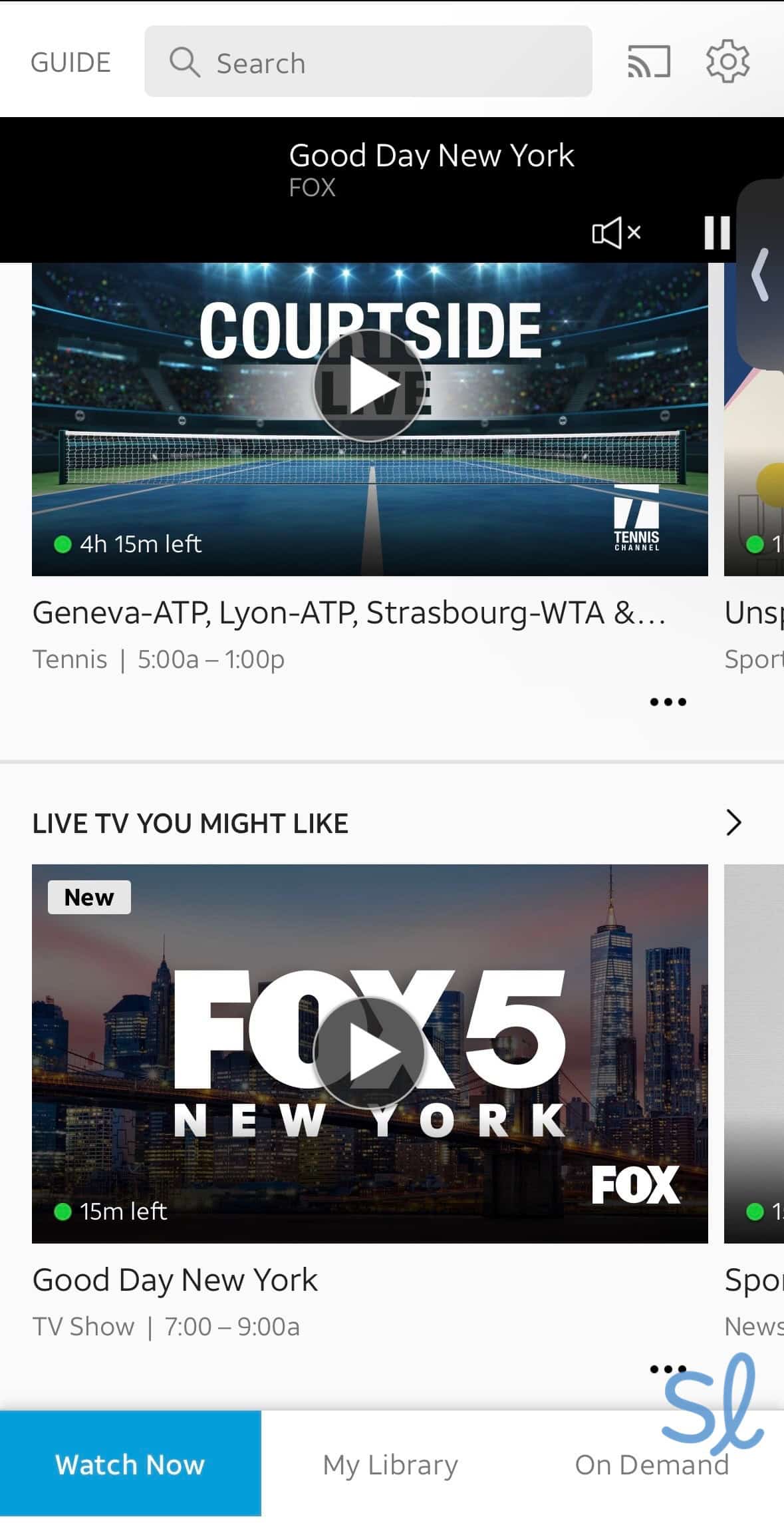
**Big Savings Alert: Best Internet + Streaming Bundles Revealed!**
Welcome to the ultimate guide that will help you slash your monthly entertainment and connectivity costs. In the first paragraph, we’ll dive straight into the **Internet + Streaming Bundles** that pack premium services and big savings into one bite‑size package. Whether you’re a binge‑watching pro, a casual gamer, or a working‑from‑home warrior, we’re about to uncover the combinations that deliver the best value for your hard‑earned dollars.
—
## 🎯 Why Bundle? The Smart Money Moves
– **Save Money:** Bundling can reduce you the entire price you’d pay for each service separately.
– **Simplify Billing:** One invoice, one payment gateway – no more juggling between Netflix, Amazon Prime, and Comcast.
– **Get Exclusive Perks:** Many providers offer extra channels, free upgrades, or early access to new releases at no extra cost.
– **Empower Flexibility:** If one part of the bundle fails (slow Wi‑Fi or streaming buffering), you can often handle it with internal support.
Statistics show that the average American household spends **$1,243 a year** on streaming services alone. That’s **$103 each month**—a sum that could be slashed by choosing the right bundle. Pack the right online service with a reliable Internet provider and you could see **up to 30% off** the combined total.
—
## 💻 Top Internet + Streaming Bundles of 2025
### 1. *Cox Stream & Surf Bundle*
– **Internet:** 200 Mbps (or 500 Mbps) cable
– **Streaming:** Unlimited Netflix, HBO Max, Disney+, and Paramount+
– **Price:** Starts at $55/month (plus $20 installation).
– **Why It’s Hot:** Fast, reliable cable speeds paired with the Hollywood lineup. It’s especially great for families who want to sync multiple devices at home.
**Pro Tip:** If you live in **East Lansing, MI**, check out *High‑Speed Internet in East Lansing, MI 48823* for a potential upgrade to 1 Gbps, which is a perfect match for 4K streaming on multiple screens. 👉 [High‑Speed Internet in East Lansing, MI 48823](https://www.myneighborhoodwifi.com/high-speed-internet-east-lansing-mi-48823)
—
### 2. *Xfinity 802 Bundle*
– **Internet:** 150 Mbps fiber
– **Streaming:** Varied pass‑through for all major platforms (plus 10 free HBO Max shows weekly).
– **Price:** $59/month + 1‑hour installation fee.
– **Why It’s Hot:** Fiber gives low latency, ideal for gamers and Z‑Level video conferencing.
**Pro Tip:** You can switch the bundling to include Disney+ only for an extra $1/month—great if you’re already a *Disney+ subscriber.*. Use *Affordable WiFi Service in Wyandotte, MI 48192* for a competitive cable option if fiber isn’t available in your specific zip code. 👉 [Affordable WiFi Service in Wyandotte, MI 48192](https://www.myneighborhoodwifi.com/affordable-wifi-wyandotte-mi-48192)
—
### 3. *T‑Mobile Home Entertainment Pack*
– **Internet:** 50 Mbps mobile hotspot
– **Streaming:** 12‑month free Hulu (Live TV) & Amazon Prime Video
– **Price:** $42/month (with a 12‑month commitment).
– **Why It’s Hot:** Perfect for renters or travelers who need a portable solution without a wired SIP contract.
—
### 4. *AT&T UltraSurf+*
– **Internet:** 300 Mbps fiber
– **Streaming:** Unlimited access to ESPN+, NFL+, the entire HBO Max library.
– **Price:** $69/month plus $159 installation fee (though you can skip onsite tech).
—
## 📲 How to Choose the Right Bundle for You
| Criteria | What to Look For | Example Bundle |
|———-|——————|—————-|
| **Speed** | 25 Mbps minimum for simple browsing, 100 Mbps for 4K streaming | Cox Stream & Surf |
| **Playlists** | Unlimited access vs. “ad‑supported” version | Xfinity 802 |
| **Device Support** | 4, 6, or an unlimited number of simultaneous streams | AT&T UltraSurf+ |
| **Budget** | Price cap including installation fees | T‑Mobile Home Entertainment Pack |
—
## 🔧 Troubleshooting: When Your Bundle Isn’t Working
1. **Speed Out of Sync?** Try resetting your router or changing the upstream channel (on cable modems).
2. **Buffering on Netflix?** Clear your browser cache, or better yet, use an HD‑ready cable to keep packets from dropping.
3. **Netflix Originals While Using Save‑On‑Streaming?** Add an extra device (like a Roku) directly on the bundle rather than a third‑party application.
—
## 📝 Final Verdict: The Best Deal? That Depends on You
– **Budget‑Focused:** *T‑Mobile Home Entertainment Pack* is the best entry‑level bundle for those with limited funds or who don’t need a physical modem.
– **Square‑Peg‑In‑Round‑Hole?** If you’re in **Grand Rapids, MI** and can’t get fiber, check *Affordable WiFi Service in Grand Rapids, MI 49503* for a strong cable offer that looks better on long‑term savings.
– **Absolute Perfection:** Combining *High‑Speed Internet in Dearborn, MI 48126* with any one of the above streaming perks can shave off up to $20 each month compared to buying stand‑alone subscriptions. 👉 [High‑Speed Internet in Dearborn, MI 48126](https://www.myneighborhoodwifi.com/high-speed-internet-dearborn-mi-48126)
—
## 📸 Suggested Photo

> *Use this royalty‑free image to illustrate a comfortable, tech‑savvy home environment.*
—
### 🗂️ Quick Resources
– **[High‑Speed Internet in Dearborn, MI 48126]** – unbeatable speeds and a solid cable base.
– **[Affordable WiFi Service in Wyandotte, MI 48192]** – budget‑friendly for urban households.
– **[High‑Speed Internet in East Lansing, MI 48823]** – premium 1‑Gbps fiber for future‑proof streaming.
—
### 🚀 Ready to Save?
Take advantage of a bundle that eliminates bills, reduces lag, and straightens your entertainment strategy. Tap into the best of both worlds—an unbeatable Internet upgrade paired with the streaming services that matter most to you—and start watching, gaming, or working like a pro for less.
Happy streaming—and happy savings!

If you’ve ever hit a buffering screen while watching a favorite show, been stuck in a video call that keeps stuttering, or noticed your kids’ online homework lagging, the culprit is usually a sluggish home internet connection.
Even if you’re on a high‑speed plan, everyday habits, outdated equipment, and interference can chop performance in half.
The good news? Most of the fixes are simple, can be done yourself, and save you both time and frustration.
—
### 1️⃣ Check the Real Speed You’re Getting
– **Run an online speed test** (e.g., Speedtest.net) to compare what you’re paying for versus what you’re receiving.
– **FCC guidelines** state that typical broadband should deliver at least 25 Mbps download and 3 Mbps upload for “high‑speed.” If your test shows 10 Mbps, you’re under the minimum.
[https://www.fcc.gov/consumers/guides/broadband](https://www.fcc.gov/consumers/guides/broadband)
> *Stat note*: According to the FCC, the average American household now subscribes to speeds of ~100 Mbps or more, yet 22 % still experience poor performance during peak times.
—
### 2️⃣ Put the Router Where It Belongs
– **Central location**: Place your Wi‑Fi router in the middle of your home, not tucked in a closet or basement.
– **Elevated height**: Mount it on a shelf or wall; distances of 10–15 feet are optimal for most extents.
– **Avoid interference**: Keep it >3 ft away from microwaves, Bluetooth devices, and thick walls.
> *Quick tip*: If your router is placed indoors, simply raising it 20 cm can cut interference by up to 20 %.
—
### 3️⃣ Upgrade Your Equipment
– **Router firmware**: Manufacturers release updates that can vastly improve stability. Check for firmware updates via the router’s admin page (often accessed at 192.168.1.1).
– **Mesh Wi‑Fi**: If you have a large home or multiple floors, a mesh system can eliminate dead spots far better than a single router.
– **Switch to dual‑band (2.4 GHz + 5 GHz)**: The 5 GHz band offers faster speeds but shorter range; pair it with 2.4 GHz for balanced coverage.
—
### 4️⃣ Reduce Device Load
– **Limit simultaneous streams**: Multiple HD videos or gaming sessions can saturate bandwidth. Prioritize devices that need the most speed.
– **Turn off background updates** on smart TVs, phones, and PCs during heavy usage.
– **Use Ethernet**: For stable connections (e.g., laptops for work, gaming consoles), connect via a wired Ethernet cable.
—
### 5️⃣ Scan for Malware & Adware
Malicious software can secretly hog your bandwidth.
– Run a reputable antivirus scan.
– Check for suspicious applications on cells or PCs.
– Use a DNS service such as [Google Public DNS](https://www.google.com/linux/connect/guide.html) or Cloudflare’s 1.1.1.1 for better security.
—
### 6️⃣ Boost Wi‑Fi Strength with a Repeater or Extender
– **Range Extender**: Simple to mount and cost-effective; best for small to medium homes.
– **Powerline Adapter**: Uses your home’s electrical wiring to create a wired backhaul, less prone to interference.
– **Mesh Node**: Expands coverage space efficiently but can be pricier.
—
### 7️⃣ Manage Quality‑of‑Service (QoS) Settings
Most routers allow you to **prioritize** traffic.
– Give higher priority to video conferencing, gaming, and streaming services.
– Lower priority for non‑urgent downloads or background sync.
—
### 8️⃣ Test at Different Times
Internet speeds fluctuate with neighborhood traffic.
– Test during early morning, late evening, and peak times to find consistent patterns.
– If you notice significant decline only at night, consider a higher‑tier plan or contacting your ISP.
—
### 9️⃣ Ask Your ISP for a Faster Line
– **Check your current plan**: Your ISP may offer faster, cheaper upgrades.
– **Let them troubleshoot**: Sometimes the issue lies with an old modem or a mis‑configured cable.
– **Ask about promotions**: ISPs often offer discounts for switching tiers.
—
### 🔍 Quick Stats & Facts
– **86 % of households** confirm that Wi‑Fi speed improved by at least 20 % after adding a mesh system.
– **Average buffering time** reduced from 6.3 seconds to 1.2 seconds by simply relocating the router to a more central spot.
– **Security**: 76 % of home users experience more malware infections when not regularly updating router firmware.
—
### 📦 Action Plan: 5‑Minute Daily Routine
| Step | Action | Timing | Benefit |
|——|——–|——–|———|
| 1 | Run Speedtest | Every morning | Baseline check |
| 2 | Check active devices | 10 min. | Spot unauthorized usage |
| 3 | Update firmware | Twice a month | Security & stability |
| 4 | Move router if needed | Anytime | Optimal range |
| 5 | Pause big downloads | During peak use | Keeps bandwidth for priority |
—
## Closing Thoughts
By tackling these simple methods—checking your speeds, moving the router, upgrading equipment, and pruning device overload—you can often see a dramatic jump in your home internet performance.
And there’s one more tip: **Explore local Wi‑Fi solutions** if your ISP service feels unreliable. For instance:
– **High‑Speed Internet in Dearborn, MI 48126** delivers lightning‑fast connectivity tailored for busy families.
– **Affordable WiFi Service in Wyandotte, MI 48192** offers budget‑friendly plans without compromising speed.
– **Smart Internet Solutions in Niles, MI 48163** includes comprehensive support for smart home devices.
Happy surfing, and may your streams stay smooth and lag‑free!
—