Posts tagged: att west monroe la
Picking a home internet provider shouldn’t feel like guesswork, but for most households it does. Two neighbors on the same street can have completely different options, one gets full fiber, the other is stuck choosing between cable and a wireless hotspot and the marketing on provider websites rarely makes the real trade-offs clear.
The short answer: the best home internet provider for you is whichever one delivers the connection type that matches your usage (fiber for heavy upload and multi-device homes, cable where fiber isn’t built yet, 5G home internet for flexibility and simple setup) at a price and contract length you’re actually comfortable with. Everything below explains how to apply that to your specific address.
What Best Actually Means for Home Internet
There’s no single best internet provider nationally availability is hyper-local, sometimes down to the individual block. What you can evaluate objectively, regardless of provider name, are five factors:
- Connection type — fiber, cable, fixed wireless (5G home internet), DSL, or satellite
- Download and upload speed — and whether they’re symmetrical
- Latency — how quickly data round-trips, critical for video calls and gaming
- Data caps and contract terms — unlimited vs. capped, month-to-month vs. locked in
- Reliability during peak hours — the number that matters more than the “up to” speed on the box
A provider that wins on price but loses on reliability isn’t actually cheaper once you count the hours lost to buffering, dropped calls, and outage-related work delays.
Fiber-Optic Internet – The Benchmark, Where It’s Available
Fiber-optic internet sends data as light through glass cable rather than electrical signals through copper or coax, which is why it consistently delivers the fastest, most stable connections on the market. Two things set fiber apart from every other connection type:
- Symmetrical speeds — upload speed matches download speed, so a plan advertised at 500 Mbps gives you 500 Mbps up and down. This matters enormously for cloud backups, video conferencing, livestreaming, and remote work, where cable’s upload speeds (often a fraction of download speeds) become the bottleneck.
- Low, consistent latency — fiber doesn’t degrade under heavy neighborhood usage the way shared cable networks can during peak evening hours.
The catch is availability. Fiber build-out is expensive and providers prioritize dense neighborhoods first, so large parts of suburban and rural America still don’t have it. If fiber is available at your address, it’s almost always the right default choice unless price is a hard constraint.
Cable Internet – The Widest Coverage Footprint
Cable internet, delivered over the same coaxial infrastructure used for cable TV, remains the most widely available high-speed option in the U.S. Download speeds on modern cable plans are genuinely competitive with fiber often 300 Mbps to 1.2 Gbps but upload speeds are typically much lower, and performance can dip slightly during high-traffic hours because bandwidth is shared across a neighborhood node.
Cable is a strong, sensible choice for households that primarily download and stream rather than upload large files or livestream regularly. It’s also usually the fallback option in areas where fiber hasn’t reached yet.
5G Home Internet and Fixed Wireless: Fast to Set Up, No Cable Required
5G home internet offered as a wireless router that pulls a cellular signal instead of a wired line has become a legitimate mainstream option, not just a stopgap. Installation is plug-and-play: no technician visit, no drilling, no buried line. That makes it especially popular with renters and anyone who wants to avoid installation fees or long service appointments.
Performance depends heavily on cell tower proximity and network congestion, so speeds can vary more than fiber or cable, and it’s generally not the best fit for households running multiple simultaneous 4K streams, competitive online gaming, and video calls at once. But for single-person households, apartments, or as a flexible no-contract option, it’s often the most convenient home internet provider category available.
Satellite Internet – The Last-Resort Option That’s Gotten Much Better
For genuinely rural addresses with no cable, fiber, or fixed wireless coverage, low-earth-orbit satellite internet has closed much of the gap that older satellite services couldn’t. Latency is still higher than terrestrial connections, which affects real-time applications like gaming, but for browsing, streaming, and remote work outside dense population areas, it’s now a workable primary connection rather than a last resort.
Questions to Ask Before You Sign Up With Any Provider
Before comparing prices, run any home internet provider through the same short checklist:
- Is the advertised price the price after the promotional period ends? Many “starting at” rates increase after 12 months.
- Is there a data cap, and what happens if you exceed it?
- Is the contract month-to-month or does it include an early termination fee?
- What’s the average download and upload speed at peak hours, not just the theoretical maximum?
- What’s included in “free installation” is professional setup actually free, or is it self-install-only?
Providers that are confident in their service tend to answer these plainly. Vague answers on contract length or peak-hour speeds are a signal worth taking seriously.
Getting the Most Out of the Plan You Choose
Provider choice is only half the equation home network setup accounts for a surprising share of slow internet complaints that have nothing to do with the ISP. A few adjustments that consistently improve real-world performance:
- Place the router centrally and off the floor, away from thick walls and large appliances
- Use a wired Ethernet connection for anything stationary and bandwidth-heavy (gaming consoles, desktop PCs, smart TVs)
- Restart the router and modem periodically, or set them to auto-reboot overnight
- Segment smart-home devices onto a guest network to keep primary bandwidth clear
- Run a speed test at different times of day before assuming the provider is underperforming
Switching Providers Without the Headache
If you’re moving away from a current provider, timing matters. Confirm service is active at the new address before cancelling the old one, ask whether the new provider covers early termination fees (many do, as a signup incentive), and return old equipment promptly to avoid unreturned-equipment charges. Most switches can be completed with zero downtime if the new installation is scheduled a few days ahead of the cancellation date.
Frequently Asked Questions
What is the best type of home internet provider for a family that streams and works from home?
Fiber-optic internet is generally the best fit for households with multiple people streaming, working, and video-calling simultaneously, because its symmetrical upload and download speeds handle simultaneous heavy usage without slowing down. Where fiber isn’t available, high-tier cable plans are the next-best alternative.
How much internet speed do I actually need at home?
For a household with 2–4 devices doing normal streaming, browsing, and video calls, 100–300 Mbps download is typically sufficient. Households with heavy 4K streaming across multiple screens, large file uploads, or several remote workers should look at 500 Mbps to 1 Gbps plans, ideally with strong upload speeds.
Is fiber internet always better than cable internet?
Fiber generally offers faster, more symmetrical speeds and more consistent performance during peak hours, but “better” depends on use case and price. If a household mainly streams and browses, a well-priced cable plan can perform just as well in daily use as an entry-level fiber plan.
Can I get home internet without a long-term contract?
Yes. Many providers now offer month-to-month or no-contract home internet plans, particularly 5G home internet and some fiber providers. These plans sometimes cost slightly more per month than promotional contract pricing but avoid early termination fees entirely.
Why is my internet slow even though I pay for a high-speed plan?
Slow speeds despite a high-speed plan are usually caused by router placement, too many devices sharing Wi-Fi, outdated equipment, or peak-hour network congestion rather than the advertised plan speed itself. Running a wired speed test and checking router placement resolves the issue in most cases before it’s necessary to contact the provider.
How do I check which internet providers are available at my address?
Availability is address-specific, so the most reliable way to check is entering your ZIP code or full address directly on a provider’s site or a coverage-checking tool, since national coverage maps often lag behind actual local build-out.
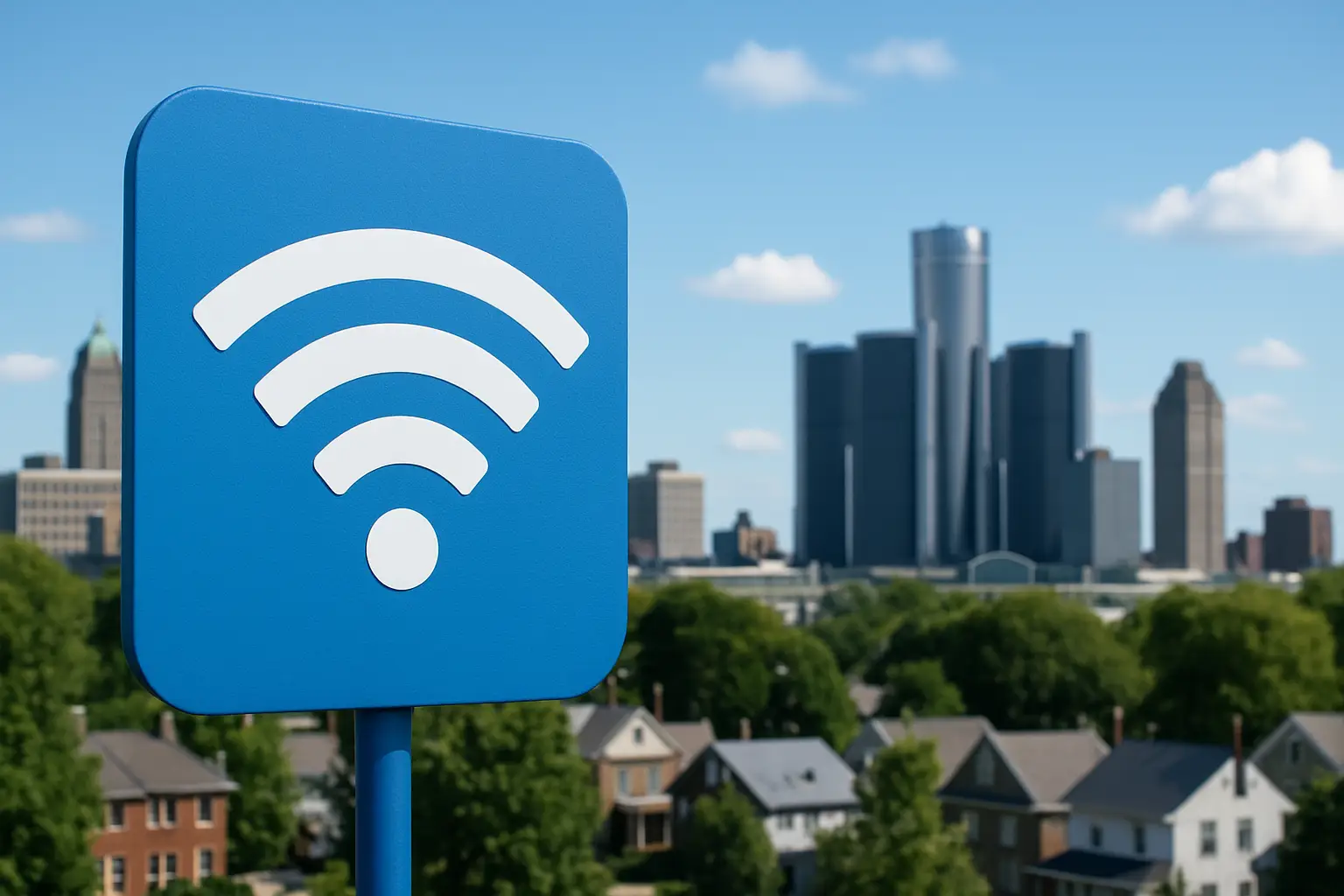
Affordable Wi-Fi in Highland Park, MI
Finding affordable Wi-Fi in Highland Park, MI is one of the hottest topics for families, students, and small business owners trying to stay connected. Reliable internet isn’t a luxury anymore—it’s a necessity. From streaming videos, attending online classes, working from home, or managing small retail shops, the right plan can make a huge difference in both cost and performance. In Highland Park, MI, you actually have several options depending on whether you want the fastest speeds, the cheapest plan, or the best balance in between. Let’s dig into everything you need to know to make a smart choice.
Why Affordable Wi-Fi in Highland Park, MI Matters
For many households, internet service eats up a big portion of monthly budgets. Affordable Wi-Fi is about more than cutting costs—it’s about ensuring families and individuals have equal access to opportunities. Whether you’re a student submitting homework online, a grandparent connecting with family on Facebook, or a job seeker applying for work through portals shared on Reddit, an affordable and reliable internet plan helps level the playing field.
What Types of Internet Are Available in Highland Park, MI?
Before narrowing down providers, it helps to know the major types of service available in the area. Highland Park, MI is well-connected compared to many towns, meaning residents can choose from a mix of connection types.
- Cable Internet: Known for offering stable, high-speed connections that can handle heavy streaming and gaming.
- Fiber Internet: Extremely fast where available, great for households with multiple users. Not always fully deployed yet in all parts of Highland Park, MI.
- DSL Internet: Runs over phone lines, usually more affordable but not as fast as cable or fiber.
- Fixed Wireless: A good option for homes not wired for cable or fiber. Uses a wireless signal from local towers.
- Satellite: Available virtually everywhere, but often slower and more expensive. Works best in rural or low-coverage areas.
- 5G Home Internet: Uses cellular towers to deliver broadband. Coverage depends on network strength in your area.
Top Wi-Fi Providers in Highland Park, MI
Based on current broadband availability in Highland Park, MI, here are the most important internet service providers you should be aware of:
| Provider | Connection Type | Max Speeds | Starting Price |
|---|---|---|---|
| Xfinity | Cable | Up to 1200 Mbps | $30/mo |
| AT&T | Fiber / DSL | 300 Mbps – 1 Gbps (fiber, where available) | $35/mo |
| T-Mobile Home Internet | 5G Home | Up to 245 Mbps | $50/mo flat |
| Frontier | DSL / Fiber (limited) | Varying by region | Starts ~$40/mo |
| HughesNet | Satellite | Up to 100 Mbps | Plans ~$65/mo+ |
| Starlink | Satellite | 100–250 Mbps | $120/mo |
Breaking Down Affordable Options
Xfinity
Xfinity dominates the Highland Park, MI market because it covers almost all households. It’s one of the most affordable ways to get high-speed service. Their entry-level plan starts around $30 a month, which is often plenty for singles or smaller families. Gamers and streamers may want to step up to higher tiers. You might also see discounted promotions through advertisements on YouTube.
AT&T
AT&T offers fiber in many parts of Highland Park, MI. If you live in their fiber coverage zone, you can get blazing upload and download speeds, which are ideal for remote work, video calls, or creative uploads. DSL is also an option but is slower and mainly appealing due to lower pricing.
T-Mobile Home Internet
This service relies on 5G coverage in the area. It’s a fixed $50 plan without hidden fees. For households fed up with extra fees, this can be great. Speed depends on tower congestion, so it feels less predictable but works well in most urban settings like Highland Park, MI.
Frontier
Frontier is known mainly for DSL, but fiber lines are expanding. Highland Park, MI residents may have DSL availability today, with fiber rollouts ongoing. Pricing usually falls between $40–$60 depending on speed.
Satellite Options: HughesNet and Starlink
Though more common in rural communities, some Highland Park, MI residents use satellite for backup or when other services fail. HughesNet gives budget-level satellite, while Starlink delivers much faster speeds, though at higher monthly costs. These are usually not first picks for affordability unless no other provider reaches your location.
How to Choose the Right Wi-Fi Plan
Picking the right plan isn’t just about grabbing the lowest price. Think about how you’ll actually use your connection each day:
- Light Use: Emails, browsing, and occasional streaming. A 100–200 Mbps plan will be more than enough.
- Moderate Use: Families with kids doing online school, casual streaming, and gaming. 300–600 Mbps is a sweet spot.
- Heavy Use: Multiple connected devices, smart TVs, 4K streaming, or remote work with large uploads. 1 Gbps or higher feels seamless.
Tips for Saving Money on Internet in Highland Park, MI
- Bundle wisely: Sometimes pairing internet with TV or phone can lower your total bill.
- Check for hidden fees: Look out for modem rentals. Buying your own router is often cheaper long-term.
- Seasonal deals: Many special offers are advertised during back-to-school months or holidays. Keep an eye on promotions via Quora discussions where people share discounts.
- Lifeline programs: Some residents may qualify for reduced-cost internet through federal and state affordability programs.
What Locals in Highland Park, MI Say About Wi-Fi Providers
Community opinions are always mixed when it comes to internet. In online forums like Reddit, you’ll find people rave about fiber performance, but also complain about billing practices of big providers. On review platforms like Yelp, Highland Park, MI residents often mention customer service reputation as one deciding factor. Talking with neighbors or browsing local Facebook community groups is a powerful way to spot which provider really delivers in your specific neighborhood.
Practical Steps for Getting Connected
- Check your address availability with multiple providers.
- Compare both promotional rates and long-term prices after promotions expire.
- Ask about self-install kits to avoid installation fees.
- Buy your own Wi-Fi router to save $10–$15 monthly rental charges.
- If reliability matters most, pair internet service with mobile data as a backup.
Final Thoughts
Affordable Wi-Fi in Highland Park, MI doesn’t mean settling for bad service. By carefully checking plans, matching speed tiers to your real needs, and being strategic about cost-saving measures, you can get dependable internet without breaking your budget. Whether you go with a big provider like Xfinity, a flexible option like T-Mobile, or explore fiber availability from AT&T or Frontier, the right choice is out there for every home in Highland Park, MI.
Top Satellite Internet Options You Should Consider for Faster Connectivity
If you live in a rural or remote area, finding a reliable and high-speed internet connection can be difficult. This is where satellite internet options come into play. Unlike cable or fiber, satellite internet beams connectivity through satellites in orbit, making it accessible in areas where traditional wired services can’t reach. Today, satellite technology is advancing rapidly, offering faster speeds, better reliability, and more affordable plans than ever before.
How Satellite Internet Works
Satellite internet works by transmitting signals between a dish installed at your location and satellites orbiting the Earth. These satellites relay the signals back to a provider’s network hub, which connects you to the wider internet. Though traditionally it has been considered slower than cable or fiber, modern satellite internet solutions are improving latency and speed, making them viable alternatives for households and businesses without wired broadband access.
Key Features of Satellite Internet
- Widespread availability – accessible in almost any part of the country.
- No need for cable or fiber infrastructure.
- Ideal for rural and off-grid communities.
- Options for both homes and businesses.
Why Choose Satellite Over Other Internet Options?
For people living in urban areas, fiber and high-speed cable connections are usually the best options. But in rural areas, laying cables is expensive and sometimes impractical. Satellite internet bridges this gap by covering large geographic regions with orbital satellite networks. This makes it an excellent choice if you’re in an underserved area or rely on off-grid living.
Top Satellite Internet Options
Below are some of the leading satellite internet providers you should consider. Each has different strengths, speeds, and pricing options, so choosing the right one depends on your unique needs.
Geostationary Satellite Providers
Traditional satellite internet relies on high-orbit satellites, which remain fixed in position relative to Earth. This ensures coverage across large regions but also introduces latency challenges due to the long distance signals must travel.
- Viasat: Known for its wide availability across the U.S. with various plans offering decent speeds for browsing, emailing, and streaming at standard quality.
- HughesNet: A provider focusing on reliability and consistency over blazing fast speeds, but still a strong option for regions lacking in other connectivity.
Low Earth Orbit (LEO) Satellite Providers
A newer advancement in satellite internet, LEO constellations use thousands of satellites placed closer to Earth. This reduces latency significantly, making internet speeds comparable to cable and in some cases faster.
- Starlink: Operated by SpaceX, Starlink is deploying thousands of satellites worldwide, promising higher speeds and lower latency, especially appealing for gamers, streamers, and remote workers. While coverage is expanding, availability may vary depending on your location.
What You Need to Get Started
Setting up satellite internet typically involves a dish installed outside your home or building, a modem, and a power supply. Many providers send equipment through mail with do-it-yourself installation guides, but professional installation is recommended in some cases to ensure optimal placement and strong signal reception.
Basic Equipment Involved
- Satellite dish (mounted outdoors with a clear line of sight to the sky).
- Wi-Fi modem/router for device connectivity.
- Mounting brackets and cabling.
Pros and Cons of Satellite Internet
| Pros | Cons |
|---|---|
| Available almost anywhere | Higher latency than cable or fiber |
| Good for rural or remote households | Weather conditions can impact signals |
| Improving tech with LEO satellites | Data caps may apply |
Tips for Improving Your Satellite Internet Experience
Even with the best provider, optimizing your home network is key. Here are a few tips:
- Place your Wi-Fi router in a central location indoors for better signal spread.
- Keep the satellite dish clear of obstructions like trees or buildings.
- Upgrade your router to a modern Wi-Fi 6 or mesh system for improved performance inside your home.
- Schedule heavy downloads at off-peak hours when the network is less congested.
Community Insights
If you’re wondering about real-world experiences, you can explore discussions on platforms like
Reddit where many users share both the advantages and frustrations of satellite internet, particularly newer systems like Starlink. Likewise, sites like
Quora feature Q&A threads about comparing different providers and troubleshooting issues. For more localized feedback, browsing Yelp can give you insights into regional installation services and customer support experiences.
Final Thoughts
Satellite internet is no longer just a “last resort” option—it’s becoming a powerful and realistic alternative, especially with technological breakthroughs in low Earth orbit satellites. Whether you need internet for homeschooling, remote work, streaming, or simply staying connected, there are satellite options designed to meet diverse needs. By evaluating your budget, location, and usage habits, you can decide which provider and plan is best for you.
At the end of the day, the best satellite internet choice varies from one household to another. But with the latest advancements, faster connectivity is within reach—even off the beaten path.