Wifi – Page 2
Welcome to a comprehensive, friendly, and easy-to-read blog post tailored to VPN-savvy readers: “Top Internet Providers Perfect for VPN Users.” Throughout this post, you’ll discover how to select an ideal internet provider that pairs seamlessly with VPN usage — ensuring fast speeds, strong privacy, and smooth streaming. We’ll explore ISPs’ characteristics, helpful tips, real-world examples, and user insights. We’ll also include some helpful links from platforms like Wikipedia and Reddit to enrich context. Let’s dive in!
Why Choosing the Right ISP Matters for VPN Users
A VPN encrypts your online traffic and routes it through remote servers, providing privacy and bypassing geographic restrictions. But your underlying internet provider still plays a major role — from speed to latency to how well it handles encrypted VPN traffic. The right ISP ensures your VPN isn’t slowed down, throttled, or interfered with.
Key ISP traits for stellar VPN performance
- High baseline speeds — so VPN overhead doesn’t hinder performance.
- Low latency — especially critical for gaming, video calls, and streaming.
- Avoids VPN throttling or blocking — some ISPs throttle encrypted or P2P traffic.
- Transparent or neutral policies — avoids suspicion when VPN traffic is heavy.
Top Internet Provider Types for VPN Users
Let’s break down the most common internet provider types and how they stack up for powering your VPN experience.
Cable Internet Providers
Cable ISPs typically offer strong speeds and wide availability, especially in urban and suburban areas. Good for streaming via VPN — but check whether they throttle congestion periods or certain traffic types.
- Pros: High speeds, easy setup, available in many regions.
- Cons: Shared bandwidth can cause slowdowns in peak times.
Fiber Internet Providers
Fiber delivers the best speeds and reliability — a dream choice for VPN users who want minimal performance loss and ultra-fast connections.
- Pros: Gigabit speeds, excellent low latency, consistent performance over VPN.
- Cons: Limited availability, often in more urban markets.
DSL and Satellite Providers
Usually slower and higher latency, these options are less optimal for VPNs — especially for streaming or gaming.
- Pros: Available in remote or rural areas.
- Cons: High latency, lower speed — VPN overhead may significantly degrade performance.
ISP Selection Tips for VPN Users
Here are practical tips to ensure your ISP supports a smooth VPN experience:
1. Prioritize High Baseline Speeds
Since VPN adds encryption overhead, choose ISPs offering gigabit or at least hundreds of Mbps of download and upload speed. That way, your VPN stays fast and responsive.
2. Test Speed with and without VPN
Trial your connection: measure speed without the VPN, then with VPN using tools like Speedtest. This reveals the real-world impact of VPN overhead on your setup.
3. Look for Neutral or VPN-Friendly Policies
Some ISPs may deprioritize or throttle encrypted traffic. Seek providers known for neutrality or no throttling — user communities on platforms like Reddit often discuss this.
Check Reddit user experiences to gauge how ISPs handle VPN traffic in real life.
4. Opt for Low Latency Connections
Fiber excels here; cable can be good depending on network load. Latency under 20ms is ideal for ping-sensitive apps like competitive gaming and voice calls.
5. Pair with High-Quality Modem/Router
A VPN-friendly router (one that handles robust encryption without breaking a sweat) is key. For example, specialized options like the ExpressVPN Aircove router automatically secures all home devices—a great match if you use VPN on all devices.
VPN-Friendly Providers — Real-World Recommendations
Below are a few general provider categories and what real users and experts say:
Fiber Providers — Ideal for VPN users
- Fiber ISPs deliver consistent gigabit speeds and low latency — ideal for heavy VPN tasks like streaming, gaming, or HD calls.
- User communities often praise fiber for smooth VPN experiences across multiple devices.
Cable Providers — Reliable if well-managed
- Cable can be excellent in less congested areas, offering high speeds that hold up well with VPN overhead.
- Look for cable providers with good network maintenance and minimal traffic shaping.
Rural or Remote Internet — Proceed with caution
- DSL or satellite may struggle under VPN due to limited bandwidth and high latency.
- Worst-case scenario: your VPN connection may become unusable for streaming or gaming.
Why VPN Performance Depends on the Entire Chain
Your VPN speed and reliability depend not just on the VPN provider, but on this chain:
- Your local device → local network (Wi‑Fi/router) → ISP network → VPN entry server → VPN exit server → final destination.
- Weak link anywhere (slow Wi‑Fi, overloaded ISP nodes, distant VPN servers) can bottleneck the experience.
- To optimize, ensure each component is high-quality — especially your last-mile ISP connection.
Real Tips from the VPN Community
Real users on platforms like Reddit offer great practical advice:
- One user emphasized that ISPs should “shift trust to the VPN provider”—and choosing a provider with transparency reports, audits, and no-logs validation is key. (Source)
- Another discussion highlights Proton VPN’s open-source design and Swiss jurisdiction as major trust factors. (Source)
Final Thoughts
For VPN users, selecting the right internet provider is just as critical as choosing the VPN itself. Here’s how to make it count:
- Pick an ISP offering high speeds (ideally fiber or high-tier cable).
- Avoid ISPs known for throttling encrypted traffic.
- Measure performance with and without VPN to find potential slowdowns.
- Invest in VPN-capable hardware like high-performance routers.
- Tap into communities like Reddit for real-world feedback.
By choosing wisely, you ensure that your VPN delivers the speed, privacy, and streaming performance you need—without compromise. Happy surfing securely!

Best Internet Providers Offering Family-Friendly Plans
When it comes to choosing the right internet service for your household, family-friendly options stand out by offering the right balance of speed, reliability, affordability, and especially parental controls. In this article, you’ll discover top picks that cater to families—whether you’re homeschooling, working remotely, streaming, gaming, or all of the above—plus tips on safety tools and low‑cost access.
Why Family-Friendly Plans Matter
Families have unique needs: multiple simultaneous users, schoolwork, streaming, video calls, smart devices—and keeping kids safe online. The best plans offer:
- Fast speeds to handle many users without lag.
- No data caps to avoid surprise overage fees.
- Parental controls for filtering content and managing screen time.
- Affordable options and sometimes support for low-income households.
Top Internet Providers for Families in 2026
Frontier Fiber – Best Value for Large Families
Frontier Fiber’s Fiber 500 offers symmetrical 500/500 Mbps speeds for around $49.99/month, with no data caps—great for households with multiple users and heavy streaming or gaming. Their 1 Gbps plan, about $74.99/month, includes a Wi‑Fi 6 router suitable for large homes with many connected devices.([internetproviders.ai](https://www.internetproviders.ai/best/large-families/?utm_source=openai))
T‑Mobile 5G Home Internet – Affordable Fixed Wireless Option
T‑Mobile’s 5G Home Internet plan starts at $50/month (or $40/month if you bundle with a T‑Mobile phone plan), offering straightforward, all‑inclusive pricing with no contracts or hidden fees—ideal for budget-conscious families.([internet-4-all.com](https://internet-4-all.com/blog/cheapest-internet-providers/?utm_source=openai))
Quantum Fiber – Flexible Fiber Plans for Families
Quantum Fiber (from AT&T) provides a range of speeds—from 200 Mbps to multi‑gigabit—without annual contracts and with unlimited data. It also offers the Simply Fiber Internet Plan™, a discounted option for families in assistance programs (SNAP, Medicaid, WIC, etc.), making it a smart, inclusive choice.([quantumfiber.com](https://www.quantumfiber.com/internet-for-families.html?utm_source=openai))
AT&T Fiber – Reliable Choice with No Data Caps
AT&T Fiber is growing fast and currently offers plans starting near $55/month for 100 Mbps, up to blazing-fast multi-gig speeds. All plans come with no data caps, no equipment fees, and no annual contracts—perfect for modern households with diverse bandwidth needs.([compareinternet.com](https://www.compareinternet.com/fiber-internet/?utm_source=openai))
Choosing the Right Plan for Your Family
Match Speed to Household Usage
Multi-user households benefit from at least 300–500 Mbps, with gigabit service offering future-proof performance—especially if you stream in 4K, game online, or video conference often.([internetproviders.ai](https://www.internetproviders.ai/guides/large-families/?utm_source=openai))
Go for Unlimited Data
Family usage can exceed hundreds of gigabytes per month. Select providers that explicitly offer no data caps to avoid unexpected throttling or overage fees.([internetproviders.ai](https://www.internetproviders.ai/guides/large-families/?utm_source=openai))
Consider Bundling Savings
Bundling internet with mobile plans (e.g., T‑Mobile) can yield significant discounts. T‑Mobile even drops home internet pricing by $10/month when bundled.([androidcentral.com](https://www.androidcentral.com/phones/t-mobile/t-mobile-home-internet-deal-free-month-300-back-2026?utm_source=openai))
Parental Controls and Family Safety Tools
Even the best internet providers may offer limited built-in controls. For more robust options, consider standalone tools:
- Qustodio enables daily time limits, app and website filtering, location monitoring, and the ability to pause internet access.([techradar.com](https://www.techradar.com/reviews/qustodio-parental-control-software?utm_source=openai))
- CleanBrowsing provides DNS-based family filters that work across browsers (Google Chrome, Edge, Brave) to block inappropriate content.([en.wikipedia.org](https://en.wikipedia.org/wiki/CleanBrowsing?utm_source=openai))
- Canopy (by Netspark) offers web filtering, screen time management, app blocking, sexting protection, and real-time alerts.([en.wikipedia.org](https://en.wikipedia.org/wiki/Canopy_%28app%29?utm_source=openai))
- You can also consider organizational safety efforts: for example, the Family Online Safety Institute promotes best practices and parental tools, and CleanBrowsing’s filters comply with modern child safety regulations.([en.wikipedia.org](https://en.wikipedia.org/wiki/Family_Online_Safety_Institute?utm_source=openai))
Low-Cost & Assistance-Based Internet Access
Access to affordable internet is critical for many families. Here are some pathways:
- Programs for families in SNAP, Medicaid, WIC, etc., can qualify you for discounted or subsidized plans like Quantum Fiber’s Simply Fiber Internet Plan™.([quantumfiber.com](https://www.quantumfiber.com/internet-for-families.html?utm_source=openai))
- Community resources (like through Reddit discussions) highlight that many ISPs—including AT&T and Spectrum—offer low‑cost plans for eligible households.([reddit.com](https://www.reddit.com/r/FreeUpdates/comments/1galtdk?utm_source=openai))
Tips for Setting Up a Family-Friendly Home Network
- Use a mesh Wi-Fi system for full-home coverage, especially in larger homes. Many fiber ISPs offer routers that support mesh networks.([infowest.com](https://infowest.com/family/?utm_source=openai))
- Set device-specific content filters and screen time schedules using tools like Qustodio or Canopy.
- Keep common areas connected, and use guest networks for less secure devices or visitors.
- Regularly update devices and your router firmware to maintain security and performance.
Summary Table
|
Provider |
Highlights |
Best For |
|---|---|---|
|
Frontier Fiber |
Symmetric 500 Mbps–1 Gbps, no caps, ~$50–75 mo |
Homes with many users/devices |
|
T‑Mobile 5G Home Internet |
Fixed wireless, $50/mo (or $40 if bundled), no contracts |
Budget-conscious families |
|
Quantum Fiber |
Unlimited data, flexible speeds, low‑cost plan for assistance programs |
Families on assistance or with varied needs |
|
AT&T Fiber |
High speeds, no caps, no contracts, wide fiber expansion |
Future-proofing and reliability |
Final Thoughts
When you’re choosing an internet plan for your family, prioritize the combination of reliable speed, unlimited data, affordability, and safety tools. Providers like Frontier Fiber, Quantum Fiber, AT&T Fiber, and T‑Mobile 5G Home offer standout features for households of all sizes and budgets. Support tools such as Qustodio, Canopy, and CleanBrowsing help maintain safe, healthy digital habits. And if affordability is a concern, assistance-driven plans and community programs can make high-quality internet more accessible to every family.

Welcome to your deep dive into the world of top internet providers offering the fastest upload speeds—essential reading for content creators, remote workers, and anyone serious about sending data quickly. This post is tailored to be friendly, helpful, and highly informative, using concise paragraphs, bullet points, and clear subheadings. We’ll focus on providers with standout upload performance and real-world reliability.
Why Upload Speed Matters
Upload speed is essential when:
- You’re hosting video calls or live streaming—smooth upstream data is critical.
- You frequently upload large files like videos or backups—higher speeds save time.
- You keep remote backups or run your own server—the faster the upload, the better.
Fiber-optic providers typically offer symmetrical download and upload speeds, giving a major edge over cable and DSL alternatives.
Leading Providers with Fast Upload Speeds
Google Fiber (now GFiber)
GFiber offers one of the highest symmetrical speeds available residentially, with plans reaching up to 8 Gbps for both download and upload. These ultra-high speeds make it a top choice for power users in eligible metro areas.([internetproviders.ai](https://www.internetproviders.ai/fastest/providers/?utm_source=openai))
AT&T Fiber
AT&T Fiber delivers symmetrical speeds up to 5 Gbps across 21–22 states. Customers experience highly consistent real-world performance, often reaching 95%+ of advertised speeds.([chooseisp.com](https://www.chooseisp.com/fastest-internet-providers?utm_source=openai))
Ookla’s Speedtest data confirms AT&T had the fastest median upload speed—around 309 Mbps—in the second half of 2025.([allconnect.com](https://www.allconnect.com/blog/att-fastest-provider?utm_source=openai))
Frontier Fiber
Frontier provides symmetrical plans up to 7 Gbps in select markets, offering among the highest upload ceilings of any U.S. ISP.([chooseisp.com](https://www.chooseisp.com/fastest-internet-providers?utm_source=openai))
Verizon Fios
Verizon Fios offers plans with upload speeds up to 1.5 Gbps and is widely praised for consistent performance and low latency.([cabletv.com](https://www.cabletv.com/reviews/fastest-internet-providers-2026?utm_source=openai))
Brightspeed
Brightspeed now offers symmetrical 8 Gbps plans in certain areas, rivaling GFiber in speed.([internet-4-all.com](https://internet-4-all.com/fastest-internet/?utm_source=openai))
T-Mobile Fiber
Despite being new, T-Mobile Fiber has demonstrated excellent real-world speeds. HighSpeedInternet.com reported an average fiber upload speed of 323 Mbps—well above typical broadband performance.([highspeedinternet.com](https://www.highspeedinternet.com/resources/fastest-internet-providers?utm_source=openai))
Additional High-Speed Providers
- Ziply Fiber: Offers upload speeds up to 50,000 Mbps in parts of the Pacific Northwest, though availability is limited.([cabletv.com](https://www.cabletv.com/reviews/fastest-internet-providers-2026?utm_source=openai))
- Metronet: Offers symmetrical speeds up to 5 Gbps in the Midwest and Southeast.([internetproviders.ai](https://www.internetproviders.ai/fastest/providers/?utm_source=openai))
Real-World Performance Trends
Median speed data shows fiber providers lead in upload performance. Google Fiber’s median download speed reached 938 Mbps, while AT&T Fiber and Verizon Fios were close behind—indicating similarly high upload performance.([pong.com](https://www.pong.com/blog/internet-speed-statistics-2026?utm_source=openai))
Cable providers historically fall short on uploads—Xfinity and Spectrum typically range between 20–35 Mbps on standard plans.([pong.com](https://www.pong.com/blog/internet-speed-statistics-2026?utm_source=openai))
Provider Comparison Table
|
Provider |
Max Upload Speed |
Technology |
|---|---|---|
|
GFiber (Google Fiber) |
8 Gbps |
Fiber |
|
Brightspeed |
8 Gbps |
Fiber |
|
Frontier Fiber |
7 Gbps |
Fiber |
|
AT&T Fiber |
5 Gbps |
Fiber |
|
Verizon Fios |
1.5 Gbps |
Fiber |
|
T-Mobile Fiber |
~323 Mbps (avg) |
Fiber |
Tips for Choosing the Right Fast Upload ISP
- Confirm availability in your area: Not all providers are available everywhere.
- Prioritize fiber with symmetrical plans: Top upload speeds come from true fiber connections.
- Compare real-world performance: Median speed data like from Ookla gives a realistic picture.
- Consider your actual upload needs: Choose a plan that supports your typical tasks without overpaying.
Conclusion
Among providers delivering the fastest upload speeds, GFiber and Brightspeed lead with symmetrical plans up to 8 Gbps. Frontier Fiber is close behind at 7 Gbps. For widespread availability, AT&T Fiber’s 5 Gbps offerings combine speed and reliability, while Verizon Fios provides strong performance in the Northeast. If you’d like, I can help you check availability or compare plans in your specific location.
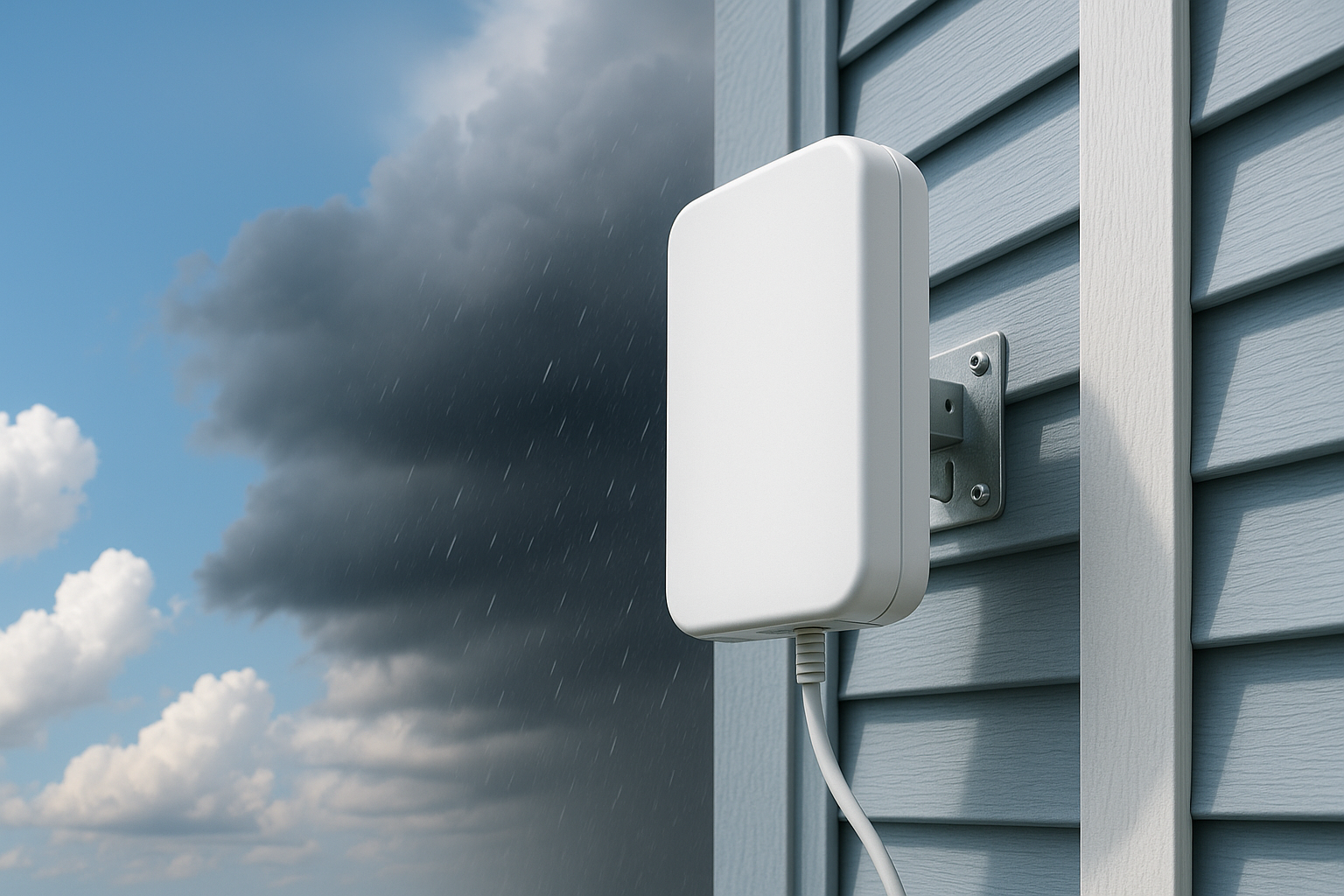
How Weather Impacts Your Internet Speed
When you think about “how weather impacts your internet speed,” the first thing that probably pops into your mind is a mild slowdown or maybe an annoying buffering icon. But the reality is far more interesting—and thankfully not always gloomy. In this post, you’ll learn what’s really going on, why it matters, and what you can do to stay connected when the weather shifts.
How Weather Impacts Your Internet Speed: The Big Picture
Not all internet connections are created equal, and neither are weather conditions. Let’s break it down depending on the kind of connection you have:
1. Wired Connections (Cable, DSL, Fiber)
Wired internet—like cable, DSL, or fiber—tends to be the most resilient against weather issues. Since the signal travels through physical cables buried underground or strung above on poles, it’s largely shielded from rain, wind, and sun.
But don’t be fooled. Harsh weather can still cause:
- Water seepage into underground cables or junction boxes
- Pole damage from ice, heavy snow, or fallen branches
- Severe temperature extremes affecting equipment electronics
When those parts go bad or get damaged, you can see lags, intermittent connectivity, or a full outage.
2. Satellite Internet
Satellite-based internet is especially sensitive to weather. Rain, snow, and even thick clouds can block or disrupt the signal between your dish and the satellite hovering overhead.
During a heavy rainstorm or snow shower, latency can spike and throughput can drop significantly, leading to buffering, slowdowns, or disconnects.
3. Fixed Wireless and 5G
Fixed wireless and 5G internet use radio signals, so they’re quite vulnerable to physical obstructions and atmospheric conditions:
- Rain or snowfall can absorb or scatter these signals
- Fog and thick clouds can reduce performance
- High winds or tree branches can disrupt line-of-sight
You may notice slower speeds, higher ping times, or intermittent dropouts.
Why Does Weather Affect Some Connections More Than Others?
It all comes down to how the signal travels—and what gets in its way. Let’s unpack the main reasons:
Signal Obstruction and Attenuation
Rain and snow literally get in the signal path, absorbing or scattering the data before it reaches its destination. This is especially impactful for satellite and wireless connections.
Physical Damage
Wired infrastructure is generally more resilient—but not invincible. Water infiltration or ferocious winds can damage cables, connections, or equipment, leading to drops in performance or disconnections.
Equipment Sensitivity
Temperature swings and moisture can impair sensitive electronics inside routers, modems, or external devices. Over time, this wear and tear can impact speed and reliability.
Real Examples of Weather Affects
Let’s look at a few real-life scenarios:
Summer Thunderstorm and Satellite Internet
During a heavy downpour, a family using satellite internet might experience severe buffering during video calls or streaming. Latency can jump from 600 ms to well over 800 ms—making real-time applications nearly unusable.
Winter Ice Storm on Fixed Wireless
Ice buildup on antennas disrupts line-of-sight and weakens signal strength. This can cause speed drops from hundreds of Mbps to mere tens—or total loss during the worst of it.
Heatwave Degrading Wired Gear
Extreme heat can overheat your modem or router, throttling performance. Fans or ventilation can help, but internal component strain is still risky and can reduce throughput.
Quick Tips to Mitigate Weather-Related Slowdowns
- Ensure proper cable sealing: Seal or weather-proof outdoor cable connections with silicone or weather-rated connectors.
- Clear line-of-sight regularly: Trim trees that block fixed wireless or satellite paths.
- Think ahead for storms: If snow or ice is expected, mount antennas in protected locations such as under eaves or inside heated enclosures.
- Use surge protection: Keep your modem/router safe from power fluctuations—especially important during electrical storms.
- Keep your gear cool: Outdoor hubs can be protected with shade, fan systems, or cooling enclosures.
- Backup power options: A UPS (uninterruptible power supply) ensures your modem/router stays online even during brief power blips.
MyNeighborhoodWiFi.com Perspective
At MyNeighborhoodWiFi.com, we want your internet to stay reliable and fast—rain or shine. That’s why we offer friendly how-to guides, local support tips, and community advice to help you:
- Understand how weather interacts with your connection type
- Keep your gear safe and functioning in extreme conditions
- Work with installers or neighbors to ensure clear signal paths
We believe understanding your internet’s vulnerabilities empowers you to take small steps that make a big difference when the sky opens up—or freezes over.
Further Reading and Community Insights
- Check out experiences and tips from users on our Reddit HomeNetworking discussion board
- Find a crowd-sourced breakdown of geographic signal issues on Quora—just search for your connection type plus “weather issues”
- Watch helpful tutorials and visuals on antenna maintenance during inclement weather on YouTube
Why Knowing “How Weather Impacts Your Internet Speed” Matters
Here’s why being aware of the weather-related factors and taking proactive steps matters:
- Prevents frustration: Buffering, slow uploads, or dropped video calls during storms can derail work, study, or leisure—knowing what to expect helps you plan ahead.
- Helps with maintenance: Early intervention for rust or water damage can preserve long-term performance and avoid costly repairs.
- Improves reliability: Even small improvements—like better shielding or elevated antennas—can keep you connected when others go offline.
- Boosts your confidence: Armed with knowledge and tips, you’ll feel empowered to handle weather-related challenges with calm and clarity.
Sample Sign-Off
We hope this guide gave you a clear, friendly look at how weather can impact your internet speed—and, more importantly, what you can do about it. When skies turn gray (or sprinkled with snow), you’ll have practical strategies to keep streaming, working, or gaming going strong.
Let “How Weather Impacts Your Internet Speed” be your go-to guide when your connection gets finicky—rain or shine, you’ve got this.
Top Tips to Keep Your Internet Connection Safe from Hackers
Having a secure internet connection is something everyone values—whether you’re working from home, streaming movies, or helping kids with virtual learning. In this post, we’ll explore how to safeguard your connection from hackers in an approachable and human-friendly way. You’ll find practical tips, clear advice, and easy-to-follow steps to help keep your online life safe.
Why Securing Your Internet Matters
Your internet connection is the gateway to your digital world. It’s how you connect with friends, work remotely, access banking, and store personal memories. Hackers target home networks because they’re often vulnerable. A breach can lead to identity theft, financial loss, or worse. That’s why starting with the basics can go a long way toward protecting what matters most.
1. Use Strong, Unique Passwords for Your Wi-Fi
One of the simplest yet most effective steps you can take is ensuring your Wi‑Fi network is secured with a strong, unique password. Avoid using simple phrases like “password123” or anything based on your family’s names or birthdays. Instead:
- Make it long—at least 12 characters.
- Include uppercase and lowercase letters, numbers, and symbols.
- Avoid common words or predictable patterns.
Treat your Wi‑Fi password like you would your front-door key—don’t share it freely, and change it periodically.
2. Update Your Router’s Firmware Regularly
Routers aren’t “set and forget” devices. Manufacturers release firmware updates to patch vulnerabilities and crank up security. Check your router’s admin interface or the manual for how to update it. Most modern models offer an auto-update feature—turn it on if you can.
By keeping firmware current, you reduce the risk of hackers exploiting known weaknesses.
3. Enable WPA3 Encryption (or at Least WPA2)
Security protocols determine how secure your Wi‑Fi is. WPA3 is the newer, stronger standard, but WPA2 is still acceptable if your devices don’t support WPA3. Avoid outdated options like WEP or open networks—those are easy pickings for intruders.
Check your router’s settings and make sure WPA2 or WPA3 is enabled. It’s often a simple dropdown or toggle switch away.
4. Set Up a Guest Network
If you have visitors often connecting to your Wi‑Fi—friends, family, contractors—create a separate guest network. This keeps your main devices and files tucked away securely.
- Guest networks usually offer internet access only, not access to your local devices.
- You can set a password and change it periodically.
It’s a low-effort way to isolate and protect your primary network.
5. Change Default Router Login Credentials
Routers come with default usernames and passwords like “admin/admin” or “admin/1234.” Hackers know these—and may use them to break in. Once your router is set up, immediately change the admin login to something unique and secure.
Make the login details different from your Wi‑Fi password, so that one breach doesn’t compromise both.
6. Enable Firewall and Network Monitoring Features
Many routers come with built-in firewall protection and features like intrusion detection or parental controls. These can flag suspicious behavior and block unauthorized access.
- Enable firewall and intrusion detection if available.
- Set up notifications for unusual activity.
- Use logs to monitor traffic patterns—if something seems off, investigate.
Taking a proactive stance helps you catch issues before they become full-blown threats.
7. Secure Smart Devices and IOT Gear
Smart lights, thermostats, cameras—they’re convenient, but each device is a potential entry point for hackers. Here’s how to secure them:
- Change default passwords.
- Update firmware when possible.
- Keep them on a separate network or VLAN if your router supports it.
This helps reduce exposure and keeps your smart gear from becoming a weak link.
8. Use a VPN for Extra Protection
A Virtual Private Network (VPN) encrypts your data, making it harder for anyone to snoop on your traffic—especially useful on public Wi‑Fi or remote work situations. There are reliable options that respect privacy and offer strong encryption.
When to use a VPN:
- On public or unsecured networks
- When accessing sensitive information like banking or health data
- To reduce tracking by your ISP or other third parties
9. Educate Everyone in Your Home
The most secure network in the world won’t help if family members or housemates fall for phishing scams or connect unsafe devices. Take some time to teach basic digital hygiene:
- Don’t click suspicious links or open unknown attachments.
- Download apps only from trusted sources.
- Use antivirus or anti-malware tools on computers and mobile devices.
Keeping everyone informed is a powerful way to boost security across your home network.
10. Regularly Review Connected Devices
Check your router’s device list every now and then. You might find devices you don’t recognize—those could be signs of unauthorized access. If you spot something strange:
- Disconnect or block the device.
- Change your Wi‑Fi password immediately.
It’s a simple habit that can help you catch intruders early.
11. Backup Your Important Data
No security system is infallible. Whether it’s ransomware, a major breach, or hardware failure, having backups ensures you won’t lose important files:
- Use local backups (e.g., external hard drives).
- Consider encrypted cloud backup services for redundancy.
- Schedule backups regularly—automate if you can.
This isn’t about preventing an attack—it’s about bouncing back quickly if one happens.
12. Consider Network Segmentation
If you’re comfortable with advanced router settings, consider segmenting your network:
- Keep work devices on one segment.
- Keep entertainment or guest devices on another.
- Limit cross-communication between segments.
This limits the damage if a less secure device gets compromised.
13. Monitor for Security Alerts
Keep an eye out for security advisories related to your router brand or any smart devices you use. Many manufacturers post alerts if vulnerabilities are discovered. You can:
- Subscribe to email notifications.
- Follow tech forums or communities for warnings.
Staying informed helps you act fast when there’s a new issue to patch.
14. Use Multi-Factor Authentication (MFA) where Possible
Whenever you log in to important accounts (email, banking, cloud services), enable multi-factor authentication. It’s another layer of protection—even if someone steals your password, they’ll still need that second factor.
15. Turn Off WPS (Wi-Fi Protected Setup)
WPS is a feature for easy setup, but it’s known to have security flaws. Even if it’s convenient, it’s safest to disable WPS in your router’s settings. Instead, set devices up manually using the Wi‑Fi password.
Quick Checklist: Secure Your Internet Connection
|
Tip |
Action |
|---|---|
|
Strong Wi‑Fi password |
Create long, unique password with mixed characters |
|
Firmware updates |
Enable auto‑update or check regularly |
|
WPA3/WPA2 encryption |
Select strongest protocol available |
|
Guest network |
Separate guest devices from main network |
|
Change admin login |
Replace default credentials |
|
Firewall & monitoring |
Enable and review logs |
|
Secure IoT devices |
Change defaults, update firmware, use separate network |
|
Use VPN |
Encrypt traffic on insecure networks |
|
Educate household |
Teach safe online habits |
|
Review connected devices |
Detect and remove unknown devices |
|
Backup data |
Keep regular backups locally and/or in the cloud |
|
Network segmentation |
Separate devices by usage or risk profile |
|
Monitor alerts |
Stay updated on security advisories |
|
Use MFA |
Enable on critical accounts |
|
Disable WPS |
Turn off for better security |
Putting It All Together
Securing your internet connection doesn’t have to be overwhelming. Start with the basics—strong passwords, updated firmware, encryption—and build from there. Each step, no matter how small, strengthens your digital defenses.
It’s about creating habits: updating regularly, checking connected devices, backing up data, and educating everyone in your household. With these friendly yet effective tips, you’ll enjoy peace of mind and a safer online experience.
Stay secure, stay smart, and make your home network a fortress.

Welcome to MyNeighborhoodWiFi.com — your go-to source for everything about fast, reliable, and convenient internet setup. In this friendly and helpful blog post, we’ll explore “Fastest Internet Setup: Top Providers with Same-Day Installation,” offering clear tips, examples, and guidance to help you get connected quickly with minimal hassle.
Understanding Fastest Internet Setup
When we talk about the fastest internet setup, we mean getting your connection active as soon as possible—ideally, the same day you sign up. Whether you’re moving into a new home, just realized you need better speed, or can’t wait days for an install appointment, knowing which providers offer same-day or next-day service can be a lifesaver.
The primary keyword Fastest Internet Setup plays a central role here, and you’ll see it right in context.
Top Providers with Same-Day or Rapid Installation
T-Mobile 5G Home Internet – Same-Day Delivery and Self-Install
- T-Mobile now offers same-day hardware delivery for its 5G Home Internet service—if you’re within about 30 miles of a fulfillment center and place your order before the 2 PM local cut-off, you could have the kit delivered and online in just hours.
- Setup is incredibly easy—self-install via a QR code in under 10 minutes, with no technician needed ([ubos.tech](https://ubos.tech/news/t%E2%80%91mobile-launches-same%E2%80%91day-5g-home%E2%80%91internet-hardware-delivery/?utm_source=openai)).
- Once delivered, you could be streaming, working, or gaming before the day’s over. Same-day delivery like this really sets the bar for fastest internet setup ([ubos.tech](https://ubos.tech/news/t%E2%80%91mobile-launches-same%E2%80%91day-5g-home%E2%80%91internet-hardware-delivery/?utm_source=openai)).
Starry Internet – Wireless with Fast Same-Day Installation
- Starry uses fixed wireless technology and offers up to same-day installation in certain areas, making their service setup one of the quickest among wireless providers ([starry.com](https://starry.com/internet?trial_code=BESTPRICE&utm_source=openai)).
- No long-term contracts. Transparent plans. A friendly alternative when you want speed without commitment ([starry.com](https://starry.com/internet?trial_code=BESTPRICE&utm_source=openai)).
MyNeighborhoodWiFi.com – Neighborhood Options, Often Same-Day
- The MyNeighborhoodWiFi platform helps you compare plans from local providers and frequently advertises same-day installation or next-day activation in select areas ([myneighborhoodwifi.com](https://myneighborhoodwifi.com/features/?utm_source=openai)).
- This can be especially helpful if you’re looking for flexible, no-contract solutions—ideal for students, renters, or households that move often.
Optimum – Self-Setup Delivered Fast
- Optimum offers free self-setup kits that arrive as soon as the next day, letting you plug in and go online in about 20 minutes ([optimum.com](https://www.optimum.com/internet?utm_source=openai)).
- You can also opt for professional installation. Self-setup is the fastest route if you’re comfortable doing it yourself.
Brightspeed – Move-In Friendly Scheduling
- Brightspeed supports self-install in many areas, along with scheduling options that make setup easier when you’re moving into a new home ([brightspeed.com](https://www.brightspeed.com/mymove/?utm_source=openai)).
Quick Comparison: Fastest Internet Setup Options
|
Provider |
Installation Speed |
Installation Method |
|---|---|---|
|
T-Mobile 5G Home Internet |
Same-day (if ordered before cut-off) |
Self-install via QR code |
|
Starry Internet |
Up to same-day in some areas |
Fixed wireless install |
|
MyNeighborhoodWiFi Listings |
Same-day or next day (area-dependent) |
Varies by provider |
|
Optimum |
Next-day kit delivery |
Self-install kit |
|
Brightspeed |
Fast scheduling for moves |
Self-install or tech install |
Tips for Getting Connected Fast
- Enter your ZIP code early to check provider availability and installation times via tools like MyNeighborhoodWiFi.
- Order before any cut-off time (like T-Mobile’s 2 PM rule) to increase your chances of same-day delivery.
- Opt for self-install whenever possible—you’ll avoid scheduling delays and have control over setup time.
- For wireless or fixed-wireless providers, setup can often happen the same day the router arrives.
- Read reviews or Q&A threads on Reddit or Quora if you’re unsure about how self-install works or whether same-day service is common in your area.
Conclusion
When you’re searching for the Fastest Internet Setup, the key is flexibility and provider choice. T-Mobile’s same-day delivery and QR-guided self-install are among the fastest paths to being online. Starry offers swift fixed wireless options. Platforms like MyNeighborhoodWiFi help you compare quick-serve local providers. Optimum and Brightspeed enhance your move-in convenience with self-install kits and fast scheduling.
No matter your situation—whether you’re moving, starting remote work, or simply need fast internet without waiting—there’s a provider to help you get connected in hours, not days. Just check availability, choose the right install method, and you’re good to go!

Welcome! If you’re looking for smart ways to share your Internet with neighbors legally, here’s a friendly, helpful guide packed with practical tips, clear explanations, and steps you can actually implement—without complicated jargon.
Understanding the Legal Landscape
Before sharing your Internet, it’s crucial to understand what’s allowed and what’s not.
What the Law Says
Connecting to someone else’s Wi‑Fi without permission—often called “piggybacking”—can fall under unauthorized access. In the US, federal law includes the Computer Fraud and Abuse Act (CFAA), which prohibits accessing a “protected computer” without authorization ([legalclarity.org](https://legalclarity.org/is-it-illegal-to-connect-to-someone-elses-wifi/?utm_source=openai)). Many states also have specific laws (such as California’s Penal Code § 502 or Florida § 815.06) that criminalize unauthorized use of another person’s Internet service ([nolo.com](https://www.nolo.com/legal-encyclopedia/stealing-wi-fi-your-neighbor-a-victimless-crime.html?utm_source=openai)).
What About Your ISP Contract?
Even if local laws don’t strictly prohibit sharing, your Internet Service Provider (ISP) might. Most residential ISPs explicitly ban sharing your connection with someone outside your household. Breaking these rules could lead to penalties, service throttling, or termination of your account ([nolo.com](https://www.nolo.com/legal-encyclopedia/stealing-wi-fi-your-neighbor-a-victimless-crime.html?utm_source=openai)).
Consequences in Practice
While enforcement of laws against simple Wi‑Fi sharing is rare, ISPs can and do act on violations of contract terms. Your neighbor’s activities—like illegal downloads—might reflect back on you. Plus, new business-grade plans may be required for shared access, which typically come with steeper costs ([findlaw.com](https://www.findlaw.com/realestate/neighbors/neighbor-stealing-your-wi-fi-here-are-your-legal-options.html?utm_source=openai)).
Smart & Legal Ways to Share Safely
1. Use a Guest Network
- Create a separate “Guest” SSID on your router. It isolates neighbor traffic from your main devices, helping protect your files and data.
- Set a strong, unique password (avoid WEP; WPA2 or WPA3 is better), and change it periodically ([blog.silverpc.hu](https://blog.silverpc.hu/2025/09/19/todo-sobre-compartir-wifi-con-los-vecinos-guia-legal-y-tecnica-para-hacerlo-bien/?utm_source=openai)).
2. Leverage Quality of Service (QoS) Settings
Use your router’s QoS tools to prioritize your own traffic and cap bandwidth for your neighbor, ensuring shared use doesn’t slow you down or disrupt performance ([blog.silverpc.hu](https://blog.silverpc.hu/2025/09/19/todo-sobre-compartir-wifi-con-los-vecinos-guia-legal-y-tecnica-para-hacerlo-bien/?utm_source=openai)).
3. Review ISP Policies & Consider Upgrades
Check your ISP’s Terms of Service to see whether guest sharing is permitted. In most residential plans, it’s prohibited—but business-grade plans with formal Service Level Agreements (SLAs) may allow it ([lifetips.alibaba.com](https://lifetips.alibaba.com/tech-efficiency/should-i-share-internet-service-with-my-neighbor?utm_source=openai)).
4. Use Proper Networking Equipment
Consider routers designed for multi-user setups or VLAN-capable systems. These allow traffic segmentation, better security, and easier management ([rsinc.com](https://www.rsinc.com/how-to-share-internet-with-neighbors-legally-and-securely.php?utm_source=openai)).
5. Written Agreement & Communication
Agree clearly with your neighbor: define shared costs, usage boundaries, and responsibilities. This transparency may help if issues arise.
6. Be Aware of Risk of Liability
Remember: You remain legally responsible for activity originating from your IP, even if done by your neighbor ([blog.silverpc.hu](https://blog.silverpc.hu/2025/09/19/todo-sobre-compartir-wifi-con-los-vecinos-guia-legal-y-tecnica-para-hacerlo-bien/?utm_source=openai)). If they engage in illegal activity, you could technically be the one facing consequences.
Tips & Best Practices at a Glance
- Set up proper network separation: Use guest SSIDs, VLANs, and strong encryption.
- Monitor bandwidth and usage: Use QoS or bandwidth tracking tools to avoid slowdowns.
- Verify ISP allowance: Confirm whether your plan permits any form of sharing.
- Document the agreement: Keep a simple written agreement with your neighbor.
- Stay secure: Disable WPS, rotate passwords regularly, and keep firmware updated.
Why This Matters
Done properly, sharing your Internet can save money and foster community. But ignoring the legal and technical realities can lead to service disruptions, security breaches, or even legal headaches. That’s why taking these smart, legally informed steps is so important.
Primary Keyword in Context
In this blog post, we’ve explored Smart Ways to Share Your Internet with Neighbors Legally—highlighting both legal considerations and practical configurations you can use safely and lawfully—so you and your neighbor benefit without putting yourself at risk.
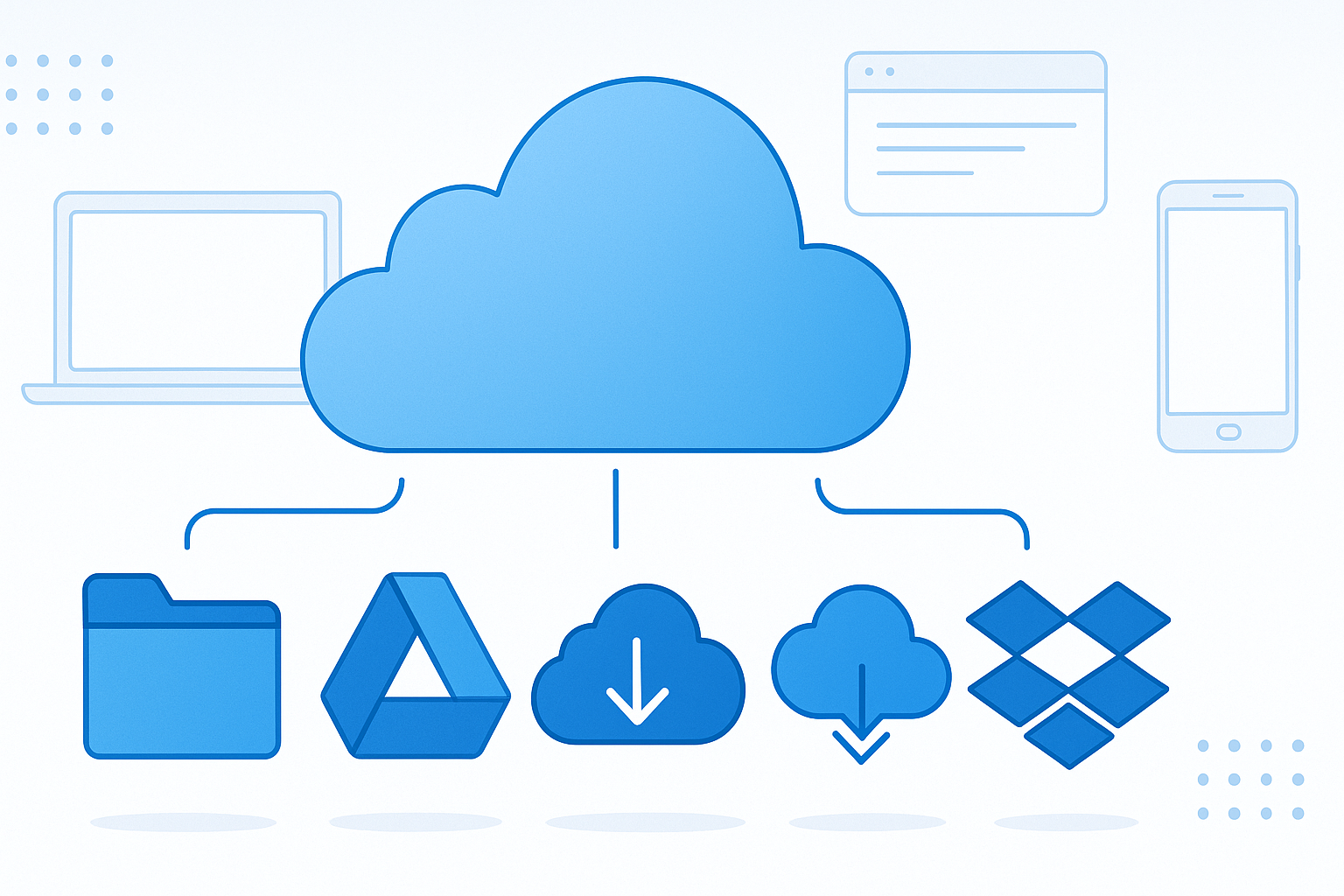
Top Internet Choices for Seamless Cloud Storage Users
Managing cloud storage effectively begins with having the right internet setup. Whether you’re syncing files, backing up important data, or collaborating in real time, the last thing you want is a sluggish, unreliable connection holding you back. This blog post will guide you through the best internet options for smooth cloud experiences and how to make smart choices based on your needs.
Why Your Internet Setup Matters for Cloud Storage
Cloud storage isn’t just about storing data remotely—it’s about how quickly and reliably you can move that data between your devices and the cloud. Here’s why the right connection matters:
- Faster upload speeds mean quicker backups and smoother file sharing.
- Low latency keeps collaboration and cloud apps responsive.
- Reliable connections prevent syncs from failing mid-transfer.
- Consistent performance supports seamless remote workflows.
A strong internet foundation ensures cloud syncing stays in the background—not on your mind.
Choosing the Right Internet Based on Your Cloud Needs
1. Upload and Download Speeds
Even though download speeds often get the spotlight, upload speeds are equally critical for cloud storage users. For everyday syncing tasks, aim for at least 10–20 Mbps upload. If you work with large files or back up frequently, push for 50–100 Mbps upload to eliminate bottlenecks. ([myneighborhoodwifi.com](https://myneighborhoodwifi.com/top-internet-choices-for-seamless-cloud-storage-users/?utm_source=openai))
2. Latency and Responsiveness
Low latency ensures smooth interaction with cloud apps, especially during real-time editing or collaborative workflows. Aim for under 50 ms latency where possible. ([myneighborhoodwifi.com](https://myneighborhoodwifi.com/top-internet-choices-for-seamless-cloud-storage-users/?utm_source=openai))
3. Data Caps and Throttling
Cloud syncing—especially initial backups—can consume vast data volumes. Since many ISPs cap data at around 1 TB monthly, be sure to pick plans without strict limits or those that throttle speeds after usage thresholds. ([rcloneview.com](https://rcloneview.com/support/blog/cloud-storage-bandwidth-cap-isp-rcloneview?utm_source=openai))
4. Stability & Reliability
Consistency often trumps raw speed. Ask neighbors or check local forums to gauge provider reliability. Uptime and steady performance will save you more frustration than an advertised top speed. ([myneighborhoodwifi.com](https://myneighborhoodwifi.com/top-internet-choices-for-seamless-cloud-storage-users/?utm_source=openai))
5. Cost vs. Real Performance
A slightly pricier, more dependable plan that delivers sustained upload speed is often worth the premium. Value isn’t just fast speed—it’s how well that speed performs under real-world use. ([myneighborhoodwifi.com](https://myneighborhoodwifi.com/top-internet-choices-for-seamless-cloud-storage-users/?utm_source=openai))
Comparing Connection Types for Cloud Storage
Fiber-Optic: The Ideal Choice
- Symmetrical upload and download speeds (e.g., 100/100 Mbps or higher).
- Low latency and high reliability—perfect for heavy syncing and live collaboration.
Cable Broadband
- Typically high download but much lower upload (e.g., 300/20 Mbps).
- Works well for casual syncing but may slow down large uploads during busy periods.
DSL & Fixed Wireless
- DSL offers modest upload speeds (1–10 Mbps)—adequate for basic syncing.
- Fixed wireless varies greatly; may perform well if fiber or cable aren’t available.
Satellite (LEO or Geostationary)
- Newer low-Earth-orbit options lower latency but still show variability in upload performance.
- Not optimal for frequent large uploads due to inconsistent throughput.
How Much Speed Do You Actually Need?
Speed requirements depend on how many users and devices are syncing or backing up. Below are some general guidelines:
- Light Usage: 100–300 Mbps download is often sufficient for basic browsing and occasional uploads. Recommend at least 10–20 Mbps upload. ([ratemapper.com](https://www.ratemapper.com/blog/internet-speed-guide?utm_source=openai))
- Moderate Usage (multiple users, HD streaming, regular cloud backups): 300–500 Mbps download offers good balance. Upload speeds of 20–50 Mbps are ideal. ([ratemapper.com](https://www.ratemapper.com/blog/internet-speed-guide?utm_source=openai))
- Heavy Use (multiple remote workers, frequent large file transfers): Gigabit (1 Gbps) plans provide ample capacity and headroom. Upload of 50 Mbps or higher is advisable. ([ratemapper.com](https://www.ratemapper.com/blog/internet-speed-guide?utm_source=openai))
Consider performance consistency. Fiber provides steadier speeds than cable, especially during peak hours. ([ratemapper.com](https://www.ratemapper.com/blog/internet-speed-guide?utm_source=openai))
Tips for Optimizing Your Cloud Sync Experience
- Use tools like RcloneView to limit bandwidth, schedule syncs during off-peak hours, and perform incremental backups. ([rcloneview.com](https://rcloneview.com/support/blog/cloud-storage-bandwidth-cap-isp-rcloneview?utm_source=openai))
- Monitor your upload speed—if you hit data caps or upload slows, consider upgrading plans.
- Test with real files; speed claims don’t always match real-world performance. ([reddit.com](https://www.reddit.com/r/cloudstorage/comments/1ac0sps?utm_source=openai))
- Always include a buffer in your plan—cloud syncing often runs alongside video calls or other tasks.
Conclusion
For anyone relying on cloud storage, choosing the right internet connection is more than selecting the fastest headline number. Prioritize upload speed, consistency, and data allowances to ensure smooth syncing and backup workflows.
In most cases, fiber-optic connections deliver the best experience. Those on cable should still aim for higher upload tiers, and where options are limited, DSL or fixed wireless can suffice with realistic expectations. Always match your plan to your actual usage, and avoid surprises by planning ahead.

Welcome to a deep dive into the world of Top Internet Plans Perfect for Heavy Downloaders—where reliability, speed, and generous data allowances meet what heavy downloaders truly need. Let’s break it down with clarity, helpful tips, and a fresh, human tone.
Why Heavy Downloaders Need the Right Plan
If you’re downloading large files—like HD movies, game libraries, or massive datasets—video in 4K, or consistently running background syncs, a typical ISP plan can fall short. You need:
- High-speed downloads (at least 500 Mbps, ideally gigabit or higher).
- No data caps—or truly unlimited data—so overage fees or throttling don’t interrupt you.
- Consistent performance, even during evening or peak hours.
What Makes a Great Plan for Heavy Downloaders
Here are essential traits to look for:
- Gigabit or multi-gigabit speeds—fast downloads are non-negotiable.
- No data caps or throttling—true unlimited service ensures seamless usage.
- High upload speeds—especially important if you’re also uploading large files or streaming fluidly.
- Reliable network performance—stable speeds during peak demand make a big difference.
- Effective networking gear—your modem and router must support the bandwidth you’re paying for.
Top Internet Plans Tailored for Heavy Downloaders
Below are some outstanding plans that meet these needs —with crisp benefits and real-world worth:
Frontier Fiber – Streaming and Download Powerhouse
Frontier Fiber delivers symmetrical fiber speeds starting at 500 Mbps and scaling up to 5 Gbps, with no data caps—perfect for handling massive downloads and multiple simultaneous 4K streams ([internetproviders.ai](https://www.internetproviders.ai/guides/streaming-internet/?utm_source=openai)).
- Why it’s great: Unlimited data, consistent fiber performance during peak hours, and generous speed tiers starting at just $50/month for 500 Mbps ([internetproviders.ai](https://www.internetproviders.ai/guides/streaming-internet/?utm_source=openai)).
AT&T Fiber – Nationwide Gig & Beyond
AT&T Fiber stands out with impressive nationwide reach and blazing-fast speeds, including options up to 5 Gbps without data caps or equipment fees ([compareinternet.com](https://www.compareinternet.com/fiber-internet/?utm_source=openai)).
- Key perks: Top-tier speed (5000 Mbps plan!), no annual contracts, and no data caps make this plan tailored to ramp-up your download capabilities ([compareinternet.com](https://www.compareinternet.com/fiber-internet/?utm_source=openai)).
Google Fiber – True Multi‑Gig Speeds
Google Fiber is designed for high-demand users, offering plans ranging from 1 Gbps to 8 Gbps, all with symmetrical speeds and no data ceilings ([thetodayus.com](https://thetodayus.com/best-isp-in-usa-2026/?utm_source=openai)).
- Highlights: Rapid download/upload speed, simple pricing, and free Wi-Fi 6E equipment for hyper‑speedy transfers ([thetodayus.com](https://thetodayus.com/best-isp-in-usa-2026/?utm_source=openai)).
Frontier Fiber Expansion Plans
In many areas, Frontier also provides 5 Gbps service for just $50/month, maintaining unlimited data and fast reliability even at premium levels ([internetproviders.ai](https://www.internetproviders.ai/blog/best-internet-providers-2026/?utm_source=openai)).
Extreme-Multigig Fiber Options
Available in select regions, providers offer mind-blowing multi-gigabit speeds:
- Optimum Fiber 8 Gig: 8 Gbps symmetrical speeds, unlimited data, pricing starting around $150/month ([internet-4-all.com](https://internet-4-all.com/fastest-internet/?utm_source=openai)).
- Brightspeed Fiber 8 Gig: Similar performance at around $89.99/month ([internet-4-all.com](https://internet-4-all.com/fastest-internet/?utm_source=openai)).
- Ziply Fiber 50 Gig: In the Pacific Northwest, Ziply offers a 50 Gbps symmetrical plan for extreme power users, though costs and gear demands are high ([fastinternethome.com](https://fastinternethome.com/?utm_source=openai)).
Real-World Insights from Heavy Users
- A network engineer on Reddit explains that while 500 Mbps up/down speeds are overkill for most, they excel when you consistently upload/download gigabytes. Even in busy households, gigabit connections still leave headroom ([reddit.com](https://www.reddit.com/r/HomeNetworking/comments/1t5zox3/for_those_with_gig_plans_or_higher/?utm_source=openai)).
- On the flipside, heavy users flagged that some “unlimited” plans—notably from mobile-based or satellite providers—actually impose hidden usage thresholds or throttle speeds after a certain limit ([reddit.com](https://www.reddit.com/r/Airtel/comments/1ssgfqv/airtel_unlimited_broadband_in_india_1000gb_cap/?utm_source=openai)).
Handy Tips for Choosing the Perfect Plan
- Map availability: Check if providers like AT&T Fiber or Google Fiber serve your address—they’re expanding but still limited regionally.
- Select speed smartly: Aim for at least 500 Mbps upload/download; if you frequently download TBs, gigabit or multi-gig speeds are worth the investment.
- Prioritize no data caps: Spending hours downloading 4K media can easily exceed 1 TB/month—plans without caps avoid nasty overage charges ([freeispinfo.com](https://freeispinfo.com/plans/no-data-cap-internet-plans-for-stream-heavy-homes/?utm_source=openai)).
- Upgrade your gear: A Wi-Fi 7 or high-performance router ensures your network keeps pace with ultra-fast fiber speeds ([netgear.com](https://www.netgear.com/hub/technology/best-internet-plans-us/?utm_source=openai)).
- Manage evening load: Fiber usually handles peak-hour traffic better than cable, so it maintains download speeds when you need them most ([internetproviders.ai](https://www.internetproviders.ai/guides/streaming-internet/?utm_source=openai)).
Quick Comparison Table
|
Provider |
Speed Tier |
Data Cap |
Notable Perks |
|---|---|---|---|
|
Frontier Fiber |
500 Mbps – 5 Gbps |
None |
Consistent peak performance |
|
AT&T Fiber |
Up to 5 Gbps |
None |
No fees, broad coverage |
|
Google Fiber |
1–8 Gbps |
None |
Speedy pricing, Wi‑Fi 6E gear |
|
Optimum / Brightspeed Fiber |
Up to 8 Gbps |
None |
Multi‑gig for power users |
Final Words
Heavy downloaders need more than average internet—they require top-tier speeds, unlimited data, and steadfast reliability. Plans like Frontier Fiber, AT&T Fiber, Google Fiber, and multi-gig options from Optimum or Brightspeed check all the right boxes if they’re available to you. Pair great ISP performance with solid networking gear, and you’re set.
Your digital life—whether it’s work, media, gaming, or creative projects—deserves bandwidth that won’t let you down. Choose wisely and enjoy blazing-fast downloads, uninterrupted usage, and the freedom to go data-hungry without worry.

Welcome to MyNeighborhoodWiFi.com! Today we’re diving into a topic many of us care about: Best Internet Providers That Include a Free Modem. If you’re tired of surprise fees when your first bill arrives, this guide is for you. We’ll explore providers that include a modem at no extra monthly cost, helping you save money and get online without hassle.
Why Having a Free Modem Matters
Getting your internet plan started often goes smoothly—until your first bill. Suddenly you’re hit with rental fees for the equipment. Providers that include a modem in the plan reduce confusion, ensure one less bill to worry about, and simplify setup.
Top Providers Offering a Free Modem
T-Mobile 5G Home Internet
T-Mobile’s 5G Home Internet plan often includes a gateway device at no additional cost. It’s a straightforward option for those seeking a simple setup and coverage where available. Online user discussions confirm that the hardware is included free in many cases.([reddit.com](https://www.reddit.com/r/NoContract/comments/16jlwi4?utm_source=openai))
Spectrum
Spectrum now includes a free modem in the price of most of its internet plans—it’s not Wi-Fi enabled, so if you want wireless access, you’ll either need to pay for their router or use your own.([wirefly.com](https://www.wirefly.com/guides/spectrum-internet-tv-review?utm_source=openai))
Xfinity (Comcast) – Internet Essentials Program
For low-income households, Comcast’s Internet Essentials plan includes a free wireless gateway (modem + router combo). It’s designed to lower connectivity barriers for eligible users.([budgetseniors.com](https://www.budgetseniors.com/blog/xfinity-internet/?utm_source=openai)) Users on Reddit also confirm that the modem is included with such plans.([reddit.com](https://www.reddit.com/r/Frugal/comments/1sgd337/any_recommendations_for_cheaper_internet/?utm_source=openai))
Tips for Evaluating These Offers
- Check for hidden fees — some providers include the modem only if you remain on the plan for a set period.
- Look for Wi-Fi capabilities — some free modems lack built‑in Wi-Fi; buying your own router could offer better performance.
- Test value over time — sometimes, a slightly more expensive plan that includes the modem might actually cost less overall by avoiding rental fees.
Quick Comparison Table
|
Provider |
Modem Included? |
Wi‑Fi Built-In? |
|---|---|---|
|
T‑Mobile 5G Home Internet |
Yes |
Yes |
|
Spectrum |
Yes |
No |
|
Xfinity Internet Essentials |
Yes |
Yes |
Why These Providers Stand Out
- T-Mobile 5G Home Internet is ideal for users in areas with 5G coverage who want a plug-and-play experience.
- Spectrum suits users who don’t mind bringing their own Wi‑Fi router or paying extra for one, but want a hassle‑free modem.
- Xfinity Internet Essentials offers both modem and Wi‑Fi gear bundled at no extra cost, specifically supporting households with financial need.
Final Thoughts
Choosing an internet provider that includes a free modem can help you avoid surprise costs and simplify setup. T-Mobile 5G Home Internet, Spectrum, and Xfinity Internet Essentials are solid options worth considering depending on your location, coverage, and budget needs. Always check the details—like built-in Wi‑Fi and contract terms—to make the most informed decision.
Enjoy a smoother path to fast, worry‑free internet!